The Krampus Engine | An Open Source Horror Addon
- By
"The Krampus Engine" is an open source (its a bridge project) addon that provides players with a mob that provides jumpscares.
This addon requires ZERO experimental Toggles to function
The Krampus Engine
<figure class="image"> </figure>
Welcome to The Krampus Engine! an addon that can be used for parts that will allow you to make a mob that screams in your face.
If you are not an addon creator and just want the addon:
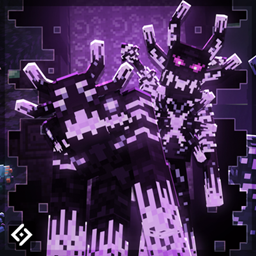
When downloaded, the pack gives you Krampus, a goat creature that when attacking a player, will scream in the players face and teleport them away. (you can change what this does at any time.)
If you want to implement your own mob:
The simplist way of uing this addon if you want to do your own custom mobs is to swap out the Model, Texture, and Animations to your own stuff. If you want the easy way that's all you have to do! have fun!
Some notes for this pack:
- You will need basic knowledge on how addons work in order to use this. (Behaviors and animation controllers)
- Credit is Preferred, not required. (say thank you at least gosh)
- This project is NOT to be used in any commercial projects without permission. (Marketplace, Servers, etc.)
If you would like to build your own projects with these files, the instructions are below.
Build a (Horror) Bear I: SETUP
In order to build your own mob, you will need at minimum of THREE files from this pack. and the fun part is, all you have to do is put the files in the correct places inside your custom project, then make sure the behavior file is hooked up to the entity and you are good to go!
The Template Entity Behavior (BP/entities/template/krampus/krampus.json)
The Template Behavior Animation Controller (BP/animation_controllers/server.controller.animation.jumpscare_controls.json)
The Template Jumpscare Template (functions/jumpscare)
Build a (Horror) Bear II: HOOKUP
<figure class="image"> </figure>
Once you have these three files ready in your project, you want to look in the behavior file and make sure the identifier matches the entity you're creating. Asuming the mob is hooked up and the animation controller is connected, you are good to go! BUT, there is one more thing you probably would like to edit: what they do when they jumpscare you!
Go into "Functions/jumpscare" and open that file.
<figure class="image"> </figure>
By default, this command will be in there. when the jumpscare is finished, your screen will turn black then teleport you away. but you can change it to whatever you want.
Attract Blocks
<figure class="image"> </figure>
<figure class="image">
</figure>
<figure class="image"> </figure>
Included with this addon are two types of blocks, they both do the same thing but one of them has a timer.
- This block is set up so that krampus moves towards it. one of the block stays around forever when placed, the other one disappears after a short time. If done right you can make Krampus move on a dedicated path.
- (My recomendation for these blocks is to make a line of these blocks for your entity to walk down, then set up a command block to execute a command in behalf of your entity to replace the block with air when its near it. so il will forget about the block it was after and move to the next one. rince and repeat!)
Despawner
<figure class="image">
 </figure>
Since the mob is unhurtable by default, I added an item that allows you to despawn it by will.
How Things Work:
<figure class="image">
 </figure>
This is a basic layout of how everything works. I reccomend you read this if you want to change quite a bit.
The mobs behaviors is split into two component groups, Jumpscare State FALSE, and Jumpscare State TRUE
- FALSE is the components the mob is given by default (Put their normal behavior in this group)
- TRUE are the components given to the mob when jumpscaring a player.
- When done jumpscaring, the mob will reset and go back to FALSE
The Jumpscare works with a behavior animation controller
<figure class="image"> </figure>
By default, the controller will not do anything. HOWEVER, when a player is struck it will swap to a "ticking" state will it will play a couple of commands over and over again.
<figure class="image"> </figure>
When in this tick state, the mob will make itself face a certain direction while also making sure the players' camera is in the correct position. when the jumpscare animation is done, it will go to its final state.
<figure class="image"> </figure>
When done, the entity will fire off one more list of commands then reset until another player is struck.
The Krampus Trials
<figure class="image"> </figure>
If you would like to see this addon in action, check out "The Krampus Trials" on my profile! It uses this addon to make the map happen!
END
Thank you for checking out my addon!
The Krampus Engine | An Open Source Horror Addon Team

Owner