The Bare Necessities
- By
Screenshot 2026-11-16 192126.png
Description
The Bare Necessities
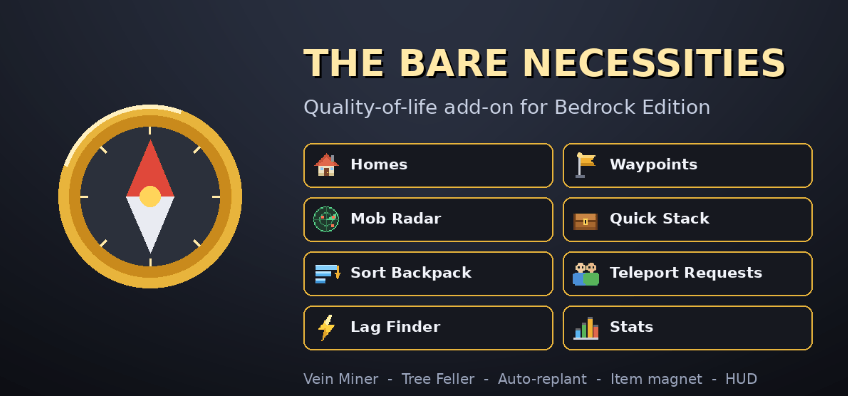
A quality-of-life add-on for Minecraft Bedrock Edition. Everything is controlled from one item, the Necessities Compass: right-click it to open the menu, sneak and right-click to quick-stack your inventory into nearby chests. You get one the first time you join a world, a new one if you respawn without it, and you can craft another with a compass and a book.
What it adds
- HUD above the hotbar: coordinates, compass direction, time and day, what you are looking at (crops show how grown they are), durability of the tool in your hand, and a hostile-mob warning. Each part can be switched off.
- Mob radar: shows the nearest hostile mob within 24 blocks with distance and direction, plays a warning sound when one gets close, and lists everything nearby in a menu.
- Vein Miner: sneak and mine an ore with a pickaxe that is strong enough for it and the whole vein comes along. Fortune and Silk Touch still count, the tool wears per block, and it stops before your pickaxe would break. You choose the size limit.
- Tree Feller: sneak and chop a natural tree with an axe. Only trees with leaves count, so log houses are safe. Saplings from your pack are replanted for you.
- Farming: breaking a ripe crop replants it, and right-clicking a ripe crop harvests and replants in one go (optionally 3x3).
- Auto-refill: place your last block and the next stack of the same block moves into your hand.
- Homes and waypoints: up to 8 homes and 12 waypoints. Homes teleport after a short wait that cancels if you move or get hurt. Track any place to get an arrow and distance on your HUD.
- Navigation: your death point is posted and tracked, you can track your bed, and you can return to where you stood before your last teleport.
- Teleport requests between players, with a pop-up to accept. Requests expire after 60 seconds.
- Quick Stack and Sort: deposit items into nearby chests and barrels that already hold them, and tidy your backpack. Your hotbar is never touched.
- Stats: blocks broken, trees felled, crops harvested, deaths, teleports and more.
- Comfort: an optional item magnet and a night vision toggle.
- World rules for operators: how many players must sleep, keep inventory, and mob griefing.
Performance tools
- Game speed (TPS) shown in the Performance menu, and on the HUD only while the game is running slow.
- Lag Finder: counts loaded entities, lists the three most crowded spots (a big animal pen, a mob farm, an item pile), and can track the worst one.
- Gather Items pulls loose drops to you so they merge into fewer stacks. Clear Ground Items (operators) removes junk or everything except valuables; named, enchanted and valuable items are never removed.
- Auto-clean (operator option): when item drops pile up past 100, 200 or 400, junk such as cobblestone, dirt and gravel is cleared after a 15 second warning.
- Lite HUD mode (Off, Auto or Always) makes this add-on do less work on slow devices.
Honest note: an add-on cannot change your device's render speed. These tools keep the world light and keep this add-on small. The in-game Guide also lists the video settings that really raise FPS.
Graphics
Menu icons, a restyled hotbar and experience bar, and a Vibrant Visuals tune-up (richer sky, warmer color grading, livelier water) when you turn Vibrant Visuals on in Video settings. A separate optional FPS Boost file switches off the Vibrant Visuals water waves and caustics for slower devices.
Install
- Download TheBareNecessities (the .mcaddon file) and open it. Minecraft imports a behavior pack and a resource pack.
- Create or edit a world, open Behavior Packs and activate The Bare Necessities [Behavior]. The resource pack is activated with it.
- Join the world and use the Necessities Compass.
- Optional: import the FPS Boost file and activate it in Resource Packs, above The Bare Necessities.
Requirements and notes
- Minecraft Bedrock Edition 1.21.120 or newer. Uses only stable scripting APIs (@minecraft/server 2.0.0).
- Replaces the vanilla hotbar and experience bar images. If another resource pack changes them too, put the one you prefer higher in the list.
- Updating: import the new version over the old one (the packs keep the same IDs).
The Bare Necessities Team