Terrain Studio
- By
Terrain Studio is a powerful, high-speed procedural world generator for Minecraft Bedrock! Create massive customizable landscapes with mountains, forests, rivers, lakes, caves, ores, and more.
🏔️ TERRAIN STUDIO
🌍 Create Massive Custom Worlds in Minecraft Bedrock!
Build breathtaking landscapes. Explore enormous underground caverns. Generate entire worlds!
Terrain Studio is a powerful, customizable procedural terrain generation addon designed to bring advanced world creation directly into Minecraft Bedrock Edition.
Generate beautiful mountains, rolling hills, dense forests, winding rivers, snowy landscapes, giant underground caves, lava chambers, and much more!
Powered by an ultra-optimized generation engine, Terrain Studio lets you create huge, detailed landscapes without external world editors.
Whether you're designing a survival world, creating an adventure map, or experimenting with procedural generation, Terrain Studio puts world creation in your hands.
🌄 MASSIVE PROCEDURAL TERRAIN GENERATION
Create unique landscapes with advanced procedural generation.
Terrain Studio combines configurable terrain algorithms, natural landscape features, and customizable presets to build varied environments.
Terrain features include:
-
🏔️ Mountains & Valleys — Towering peaks, rolling hills, and natural valleys
-
🌲 Forests & Vegetation — Trees, grasslands, and beautiful surface decorations
-
🌿 Plains & Hills — Expansive landscapes with varied elevations
-
❄️ Snowy Terrain — Snow-covered environments and terrain transitions
-
🌊 Water Features — Rivers, lakes, ponds, and waterways
-
🏜️ Different Terrain Styles — Deserts, forests, grasslands, and more
-
🪨 Natural Formations — Cliffs, rocky surfaces, and uneven terrain
Every generation creates a new landscape to explore!
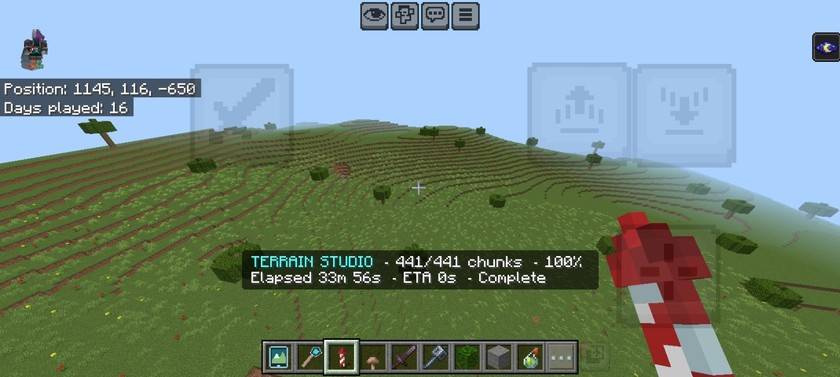
🌎 SMOOTH BIOME TRANSITIONS
Different landscapes. One connected world.
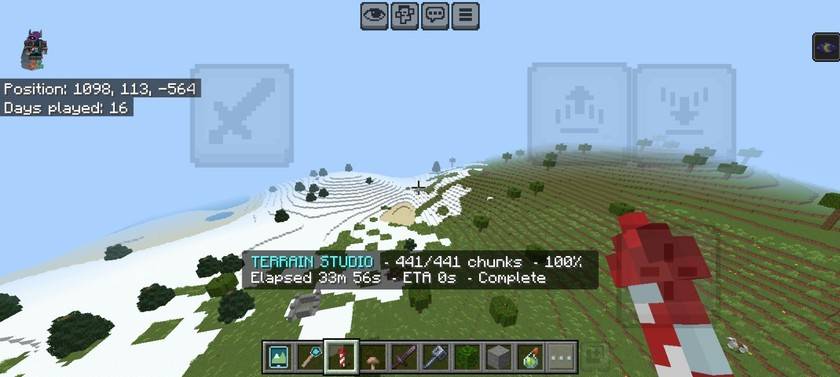
Terrain Studio can blend neighboring terrain regions to create gradual changes between different environments.
Experience grassy hills transitioning into snowy terrain, forests opening into plains, and mountains rising above surrounding landscapes.
The result is a more varied and connected world with fewer abrupt terrain changes.
🕳️ MASSIVE UNDERGROUND CAVE SYSTEMS
The adventure doesn't stop at the surface!
Beneath your generated landscapes lies an extensive underground environment filled with caves, tunnels, chambers, and valuable resources.
Underground features:
-
💎 Procedural Ore Distribution — Ores generated across configurable depths
-
🕳️ Cave Networks — Underground passages and connected tunnels
-
⛰️ Giant Caverns — Massive underground chambers
-
🪨 Deep Deepslate Caves — Expansive underground formations
-
🔥 Lava Chambers — Dangerous lava-filled environments
-
💧 Underground Water — Water features below the surface
-
🌋 Natural Cave Openings — Entrances and underground connections
Explore the mysterious underground worlds created by Terrain Studio.
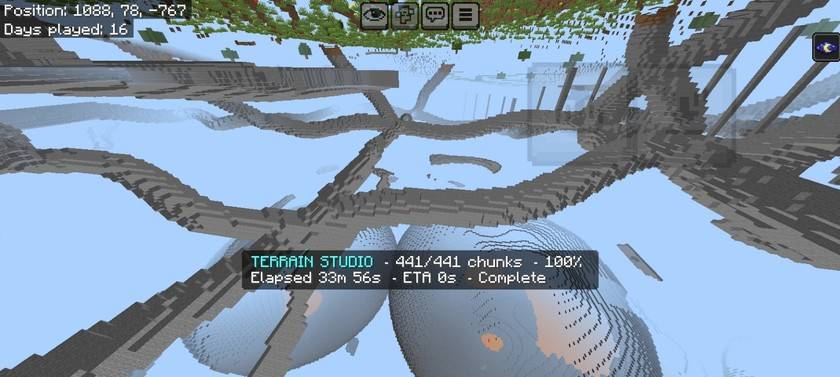
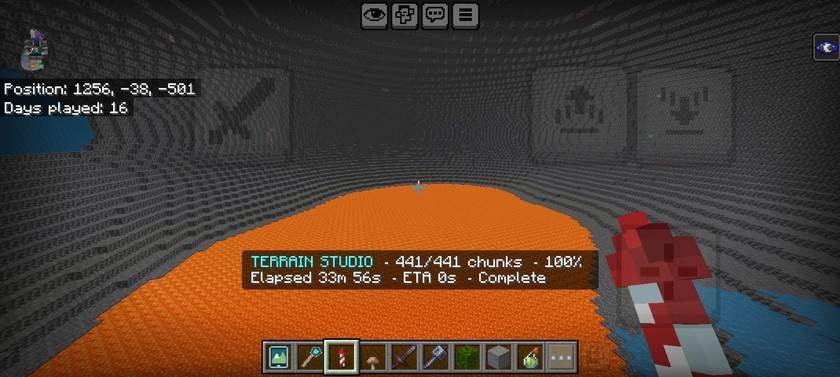
🔥 GIANT DEEPSLATE CAVERNS
Explore the depths!
Terrain Studio can generate enormous underground caverns deep beneath the surface.
Discover massive open spaces, towering stone walls, dramatic geological formations, and enormous lava chambers.
These locations are perfect for underground bases, exploration challenges, and custom adventure maps.
Some of the most impressive landscapes are hidden underground.
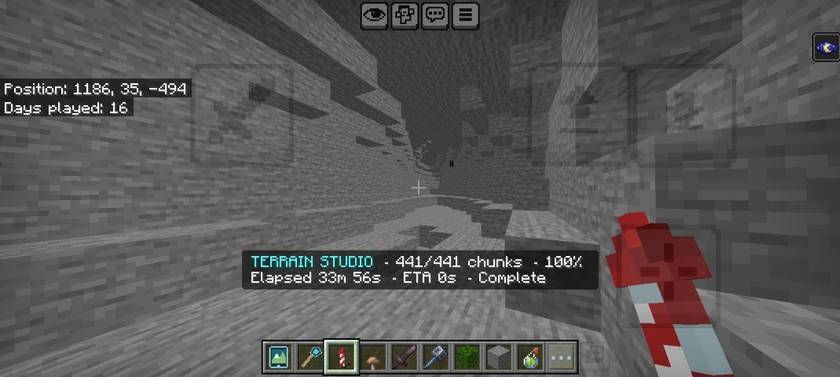
⛏️ NATURAL CAVE TUNNELS
Explore beyond the giant caverns.
Terrain Studio also creates smaller cave passages and natural underground tunnels, adding variety to the underground environment.
Combined with procedural ore placement and larger chambers, these tunnels create exciting places to explore and mine.
⚡ ULTRA-OPTIMIZED GENERATION ENGINE
🚀 Built for large-scale world creation!
Terrain Studio uses an optimized generation engine designed to handle massive areas efficiently.
Rather than processing every block individually, the system combines compatible block regions into larger placement operations.
Performance features:
-
⚡ 9×9 Superchunk Processing — Process groups of up to 81 chunks
-
🚀 Optimized Block Placement — Efficient terrain writing
-
🌍 Massive Generation Areas — Generate hundreds or thousands of chunks
-
🔄 Continuous Expansion — Extend previously generated terrain
-
💾 Persistent Progress — Save generation progress
-
⏸️ Generation Controls — Pause, resume, and stop
-
📊 Live Monitoring — Track completed chunks and generation time
-
⚙️ Performance Settings — Adjust generation behavior
Large worlds. Detailed terrain. Optimized generation.
Generation speed depends on device performance, selected settings, and world conditions.
🎨 CUSTOMIZABLE TERRAIN PRESETS
Your world. Your rules.
Quick Generation
Choose a preset and start creating terrain without configuring dozens of individual settings.
Custom Generation
Take greater control over the appearance and behavior of your generated world.
Customize:
-
🏔️ Terrain Height — Mountains, hills, and elevation
-
🌲 Vegetation — Forests and surface decoration
-
🌊 Water Generation — Rivers, lakes, and ponds
-
🕳️ Cave Generation — Underground density and formations
-
💎 Ore Distribution — Underground mineral generation
-
🌎 Terrain Transitions — Different landscape styles
-
⚡ Performance — Generation speed and processing options
-
📐 Area Size — Choose how much terrain to generate
From peaceful survival landscapes to extreme custom worlds, the choice is yours.
🗺️ GENERATION HISTORY & TELEPORTATION
Never lose your generated worlds!
Terrain Studio includes a persistent Generation History system that records previously generated locations.
Features include:
-
📍 Saved Coordinates — Remember generated locations
-
🏷️ Custom Names — Name your generated areas
-
🗺️ Area Information — Review previous generations
-
🚀 One-Click Teleportation — Return to saved locations
-
🛡️ Safe Landing Checks — Find suitable teleport destinations
-
💾 Persistent Records — Keep history across world sessions
-
🗑️ History Management — Remove unwanted records
Generate once. Return anytime.
📱 CLEAN & EASY-TO-USE INTERFACE
Powerful generation doesn't have to be complicated.
Terrain Studio features an organized in-game interface accessible through the Studio Tablet.
Main menu:
🌍 Generate Terrain — Create custom landscapes
📍 Generation History — View and revisit generated areas
⛏️ Manage Generation — Monitor and control generation
⚙️ Settings & Presets — Customize your experience
The menus feature custom Minecraft-style pixel-art icons for a clean and consistent appearance.
🛡️ GENERATION MANAGEMENT & WORLD SAFETY
Stay in control of your generation jobs.
Terrain Studio provides tools for managing large generation tasks and protecting important world areas.
-
⏸️ Pause Generation
-
▶️ Resume Generation
-
⏹️ Stop Generation
-
💾 Saved Progress Recovery
-
🛡️ Protected Area Controls
-
📊 Generation Monitoring
⚠️ Important: Terrain Studio modifies existing blocks in its target generation area. Always back up important worlds before generating terrain.
💻 CUSTOM COMMANDS
Control Terrain Studio directly from chat!
| Command | Description |
|---|---|
/terrain open |
Open the main menu |
/terrain history |
View generation history |
/terrain tools |
Receive the Studio Tablet |
/terrain status |
Check generation progress |
/terrain pause |
Pause generation |
/terrain resume |
Resume unfinished generation |
/terrain stop |
Stop generation |
Operator permissions are required for these commands.
🎮 HOW TO GET STARTED
Step 1: Download and import the .mcaddon file.
Step 2: Activate the Terrain Studio Behavior Pack and Resource Pack.
Step 3: Enter your Minecraft world.
Step 4: Use /terrain tools to receive the Studio Tablet.
Step 5: Open the tablet or use /terrain open.
Step 6: Select a preset or configure your generation settings.
Step 7: Choose an area and begin generating!
Step 8: Explore your newly created terrain!
For the cleanest results, start in a fresh flat world.
📦 COMPATIBILITY
Minecraft Edition: Bedrock Edition
Target Version: 26.50
Pack Type: Behavior Pack + Resource Pack
Platforms: Android and Windows Bedrock Edition
Terrain Studio generates landscapes directly inside the Overworld using Minecraft's scripting system.
Custom terrain regions do not automatically modify the game's underlying biome IDs, weather rules, or biome-specific mob spawning.
⚠️ IMPORTANT NOTES
-
Back up your world before large-scale generation.
-
Terrain Studio can replace existing blocks in unprotected areas.
-
Generation performance varies between devices.
-
Larger generation jobs require more processing time.
-
A fresh flat world is recommended for custom world creation.
❤️ CREATED BY NIXO
Developer: NIXO
CurseForge: nixo_the_modder
Terrain Studio was created to bring powerful, customizable, and large-scale procedural world generation to Minecraft Bedrock Edition.
If you enjoy the addon, consider following the project, leaving feedback, and reporting bugs to help improve future releases.
Thank you for supporting Terrain Studio! ❤️
🌍 GENERATE. EXPLORE. CREATE.
Welcome to Terrain Studio!
Terrain Studio Team