Terrain Slabs – User Guide & Technical Limitations
Minecraft Bedrock Add-on v1.4.1 | Powered by Script API (Stable v2.0.0) | File: TerrainSlabs_v1.4.1.mcaddon
1. Overview
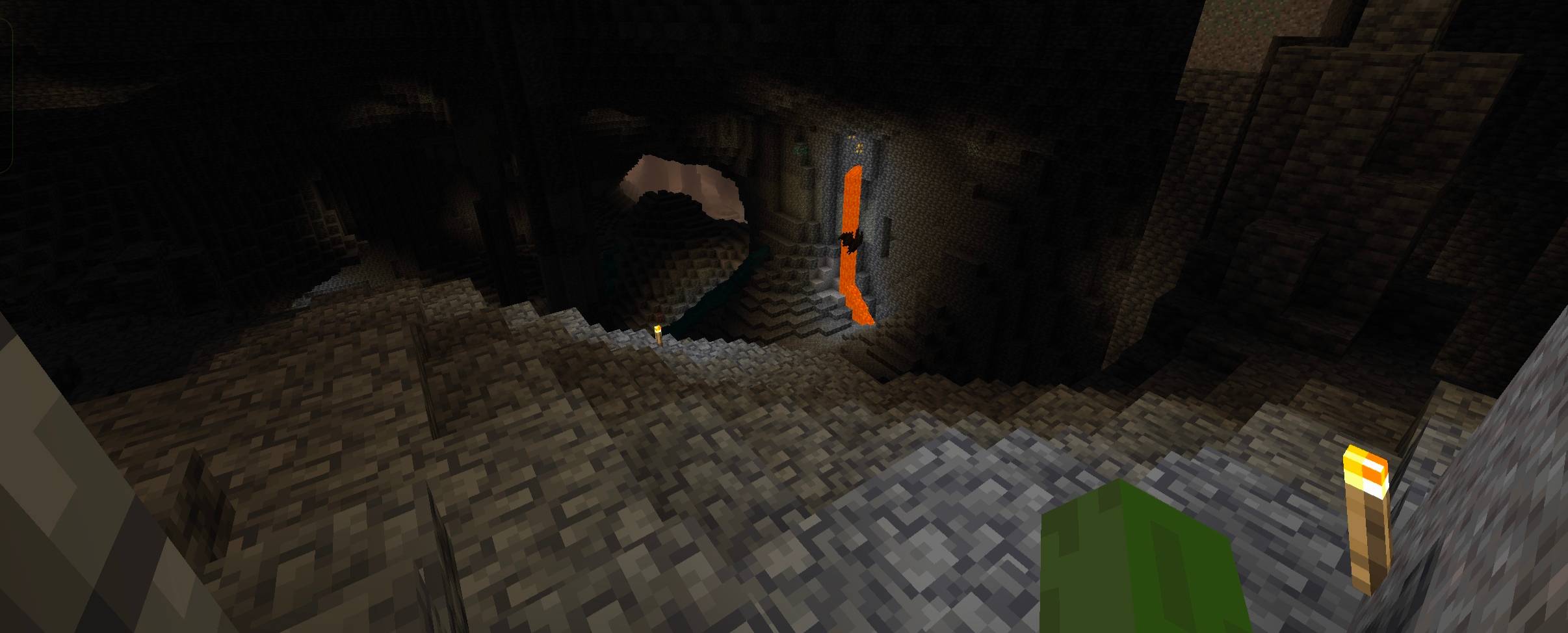
This add-on smooths out steep 1-block terrain steps into natural slopes using half-slabs. It dynamically fills or trims block transitions across all dimensions—Overworld surface, underwater, underground caves, the Nether, and the End.
Key Features:
- Terrain Smoother: A reusable utility item that activates automatic real-time terrain smoothing around the player as they move.
- 47 Custom Slabs: Custom-built slab variants available for survival crafting and full-block conversion.
- Advanced Mechanics: Waterloggable slabs, falling sand/gravel mechanics, customizable smoothing radii, batch-processing limits per cycle, dynamic despawning for distant slabs, and dual-language UI (English / Thai).
2. Installation
1. Remove Older Versions: If you have an earlier version installed, deactivate and remove its Behavior Pack (BP) and Resource Pack (RP) from your world settings before updating.
2. Import Package: Open the TerrainSlabs_v1.4.1.mcaddon file to launch Minecraft. The game will automatically import both the Terrain Slabs BP and Terrain Slabs RP.
3. Activate Packs: Go to World Settings -> Add-ons, then enable both the Behavior Pack and Resource Pack.
4. Backup World: Always create a world backup prior to activation, as terrain modifications permanently overwrite world blocks.
Note: This add-on sets product_type: addon and avoids Experimental Features, allowing Achievements to remain enabled in Survival worlds (pending final in-game verification).
3. How to Use & Configuration
3.1 Crafting & Activation
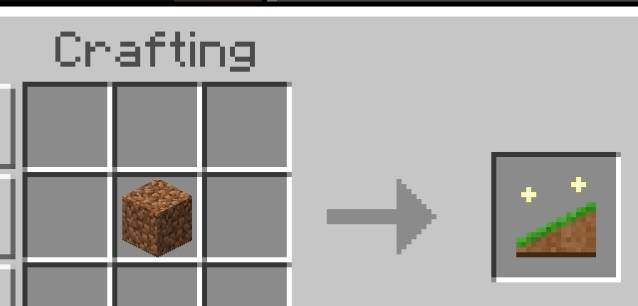
- Crafting Recipe: Place 1 Dirt in any crafting slot to receive the Terrain Smoother.
- Activation: Interacting with/tapping the item opens the setup menu. Select a target radius to start auto-smoothing. The item is not consumed upon use.
- Operational Rule: The auto-smoothing system remains active as long as the Terrain Smoother remains in your inventory. Dropping or removing the item deactivates the effect.
- Processing Order: Terrain is evaluated and smoothed starting from the player's immediate location, expanding outward.
3.2 Main Menu Options
- Radius 16 – 1024: Quick-select preset radii (capped by the server host's limit).
- Custom Radius: Manually input a custom radius (Range: 8 to maximum server limit).
- All Loaded Chunks: Processes all currently loaded chunks around the player (up to ~768 blocks / 48 chunks).
- Options: Access client-side performance settings.
- Language: Toggle menu language between English and Thai (Default: English).
- Turn OFF: Deactivate automatic terrain smoothing.
3.3 Client Options
- Instant Mode: Eliminates tick delays for immediate processing. Increases tick execution time and may cause frame drops.
- Show Status Text: Displays real-time status messages (Processing / Complete). Disabled by default; does not log updated block counts.
- Remove Far Slabs: Automatically despawns modded slabs beyond a configured distance (Range: 32–4096 blocks) to improve frame rates. Slabs are re-applied when returning to the area.
- Max Slabs Per Cycle: Limits how many slabs can be placed in a single processing loop. Set to 0 for unlimited (Default: 0). Unfinished areas resume automatically in the next cycle.
- Work Time Per Tick (ms): Allocates processing time per tick in standard mode (Range: 1–45ms, Default: 6ms). Higher values speed up smoothing but increase stuttering.
3.4 Host / Admin Settings
To access Host Settings, sneak and interact with the Terrain Smoother. Available only to the World Host, OPs, or players assigned the ts_admin tag (/tag <player> add ts_admin). Single-player hosts gain admin privileges automatically.
- Max Allowed Radius: Restricts the maximum radius players can select (Range: 32–2048 blocks).
- Vertical Bounds: Sets the height range for processing (+/-8 to +/-32 blocks from player level).
- Cave Ceiling Smoothing: Toggle cave ceiling processing ON/OFF.
- Global Cycle Limit: Sets a server-wide slab placement cap per cycle (0 = unlimited). If both client and host limits are configured, the lower value takes precedence.
4. Terrain Smoothing Logic
- Edge Detection: Checks the target ground block against its 8 surrounding neighbors. If a 1-block height variation is detected, it places a slab on the lower side or trims the upper block into a slab to create a smooth 0.5-block step transition.
- Cliff Protection: Terrain drops or elevation changes of 2 or more blocks are ignored.
- Clearance Check: Requires a minimum clearance of 3 open air blocks above the ground before placing a slab, preventing players from getting suffocated or trapped.
- Supported Materials: Smooths valid terrain blocks listed in Section 8. Man-made structures, wood, leaves, ores, and unlisted blocks are treated as obstacles and skipped.
- Cave Ceilings: Supports cave ceiling smoothing (can be disabled via Host Settings). Falling blocks like Sand/Gravel on ceilings are skipped to prevent floating glitches.
- Underwater Slabs: Automatically sets waterlogged states for underwater slabs, preventing air pocket formation.
- Lava Protection: Slabs will not be placed adjacent to lava sources.
- Foliage Handling: Small plants, grass, and flowers occupying target slab positions are automatically cleared.
- State Memory: Modded slabs preserve original ground metadata, enabling seamless transitions during continuous processing runs.
5. Slabs: Crafting & Placement Rules
5.1 Crafting Recipes
- Standard Ratio: 1 full block yields 2 slabs. (Exception: Dirt uses 3 horizontal blocks to yield 6 slabs, avoiding recipe conflicts with the Terrain Smoother).
- Un-crafting: 2 slabs can be combined back into 1 full block in the crafting grid.
- Stonecutter: Stone and Sandstone variants can be processed via the Stonecutter (1 block = 2 slabs).
- Smelting & Drops:
* Smelting a Cobblestone Slab yields a Stone Slab.
* Mining a Stone Slab drops a Cobblestone Slab (Silk Touch not currently supported).
* Mining Grass, Podzol, or Mycelium Slabs drops a standard Dirt Slab.
5.2 Placement & Full-Block Merging
- Slab Orientation: Can be placed on the upper or lower half of a block space based on target crosshair position.
- Merging Mechanics: Placing identical slab types against existing upper or lower slabs automatically merges them into a single full block (Supports all configurations: Top+Top, Bottom+Bottom, Top+Bottom).
- Restrictions: Adjacent horizontal slabs will not merge, nor will mismatched slab materials.
- Engine Implementation: Replaces merged slabs directly with their native full-block equivalents instead of using engine double-slab states.
5.3 Gravity Blocks (Sand, Red Sand, Gravel)
- Falling Slabs: Gravity-affected slabs drop downward at a rate of 1 block every 2 ticks.
- Landing Merge: Dropping onto a matching slab type automatically merges both into a full block.
- Vanilla Block Interaction: If a full vanilla gravity block falls onto a matching slab, the lower slab becomes a full block, and the falling block converts into a top slab without losing materials.
- Trigger Conditions: Gravity checks trigger upon block placement, destruction, or explosions (not running via constant tick loops).
6. Known Limitations & Technical Constraints
Visual & Lighting Artifacts:
- Custom Models: Modded slabs are custom geometry blocks; lighting and color shades may slightly deviate from native blocks.
- Grass Side Textures: Grass Slabs adapt top-face colors to local biomes, but side faces display default dirt textures due to Engine biome-tinting constraints.
- Inventory Rendering: Slabs may display as full 3D blocks in item frames, hand views, or inventory slots, but deploy as proper half-slabs when placed.
- Localization: Item names remain in English across all language settings.
Operational Constraints:
- Permanent Modification: Changes made to the world terrain are permanent and cannot be undone (no Undo function).
- Chunk Dependence: Smoothing operates strictly within currently loaded chunks. Unloaded areas are queued until loaded.
- Performance Impact: High radii, "All Loaded Chunks", or Instant Mode can cause severe frame drops or latency spikes on mobile devices.
- Unlisted Blocks: Non-terrain materials (ores, logs, leaves, ice, structures) are excluded from processing.
- Gravity Block Triggers: Gravity detection does not track external updates like piston movement, fluid flow, or /setblock commands. Floating slabs can be updated by manually placing/breaking an adjacent block.
Unverified In-Game Behaviors:
(Algorithms verified via simulation environments; actual behavior may vary depending on Bedrock platform build)
- Waterlogged states rely on setWaterlogged API support.
- Specific item identifiers in recipes (e.g., Red Sand, Terracotta variants) may vary across minor Bedrock patches.
- Block placement event triggers utilize fallback listeners for cross-version compatibility.
7. Troubleshooting
- Error: "slab blocks did not load" -> Packs are not loaded correctly. Ensure both BP and RP are active in World Settings. Check Settings > Creator > Content Log for loading errors.
- Cannot Craft Terrain Smoother -> Ensure you are using standard Dirt (not Coarse/Rooted Dirt). Try using a Crafting Table.
- Slabs Will Not Merge -> Ensure both slabs are identical types. Target the top face of a lower slab or bottom face of an upper slab.
- Game Lag / Stuttering -> Reduce radius, lower Work Time Per Tick, enable Max Slabs Per Cycle, disable Instant Mode, or enable Remove Far Slabs.
- Terrain Not Smoothing -> Verify the Terrain Smoother is in your active inventory, the mode is turned ON, and target blocks belong to the supported material list.
8. Complete Slab Registry (47 Types)
Auto-Smoothing & Craftable (44 Types):
- Dirt & Organic: Grass, Dirt, Coarse Dirt, Rooted Dirt, Podzol, Mycelium, Clay, Mud, Moss Block.
- Granular: Sand, Red Sand, Gravel.
- Stone & Rock: Stone, Granite, Diorite, Andesite, Deepslate, Tuff, Calcite, Dripstone Block, Smooth Basalt, Basalt, Blackstone, Netherrack, Soul Sand, Soul Soil, End Stone, Obsidian, Sandstone, Red Sandstone.
- Nether Vegetation: Crimson Nylium, Warped Nylium, Nether Wart Block, Warped Wart Block.
- Snow & Ice: Snow Block, Packed Ice, Blue Ice.
- Terracotta: Terracotta, White, Orange, Yellow, Red, Brown, Light Gray.
Craftable Only / Manual Placement (3 Types):
- Cobblestone, Mossy Cobblestone, Cobbled Deepslate.
9. Version History
- v1.0: Initial release. Single-use smoother item, basic slab types.
- v1.1: Added continuous auto-smoothing mode, radius menu, non-consumable utility item.
- v1.2: Introduced custom radius inputs, "All Loaded Chunks" mode, waterlogging support, full-block merging, and distance despawning.
- v1.3: Dual-language UI system (EN/TH), universal pair merging, fixed gravity-falling slab loops.
- v1.4: Performance updates: batch limits per cycle, custom tick-time budget controls, English set as default UI language.
- v1.4.1: Fixed craft
- ing conflicts for Terrain Smoother, resolved edge-case merging bugs, disabled ceiling processing for gravity blocks (Sand/Gravel).