TC Light Overlay
- By
[ACHIEVEMENT FRIENDLY] A lightweight, zero-lag light level overlay and mob spawn indicator for Minecraft Bedrock with 4-color markers, multi-floor scanning, and floating text holograms.
Screenshot 2026-09-02 164941_compressed.png
Description
TC Light Overlay
TC Light Overlay is a utility add-on for Minecraft Bedrock that displays real-time light levels and mob spawning conditions on the ground.
Support and Links:
- Ko-fi: https://ko-fi.com/toancao
- YouTube: https://www.youtube.com/@toancaomc
Screenshots
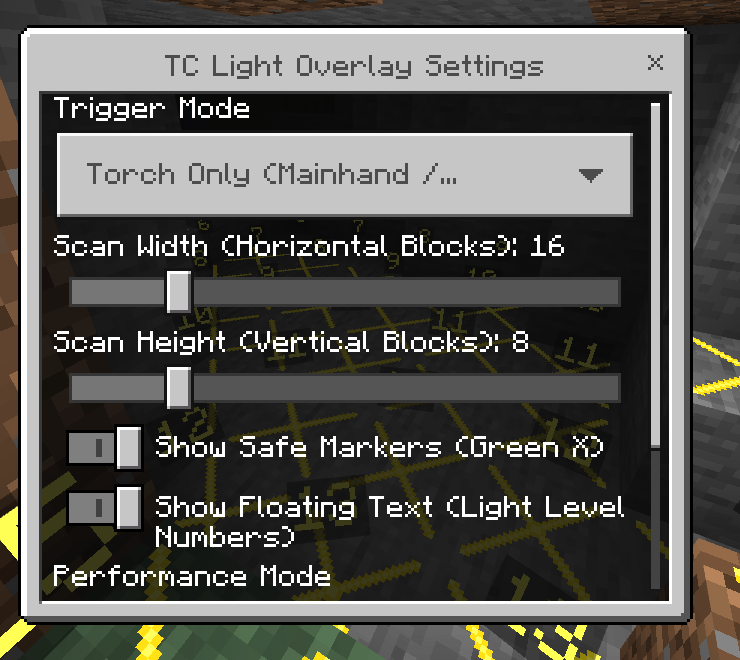
Settings Menu
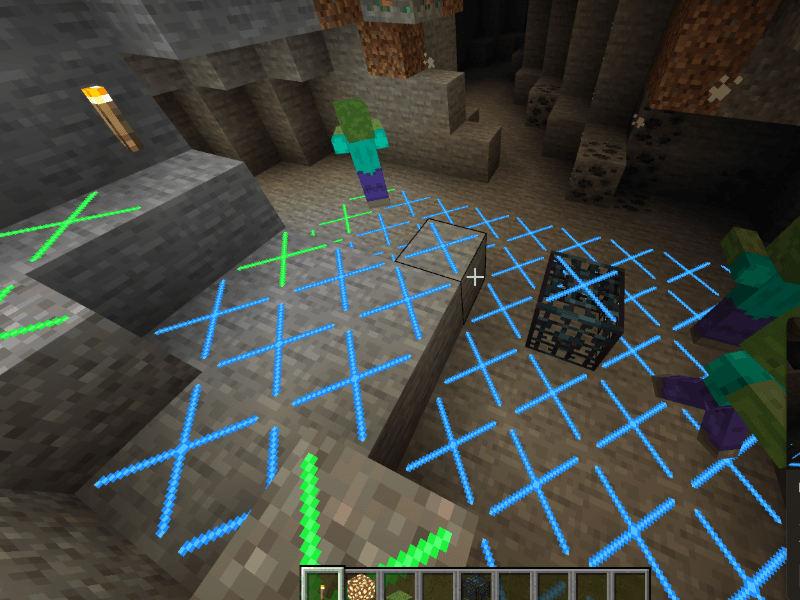
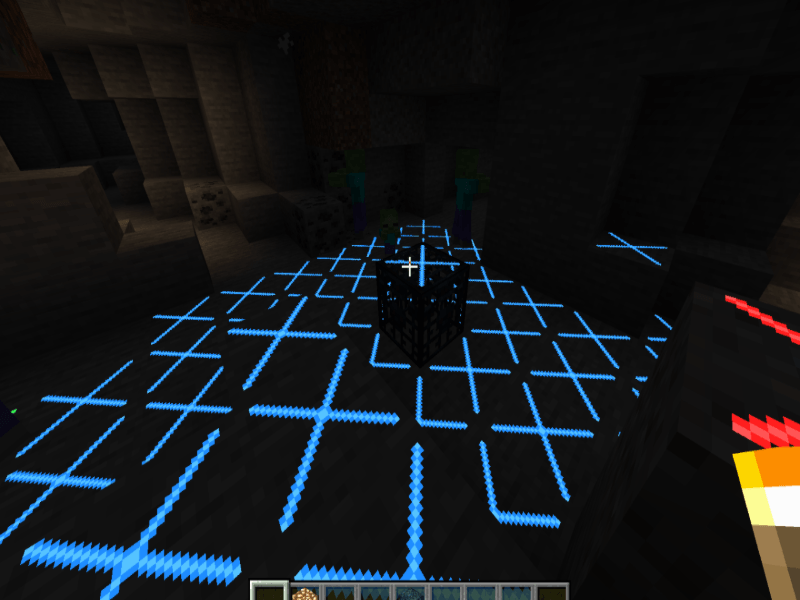
Monster Spawner Detection (Blue Markers)
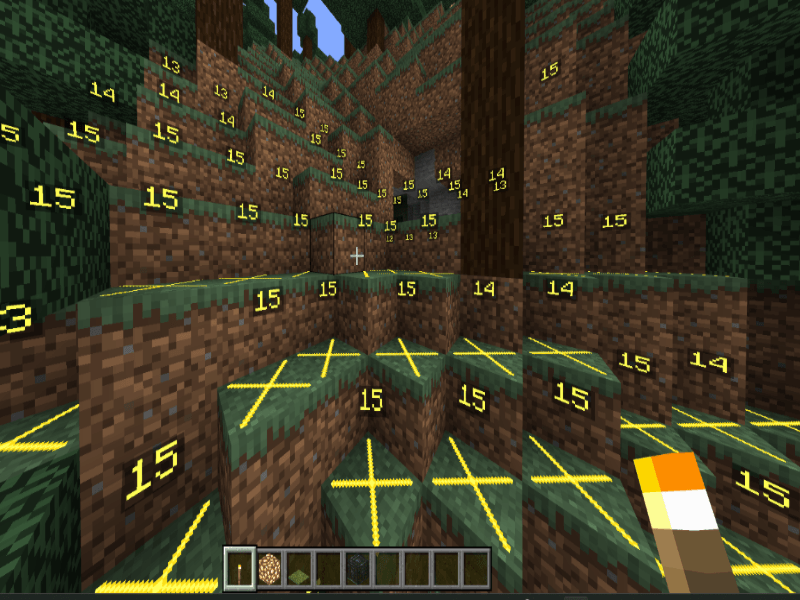
Floating Text Light Level Numbers
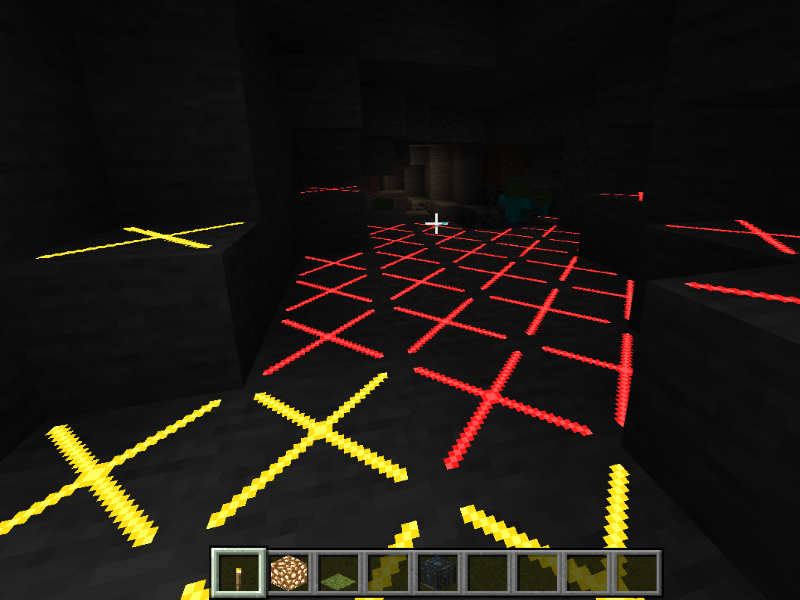
Dark Areas and Spawn Danger
Installation
- Download the
.mcaddonfile. - Open the file to import it into Minecraft Bedrock.
- Apply both the Behavior Pack and Resource Pack to your world.
- Enable "Beta APIs" in your World Settings under Experiments if required by your game version.
How to Use
- Hold a torch or light source item in your main hand or off-hand to activate the overlay.
- To open the settings menu:
- Type
/tc:lightin chat, or - Sneak and use (right-click / tap) a torch in the air, or
- Run
/scriptevent tc:light.
- Type
Marker Colors and Meaning
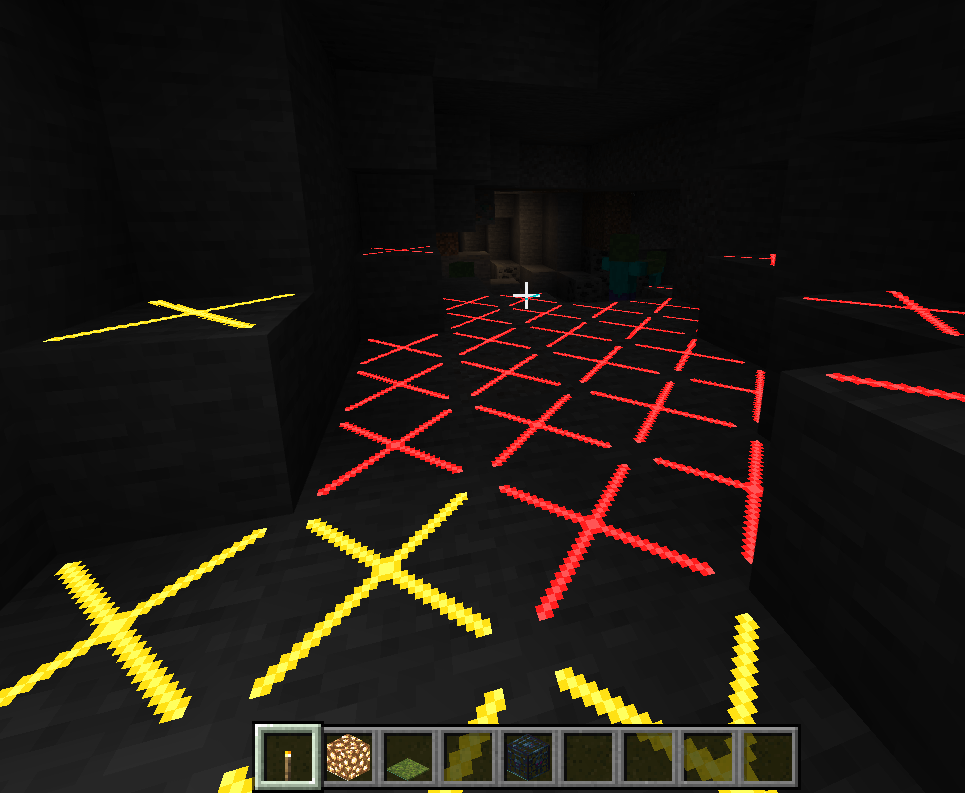
- Red X: Total darkness (Light level 0). Hostile mobs can spawn at any time, day or night.
- Yellow X: Outdoor area (Light level greater than 0 from sky light, but no torches nearby). Safe during the day, but hostile mobs will spawn when it becomes night.
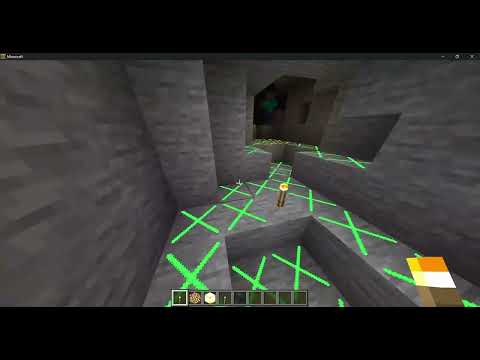
- Green X: Safe zone protected by artificial light sources (torches, lanterns, campfires, etc.). Mobs cannot spawn here.
- Blue X: Monster Spawner area (within 9x9x4 range of a spawner) where the light level is below 12 and the spawner can still trigger.
Features and Settings
Open the menu with /tc:light to configure:
- Trigger Mode:
- Torch Only: Active only when holding a torch in main-hand or off-hand.
- Always On: Always display markers without holding any item.
- Disabled: Turn off the overlay.
- Scan Width: Adjust horizontal scan distance from 4 to 64 blocks.
- Scan Height: Adjust vertical scan distance from 2 to 32 blocks (supports multi-floor buildings, basements, and caves).
- Show Safe Markers: Toggle green markers on or off.
- Show Floating Text: Toggle floating numeric light level indicators above markers.
- Refresh Rate (Performance Mode): Choose from 1 Tick (real-time) to 20 Ticks (1 second) to balance responsiveness and performance.
Important Notes
- In Minecraft 1.18 and newer, natural hostile mobs only spawn at light level 0. Placing torches to bring the light level to 1 or higher is sufficient to prevent natural mob spawns.
- Monster spawners (such as Blaze or standard mob spawners) require a higher light level (up to 12) to be completely disabled.
- If markers do not appear, ensure you are holding a valid light source or set the Trigger Mode to "Always On" in the settings menu.
TC Light Overlay Team


Owner