Sync Minecraft Time with Real Time!
- By
It's daytime outside, but it's nighttime in minecraft? This addon synchronizes the time in minecraft with the real time on your device! Daytime outside, daytime in minecraft! Compatible with any addon!
It's daytime outside, but it's nighttime in minecraft? This addon synchronizes the time in minecraft with the real time on your device! Daytime outside, daytime in minecraft! Compatible with any addon!
LIST OF FEATURES:
⭐ Fully compatible with any other addon
⭐ Supports multiplayer
⭐ Very good performance (No commands are used at all!)
⭐ Ability to turn an addon on or off without restarting the world
Download BP and put it into your Minecraft world!
- Enable these experiments: "Beta APIs"
- Only stable Minecraft versions are supported. (not beta or preview)
HOW TO USE:
After entering the world with this addon you will see the following message:
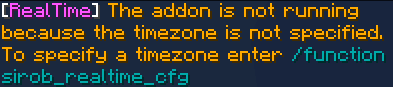
This addon receives the time in UTC and does not know your local time. To fix this you need to specify your time zone.
How can I specify my time zone?
Just enter the command /function sirob_realtime_cfg and you will open a settings window:
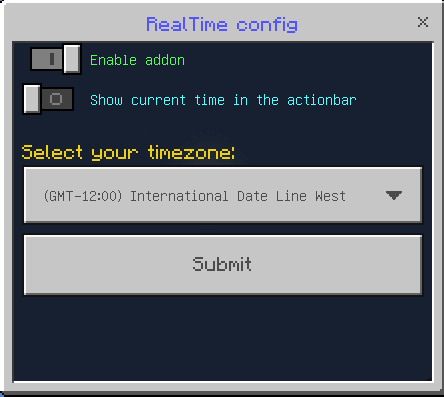
Click on the drop-down list and select your time zone:
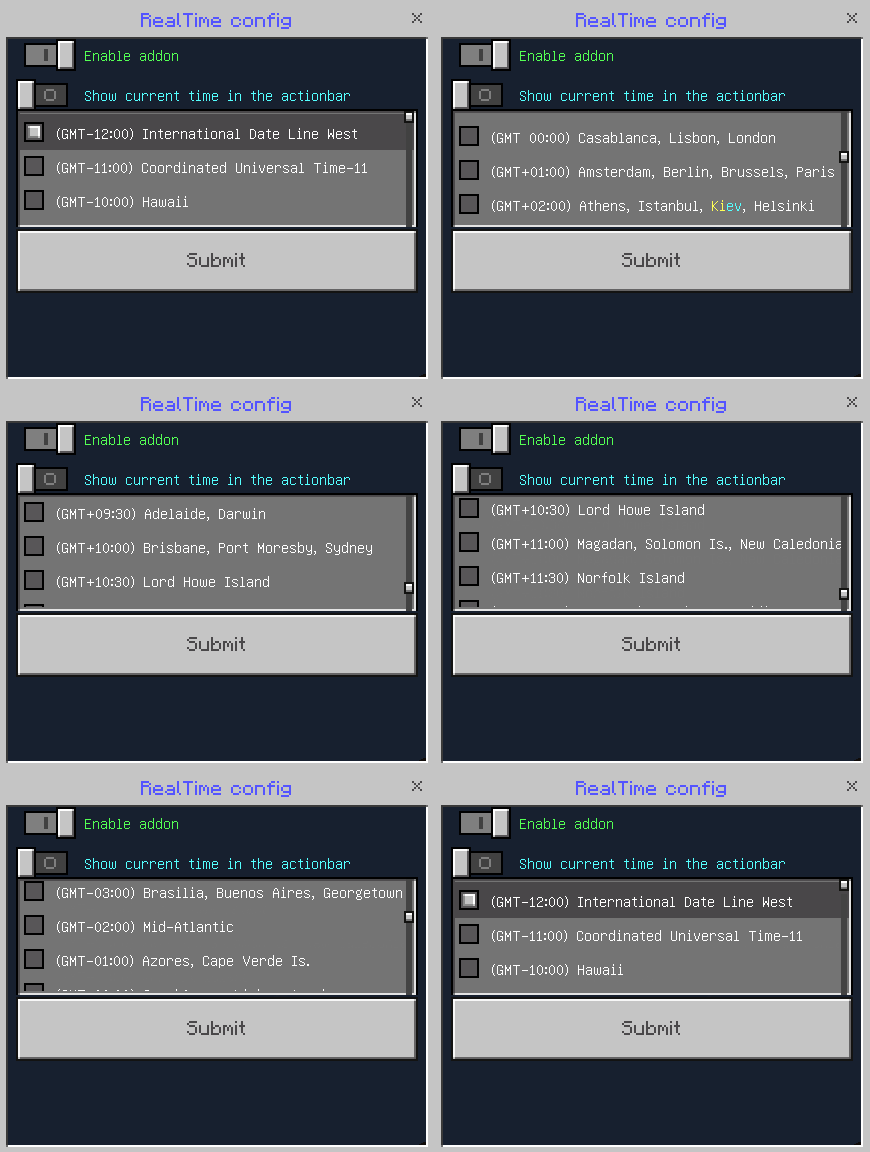
Don't know your time zone? Ask Google: my timezone
After selecting the time zone, click "Submit" and the addon will work!
Also here you can configure:
🔧Enable addon. Allows you to quickly turn an addon on or off without reloading the world.
🔧Show current time in the actionbar. Allows you to know if you have selected the correct time zone. If the time displayed does not match the time on your device, then you have set the wrong time zone.
❓FAQ❓
❓ Does this addon work on realms? Download the world from your realm, enable the necessary experiments, add this addon to it, and upload it back to the realm. If it still doesn't work, then it's a realm bug
❓Your addon doesn't work! Please perform all actions listed below:
- Make sure that the type of your Minecraft version is "release" (not beta or preview), and that the version matches the one indicated in the checklist above.
- Make sure that in the settings of your world, you have enabled all the experiments listed in the checklist above. If the world is uploaded to a server, check the server control panel for experiments. If they are not available there, download the world, import it into Minecraft, enable all the necessary experiments, and then upload it back to the server.
- Make sure that in the world settings, only one version of the addon is active in both "behavior packs" and "resource packs," and there are no duplicates or previous versions. If there is at least one duplicate or previous version active at the same time, the addon will not work. The same applies to the world that is uploaded to the server.
❓Your addon works in a local world but does not work on the server! Make sure that you have followed all the steps in the previous point. If you are using Aternos, try "turning off and on again" the experiment toggles, as there is a known issue where they sometimes do not activate on the first attempt. Also, ensure that your hosting provider supports script execution in addons (Beta APIs).
Download BP and put it into your Minecraft world!
- Enable these experiments: "Beta APIs"
- Only stable Minecraft versions are supported. (not beta or preview)
Sync Minecraft Time with Real Time! Team

Owner