🔄 SWITCHER
One item. Multiple ways to play.
Ever been exploring in Survival and wanted to build something in Creative? Or needed to switch your world into Adventure mode for a challenge?
Switcher puts game mode selection right at your fingertips.
Switcher is a Minecraft Bedrock Edition addon that introduces a custom in-game item designed to open a dedicated game mode selection menu. Instead of navigating through your world settings every time, you can access the available options through a simple interface.
Whether you're building, testing, exploring, or experimenting with your world, Switcher gives you a more convenient way to change how you play.
━━━━━━━━━━━━━━━━━━━━
⚡ FEATURES
🎮 GAME MODE SELECTION
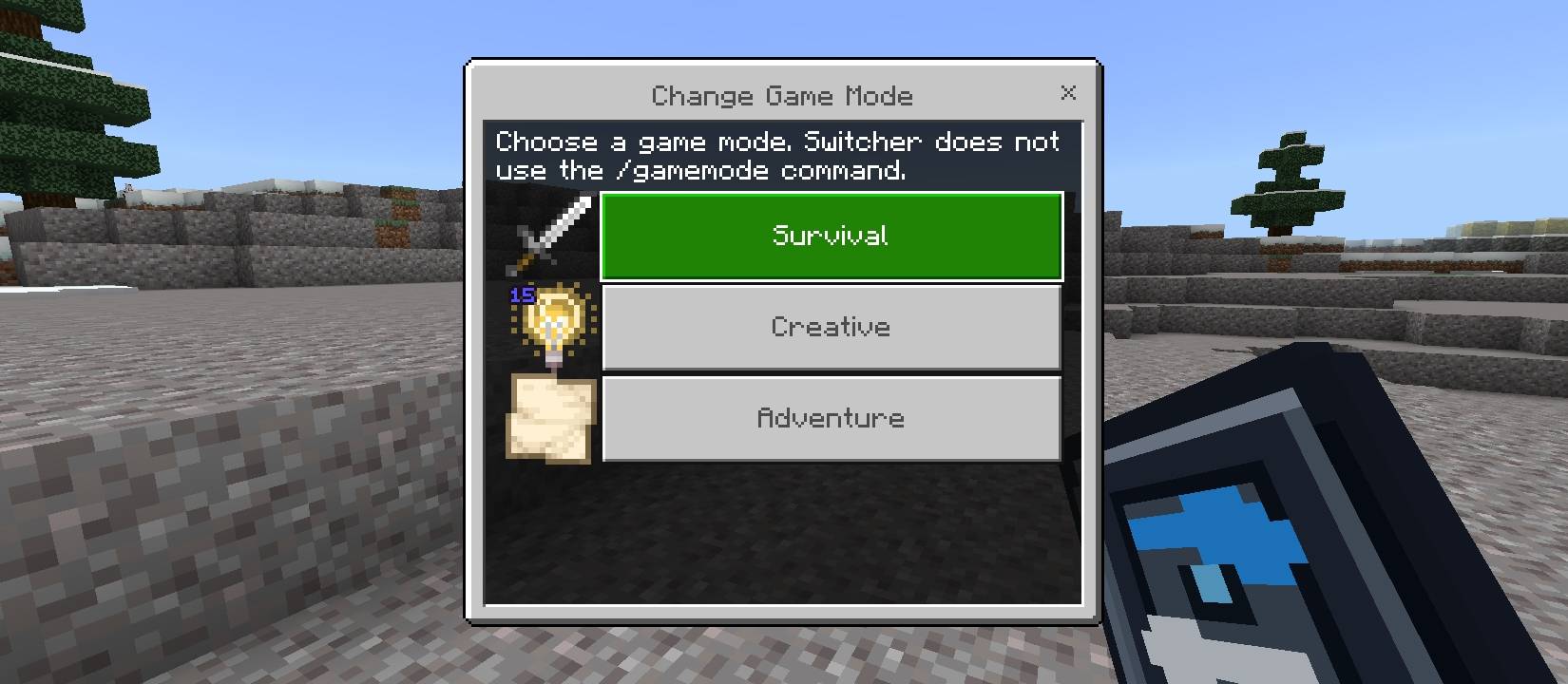
Choose from the game modes available in Switcher's menu:
Survival — Gather resources, explore, and survive.
Creative — Build freely and bring your ideas to life.
Adventure — Explore custom maps and experience adventure-focused gameplay.
🔹 A CUSTOM SWITCHER ITEM
Switcher introduces its own custom item with a distinctive blue-and-white design. Use the item to access the game mode selection interface.
🖥️ A CLEAN, SIMPLE MENU
No complicated interface. No unnecessary clutter. Just a straightforward menu designed to make selecting your next game mode easier.
📦 BEHAVIOR PACK + RESOURCE PACK
Switcher includes both components needed for its custom item and functionality:
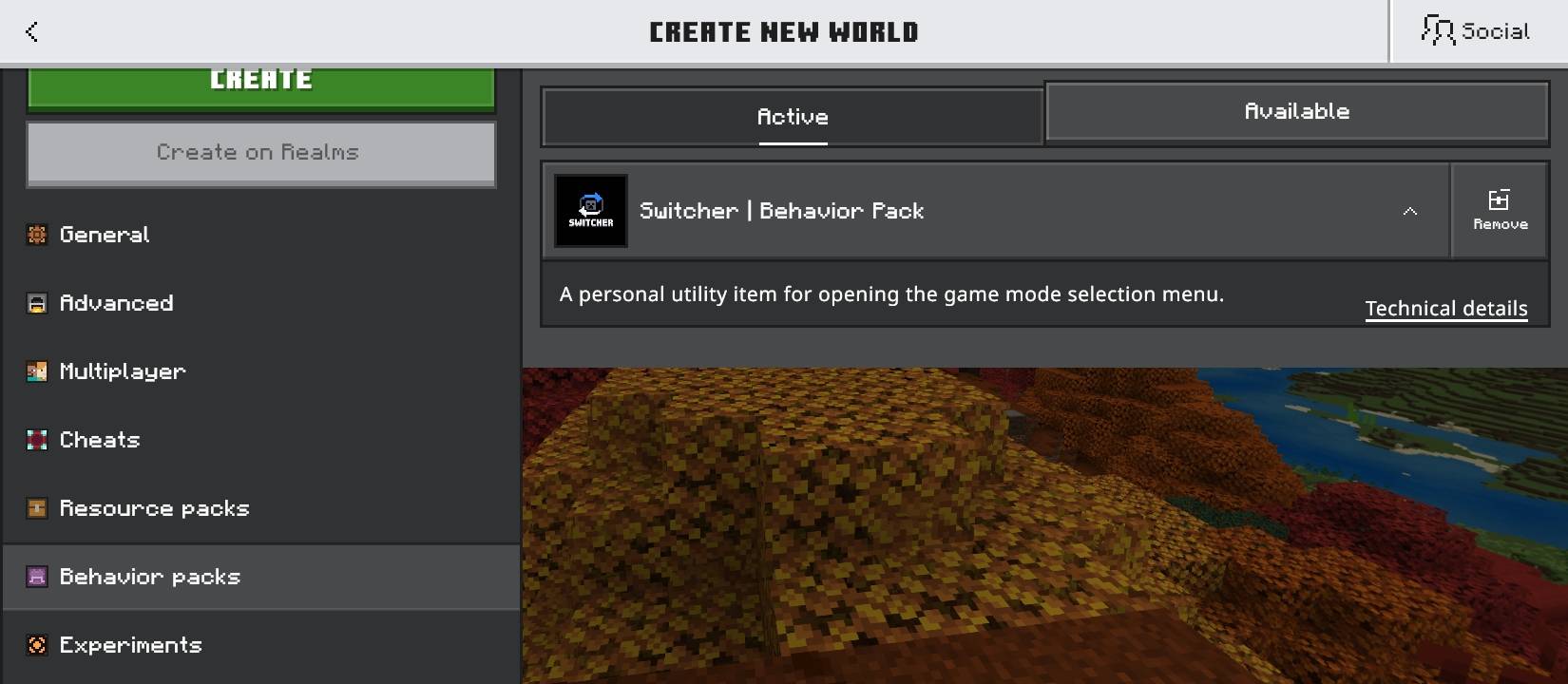
Behavior Pack: Handles the addon's gameplay behavior.
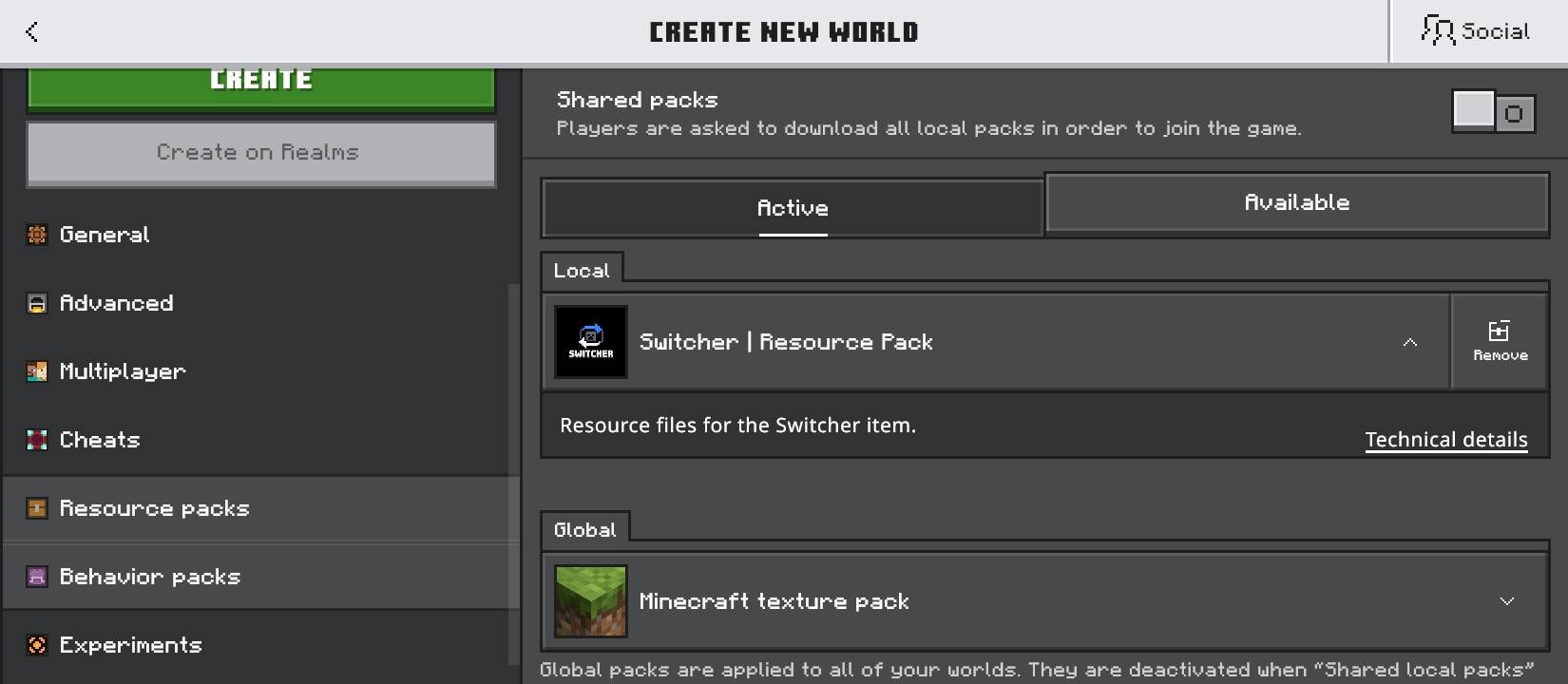
Resource Pack: Provides the custom item visuals and associated resources.
━━━━━━━━━━━━━━━━━━━━
⚠️ IMPORTANT: CHEAT-LIKE GAMEPLAY
Let's be honest: Switcher can make Survival gameplay considerably easier.
If your world permits you to switch into Creative Mode, you may gain access to abilities that change the balance of normal Survival gameplay.
Switcher is best suited for:
🏗️ Creative building and construction.
🧪 Testing builds and experimenting with mechanics.
🌍 Personal worlds and casual gameplay.
🎮 Worlds where players agree to use game mode switching.
Multiplayer note: Make sure the world owner or server administrator allows the addon and its gameplay advantages before using it.
━━━━━━━━━━━━━━━━━━━━
📥 INSTALLATION GUIDE
Getting started is simple:
1. Download
Download the Switcher .mcaddon file from the Files section.
2. Import
Open the downloaded file with Minecraft Bedrock Edition and wait for the import to finish.
3. Activate the packs
Open your world settings and enable both the Switcher Behavior Pack and Switcher Resource Pack.
4. Enter your world
Load into your world and locate the Switcher item according to the addon's implementation.
5. Start switching
Use the item to open the game mode menu and select an available option.
If the item isn't available or a feature doesn't work, check that both packs are enabled and that your Minecraft version is compatible.
━━━━━━━━━━━━━━━━━━━━
👤 CREDITS
Creator: Kizobgx
Game: Minecraft Bedrock Edition
Project: Switcher
Version: 1.0.0
━━━━━━━━━━━━━━━━━━━━
💙 THANK YOU FOR CHECKING OUT SWITCHER!
Switcher is a personal addon project built to make game mode selection more convenient.
If you enjoy using it, consider leaving a comment, sharing your feedback, or reporting issues to help improve future releases.
Enjoy your world. Play your way. Switch when you want. ⚡