SuperPlanes
- By
1000379267.png
1000379268.png
1000379269.png
1000379270.png
1000379271.png
Description
SuperPlanes — Addon Guide
SuperPlanes (by Hugostoso) brings 26 aircraft to Minecraft Bedrock: the two Super Tucanos and 24 WW2 planes. It has manoeuvres, fuel, an owner's key and the Blueprint table. This guide covers what each item does and every livery of each plane.
Plane items
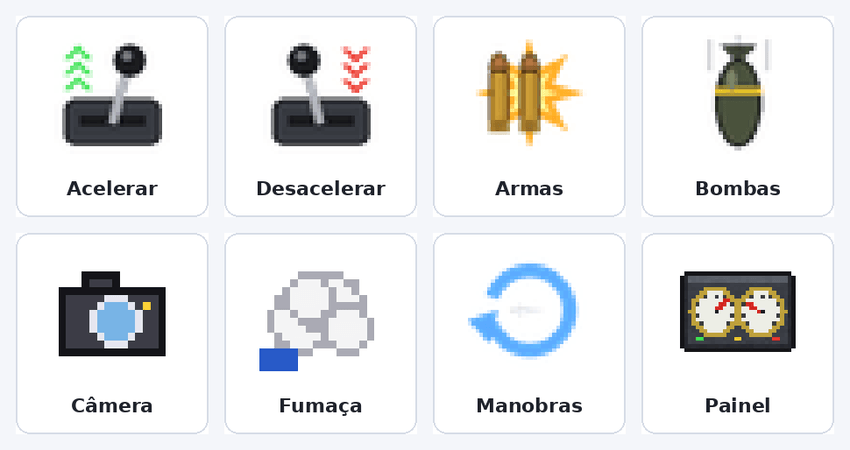
When you get into a plane, the controls appear in your hotbar on their own and disappear when you get out. The items you had before return to the same slots.
Item
Function
Accelerate
Raises engine speed one level per use.
Decelerate
Lowers engine speed one level per use.
Guns
Hold to fire the machine guns (armed planes only). The panel shows the guns' temperature.
Bombs
Drops bombs. In bombers the camera looks down so you can aim.
Camera
Switches between the outside camera and first person from inside the cockpit.
Smoke
Turns the Smoke Squadron smoke on and off (A-29 only).
Manoeuvres
Opens the automatic manoeuvres menu (not shown in the large bombers).
Panel
Turns the on-screen panel on and off, showing speed, fuel and takeoff progress.
In two-seat planes, the pilot gets accelerate and decelerate, and the passenger gets guns and bombs. A solo pilot gets everything.
Blueprint table

The Blueprint is the addon's workshop: every plane and item is made there. Place the block on the ground and click it to open the menu.
Search plane: type part of a name (e.g. Spitfire, P-51) to find a plane quickly.
Fuel (jerrycan): turns coal or charcoal into jerrycans. You choose how many to make.
Key (cockpit) and Screwdriver: the plane's tools.
Planes: when you pick a plane with more than one livery, the livery list appears. The screen shows the recipe, how much of each material you have, and the Craft button.
The plane comes out as an egg that already stores the chosen livery. When you place it on the ground, it spawns with that livery and locked, and whoever placed it becomes the owner.
Settings (gear)
The gear is placed in your hand the first time you enter the world. Use the item (hold the use button) to open the Settings screen, then tap Save.
World options (apply to everyone):
Collision detection type: by speed, by raycast, or off (the plane explodes on a hard impact).
Steering type: normal or turn by tilt.
Fuel system (jerrycan): turns the need to refuel on or off.
Custom gun damage.
Flip the player's roll side: only if the player rolls to the opposite side of the plane in turns.
Plane items (yours only): control panel, camera, smoke, manoeuvres, guns and bombs. Whatever you turn off won't appear in your hand when you get into a plane. Each player chooses their own.
Cockpit key
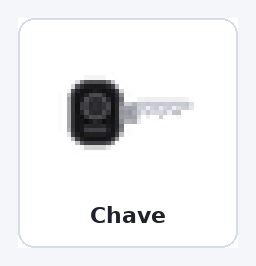
Every plane has an owner, like a tamed wolf: whoever placed the egg on the ground. Every plane spawns locked.
Click the plane while holding the key to lock or unlock it. Only the owner can; others see who the owner is.
Locked: nobody can get in, and the cockpit stays closed.
Unlocked: any player can get in and fly, and the cockpit opens when the plane is empty.
Screwdriver
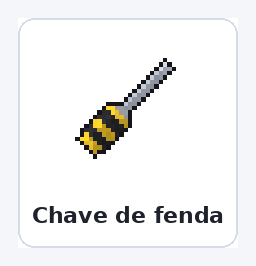
The screwdriver dismantles the plane and gives back its egg, with the same livery, to place somewhere else.
Click or hit the plane with it. The plane must be empty.
Unlocked: any player can dismantle it. Locked: only the owner.
It uses 1 durability per plane, out of 250 (same as an iron pickaxe).
Whoever places the egg again becomes the new owner.
Fuel and manoeuvres
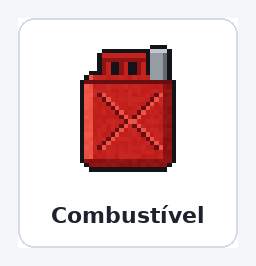
Fuel: hold the jerrycan and hit the plane to open the refuelling screen and choose how many jerrycans to add. Each jerrycan gives 20 seconds at full throttle (double at half speed). The tank holds 128 jerrycans.
Manoeuvres: through the Manoeuvres item, with the plane flying high and fast enough:
Manoeuvre
What it does
Loop
A full circle upward.
Barrel roll (tonneau)
A 360° roll around its own axis.
Immelmann
A half loop climbing, ending in the opposite direction.
Split-S
A half loop descending, ending in the opposite direction.
Hammerhead
Climbs vertically, turns on its side and dives.
Cuban eight
Two half loops in a row, forming a sideways 8.
Inverted flight
Rolls over to the left or right; rolls back the same way.
The planes
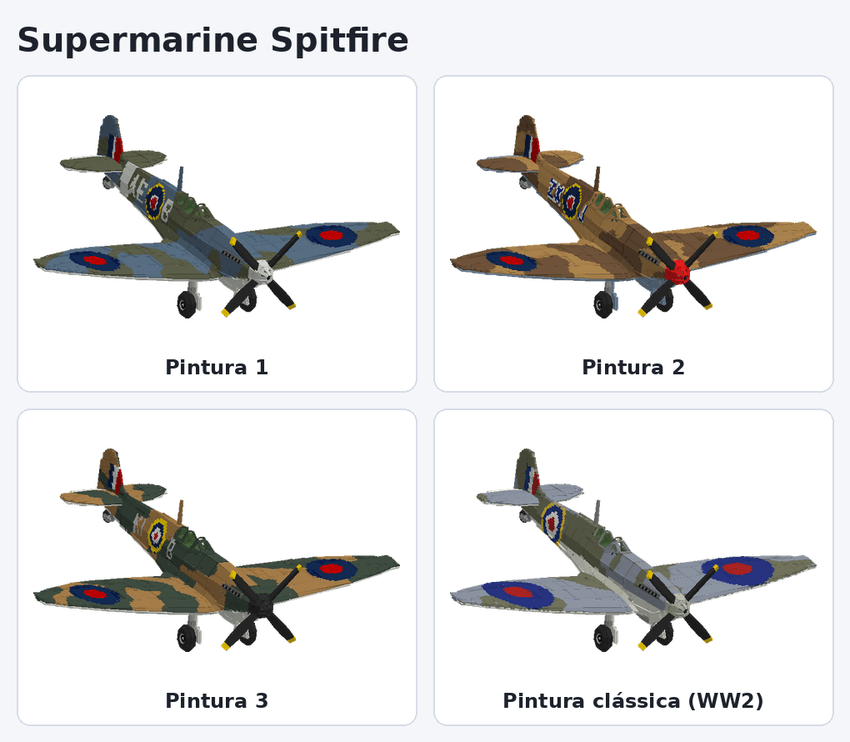
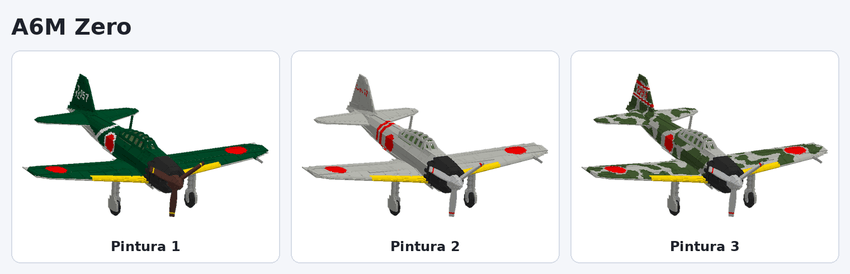
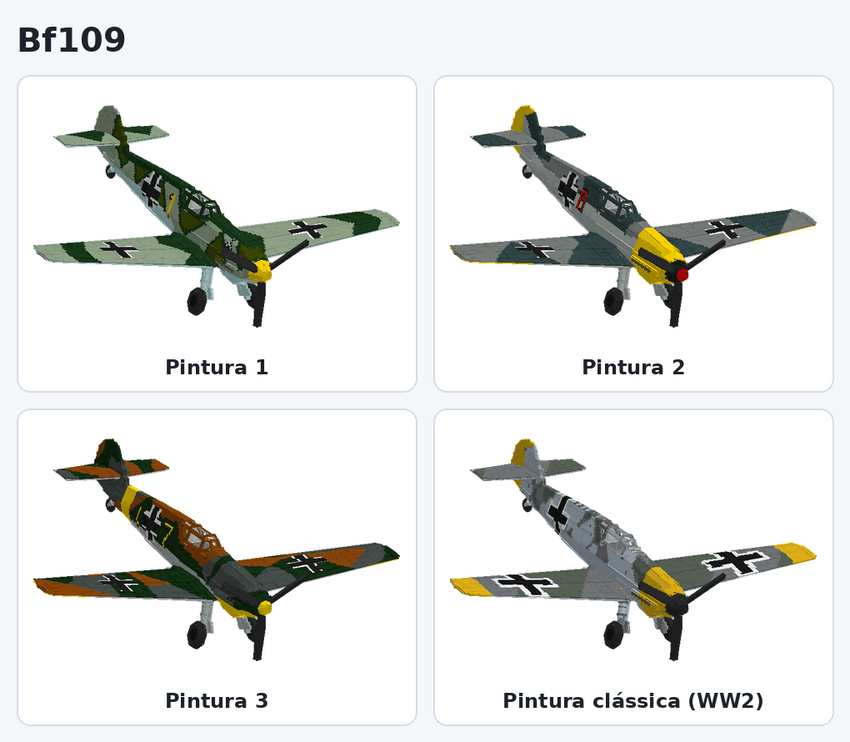
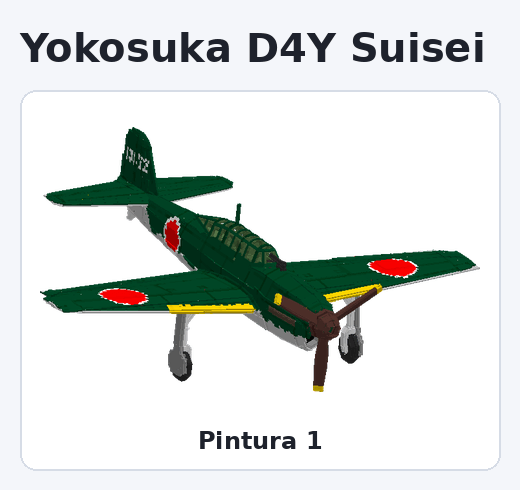
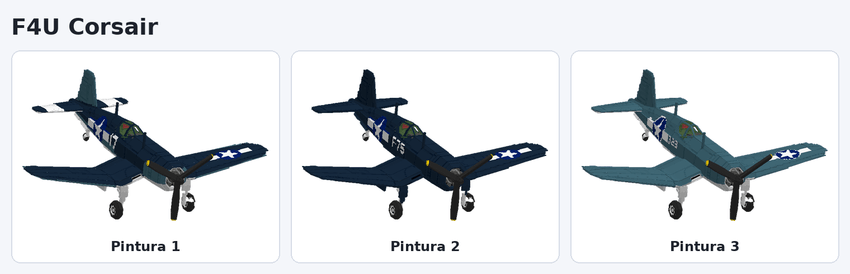
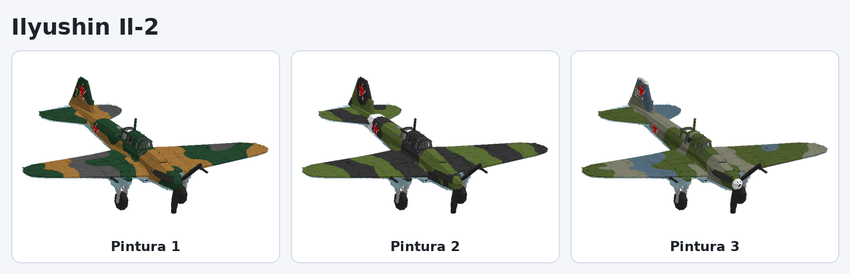
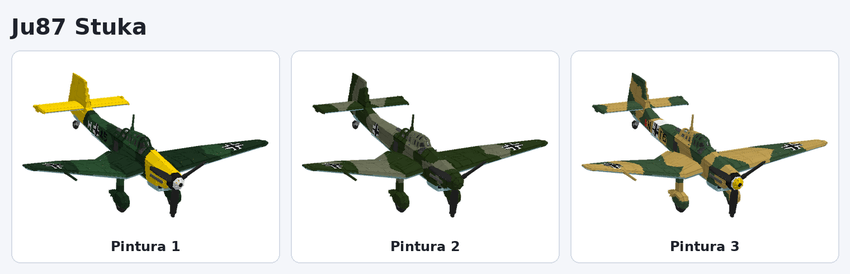
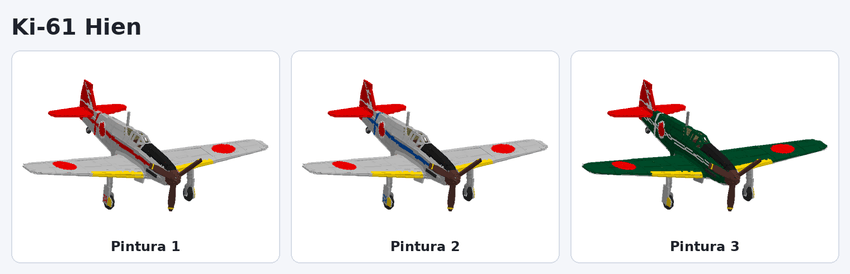
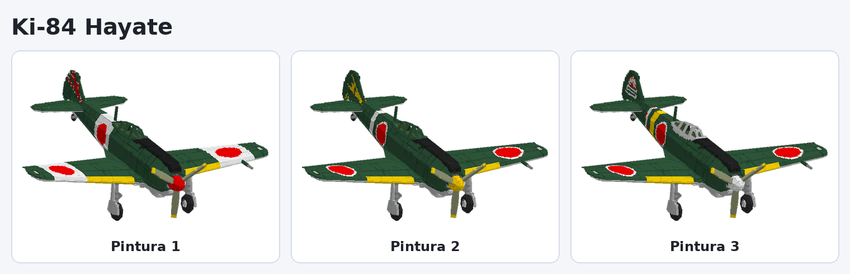
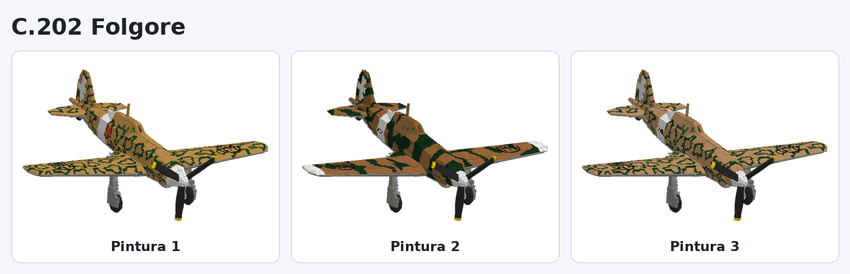
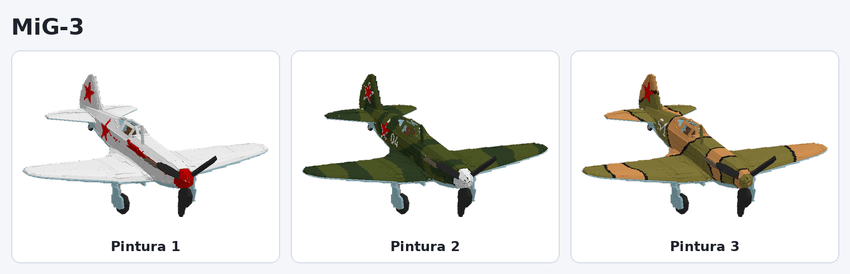
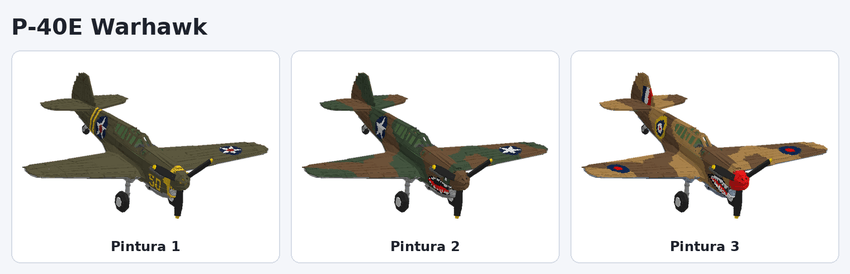
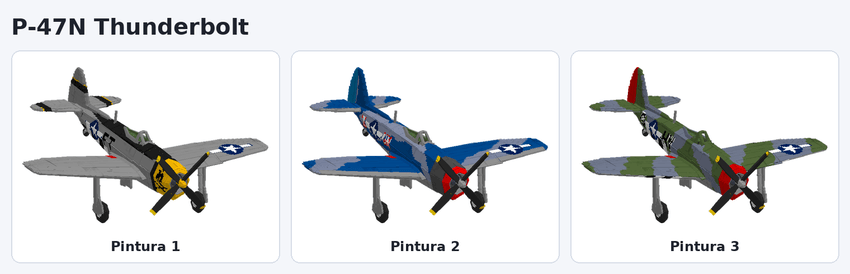
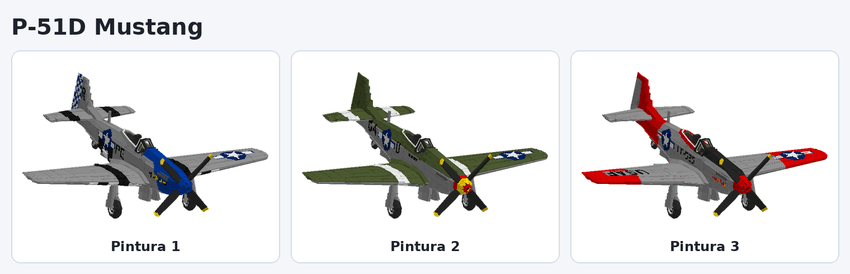
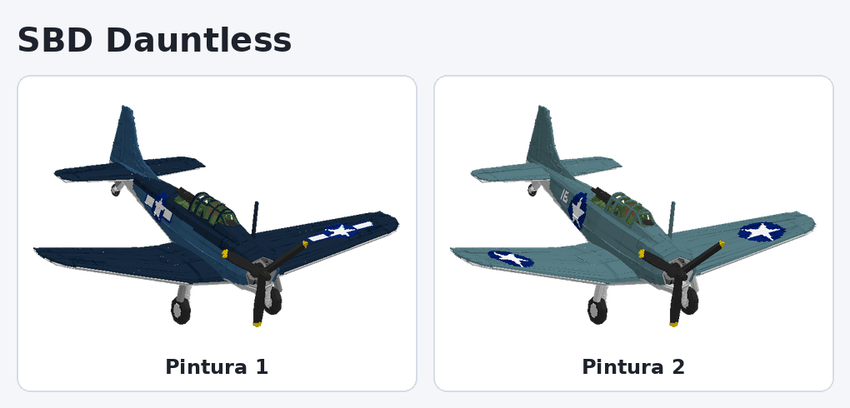
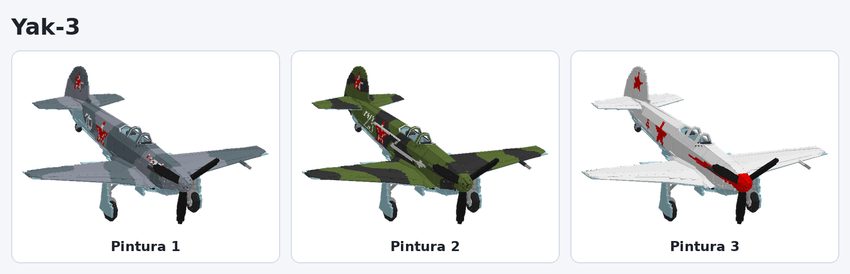
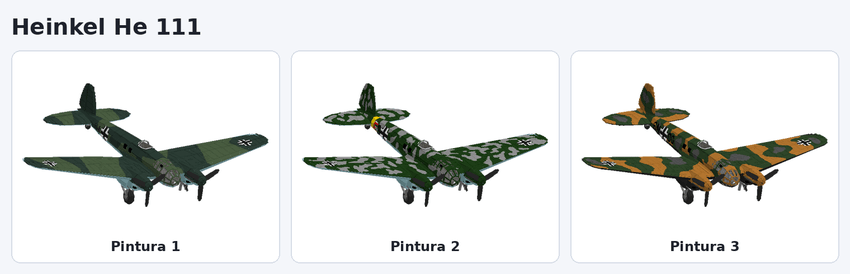
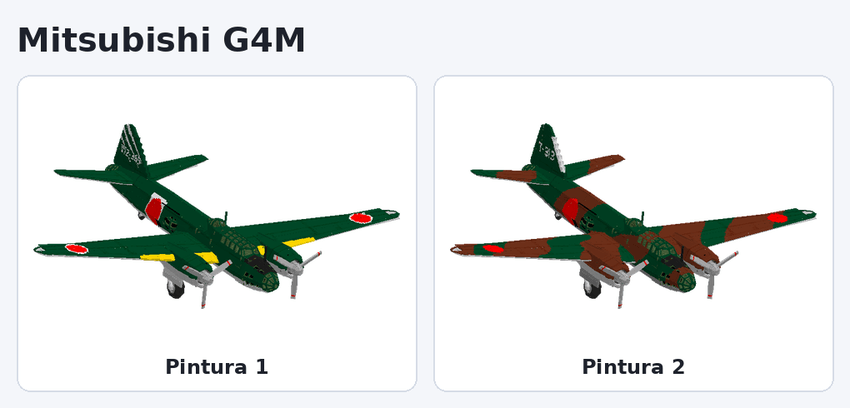
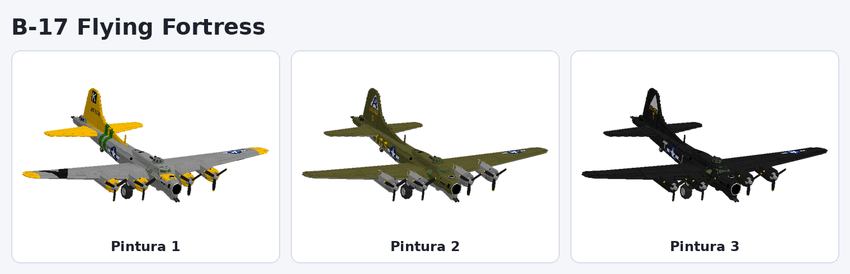
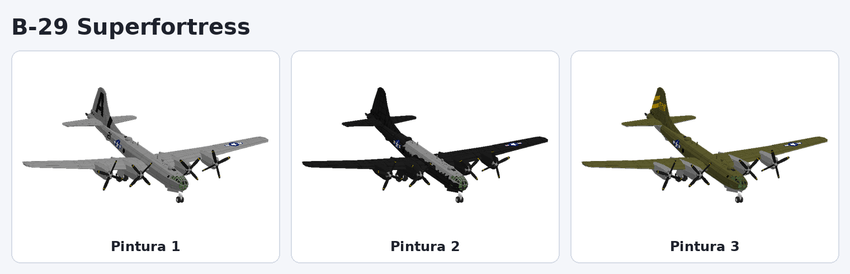
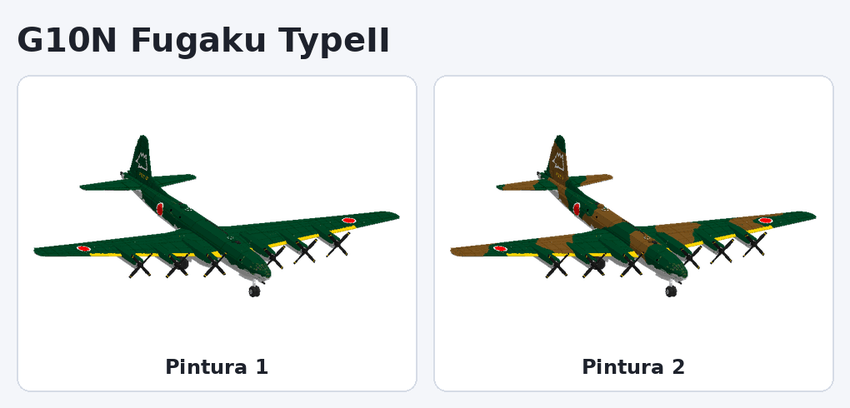
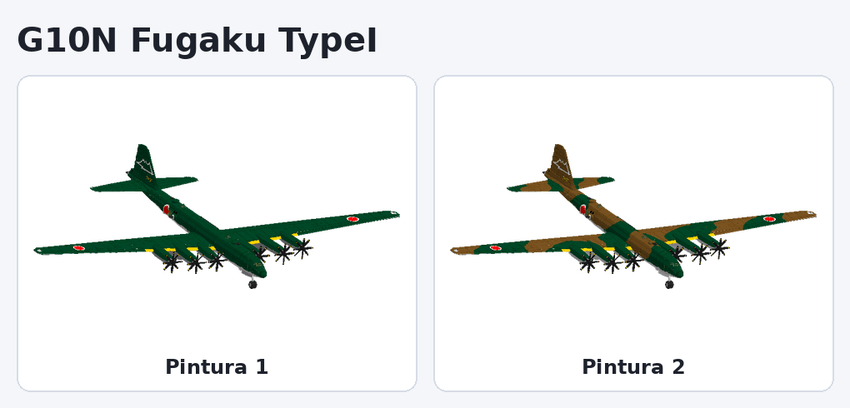
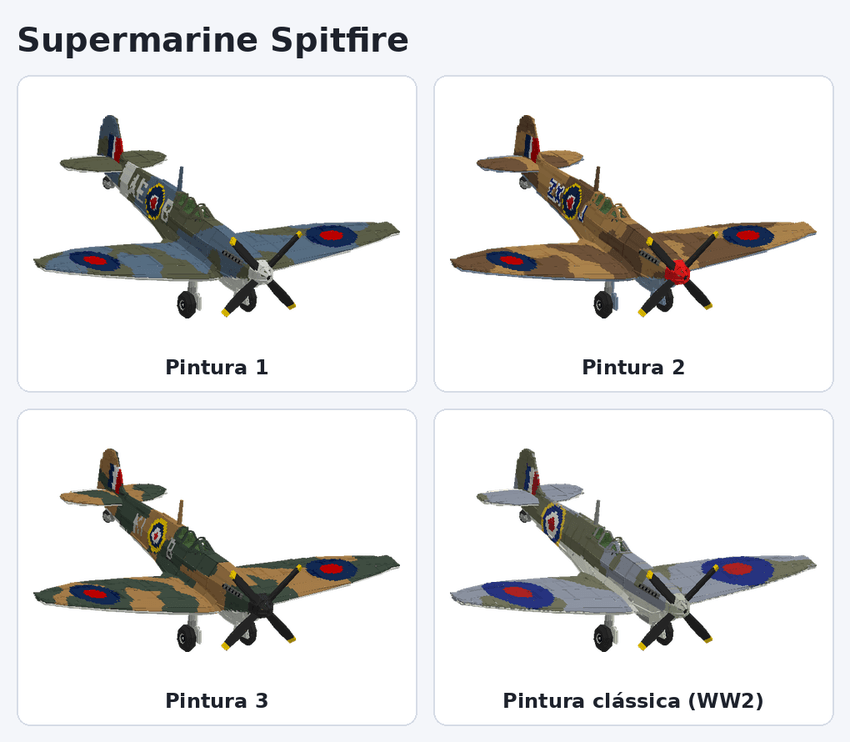
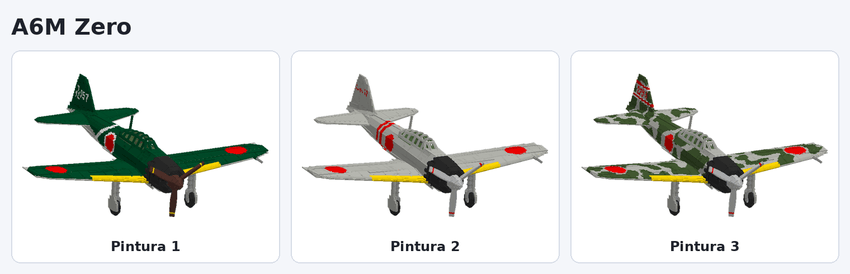
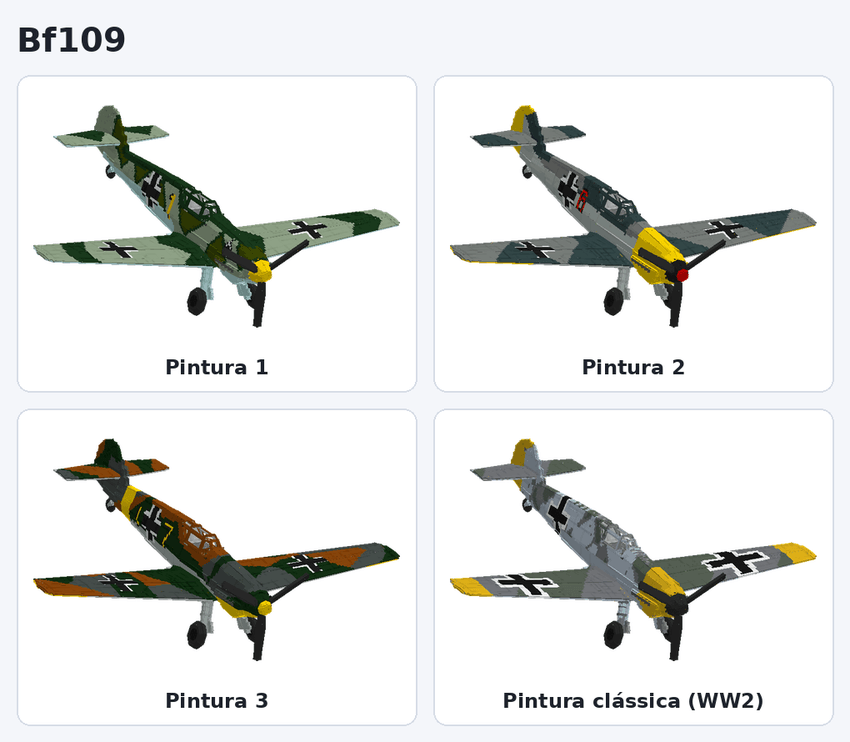
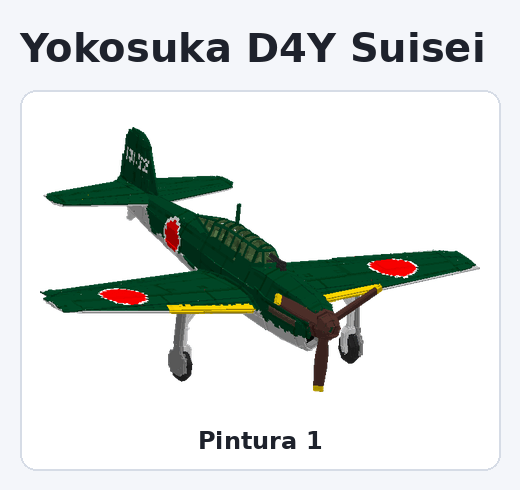
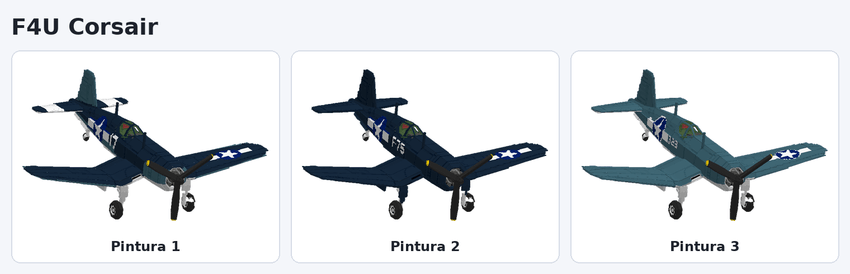
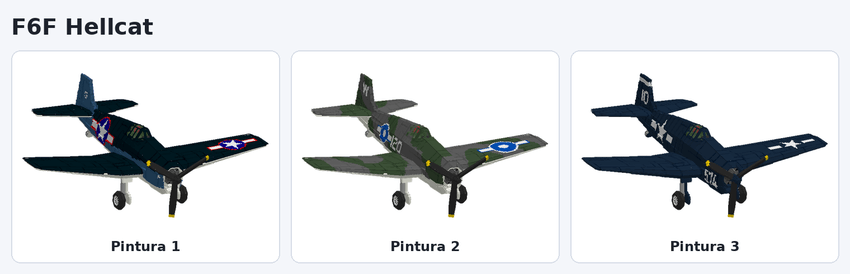
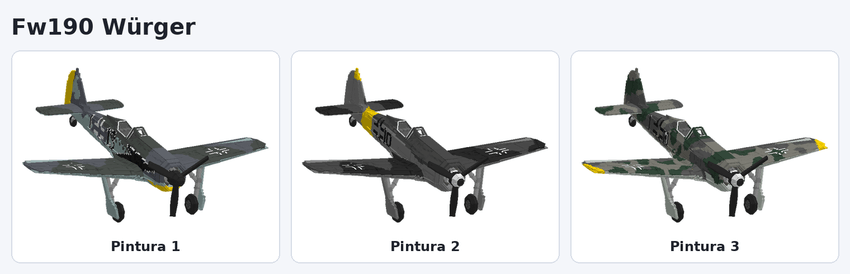
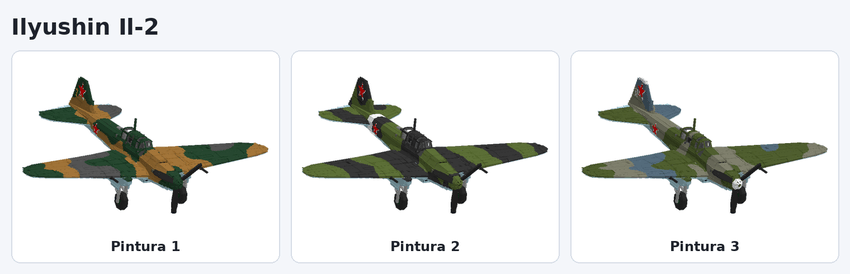
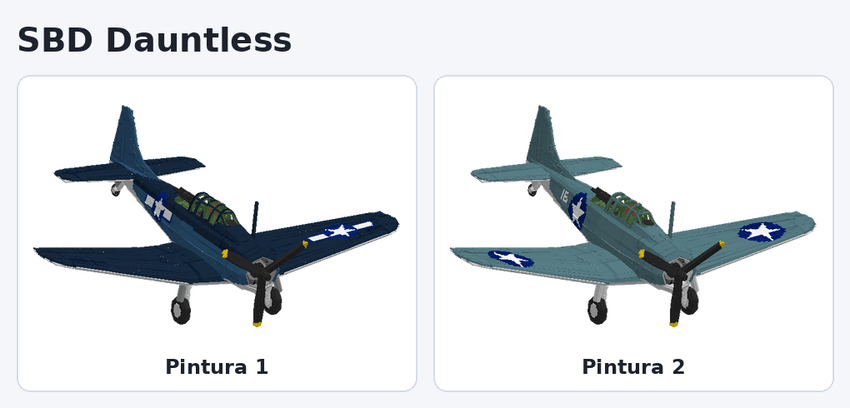
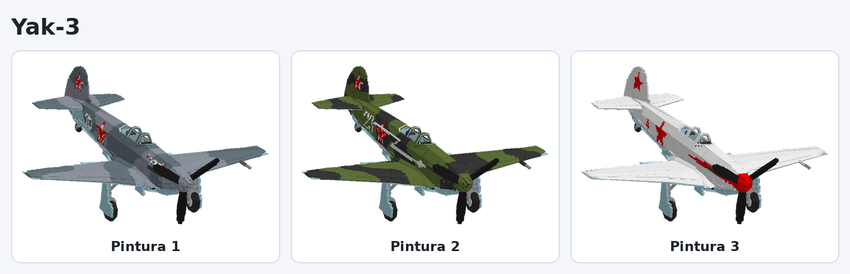
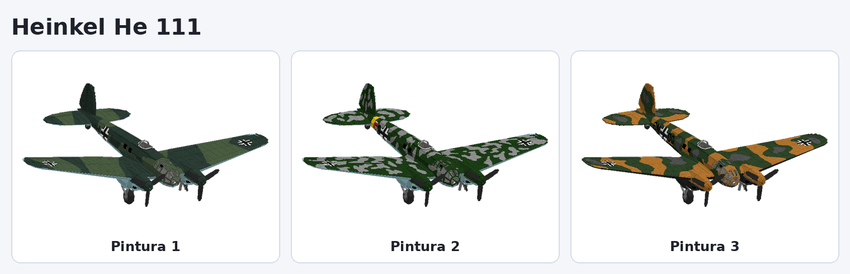
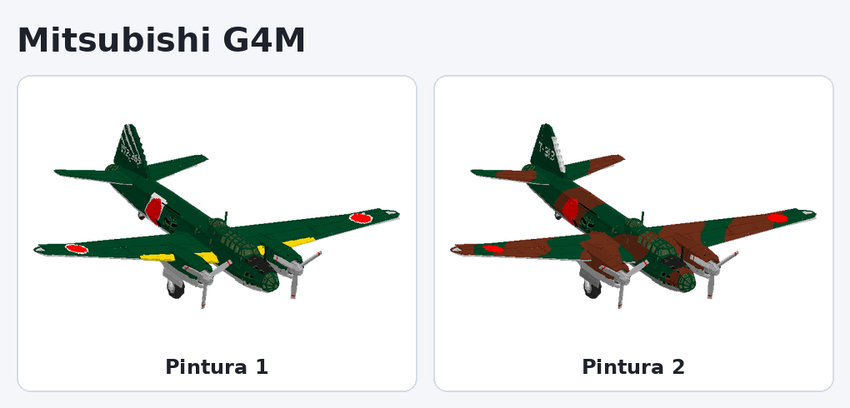
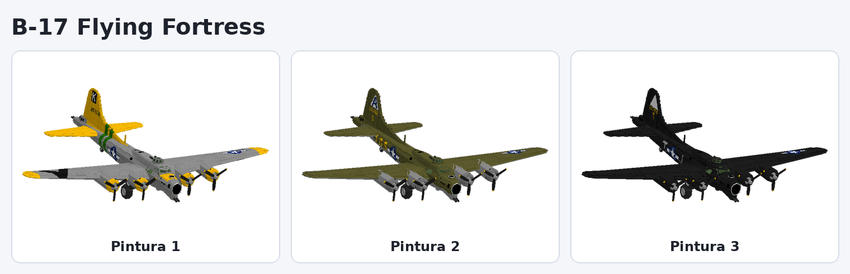
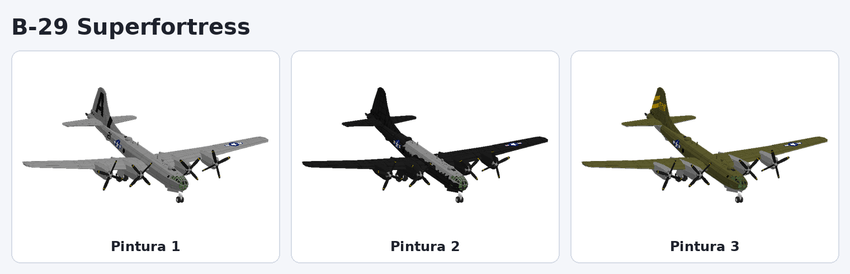
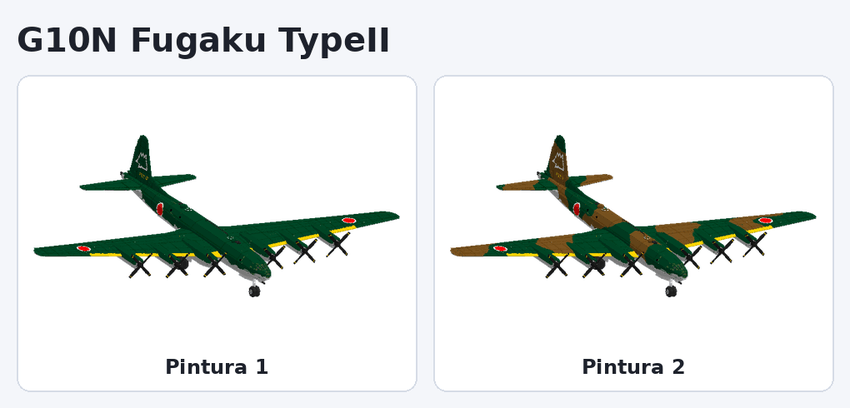
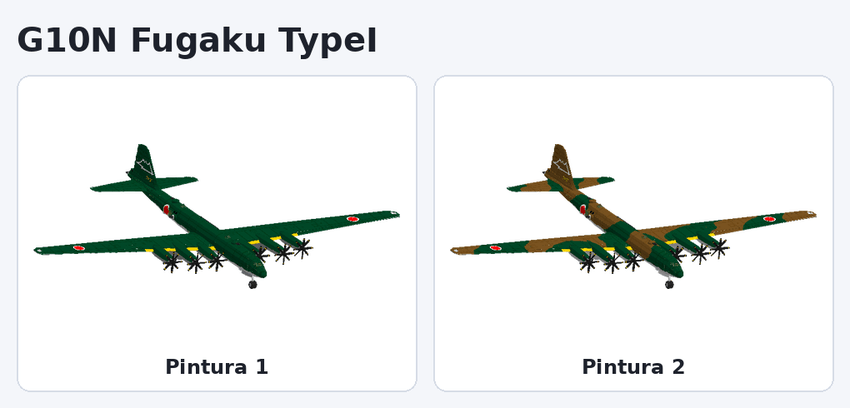
There are 26 planes. Each image shows every livery the plane has at the Blueprint. In the simplified version of the addon, each plane comes with a single livery.
Super Tucanos
A-29 Super Tucano — 2 seats · smoke
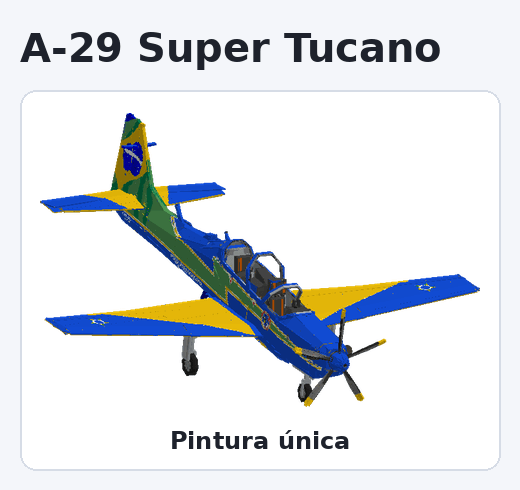
EMB-314 Super Tucano (Camouflage) — 2 seats · machine guns and bombs
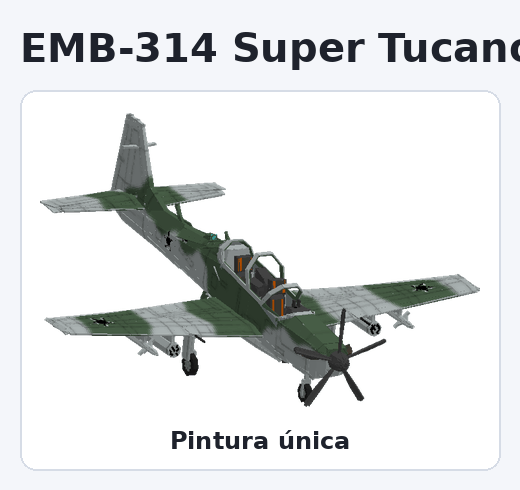
WW2 fighters and light aircraft
Supermarine Spitfire — 1 seat · machine guns and bombs
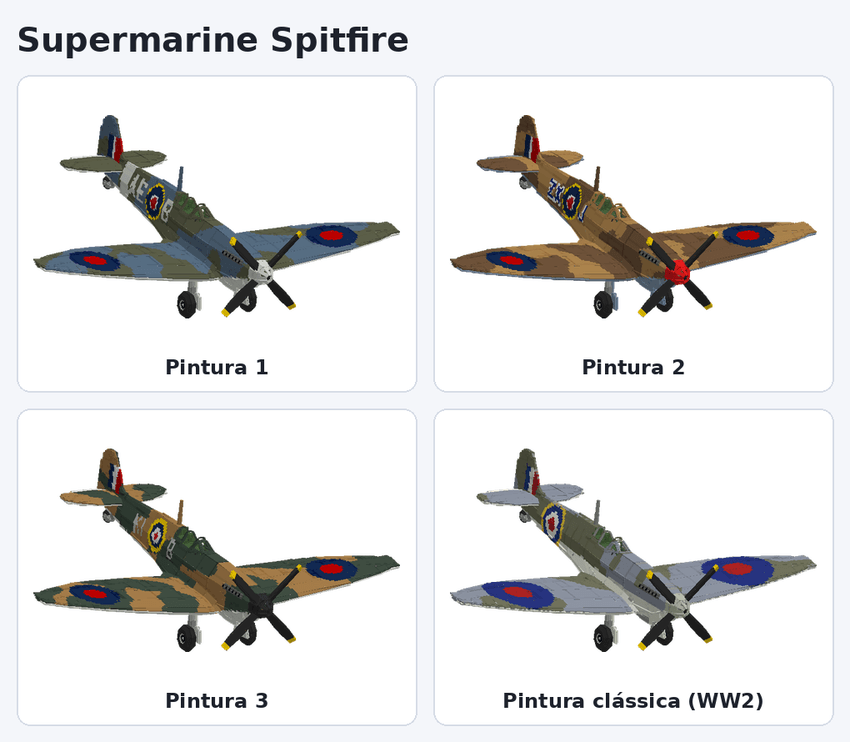
A6M Zero — 1 seat · machine guns and bombs
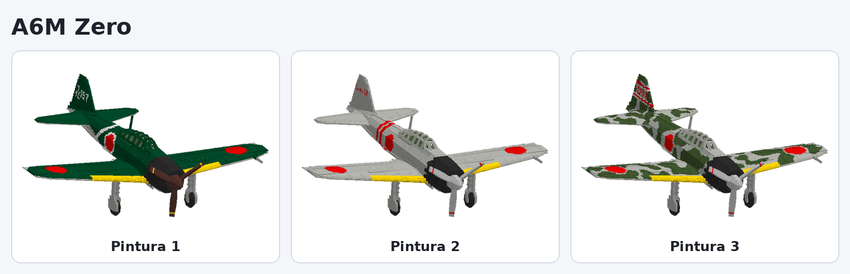
Bf109 — 1 seat · machine guns and bombs
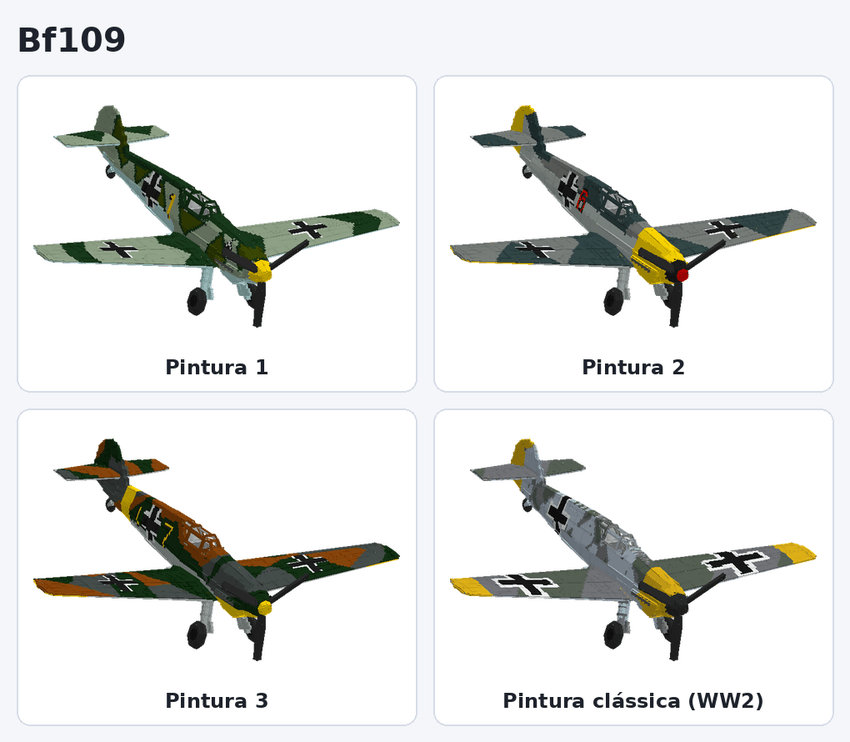
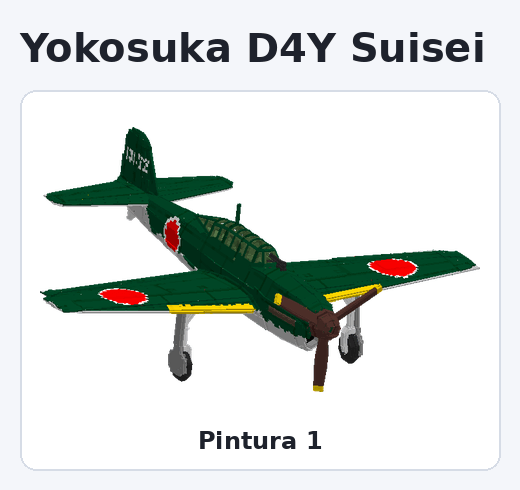
Yokosuka D4Y Suisei — 2 seats · machine guns and bombs
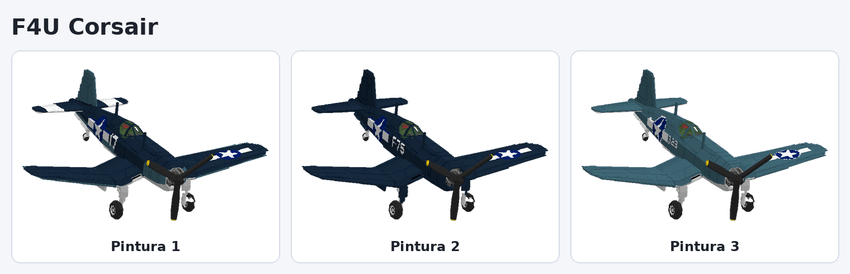
F4U Corsair — 1 seat · machine guns and bombs
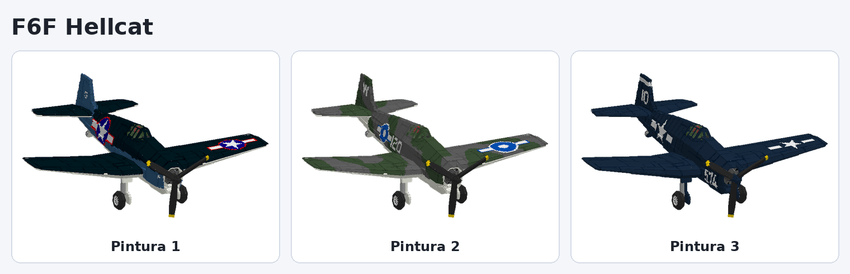
F6F Hellcat — 1 seat · machine guns and bombs
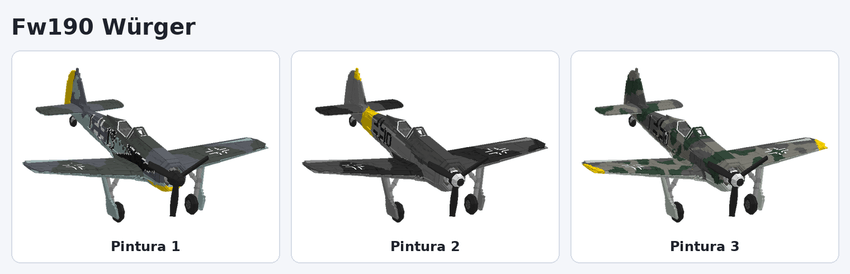
Fw190 Würger — 1 seat · machine guns and bombs
Ilyushin Il-2 — 2 seats · machine guns and bombs
Ju87 Stuka — 2 seats · machine guns and bombs
Ki-61 Hien — 1 seat · machine guns and bombs
Ki-84 Hayate — 1 seat · machine guns and bombs
C.202 Folgore — 1 seat · machine guns and bombs
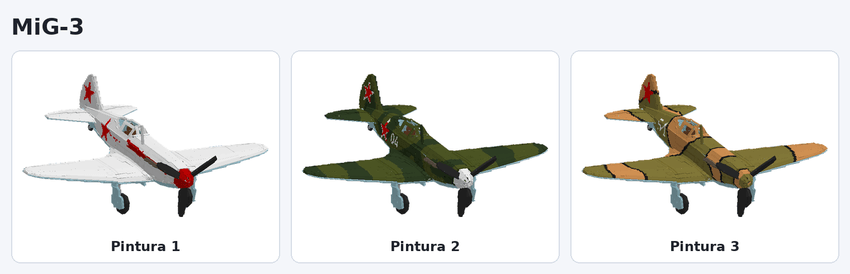
MiG-3 — 1 seat · machine guns and bombs
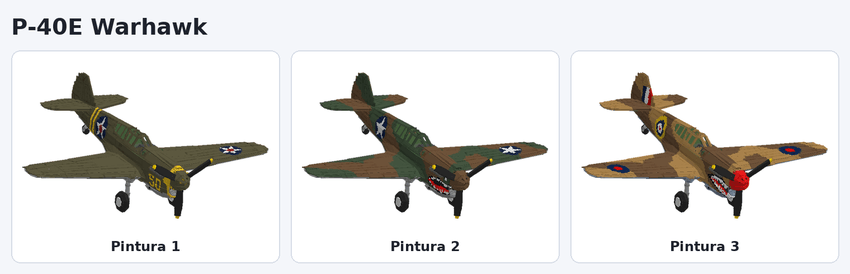
P-40E Warhawk — 1 seat · machine guns and bombs
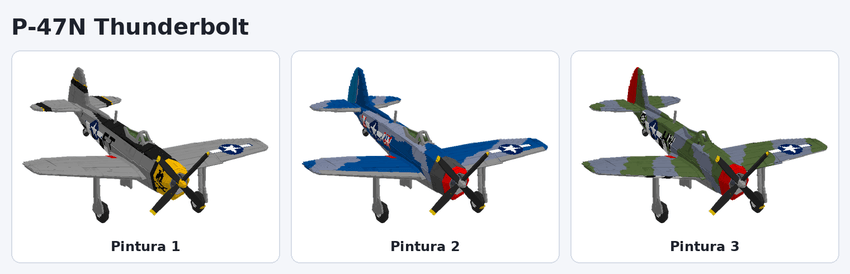
P-47N Thunderbolt — 1 seat · machine guns and bombs
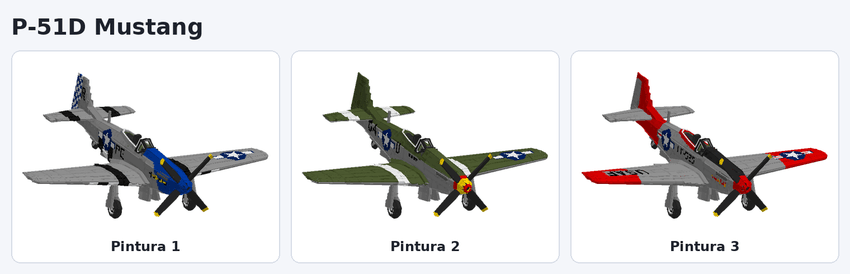
P-51D Mustang — 1 seat · machine guns and bombs
SBD Dauntless — 2 seats · machine guns and bombs
Yak-3 — 1 seat · machine guns and bombs
Large bombers (no manoeuvres)
Heinkel He 111 — 2 seats · bombs
Mitsubishi G4M — 2 seats · bombs
B-17 Flying Fortress -2 seats · bombs
B-29 Superfortress — 2 seats · bombs
G10N Fugaku TypeII — 2 seats · bombs
G10N Fugaku TypeI — 2 seats · bombs
-----------
SuperPlanes — Guia do addon
SuperPlanes (by Hugostoso) traz 26 aviões para o Minecraft Bedrock: os dois Super Tucanos e 24 aviões da 2ª Guerra. Tem manobras, combustível, chave do dono e a mesa Blueprint. Este guia mostra o que cada item faz e todas as pinturas de cada avião.
Itens do avião
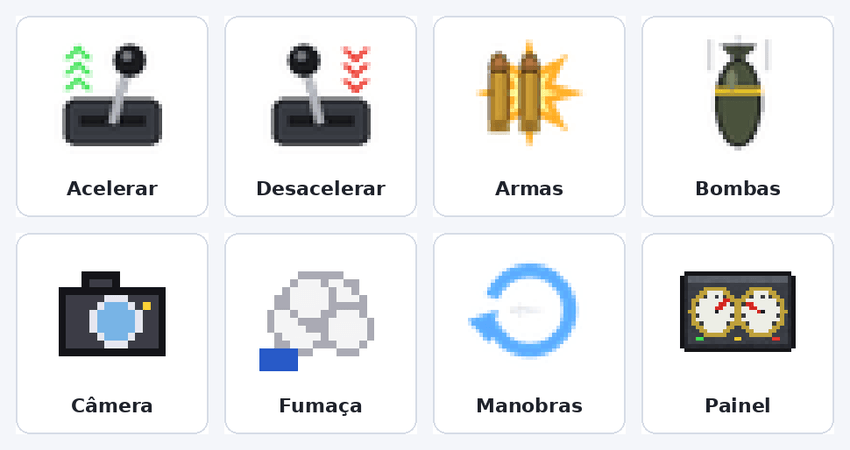
Ao entrar num avião, os controles aparecem sozinhos na sua barra de itens e somem quando você sai. Os itens que você tinha antes voltam para o mesmo lugar.
Item
Função
Acelerar
Aumenta a velocidade do motor um nível por uso.
Desacelerar
Diminui a velocidade um nível por uso.
Armas
Segure para atirar com as metralhadoras (só aviões armados). O painel mostra a temperatura das armas.
Bombas
Solta bombas. Nos bombardeiros a câmera passa a olhar para baixo para mirar.
Câmera
Alterna entre a câmera de fora do avião e a primeira pessoa, de dentro do cockpit.
Fumaça
Liga e desliga a fumaça da Esquadrilha da Fumaça (só no A-29).
Manobras
Abre o menu de manobras automáticas (não aparece nos bombardeiros grandes).
Painel
Liga e desliga o painel na tela com velocidade, combustível e progresso de decolagem.
Nos aviões de dois lugares, o piloto fica com acelerar e desacelerar, e o passageiro com armas e bombas. Com o piloto sozinho, ele recebe tudo.
Mesa Blueprint

A Blueprint é a oficina do addon: é nela que se fabricam todos os aviões e itens. Coloque o bloco no chão e clique nele para abrir o menu.
Pesquisar avião: digite parte do nome (ex.: Spitfire, P-51) para achar o avião rápido.
Combustível (galão): transforma carvão ou carvão vegetal em galões. Você escolhe quantos fazer.
Chave (cockpit) e Chave de fenda: as ferramentas do avião.
Aviões: ao escolher um avião com mais de uma pintura, aparece a lista de pinturas. A tela mostra a receita, quanto você tem de cada material e o botão Fabricar.
O avião sai como um ovo que já guarda a pintura escolhida. Ao colocar no chão, ele nasce com ela e trancado, e quem colocou vira o dono.
Configurações (engrenagem)
A engrenagem vem na sua mão na primeira vez que você entra no mundo. Use o item (segure o botão de usar) para abrir a tela de Configurações e toque em Salvar.
Opções do mundo (valem para todos):
Tipo de detecção de colisão: pela velocidade, por raio ou desligada (o avião explode ao bater forte).
Tipo de direção: normal ou girar pela inclinação.
Sistema de combustível (galão): liga ou desliga a necessidade de abastecer.
Dano personalizado das armas.
Inverter o lado do giro do jogador: só se o jogador girar para o lado contrário do avião nas curvas.
Itens no avião (só para você): painel de controle, câmera, fumaça, manobras, armas e bombas. O que você desligar não aparece na sua mão quando entrar num avião. Cada jogador escolhe os seus.
Chave do cockpit
Cada avião tem dono, como um lobo domado: é quem colocou o ovo no chão. Todo avião nasce trancado.
Clique no avião segurando a chave para trancar ou destrancar. Só o dono consegue; os outros veem quem é o dono.
Trancado: ninguém entra, e o cockpit fica fechado.
Destrancado: qualquer jogador pode entrar e voar, e o cockpit abre quando o avião está vazio.
Chave de fenda
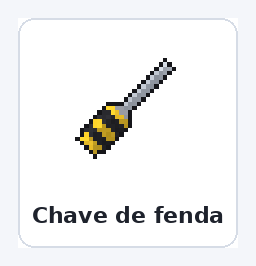
A chave de fenda desmonta o avião e devolve o ovo dele, com a mesma pintura, para colocar em outro lugar.
Clique ou bata no avião com ela. O avião precisa estar vazio.
Destrancado: qualquer jogador pode desmontar. Trancado: só o dono.
Gasta 1 de durabilidade por avião, de 250 (igual à picareta de ferro).
Quem coloca o ovo de novo vira o novo dono.
Combustível e manobras
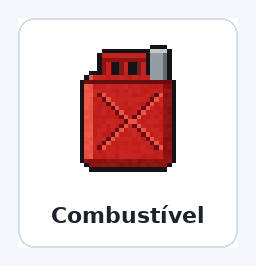
Combustível: segure o galão e bata no avião para abrir a tela de abastecer e escolher quantos galões colocar. Cada galão dá 20 segundos no acelerador máximo (o dobro em meia velocidade). O tanque leva 128 galões.
Manobras: pelo item Manobras, com o avião voando alto e rápido o bastante:
Manobra
O que faz
Looping
Volta completa para cima.
Tonneau
Giro de 360° em torno do próprio eixo.
Immelmann
Meia volta subindo e termina na direção contrária.
Split-S
Meia volta descendo e termina na direção contrária.
Hammerhead
Sobe na vertical, gira de lado e desce.
Oito cubano
Dois meios loopings seguidos, formando um 8 deitado.
Voo de cabeça para baixo
Vira girando para a esquerda ou para a direita; desvira do mesmo jeito.
Os aviões
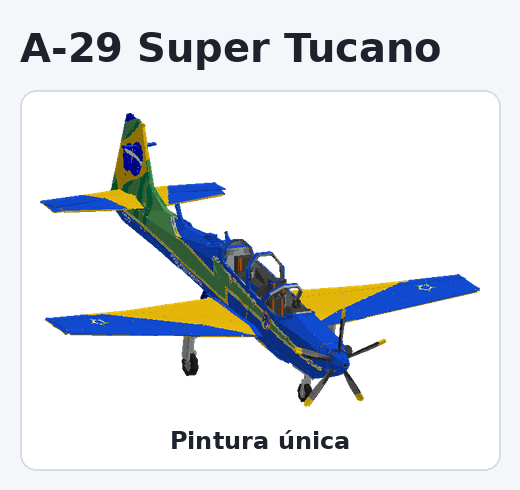
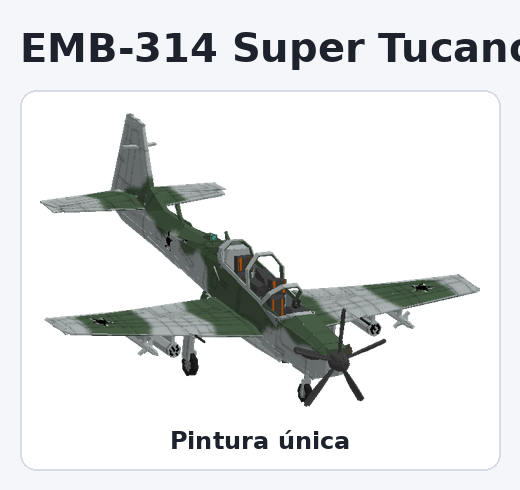
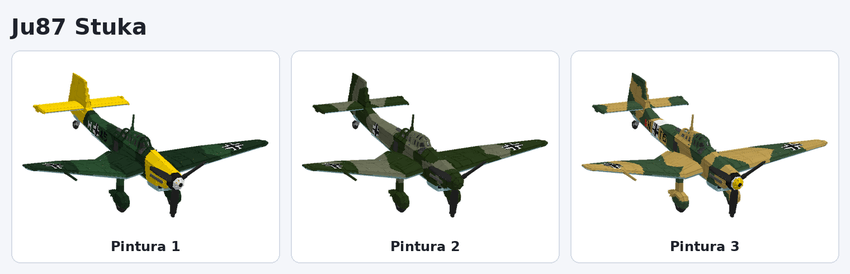
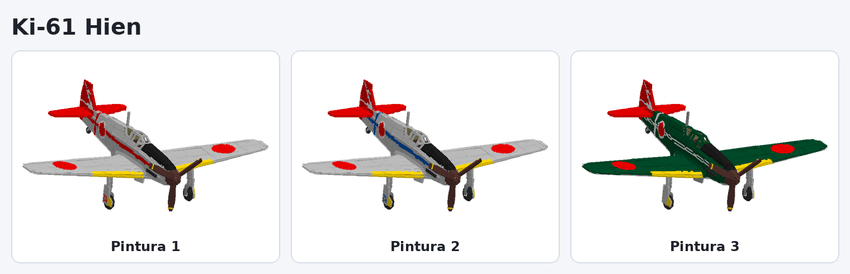
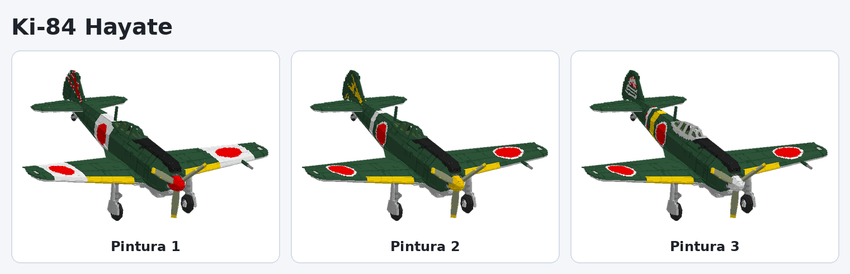
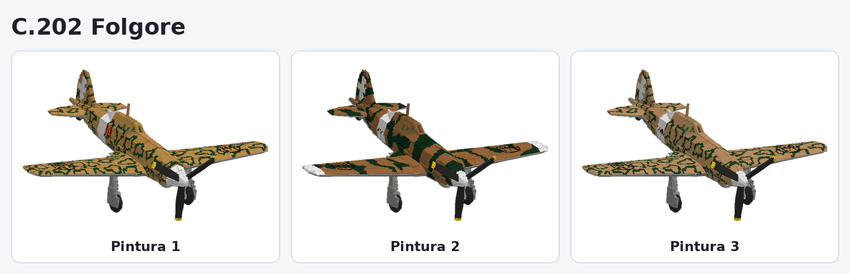
São 26 aviões. Cada imagem mostra todas as pinturas que o avião tem na Blueprint. Na versão simplificada do addon, cada avião vem com uma pintura só.
Super Tucanos
A-29 Super Tucano — 2 lugares · fumaça
EMB-314 Super Tucano (Camuflado) — 2 lugares · metralhadoras e bombas
Caças e aviões leves da 2ª Guerra
Supermarine Spitfire — 1 lugar · metralhadoras e bombas
A6M Zero — 1 lugar · metralhadoras e bombas
Bf109 — 1 lugar · metralhadoras e bombas
Yokosuka D4Y Suisei — 2 lugares · metralhadoras e bombas
F4U Corsair — 1 lugar · metralhadoras e bombas
F6F Hellcat — 1 lugar · metralhadoras e bombas
Fw190 Würger — 1 lugar · metralhadoras e bombas
Ilyushin Il-2 — 2 lugares · metralhadoras e bombas
Ju87 Stuka — 2 lugares · metralhadoras e bombas
Ki-61 Hien — 1 lugar · metralhadoras e bombas
Ki-84 Hayate — 1 lugar · metralhadoras e bombas
C.202 Folgore — 1 lugar · metralhadoras e bombas
MiG-3 — 1 lugar · metralhadoras e bombas
P-40E Warhawk — 1 lugar · metralhadoras e bombas
P-47N Thunderbolt — 1 lugar · metralhadoras e bombas
P-51D Mustang — 1 lugar · metralhadoras e bombas
SBD Dauntless — 2 lugares · metralhadoras e bombas
Yak-3 — 1 lugar · metralhadoras e bombas
Bombardeiros grandes (sem manobras)
Heinkel He 111 — 2 lugares · bombas
Mitsubishi G4M — 2 lugares · bombas
B-17 Flying Fortress — 2 lugares · bombas
B-29 Superfortress — 2 lugares · bombas
G10N Fugaku TypeII — 2 lugares · bombas
G10N Fugaku TypeI — 2 lugares · bombas
Downloads:
Versão simples (por enquanto).
Esse addon tem como inspiração o mod
Para Java, WarfareWings, de onde foram
Inspirados os aviões deste addon, além de
Outros aviões de criação própria.
SuperPlanes Team