Structure Builder sounds timelaps
- By
27008.jpg
27009.jpg
27010.jpg
27011.jpg
Description
Structure Builder – Sound Timelapse
Turn your saved Minecraft structures into block-by-block building timelapses!
Structure Builder is a Minecraft Bedrock Edition add-on that rebuilds structures saved using Minecraft Structure Blocks. It automatically places the saved blocks one at a time, with placement sounds, allowing you to record the entire construction process as a timelapse.
Whether you want a simple automated structure reveal or a more natural, tutorial-style building sequence, Structure Builder provides two different timelapse modes.
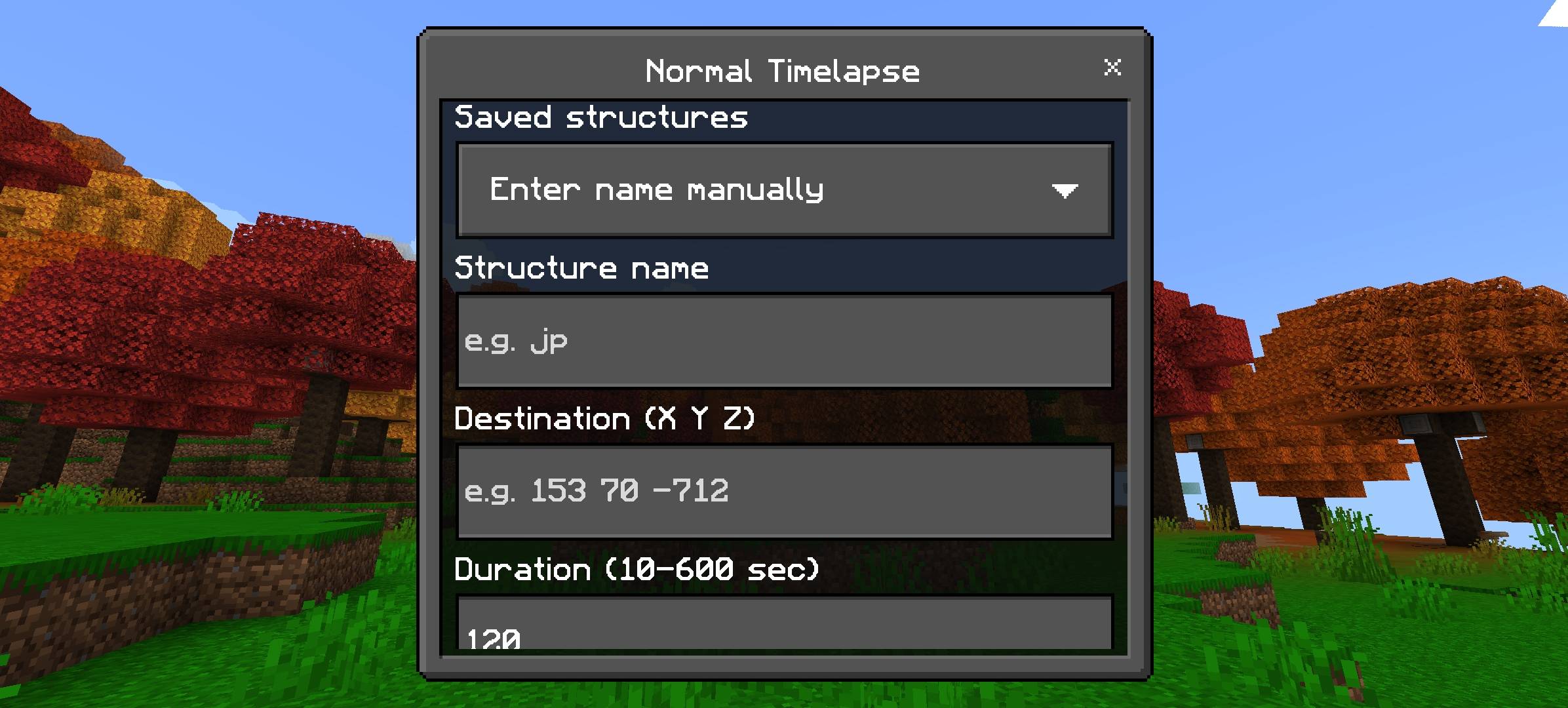
🎬 1. Normal Timelapse
Rebuild your saved structure using different block-placement patterns.
Choose from three building orders:
- Layer Sweep: Places blocks in an organized layer-by-layer sequence.
- Clockwise Spiral: Builds outward in a clockwise spiral pattern.
- Zigzag: Places blocks in a back-and-forth sequence.
Additional settings include:
- Adjustable building duration (10–600 seconds).
- Structure rotation.
- Camera options.
- Placement sound options.
🧱 2. POV & Natural Build
A different approach to structure construction, offering two building methods.
Natural Timelapse
Builds structures in a more human-like construction order instead of simply following a basic placement pattern.
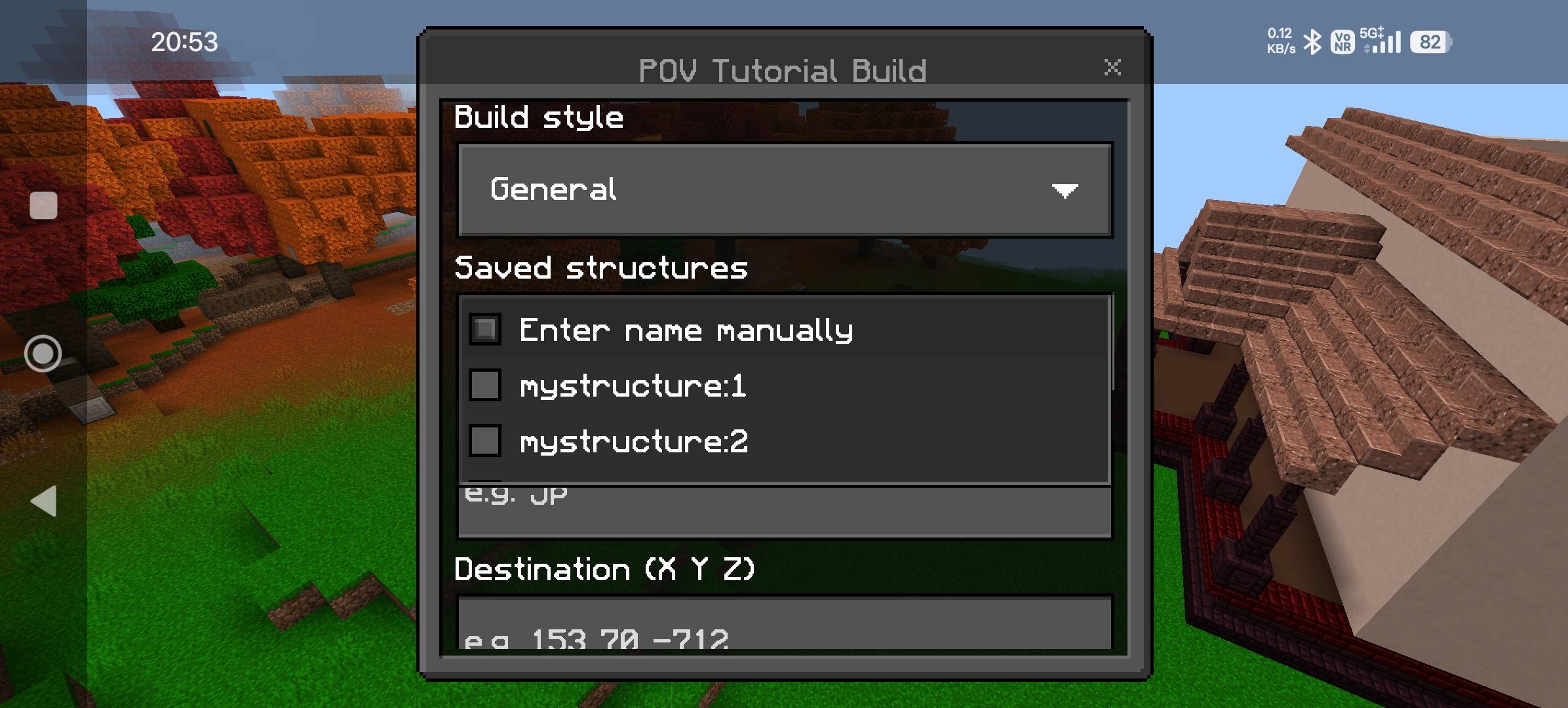
Select a structure category to determine its building sequence:
- House – Complete
- Tree / Organic – Complete
- General – Beta
- Statue / Pixel Art – Beta
- Tower – Beta
Each category uses its own building-order logic. More categories and improvements are planned.
POV Tutorial Build
A camera-guided building method where the camera moves to the next block before that block is placed.
The camera follows the construction process, creating a block-by-block tutorial-style presentation.
Unlike Normal Timelapse, this mode does not use a fixed duration. Its pacing depends on camera movement.
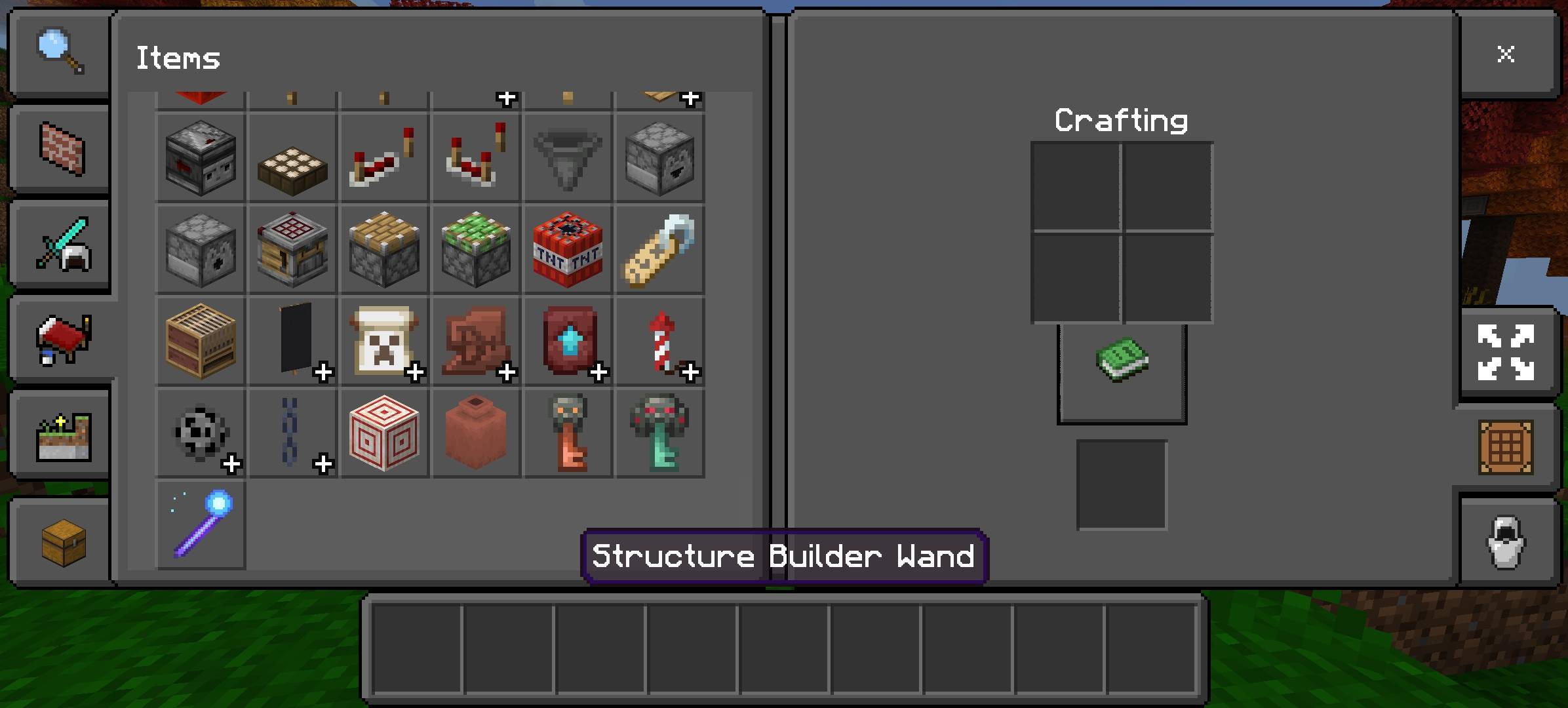
🪄 Structure Builder Wand
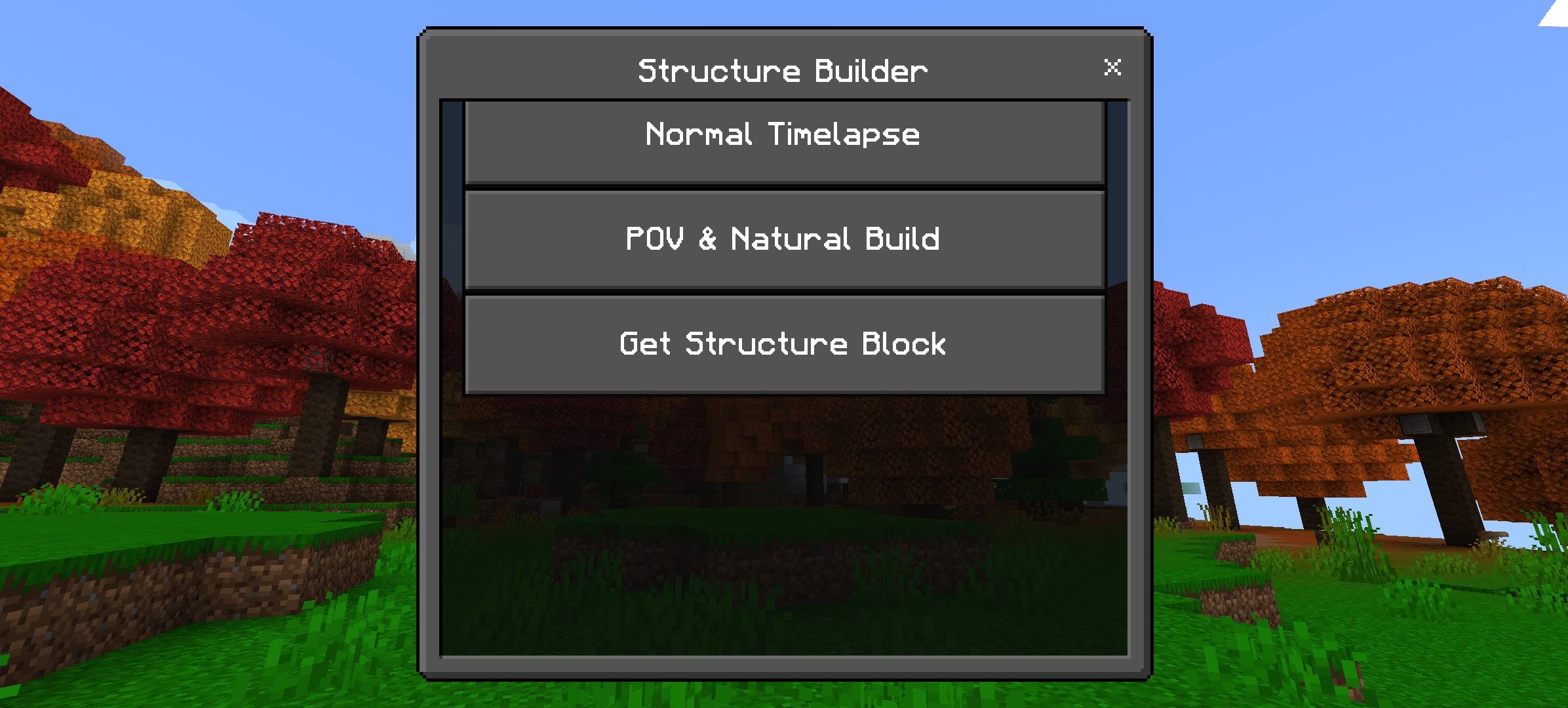
The Structure Builder Wand provides access to the main menu and building controls.
- Open the main menu using the wand.
- Start a selected timelapse.
- Pause and resume an ongoing build.
- Cancel a build when needed.
- Obtain a Structure Block through the menu.
🔊 Individual Block Placement Sounds
Blocks use placement sounds selected according to their material and sound family.
The sound system is based on Minecraft Bedrock's block and sound data, helping make the construction process more immersive and recognizable.
👥 Saved Entity Support
Structures containing saved entities can also restore supported entities after block construction.
An option allows you to enable or disable entity placement.
🎥 Recording-Friendly HUD
A small HUD button allows you to toggle the game's interface while recording, helping you capture cleaner footage.
Progress messages can also be disabled to avoid unnecessary chat text in recordings.
📌 Requirements & Limitations
- Minecraft Bedrock Edition 1.26.0 or later.
- Requires structures saved in the current world's Structure Block storage.
- Cheats must be enabled for camera features.
- Some advanced block data, such as container contents and sign text, is not copied.
- Some structure categories are still in beta.
🚀 Development
Structure Builder is an actively developed project.
Basic tutorial 🔗 :https://youtu.be/XylqeFUf6m8?si=e9wWiKxC05bl6KzI
Advanced tutorial 🔗 : https://youtu.be/OGWuJ0Aufao?si=wRGxgHji8CpMShdE
House and Tree / Organic are the completed Natural Build categories. Other categories are still being developed and improved.
The goal is to provide a flexible way to recreate saved Minecraft structures through automated, block-by-block timelapses.Mainly for content creators who can't use a second account
## Support
If Structure Builder Wand helps with your builds or videos and you'd like to support future updates, you can buy me a coffee here:
☕ buymeacoffee.com/Etuvel
Structure Builder sounds timelaps Team