Do you think minecraft nature generation is very repetitive? With this pack you will see small rocks around the world and dimensions, making even just walking around the biomes a bit more interesting.
You can use them as projectiles, like snowballs, but with the difference that these rocks hurt enemies. They also have a special feature: when you throw a pebble, there's a chance it will respawn when it hits a block or an entity.
⚠️WARNING
If you install this add-on in an existing world you may not see blocks spawning in the world, in which case you need to move to chunks that have never been loaded into the world yet.
GENERATION
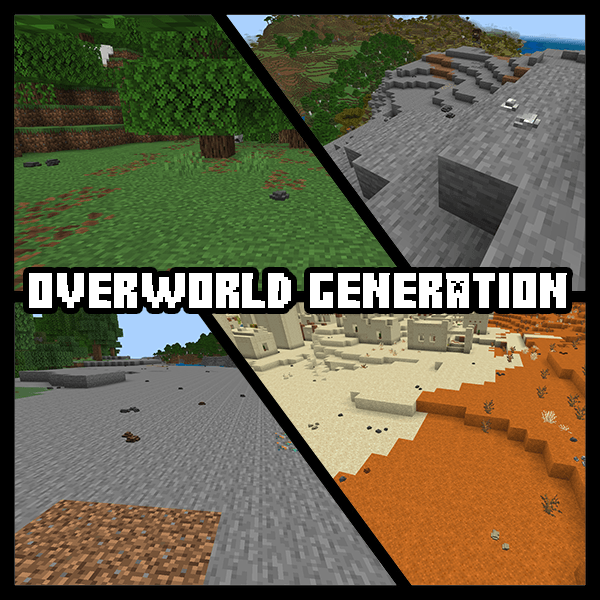
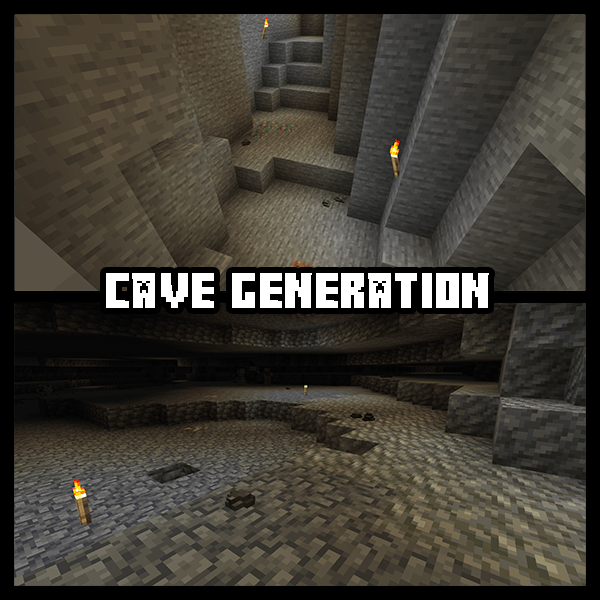
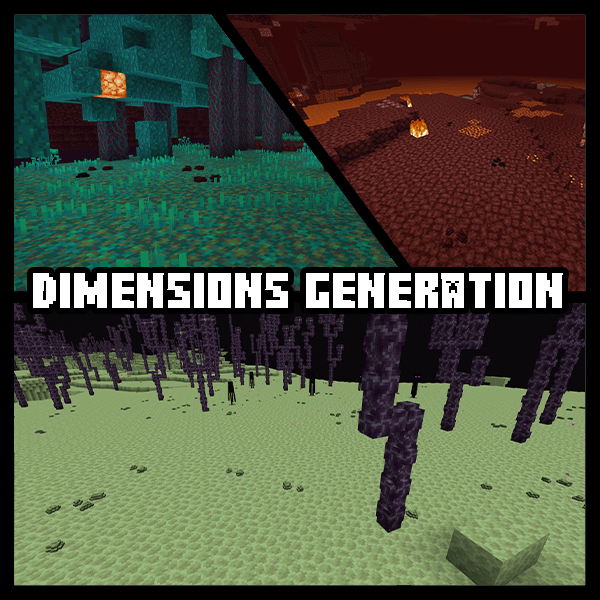
They naturally generate around the world, as you can see from these images:
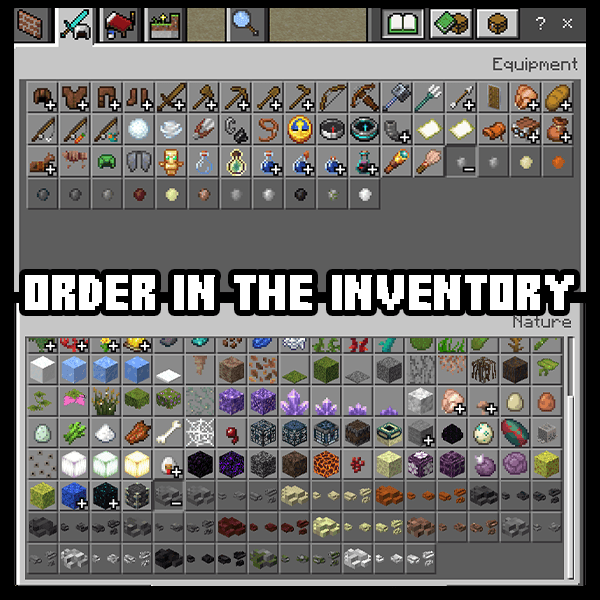
INVENTORY
They are present in the creative inventory in their respective sections, grouped together, so as to maintain order.
EXAMPLES
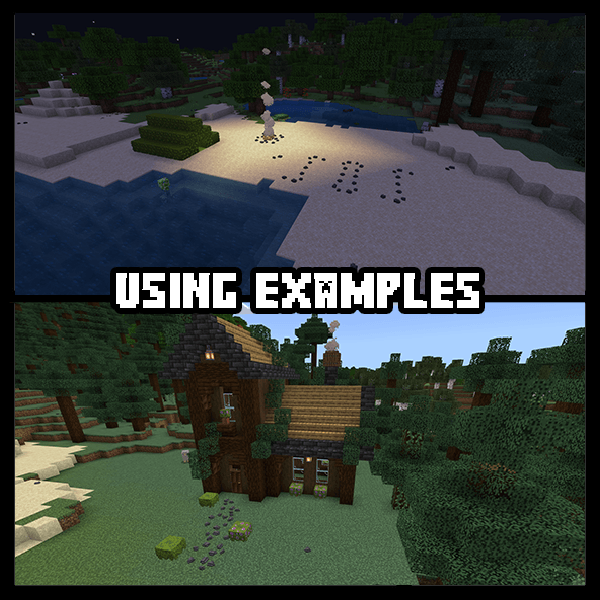
You can use them even as decoration, for example to make a path, or even writing on the ground! The limit it your creativity!
CRAFTINGS
These crafting are avaible for every type of pebbles:
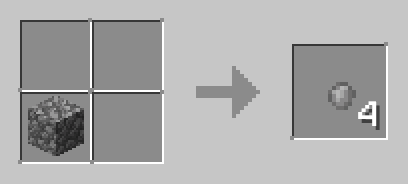
• You can craft them! Just use their block type
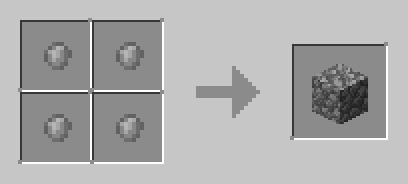
• There is even the inverse crafting
• You can craft the placeable version of them by putting 1/2/3 pebbles in the crafting table
HOW PEBBLES WORK
You can find them in the nature, they generate during the chunk generation, to collect them simply break them with your hand, you will get pebbles of the broken variant.
These pebbles are throwable, like snowballs, to make them placeable you have to craft the placeable version of them, they come in 3 versions, single, double and triple placeable pebbles.
They rotate in the direction of the player, keep this in mind when you are placing them ;)
They can be placed underwater without blocking the water, but you won't find them generated underwater in the world.
LIST OF PEBBLES IN THIS PACK
This pack contains actually 14 different type of pebbles, here there is the list and the spawn locations:
- Stone Pebbles - They spawn everywhere in the overworld, on the surface and in the caves above Y = 0
- Sandstone Pebbles - They spawn in the overworld in the desert and mesa biomes
- Red Sandstone Pebbles - They spawn in the overworld in the mesa biome
- Basalt Pebbles - They spawn rarely in the nether
- Deepslate Pebbles - They spawn everywhere in the overworld in the caves below Y = 0
- Tuff Pebbles - They spawn rarely everywhere in the overworld in the caves below Y = 0
- Granite Pebbles - They spawn in the overworld in stone biomes and in the caves above Y = 0
- Andesite Pebbles - They spawn in the overworld in stone biomes and in the caves above Y = 0
- Diorite Pebbles - They spawn in the overworld in stone biomes and in the caves above Y = 0
- Blackstone Pebbles - They spawn rarely in the nether
- Mossy Stone Pebbles - They don't spawn naturally, you can craft them using a Mossy Cobblestone block
- Endstone Pebbles - They spawn everywhere in The End
- Netherrack Pebbles - They spawn everywhere in the nether
- Calcite Pebbles - They spawn in the overworld in the Stony Peaks biome
More items will be added in the future versions of this add-on.
If you have any suggestions, feel free to leave me a comment :)
Add-on tested on the version: 1.21.124 (let me know in the comment section if it works on other versions)
Credits / Author Info
- Author: NorStudio
- Linktree: Explore my links
NOTE
- If you cannot see all the files on the MCPEDL page, please visit CurseForge to download them
- This add-on is NOT using a 'player.json' file.
- This add-on is mostly compatible with other add-ons.
- This add-on will work on servers; just make sure you install the correct files.
- This add-on is not tested yet on the beta and preview versions of Minecraft, so expect some bugs if you are using those versions.
- Remove the old packs before installing the new version of the packs.
- If you create a review, gameplay video, or showcase of this add-on, please remember to give credit and include the original link to this webpage.
- Do not provide any other download links.
- ⚠️ Do not re-upload or modify without permission
Installation Guide
FIRST INSTALLATION: Follow the steps
UPDATING THE ADD-ON: I strongly recommend to do the step 3 after downloading the new version
- Download the latest 'StonePebbles.mcaddon' file.
- Double click on it and choose Minecraft to open it, the game will automatically open and import the add-on.
- IF THE GAME GIVES YOU IMPORTING ERRORS: It means that you already have this add-on installed. Into the game go into 'Settings>Storage' and delete the current version of this add-on, then close the game and redo step 2.
Changelog Hystory
v1.0.0
- Added 14 types of pebbles
StonePebbles Team