SN Shop
- By
snshop1.png
snshop2.png
snshop3.png
snshop4.png
Description
About SN Shop
SN Shop is a very simple yet easy to use shop addon for your players. It has a built in search mechanic as well as an inventory check to ensure the player has enough space to complete a purchase. More great features like a black market and auction house are planned for the future!
How to use:
When installing the addon, Beta API Toggle must be ON
To get started, the player must craft the snShop Catalog item with 1x Book and 3x Paper:
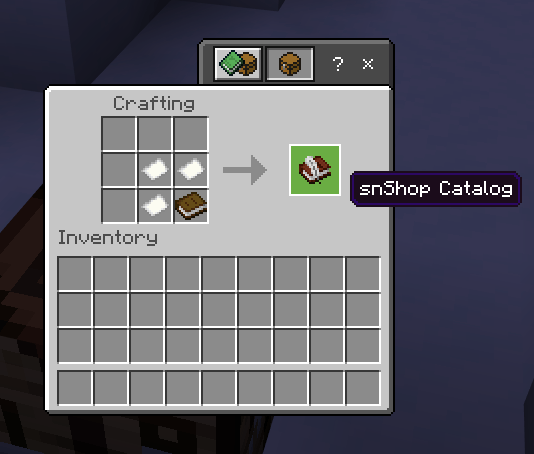
After crafting the catalog item, players can now access the shop application from any location within your world including any existing or custom dimension. You can also set up an NPC or button at your spawn that just gives this item to the players using the give command with item sn:shop!
The Menu Screens
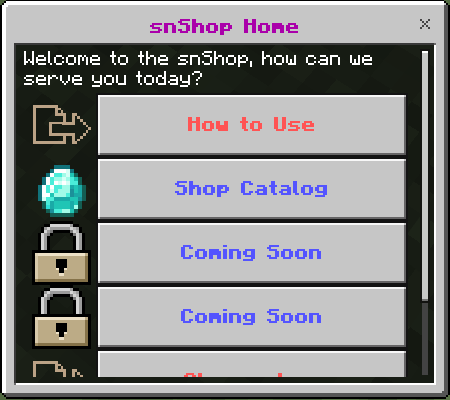
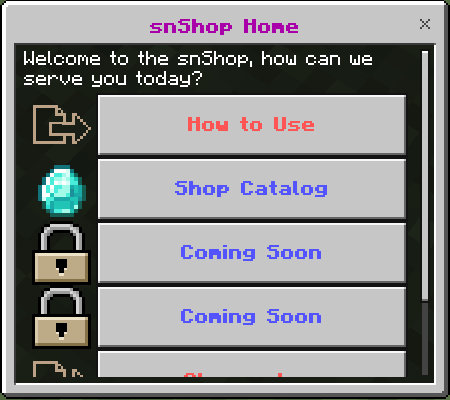
Home Menu:
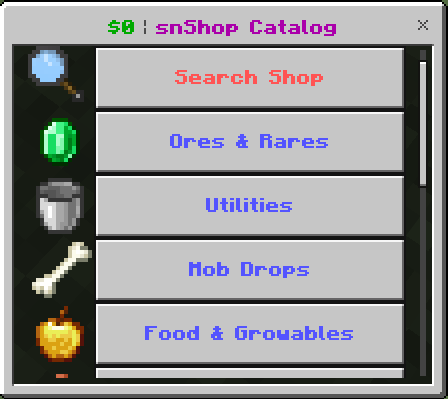
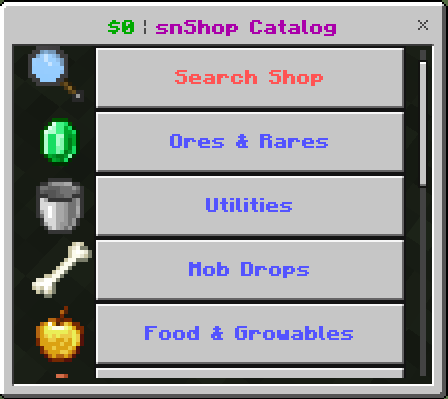
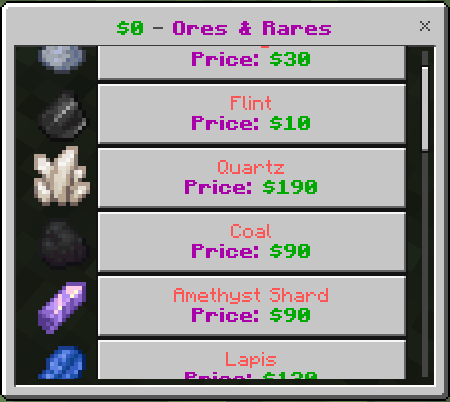
Shop Menu: (Player money displayed in top left)
Item Display:
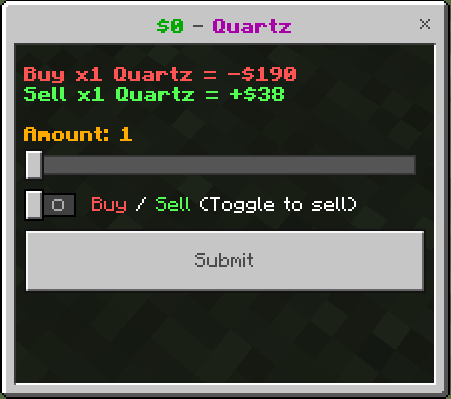
The Buy/Sell Screen:
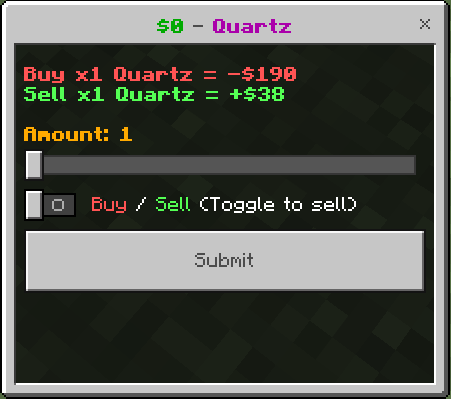
Players will use the slider to select up to 320 of an item to purchase or sell at a time. Simply use the toggle to switch to sell mode or leave the toggle off for buy mode.
The Search Screen:
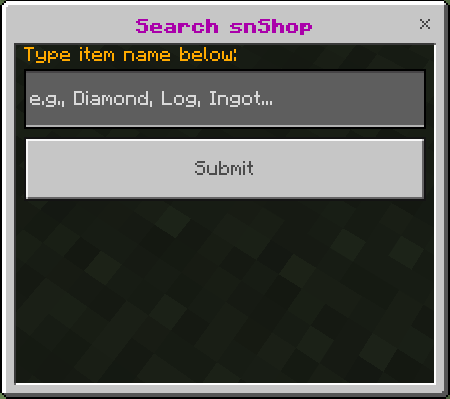
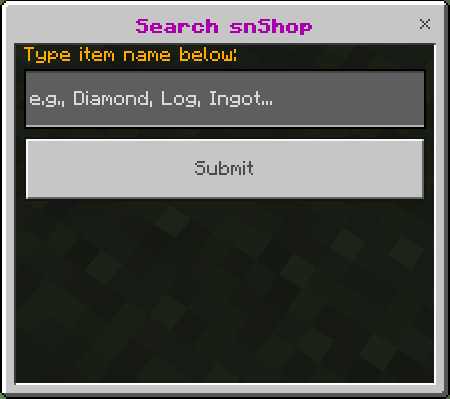
Players can search the shop in here. It is not case sensitive and does not require an exact match to locate your desired item. (Are you looking for a Diamond? Type "dia" and hit submit!)
Shop Customization Options:
The shop was designed to be easy for server owners to customise and add to. For now this is done by extracting the pack and modifying the shop_items.js script. Within this script you can add additional items to any of the existing shop categories and change the pricing of all the items. In the future, this will be done in-game through the upcoming admin settings features.
PLEASE NOTE:
If you modify the shop_items.js script, save a backup to your device so that when when we release an update you can quickly get your added items back on the new version. Youll just replace the shop_items.js file in the new version with your backup!
Sell Value Settings:
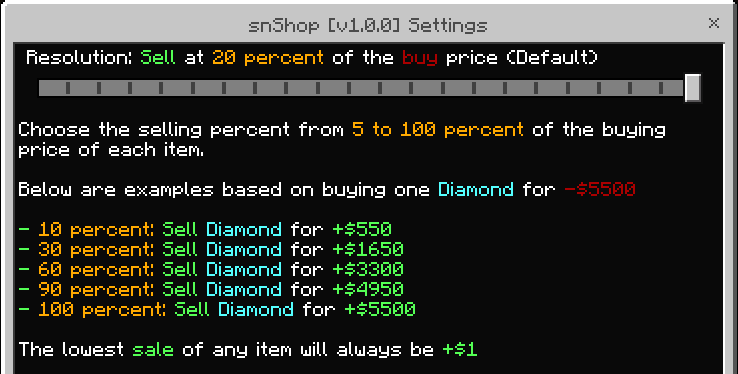
To change the default selling values for your shop, you must leave the world and go into your server settings. Now you'll find behavior packs and click on snShop and then the settings box or gear icon. Move the slider to change this value. (The default is 20%)
I hope you enjoy using snShop! Feel free to reach out to us with suggestions, bug reports, or even try our upcoming game servers at our Discord: https://discord.gg/dJaeNyuEXP
SN Shop Team