SkillTree Progression
- By
Level up your survival experience! Earn XP across 7 skills, unlock 150 unique perks, complete 50+ achievements, earn 90+ titles, and build your own progression path.
SkillTree Progression
Turn normal Minecraft gameplay into a long-term progression system.
SkillTree adds 7 Skills, XP and leveling, Skill Points, large perk trees, Challenges, Mastery, Achievements, Titles, Statistics, Prestige, and more — all managed through the Adventurer's Journal.
Progress naturally by mining, fighting, fishing, farming, cooking, exploring, cutting wood, and simply playing Minecraft.
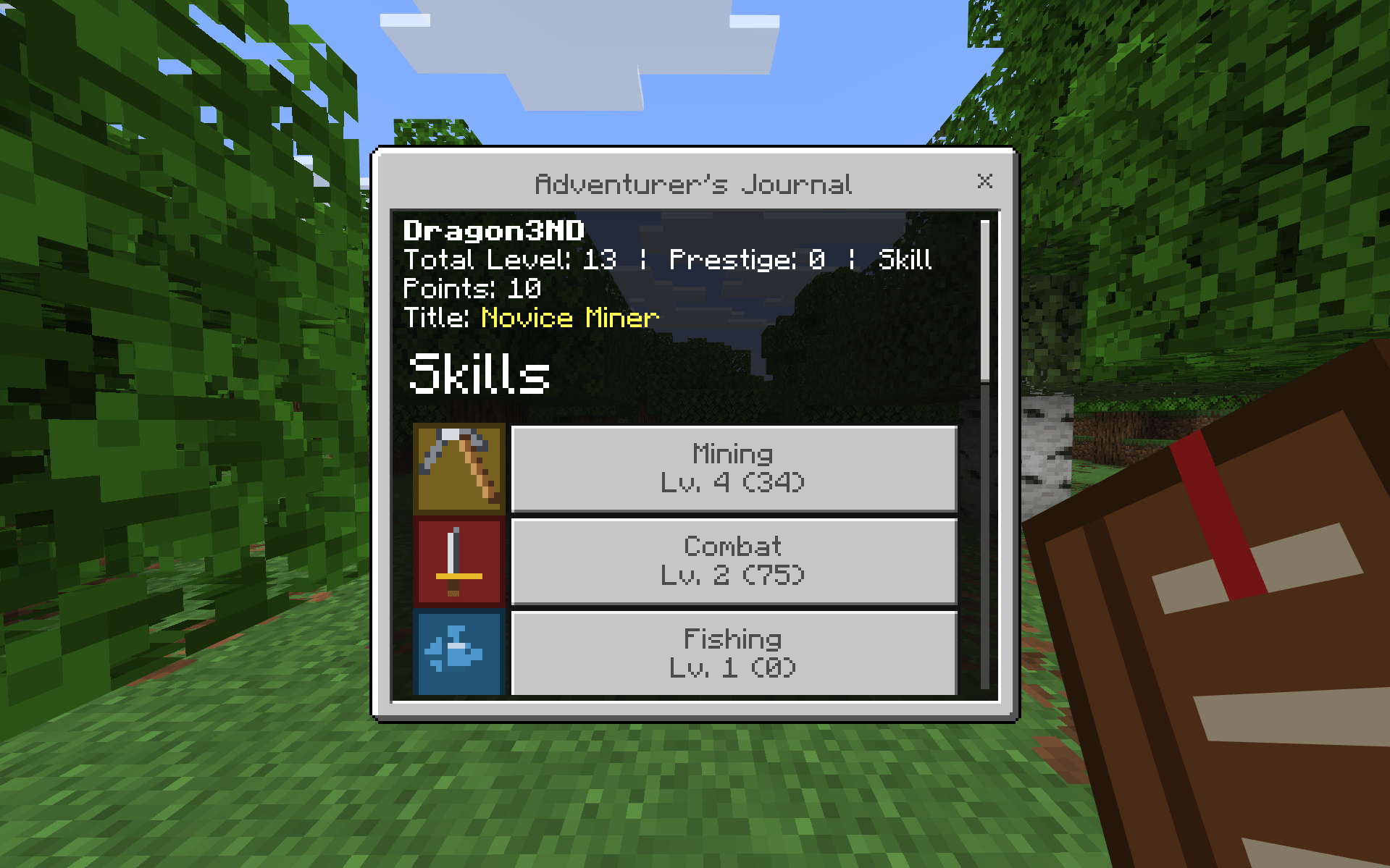
7 Skills
Progress through seven different Skills:
- ⛏️ Mining
- ⚔️ Combat
- 🎣 Fishing
- 🪓 Woodcutting
- 🌾 Farming
- 🍳 Cooking
- 🧭 Exploration
Every Skill has its own XP, Level, Skill Points, Perks, Statistics, Challenges, and Mastery progression.
Your Journal also shows your Total Level, Prestige, available Skill Points, and equipped Title.
Progress Naturally
SkillTree is designed around normal survival gameplay.
Mine blocks, defeat mobs, catch fish, harvest crops, cook food, cut trees, and explore the world to earn Skill XP automatically.
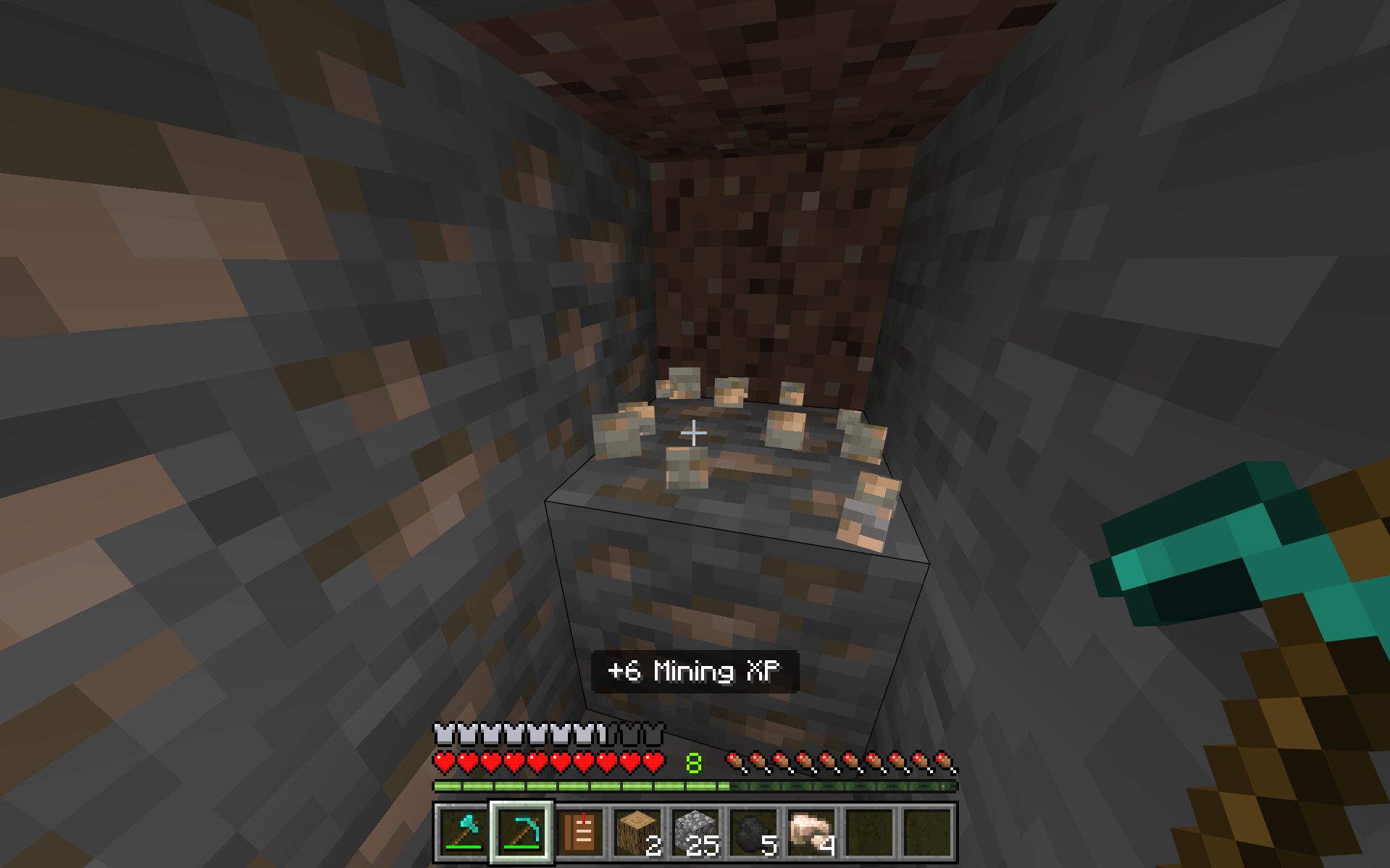
No separate quest mode is required — your progression happens while you play Minecraft normally.
Skill Progression
Each Skill has its own progression screen showing:
- Level and XP
- Skill Points
- Perks unlocked
- Prestige Level
- Mastery status
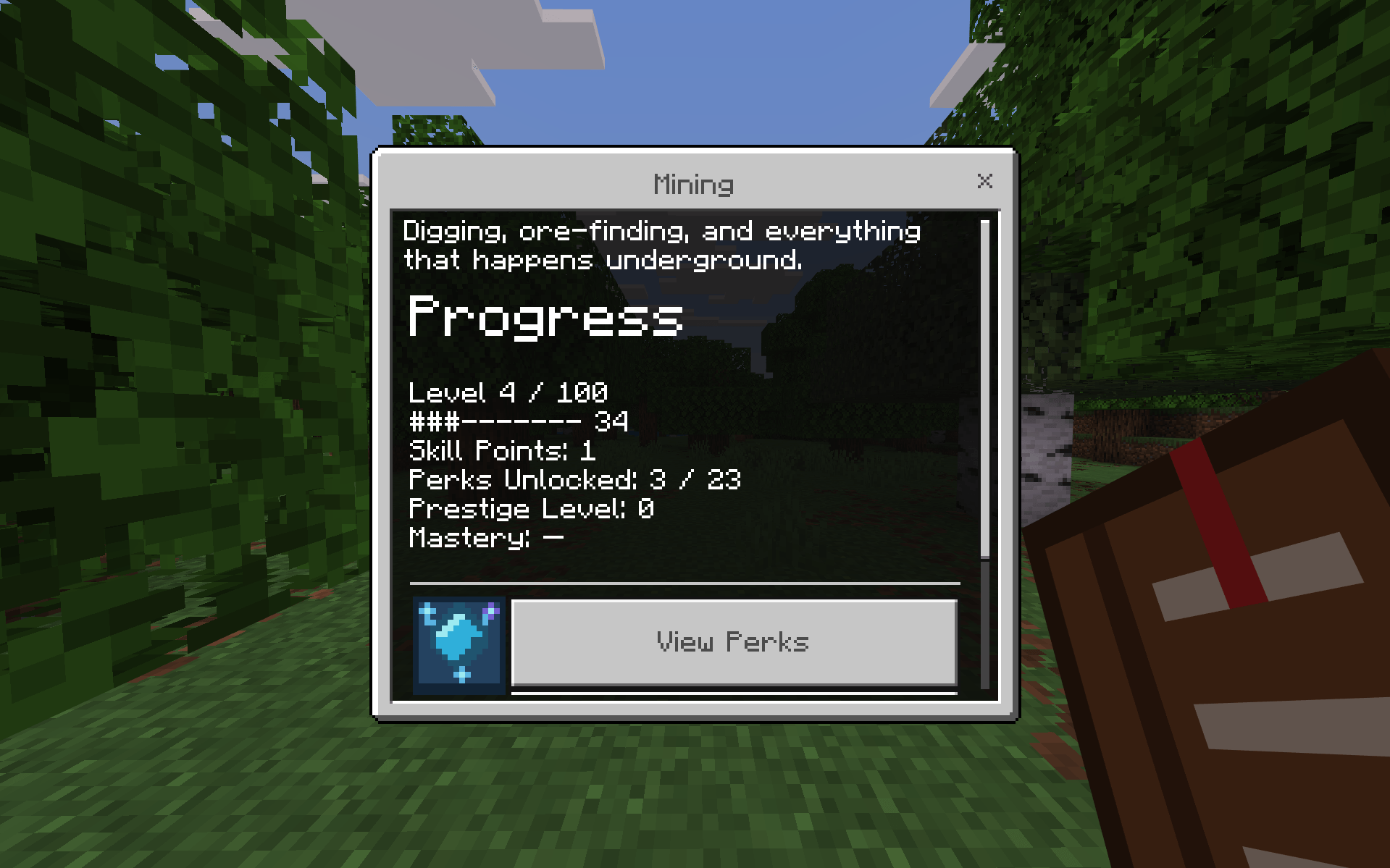
Reach higher Levels, earn more Skill Points, unlock stronger Perks, and work toward long-term progression goals.
Perk Trees
Spend Skill Points to unlock Skill-specific bonuses and upgrades.
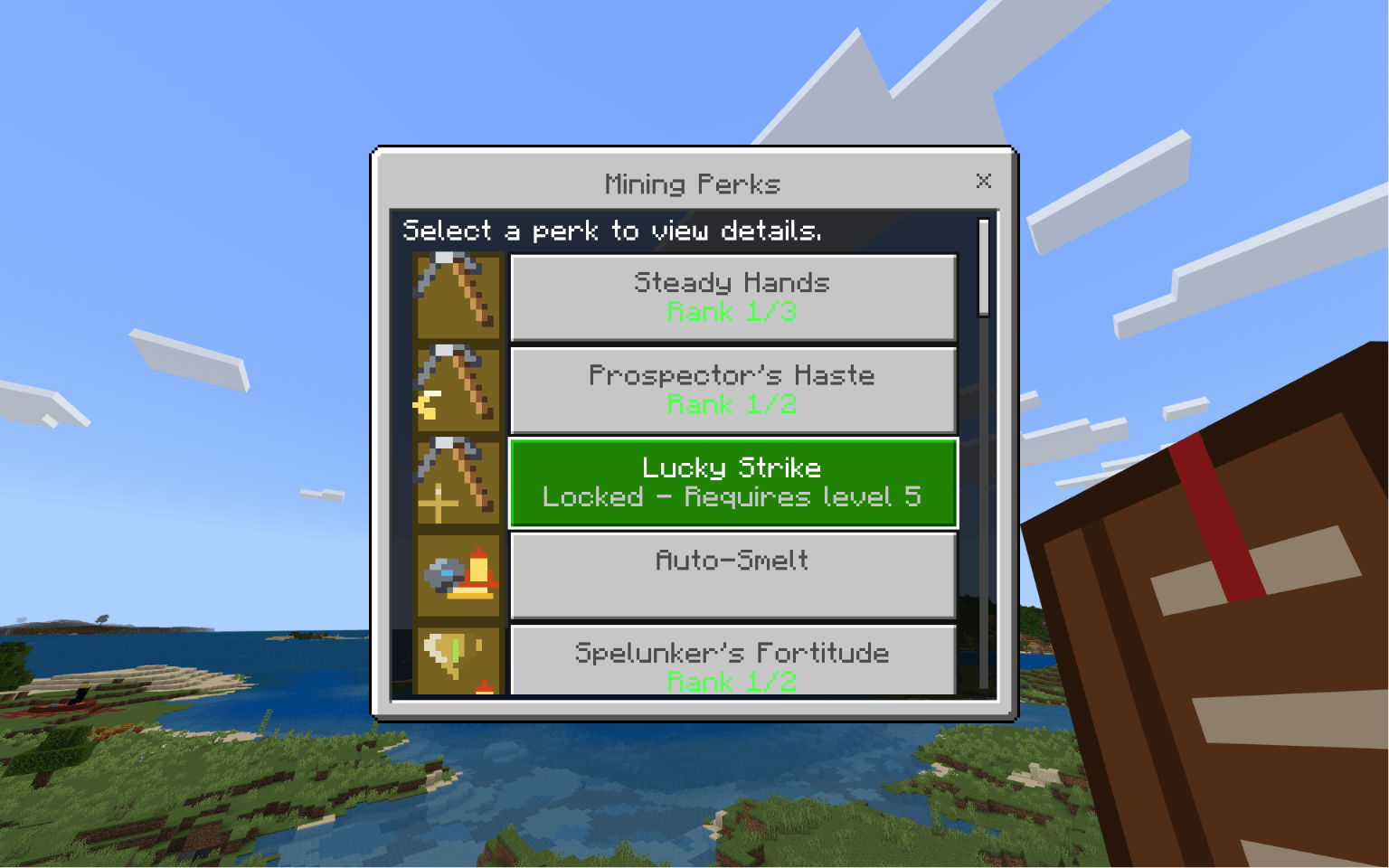
Perks can have multiple ranks and Level requirements, giving every Skill its own progression path.
Everything in One Journal
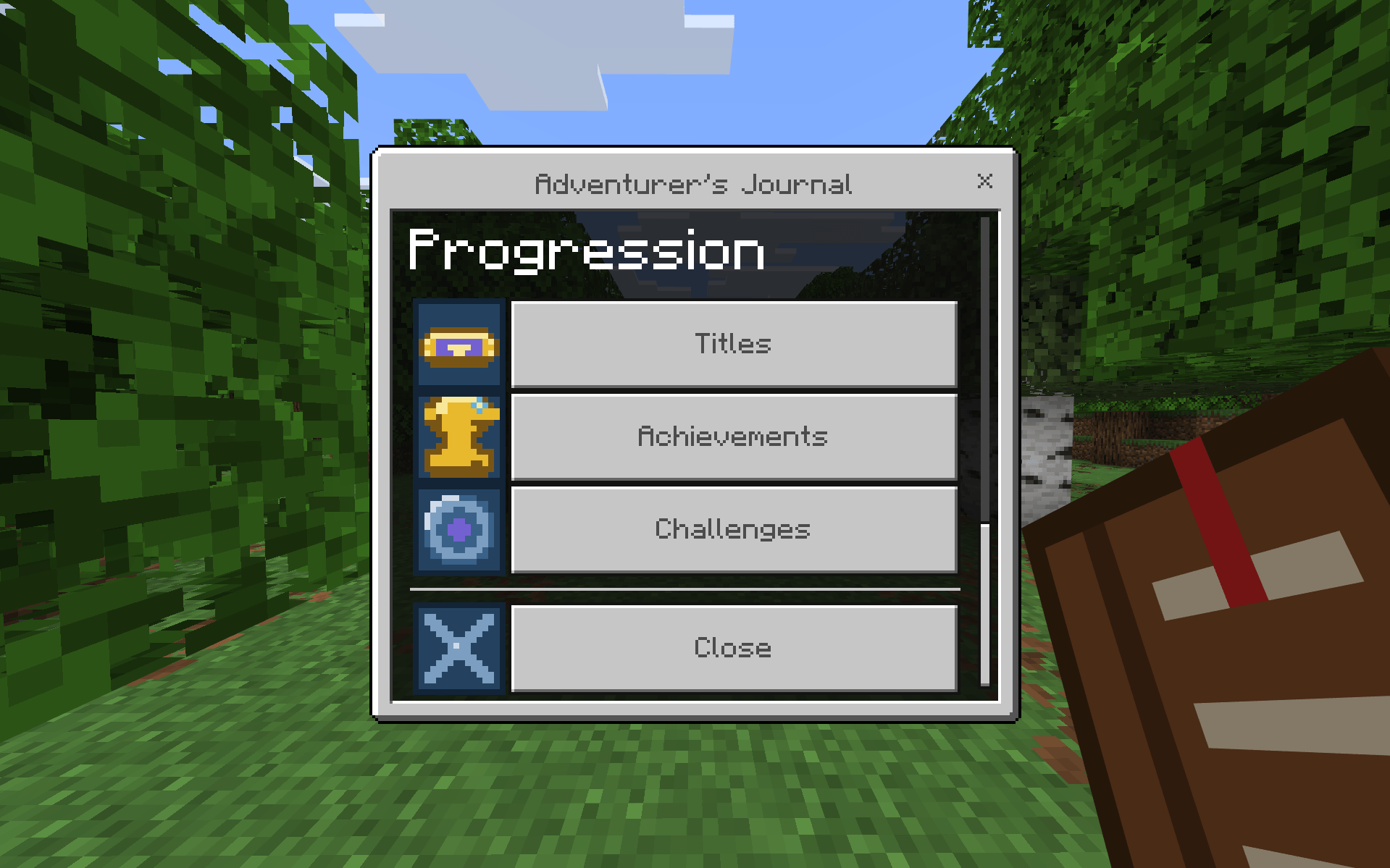
The Adventurer's Journal is the main hub for SkillTree.
From the Progression menu you can access Titles, Achievements, Challenges, and the rest of your progression systems.
Challenges
SkillTree includes 28 lifetime Challenges across all 7 Skills.
Each Skill has four tiers:
- Novice
- Skilled
- Expert
- Master
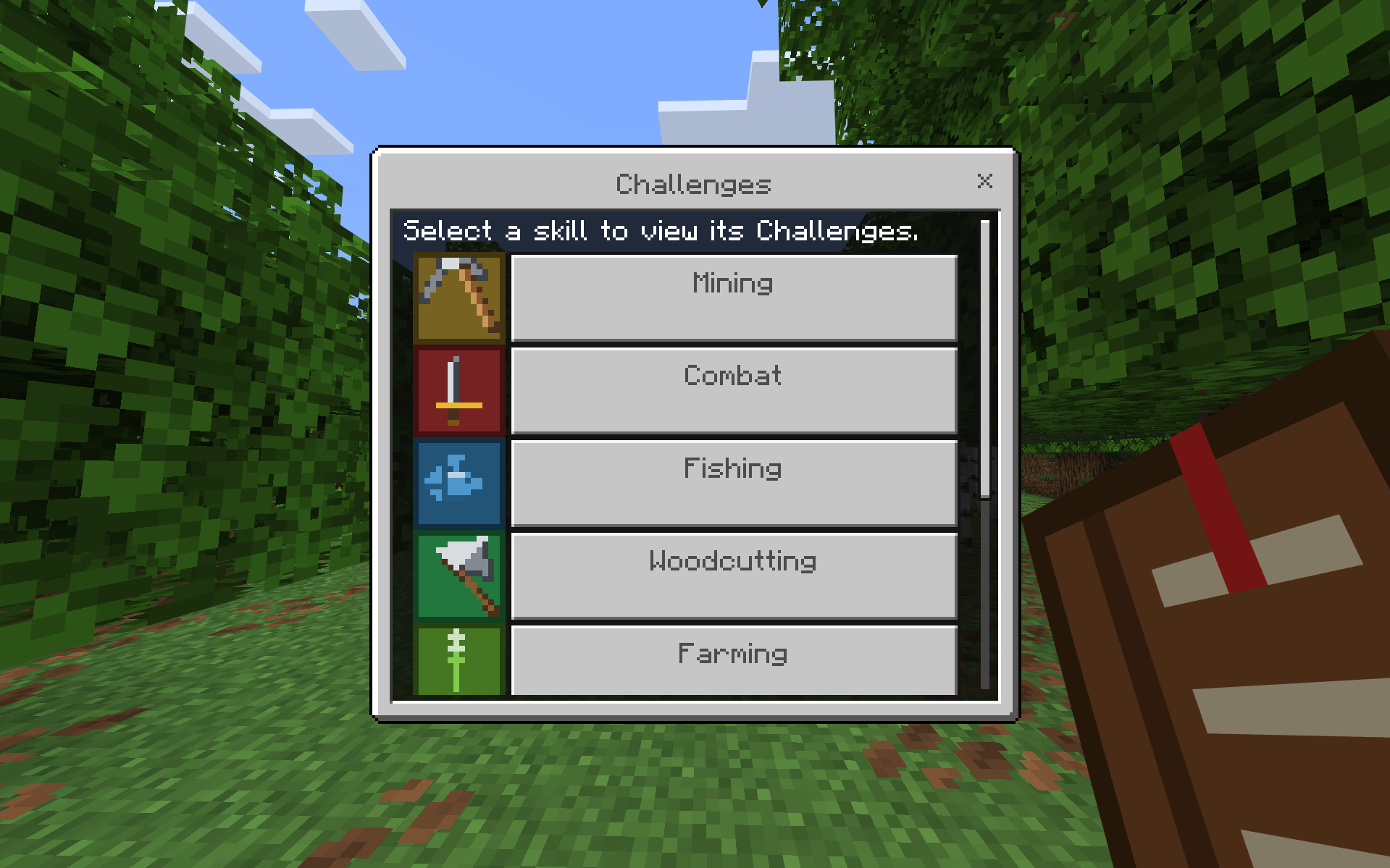
Challenge progress is based on your real gameplay Statistics, so the things you already do in your world contribute automatically.
Track Your Challenges
Choose one Challenge to track while you play.
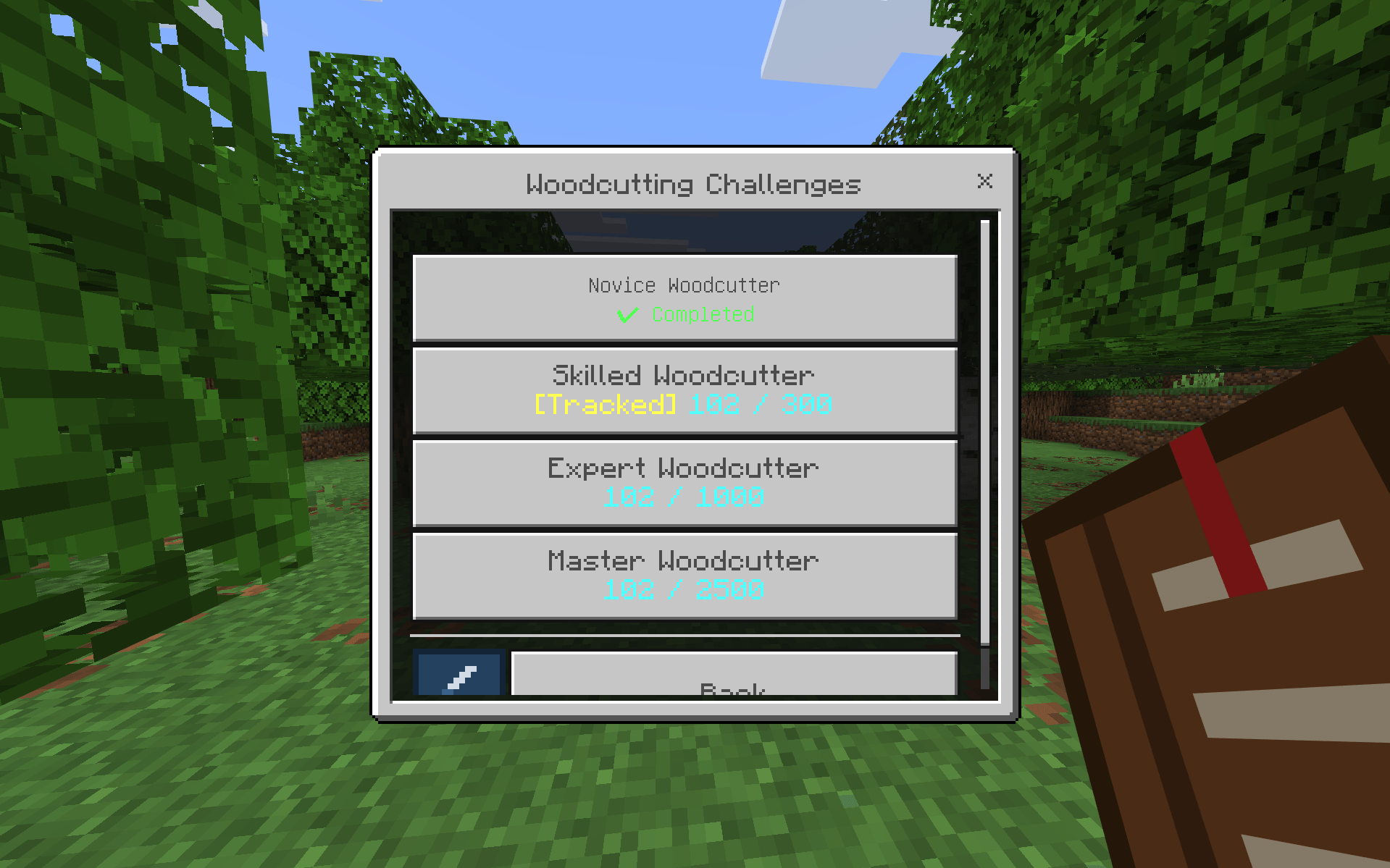
You can see current progress, completed tiers, remaining goals, and rewards directly from the Journal.
Tracked Challenges persist when you leave and rejoin your world.
Milestones & Rewards
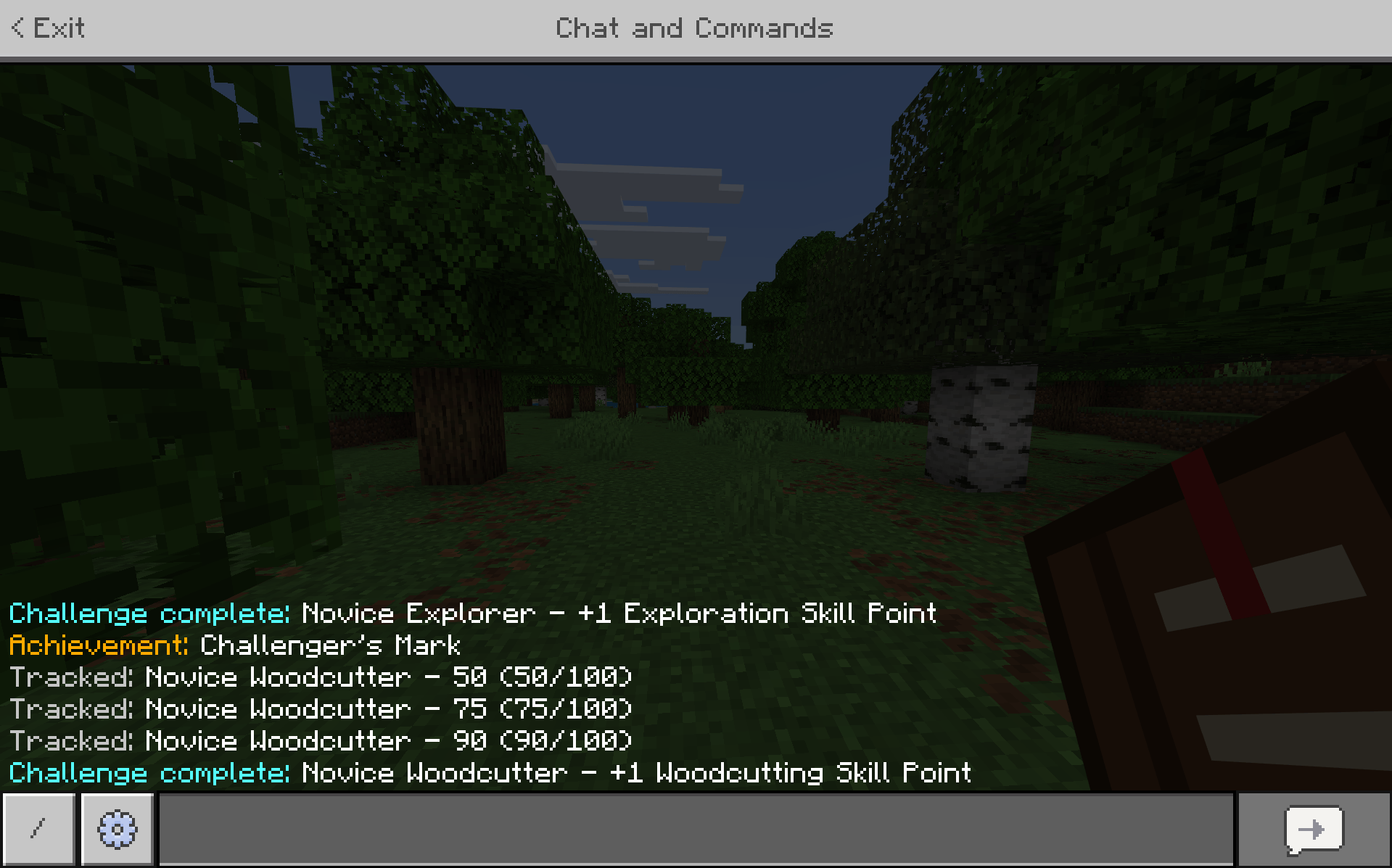
Tracked Challenges provide milestone updates as you make progress.
Milestones are available at:
25% • 50% • 75% • 90%
Completing Challenges rewards Skill Points and can also contribute toward special Achievements and Titles.
Detailed Statistics
Every Skill tracks Statistics relevant to its gameplay.
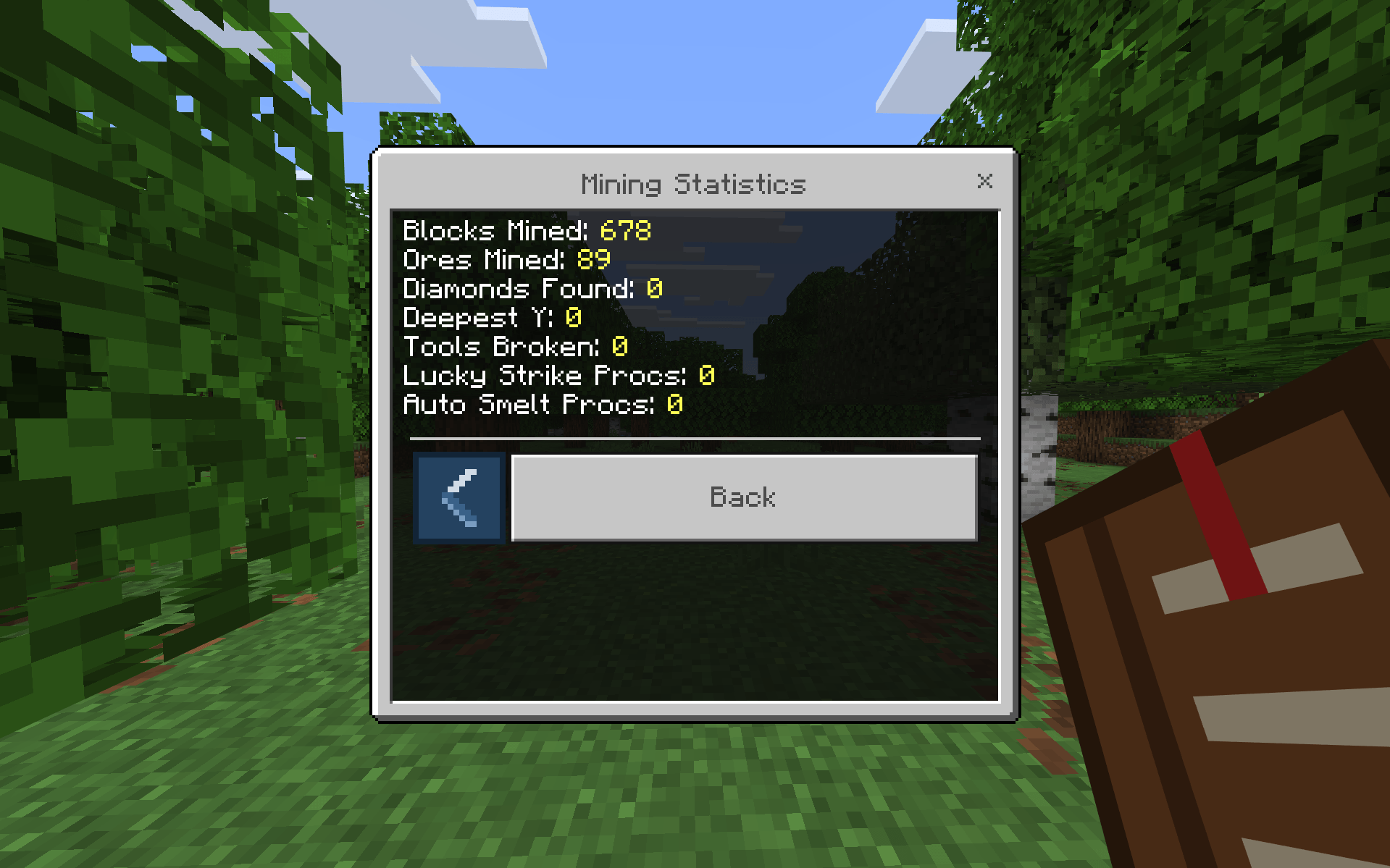
Mining, for example, can track things such as blocks mined, ores found, deepest Y level, broken tools, and Skill-specific perk activations.
Other Skills track their own unique activities.
Statistics also power systems such as Challenges and Achievements.
Achievements & Titles
SkillTree rewards long-term progression with Achievements and unlockable Titles.
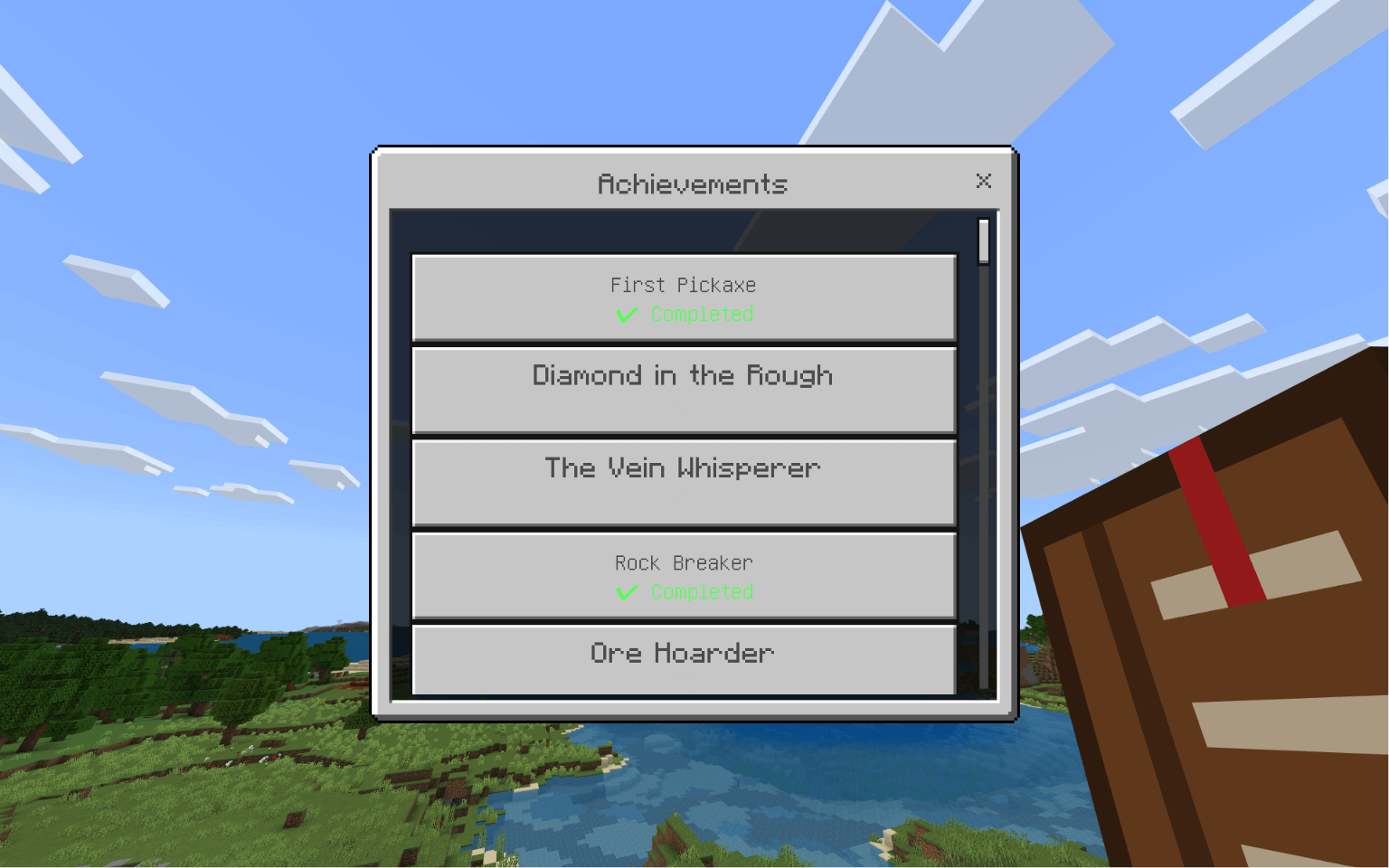
v1.1.0 also adds three Challenge-based Achievements:
- Challenger's Mark
- Well-Rounded
- Challenge Accepted
Unlock Titles through progression and special accomplishments, then equip them from the Journal.
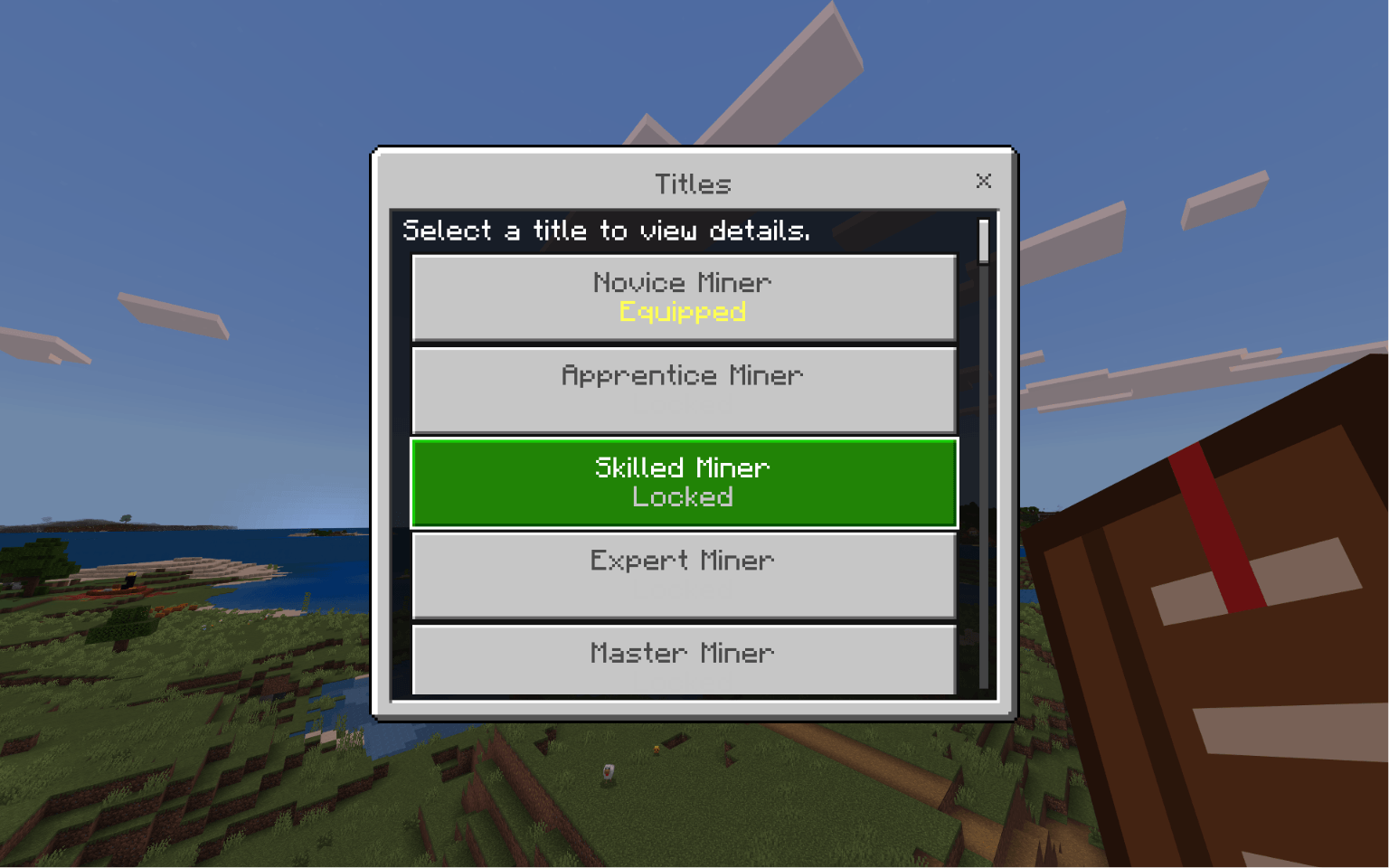
A new high-tier Challenge reward is also available:
The Accomplished
Mastery & Prestige
Every Skill now includes Mastery progression:
- Level 25 — Novice
- Level 50 — Adept
- Level 75 — Veteran
- Level 100 — Master
Reaching Level 100 in a Skill grants a one-time +3 Skill Point Mastery reward.
Prestige gives long-term players another progression loop after reaching the end of a Skill's normal leveling path.
Adventurer's Journal
Craft the Adventurer's Journal to access SkillTree.
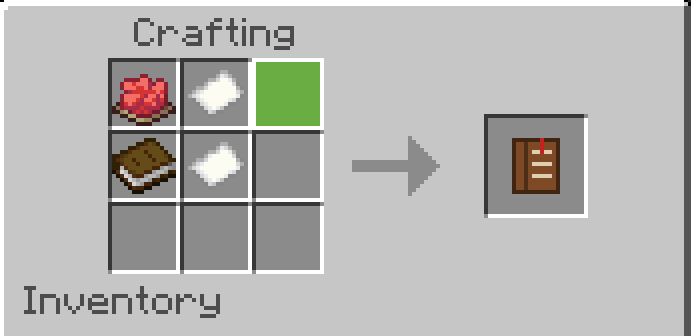
From one item you can manage:
- Skills
- Perks
- Challenges
- Statistics
- Achievements
- Titles
- Mastery
- Prestige
Built for Long-Term Worlds
SkillTree saves your progression across sessions, including Skill Levels, XP, Skill Points, Perks, Statistics, Achievements, Titles, Challenges, Mastery rewards, and Prestige.
The goal is simple:
Make your Minecraft world feel more rewarding over dozens or hundreds of hours without replacing the core survival experience.
Installation
Download:
SkillTree-v1.1.0.mcaddon
Then:
- Open the
.mcaddonfile with Minecraft. - Allow Minecraft to import the included Behavior Pack and Resource Pack.
- Activate both packs on your world.
- Enter the world.
- Craft the Adventurer's Journal.
- Start progressing.
Creating a backup before updating an important existing world is recommended.
Compatibility
Tested on Minecraft Bedrock 26.40.
Older Minecraft versions have not yet been verified.
SkillTree uses the stable Minecraft Bedrock Script API.
Feedback & Bug Reports
Found a bug or have an idea for SkillTree?
When reporting an issue, including your Minecraft version, SkillTree version, what you were doing, and what happened helps make problems much easier to reproduce and fix.
Feedback and suggestions are always welcome.
Level your Skills. Unlock Perks. Complete Challenges. Master your world.
The SkillTree Progression Team