


Simple Backpack Add-on Rebuilt! (compatible with other addons)
- By
A backpack Add-on that is simple, fits with your vanilla world and compatible with other addons because it doesn't use player.json

MCPEDL.jpg

47a91cc0-c0ce-4701-ae05-d8f40269ec5e.jpeg
Description
Simple Backpack Rebuilt
Want a backpack in your world? Then this add-on is for you! It adds a backpack that doesn't need the player.json file, so it works alongside other add-ons — with one exception worth knowing: the pack also includes its own copy of the vanilla piglin definition, so an add-on that changes piglins will conflict with it (whichever loads last wins).
Piglins stay as dangerous as they are in vanilla: open a chest, barrel or shulker box near one and it comes for you, exactly as before. Opening your own backpack is the one container they ignore.
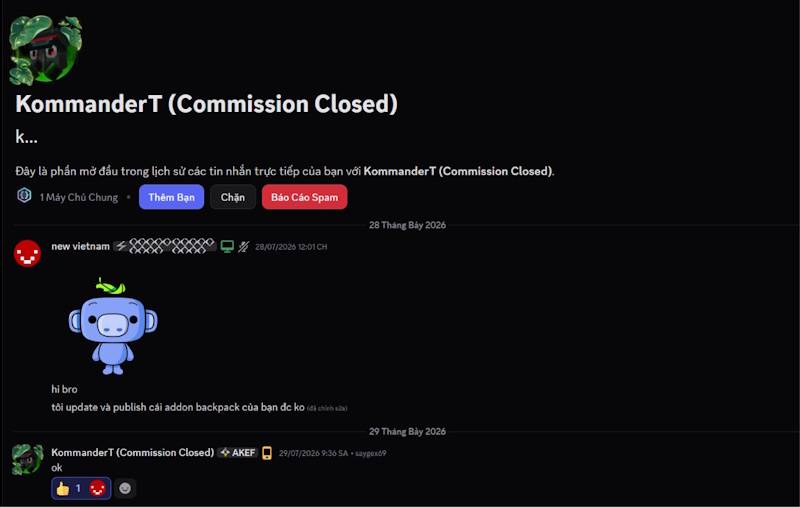
This add-on was rebuilt with permission from KommanderT to port it to newer versions of the game. The rebuild also fixes the "Unknown" container title — the backpack GUI now shows "Backpack", including backpacks placed by older versions — and updates the pack to the current Minecraft Bedrock engine, still without the player.json file or Beta APIs.
New in 1.3.0-1.4.0: every vanilla dye now has a backpack, all sixteen sit in one Backpacks entry in the creative inventory, and brown dye puts a backpack back to normal. From 1.3.0: contents inside shulker boxes and bundles are preserved, enchantments and durability survive being stowed, and a backpack you were wearing is back on your back when you rejoin.
One download, the whole add-on: the file below is a complete pack — the behavior pack and the resource pack are bundled together, with all eighteen item sprites, the sixteen backpack model textures, the entity and the recipes. Import it once and enable both entries in your world; you do not need to install anything else.
#1: Recipes
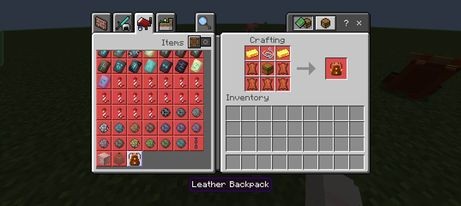
Leather Backpack — crafting table, shaped:
G S G
L C L
L L L
G gold ingot · S string · L leather · C chest
Backpack Glove — crafting table, shaped:
L L ·
L G L
· L ·
L leather · G gold ingot
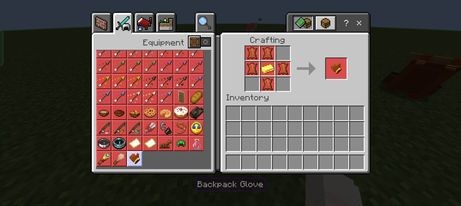
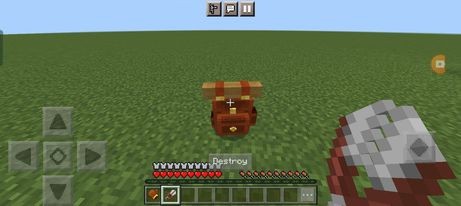
You need the glove to pick the backpack up and to take it off again. You don't need it to open a backpack, and a pair of shears (while sneaking) will destroy one.
Coloured backpacks — sixteen of them, one for every vanilla dye. Section #2 shows how to dye one, and how to put it back to the original brown.
#2: How to Dye and Undye
- Dye it: hold a dye and interact with the backpack — the one on your back or one placed in the world. One dye is used per dyeing, and the backpack changes colour immediately.
- Undye it: hold brown dye and interact the same way. The backpack goes back to the original undyed brown — exactly the look the crafting recipe gives you. Brown dye is one cocoa bean in a crafting grid, so returning to normal never costs a second backpack.
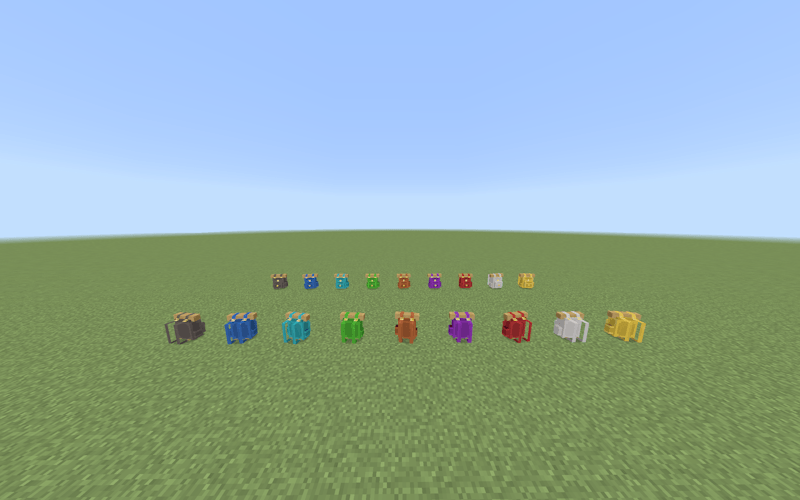
Dyeing is an interaction rather than a crafting recipe on purpose: a crafting result is a brand-new item, so the old crafting-table dye recipe silently emptied the backpack. Interacting recolours the backpack where it stands instead.
#3: How to Use
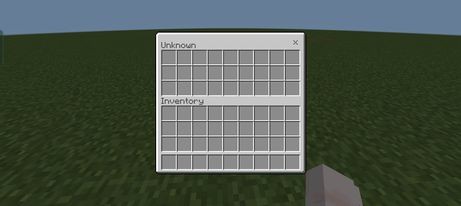
- Open it: interact with a placed backpack. It holds as many items as a normal Minecraft chest.
-
What it can't hold: a backpack can't hold another backpack, a shulker box or an ender chest — the item comes straight back to you instead. The other way round is fine: a backpack can go inside a shulker box or an ender chest, and it keeps everything inside it. But you can toggle it using the backpack config item
-
Pick it up: hold the Backpack Glove in your hand and interact with the backpack.
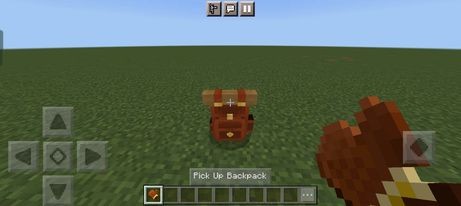
(The backpack attaches to the player's back instead of being worn like normal armour, so you can wear armour alongside it.)
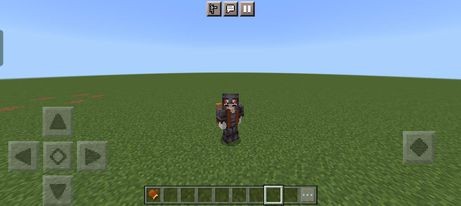
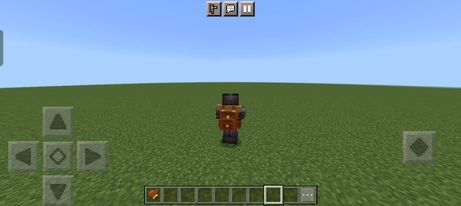
-
Dying keeps your backpack. If you die while wearing one, the backpack comes back on your back a moment after you respawn — with everything still inside it — instead of staying where you died. It works even if you die in lava or fall into the void, because the bag is put away on your player the instant you die rather than being left in the world.
-
Turn it off if you prefer: craft a Backpack Settings item (leather + paper) — one is also handed out on your first join — and use it to open a settings menu. It has five switches, each shown in its current state: Death protection (the behaviour above), Worn backpack help (the automatic pull-it-back-on when the game drops the bag from your back: a teleport, a boat, gliding), Backpack filter (whether a backpack refuses another backpack, a shulker box or an ender chest), Message hints (the action-bar lines; sneaking and using the glove while not wearing a backpack flips the same switch), and Settings item on join. Done saves them. Cancelling changes nothing, the settings are per player, turning the worn help off just leaves a slipped bag on the ground for you to pick up again, and turning the filter off lets backpacks, shulker boxes and ender chests be stored inside a backpack. The filter only ever governs your own bags, so another player's setting can never take an item out of yours.
-
Destroying is safe. If there are items inside when you destroy it, don't worry — the backpack acts like a shulker box: it drops as an item in its own colour and keeps everything when you place it again.
-
What survives: items keep their enchantments, their durability damage and their custom names, and anything inside a shulker box or bundle in your backpack is kept too.
-
Find a backpack you lost: with cheats/operator on, run
/scriptevent sb:backpack listto see the placed backpacks within 256 blocks, nearest first, with their coordinates. Then/scriptevent sb:backpack tp <number>teleports that one to you — and/scriptevent sb:backpack lostbrings back the nearest backpack of yours that isn't being carried, from any dimension, so a bag left in the Nether or the End comes home.
#4: How to Deal with Bugs
- In the old pack there was a claim button to fix some bugs — you no longer need that.
- If you can't pick up your backpack, try again or walk a short distance away from it — that should fix the issue.
- You no longer need to take your backpack off to go to the Nether — the add-on automatically stows the backpack, and it reappears after you leave the portal.
- End portals, End gateways and teleporting (ender pearls, chorus fruit, /teleport) are handled as well: the backpack stows itself and is brought back if it gets left behind.
- Logging out while wearing the backpack is fine too — it comes back on your back when you rejoin. A full inventory doesn't matter, because wearing a backpack never uses an inventory slot.
- Backpacks remember their owner, so other players can't open or take yours. A destroyed backpack is unclaimed, which is how you pass one to a friend.
- If something does go wrong, please report it with as much detail as you can — what you did, and what happened instead.
- That's all about my add-on. I hope you like it — and don't forget to support the original creator, KommanderT!
#5: Installation
- Click the download link below to install the add-on. It is a single
.mcaddoncontaining both packs; the game asks you to add the behavior pack and the resource pack to the world, and both are needed — the behavior pack refuses to load without its matching resource pack.
No experimental toggles needed — the rebuilt pack runs on stable APIs, so you no longer need to turn on Beta APIs. It is also achievement-friendly: achievements stay enabled in worlds you create with this add-on.
Current version: 1.4.0 — the complete pack, rebuilt 2026-11-11.
#6: Credits
- KommanderT for the original pack
Simple Backpack Add-on Rebuilt! (compatible with other addons) Team

