Simmerfield: Farming & Cooking
- By
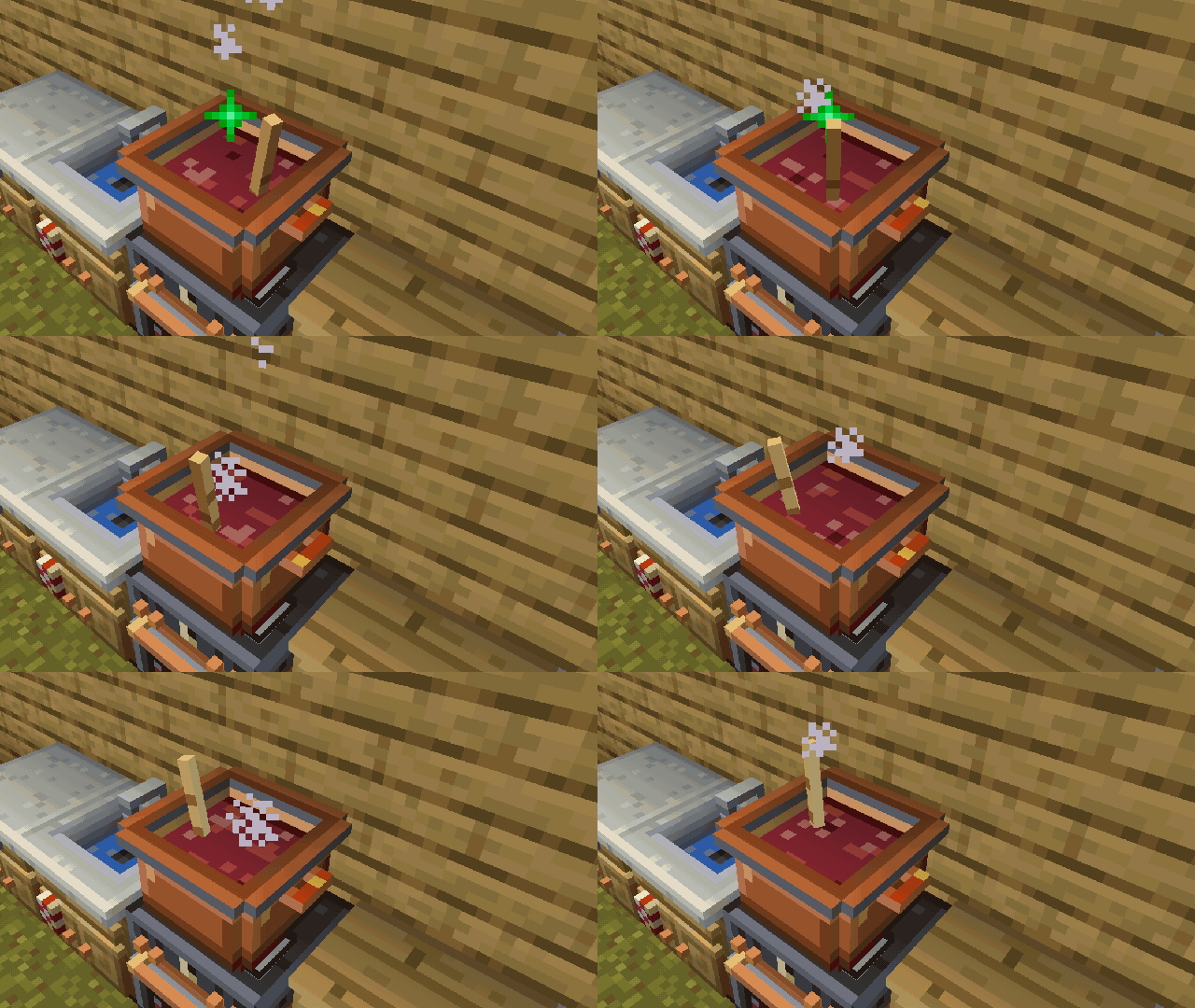
A spoon stirs and the pot bubbles while your dish cooks.
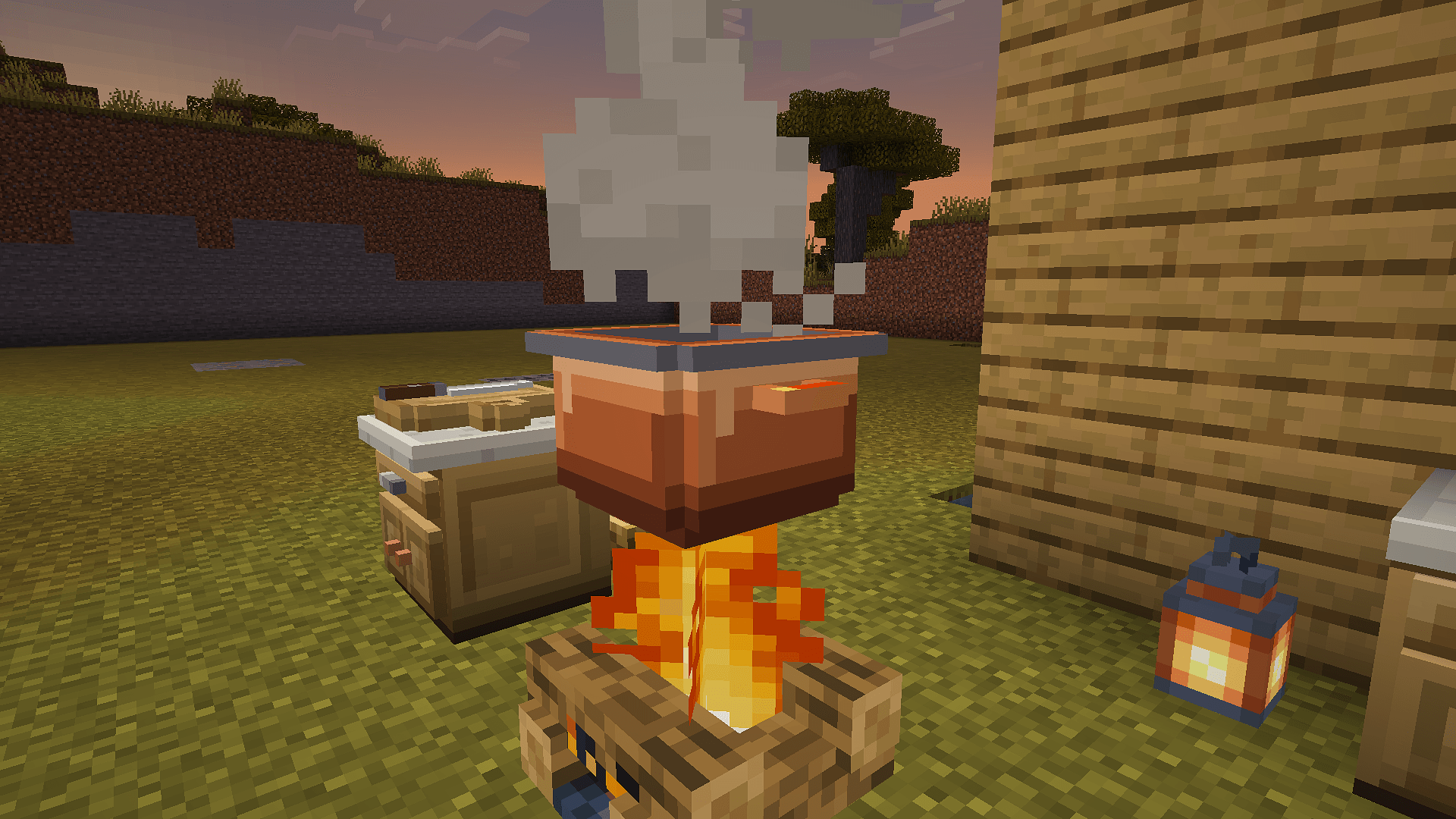
Cook your dishes over a fire, a stove, lava or magma.
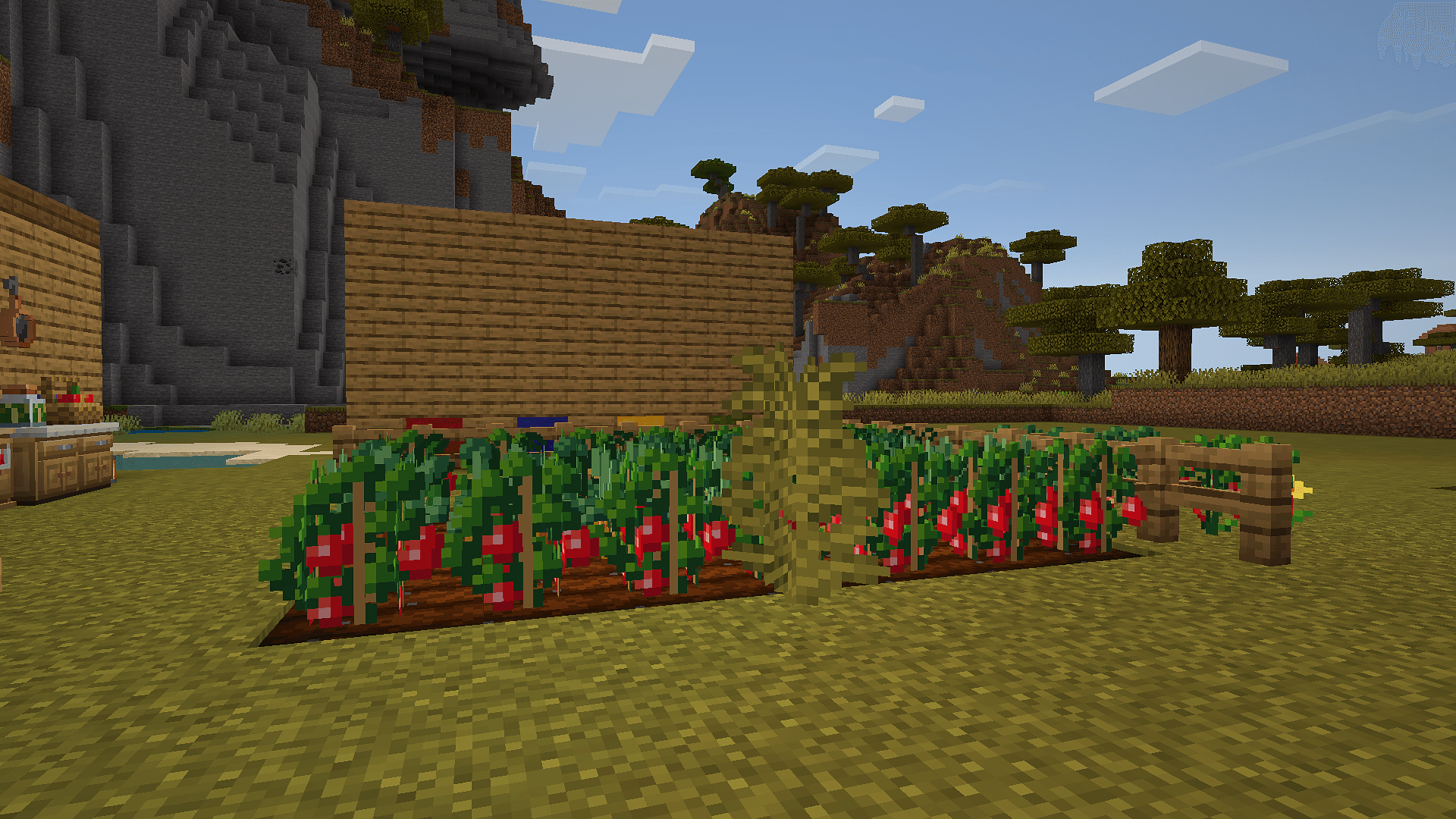
Grow tomatoes, onions, cucumbers and eggplants on farmland.
Description
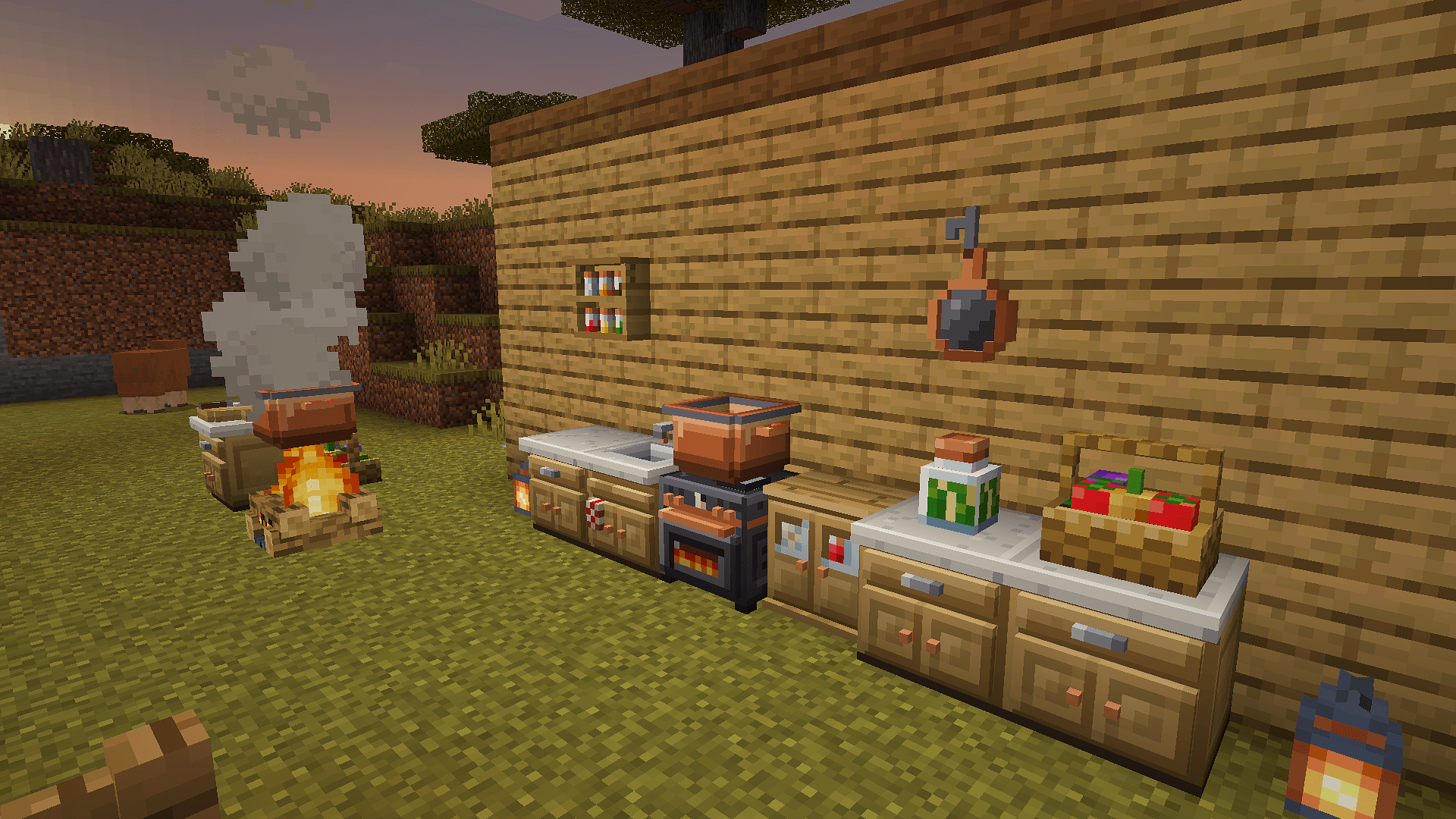
Simmerfield adds six new crops to Minecraft and a kitchen to cook them in. Grow tomatoes, onions, cucumbers, eggplants, chili peppers and strawberries, chop them on a Cutting Board, and cook them into soups, stews and curries in a pot over the fire. Press milk into cheese, let a Nesting Box gather the eggs your chickens lay, and raise calves, lambs, piglets, chicks and bunnies twice as fast on Hay Bedding. Most dishes give you a potion effect.
No experiments needed. Works in new and existing worlds.
Features
- Six new crops: Tomato, Onion, Cucumber, Eggplant, Chili Pepper and Strawberry. Their seeds drop from grass, and each one is easier to find in its own biomes. Chili peppers and strawberries grow on bushes you can pick again and again.
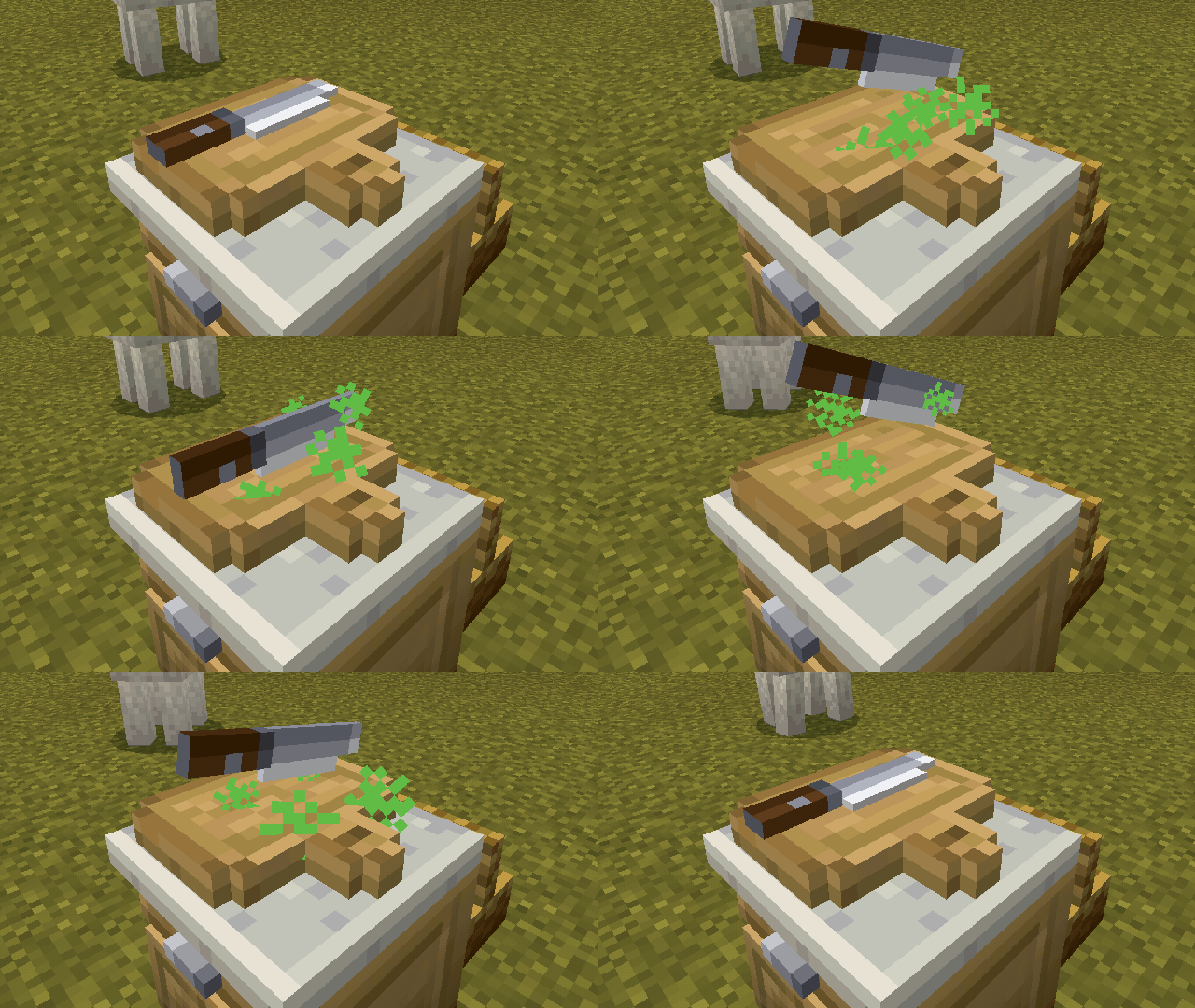
- Cutting Board: slices tomatoes, cucumbers and eggplants and chops onions. A knife chops on the board while you work.
- Cooking Pot: cooks over a campfire, fire, lava, a magma block or a lit Kitchen Stove. Put in up to four mixes of the same dish and get four bowls in the time of one. The liquid takes the colour of the dish, and a spoon stirs while it cooks.
- Cheese Press: use it with a Milk Bucket. The milk goes in and you keep the bucket. It takes up to four buckets, and after 2 minutes a wheel of cheese sits on top: 2 Cheese per bucket. Cheese goes into new dishes, and you can eat it as a snack.
- Nesting Box: when a chicken within 6 blocks lays an egg, it drops into the box instead of rolling around the yard. A box holds 15 eggs and shows how full it is. Use it with an empty hand to take them; white, brown and blue eggs keep their colour.
- Hay Bedding and a Rabbit Hutch: baby cows, sheep, pigs, chickens and rabbits on Hay Bedding grow up in 10 minutes instead of 20, with green sparkles while it works. Baby rabbits within 4 blocks of a Rabbit Hutch count as on bedding. Two Hay Bales side by side make 6 bedding.
- 22 dishes. Hot dishes take two steps: craft a mix on the crafting table, then cook it in the pot. Cold dishes are crafted straight away.
- Cooked in the pot: Tomato Soup, Vegetable Stew, Chili Stew, Fish Chowder, Chicken Soup, Onion Soup, Strawberry Jam, Stuffed Eggplant, Ratatouille, Eggplant Curry, and new in 1.1, Veggie Omelette and Egg Drop Soup.
- Made on the crafting table: Garden Salad, Salsa, Veggie Sandwich, Hearty Sandwich, Strawberry Cup, Eggplant Salad, Veggie Skewer, a Strawberry Cake you place and eat one slice at a time, and new in 1.1, Cheese Sandwich and Cheese Salad.
- The new dishes use eggs (any colour) and cheese, with the onions, tomatoes and cucumbers you already grow.
- Effects by colour. 19 dishes give an effect, and the colour tells you what kind:
- red heals and protects you: Regeneration, Absorption, Health Boost, Resistance;
- blue moves you: Speed, Jump Boost, Slow Falling;
- yellow helps you dig and fight: Haste, Strength;
- green helps you explore: Night Vision, Water Breathing, Fire Resistance.
- Nothing goes to waste: you get the bowl, the jam bottle and the skewer stick back, and the Cheese Press gives back the milk bucket.
- Kitchen Guide: an in-game recipe book with every recipe, every crop and where to find it, and a "What can I make?" page that checks what you carry. You get one free when you first join.
- Recipe Poster: a two-block poster for your kitchen wall. Sneak and use it to flip through your recipes.
- Recipes unlock as you go. Each new crop you find unlocks its recipes in the guide, on the poster and in the crafting table's recipe book. In Creative everything is unlocked.
- Eight kitchen decor blocks: Kitchen Counter, Kitchen Cabinet, Spice Shelf, Kitchen Sink, Kitchen Stove, Hanging Pan, Jar of Pickles and Vegetable Basket.
- Ready for Reelbrook: Fishing & Aquariums, our fishing add-on (coming soon): its fish dishes will cook in your pot and show in your Kitchen Guide. Each add-on works alone (see below).
- Eight languages (see below).
Your first soup
- Find seeds. Break grass or ferns. Tomatoes like plains and forests, chili peppers like jungles, savannas and badlands, strawberries like meadows, flower forests and cherry groves. Any seed can still turn up anywhere, just less often. The onion has no seed: plant the onion itself.
- Plant them. Tomato, cucumber and eggplant seeds and onions go on farmland, like wheat. Break a fully grown crop to get the crop and some seeds back. Chili peppers and strawberries grow on bushes: plant them on grass, dirt or farmland and use a ripe bush to pick it. Bone meal works on all of them.
- Make a Cutting Board from a stick and two planks in a row. Hold a tomato, onion, cucumber or eggplant and use the board to cut it. Sneak to cut the whole stack.
- Make a Cooking Pot from five iron ingots and a bowl. It only cooks with heat right below it: a campfire, fire, lava or a magma block. Or build a Kitchen Stove, use it to switch it on, and sneak to put the pot on top.
- Cook. Craft two tomatoes and a bowl into a Tomato Soup Mix. Use the pot with the mix in your hand to put it in, then with an empty hand to start cooking. A few seconds later, use it with an empty hand again to take out your Tomato Soup.
Everything else is in the Kitchen Guide. Lost it? Craft a new one from a book and a carrot.
Screenshots
The screenshots show the add-on's real blocks, items and models, exactly as they look in the game. The art itself was made with AI-assisted tools and finished by hand.
Installation
You need Minecraft Bedrock Edition 26.50 or newer. No experiments are needed.
- Download the
.mcaddonfile. - Open it with Minecraft:
- Windows: double-click it.
- Android: tap the file in your downloads and choose Minecraft.
- iOS: open it in the Files app, tap Share and choose Minecraft.
- Wait for the two "Successfully imported" messages.
- Create a world, or open the settings of one you have. Go to Behavior Packs, find Simmerfield under Available and tap Activate. The resource pack (Simmerfield Resources) comes along by itself; leave it on.
Removing it later turns the add-on's blocks into unknown blocks and its items into vanilla items. Adding it back restores the blocks. Back up your world first.
Updating
Download the new file and open it the same way. Your 1.0 worlds keep everything: placed blocks, crops, cooking pots, the Recipe Posters on your walls and the recipes you've found. The four new dishes come as posters 19 to 22, after the old ones, and if you've already found onions, tomatoes and cucumbers, their recipes are open in your Kitchen Guide right away. Hay Bedding and Rabbit Hutches you placed in 1.1 start helping babies grow as soon as you update to 1.1.2. Back up your world before any update, just in case.
Playing with Reelbrook
Reelbrook is coming soon. Reelbrook: Fishing & Aquariums is our fishing add-on, and Simmerfield 1.1 is already ready for it: put both in a world and Reelbrook's four fish dishes, Fish Stew, Kelp Soup, Fish Pie and Crab Cakes, cook in your Cooking Pot and show in the Kitchen Guide. The two books share one book screen, each with its own cover.
Each add-on works alone. Neither needs the other installed; without Reelbrook, Simmerfield plays just as before.
Doesn't work?
- Update Minecraft to 26.50 or newer. The title screen shows the version in its bottom-right corner, for example
v26.60. - The file must end in
.mcaddon. If your phone saved it as.zip(or.mcaddon.zip), rename it so the name ends in.mcaddon, then open it again. - Turn on the behavior pack for your world: Behavior Packs → Simmerfield → Activate. The resource pack comes along by itself.
- No experiments are needed. Simmerfield doesn't use any experimental toggles.
Still stuck? Leave a comment on this page with the device you play on, the game version and what happens.
Known conflicts
The Kitchen Guide's book screen replaces one vanilla UI file, ui/server_form.json: the screen for menus that add-ons and servers open with scripts. Simmerfield shows the book only for its own pages and keeps the normal menu everywhere else. Other packs that restyle these menus (chest-style inventory menus, custom server form packs) usually replace the same file, and the pack higher in the resource pack list wins:
- Other pack higher: the Kitchen Guide shows as a plain list of buttons with odd codes in the text. The rest of Simmerfield still works.
- Simmerfield higher: the other pack's menus fall back to the plain vanilla look.
Fix: in the world's Resource Packs settings, move the pack whose menus you want to keep to the top. A global resource pack that changes menus can cause the same problem.
Reelbrook: Fishing & Aquariums, our fishing add-on (coming soon), replaces the same file on purpose, with the same book screen, so the two won't conflict.
Languages
English, Українська (Ukrainian), Polski (Polish), Deutsch (German), Español (Spanish), Português do Brasil (Brazilian Portuguese), Français (French), Русский (Russian). Minecraft picks the language from your game settings.
For server owners
Operators can use /wm_kitchen:debug to check a world: a kit with every item, instant crop growth, fast cooking (babies on Hay Bedding then grow up in 30 seconds) and the state of a pot.
Credits
- Made by Wendermods.
- Art: hand-finished pixel art, made with AI-assisted tools.
- Sounds are vanilla Minecraft sounds.
License
All Rights Reserved (Wendermods). Play it in your own worlds and on your own servers, and show it in videos, streams and screenshots, monetized ones included. Please don't re-upload or redistribute it; link to this page instead. The full text is in LICENSE.txt inside both packs. Simmerfield is not affiliated with or endorsed by Mojang or Microsoft.
What's cooking next
Here's what we plan next, in this order. Plans can change as we go, and we'll tell you here when something is ready.
- Now, in 1.1: the coop and the dairy. You asked for animal care, so the Nesting Box and Hay Bedding came first, with the Cheese Press. Since 1.1.2, babies on Hay Bedding grow up twice as fast.
- Next: feeding troughs and well-fed animals, the rest of animal care. Fill a trough with the crops you grow, and the animals in the pen become well fed.
- Then: an oven for baked food.
Have an idea for Simmerfield? Leave a comment on this page.
Support
- Guide and recipes: docs.wendermods.team/simmerfield
- Found a bug or have an idea? Leave a comment on this page.
- Need a custom add-on? wendermods.team
Simmerfield: Farming & Cooking Team