Shadow Pact
- By
Shadow Pact adds the Shadow Wisp, a small shadow wolf companion with glowing blue eyes and a crystal pendant. Craft a Shadow Contract (Paper + Ender Pearl + Amethyst Shard + Ink Sac), place it between four lit black candles.
mcpedl
Description
Enjoying this add-on? Find more at brgamers.online
🐺 Shadow Pact
Seal a pact with a Shadow Wisp: a small shadow wolf that follows you, fights for you, and watches the night with glowing blue eyes.
Stage 1 • Minecraft Bedrock 1.21.100+⚡ How the System Works
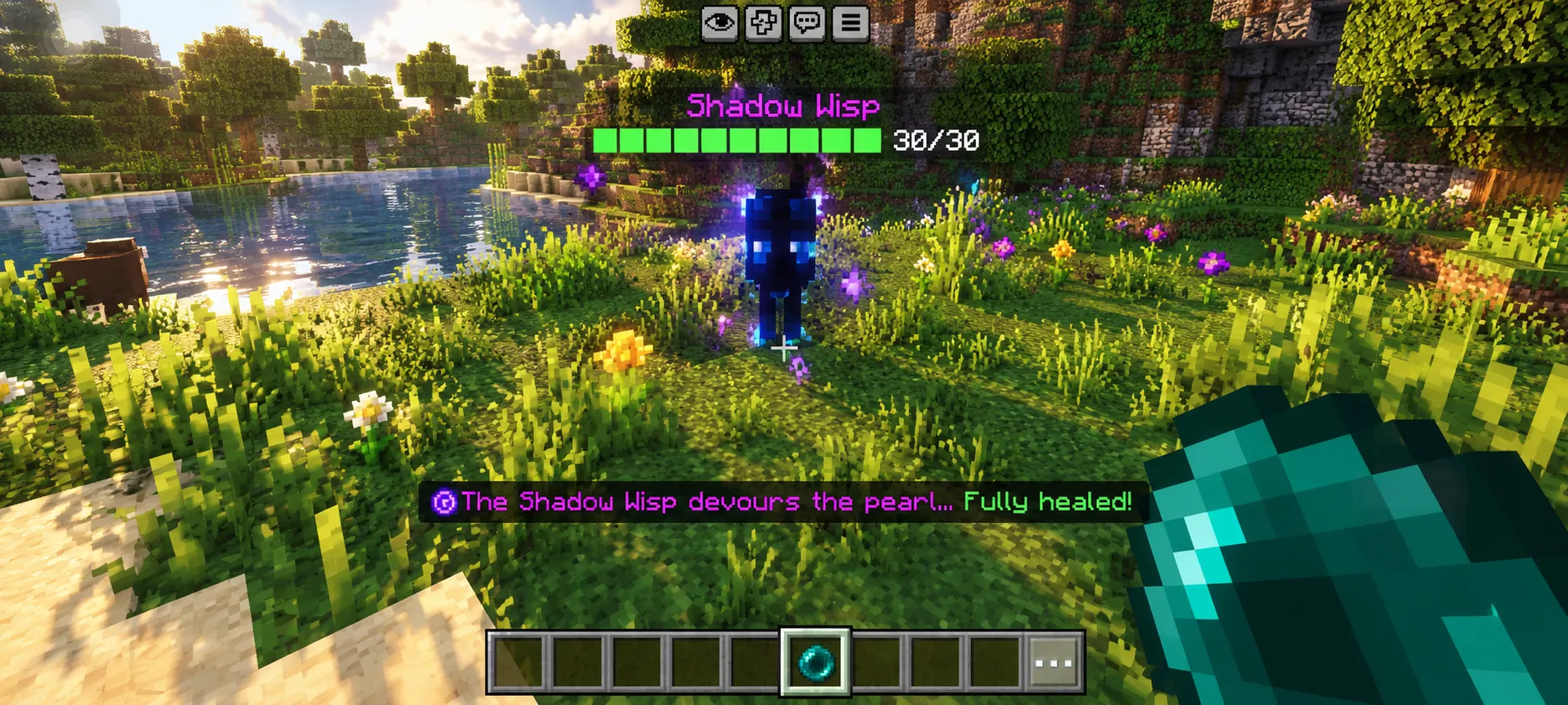
Shadow Pact has no spawn-and-forget pet. You craft a Shadow Contract, perform a short candle ritual by placing the contract between four lit black candles, and after 5 seconds a Shadow Wisp appears and becomes yours. It follows you and fights hostile mobs. When it is hurt, you feed it an Ender Pearl to bring it back to full health.
📜 How to Use
Follow these steps in order the first time:
1. Craft the Shadow Contract
Put these four items in a crafting table in any arrangement (shapeless recipe):
Paper · Ender Pearl · Amethyst Shard · Ink Sac
Testing / Creative: /give @s shadow_pact:shadow_contract
2. Set up the Ritual Site
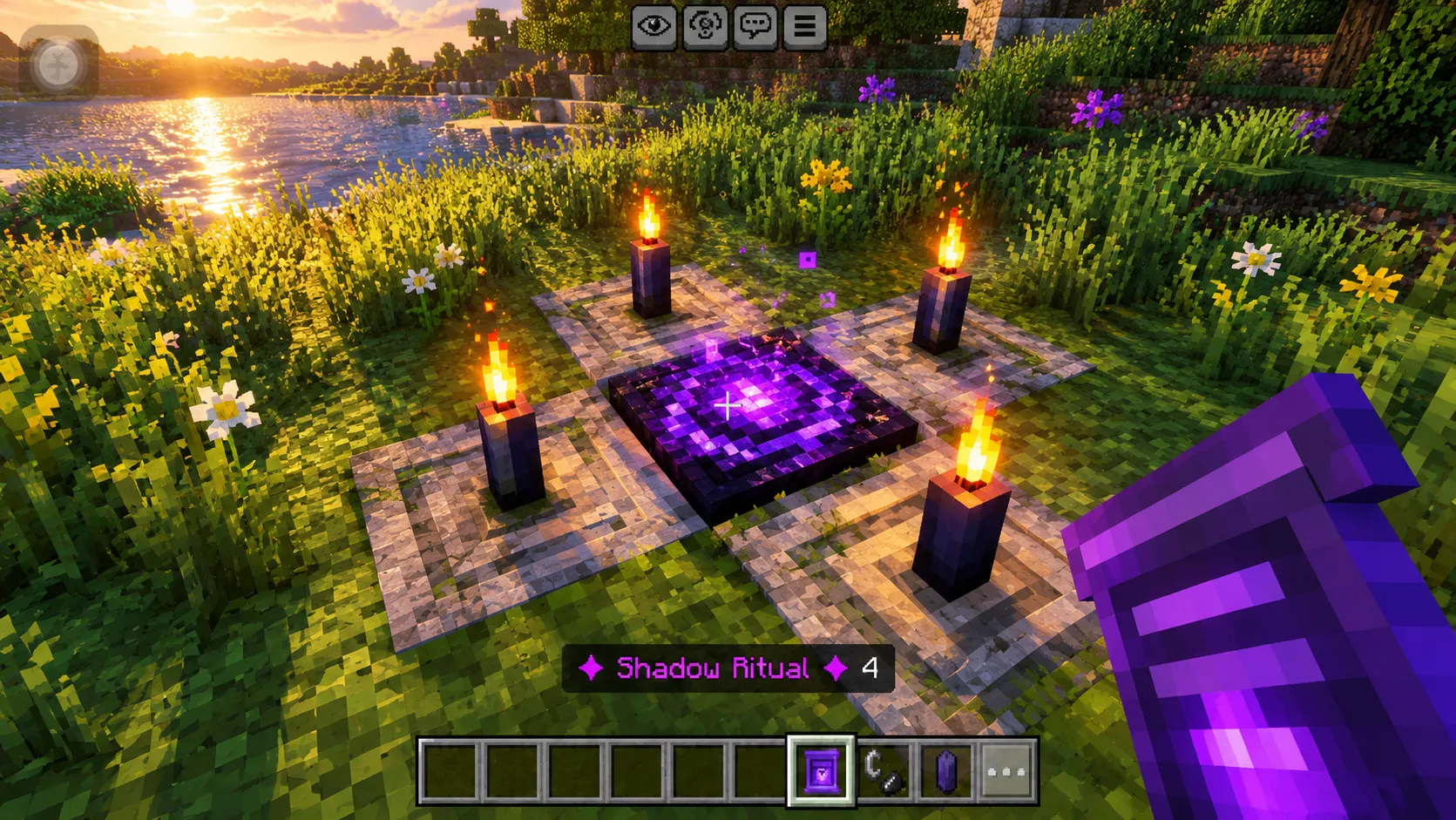
Pick a flat spot and choose one empty block for the contract. Place a Black Candle on all four sides (North, East, South, West directly touching it), then light all 4 candles with Flint and Steel.
| 🕯️ | ||
| 🕯️ | 📜 | 🕯️ |
| 🕯️ |
Four lit black candles around the tile, Shadow Contract in the center.
3. Place the Shadow Contract in the Middle
Place the contract on the center block. It turns into a glowing seal and the ritual starts instantly.
4. Wait 5 Seconds
A countdown (5 to 1) appears on your action bar, purple particles swirl around the seal, and dark portal sounds play. Stay close and don't extinguish the candles!
5. Your Shadow Wisp Answers
The seal disappears, the Wisp appears above it, and you get a message: "A Shadow Wisp has answered your call..." The Wisp is permanently bound to you. The candles remain intact and can be reused.
⚠️ If Something Goes Wrong:
- Missing or unlit candles: The ritual will not start, the contract returns to your inventory, and the action bar notifies you.
- Candle broken/put out during countdown: The ritual stops. Relight/fix the candles and right-click the seal to restart.
- Seal broken: The contract drops so you can pick it up and try again.
❤️ Looking After Your Wisp
- Healing: Hold an Ender Pearl and right-click your Wisp. It consumes the pearl, showing heart particles, and instantly restores to full health. (In Creative mode, pearls aren't consumed; pearls are not wasted if already at full HP).
- Floating Health Bar: A custom health bar floats above your Wisp showing its live HP (e.g. ██████████ 18/30). Green = Healthy, Yellow = Hurt, Red = Critical.
- Naming: The floating health display occupies the name-tag slot.
⚔️ Wisp Behavior & Stats
- Follows its Owner: Stays close by your side during adventures.
- Fights Hostile Mobs: Attacks monsters and defends you whenever you're attacked or when you hit an enemy.
- Retaliation: Automatically fights back against attackers (except other players).
- Water Floater: Cannot drown and naturally floats on water.
- Permanent Bond: A bound Wisp never despawns.
| Attribute | Value |
|---|---|
| Health | 30 (15 Hearts) |
| Melee Damage | 4 (2 Hearts) |
| Movement Speed | 0.28 |
| Size | Small (0.85 Scale) |
| Heals With | Ender Pearl (Full Heal) |
| Entity Identifier | shadow_pact:shadow_wisp |
✨ Look and Feel
The Wisp is a small shadow wolf built on the familiar wolf model. Its fur is near-black navy with soft blue highlights, blue shadow-fire licks at its paws and tail tip, and a crystal pendant hangs around its chest. The eyes and crystal glow in the dark! Built with only 14 cubes for zero lag and high FPS.
📦 Creative & Commands
Creative mode includes a Shadow Wisp Spawn Egg, or run /summon shadow_pact:shadow_wisp. The summoned Wisp binds automatically to the closest player within 16 blocks.
📥 Installation Guide
- Open the
.mcaddonfile to import both packs into Minecraft. - In world settings, activate both the Behavior Pack and Resource Pack.
- No experimental toggles are required! (Uses stable Script API).
🔧 Troubleshooting
- Ritual does not start? Make sure all 4 candles are Black Candles, all 4 are lit, and positioned directly (North, East, South, West) touching the center block.
- Wisp not following? Ensure the Behavior Pack is properly activated in your world settings.
- Other issues? Turn on Content Log in Settings → Creator to check error outputs.
Shadow Pact · Created by brgamers.online
Shadow Pact Team