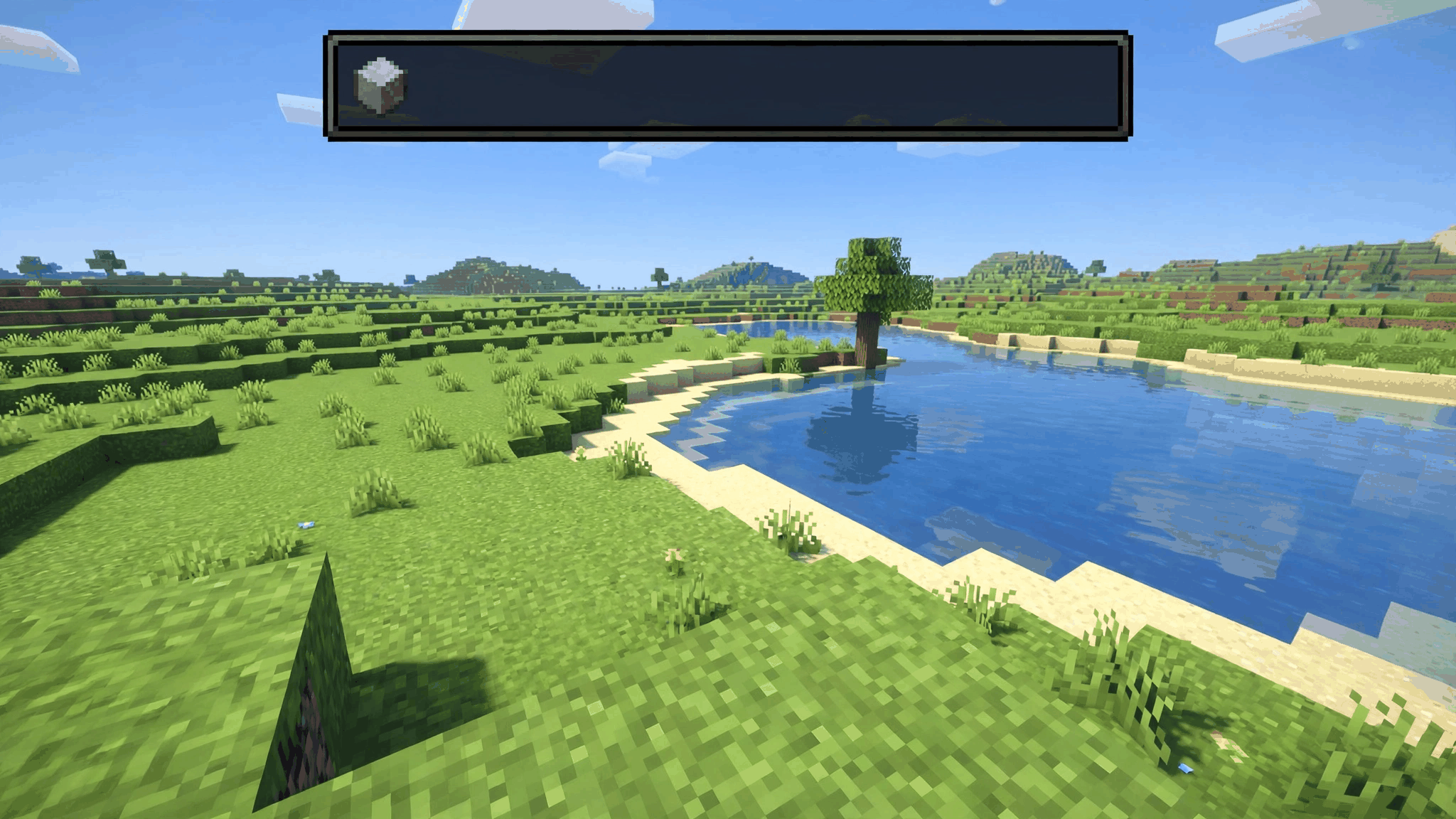
What it does
SepWorks WAILA puts a clean display at the top of your screen that tells you exactly what you are looking at. Look at any block or entity and the HUD shows its name, its icon, and useful details about it — no more guessing which block is in front of you or what an entity is.
Features
- Shows the name and icon of the block or entity you are looking at
- Shows which add-on a block or entity comes from
- Shows the correct tool to use, and whether you are holding it
- Shows block states, container contents, entity health, tags and effects
- Multiplayer and survival friendly, and lightweight
- Works with most other add-ons and packs
- Supports all languages
- Customisable: choose what is shown, where the display sits, and when it appears
How to use
- Enable the SepWorks WAILA behaviour pack and resource pack in your world.
- Look at any block or entity — its details appear in the HUD automatically.
- Run /waila to open the settings and customise the display: what is shown, the display position, and when it appears.
- Server operators can adjust another player's settings with /waila [player].
Compatibility
- Minecraft Bedrock 26.50 and 26.40 (requires Bedrock 1.21.100 or higher).
- No experimental toggles or Beta APIs required.
- Works in single player, multiplayer and Realms.
- Achievements stay enabled.