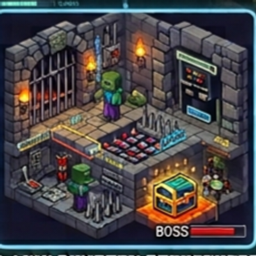
Self-Evolving Villages
- By
Villagers that gather resources, switch roles, build their own houses, farm, defend against mobs, and even trade or clash with neighboring villages — a self-sufficient civilization simulation.
Self-Evolving Villages makes Minecraft villages feel alive. Villagers stop standing around and start running their own settlement. Features Auto-start village: When you first spawn in a new world, a village with 4 named workers starts by itself. Smart roles: Workers switch jobs depending on what the village needs. Gatherer: collects wood and stone Builder: builds a new house when the village has 20 wood and 15 stone Farmer: takes over when food runs low Guard: appears when a hostile mob comes near, then goes back to gathering Villager chatter: Nearby villagers talk to each other with small speech bubbles above their heads. Talk to villagers: Right-click any worker to open a menu with village status, donations, Mayor and expansion options. Become Mayor: Take the Mayor title and choose which direction the village expands (North, South, East or West). Rare donation rewards: Donate 1 diamond and choose a Guard Escort that follows you, or a Custom Statue built in your honour. Trade roads: When two villages come within range, a gravel road is built between them over time. Border disputes: If two connected villages are both short on resources, their fighters can have a small dispute. Mobile friendly: Workers are processed in batches to reduce lag. Note: Villager dialogue and menus are in Hinglish.How to Apply (Install) Download the SelfEvolvingVillages.mcpack file. Open the file with Minecraft (tap it on mobile, double-click on Windows). It imports automatically. Create a new world or edit an existing one. Go to Behavior Packs → Self-Evolving Villages → Activate. If it doesn't work, turn on Beta APIs under Experiments. Turn on Cheats if you want to use the chat commands. Load the world. After about 5 seconds a village starts near you. How to Use Start a village: It starts automatically at your first spawn. For another village somewhere else, type !village start in chat. Talk to a villager: Right-click any worker to open the menu. Village Status: see wood, stone, food, houses built and Mayor Resources Donate Karo: give 10 Oak Log, 10 Cobblestone, 10 Wheat or 1 Diamond Mayor Bano: become the village Mayor (only if there is no Mayor yet) Expansion Direction Set Karo: choose where the village grows (Mayor only) Rare reward: Donate a diamond, then pick Guard Escort or Custom Statue. Trade roads: Build a second village 20 to 120 blocks away from the first. Test a dispute: Type !village dispute to force one between two road-connected villages. Commands Command What it does !village start Start a new village at your position !village dispute Force a border dispute (testing)
Self-Evolving Villages Team