
Archlight Visuals
A Vibrant Visuals pack And a Texture Pack inspired by Modern arch...
- 25
- November 26, 2026



Archlight Visuals
A Vibrant Visuals pack And a Texture Pack inspired by Modern arch...
- 25
- November 26, 2026



1000508066.jpg
1000508062.jpg
1000508064.jpg
1000508063.jpg
# 🌊 Ocean Waves
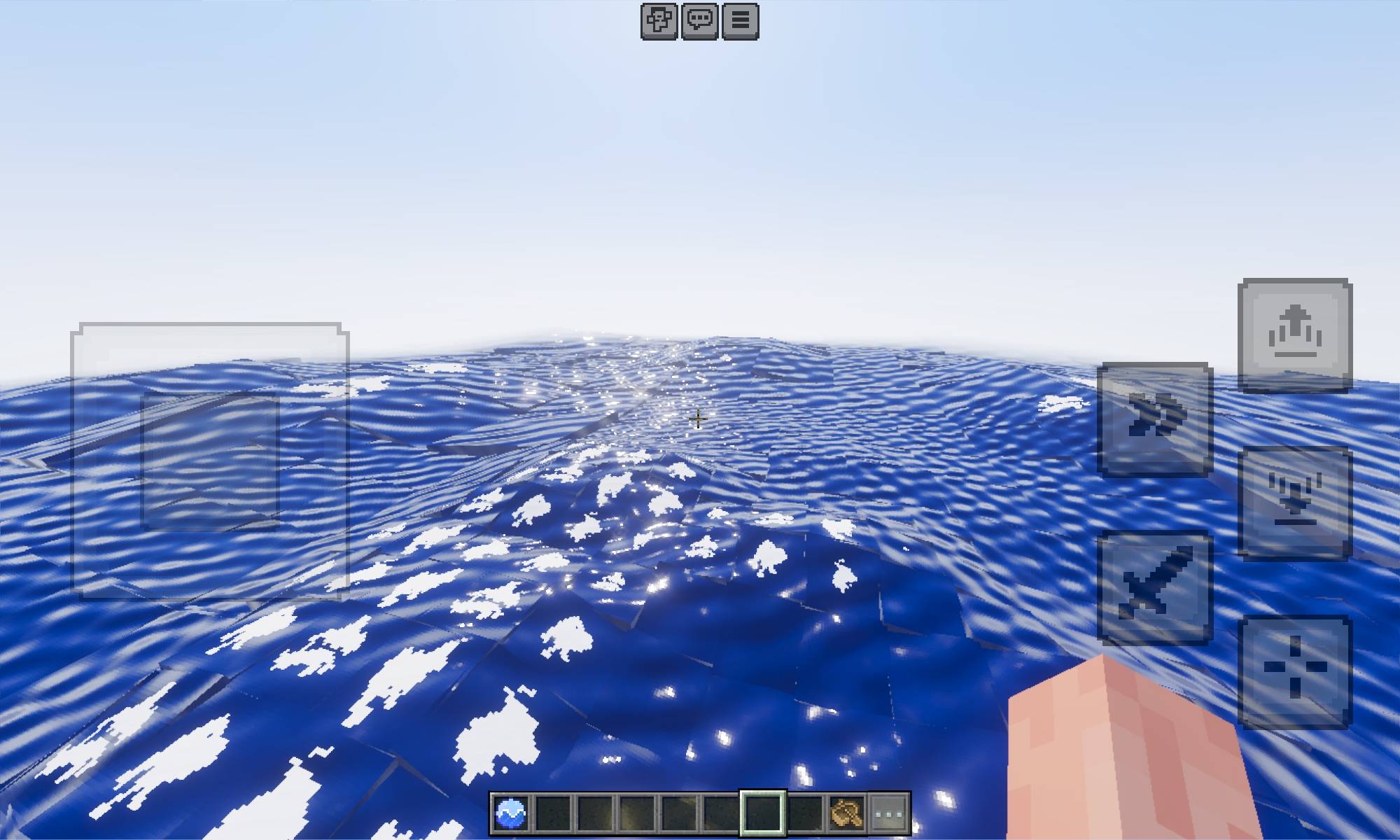
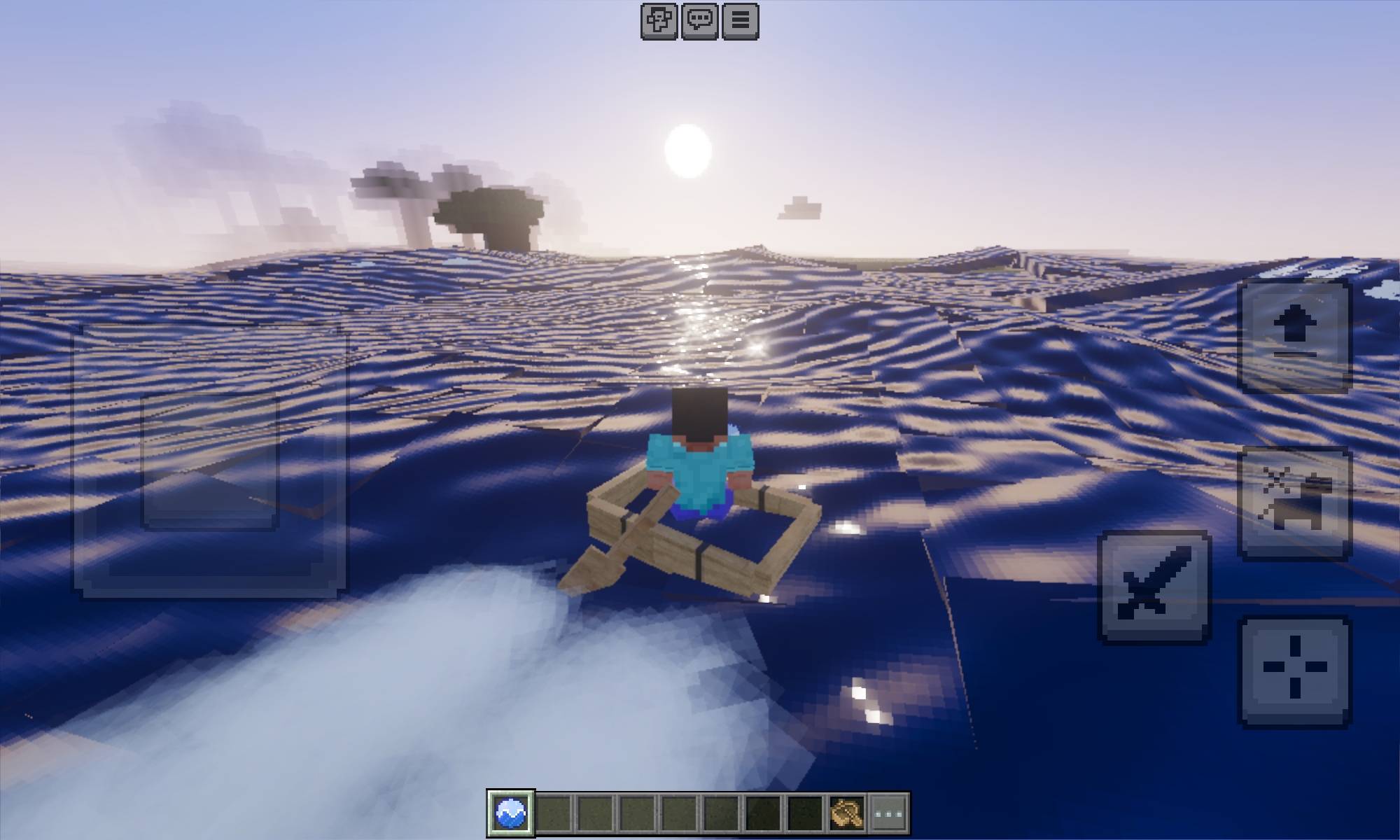
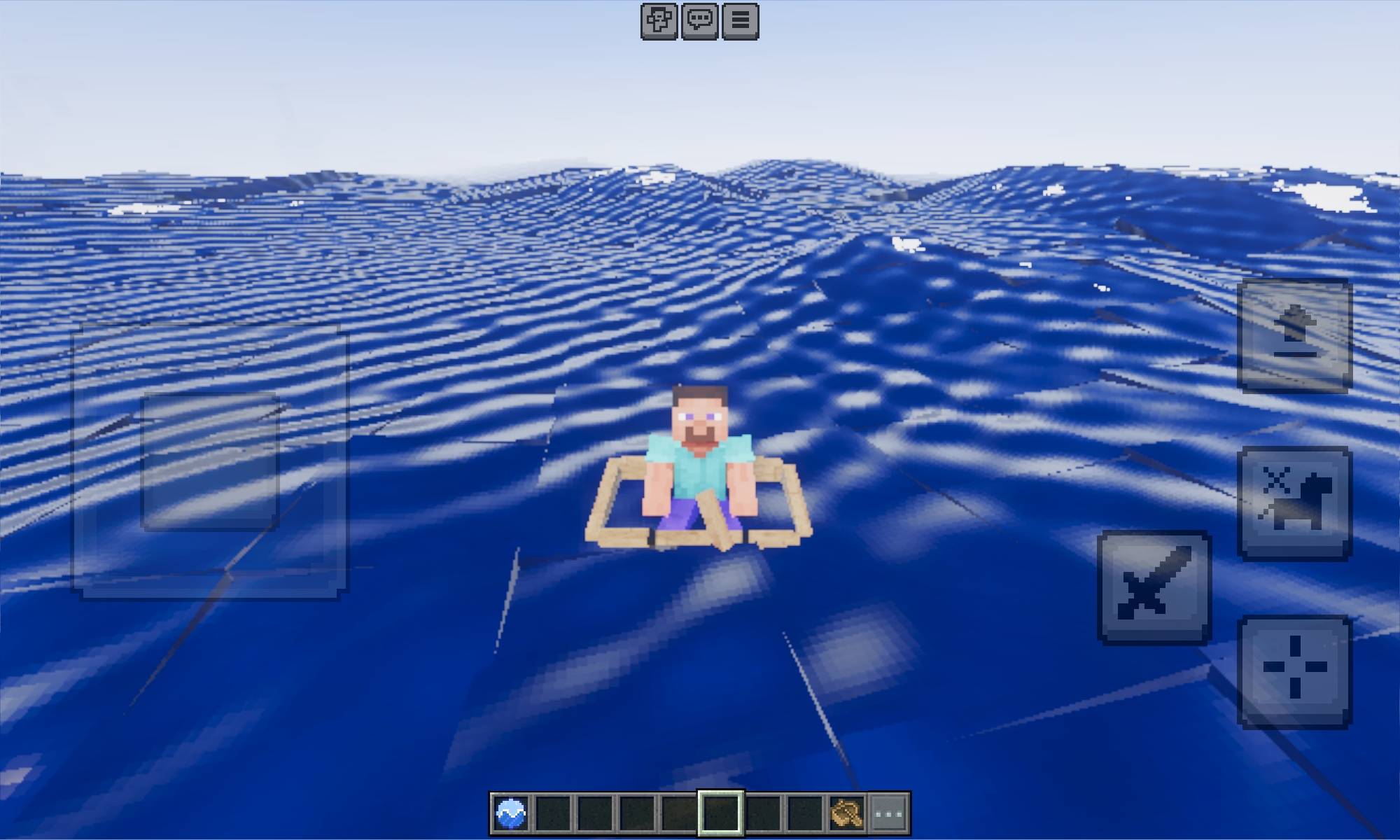
Minecraft's ocean has always been a flat sheet of water. **Ocean Waves** turns it into a living, moving sea. Rolling waves cover the entire ocean out to the horizon. Your boat rides over them, jumps off the crests and leaves a foaming wake behind you.
Inspired by the ocean of the Java Physics Mod, built from scratch for Bedrock Edition.
## ✨ Features
### A whole ocean of waves
- Waves come from **every direction**, so the entire sea heaves and rolls, not just a few lines of swell.
- **No flat water left.** Every bit of ocean is covered in waves, from the open sea right up to the beach.
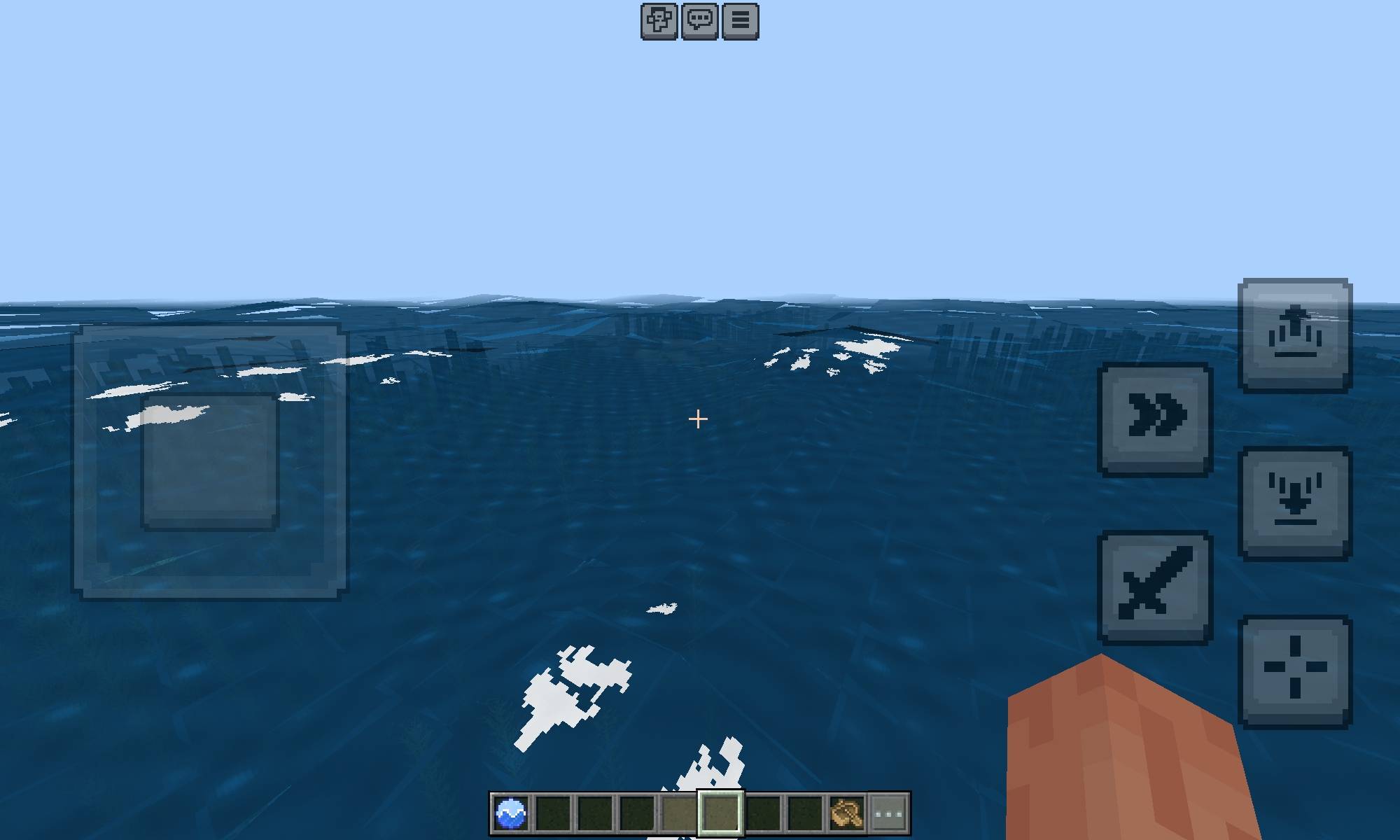
- **Waves to the horizon.** Big swells continue far into the distance, and the sea is covered out to 256 blocks.
- **The ocean remembers.** As you explore, the add-on learns where the ocean is. Distant waves appear over open sea and never over land.
- **Whitecaps** form on the highest crests.
- **Surf** washes onto the beach where waves reach shallow water.
- In storms, **wind blows spray** off the breaking crests.
### Weather and roughness
- The sea follows the weather: moderate when it's clear, rough in the rain, a full storm swell in thunderstorms.
- Choose how rough the sea is:
- **Light**: gentle waves for a calm sail
- **Medium**: a little calmer than the default
- **Harsh** (default): proper ocean waves
- **Very harsh**: twice as high as Harsh, for wild seas
### Two wave modes
- **Whole Ocean** (default): the entire sea is covered in waves from every direction.
- **One Direction**: long rolling swells all travelling the same way, with calm water between the crests.
### Boats that sail the waves
- **Smooth sailing.** Boats rise and fall with every wave, with no stuttering or rubber-banding.
- **Jump off crests.** At full speed, your boat is thrown off the top of a wave. It flies a short arc and gains a little speed before splashing down on the other side. On Very harsh you can fly over whole troughs!
- **Surf the waves.** Running down the face of a wave speeds you up.
- **Every boat works**: all wood types, bamboo rafts and chest boats.
### Realistic water effects
- **Boat wakes**: a V-shaped foam trail behind you, churning water at the stern, and a bow wave with spray at speed.
- **Paddle splashes** and **spray** when you hit a crest.
- **Stop ripples**: when your boat stops, the water keeps going. A surge of foam rushes ahead, three rings spread out in a circle, and foam is pushed out around the boat.
- **Landing splashes** when your boat comes down from a jump.
- All foam floats on the waves and rises and falls with them.
### Looks right with any graphics
- **Vibrant Visuals:** the waves are a glossy, sunlit water surface that reflects the sky like the water around it.
- **Classic graphics:** the waves use the exact colour vanilla water shows, for each ocean type (warm, lukewarm, cold, frozen and deep).
- The add-on switches automatically to match your graphics setting.
- **Works with any water or Vibrant Visuals resource pack.** It never replaces the game's water, fog, boats or any vanilla file.
- If your water pack is darker or lighter, one slider (Tone) matches the waves to it.
## ⚙️ Settings
When you first join, you get a **Wave Settings** item. Use it to open the settings menu, where you can change:
- waves on or off;
- the wave mode and roughness;
- the sea state (follow the weather, or Calm, Moderate, Rough or Storm);
- the wave height, from 0 to 300%;
- boat sailing and crest jumps;
- wakes and spray;
- quality, and waves to the horizon;
- the wave look and tone;
- biome water colours;
- waves on any open water at sea level, not just oceans.
There is also a **Reset to defaults** option. Settings are saved with your world.
Lost the item? Craft a new one from **paper + kelp**, or type `/ow:waves item`. You can also open the menu by typing `/ow:waves`; cheats do not need to be on.
Only operators can change the settings. The world owner is always one.
## ⛵ Sailing controls
Once your boat is on the waves:
| Control | What it does |
|---|---|
| **Forward** | sail; the boat turns towards where you look |
| **Left / Right** | turn |
| **Back** | brake, then reverse |
| **Sneak / Dismount** | leave the boat |
On rivers, lakes and near the shore, your boat goes back to normal vanilla controls.
## 📥 Installation
1. Download and open the **.mcaddon** file. Minecraft imports both packs.
2. Open your world settings and activate **Ocean Waves BP** under Behavior Packs. The resource pack is added automatically.
3. No experimental toggles are needed.
4. Head out to sea!
**Requires Minecraft Bedrock 1.26.0 or newer.** Works in single player, on Realms and on servers.
## 📱 Performance tips
The waves are animated by your own device, so they add no lag to the server or the network. If your frame rate drops at sea on a phone or older device:
1. Set **Quality** to **Low** in the menu.
2. If needed, turn off **Waves to the horizon**.
## ℹ️ Good to know
- Waves appear on ocean biomes only. You can turn on waves for any open water at sea level in the menu.
- In whole-ocean mode, the sea surface sits slightly (about a tenth of a block) above the normal water level, so the waves can cover it.
- Bedrock boats can't tilt, so boats rise, fall and jump with the waves but stay level.
- Swimming players and dropped items aren't moved by the waves.
- Overworld oceans only.
## 💬 Credits
Created as an independent Bedrock add-on, inspired by the ocean waves of the Java Edition Physics Mod. Not affiliated with the Physics Mod or Mojang. Contains no code or assets from other mods.


A Vibrant Visuals pack And a Texture Pack inspired by Modern arch...
A Vibrant Visuals pack And a Texture Pack inspired by Modern arch...