Realistic Explosion
- By
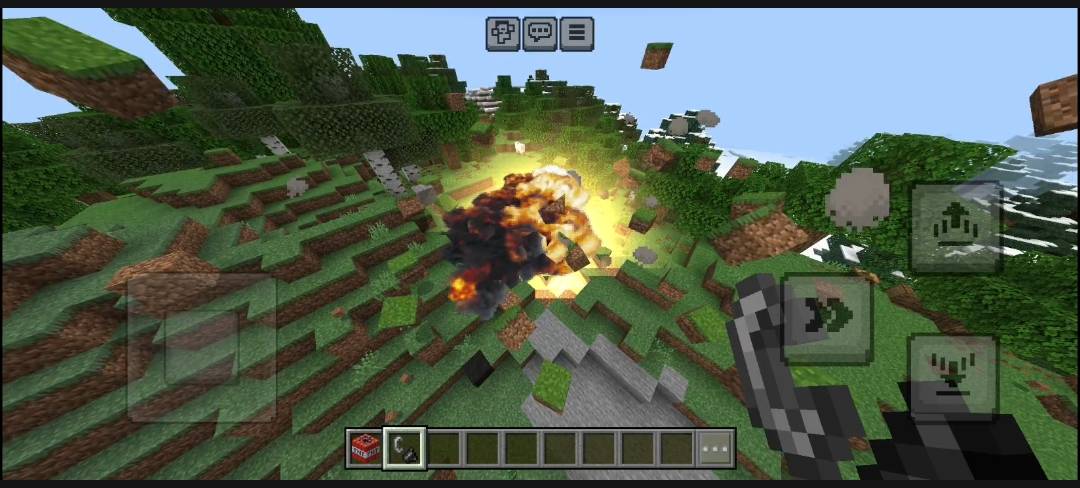
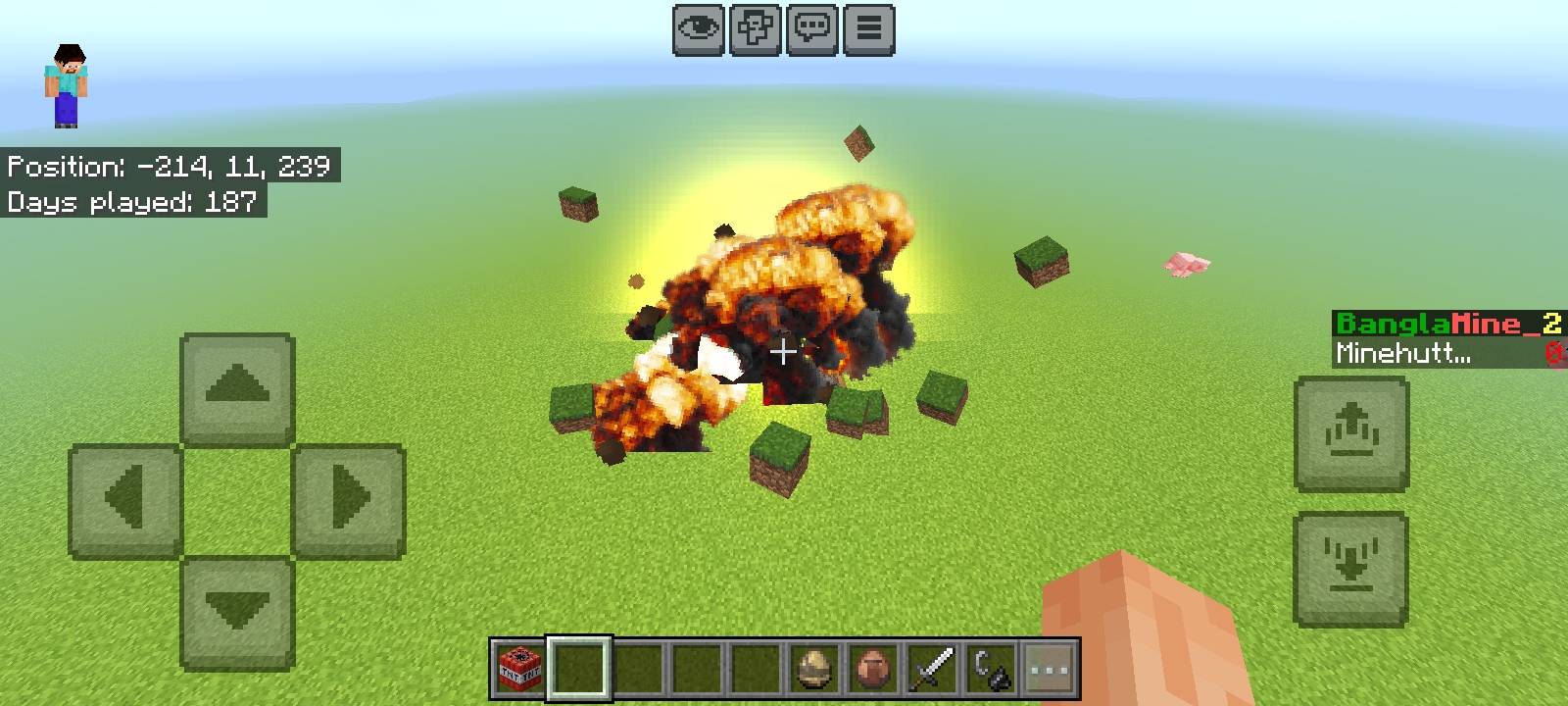
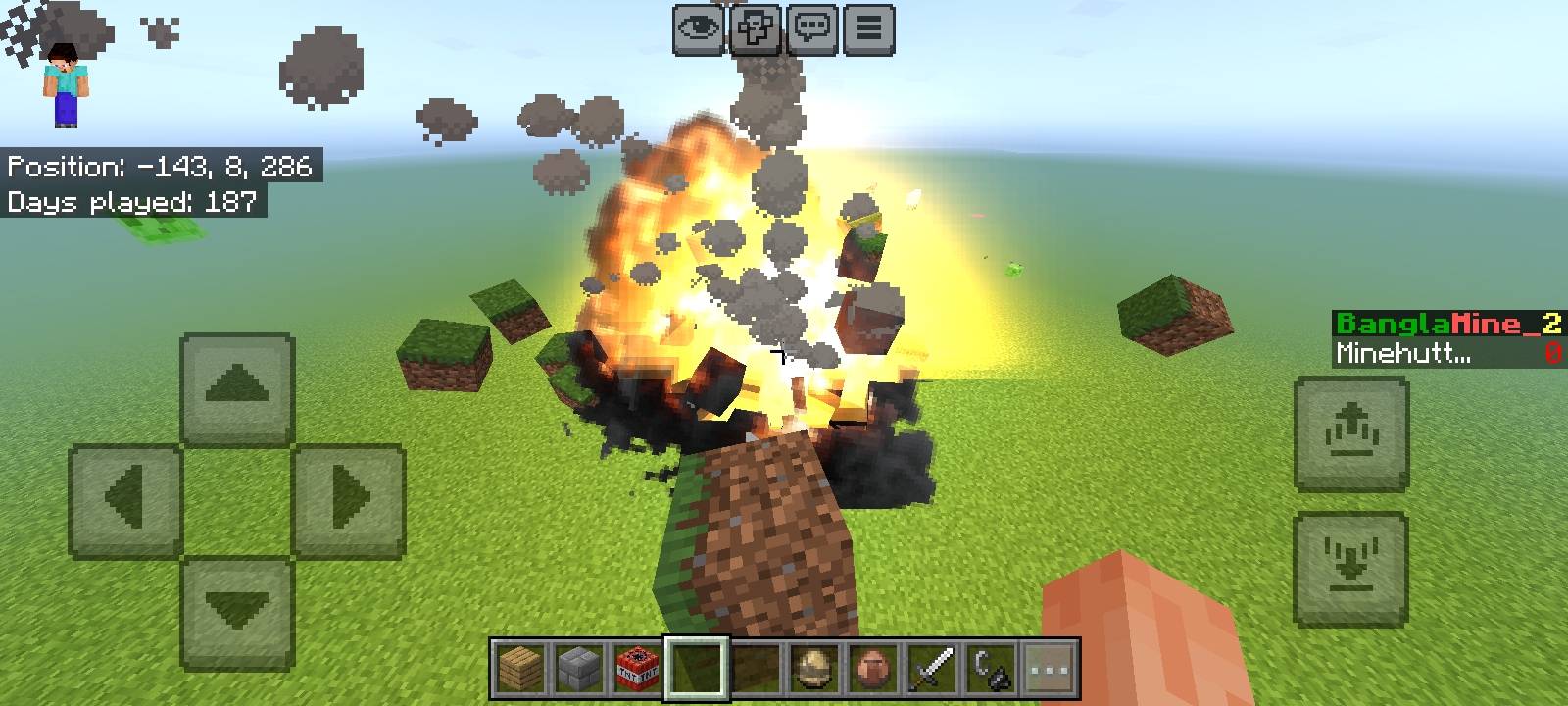
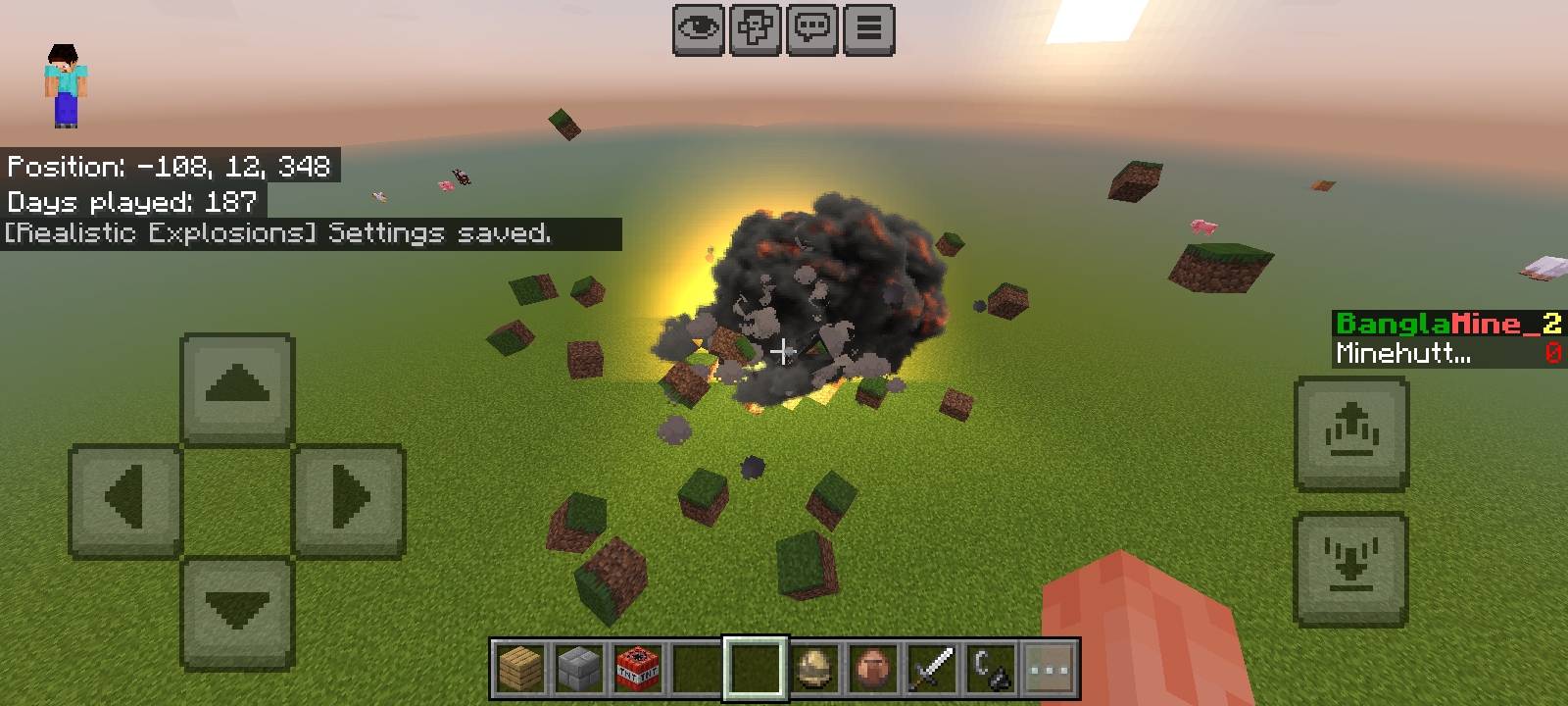
Cinematic explosions with multi-layered fireballs, 3D physics flying debris, scorched terrain, cave-ins, and multi-distance spatial audio.
1002141715.jpg
Screenshot_20261021-131252.jpg
Screenshot_20261021-131411.jpg
Screenshot_20261021-131431.jpg
Description
Realistic Explosions
A physics-driven explosion overhaul for Minecraft Bedrock Edition featuring multi-layered particle fireballs, 3D rigid-body flying block debris, material-aware terrain scorching, cave-ins, and multi-tier spatial audio.
Features
Multi-Layered Particle Fireballs
- 13 Distinct Blast Styles: Base (classic), Core I through VII, Core VIII (Artillery Shell), Core IX (Missile), Core X (RPG), Core XI (Mortar), and Core XII (Thermobaric).
- Automatic Variant Selection: Blasts adapt to their environment (Nether fireballs, End crystal detonations, sand dunes, snow plains, underground depths) or can be fixed to a specific variant in settings.
- Component-Based Particles: Separate emitter layers for initial flash, high-density core fireballs, expanding shockwaves, arcing sparks with smoke trails, heat haze distortion, and shattered glass shards.
3D Rigid-Body Flying Debris
- Physics Arc Simulation: Impacted blocks are launched along calculated ballistic trajectories based on distance from the explosion center.
- Structural Chunk Grouping: Adjacent construction blocks of the same material (bricks, planks, cobblestone, smooth stone, concrete) bind together into tumbling multi-block chunks that rotate around their center of mass using 3D Rodrigues rotation.
- Terrain Settlement: Landing debris blocks have a configurable chance to settle into the landscape as rubble or drop as collectible item stacks.
Material-Aware Scorched Terrain
- Flammable vs. Non-Flammable Materials:
- Flammable blocks (wood planks, logs) ignite with visible flame particles, crackling audio, and smouldering smoke.
- Non-flammable blocks (stone, dirt, sand, brick, netherrack) char without catching fire, emitting lingering smoke plumes.
- Environmental Interaction: Rain and adjacent water sources extinguish active scorched block fires with steam particles and hiss audio.
- Ash and Soot Layering: Over the course of one in-game day, charred surface blocks naturally weather and crumble into a thin, stackable soot layer block (
ue:soot_layer) with 8 progressive height stages. - PBR Texture Support: All scorched block families include native Metallic-Emissive-Roughness (MERs) and height maps for complete compatibility with RTX and the Deferred Technical Preview (Vibrant Visuals).
Cave-Ins and Cliff Collapses
- Underground Cave-Ins: Blasts occurring beneath solid overhead rock ceilings trigger structural cave-ins, bringing down clusters of rock, falling gravel, and drifting dust clouds.
- Cliff Collapse: Detonations near mountain ledges, ridges, or building balconies detect steep drops and shear off massive structural slabs (20 to 45 blocks per piece) that tumble down the hillside.
Dynamic Real Light
- Crater Illumination: Explosions place transient, invisible light blocks that fade across multiple stages, creating genuine dynamic lighting compatible with vanilla graphics, shaders, and RTX.
Multi-Distance Spatial Audio
- 78 Custom Sound Recordings: Mastered in mono Vorbis at 44.1 kHz for accurate in-engine 3D spatial attenuation.
- Three Acoustic Distance Tiers: Close-range crisp crack and boom (under 26 blocks), mid-range concussive punch (26 to 75 blocks), and distant low rumble (75 to 220 blocks).
- Speed-of-Sound Delay: Distant listeners experience an acoustic delay proportional to their distance from the blast.
In-Game Configuration Menu
- Access the settings panel anytime by running
/ue:settingsor/scriptevent ue:settings. - Adjust maximum debris counts, flying entity limits, construction chunk sizes, debris launch power, air drag, explosion sound volume, camera shake intensity, and individual variant overrides.
Required World Settings
To enable custom block logic, rigid-body entity positioning, and scripted event handlers, the following world experiment must be toggled on:
- Beta APIs (Required)
Note: Cheats are NOT required to open the /ue:settings menu.
Commands
| Command | Description |
|---|---|
/ue:settings |
Opens the graphical settings configuration interface |
/scriptevent ue:settings |
Alternative method to trigger the settings menu |
/scriptevent ue:test [variant] |
Spawns a demonstration explosion effect 10 blocks in front of the player |
/scriptevent ue:boom [radius] |
Triggers a real block-breaking explosion 10 blocks ahead for crater testing |
/scriptevent ue:soundtest |
Runs an automated 4-step diagnostic to verify sound routing and volume |
Installation
- Download the
Realistic_Explosion_v4.mcaddonfile. - Open or tap the file to automatically import both packs into Minecraft Bedrock Edition.
- Edit your world settings and navigate to Resource Packs -> activate Realistic Explosions [RP].
- Navigate to Behavior Packs -> activate Realistic Explosions [BP].
- In the Experiments tab, enable Beta APIs.
- Enter your world.
Compatibility
- Minecraft Bedrock Edition: Version 1.21.80 and newer (tested through 1.26.x).
- Multiplayer and Dedicated Servers: Fully functional on realms, local multiplayer, and BDS.
- Visual Enhancements: Fully compatible with vanilla lighting, RTX Ray Tracing, and Deferred Technical Preview (Vibrant Visuals).
Realistic Explosion Team