Real Item Counter | A Simple & Functional Auto Scoreboard
- By
Automatically count specific items across all player inventories and instantly generate a live Top 5 scoreboard for your server events.
📟 Real Item Counter – A Simple & Functional Auto Scoreboard 📟
Tired of building massive command blocks just to count items?
Real Item Counter instantly counts specific items in every player's inventory and creates a Scoreboard Leaderboard with one click. No commands, no redstone, no Experimental Toggles! Perfect for minigames. Just click, and let it do the math. Simple and functional—That's it! 🚀
🛠️ Why It's So Simple
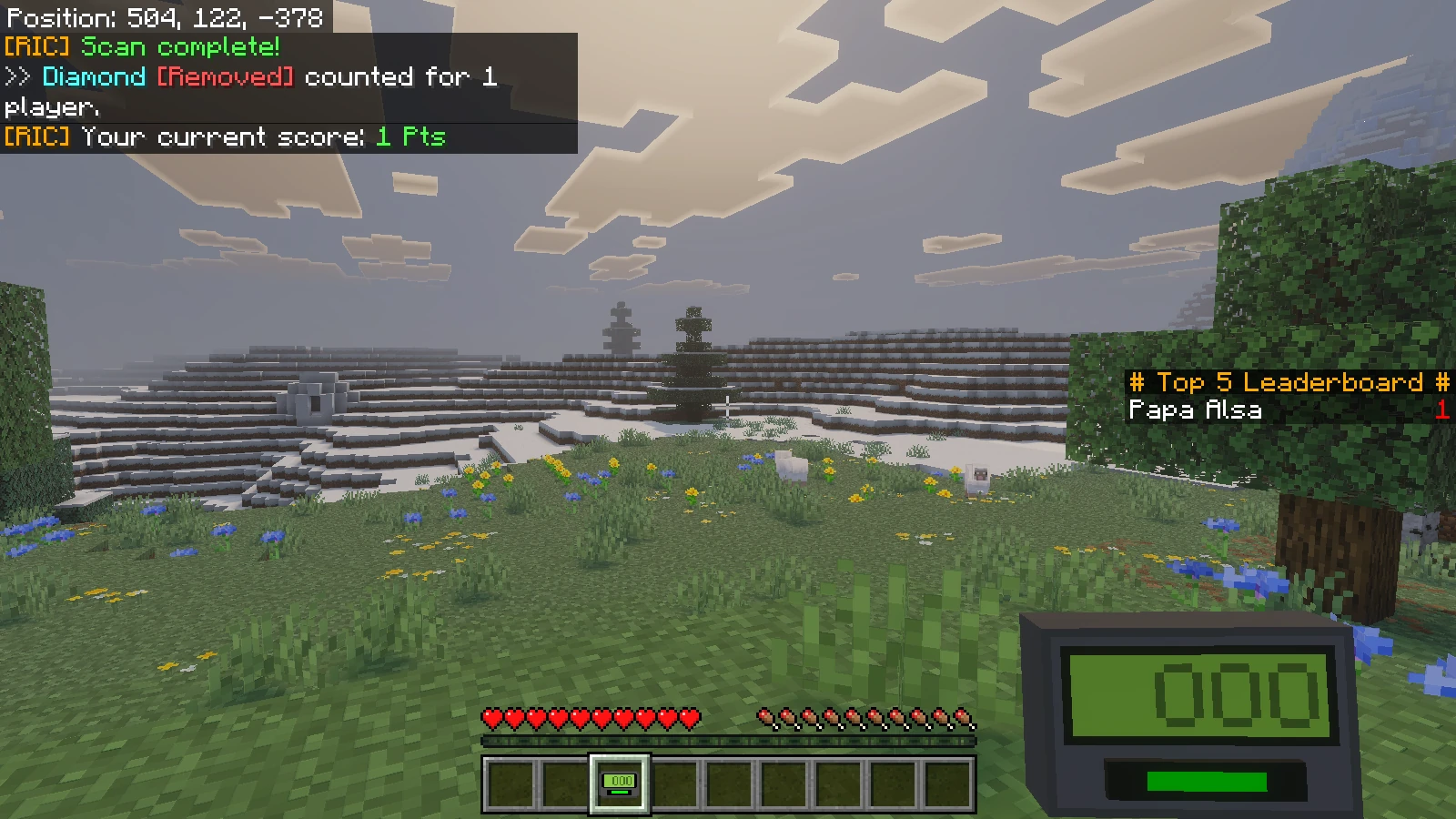
Simple settings, instant results.
- 🚫 No Commands: Save your fingers! No
/scoreboardtyping. - ✅ Plug & Play: No Experimental Toggles required. Just activate and play!
- 🎯 Easy UI: Set your point multiplier (1-10) using a simple slider.
- 🏆 Auto Leaderboard: Instantly displays the Top 5 highest scorers.
- 💎 Custom 3D Item: Sleek custom model for first-person and third-person views.
- 🛡️ Admin Only: Strictly locked to Operators. Non-OPs can't use it.
- ⏳ Anti-Spam: Built-in 10-second cooldown and Global Lock.
- 🛠️ Survival Ready: Fully craftable in Survival Mode.
🚀 How to Use
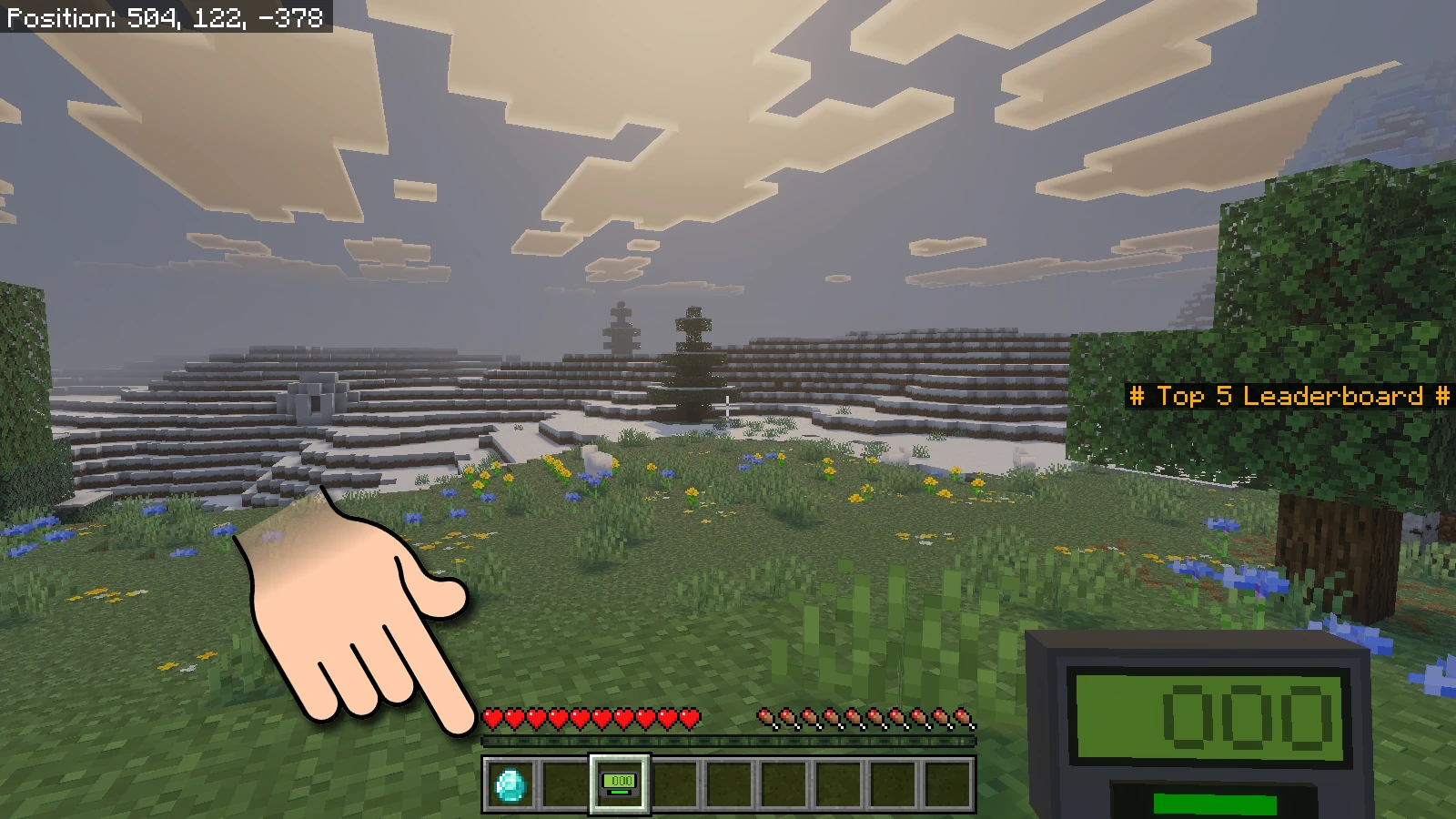
1. Set Your Target Item
Place the item you want to count (like a Diamond or Iron Ingot) in the First Hotbar Slot.
⚠️ IMPORTANT: Only scans the main inventory. Items in Bundles, Shulker Boxes, or Offhand are ignored!
2. Open the UI Menu
Hold the Real Item Counter and Right-click (PC) or tap and hold (Mobile) to open the UI.
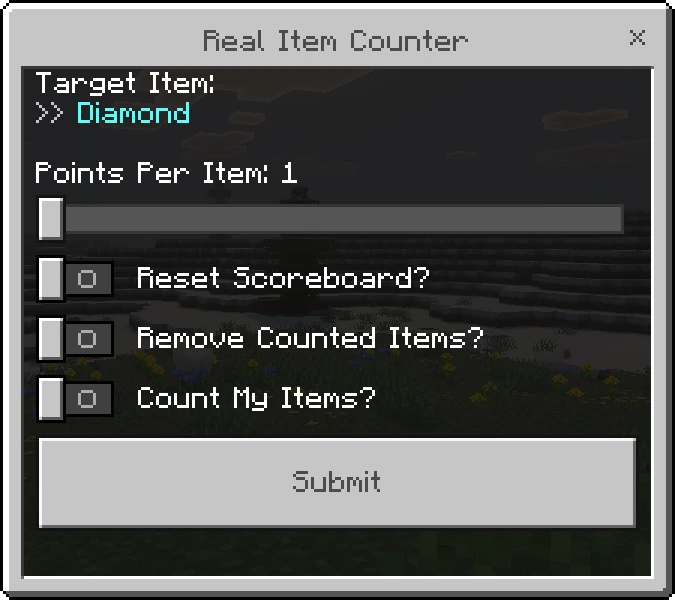
3. Set the Rules
- Target Item: The item you are about to count.
- Points Per Item: Use the slider to set points (1-10 points).
- Reset Scoreboard?: Turn ON to start a fresh game, or OFF to add to existing points.
- Remove Counted Items?: Turn ON to delete the items from players after counting.
- Count My Items?: Turn ON if you (the Operator) are playing. Turn OFF to act only as the referee.
- Hit Submit!
4. Real-Time Result
It instantly scans all inventories. The Top 5 appear on the Scoreboard, and a summary is announced in global chat.

💡 Pro Tip: Not in the Top 5? Your personal score is sent privately to your chat!
📦 How to Obtain
Craft it in Survival Mode, or grab it from the Equipment Tab in your Creative Inventory. Cheap but powerful!
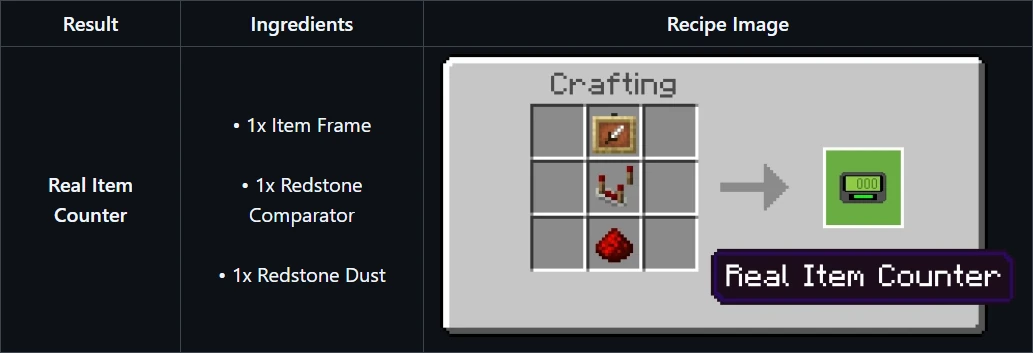
Fully craftable using vanilla materials.
🔥 The Perfect Combo: Real Timer
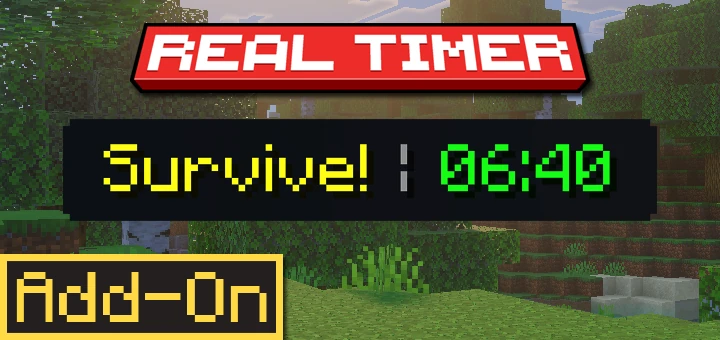
Need a time limit? Pair this with the Real Timer Addon! Set a countdown, race for items, and count when time is up.
👉 Get the Real Timer Addon Here! 👈
⚙️ Technical Details
- ✅ Plug & Play: No "Experimental Toggles" required!
- ✅ Universal: Works on Singleplayer, Realms, and Dedicated Servers.
- 🔒 Admin Protected: Operators only!
📥 Quick Install
- Grab the
.mcaddonfile. - Open it with Minecraft.
- Enable Behavior + Resource Packs in your world.
- 📊 Start counting!
📜 License & Credits
Creator:
- Papa Alsa | YouTube: @alsahonggo
Licensed under CC BY-NC-ND 4.0.
⚠️ Permission: Modifications, commercial use (including monetized link shorteners), and reuploads on other websites are strictly prohibited. Don't be that guy who steals other people's work.
"If there is a simple way to count items, why bother with complicated command blocks?"
Real Item Counter | A Simple & Functional Auto Scoreboard Team

Owner