Real Daylight Cycle (Sync your world to real time)
- By
This Add-On synchronizes your Minecraft world time to real time. Compatible with achievements!
Compatibility
This addon is compatible with achievements, other addons and vibrant visuals.
How to use
By default the addon is set to the GMT+00:00 time zone.
When you join your world for the first time with this addon enabled you will be prompted with the time zone configuration menu. Over here you can select your time zone.
If needed you can reselect your time zone using the "settings" clock.
You can use items by long tapping on touch screen devices.
Or by right-clicking on pc (KBM controls)
You can craft this item by placing 5 iron ingots in a "+" shape in the crafting table.
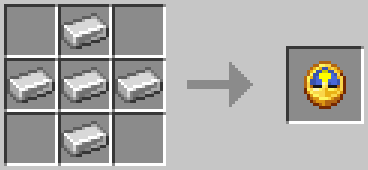
Alternatively you can use /scriptevent tcc_rdc:settings to change to your desired time zone. Both the settings item and this command open the following configuration menu.
Configuration type menu
select what configuration type you prefer. When playing on low end devices its recommended to select "Manual"
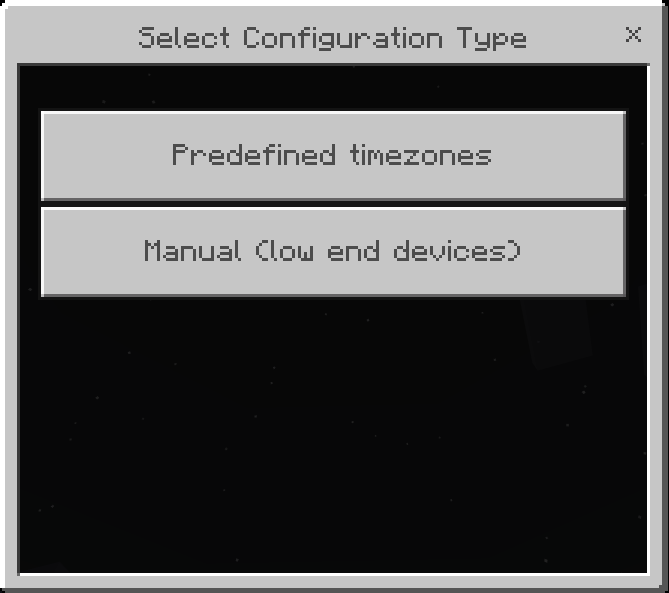
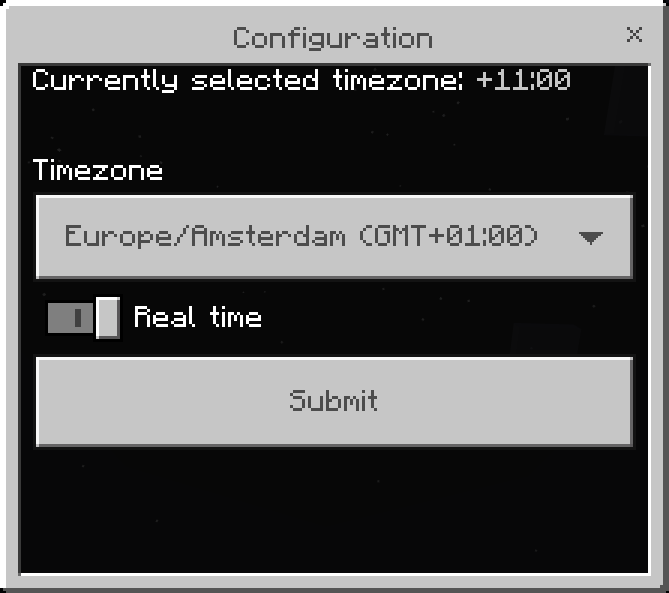
Predefined timezones configuration menu
Time zones are ordered from GMT-11:00 to GMT+14:00. GMT and UTC are interchangeable in meaning both are equal to universal time. Due to the amount of predefined timezones low end devices might experience lag when opening this menu. Use the "Real time" toggle to turn on or off the real daylight cycle, this will automatically re-enable or disable the normal daylight cycle in your world. If you are playing on a low end device use the Manual configuration menu instead.
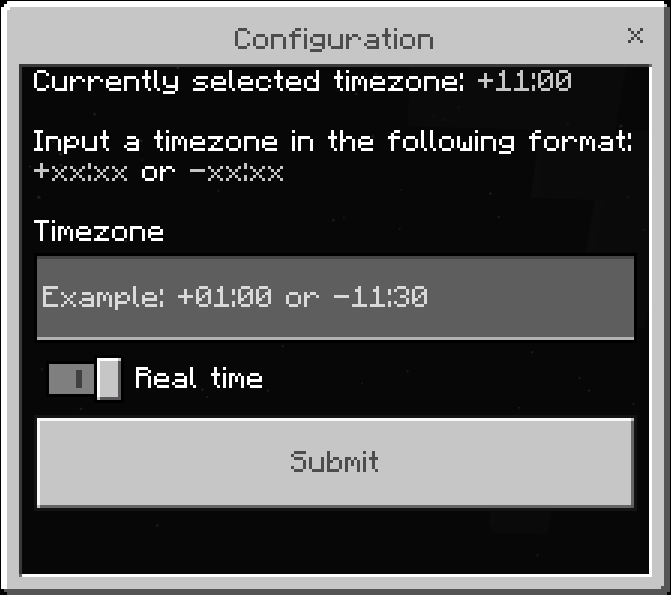
Manual configuration menu
Fill in your timezone in the message-box, the format should be "-xx:xx" or "+xx:xx" for example "+01:00". If you don't know your timezone you can look it up in any browser by typing "my timezone"
Timezones should be between -12:00 and +12:00 to work. Otherwise they will be flagged as invalid and the timezone wont change. Use the "Real time" toggle to turn on or off the real daylight cycle, this will automatically re-enable or disable the normal daylight cycle in your world.
Admin configuration menu
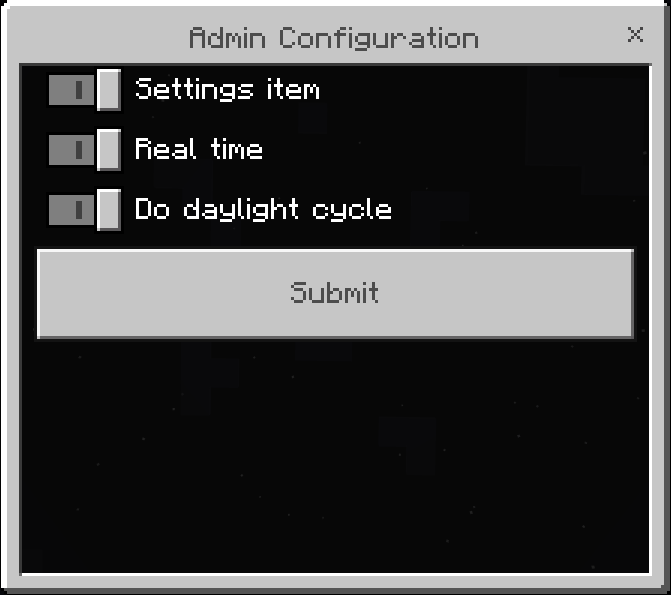
You can use /scriptevent tcc_rdc:admin To access admin settings. Over here you can disable the settings item to prevent other players from changing the settings in a multiplayer environment. To disable the real daylight cycle uncheck real time and check do daylight cycle. When "Real time" is enabled the vanilla daylight cycle will automatically be disabled. To disable the addon you can simply uncheck the "Settings item" and "Real time" settings.
Commands:
/scriptevent tcc_rdc:settings - Opens the time zone configuration menu.
/scriptevent tcc_rdc:admin - Opens the admin configuration menu.
/scriptevent tcc_rdc:reset - Resets all configurations.
/give @s tcc_rdc:settings - Give yourself a settings clock for selecting the time zone.
Do not redistribute this addon. All rights belong to The Cubic Company.
Addon artworks, textures and tumbnails belong to The Cubic Company.
When reviewing the addon always link to this page.
Real Daylight Cycle (Sync your world to real time) Team

Owner