Random item speedrun
- By
1000402555.png
1000402556.png
1000402557.png
Description
🎲 RandomItem Speedrun
Think fast. Race against the clock. Get the item.
RandomItem Speedrun turns Minecraft into a challenge of speed and luck. Each attempt gives you a random item as a target, and you must find it as quickly as possible.
🎮 How It Works
Use the command:
`/r item`
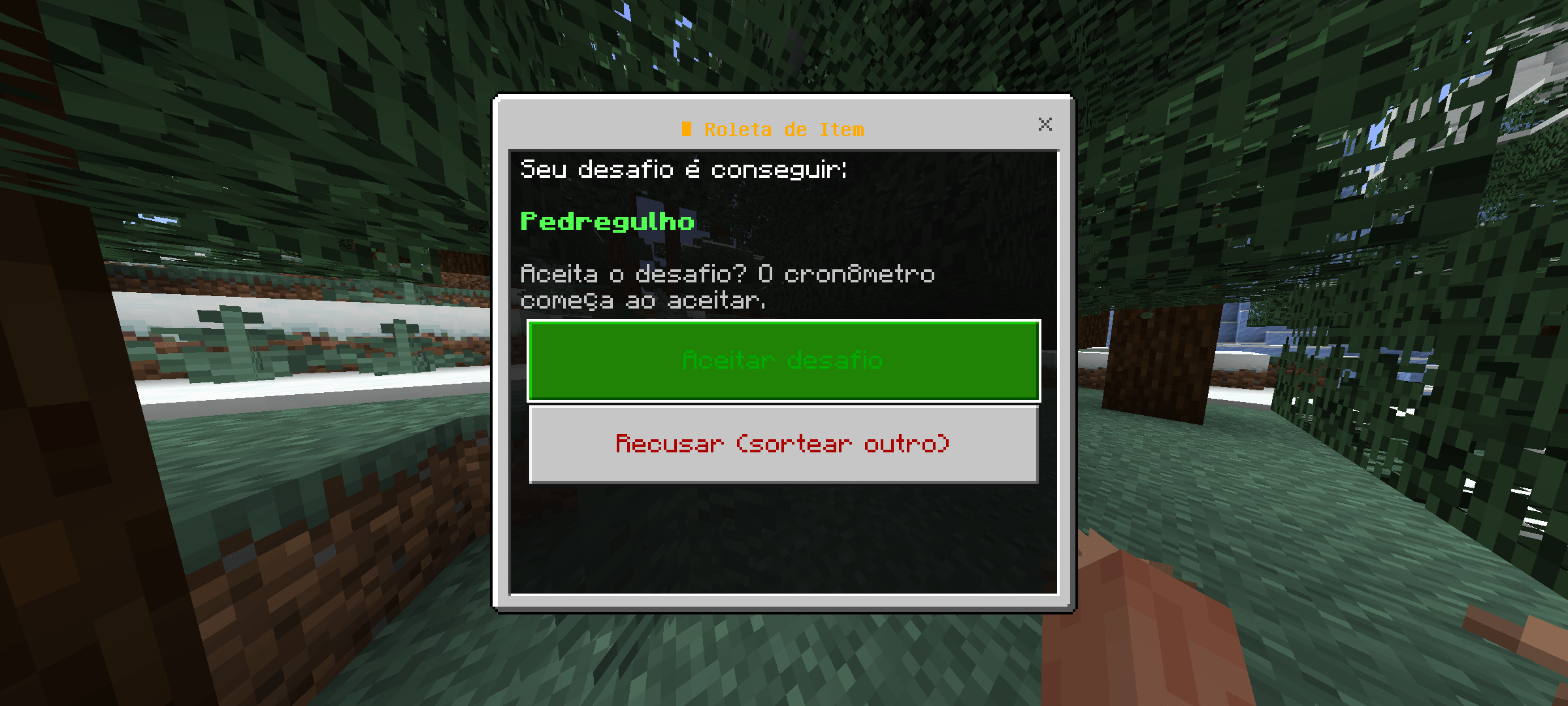
An item will be randomly selected and a menu will appear with two options:
- ✅ Accept — starts the challenge.
- ❌ Decline — selects another random item and shows the menu again.
You can decline as many items as you want until you find a challenge you want to accept, or close the menu.
⏱️ During the Challenge
Once you accept an item:
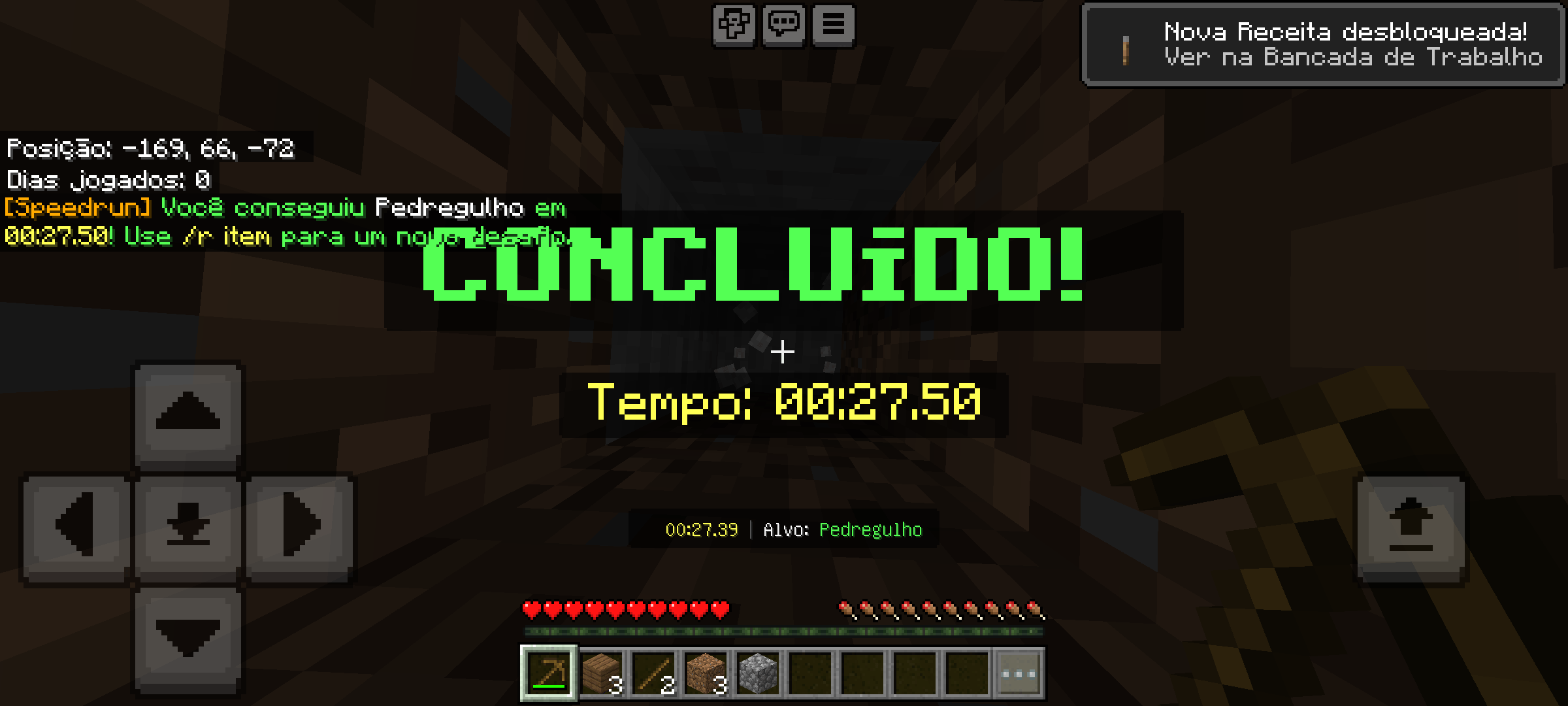
- The timer starts immediately.
- Your current time and target item are displayed in the action bar.
- Your inventory is checked several times per second.
- The target item can be detected in your inventory, armor slots, or off-hand.
- Once you obtain the target item, the timer stops automatically.
- A "COMPLETED!" message is displayed with your final time.
- The speedrun is automatically saved to your history.
If you use `/r item` while a speedrun is already active, a menu will appear allowing you to continue or give up on the current challenge.
🎲 Item Selection
The addon can select almost any item available in the game.
Items that cannot normally be obtained in Survival are excluded, such as:
- Command Blocks
- Bedrock
- Spawn Eggs
- Education-related items
- Potions
- Other items that cannot normally be obtained in Survival
⚠️ Extremely difficult items can still be selected, including items obtained from bosses.
📜 Speedrun History
Use:
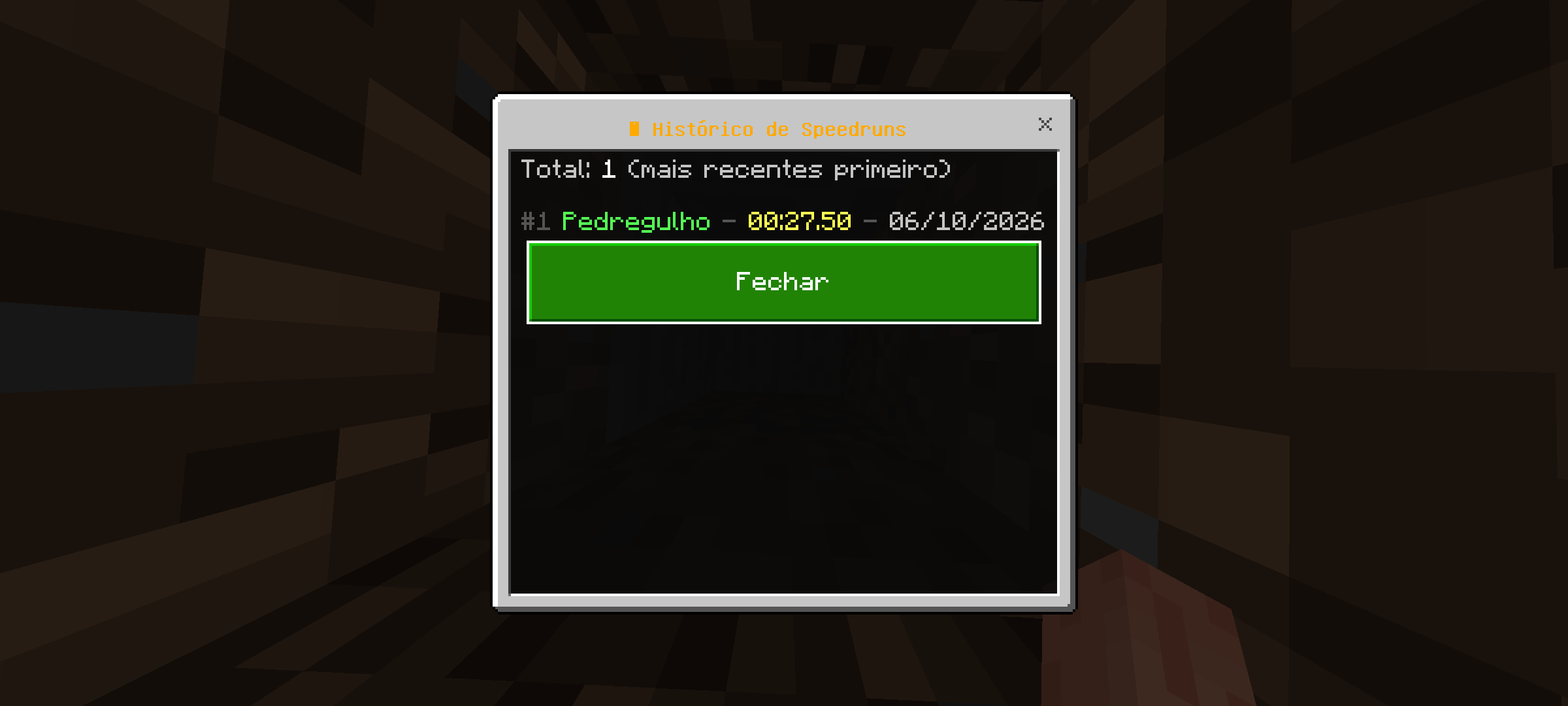
`/r log`
to view your completed speedruns.
The history displays:
- 🧱 Item
- ⏱️ Time
- 📅 Date
Speedruns are displayed from newest to oldest, with up to 100 records per player.
The history is saved within the world, so your results remain available after leaving and re-entering the world.
❌ Cancelled or abandoned challenges are not recorded.
🌐 Languages
Use:
`/r lang`
to choose the language of the add-on's menus and messages. Each player picks their own language, and the choice is remembered.
Available languages:
- 🇧🇷 Português (Brasil)
- 🇺🇸 English
- 🇪🇸 Español
- 🇫🇷 Français
- 🇩🇪 Deutsch
- 🇮🇹 Italiano
- 🇷🇺 Русский
- 🇯🇵 日本語
- 🇨🇳 简体中文
- 🇰🇷 한국어
Dates in your history also adapt to the selected language.
The default language is Portuguese (Brazil) until you choose another one.
⚠️ Limitations
- Leaving the world during an active speedrun cancels the challenge.
- The random selection may generate extremely difficult items, including items related to bosses.
- Item names are translated by Minecraft itself, so they follow your game's language setting, not the add-on's language selector.
The goal is to make every attempt unpredictable.
🏆 Your Goal
Accept the challenge. Find the item. Stop the timer.
Try to complete every speedrun as quickly as possible and see how far you can go!
Random item speedrun Team