Protected Areas
- By
A simple Bedrock add-on that lets you protect unlimited areas from block breaking and placing. Perfect for server management.
How it works:
-
To protect an area, you need the Protection Wand, craftable with a Nether Star and an End Rod. Only the world operator or players with the
admintag can use it. You can also disable the Protection Wand recipe in the add-on settings.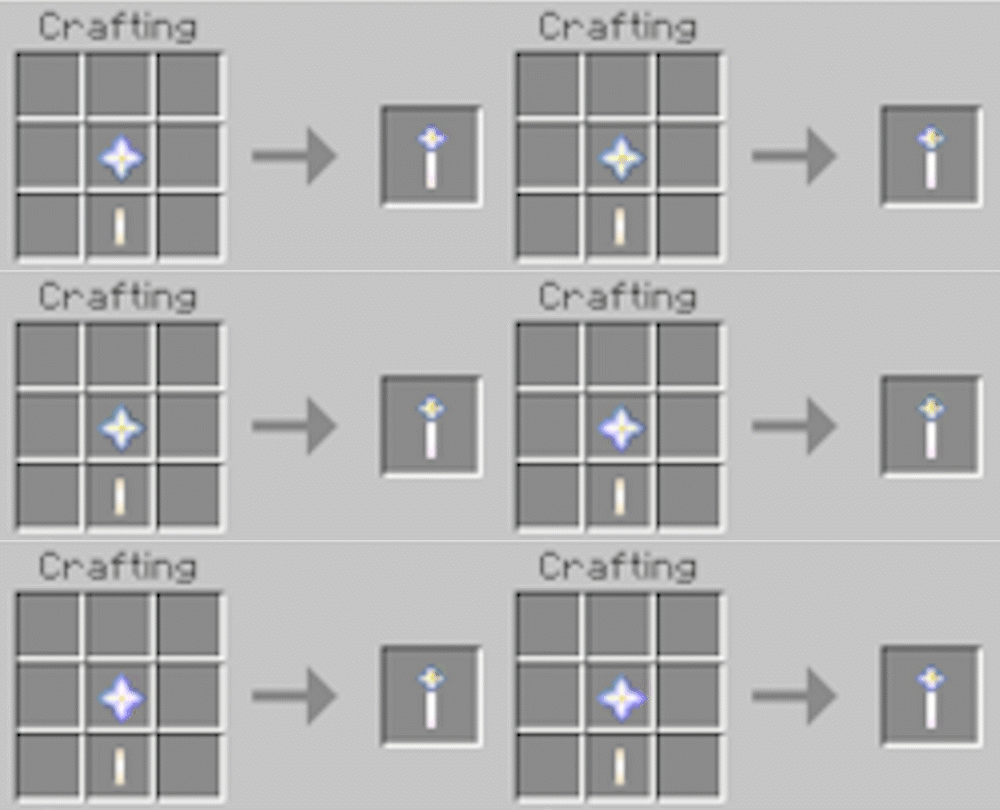
-
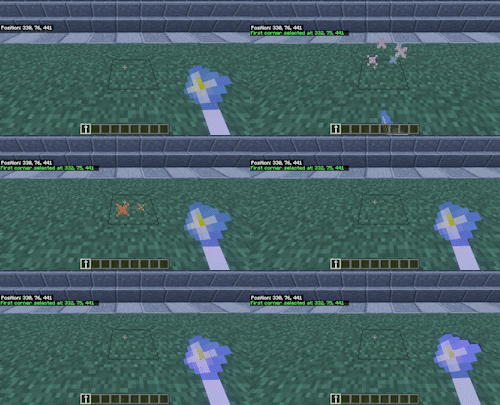
Mark your area: Interact with any block to set the first corner, then interact with another block to set the second corner. The add-on automatically calculates the center and radius of your protected area.
-
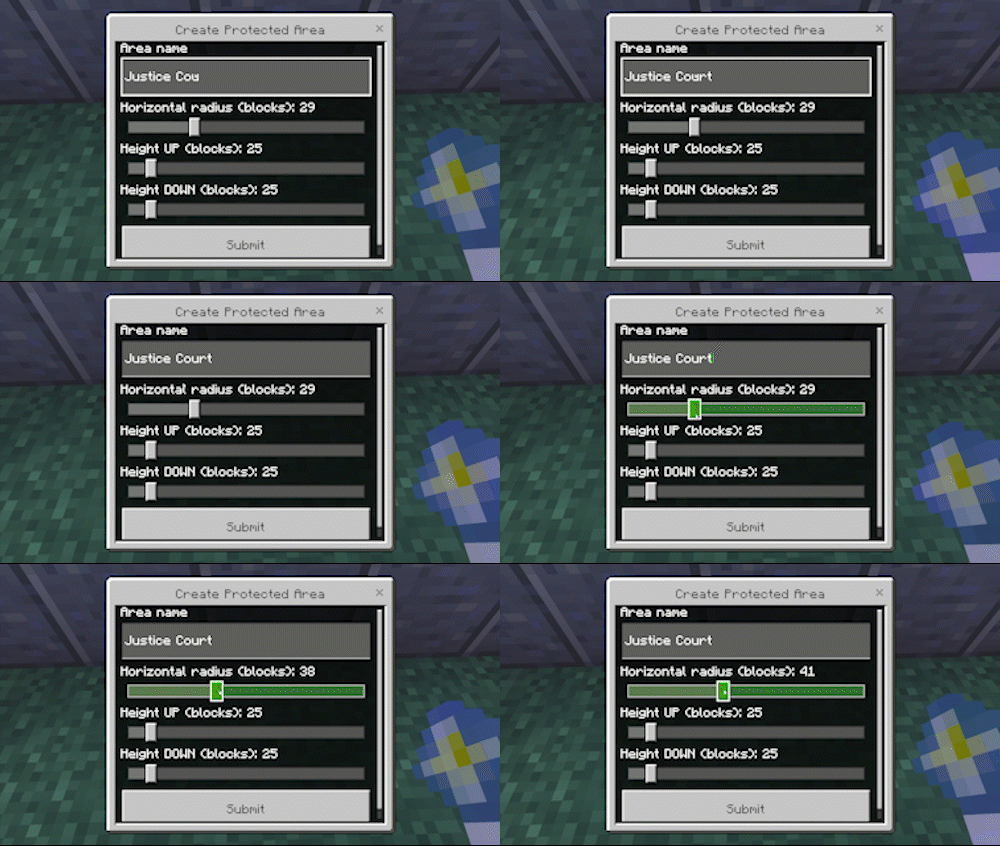
Customize your protection: Use the built‑in UI to set the Area Radius, Height Up, and Height Down, and give your protected area a name.
-
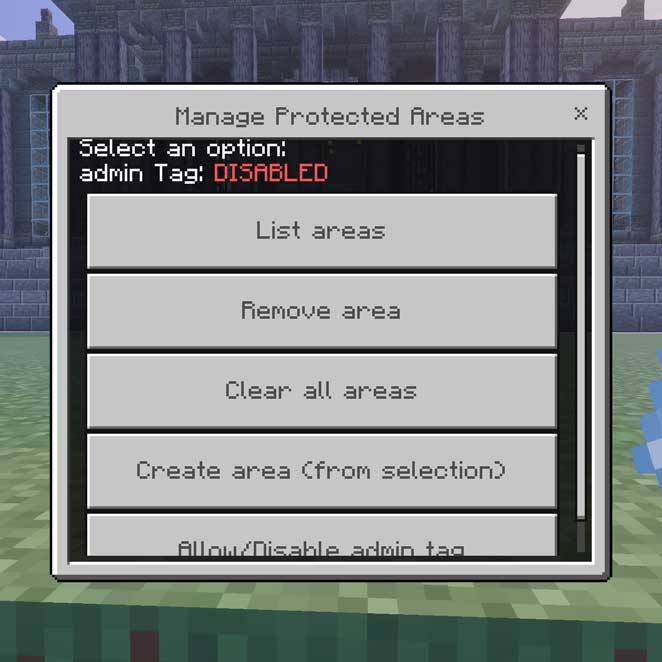
Manage your areas: Access the Manage Protected Areas menu to list, or delete your protected zones.
Admin privileges:
-
Players flagged as "admin" will still be able to place and break any block inside the perimeter. To grant admin permissions to another player, first enable the
admintag toggle in the Manage Protected Areas menu, then use the command:/tag <player> add admin -
To revoke admin permissions, use:
/tag <player> remove admin
or disable the admin tag toggle entirely via the menu.
Jail system:
-
Adding the
jailtag to any player restricts them from breaking or placing blocks anywhere in the world.
Additional protection:
-
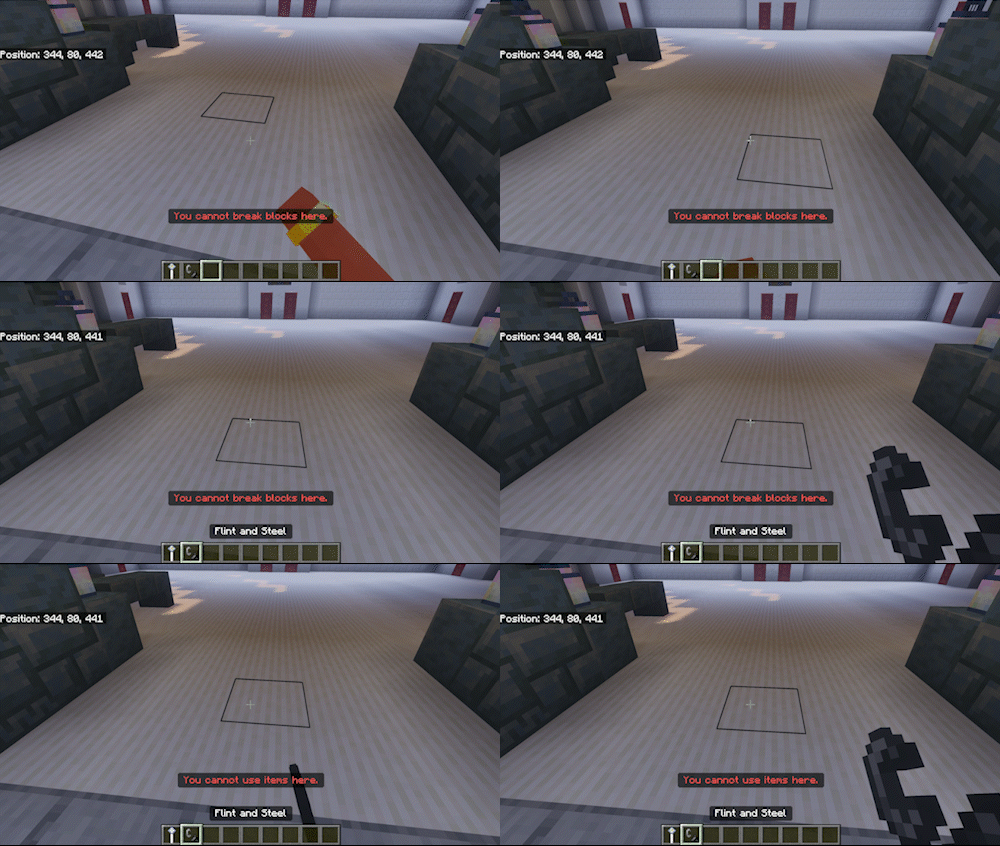
This add‑on also prevents the use of destructive items such as flint and steel, lava buckets, fire charges, and other harmful items inside protected areas—or if the player is tagged as
jail.
Protected Areas Team