Plots - /plot skyblock island system
- By
Skyblock-style plots for Bedrock with private 100×100 island plots, permissions, visits, and customization. Requires Beta APIs.

Screenshot 2026-09-09 204851.png

Screenshot 2026-09-09 180114.png

Screenshot 2026-09-09 204933.png

Screenshot 2026-09-09 205036.png
Screenshot 2026-09-11 210727.png
Description
⚠️ IMPORTANT: This addon requires Beta APIs and upcoming creator features. Make sure your world has the required experimental/Beta API settings enabled before installing/using the addon.
6entt's Plots is a Skyblock-style plot system for Minecraft Bedrock. It adds a dedicated void dimension where players can create, manage, visit, and customize their own 100×100 plots.
Make sure you are tagged as "op" to use admin commands.
/plotadmin, /plotconfig
Each plot is separated by 1000 blocks, keeping players completely separated while still allowing them to visit other players' plots.
https://discord.gg/QVPXr4wrQP to report bugs
⭐ Features
- 🏝️ Dedicated void plot dimension
- 📏 100×100 plots
- 🌎 Plots spaced 1000 blocks apart
- 🏗️ Multiple plot types/starting structures
- 🔒 Private plots by default
- 👥 Trust specific players
- 🚫 Ban/kick players from your plot
- ⚙️ Fully customizable plot permissions
- 🏠 Plot home teleportation
- 👀 Visit other players' plots
- 💬 Custom plot welcome messages
- 🏷️ Custom plot names
- 🛡️ Block breaking/building protection
- 📦 Container protection
- 🚪 Interaction protection
- 🥚 Spawn egg / flint & steel / fire charge protection
- ⚔️ PVP and mob-damage protection
- 👹 Per-plot hostile mob spawning toggle
- 🐔 Per-plot passive mob spawning toggle
- 🗑️ Plot deletion
- 💾 Plot data and permissions persist through addon updates
- ✨ Plot boundary indicators
- ☠️ Configurable void-death behavior
📜 Commands
/plot
Opens the Plot Type Picker.
Choose the type of plot you want to create.
Creating a plot does not automatically teleport you to it.
After creation, you'll receive:
Plot created! Do /plothome to visit.
You can only own one plot.
/plotsettings
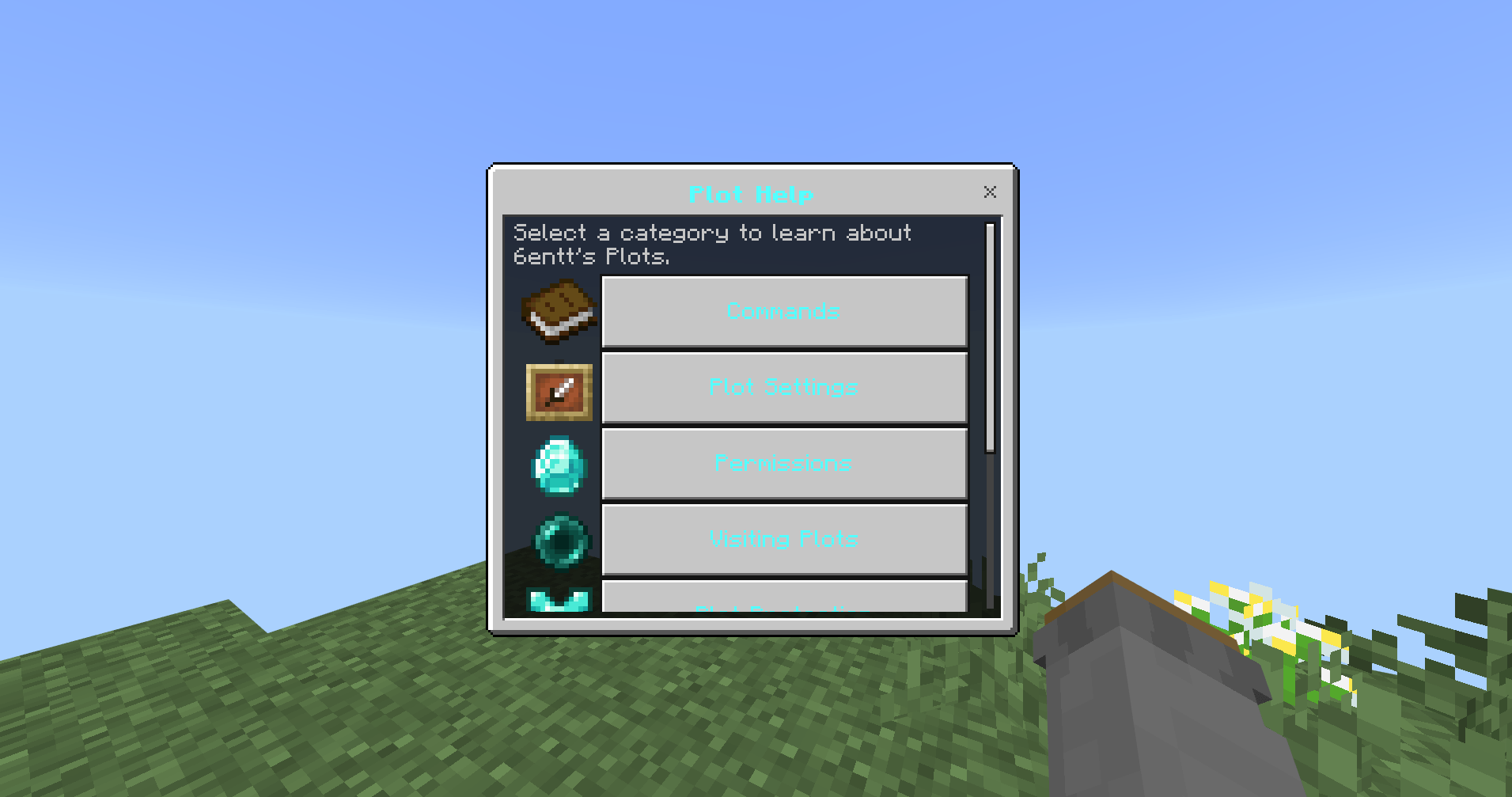
Opens your plot's 54-slot settings menu.
From here you can manage permissions, visitors, your plot name, welcome message, teleportation, and more.
/plotvisit <name>
Visit another player's plot.
Example:
/plotvisit SteveThe plot owner must have Visiting Access enabled, and you cannot be banned from their plot.
Trusted players can still access a plot when normal visiting access is disabled.
/plothome
Teleport to your own plot.
/plottrust <name>
Give another player full access to your plot.
Example:
/plottrust SteveTrusted players have full permissions on your plot regardless of the individual visitor permission toggles.
/plotuntrust <name>
Remove a player from your trusted list.
/plotuntrust Steve/plotkick <name>
Kick a player currently visiting your plot.
/plotkick SteveThey will be sent back to the normal world spawn.
/plotban <name>
Permanently ban a player from your plot.
/plotban SteveA banned player cannot visit your plot until they are unbanned.
/plotunban <name>
Remove a player from your plot's ban list.
/plotunban Steve/plotconfig
TAG "op" ONLY!!!
Opens the global plot configuration menu.
Currently includes the void-death behavior setting.
/plotconfig / /plot:config
The addon also supports its internal namespaced command forms.
Most players can simply use the normal commands shown above.
/spawn
Returns to the normal overworld spawn.
Teleportation has a short countdown, and moving cancels the teleport.
⚙️ Plot Settings
The Plot Settings menu contains several individual permissions.
📦 Container Access
Controls whether visitors can open containers such as:
- Chests
- Barrels
- Shulker boxes
- Furnaces
- Hoppers
- Dispensers
- Droppers
- Brewing stands
- And other supported containers
Default: Disabled
🪵 Build Access
Controls whether visitors can place blocks.
Default: Disabled
⛏️ Mining Access
Controls whether visitors can break blocks.
Default: Disabled
🔧 Interact
Controls interaction with blocks and entities, including things such as:
- Doors
- Trapdoors
- Fence gates
- Buttons
- Levers
- Beds
- Crafting tables
- Anvils
- Enchanting tables
- Signs
- Bells
- And other interactive blocks
Axe-based interactions such as stripping logs are also controlled by this permission.
Default: Disabled
🥚 Use Items
Controls whether visitors can use items on your plot.
This includes special item interactions such as:
- Spawn eggs
- Flint and steel
- Fire charges
- Other item-use actions
Default: Disabled
⚔️ PVP / Kill Mobs
Controls whether visitors can damage:
- Players
- Hostile mobs
- Passive mobs
- Other entities
Default: Disabled
👥 Visiting Access
Controls whether players are allowed to visit your plot using /plotvisit.
Default: Enabled
Trusted players can still access the plot when normal visiting access is disabled.
👹 Hostile Mob Spawning
Controls natural hostile mob spawning specifically inside your plot.
Default: Enabled
🐔 Passive Mob Spawning
Controls natural passive mob spawning specifically inside your plot.
Default: Enabled
These two settings control natural spawning. Spawn eggs are controlled separately by Use Items.
🛡️ Plot Protection
Plots are private by default.
Visitors cannot build, break blocks, open containers, interact with protected blocks/entities, use restricted items, or damage entities unless the corresponding permission has been enabled.
The plot owner always has full access to their own plot.
Trusted players also receive full access.
🏝️ Plot Types
When creating a plot with /plot, you can choose from the available starting plot types.
The selected structure is placed inside your newly created 100×100 plot.
💬 Plot Name & Welcome Message
Your plot can have its own:
Custom Plot Name
and
Custom Welcome Message
The welcome message is shown to players when they successfully visit your plot.
These can be changed through /plotsettings.
🗑️ Deleting a Plot
The Delete Plot button in Plot Settings permanently removes your plot.
Before deletion, you must confirm:
Are you sure you really want to delete your plot?
Once confirmed, the plot is cleared and you are returned to the overworld spawn.
Be careful — deleting a plot removes the plot itself and its stored plot data.
☠️ Void Protection
The plot system has configurable void behavior.
By default, falling below the configured void threshold causes you to be returned to your plot.
Admins can change this behavior through /plotconfig.
💾 Updating the Addon
Plot ownership and important plot data are stored persistently in the world.
When updating the addon, existing plots are designed to keep their:
- Ownership
- Plot location
- Plot type
- Plot name
- Welcome message
- Trusted players
- Banned players
- Permissions
- Plot settings
You should not need to reclaim your plot after updating the addon.
Recommended: Always keep a world backup before installing a major addon update, especially when updating an addon that controls world data.
Plots - /plot skyblock island system Team