Plot Guard With Server Transfer
Adds a Plot system and Server Transfer Function works on Realms
THIS MOD REQUIRES BETA API TO BE ENABLED TO FUNCTION
PlotGuard is an all-in-one creative plot system and world defense suite built for servers and Realms. It gives players safe places to build, gives admins powerful control tools, and keeps worlds clean and protected without complicated setup.
I DESIGNED THIS TO WORK BEST WITH A SUPERFLAT WORLD SET TO OVERWORLD PRESET!!!!
PlotGuard’s core system revolves around a Plot Controller block that creates a corner-based 64×64 building area per dimension. Players can claim and own unlimited plots with no cap, and ownership is stored by player ID so ownership stays intact even if someone changes their gamertag. Claiming has a configurable cooldown to prevent spam claiming, and admins can set it anywhere from 0 to 60 minutes using the Admin Book. Plots support shared building through a builder system, letting owners add or remove builders so friends can help build. Admins can override and manage plots when needed. PlotGuard also includes overlap protection: if a plot overlaps another plot, the controller locks itself and shows an error message so it can’t be interacted with until the conflict is fixed, preventing exploits and encroachment.
YOU MUST ADD THE Admin TAG EXACTLY AS I SPELT IT HERE CASE SENSITIVE!
For visual boundaries and reliable plot setup, PlotGuard includes an admin-only option to place a redstone border around the exact edges of the plot. This process uses ticking areas and countdowns so the chunks load properly before the border is generated, and it uses replace-air behavior to avoid erasing existing structures during the operation. Plot clearing and reset flow includes countdowns and supports taking a clean “empty plot snapshot” so plots can be restored to a known baseline. After initial setup, new plot controllers can follow the same border-and-baseline behavior automatically when cleared for the first time.
Beyond standard plots, PlotGuard supports fully custom admin-defined regions. Admins can create Custom Plots of any size by selecting two corners, name the region, and assign one or more players to it. Custom plots behave like protected land: assigned players and admins can build inside, and everyone else is blocked. Plot controllers are prevented from being used inside or overlapping custom plots, and when a controller is placed or interacted with in a restricted custom region, it reports that it’s inside or overlapping a custom plot and cannot be claimed. These notifications are throttled so they don’t spam the screen.
PlotGuard enforces build rules across all dimensions by preventing unauthorized placing and breaking outside allowed regions. Admins remain free to build anywhere. For world control, the Admin Book can toggle natural mob spawning through the game rule, and PlotGuard includes a “removing unwanted mobs” toggle that rapidly removes unwanted mobs by sending them under the world so they disappear immediately.
PlotGuard also includes a fast BAN-tag punishment system. Players with the BAN tag, unless they also have the Admin tag, are continuously teleported between Overworld, Nether, and End at 20 times per second at a deep Y coordinate, effectively disabling them without relying on unreliable kick permissions. To make moderation practical, the Admin Book includes an unban system with an “Unban Window” that temporarily disables punishment so a banned player can join back and have the tag removed, along with a player selection flow to manage unbanning cleanly.
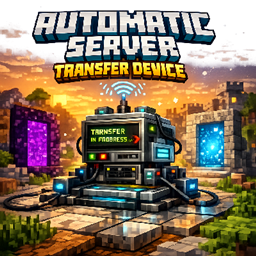
When “Server Mode” is enabled from the Admin Book, plot controllers gain a Transfer Server option designed for hub-style navigation. Players can enter a server IP and port and transfer directly, or save servers into a personal “My Servers” list so they can connect again without retyping. Admins can also manage a shared, server-wide Approved Servers list from the Admin Book, giving everyone a curated set of destinations to choose from.
Finally, PlotGuard includes a quick start guide aimed at first-time setup. The first player who joins can receive whisper-only guidance that walks them through grabbing the Plot Controller and Admin Book, adding the Admin tag with the correct case, generating a redstone-bordered plot, clearing it to create the baseline snapshot, and finishing the setup. If the steps aren’t completed quickly, the guide cancels so it doesn’t nag or spam.
PlotGuard is built to give creative communities a clean, controlled environment with flexible plots, custom regions, strong anti-grief enforcement, admin tools, moderation controls, server-transfer hubs, and quality-of-life automation, all designed to work smoothly in live worlds.
The Plot Guard With Server Transfer Team