Player Report Menu
- By
Create a report form for you to easily report players who hack or cheat.
MCPEDL
Description
◆ Introduction
Tired of players breaking rules with no way to report them?
This addon brings a clean and interactive player reporting menu to Minecraft Bedrock Edition, helping your server stay safe, respectful, and fun for everyone. It uses in-game UI forms so you don't have to typing long commands or installing external tools!
◆ Send Report
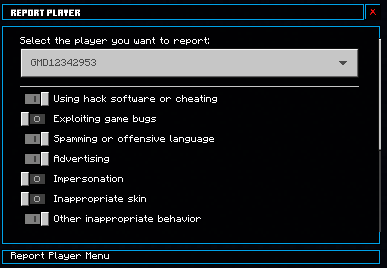
[ NORMAL FORM ]
Enter the command in the chat box to activate the command to open the report menu.
Type this command: /report or /ft:reportFill in the report form
- Select the name of the player you want to report.
- Tick the boxes that match the rule(s) they broke.
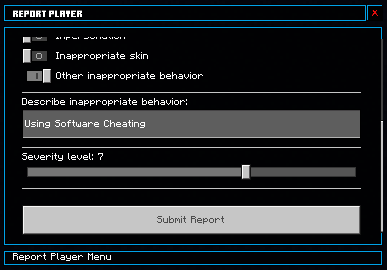
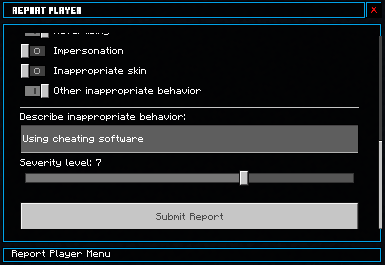
- Enter a brief description in the box below (if applicable, other inappropriate behavior must be enabled).
- Choose the severity level using the slider (from 0 to 10).
3. Submit the form
Click “Submit Report” to send the report.
[ FORGOT NAME FORM ]
Enter the command in the chat box to activate the command to open the report menu.
Type this command: /report or /ft:reportSelect the option "I don't remember the name". This will bring you to the [Forget name Form]
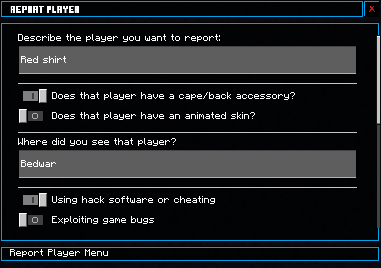
Fill in the report form
- Describe the player you want to report.
- Tick the boxes that match characteristic of the player.
- Choose the main color of the player.
- Type the location that you saw the player.
- Tick the boxes that match the rule(s) they broke.
- Enter a brief description in the box below (if applicable, other inappropriate behavior must be enabled).
- Choose the severity level using the slider (from 0 to 10).
4. Submit the form
Click “Submit Report” to send the report.
◆ Receive, view reports, time countdown, betakill and change timezone
Admins must have the tag 'admin' to receive reports.
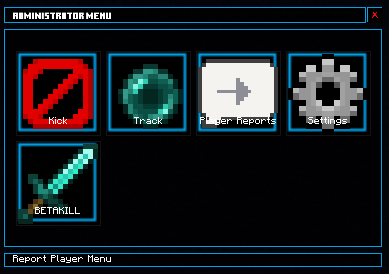
Enter the command in the chat box to activate the command to open the admin menu.
Type this command:
/admin or /ft:adminSelect the 'Player Reports' button to view the report.
The system will save player names every 1 minutes; if you restart the server or uninstall the add-on before auto-save, the saved names will be lost.
◆ Report Receive
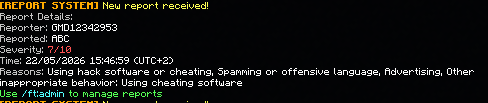
When a new report is received, the system will automatically send a message to the Admin.
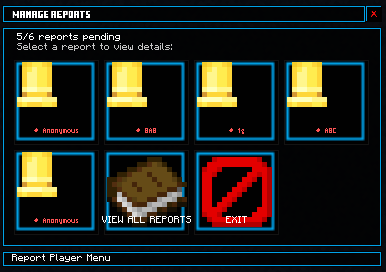
◆ Report Processing
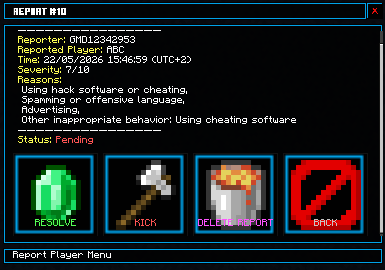
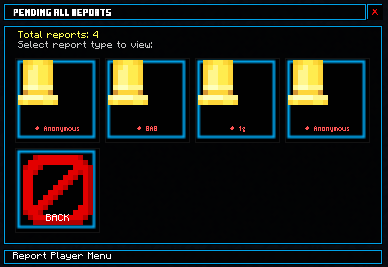
- Click the button containing the name of the person being reported (or anonymously).
- Here, you can view the details of the report and how to process it:
- resolved
- kick
- delete report
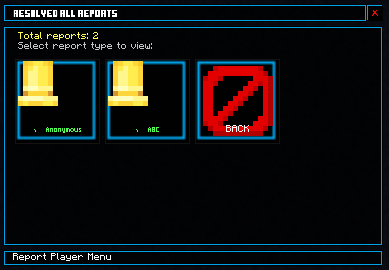
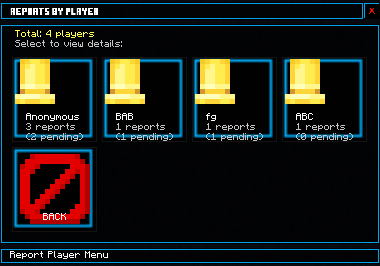
◆ View all reports
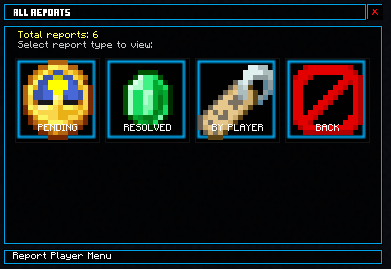
- Click the "view all reports" button.
- Here you can see:
- The report has not been processed.
- The report has been processed.
- Reports based on reported players
◆ Time Countdown
A countdown is underway to prevent players from spamming reports.

◆ Betakill
Select the player name in the box. It can kill the player when in creative mode 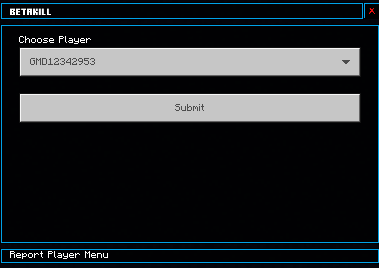
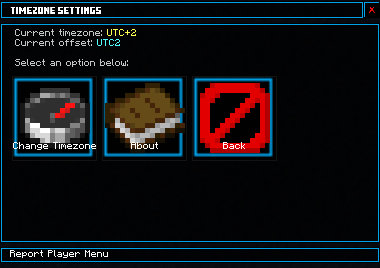
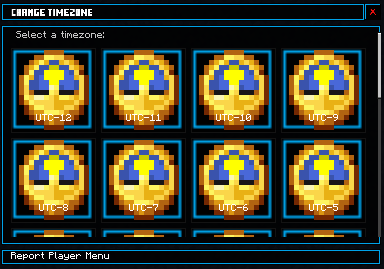
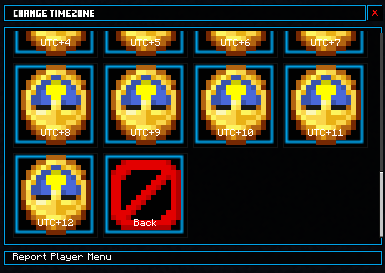
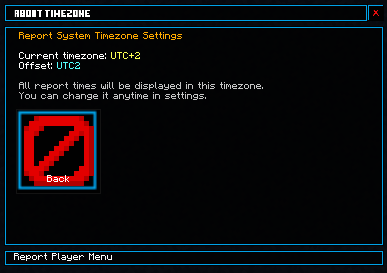
◆ Change Timezone
- Click the "setting" button.
- Here you can see:
- Change Timezone button (The selected UTC will be saved to the system.).
- About.
◆ Delete report history
!!!ADMIN TAG ONLY!!!
Enter the command in the chat box to activate the command to delete report history.
Type this command: /report_reset or /ft:report_reset
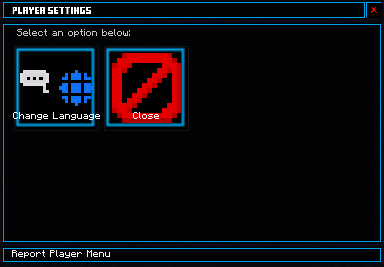
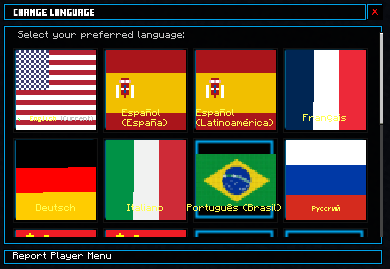
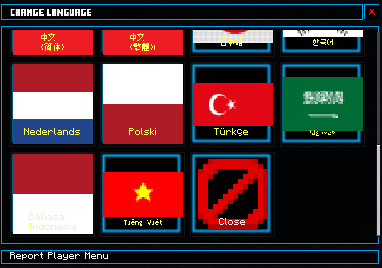
◆ Change Language
- Type
/languageor/ft:languageto open the language change menu.
◆ Contact us
Our email: fast-corporation@hotmail.com
Our Discord:
• GMD12342953 (Owner, Pack Developer)
(ID: 1371830479824621568)
• Huyfast (Contributor, Pack Developer)
(ID: 1838006641688648)
◆ !!!NOTE!!!
- TURN ON ALL OF THE EXPERIMENT FEATURE IN THE WORLD'S MENU
- Make sure that both the RP and BP files are activated!
- The language is translated by Google Translate so there may be errors!
- For the best experience and to avoid errors, you should download the latest version!
- If the Addon has an error, please leave a comment so I can fix it!
- The latest version of the addon is 26.11!
- If you don't want the new form interface, you can change it in the RP settings!



◆ Next update?
Leave a comment to give me more ideas =)
Player Report Menu Team