Particle no Effect
- By
Potion Particle Toggle — hide or show the floating circles from potion effects while keeping the effects fully active. Switch the menu between English and Russian anytime. Simple gear item, one-click toggle.
Potion Particle Toggle
Tired of the constant swirling colored particles that appear every time you drink a potion or receive a status effect? Want to keep the full power of Speed, Jump Boost, Strength, Invisibility, Regeneration, Night Vision and every other effect — but without the visual clutter of floating circles and bubbles around your character? Potion Particle Toggle is the simple, clean addon made exactly for that.
This addon lets you turn the visual particles of potion and status effects on or off at any moment, while the effects themselves continue to work normally. You still get the speed boost, you still become invisible, you still regenerate health, you still have night vision. The only thing that changes is whether the little particle circles are shown around you.
What it does
When a status effect is active, Minecraft normally surrounds the player with colored particles. These particles can be distracting in PvP, on multiplayer servers, while recording, or when you simply prefer a cleaner look.
With Potion Particle Toggle you can hide those particles completely. The effect stays fully active — only the visual particles disappear. You can turn them back on whenever you want. The setting is personal: each player controls their own preference. When you hide the particles on yourself, other players also stop seeing them on your character.
How to use
Install the addon (both Behavior Pack and Resource Pack).
Enable both packs in your world settings.
Turn on the Beta APIs experiment.
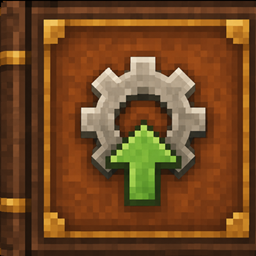
Join the world. You will automatically receive the Potion Particle Settings item (gear icon).
Use the gear (right-click on PC / interact button on mobile).
A simple menu opens where you can:
Switch potion effect particles ON or OFF
Change the language of the entire menu
When particles are set to OFF, the floating circles disappear. The effect icons remain in your HUD and the effects continue to function exactly as before. Set it back to ON and the particles return immediately.
The gear item is given automatically when you first join a world with the addon. If you lose it, just rejoin the world.
Language support
The addon fully supports two languages:
English
Русский (Russian)
You can switch between English and Russian at any time directly from the gear menu. All menu titles, button texts and messages will change to the language you choose. Your language preference is saved, so you don’t have to switch it again every time you join.
Features
Instant toggle for potion / status effect particles
Effects themselves are never removed or weakened
Works with all standard status effects
Personal setting for each player
Automatic item on first join
Clean and simple one-item interface
Full support for English and Russian
Language can be changed at any moment from the same menu
Lightweight and focused
Installation
Download the .mcaddon file.
Open it so Minecraft imports both packs.
In your world settings activate both the Behavior Pack and the Resource Pack.
Enable the Beta APIs experiment.
Enter the world — the gear item will appear in your inventory.
Particle no Effect Team