promotional bannermobile promotional banner

OreFlow Utilities

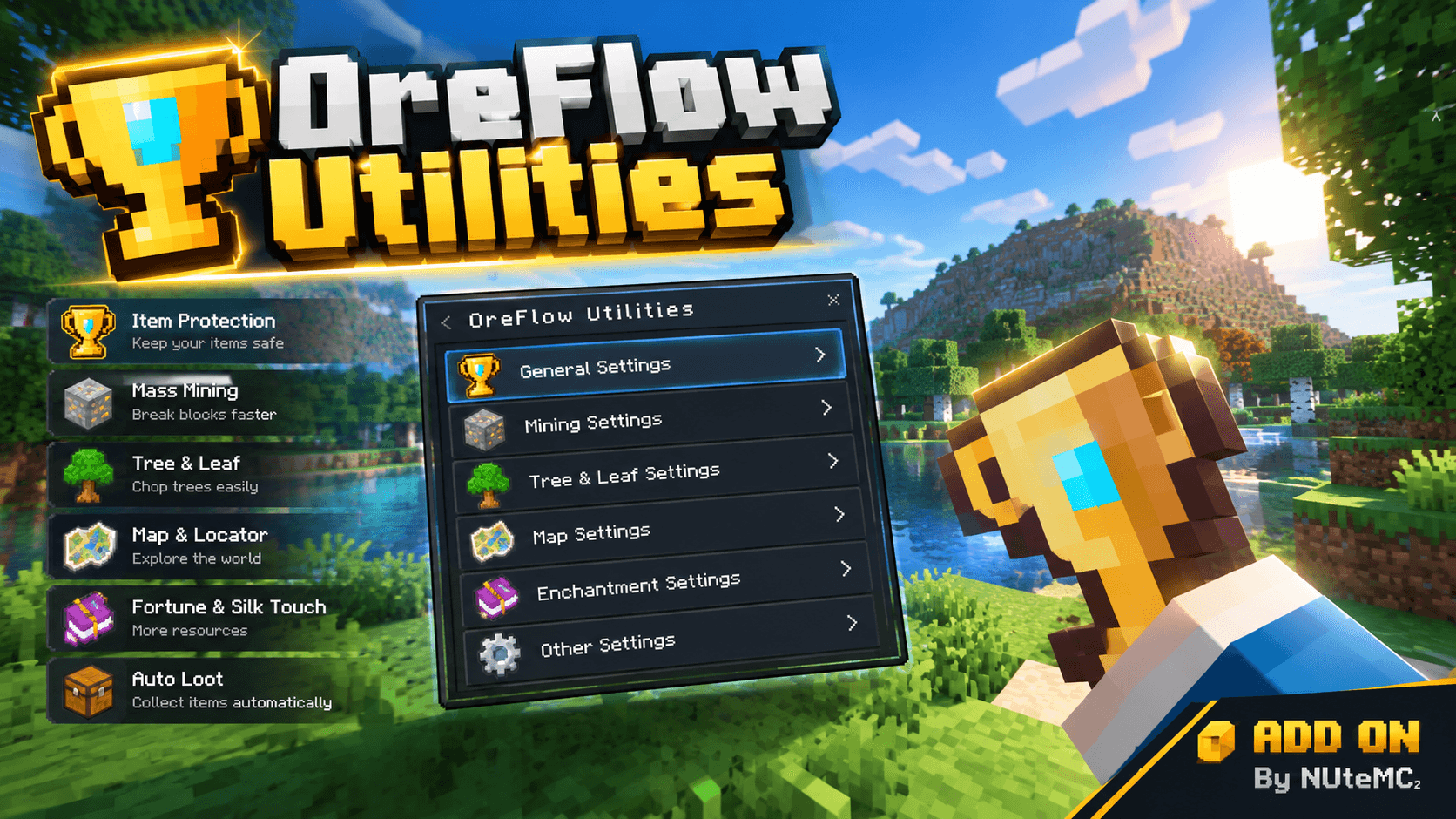
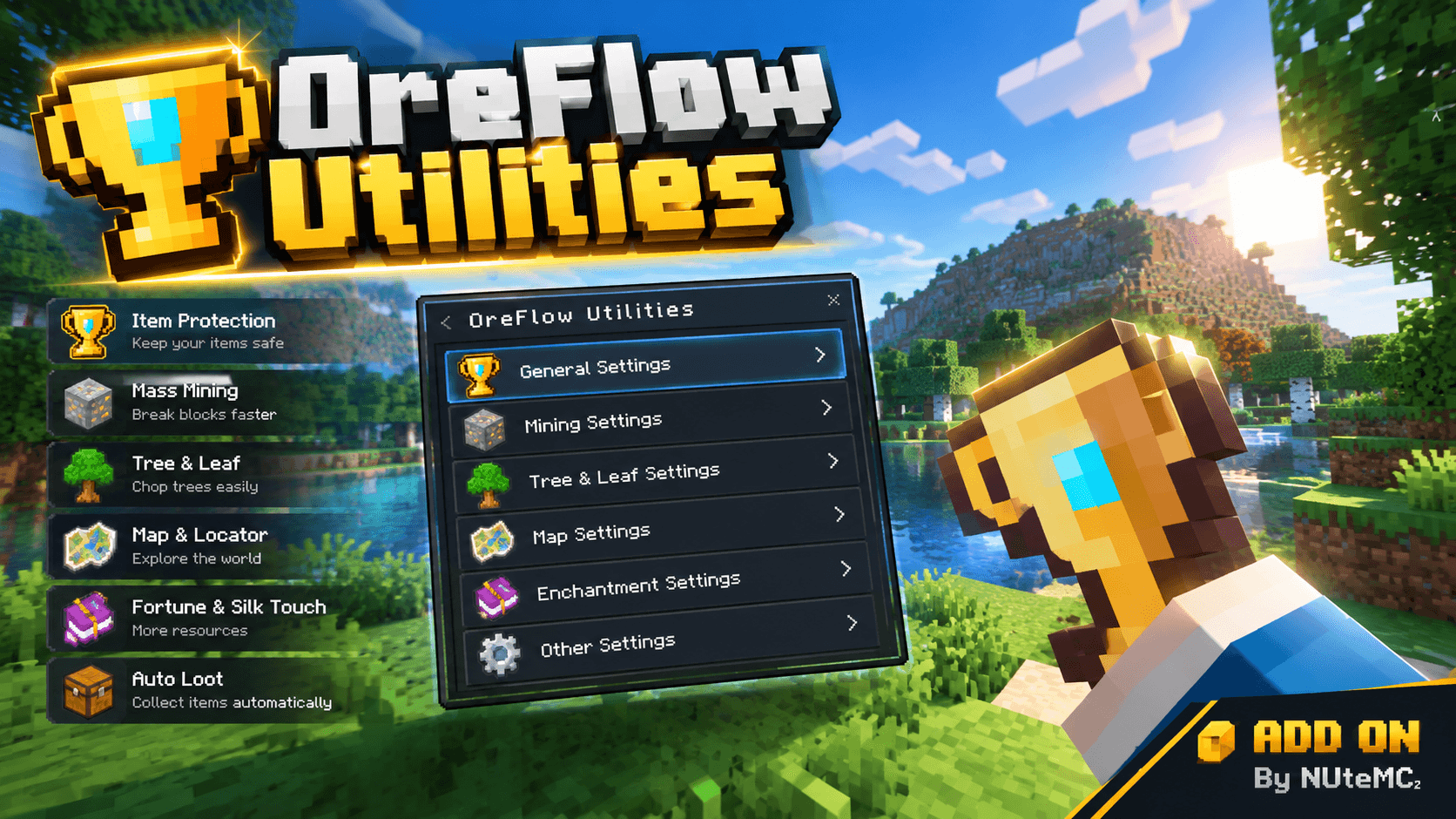
OreFlow Utilities enhances Minecraft: Bedrock Edition with practical mining utilities designed to make resource gathering more convenient and efficient.
file_00000000b0388211b4fe8171759ee565.png
file_00000000b0388211b4fe8171759ee565.png

MCPEDL

MCPEDL

Description

OreFlow Utilities is a feature-rich utility add-on for Minecraft: Bedrock Edition, designed to make mining, tree harvesting, resource collection, and everyday survival gameplay more convenient and efficient. With configurable mining modes, customizable block outlines, durability protection, automatic item pickup, and a built-in settings interface, OreFlow gives players greater control over how they gather resources and interact with the world. ⛏️ Core Features
  1. Smart Vein Mining Mine connected blocks belonging to the same block family with a single mining action. Collect connected ores and other supported block types more efficiently. Configure mining limits to control how many blocks can be processed in one operation. Use automatic ore-mining and wood-cutting modes, or select a mode manually. Preview the affected mining area before breaking blocks.
  2. Multiple Mining Modes
Choose from a variety of mining and area-breaking modes: Vein Mining: Break connected blocks of the same supported type. Same-Type Block Mining: Break connected blocks matching the block you target. Tree Chopping: Harvest supported tree trunks and optionally include their natural leaves. Tunnel Mining: Mine tunnels with configurable width, height, and depth. Custom Shapes: Use circular, square, diamond, triangular, spherical, and cubic mining patterns. Staircase Mining: Create ascending or descending paths while mining. Bulk Block Breaking: Break connected blocks within configured safety limits. Available tunnel presets include multiple rectangular cross-sections, 3×3 and 5×5 cubes, and other predefined shapes. Custom geometric sizes can also be configured where supported. 3. Tree Chopping Harvest connected tree logs in a single operation. Configure the maximum tree height. Choose between trunk-only harvesting and harvesting that includes supported natural leaves. Optionally require the tree to have natural leaves before allowing tree harvesting. Preview the selected tree area before the operation begins. 4. Customizable Block Outline See the blocks that will be affected before activating a mining operation. Choose solid-line or dotted outlines. Customize outline thickness, from very thin to very thick. Select built-in colors, including neon, white, cyan, green, yellow, orange, red, pink, purple, and blue. Use rainbow colors or configure a custom RGB color. Adjust rainbow animation settings where supported. Enable optional glow effects. Choose when the preview appears, including while sneaking or whenever the preview conditions are satisfied. The preview is designed to match the selected mining mode and the blocks that can actually be processed. 5. Durability Protection OreFlow includes safeguards designed to reduce the risk of breaking tools during large mining operations. Check available tool durability before processing a group of blocks. Reserve durability so a tool can retain some remaining uses. Choose how the add-on responds when the planned operation exceeds the available durability. Limit the operation to the number of blocks the tool can safely process, cancel it, or request confirmation when supported. Configure durability consumption behavior for supported bulk-breaking operations. Respect applicable tool and block-harvesting requirements. Important: Actual durability behavior depends on the selected settings, tool enchantments, block type, and Minecraft mechanics. 6. Automatic Item Pickup Automatically collect newly dropped items from supported block-breaking operations. Collect eligible new item drops after defeating entities when automatic pickup is enabled. Transfer collected items into the player's inventory when space is available. Use delayed collection checks to accommodate drops that appear shortly after an operation. Preserve pre-existing nearby item drops where the add-on can identify them. If the inventory cannot hold everything, remaining items may stay in the world. 7. Automatic Grass Clearing Automatically remove supported surface grass and certain grass-like plants around the player. Activate the clearing behavior by sneaking when the feature is enabled. Configure the scan radius, with supported settings ranging from 4 to 64 blocks. Prioritize nearby columns during scanning. Handle the paired upper and lower blocks of supported tall grass to avoid leaving a floating half behind. Avoid intentionally clearing ordinary grass blocks, seagrass, unrelated crops, and flowers. The feature is designed to operate in supported survival gameplay and skips creative and spectator modes. 8. Ground Item Cleanup Use the built-in cleanup function to remove eligible dropped items around the player. Configure the cleanup radius within the supported limits. Remove eligible item entities in the selected area. Optionally include experience orbs. Receive feedback about the cleanup results. The actual cleanup area is subject to the add-on's safety limits and permission checks. 9. Night Vision Enable or disable Night Vision from the settings interface. Automatically refresh the effect while the feature remains enabled. Suppress Night Vision particles when the effect is applied by OreFlow. Restore the effect after respawning when the feature is still enabled. Avoid unnecessarily removing longer-lasting Night Vision effects supplied by other sources. Night Vision is an optional convenience feature and does not replace in-game lighting or eliminate every visual limitation. 10. Built-In Map Utilities OreFlow includes map-related utilities for supported vanilla Minecraft maps. Display map-related information when holding a supported map. Show coordinates and directional information. Provide a compass-style direction indicator. Display an in-game clock when enabled. Automatically refresh an OreFlow-managed map when moving beyond its covered region. Support maps held in the main hand or offhand. Retain an optional legacy grid-style information display. Map refreshing is designed to operate on maps managed by OreFlow. Renamed maps are protected from automatic replacement. 11. OreFlow Trophy The add-on includes a custom OreFlow Trophy item. Obtain the trophy through the built-in interface. Enable automatic trophy protection. Keep a protected trophy through death when the protection feature is enabled. Lock protected trophies in the inventory to prevent accidental removal or storage. Automatically restore a missing trophy when the protection feature is enabled. Disable protection when ordinary item behavior is preferred. 12. In-Game Settings Interface Configure the add-on through its built-in interface rather than needing to edit configuration files manually. The interface provides access to supported options such as: Enable or disable OreFlow. Select mining modes. Configure mining limits and tunnel dimensions. Adjust tool durability protection. Toggle automatic item pickup and Night Vision. Customize block outlines and visual effects. Configure supported tree-harvesting and mining behaviors. Change the interface language. Clean up eligible dropped items. Access information and diagnostic options. Most supported switches apply immediately after selection. Numeric and slider-based settings use dedicated configuration forms. 13. Multilingual Interface OreFlow includes language options for: Vietnamese English Indonesian Spanish Simplified Chinese Thai French Portuguese Language availability and translated coverage depend on the included localization files. 14. Safety and Performance Considerations OreFlow uses bounded mining operations, block-count limits, durability checks, and scheduled processing to help control large operations. Additional safeguards include: Limits on the number of blocks processed in one operation. Checks before breaking blocks. Tool-durability checks and optional durability reserves. Protection for supported blocks and restricted targets. Incremental processing for selected background tasks. Error handling intended to prevent one failed subsystem from stopping all other initialized features. Performance varies depending on device hardware, world complexity, add-ons, and the selected settings. This add-on does not guarantee a specific FPS increase or eliminate all lag. 📱 Compatibility Game: Minecraft: Bedrock Edition Add-on format: .mcaddon Package: Behavior Pack and Resource Pack Target platform: Compatible Bedrock devices, subject to Minecraft version and feature support Minimum game engine version declared in this V8.0 package: 1.26.50 Please verify your Minecraft version before installation. Compatibility with earlier game versions is not guaranteed. 📦 Installation Download the OreFlow Utilities .mcaddon file. Open the file with Minecraft: Bedrock Edition. Wait for Minecraft to import the included packs. Create a new world or open the settings of a suitable existing world. Activate the OreFlow Utilities Behavior Pack and its corresponding Resource Pack if required. Enable the required experimental or scripting options if your Minecraft version requests them. Enter the world and open the add-on's in-game interface. Configure the desired mining mode, safety limits, and optional utilities. Always make a backup before testing an add-on in an important existing world. 🛠️ Troubleshooting If OreFlow does not work as expected: Confirm that your Minecraft version satisfies the package's minimum engine version. Make sure the required packs are activated. Check that the Behavior Pack and Resource Pack are imported correctly. Review the selected mining mode, tool requirements, and safety settings. Disable conflicting add-ons temporarily when diagnosing a problem. Report reproducible bugs with your game version, device information, selected settings, and steps to reproduce the issue. 📜 Credits and Usage OreFlow Utilities V8.0 Author: Nute MC² Please respect the permissions and license included with the original package. Do not redistribute, repackage, or publish modified versions without the required authorization. Thank you for using OreFlow Utilities. Enjoy a more convenient and configurable mining experience in Minecraft: Bedrock Edition!

OreFlow Utilities Team

profile avatar
Owner
  • 6
    Projects
  • 5.1K
    Downloads

More from Nutemc2View all

  • NUTE CLIENT v3.1 project image

    NUTE CLIENT v3.1

    A powerful optimization client for Minecraft Bedrock that improves UI/HUD layout, reduces lag, and enhances overall game performance.

    • 3.1K
    • October 3, 2026
  • RandomChaos: Unleashed project image

    RandomChaos: Unleashed

    RandomChaos: Unleashed adds 100+ random events, mobs, items, effects, rewards and chaos. Every 100 seconds, 1–4 events trigger randomly. Multiplayer, anti-lag and performance optimized. V4.4 Major Update by Nute MC².

    • 627
    • September 27, 2026
  • Random Block Walk project image

    Random Block Walk

    A Minecraft Bedrock addon that generates a random block under you every time you walk.

    • 95
    • August 3, 2026
  • Project Chaos Sudden Hazard  V4 project image

    Project Chaos Sudden Hazard V4

    Survival just got chaotic! Every 4 minutes, face up to 4 overlapping, unpredictable disasters. Features day-based evolving mobs, tactical traps like stone cages and anvil rain, dynamic "VIP vs Trash" item drops, and full lag-free optimization.

    • 197
    • June 25, 2026
  • NUTE CLIENT v3.1 project image

    NUTE CLIENT v3.1

    A powerful optimization client for Minecraft Bedrock that improves UI/HUD layout, reduces lag, and enhances overall game performance.

    • 3.1K
    • October 3, 2026
  • RandomChaos: Unleashed project image

    RandomChaos: Unleashed

    RandomChaos: Unleashed adds 100+ random events, mobs, items, effects, rewards and chaos. Every 100 seconds, 1–4 events trigger randomly. Multiplayer, anti-lag and performance optimized. V4.4 Major Update by Nute MC².

    • 627
    • September 27, 2026
  • Random Block Walk project image

    Random Block Walk

    A Minecraft Bedrock addon that generates a random block under you every time you walk.

    • 95
    • August 3, 2026
  • Project Chaos Sudden Hazard  V4 project image

    Project Chaos Sudden Hazard V4

    Survival just got chaotic! Every 4 minutes, face up to 4 overlapping, unpredictable disasters. Features day-based evolving mobs, tactical traps like stone cages and anvil rain, dynamic "VIP vs Trash" item drops, and full lag-free optimization.

    • 197
    • June 25, 2026