Ore Locator

Scans nearby blocks and shows the closest ores on your screen. Choose which ores to track, set your radius, and find diamonds, ancient debris, and more instantly.
Preview 1

Preview 1

Preview 2

Preview 2

item image

Description

Ore Locator — Minecraft Bedrock Addon

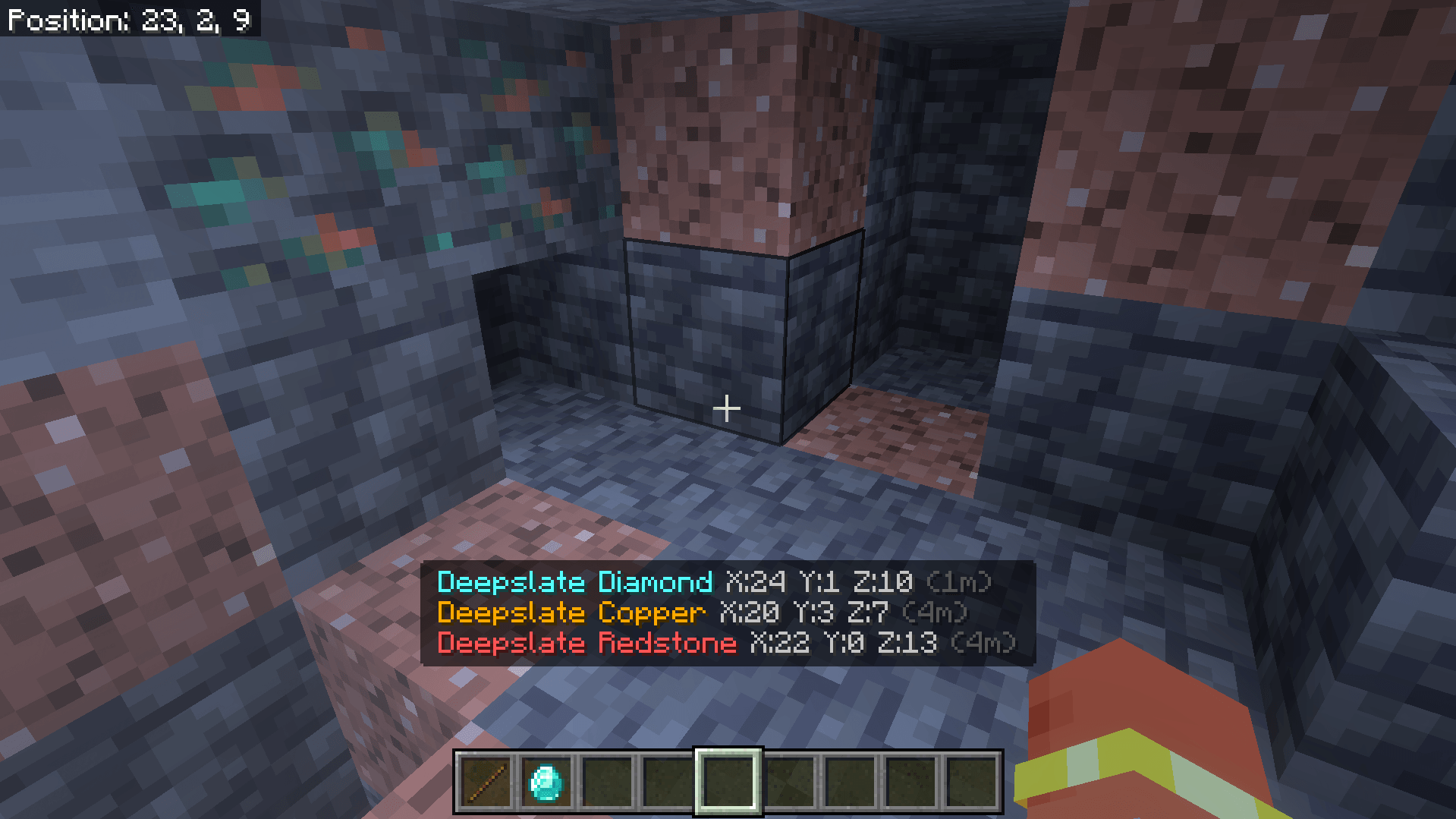
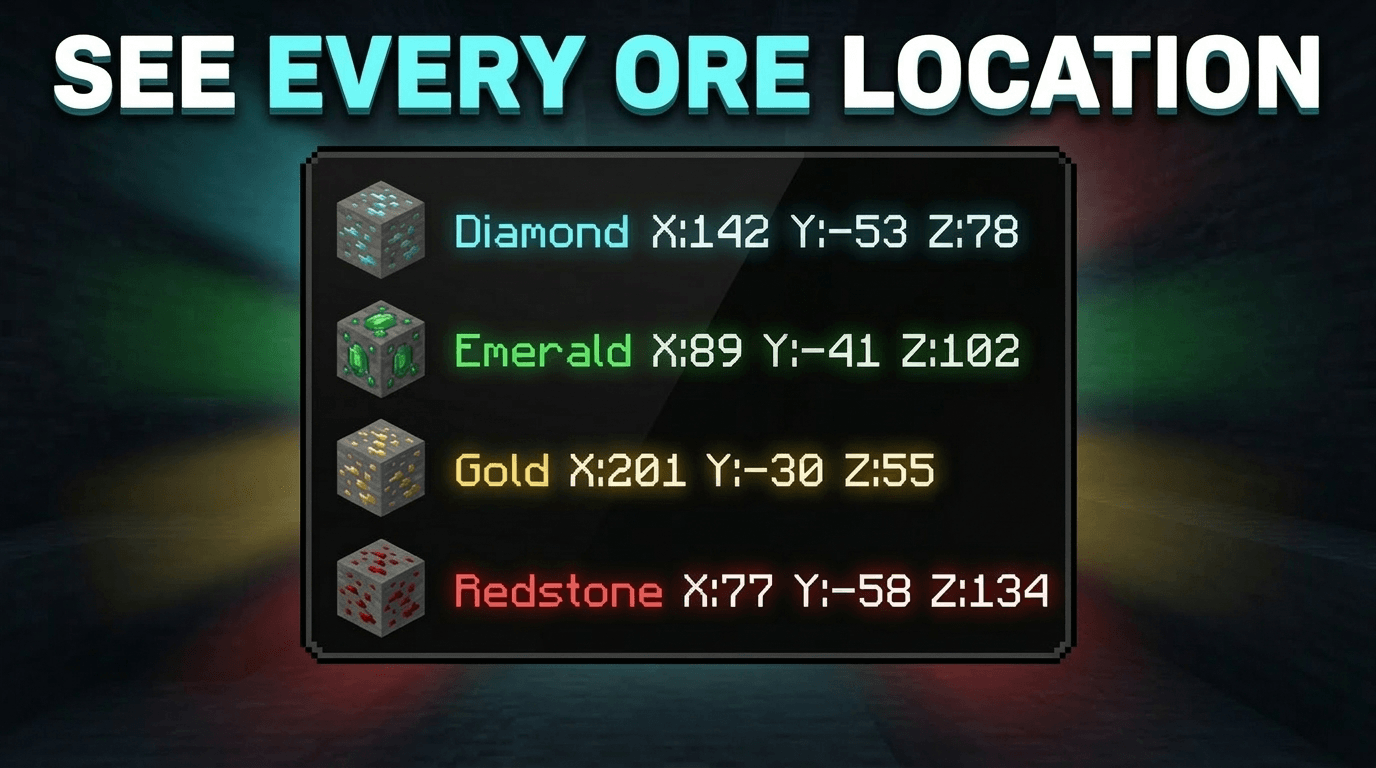
Ore Locator scans the blocks around you and shows the coordinates of the closest ores directly on your screen — no commands, no menus, no effort. Just load the pack and the nearest ores appear on your HUD automatically.

No experimental features required.Achievement friendly.


What It Does

As soon as you load into a world with this pack applied, Ore Locator starts scanning nearby blocks and displays the 3 closest ores on your screen in real time. Each ore type shows its exact X Y Z coordinates and how far away it is. The display updates continuously as you move.

If there are no ores nearby, it tells you that too — so you always know what is around you underground.


Supported Ores

  • Diamond & Deepslate Diamond
  • Emerald & Deepslate Emerald
  • Ancient Debris
  • Gold & Deepslate Gold
  • Iron & Deepslate Iron
  • Coal & Deepslate Coal
  • Copper & Deepslate Copper
  • Lapis & Deepslate Lapis
  • Redstone & Deepslate Redstone
  • Nether Gold
  • Nether Quartz

How To Use

  • Step 1: Apply the behavior pack to your world.
  • Step 2: Load into the world — Ore Locator starts automatically. No setup needed.
  • Step 3: Look at the bottom of your screen to see the 3 closest ores with their coordinates.
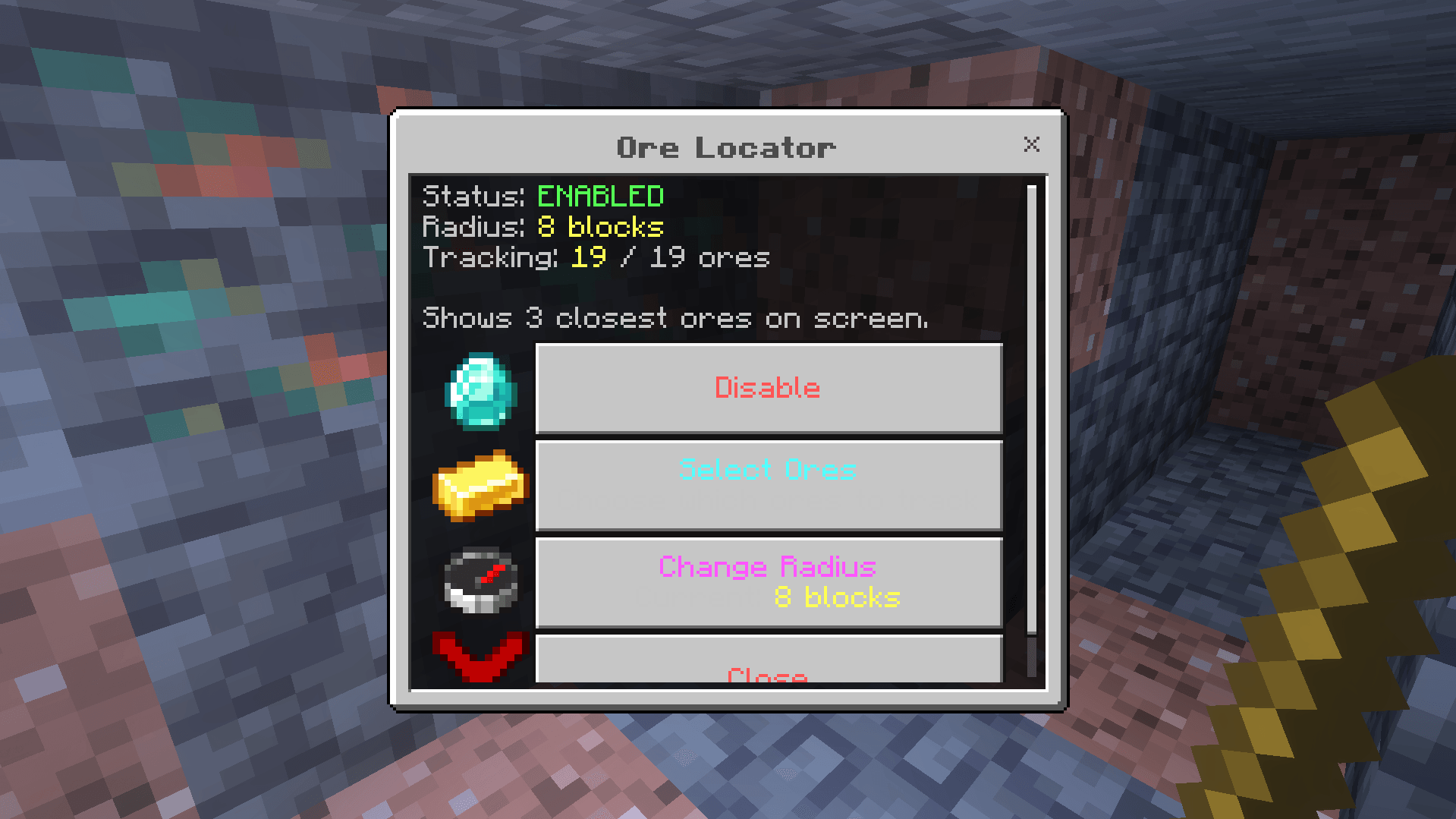
  • Step 4: To open the settings menu, hold any ore item or a Stick and use it (right click on PC, long press on mobile).

Settings Menu

Hold any ore item or a Stick and use it to open the settings menu. From there you can:

  • Enable or Disable the ore display at any time
  • Select which ores to track — turn off ores you do not care about like Coal or Iron
  • Change the scan radius — 8, 16, or 32 blocks

Your settings are saved automatically and restored every time you rejoin the world.


The Ore Locator Team

High Crafter tier frameprofile avatar
  • 414
    Followers
  • 123
    Projects
  • 7.7M
    Downloads

🗳️ Vote for History In Motion in the ModJam Community Vote! ❤️ Every vote helps us win! 🥳 Vote here: https://overwolfdevs.typeform.com/to/Wuuqwf3U

More from VoxenMC2View all

  • Glowing Ores project image

    Glowing Ores

    Glowing Ores is a texture pack that makes all ores emit a gentle glow, making them easier to find while mining. It enhances visibility in caves while keeping the original Minecraft style.

    • 1.0M
    • September 9, 2026
  • Advance Vein Miner project image

    Advance Vein Miner

    Mine entire ore veins with one block break — up to 256 blocks at once. Fortune and Unbreaking supported, Auto Collect toggle, per-pickaxe tier control. No cheats needed. Achievement friendly.

    • 91.7K
    • September 9, 2026
  • Game Mode Switcher project image

    Game Mode Switcher

    Switch between Survival, Creative, Adventure and Spectator instantly no cheats needed! Use the in-game menu or commands. Change your own mode or another player's. Simple and clean!

    • 2.5K
    • September 9, 2026
  • Offhand Torch - Achievement Friendly project image

    Offhand Torch - Achievement Friendly

    Offhand Torch lets you equip torches, lanterns, and light sources in your offhand slot with a simple right click or screen hold. Dynamic lighting, main hand stays free. Built for Bedrock limitations.

    • 149.8K
    • September 9, 2026
  • Glowing Ores project image

    Glowing Ores

    Glowing Ores is a texture pack that makes all ores emit a gentle glow, making them easier to find while mining. It enhances visibility in caves while keeping the original Minecraft style.

    • 1.0M
    • September 9, 2026
  • Advance Vein Miner project image

    Advance Vein Miner

    Mine entire ore veins with one block break — up to 256 blocks at once. Fortune and Unbreaking supported, Auto Collect toggle, per-pickaxe tier control. No cheats needed. Achievement friendly.

    • 91.7K
    • September 9, 2026
  • Game Mode Switcher project image

    Game Mode Switcher

    Switch between Survival, Creative, Adventure and Spectator instantly no cheats needed! Use the in-game menu or commands. Change your own mode or another player's. Simple and clean!

    • 2.5K
    • September 9, 2026
  • Offhand Torch - Achievement Friendly project image

    Offhand Torch - Achievement Friendly

    Offhand Torch lets you equip torches, lanterns, and light sources in your offhand slot with a simple right click or screen hold. Dynamic lighting, main hand stays free. Built for Bedrock limitations.

    • 149.8K
    • September 9, 2026