01_your_builds_your_pack.png
03_explore.png
04_how_it_works.png
05_builds_included.png
06_hologram.jpg
Description
🏗️ OliMatica: build YOUR structures in Minecraft, block by block
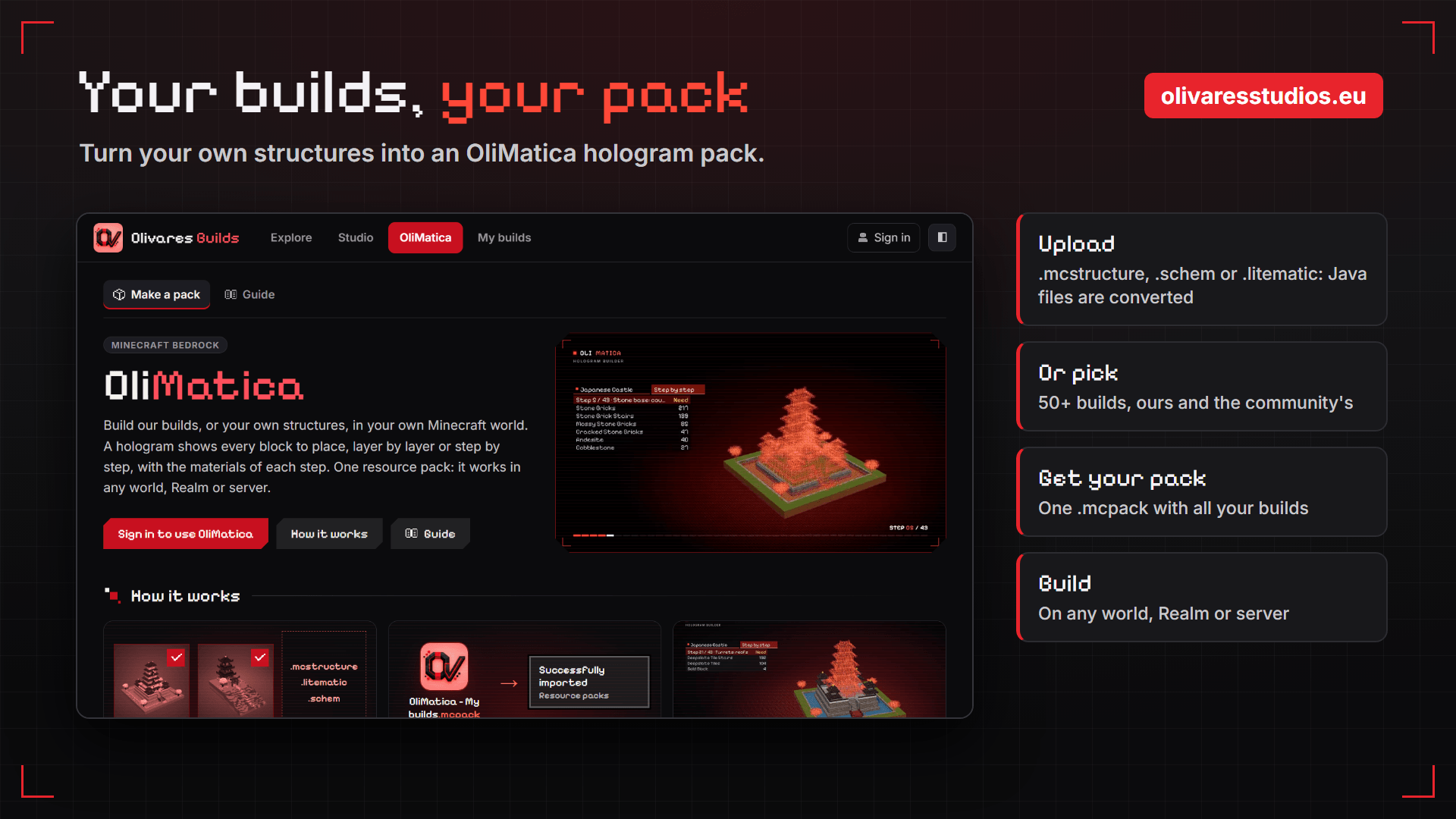
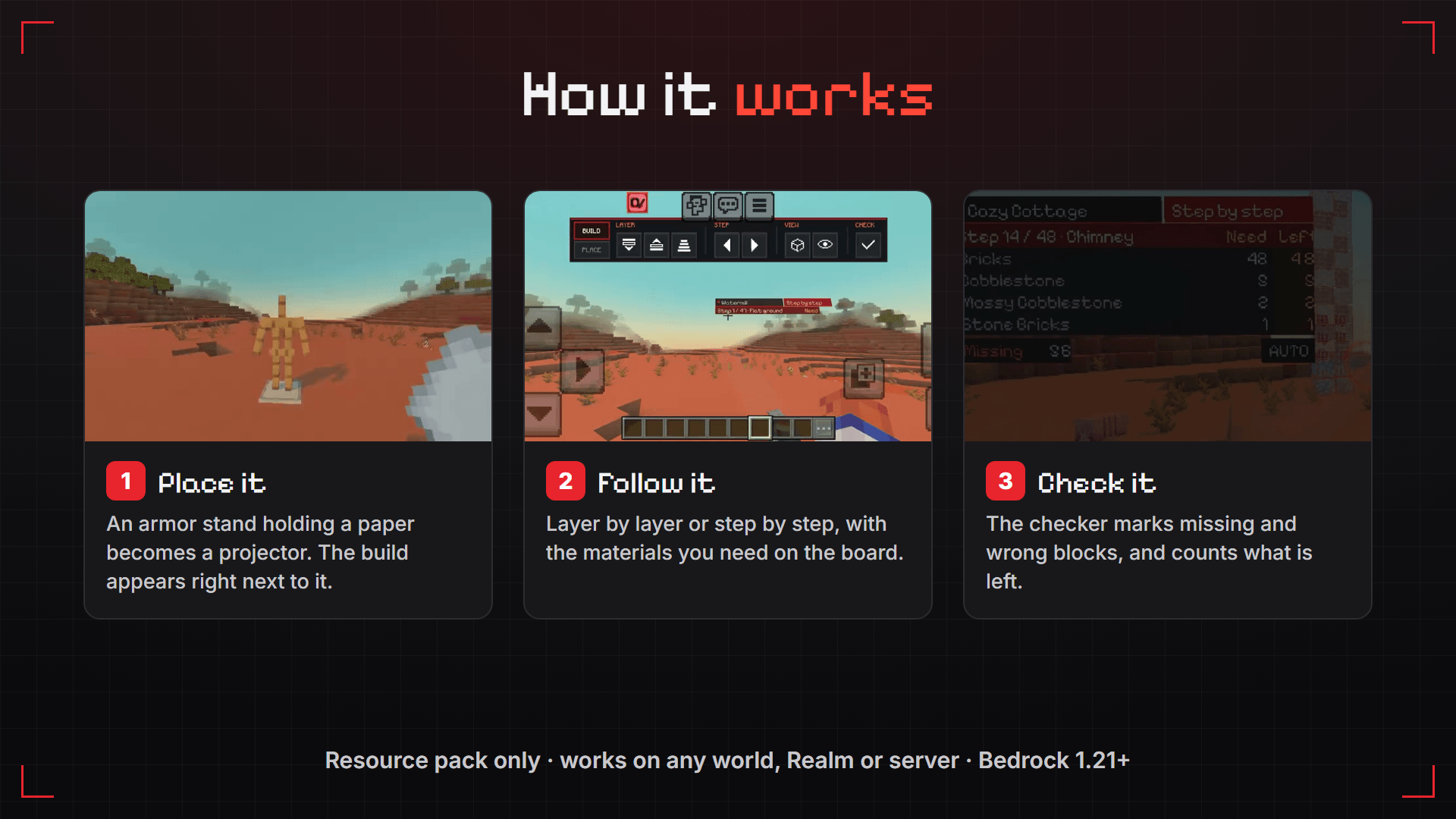
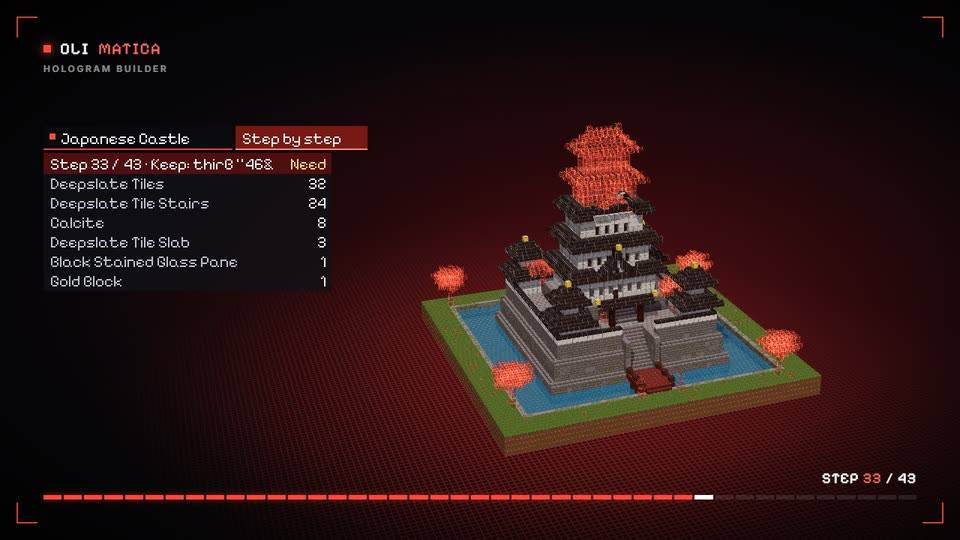
OliMatica turns any structure into a hologram in your Bedrock world. An armor stand becomes a projector, and you follow the build layer by layer or step by step, with the materials you need and a checker that shows what is missing.
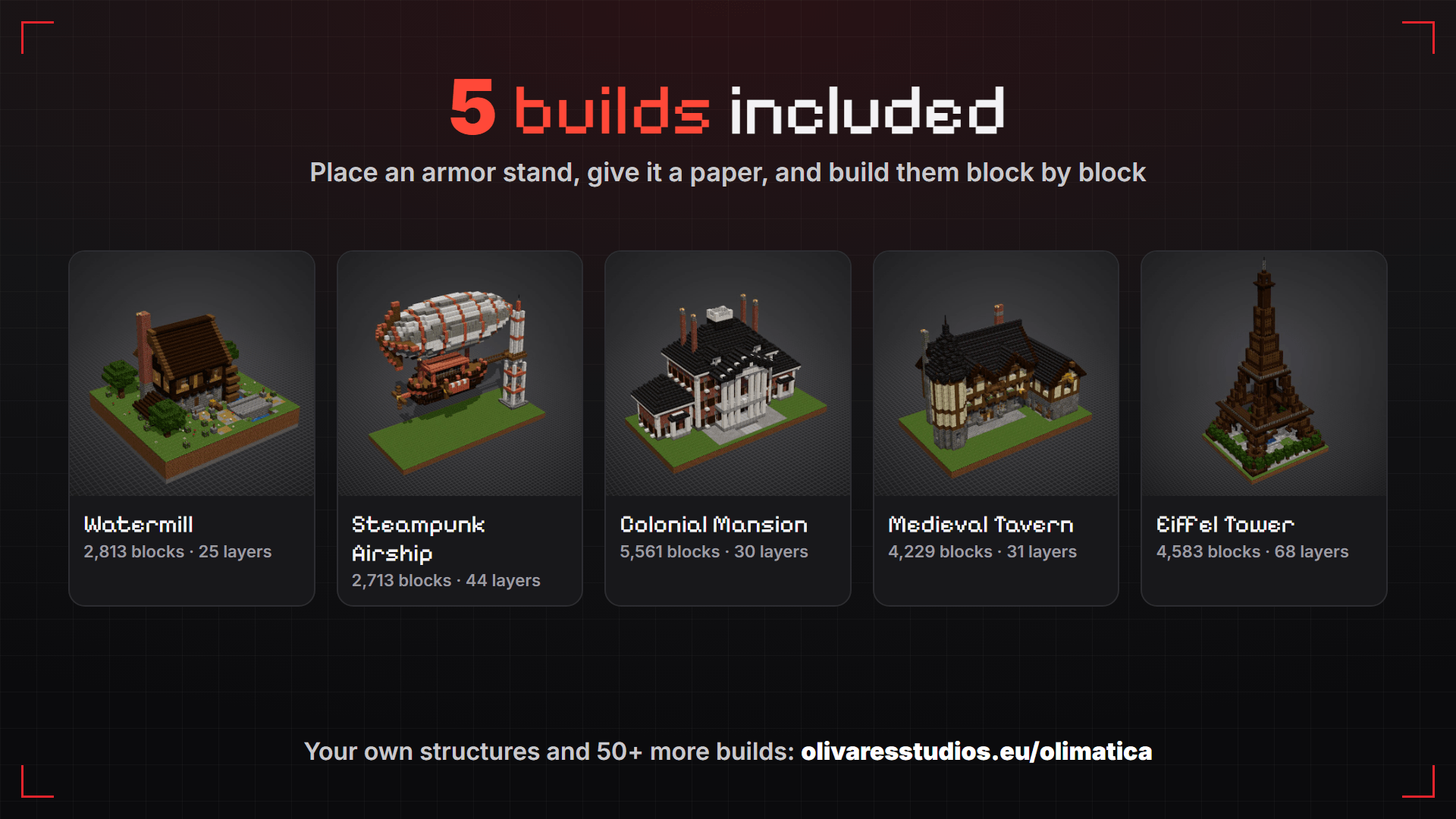
👉 This download is a template with 5 example builds, so you can try it right now. The real power is on the website: make a pack of your own builds, in a few clicks, at olivaresstudios.eu/olimatica.
🧱 Your own builds, as holograms
- Upload your structure:
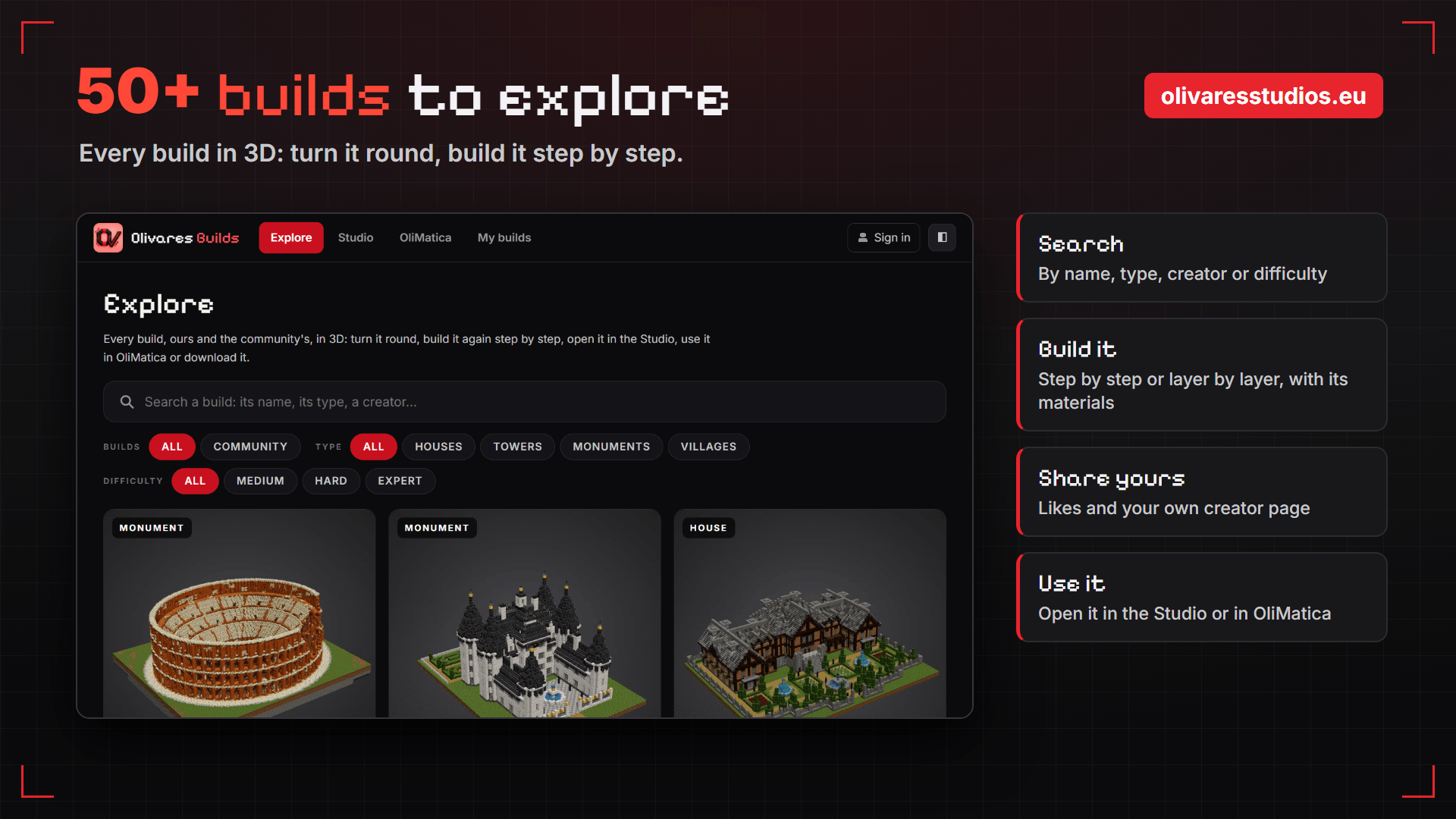
.mcstructure(Bedrock),.schemor.litematic(Java). Java files are converted for you. - Or pick from 50+ builds of ours and the community's: houses, castles, ships, landmarks...
- Get your pack as a
.mcpack, import it, place an armor stand, and build. - It is only a resource pack: it works on any world, Realm or server.
🛠️ The Studio: your builds in 3D, in your browser
Before building it in the game, open your structure in the Studio at olivaresstudios.eu/studio. No install, it runs in your browser:
- 👀 View it in 3D: cut view, layer by layer, cinematic camera, pictures and videos
- ✏️ Edit it in 3D: place and break blocks, also on phones
- 🎨 Reskin it: swap its palette in one click (oak to spruce, stone to deepslate...)
- 📏 Ruler: count the blocks between two points
- ✅ Build checks: floating blocks, falling sand and gravel, dark spots where mobs spawn, crops that won't grow, chests that won't open, ice that melts, Java ↔ Bedrock conflicts...
- 🔄 Bedrock and Java files: export your structure to
.mcstructure,.schemor.litematic - 💾 My space: keep your builds in your account, then send them to OliMatica in one click
🌍 The website
- Explore: 50+ builds to view in 3D, download and build step by step
- Share your builds with everyone, get likes, and have your own creator page
- Embed a build in 3D on your own website
🔗 olivaresstudios.eu/olimatica: free with an account.
▶️ Try this template
5 builds included: 🌊 Watermill · 🎈 Steampunk Airship · 🏛️ Colonial Mansion · 🍺 Medieval Tavern · 🗼 Eiffel Tower
- Import the
.mcpackand turn it on in your world's Resource Packs. - Place an armor stand and give it a paper: the build appears next to it.
- Use the custom UI for the next build and more. Or Sneak + use the armor stand for the next build, or name it with a name tag (for example Eiffel Tower).
- Open the OliMatica menu (the button next to the chat's settings): layers, steps, move, turn, mirror, opacity, checker.
📱 Touch screens: the OliMatica button at the top of the screen opens a quick bar. ⌨️ PC: the arrow keys go through the layers and steps.
ℹ️ Good to know
- Minecraft Bedrock 1.21 or newer.
- Very big builds can be heavy on low-end phones.
- Found a bug? Tell us in the comments or at olivaresstudios.eu/report.
Made by Olivares Studios.
OliMatica Team