OfflineProgress - Achievement Friendly
- By
OfflineProgress
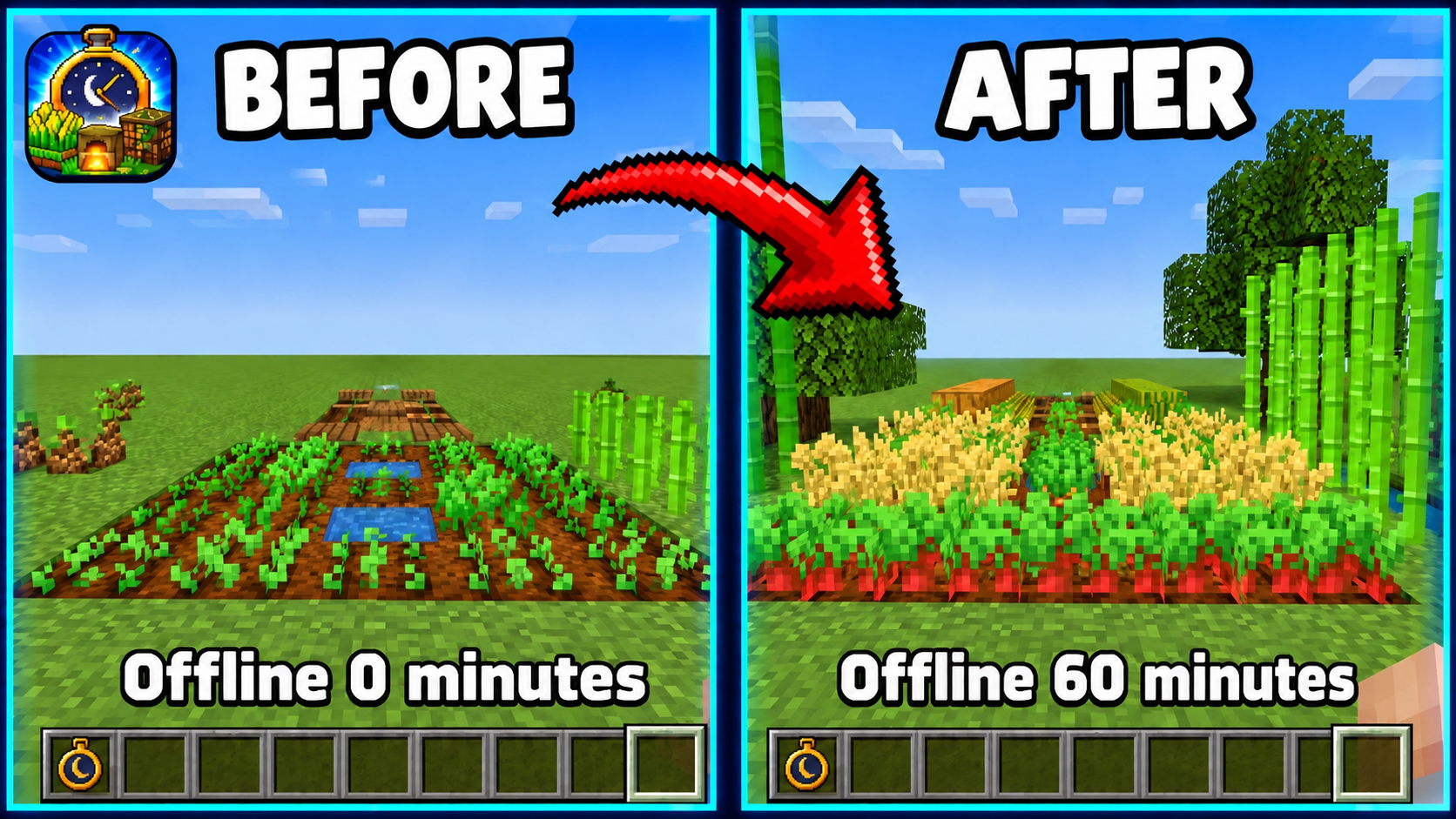
Your world never stops growing.
OfflineProgress is a Minecraft Bedrock add-on that keeps your world growing even when you're away. Your crops grow, trees develop, furnaces keep smelting, and more — so there's always something waiting when you return!
Plant, log off, and come back to see your world still growing!
Preview
OfflineProgress in action

Offline Watch settings menu
Hold the Offline Watch to open the settings menu. Browse every category: Machines, Crops, Trees, Animals & Villagers, Options, and Status.
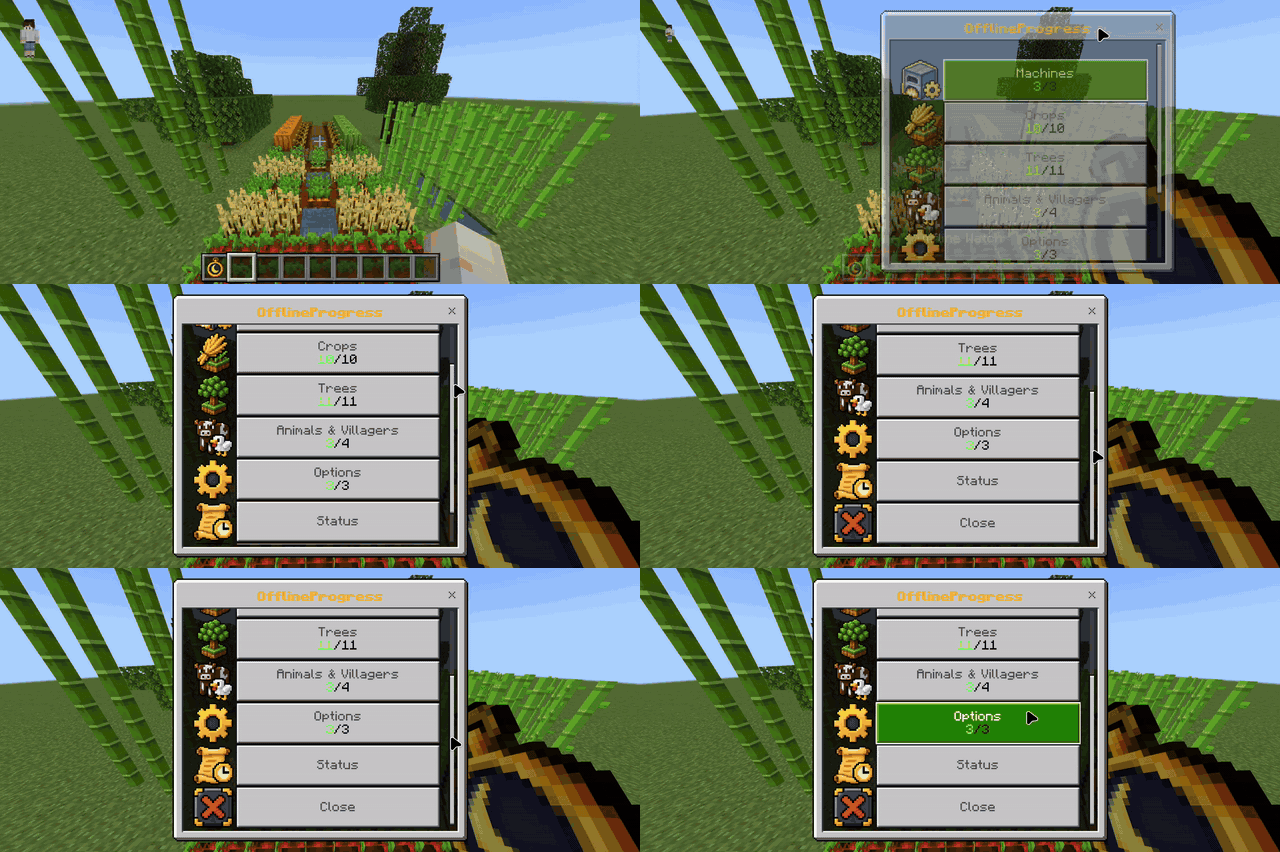
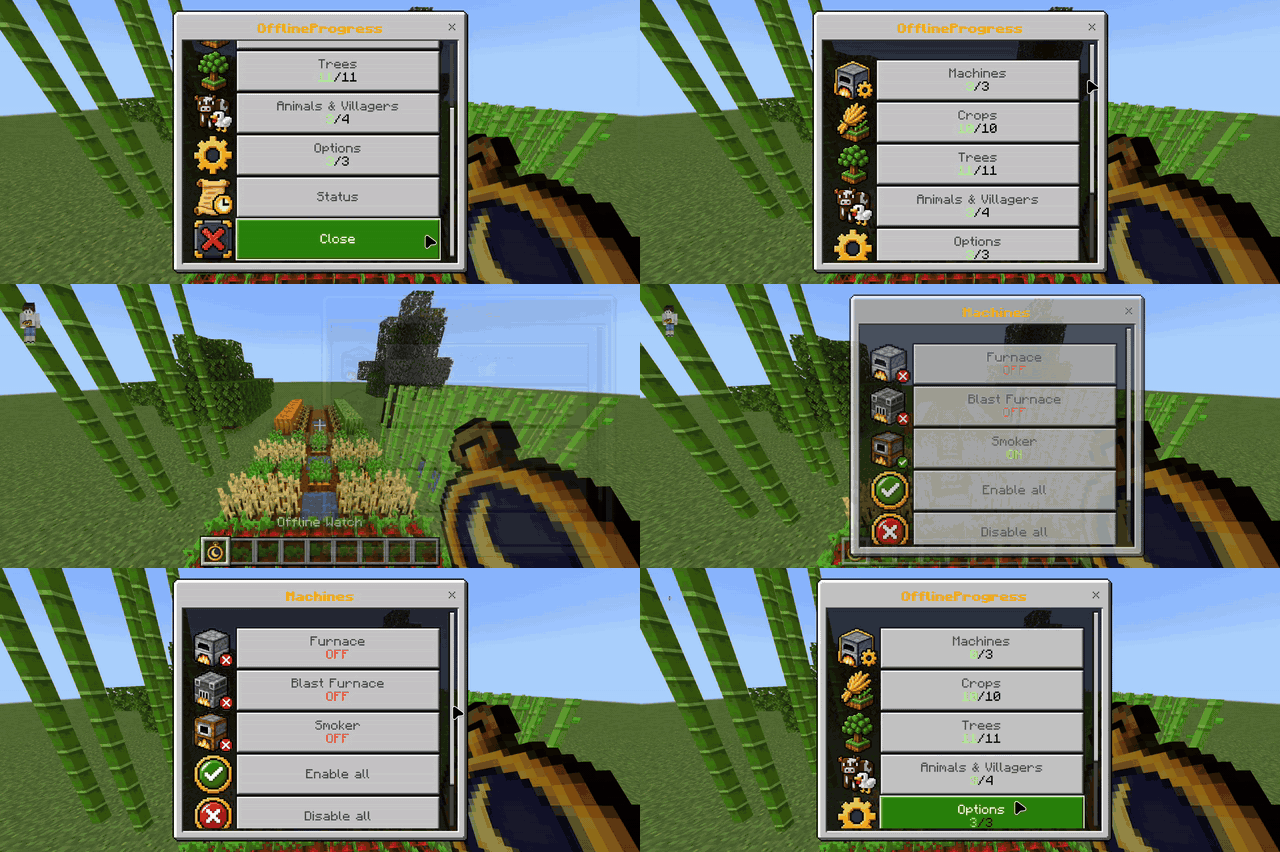
Full control over every feature
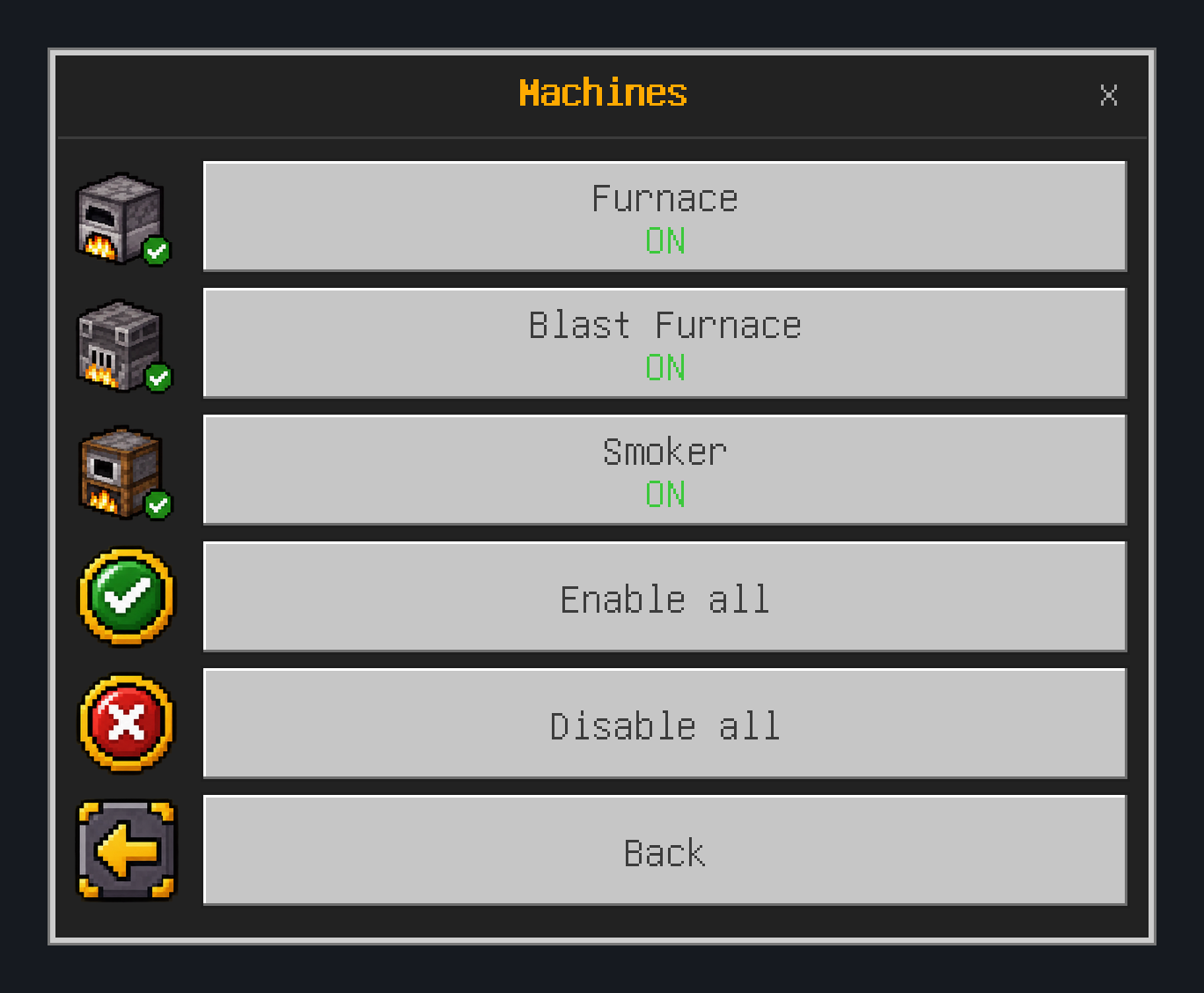
Every item can be turned ON or OFF individually, and the settings take effect right away. Prefer to change everything at once? Use Enable all or Disable all. Machines are shown here, and the same controls work for crops, trees, and animals.
Features
Crop & Plant Growth
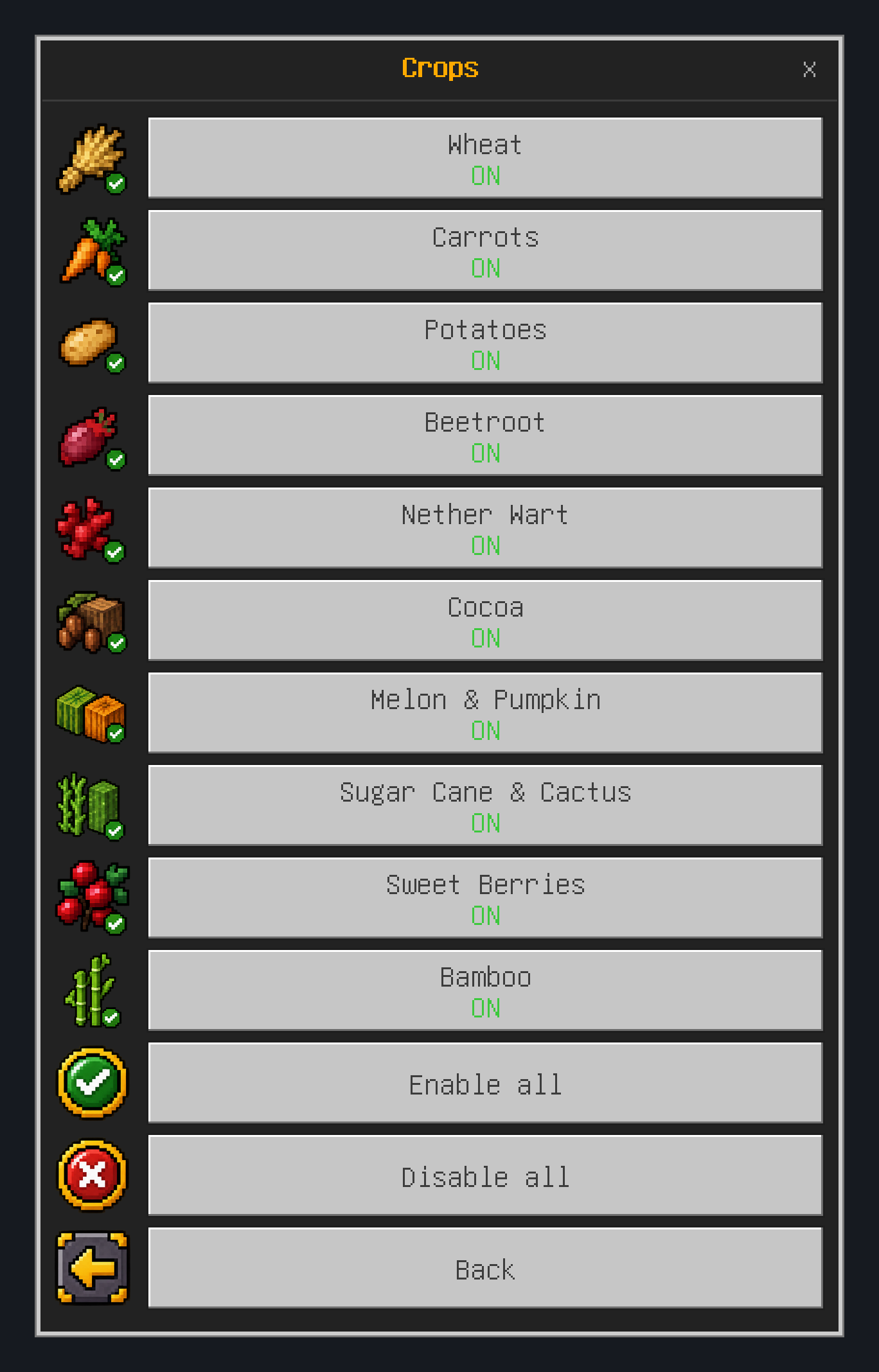
- Wheat, carrots, potatoes, and beetroot growth.
- Nether wart, cocoa, and sweet berry bush growth.
- Melon and pumpkin stem growth and fruit generation.
- Sugar cane, cactus, and bamboo growth.
Tree Growth
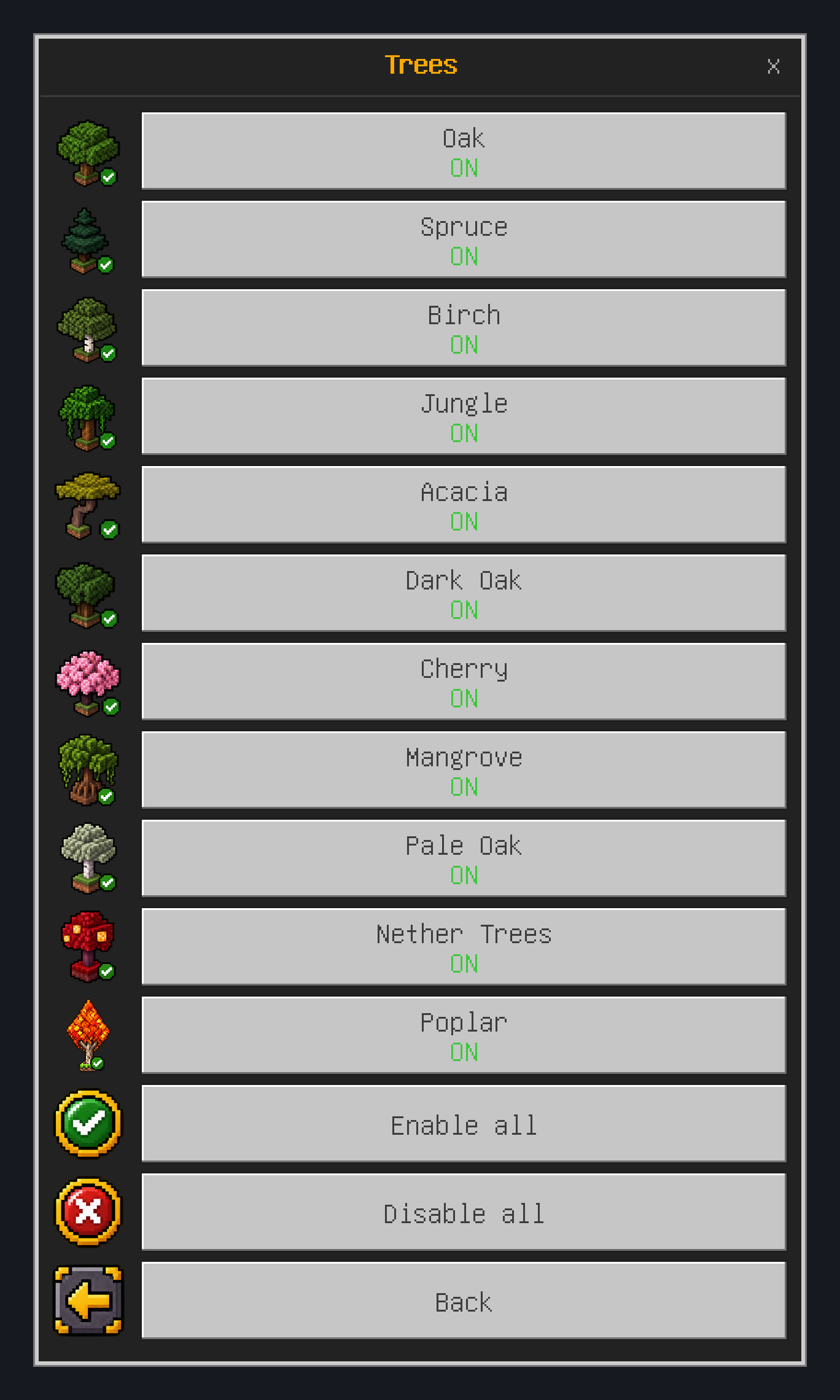
- Simulated growth for supported overworld saplings.
- Includes oak, spruce, birch, jungle, acacia, dark oak, cherry, mangrove, and pale oak.
- Supports crimson and warped fungus growth.
Furnace Simulation
- Supports regular furnaces, blast furnaces, and smokers.
- Simulates smelting using available ingredients and fuel.
- Handles supported recipes and output inventory.
Animal & Villager Simulation
- Baby animals can grow into adults.
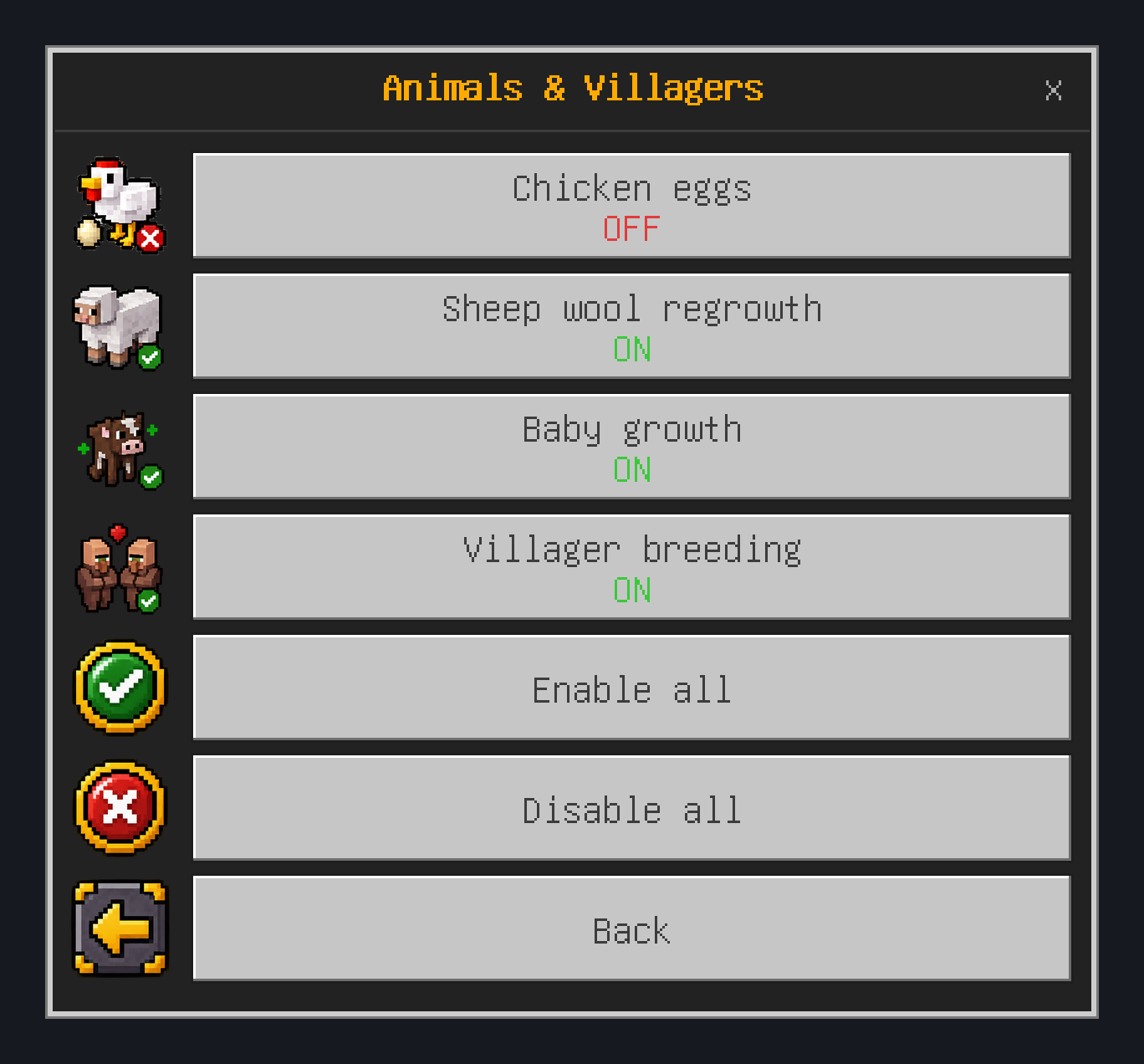
- Chickens can produce eggs (disabled by default, can be enabled in settings).
- Sheared sheep can regrow their wool.
- Villagers can breed when the required food and bed conditions are met.
Welcome-Back Summary
- Get a welcome-back message when you return.
- See a summary of everything that progressed while you were away.
Welcome Back Message

Summary Message

Realms & Multiplayer Support
Designed for shared Minecraft Bedrock worlds, OfflineProgress uses world-level data storage to manage tracked progress and settings. It is built to support multiplayer environments and Minecraft Realms, with shared configuration and progress data.
Offline Watch
Offline Watch Item

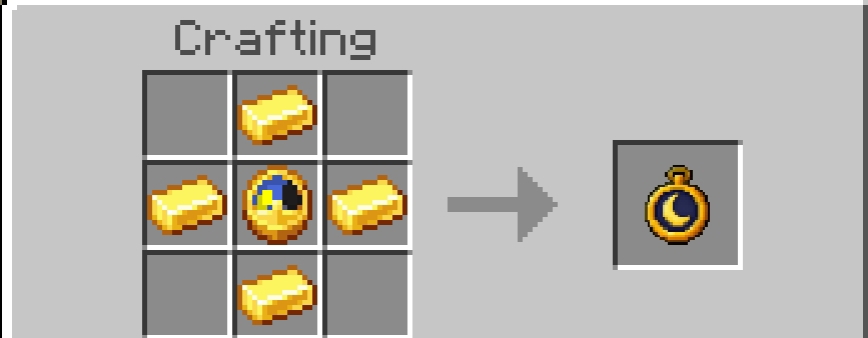
Use the Offline Watch item to access the configuration menu.
Crafting Recipe
The menu is split into six categories:
Machines: Toggle Furnace, Blast Furnace, and Smoker individually.
Crops: Choose which crops and plants keep growing while you're away.
Trees: Choose which tree types and fungi keep growing.
Animals & Villagers: Toggle baby growth, wool regrowth, egg production, and villager breeding.
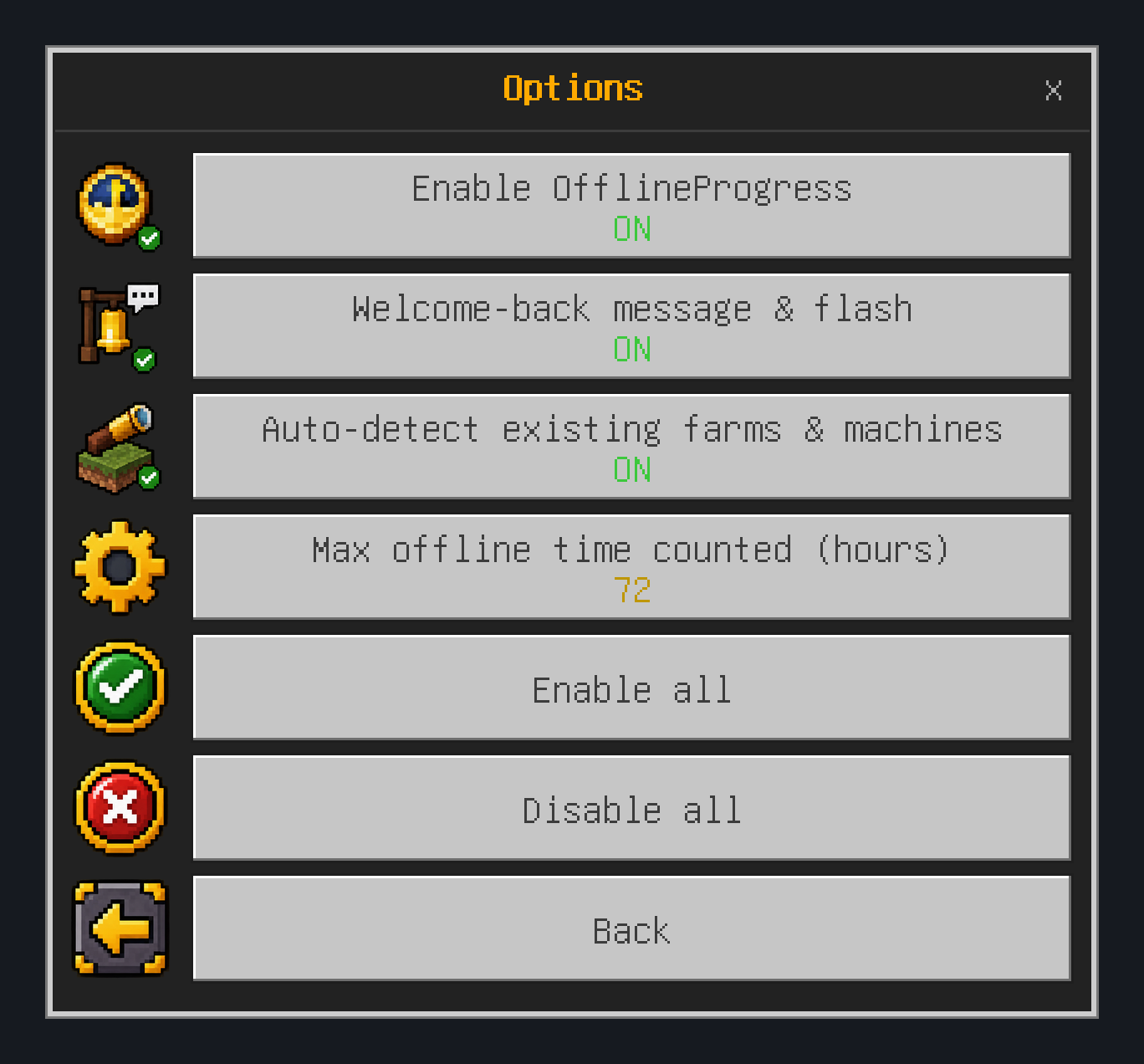
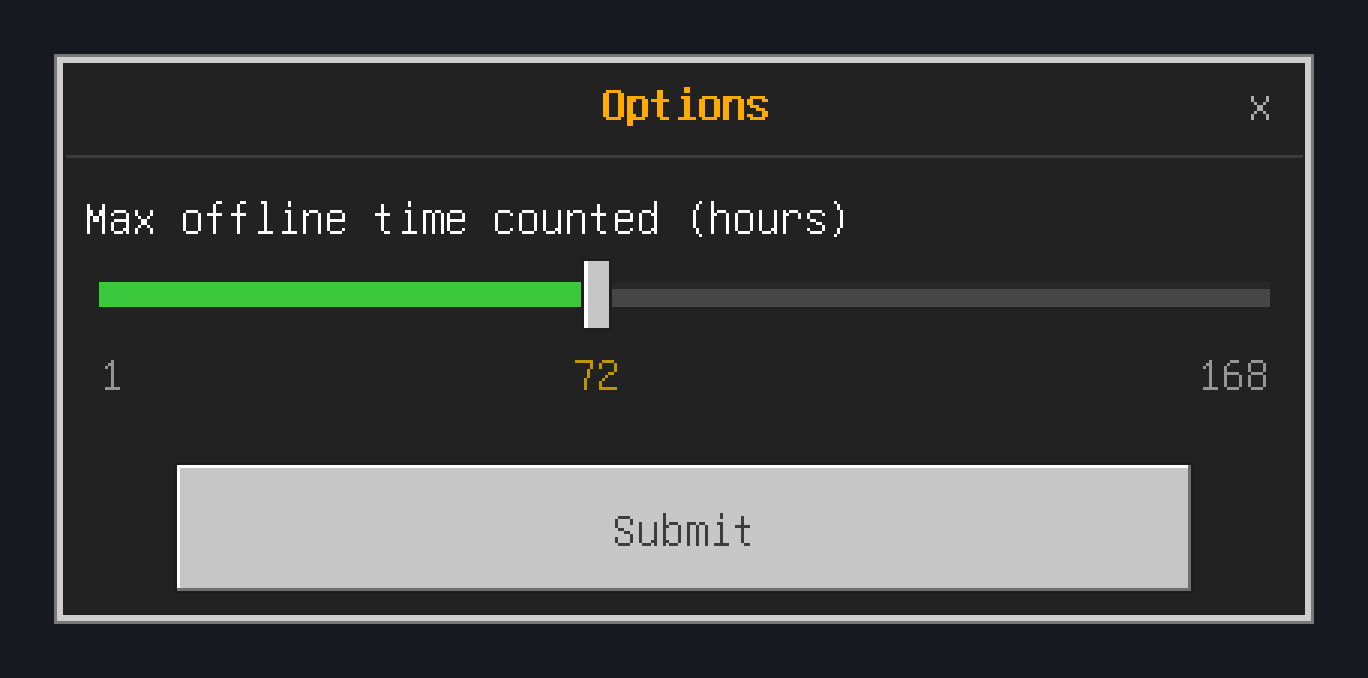
Options: Configure the master switch, welcome-back message, auto-detect, and maximum offline time (1–168 hours, default 72).
Options Menu
Max Offline Time
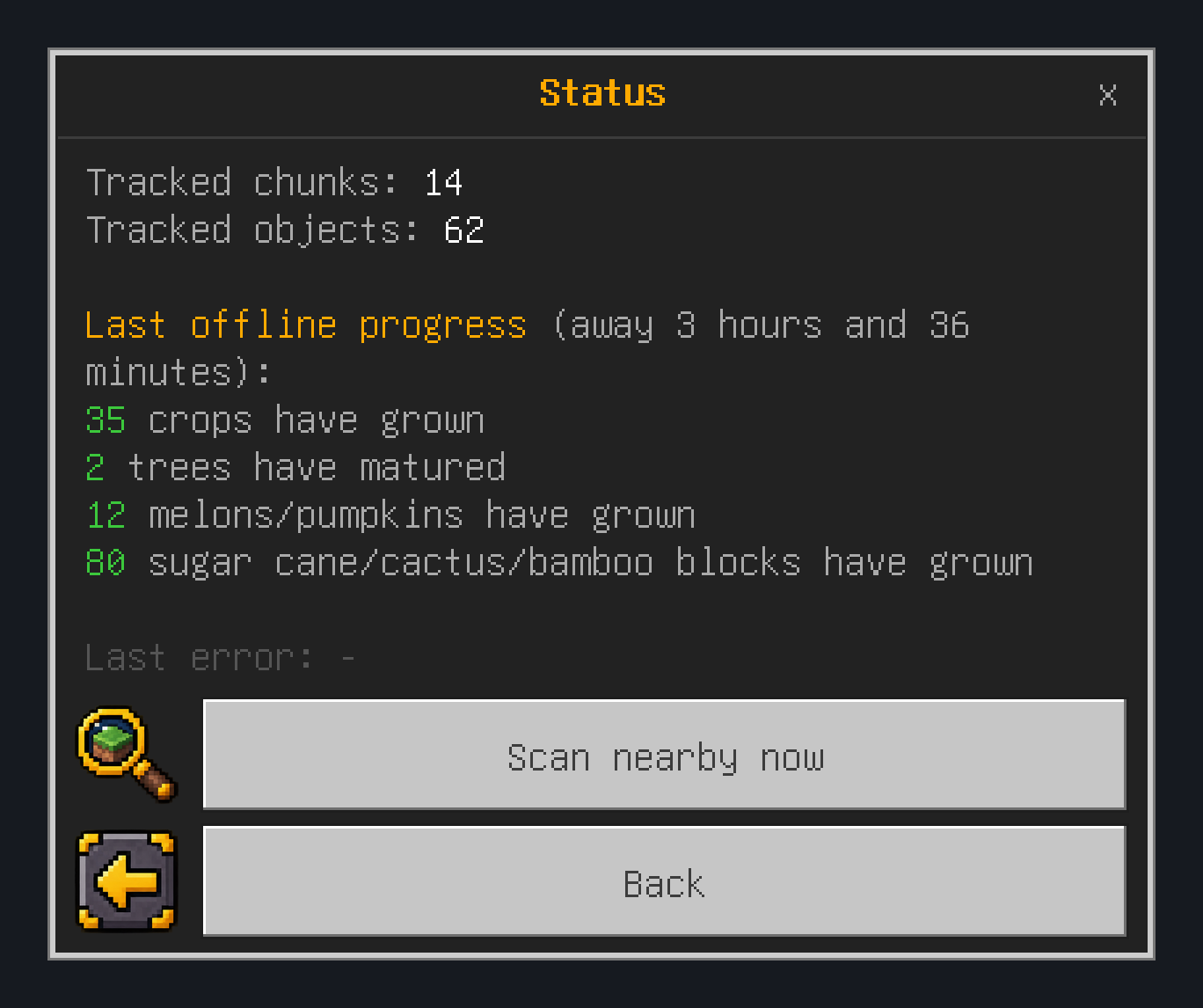
Status: View tracked chunks, objects, recent progress, and run a manual nearby scan.
Every category has Enable all and Disable all buttons for quick setup. A green check means ON, a red X means OFF.
Only operators or players with the ws_admin tag can change settings. The first player to join a world automatically becomes the admin.
How to Install
- Download the
.mcaddonfile and open it with Minecraft. - Create a new world or edit an existing one.
- Activate both OfflineProgress BP (Behavior Pack) and OfflineProgress RP (Resource Pack).
- You'll automatically receive the Offline Watch when you join the world.
Good to Know!!
- Offline progress is applied when tracked chunks become active again.
- At least 2 minutes offline is required to count progress.
- Nearby farms and machines are detected automatically.
- Growth and smelting are simulated, so results may differ from vanilla Minecraft.
- Maximum offline time can be configured from 1 to 168 hours (default: 72 hours).
Compatibility
- Minecraft Bedrock Edition 1.21.60 or newer
- Works in singleplayer, multiplayer, and Realms
- Minecraft Version Tag:
26.60,26.50,26.40
Languages
English, Indonesian, Spanish, Portuguese (Brazil), Russian, Chinese (Simplified)
Feedback & Support
Found a bug or have a suggestion? Leave a comment on this page.
Copyright & Permissions
© 2026 wiraSAKA. All rights reserved.
- Do not redistribute, re-upload, or claim this add-on as your own.
- Do not modify or republish this add-on without permission from the original creator.
- If you share this add-on, always credit wiraSAKA and link to the original download page.
Please respect the creator's work. Thank you for your support!
Created by wiraSAKA
✓ No Experimental Gameplay Settings Required
★ Achievement-Friendly
OfflineProgress - Achievement Friendly Team