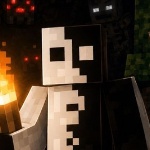
Oblivior Shader
- By
Oblivior Shader
Immerse your Minecraft world in an atmosphere of darkness and the unknown. Oblivior Shader is a horror shader designed for Bedrock Edition that changes the visual perception of the game without straining your device.
About the Shader
This shader is made for those who want to add a bit of fear to their game but aren't willing to sacrifice performance or install third-party patches. I've removed everything unnecessary and left only what creates a grim, oppressive atmosphere.
Key Features:
Horror Atmosphere:
Dark lighting, deep shadows, and an altered color palette that make night walks through caves truly tense.
No Ray Tracing:
The shader does not require RTX support. It runs on the standard game engine.
No Bright Effects:
No flashes, overexposure, or "acid" colors. Just a harsh and gloomy aesthetic.
Standard Version Compatibility:
No need to install patched game versions. It works on the official client.
Installation
- Download the
.mcaddonfile. - Open the downloaded file — Minecraft will import it automatically.
- Go to your world settings, navigate to the Resource Packs section, and activate Oblivior Shader.
- (Optional) If the shader requires experimental features, enable them in your world settings.
Important to Know
The shader only changes the visual part (Resource Pack). It does not add new mobs or mechanics.
If you use other mods that change lighting or the sky, conflicts may occur. Make sure Oblivior Shader is placed above or below them in the priority list.
Performance may vary depending on your device, but the shader is optimized to avoid significant FPS drops.
Contact
If you found a bug or have suggestions, message me on Telegram: @RylazCraft.
Oblivior Shader Team