Numberblocks
- By
Are you need Numberblocks in Minecraft? This addon add official numbers 0~100 of the Numberblocks mobs, and you can press and hold the screen or right-click while holding morph item to morph Numberblocks characters in Minecraft
This addon add official numbers 0~100 of the Numberblocks mobs, and you can be converted into the official Numberblocks characters 0~100 and 1~10 times tables characters of the Numberblocks.
Default appearance can be set to normal player, One to Ten, random One to Five, or random One to Ten forms.
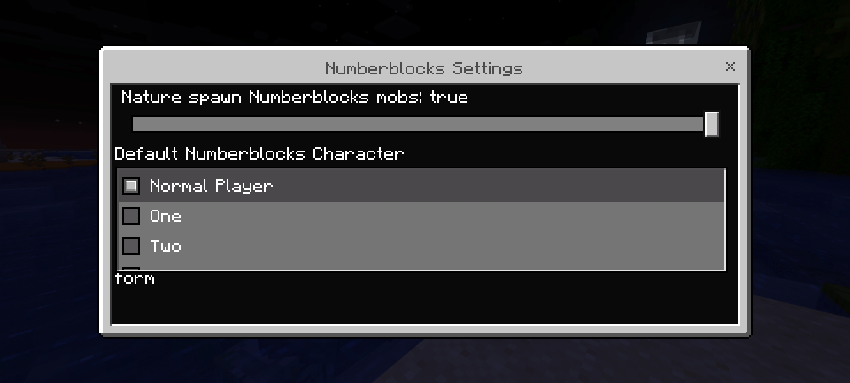
When Default Numberblocks Character is Normal Player, the default form when spawning is normal player form; when Default Numberblocks Character is One/Two/Three/Four/Five/Six/Seven/Eight/Nine/Ten, the default form when spawning is One/Two/Three/Four/Five/Six/Seven/Eight/Nine/Ten form; when Default Numberblocks Character is Random One to Five, the default form when spawning is random One to Five form; when Default Numberblocks Character is Random One to Ten, the default form when spawning is random One to Ten form; when Default Numberblocks Character is Random One to Twenty, the default form when spawning is random One to Twenty form.
Method for turning into a Numberblocks:
Press and hold the screen or right-click while holding morph item can morph Numberblocks characters (does not consume items), morph items are not display in third person.
Use Morph Eight item can switch back and forth between 2×4 and cube forms, use Morph Ten item can switch back and forth between 2×5 and 1×10 forms, use Morph Fifteen item can switch back and forth between step squad and 3×5 forms, use Morph Twenty-One item can switch back and forth between standard 3×7 and step squad forms, use Morph Twenty-Four item can switch back and forth between 3×8 and 4×6 forms, use Morph Twenty-Seven item can switch back and forth between cube and 3×9 forms, use Morph Twenty-Eight item can switch back and forth between standard, 4×7 and step squad forms, use Morph Thirty-Six item can switch back and forth between 6×6 and step squad forms, use Morph Forty-Three item can switch back and forth between standard and 40+top3 forms, use Morph Forty-Five item can switch back and forth between step squad and 5×9 forms, use Morph Forty-Seven item can switch back and forth between standard and 40+7 forms, use Morph Fifty-Five item can switch back and forth between step squad and 5×11 forms, use Morph Fifty-Six item can switch back and forth between standard and 8×7 forms, use Morph Sixty-Four item can switch back and forth between 8×8 and cube forms, use the Morph Three Times Table item to switch back and forth between no-hat and hatted forms.
The above numberblocks morph will be store.
With the Education Editon option enabled, Zero and Times Table forms can fly in survival mode:
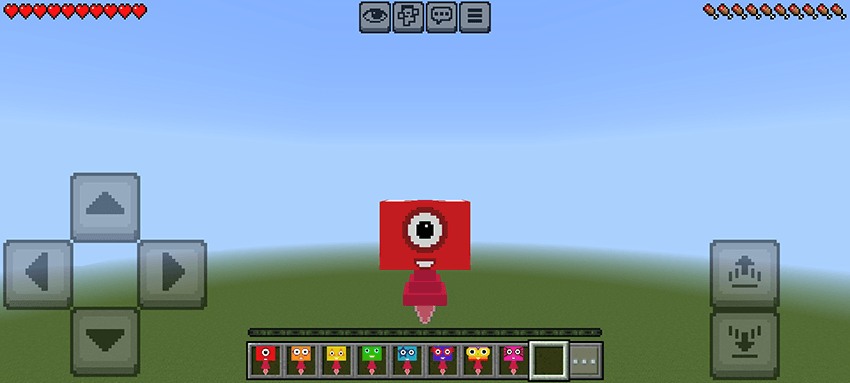
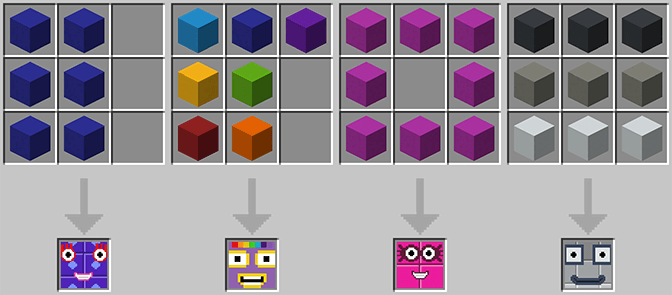
Crafting recipes for morph items:
Crafting with concrete:
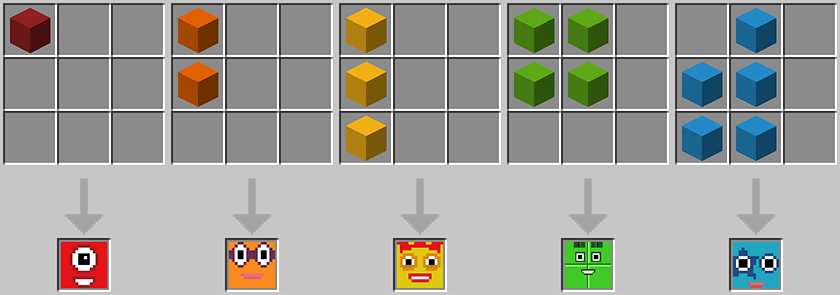
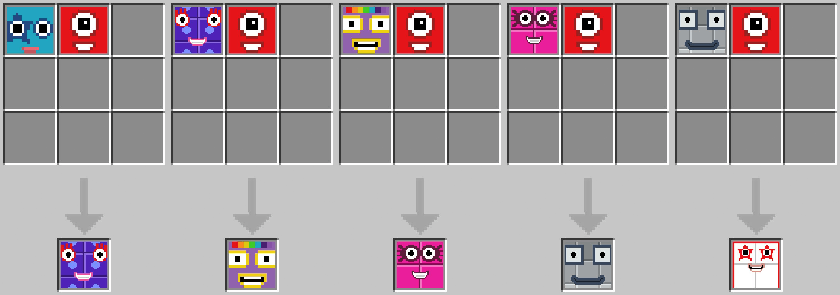
Combine crafting with Numberblocks:
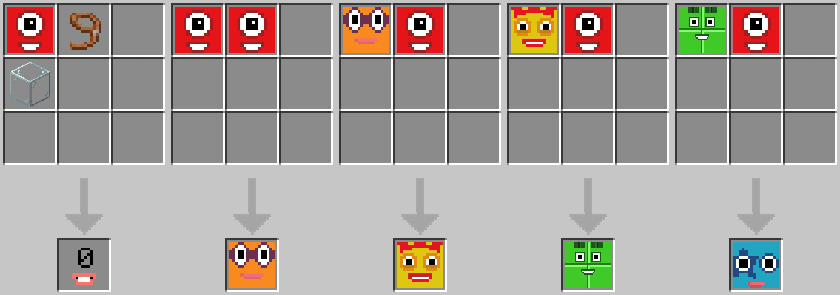
*Crafting Numberblock Zero does not consume Numberblock One
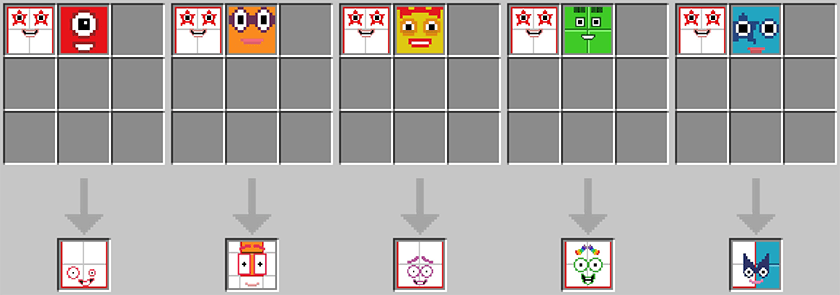
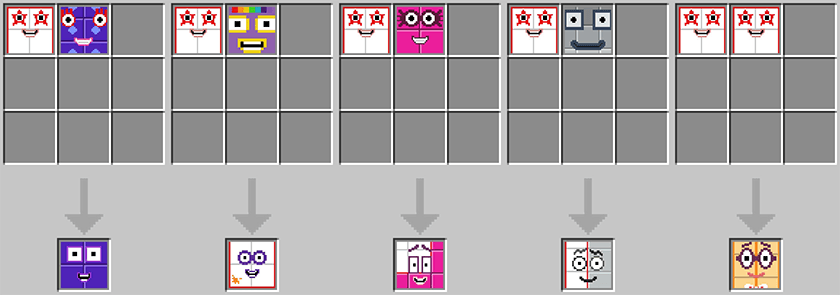
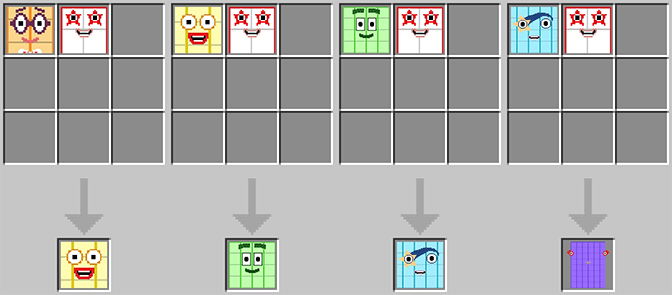
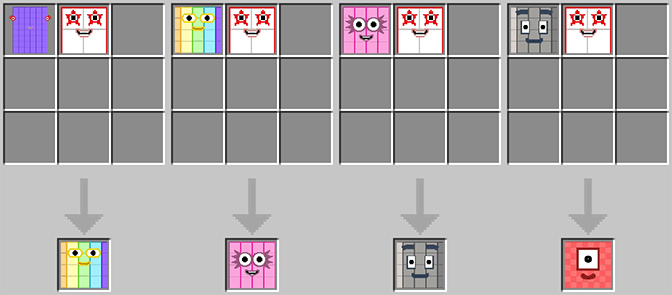
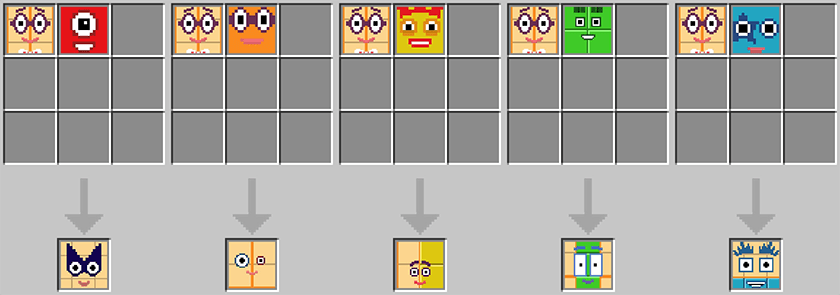
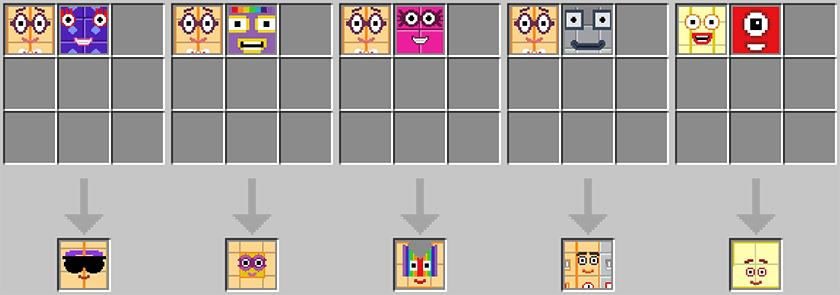
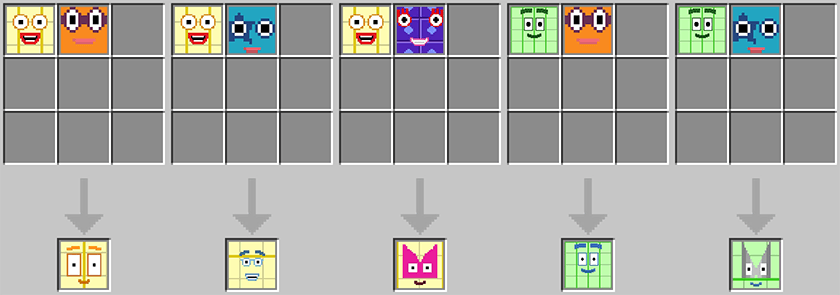
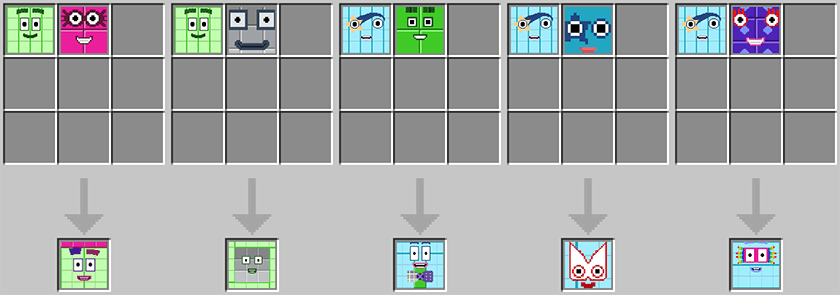
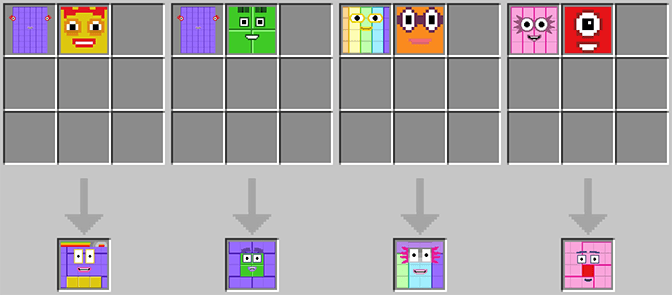
Octonaughty crafting recipes:
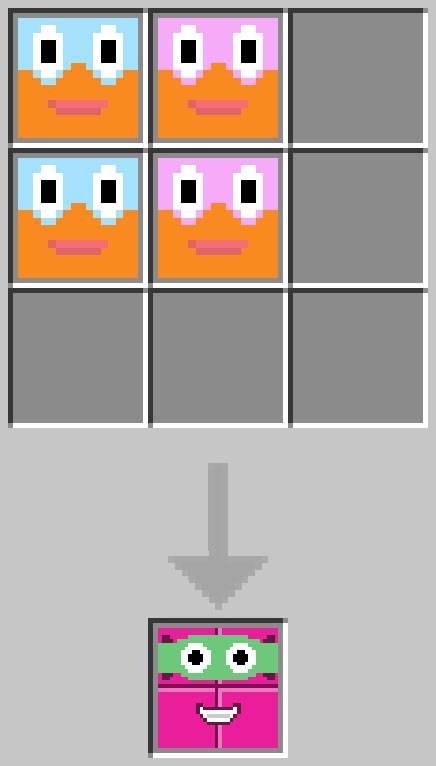
When Nature spawn Numberblocks mobs is false, crafting recipes for times tables:
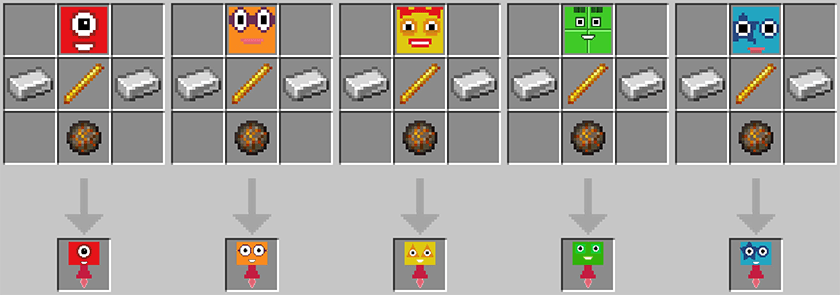
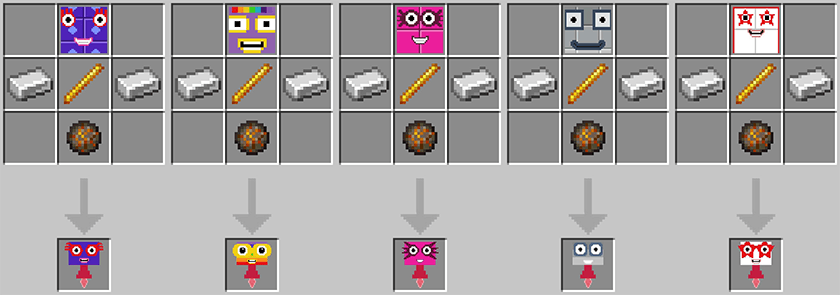
Split Numberblocks:
Numberblocks can be split on crafting table.
Numberblocks Machine:
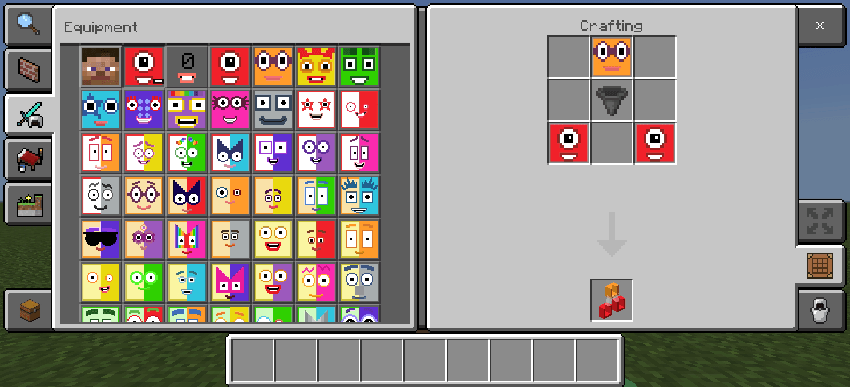
On the Crafting Table, you can craft Numberblocks Machine in the above way.
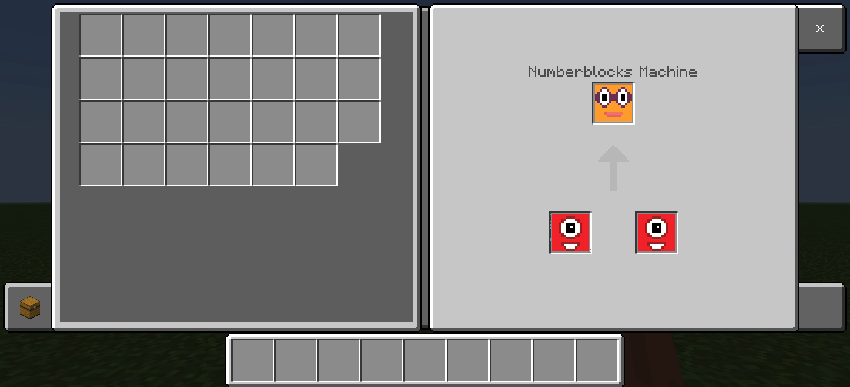
You can open the Numberblocks Machine by long-pressing or right-clicking the middle of the top half of the Numberblocks Machine. The Numberblocks Machine can combine any two Numberblocks morph items into a bigger Numberblocks morph item.
Remove Morph:
Press and hold the screen or right-click while holding remove morph item can remove morph (does not consume items).
Crafting recipes for remove morph item:
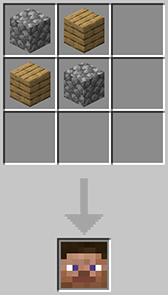
Numberblocks Mobs:
Numberblocks mobs will naturally spawn in the Overworld, and the Terrible Twenties will not spawn naturally.
The Terrible Twos, Octonaughty will no spawn in Peaceful difficulty, but will no despawn in Peaceful difficulty.
Naturally spawn Numberblocks mobs can be turn on or off of settings from Numberblocks behavior pack:
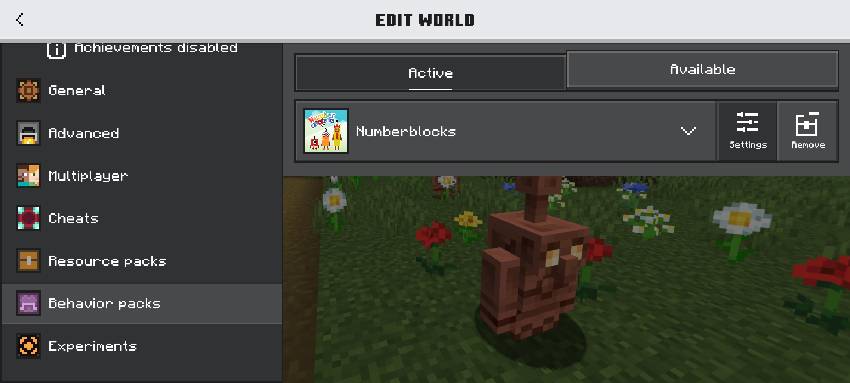
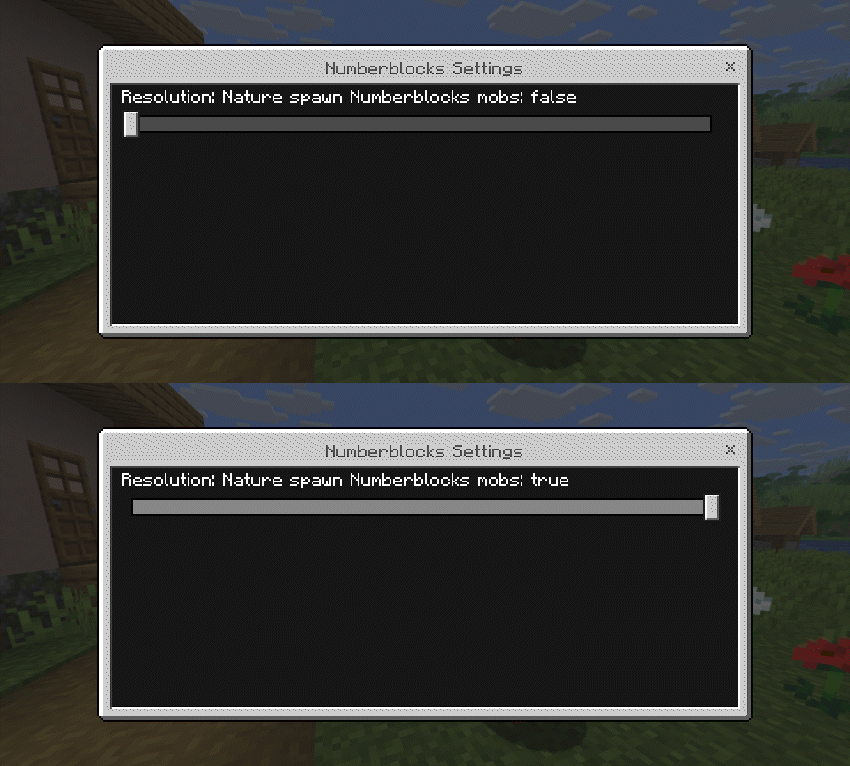
When Nature spawn Numberblocks mobs is true, the Numberblocks will spawn naturally; when Nature spawn Numberblocks mobs is false, the Numberblocks will not spawn naturally.
All naturally spawned Numberblocks drop their corresponding Morph item when they die.
Numberblocks spawned by spawn egg or /summon do not drop morph item upon death, and summon Numberblocks that drop morph item upon death:
/summon <numberblocks:EntityType> ~ ~ ~ ~ ~ minecraft:nature_spawn
Infinaughty will drop Morph Octonaughty and Infinity when Infinaughty dies, Octonaughty can pick up the Infinity block to become Infinaughty.
Numberblocks' attack:
Terrible Twos, Terrible Twenties: Easy: 1; Normal, Morphed by player, Inflicted on mob: 1; Hard: 1.5
Octonaughty (2×4 form): Easy: 4; Normal, Morphed by player, Inflicted on mob: 6; Hard: 9
Octonaughty (cube form): Easy: 3; Normal, Morphed by player, Inflicted on mob: 4; Hard: 6
Infinaughty: Easy: 7; Normal, Morphed by player, Inflicted on mob: 12; Hard: 18
Eight (2×4 form), Fifty-Six, Eighty: 3
Eight (cube form): 2
Other Numberblocks: 1
Eight, Twenty-Seven, Fifty-Six, Sixty-Four (cube form), Seventy-Two, Eighty, Terrific Two will actively attack any Terrible Numberblocks
Forty will actively attack Terrible Twos
Terrible Twos will actively attack Three, Four, Five, Six, Seven, Eight, Nine, Ten, normal and hard difficulty will still attack Sixteen
Octonaughty will actively attack any Numberblocks except Terrible, Twenty-Seven, Fifty-Six, Sixty-Four (cube form), Seventy-Two, Eighty; as well as Normal player, villager, and iron golem
Infinaughty will actively attack any Numberblocks except Terribles; as well as Normal player, villager, and iron golem
Terrible Twenties will actively attack Thirty, Forty, Fifty, Sixty, Seventy, Eighty, Ninety, One Hundred
Terrible Twos will run away from Twenty-Seven, Forty, Fifty-Six, Sixty-Four (cube form), Seventy-Two, Eighty
Octonaughty will run away from Twenty-Seven, Fifty-Six, Sixty-Four (cube form), Seventy-Two, Eighty
In Peaceful difficulty, all Numberblocks won't actively attack any mobs.
Normal Numberblocks will run away from Terrible Numberblocks that attack them, and will only fight back after being attacked by the Terrible Numberblocks.
At normal and hard difficulty, when Terrible Two kills Four, Nine, and Sixteen, they will have normal 50% and hard 100% chance of transforming into the Terrible Twos, the Three Threes, and the Four Fours respectively.
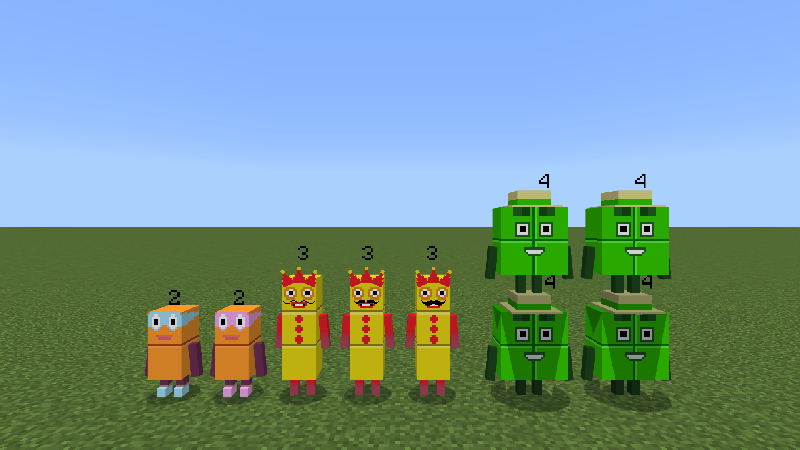
The Three Threes' mustaches and the Four Fours' hats can be cut off with shears.
Long press or right button on Eight, Ten, Fifteen, Twenty-Seven, Twenty-Eight, Forty-Five, Fifty-Five, Sixty-Four, Octonaughty, Three Times Table to switch between their forms (provided that Numberblocks isn't attacking you), player in the Three form need sneak to switch to the Three Times Table form.
Zero and Times Tables can fly, and Times Tables can be ride, but can only be ride by Numberblock players corresponding to Times Tables (e.g. One Times Table can only be ride by players in One form).
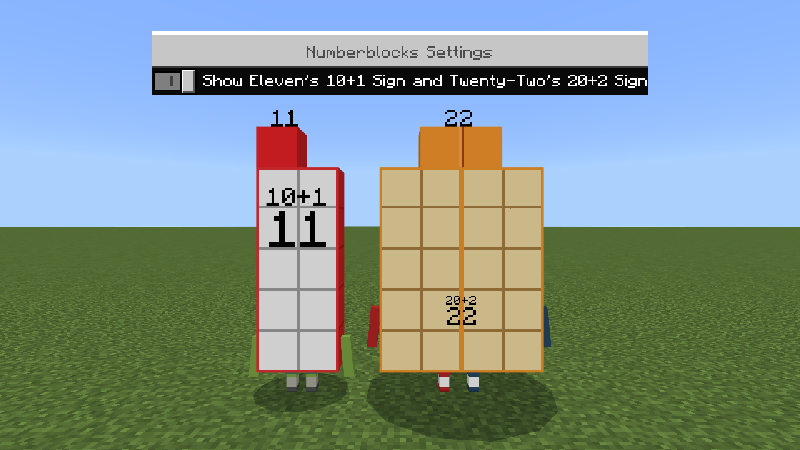
When "Show Eleven's 10+1 Sign and Twenty-Two's 20+2 Sign" is enabled from Numberblocks resource pack settings, Eleven will display 10+1 Sign at the back, Twenty-Two will display 20+2 Sign at the back:
"Show Twenty-One's Bag" option from Numberblocks resource pack settings, allows to decide whether Twenty-One's 3×7 form shows her bag.
Magic Mirror:
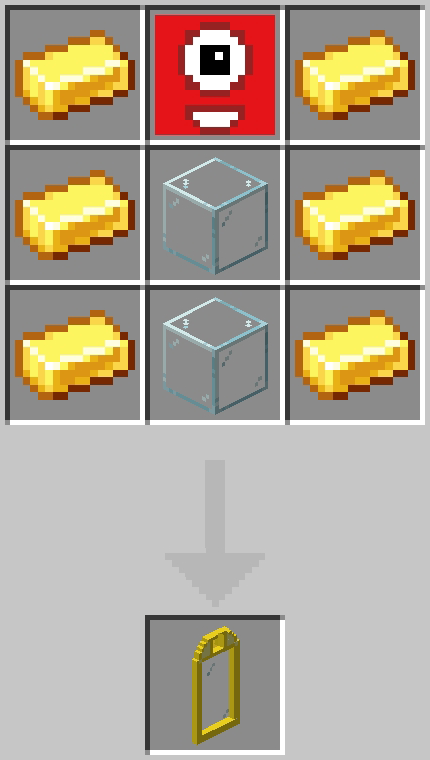
On the Crafting Table, you can craft Magic Mirror in the above way
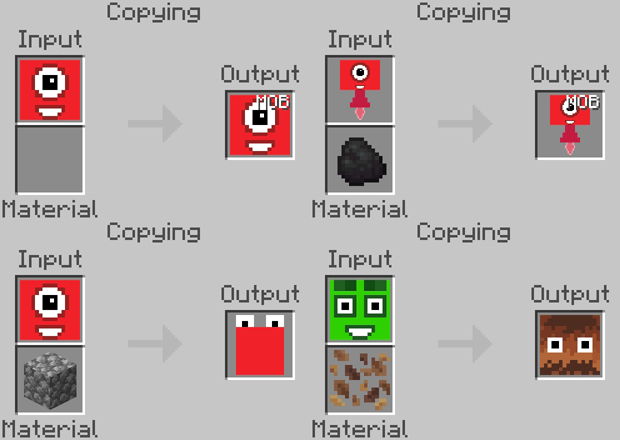
You can open the Magic Mirror by long-pressing or right-clicking the middle of Magic Mirror. Put the morph item into the input area to copy the spawn egg, Morph Infinaughty items can't be copy with Magic Mirror to get spawn eggs, to copy the Times Table to get a spawn egg requires 1 coal or charcoal into the material area, put the morph item into the input area and cobblestone into the material area to get Numberblob spawn egg, put the Morph Four or Morph Forty into the input area and leaf litter into the material area to get Squarey or Oblongy spawn egg.
The MOB of spawn egg item can be represented as spawn egg, which is distinguished from morph item
Fractionator:
Fractionator can split Numberblocks mobs that are not from split. Fractionator Split into Half can split multiples of 2, Fractionator Split into Thirds can split multiples of 3, Fractionator Split into Quarters can split multiples of 4.
Naturally spawned Octonaughty has a 25% chance of carrying a Fractionator, and Octonaughty will use Fractionator on Numberblocks mobs.
Terrific Two can be use Fractionator Split into Quarters on Eight to get; blue and red Eleven can use Fractionator Split into Half on Twenty-Two to get.
Numberblocks Characters Pictures:
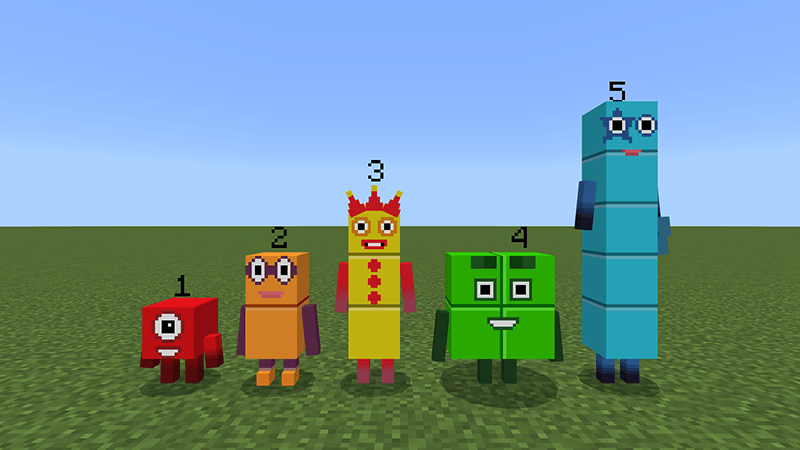
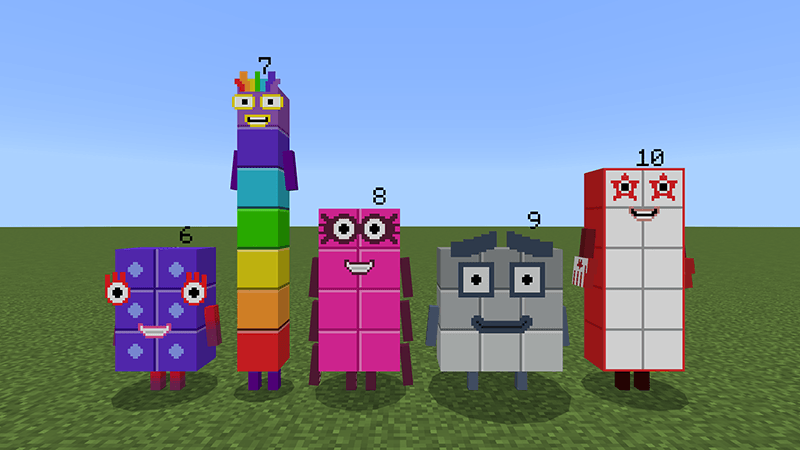
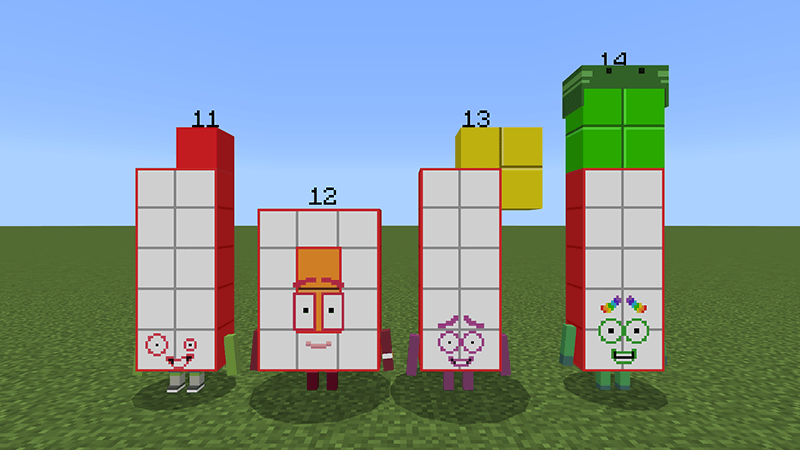
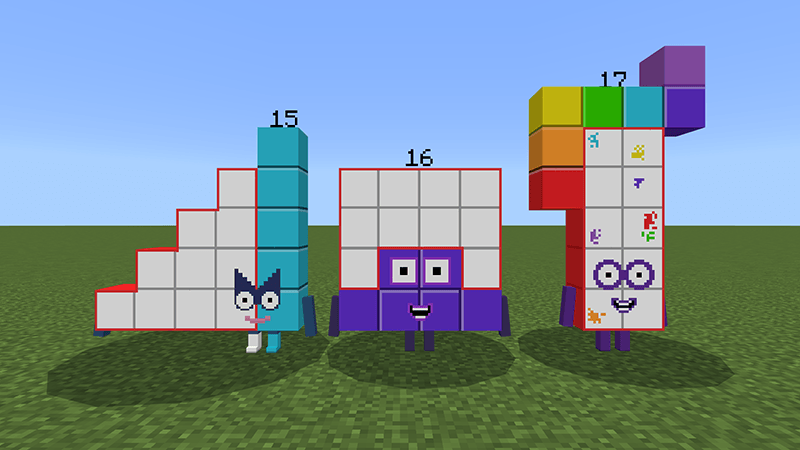

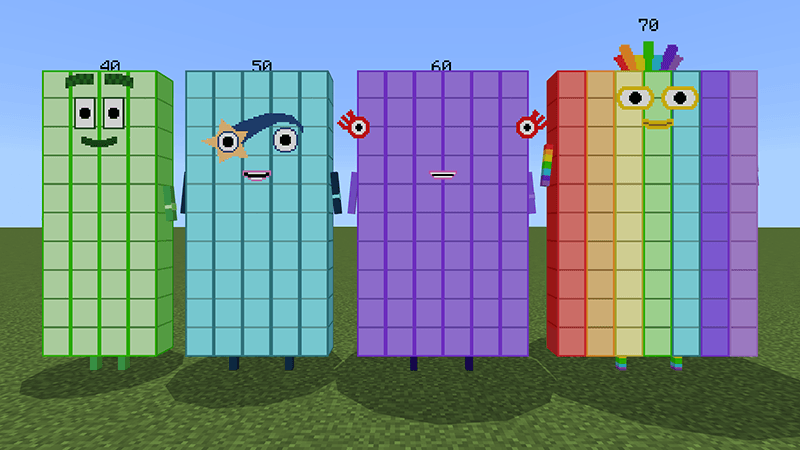
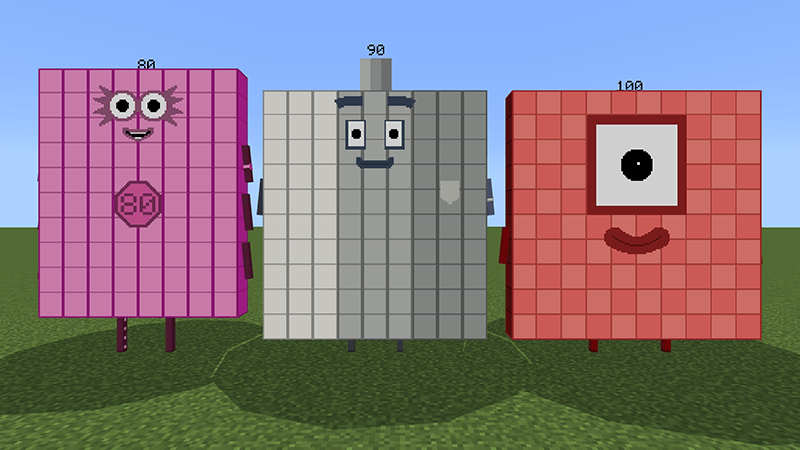
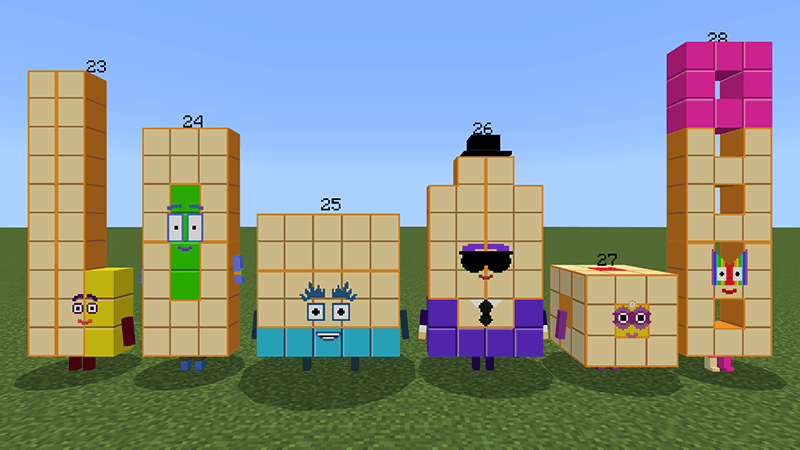
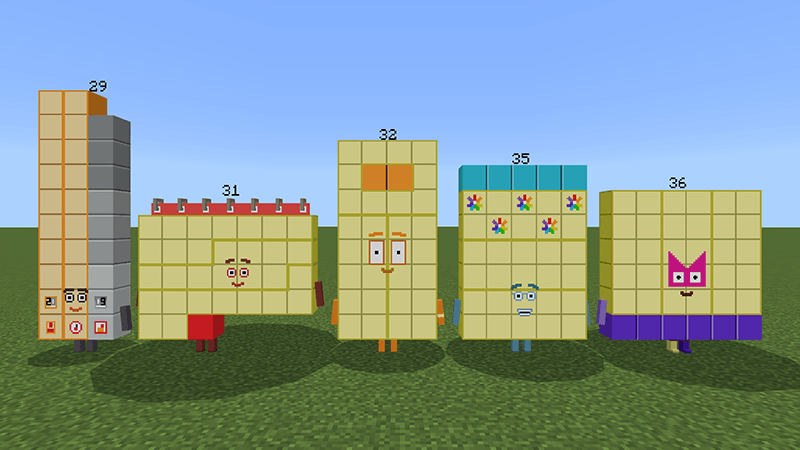
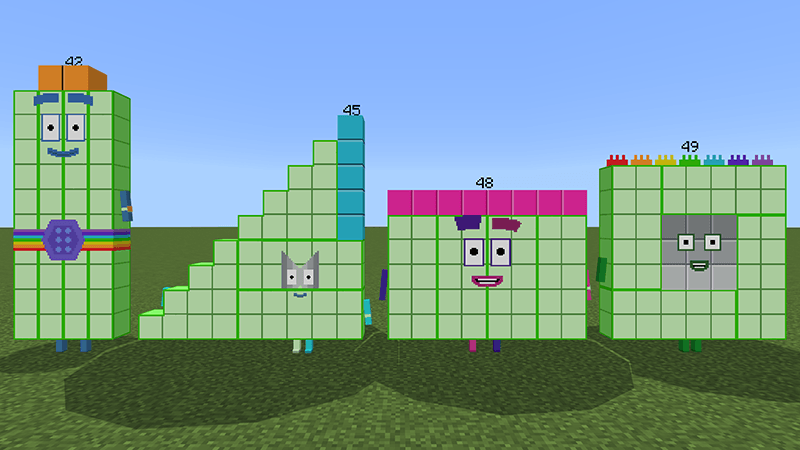
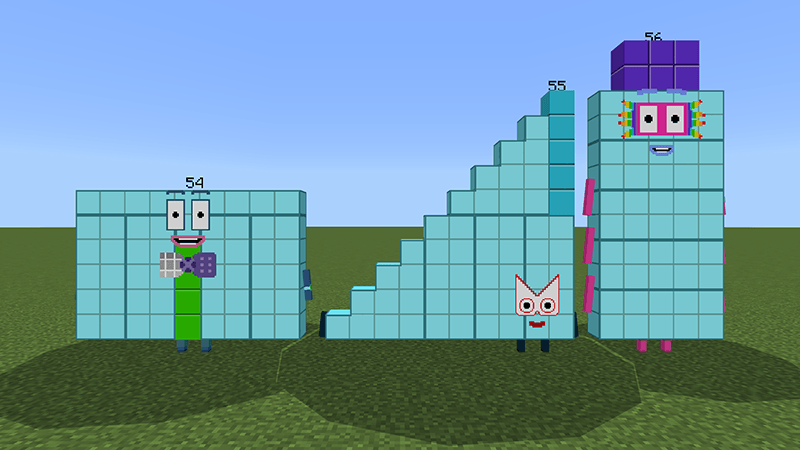
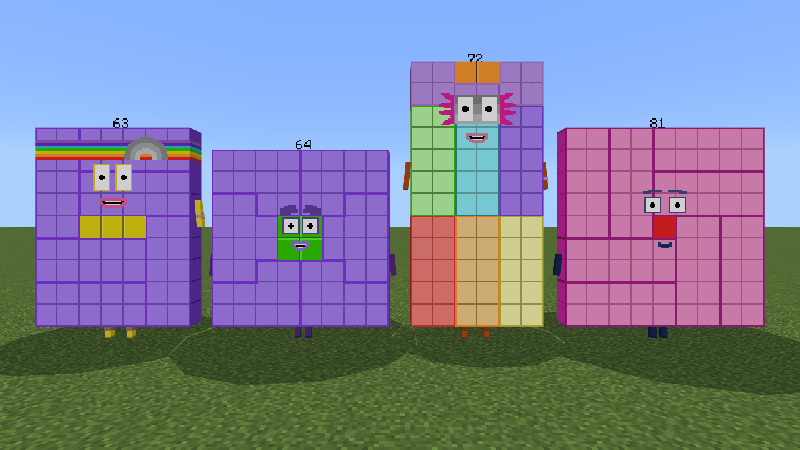
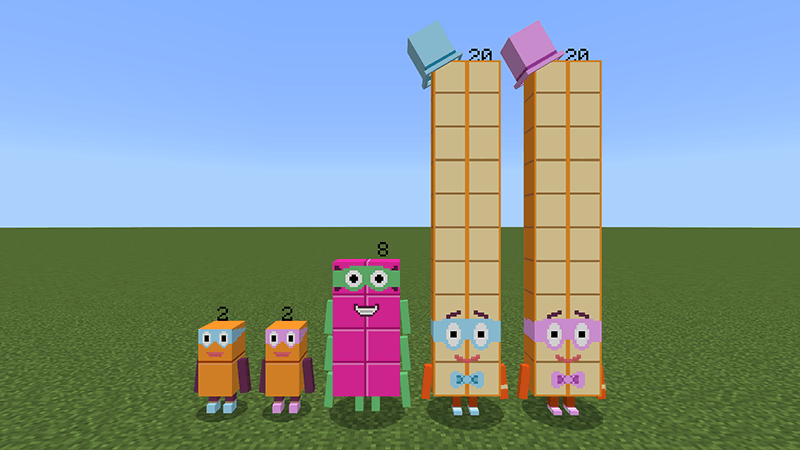
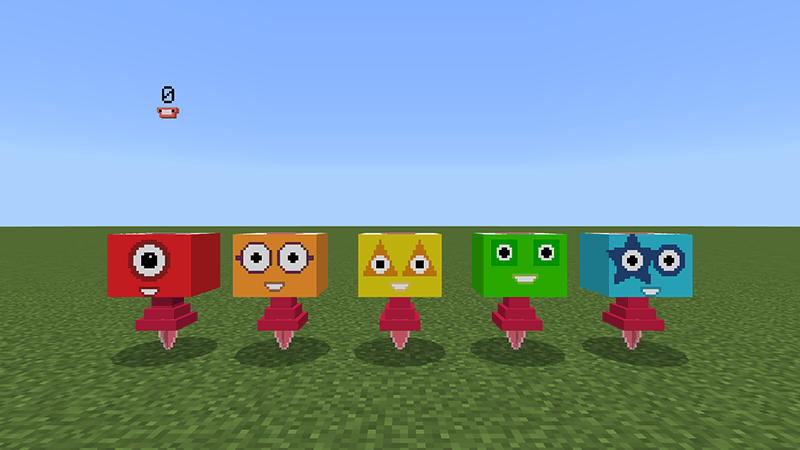
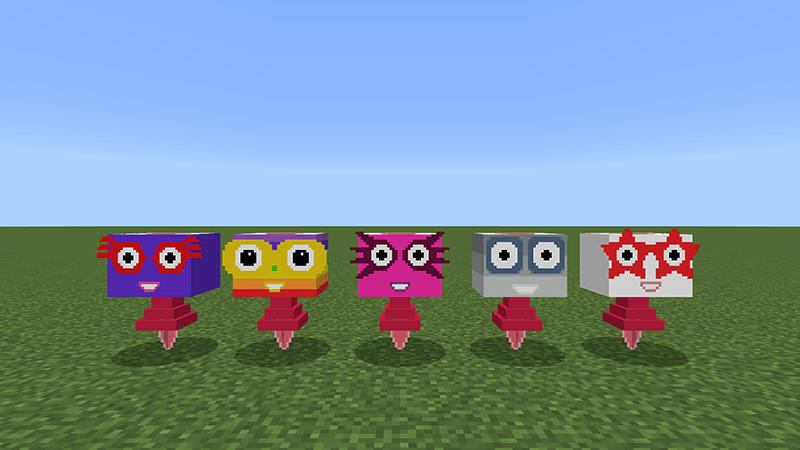
Numberblobs:
Naturally generated Numberblobs have a 2% chance of being spawned with One, Two, Three, Four, Five, Six, Seven, Eight, Nine, Ten, Twenty, depending on the number of Numberblocks
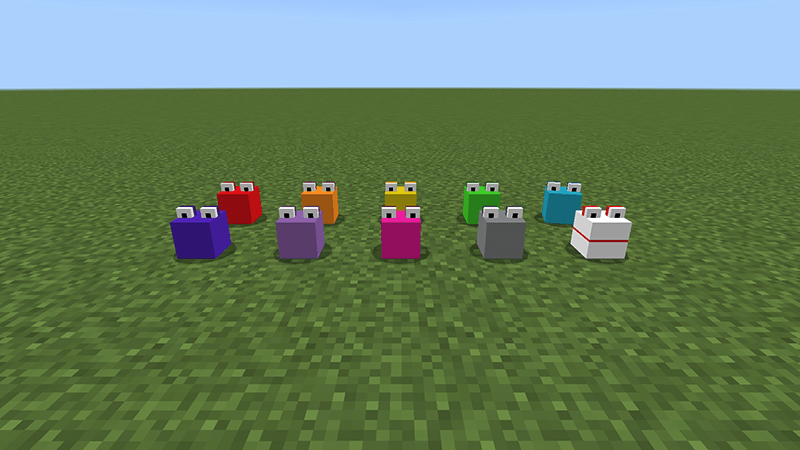
Using Numberblocks One, Two, Three, Four, Five, Six, Seven, Eight, Nine, Ten, Twenty, Thirty, Forty, Fifty, Sixty, Seventy, Eighty, Ninety, One Hundred spawn egg or morph item on Numberblobs can change the Numberblobs into their corresponding form (without consuming the item), and using Nine, Ninety, One Hundred spawn egg or morph item on Numberblobs can switch between multiple colors, Numberblob Nine and Ninety each have 3 colors, One Hundred comes in 2 colors
Numberblocks Team