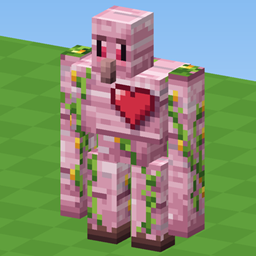
🧙 Better NPCs
Real NPCs for your world: they talk, give quests, sell things and walk on patrol.
Minecraft Bedrock · Addon · 70+ skins · English and Portuguese
✨ What it adds
• 🗣️ Conversations with buttons and unlimited text
• 📜 Quests: collect, hunt, explore and delivery
• 🛒 Shops that use items or XP
• 🔓 Conditional buttons (they only appear after a quest or a purchase)
• 🔁 Patrol, follow and guide
• 🎭 81 skins sorted into categories
• 🌍 English and Portuguese
🚀 Getting started
1. Turn on both packs (behavior and resource) in your world.
2. Switch to creative mode. Only players in creative mode can edit NPCs.
3. Place the Better NPC spawn egg on the ground.
4. Click the NPC and press Edit NPC. This is where everything happens.
💡 The NPC is immortal. It can only be removed with the Delete NPC button.
🎛️ The Edit NPC menu
Button
What it does
Skin
Pick the look, sorted by category
Conversation
Name, text and buttons
Patrol
Makes the NPC walk between points
NPC list
See, visit or bring any NPC
Language
English or Portuguese
Delete NPC
Removes the NPC (asks for confirmation)
💬 Conversation
• Edit text: use Add to the end as many times as you like. Write \n for a new line.
• Change NPC name.
• Name above the NPC: choose whether the name shows when you are close, or stays hidden (it only shows when you talk to the NPC).
• Add option: create a button and choose what it does.
🔘 Button types
Type
What it does
Text
Opens another conversation
Follow
The NPC walks behind you
Guide
Takes you to X Y Z coordinates
Command
Runs a command, e.g. give {player} apple
Shop
One trade of items or XP
Quest
See below
📜 Quests
The player accepts the quest, does what is asked, then presses I'm done! on the NPC. You set the quest text, the "you're not done yet" text, the text when done, and the reward (an item and/or a command).
Type
How to fill it in
Collect: item
Item and amount, e.g. ender_pearl and 5
Collect: mob
Mob and amount. The mobs must be near the NPC
Hunt
Mob and kills, e.g. zombie and 10. Only kills after accepting count
Explore
x y z radius, e.g. 100 64 -200 8
Delivery
Item, amount and the name of the NPC that receives it. The NPC gives you the item, you take it to the other NPC and come back
🛒 Shop
Write the item you charge (currency) and the item you give, using English ids, e.g. emerald and diamond.
• XP: write xp and put the levels in the amount, or write it all together: xp 10 = 10 levels.
• It works both ways: you can charge XP or give XP.
🔓 Conditional buttons
At the bottom of any button, under Show this button, choose Only after finishing a quest or Only after buying an item and write the quest name or the item.
Quest chain: make quest 2 appear only after quest 1. It also works between different NPCs.
🔁 Patrol
In Edit NPC → Patrol, go to each spot and press Add point here. With 2 or more points, the NPC walks between them. It stops when you are close.
🎭 Skins and language
• Skins: 81 skins in 7 categories (People, Mobs, Mobs (unofficial), Monsters and shadows, Robots and golems, Games/Series and Other).
• Language: in Edit NPC → Language. It changes the addon for everyone, but never the text you wrote in the NPCs.
❓ FAQ
Can I update without losing my NPCs? Yes, install over the old version. Always back up your world first. 😉
The hunt quest doesn't count. Check the mob name in English (zombie, cow) and remember that only kills after accepting count.
An item gives an error. Use the item id in English, without spaces (ender_pearl, diamond).
Have fun! 🎉
Versão português 🇵🇹
🧙 Better NPCs
NPCs a sério para o teu mundo: falam, dão missões, vendem coisas e andam em patrulha.
Minecraft Bedrock · Addon · 81 skins · Português e English
✨ O que traz
• 🗣️ Conversas com botões e texto sem limite
• 📜 Missões: recolha, caça, explorar e entrega
• 🛒 Lojas com itens ou XP
• 🔓 Botões condicionais (só aparecem depois de uma missão ou compra)
• 🔁 Patrulha, seguir e guiar
• 🎭 81 skins em categorias
• 🌍 Português e inglês
🚀 Como começar
1. Ativa os dois packs (comportamento e recursos) no mundo.
2. Põe-te em modo criativo. Só quem está em criativo pode editar NPCs.
3. Põe o ovo Better NPC no chão.
4. Clica no NPC e carrega em Editar NPC. É aí que tudo acontece.
💡 O NPC é imortal. Só se apaga com o botão Apagar NPC.
🎛️ Menu Editar NPC
Botão
Para que serve
Skin
Escolhe o visual, por categorias
Conversa
Nome, texto e botões
Patrulha
Faz o NPC andar entre pontos
Lista de NPCs
Vê, visita ou traz qualquer NPC
Língua / Language
Português ou English
Apagar NPC
Remove o NPC (pede confirmação)
💬 Conversa
• Editar texto: usa Acrescentar ao fim quantas vezes quiseres. Escreve \n para mudar de linha.
• Mudar nome do NPC.
• Nome por cima do NPC: escolhe se o nome aparece quando estás perto ou fica escondido (só aparece ao falar com ele).
• Adicionar opção: cria um botão e escolhe o que ele faz.
🔘 Tipos de botão
Tipo
O que faz
Texto
Abre outra conversa
Seguir
O NPC anda atrás de ti
Guiar
Leva-te a umas coordenadas X Y Z
Comando
Corre um comando, ex: give {player} apple
Loja
Uma troca de itens ou XP
Missão
Ver abaixo
📜 Missões
O jogador aceita a missão, faz o que é pedido e carrega em Acabei! no NPC. Defines o texto do pedido, o texto de "ainda não acabaste", o texto ao acabar e o prémio (item e/ou comando).
Tipo
Como preencher
Recolha: item
Item e quantidade, ex: ender_pearl e 5
Recolha: mob
Mob e quantidade. Os mobs têm de estar perto do NPC
Caça
Mob e mortes, ex: zombie e 10. Só contam as mortes depois de aceitar
Explorar
x y z raio, ex: 100 64 -200 8
Entrega
Item, quantidade e o nome do NPC que recebe. O NPC dá-te o item, levas ao outro NPC e voltas cá
🛒 Loja
Escreve o item que pedes (moeda) e o que dás, com os ids em inglês, ex: emerald e diamond.
• XP: escreve xp e os níveis na quantidade, ou tudo junto: xp 10 = 10 níveis.
• Funciona nos dois lados: podes cobrar XP ou dar XP.
🔓 Botões condicionais
No fim de qualquer botão, em Mostrar este botão, escolhe Só depois de acabar uma missão ou Só depois de comprar um item e escreve o nome da missão ou o item.
Cadeia de missões: põe a missão 2 a aparecer só depois da missão 1. Funciona também entre NPCs diferentes.
🔁 Patrulha
Em Editar NPC → Patrulha, vai a cada sítio e carrega em Adicionar ponto aqui. Com 2 pontos ou mais, o NPC anda entre eles. Pára quando estás perto.
🎭 Skins e língua
• Skins: 81 skins em 7 categorias (Pessoas, Mobs, Mobs não oficiais, Monstros e sombras, Robôs e golems, Jogos/séries e Outros).
• Língua: em Editar NPC → Língua / Language. Muda o addon para todos, mas nunca o texto que escreveste nos NPCs.
❓ Dúvidas
Posso atualizar sem perder os NPCs? Sim, instala por cima. Faz sempre uma cópia do mundo antes. 😉
A missão de caça não conta. Confirma o nome do mob em inglês (zombie, cow) e lembra-te que só contam as mortes depois de aceitar.
Um item dá erro. Usa o id em inglês, sem espaços (ender_pearl, diamond).
Bom jogo! 🎉
NPCs Plus! Team