Myth's Skygen Creator
- By
Sick of moving, fixing or updating gens or autominers for your playerbase? This addon has you covered adding in simple gen eggs that can be moved as well as auto miners that only work when the owner is online.

Myth's Skygen Creator RE: RELEASE Pack Icon
Description
Welcome to Myth's Skygen Creator!
I am Myth, the creator of MSC and honestly I dislike skygens as they stand now... After the experience of playing over 50+ skygens the most fun I have is eclipsing peoples money in a day and speedrunning them. So I started this experience to patch those problems and create tools that for skygen owners to easily build with- the end goal is "elevating" and raising the general quality of all skygens.
If you have suggestions, feedback, bug reports etc. Please join my discord- I check that much more frequently than anything else; additionally all polls, pre-releases etc before being published happen there.
https://discord.gg/mrCbMsEhgm.
Need to know!
If you are using an OLDER version of MSC (Pre-V2.X.X) it is NO LONGER supported!
Also due to the pack being stable, it is very unlikely to "break" or have "problems" that will set back progress or problems for your server in the long-term unlike "beta" packs that need frequent updates to stay up allowing you to take the time for updating the pack.
The pack has the "All Rights Reserved" copyright liscense.
RE-RELEASE : V2.1.1
Showcase Video
I highly recommend watching this video for the run down of all the changes and pack features.
Gen Eggs (our most loved feature)
"Gen Eggs" are items that place generators down. These generators usually included a command block setting the block... but our pack doesn't. Why? because MSC uses a different method for gen eggs to respawn and be picked up by their owners REGARDLESS of if they are operator or not making it VERY convenient for the players and less work for the admins. Now the question is... how many do we have?
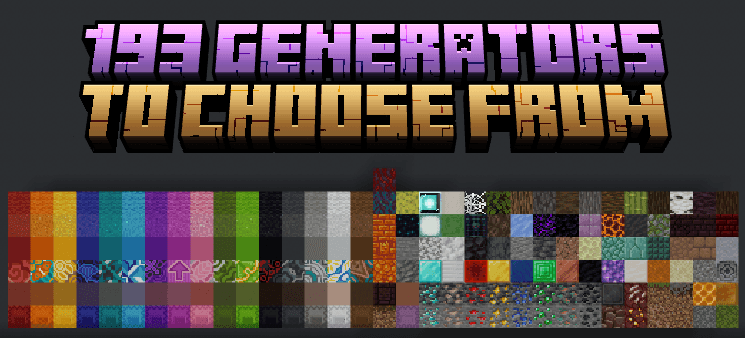
There are now 193 Gen Eggs to choose from in my pack. The way they are picked up and edited is different now though. And there will be even more to come! But let's go into the features you can do with them below;
How to find them
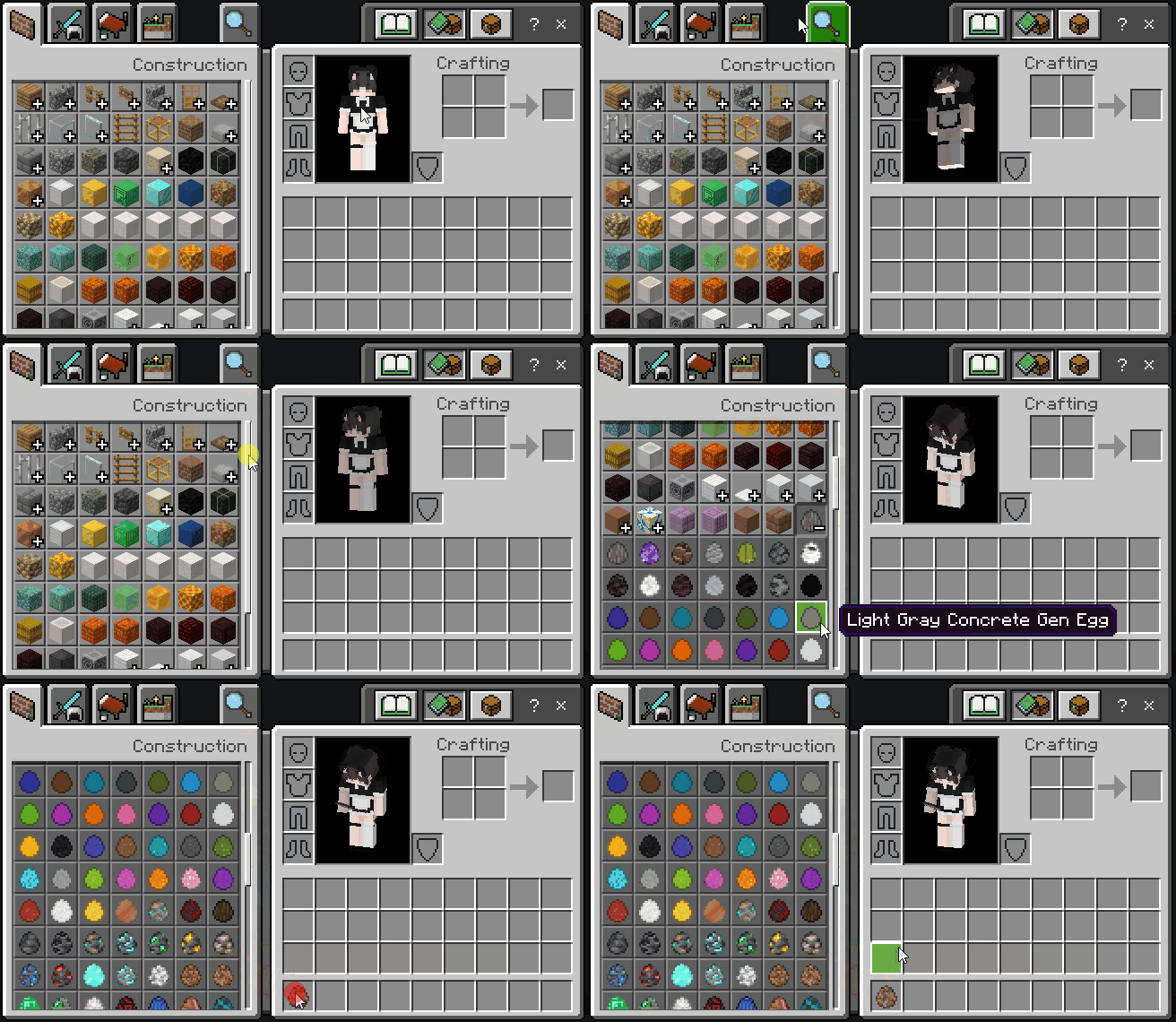
Gen Eggs can be found in the "Construction" tab in their own item group within the creative inventory.
Placing Generators
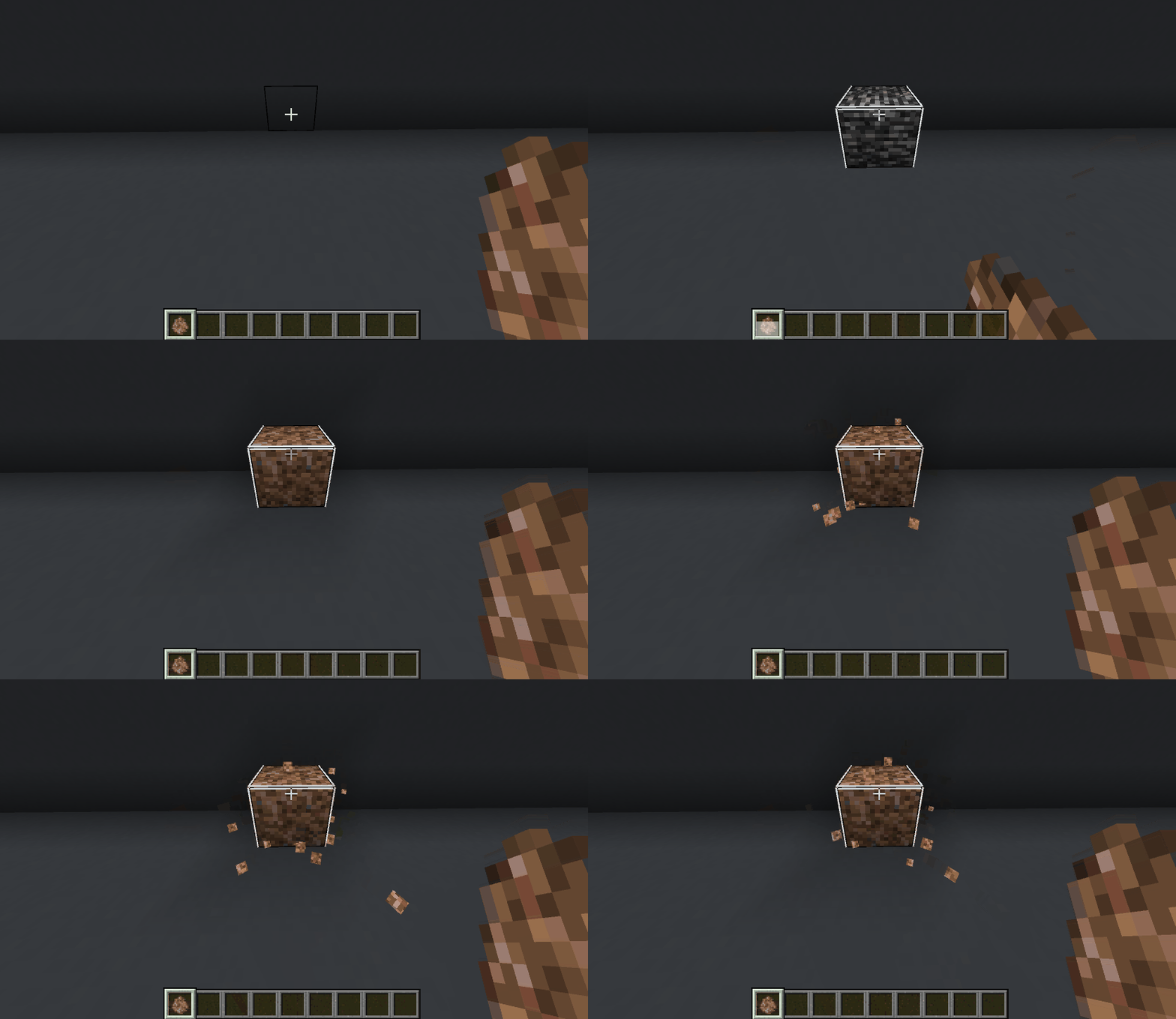
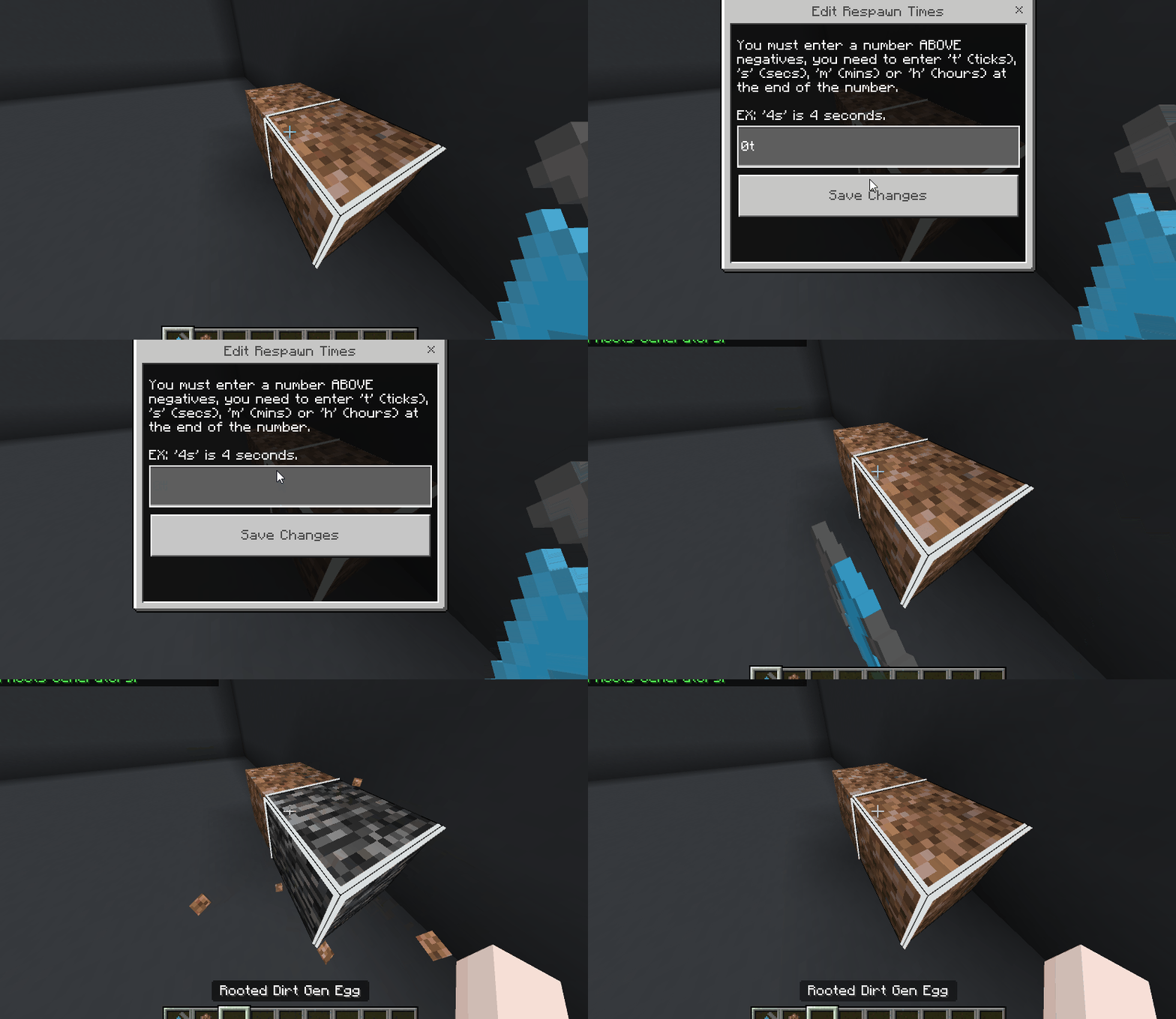
Placing a gen egg shows a custom bedrock block in its place temporarily but will switch to its original block after either 10 ticks or its respawn interval (if set) is over. After that it will act as a normal gen when broken and replace automatically; no command blocks required.
Editing Generators
Wanting to make generators of a specific type of block slower? This editor affects older placed and newer placed gens with the respawn time you allow. You MUST be in creative and be an operator using the "Admin Wrench" on the generator to edit that generators type and respawn times.
Picking up Generators
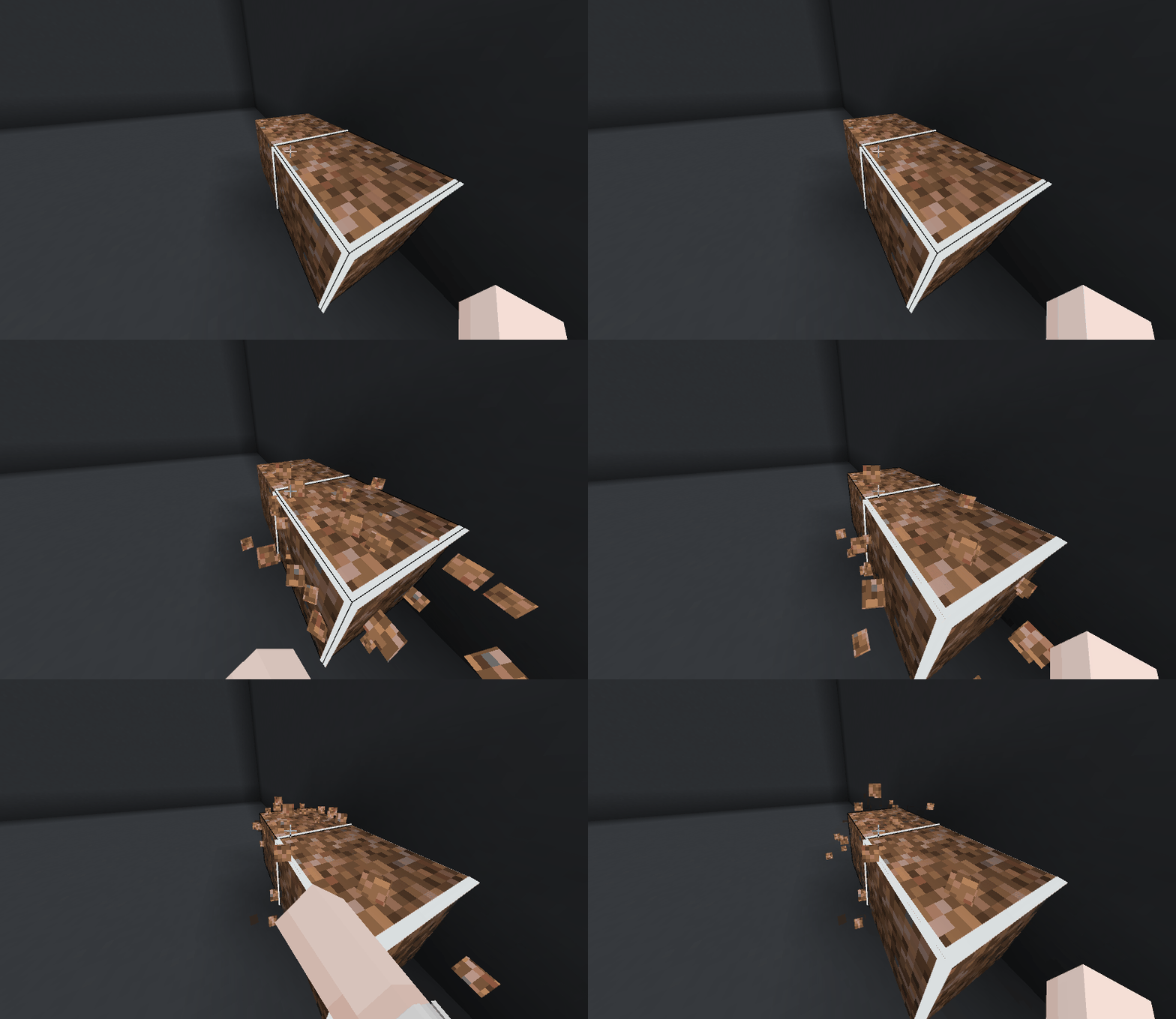
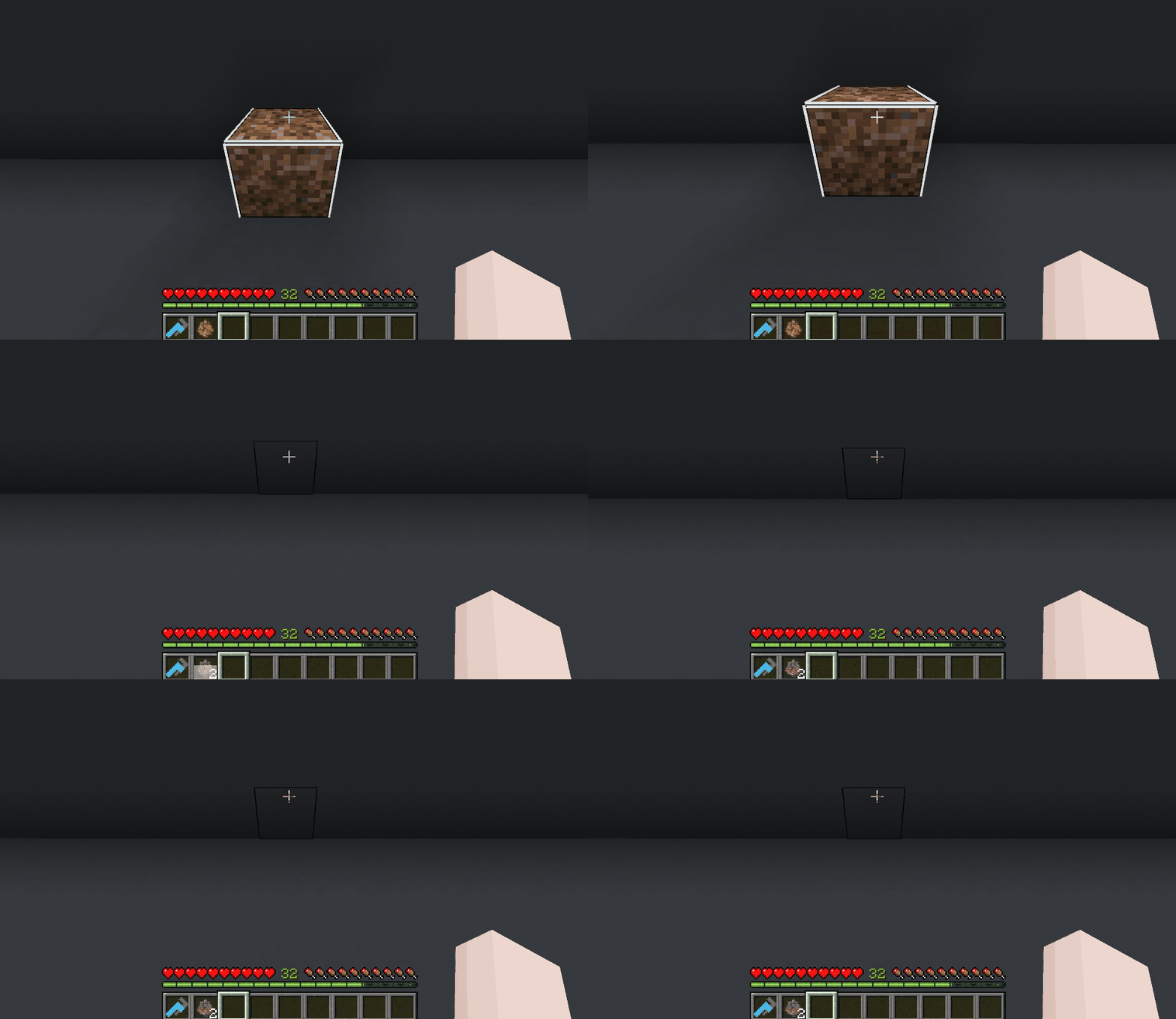
Generators can ONLY be picked up by their owner; Operators in Creative mode DELETE the gen instead of picking it up. To perform a gen pickup you now need to SNEAK + INTERACT (place button) on the Generator block whilst having an EMPTY hand. If you have inventory space it will store the gen egg in your inventory instantly and if not it will drop on the ground.
Auto Miners
Auto Miners are usually command blocks that destroy the block below it to drop its resources automatically. These come with flaws though; Auto Miners run constantly if loaded leading to many servers trying to enforce a lever needing to be crafted and placed on the miner to turn it off/on before logging off. Many people don't do this regardless though causing lag with alot of ground items and experience orbs.
MSC fixes this by making our autominers toggle off automatically when the person who placed them is no longer online and turn on automatically when they are. MSC also allows you to pickup and place autominers anywhere that a normal block can be placed without the risk of it being stolen and there are counter measures for blocks like bedrock, deny, allow, barries or borders to not be broken by it.
Auto Miner Outlines
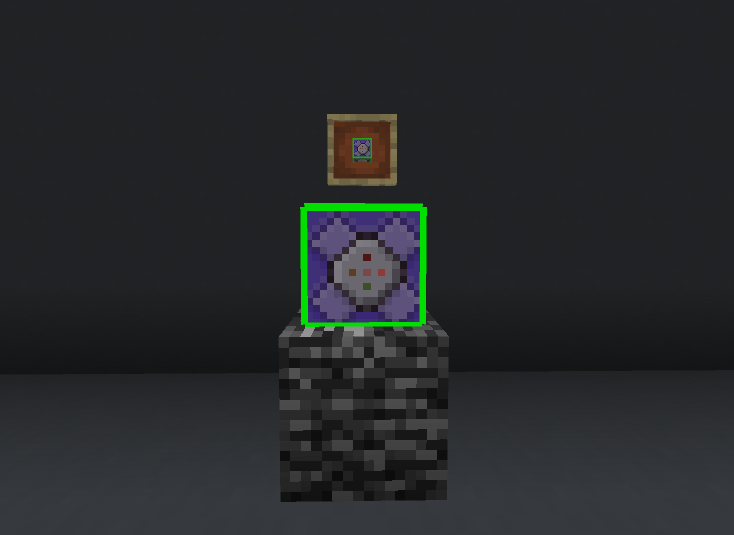
Auto Miners with a RED outline indicate that the miner is inactive because its owner is offline. GREEN outlines however indicate they are running because the owner is online.
How to find them
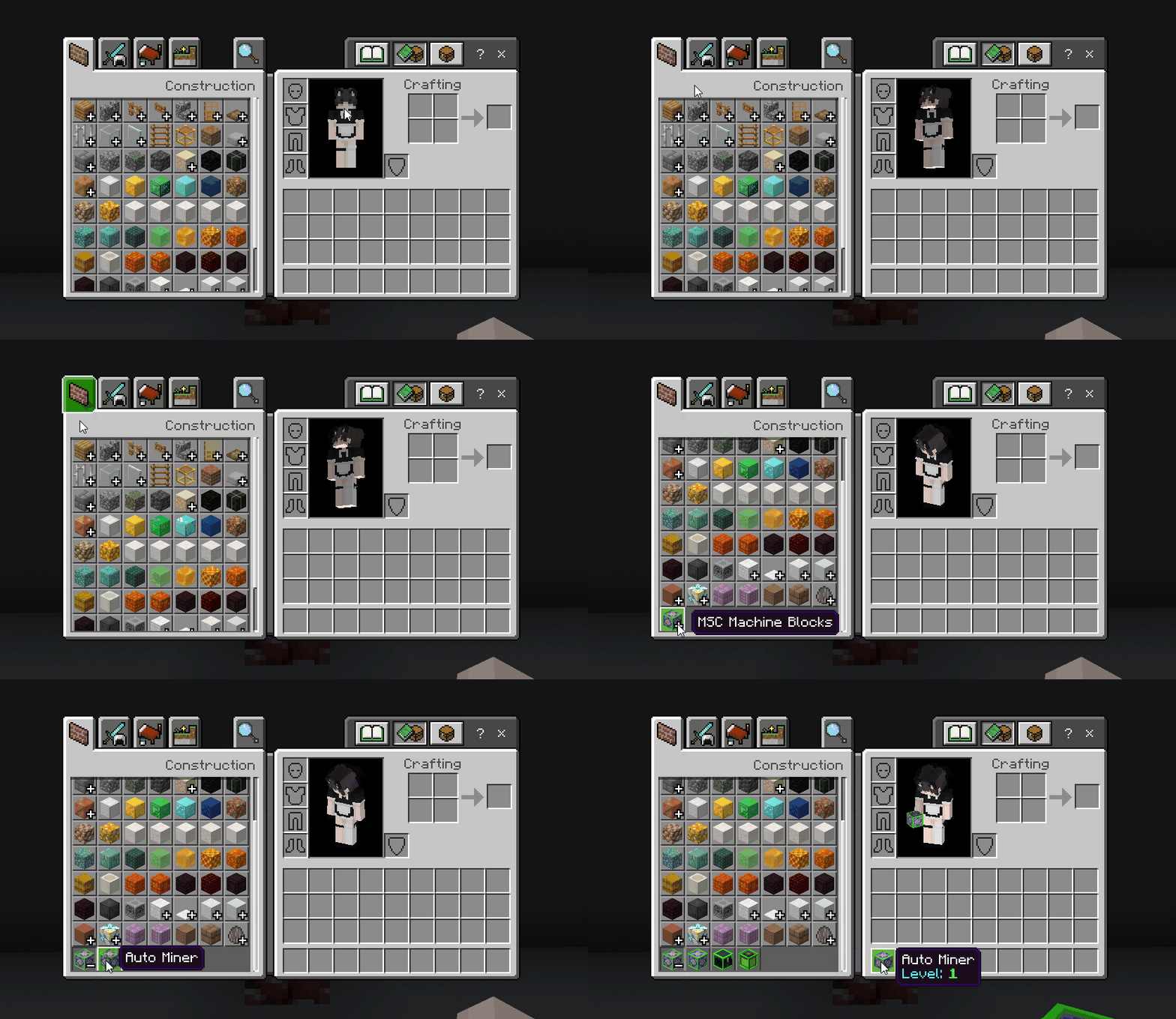
Auto Miners can be found in a custom group in the "Construction" tab in the creative inventory.
Placing Auto Miners
Auto Miners will be begin mining after their set mining time; this by DEFAULT is 100 ticks (5s) and will break blocks under it. You simply place it like a normal block.
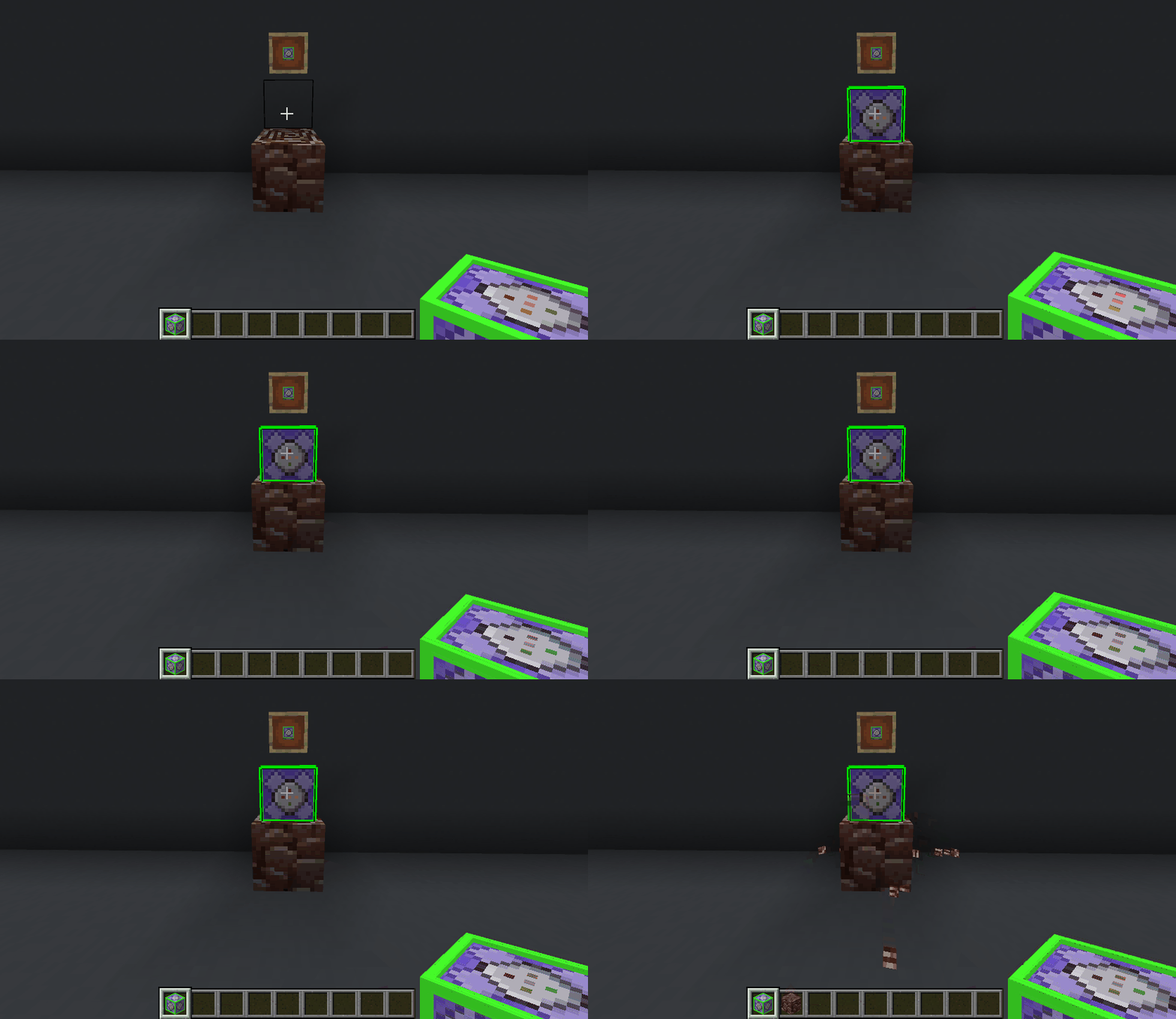
Editing Auto Miners
Auto Miners can right now only have 1 feature edited that matters which is "Base Speed" (the base amount of ticks until it breaks the block below it). There WILL be more features to do with "levels" but that is not implemented currently. You MUST be in creative and be an operator using the "Admin Wrench" on the auto miner to edit all auto miners.
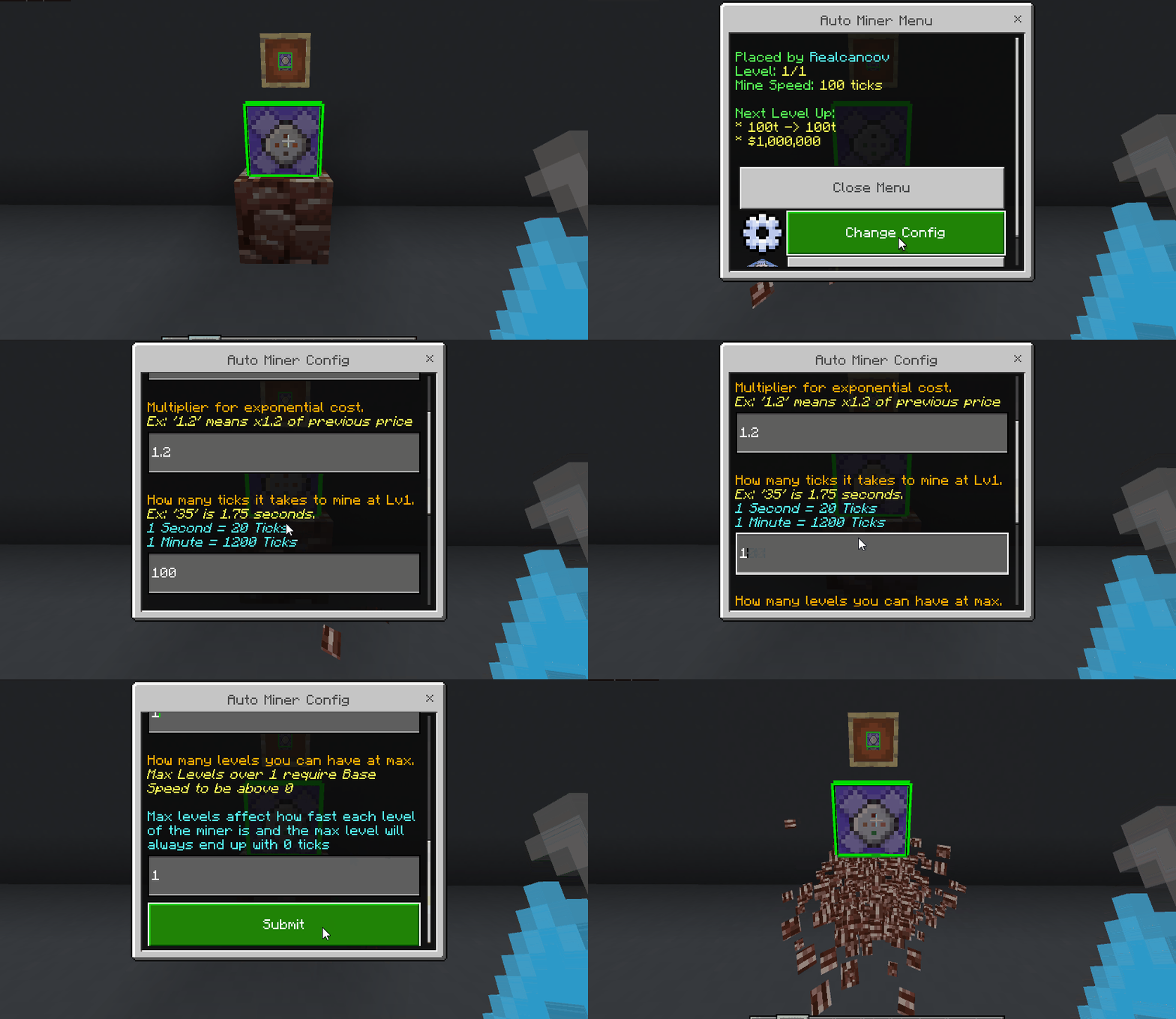
Picking up Auto Miners
Auto Miners can ONLY be picked up by their owner; Operators in Creative mode DELETE the miner instead of picking it up. To pickup gens you just break it like a normal block. If you have inventory space it will store the auto miner in your inventory instantly and if not it will drop on the ground. When levels are implemented it will keep them too.
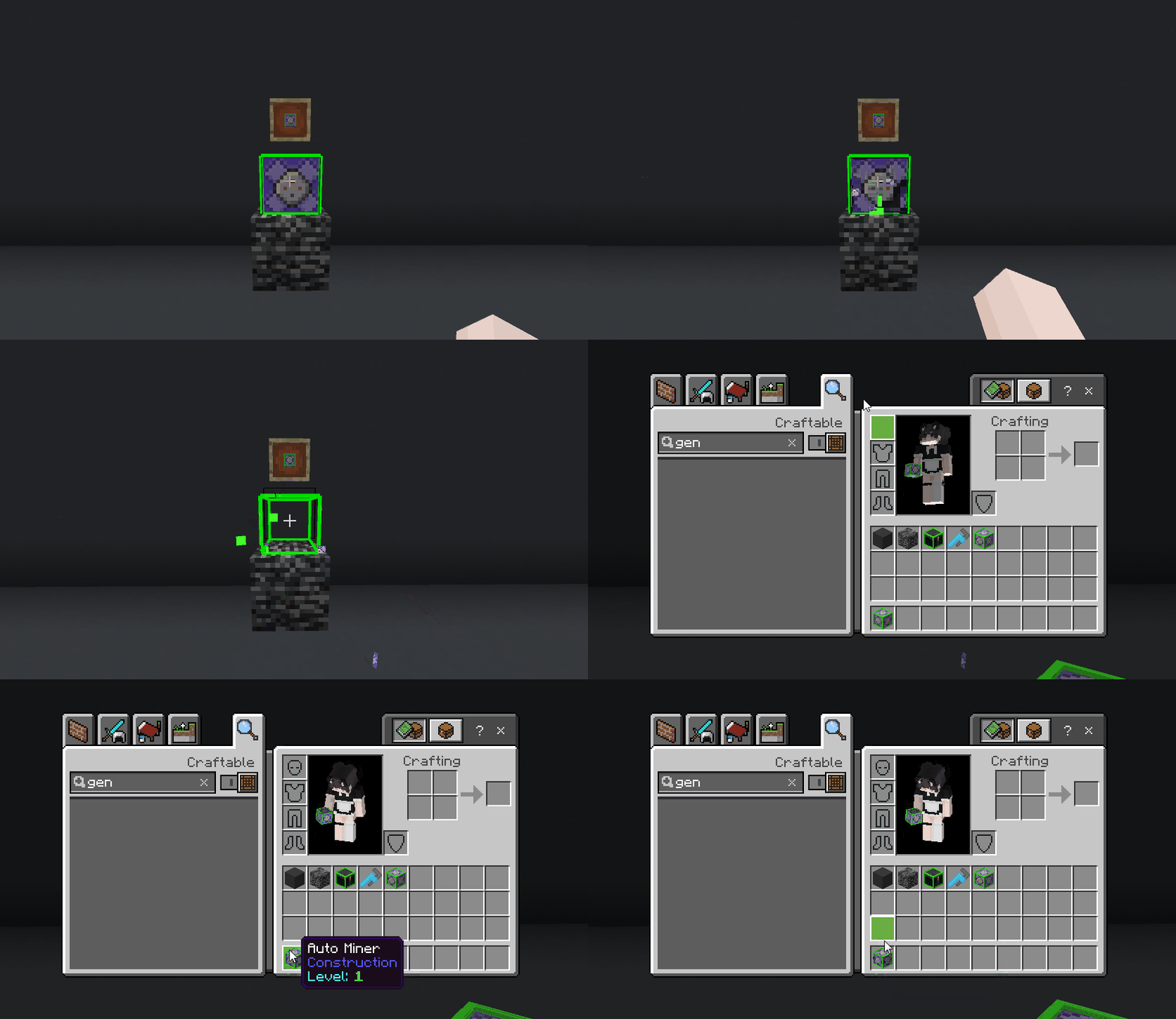
Experience Tank
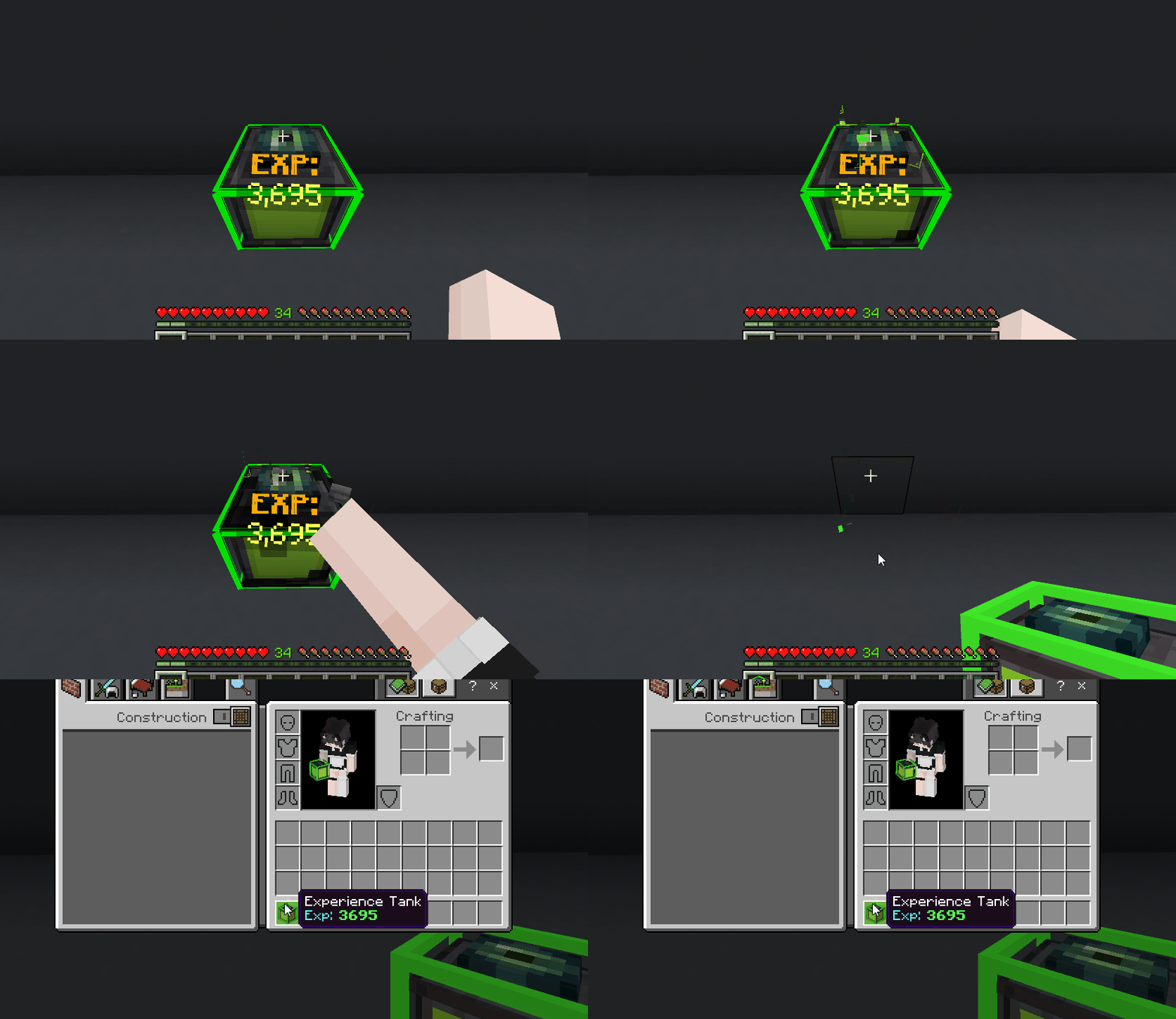
As mentioned previously; Auto Miners can cause many experience orbs to be on the ground; experience orbs count as entities so it becomes one of the 2 biggest causes for lag in a realm when left for a prolonged amount of time. Experience tanks automatically collect these orbs removing them from the ground and storing the experience indefinitely.
Now just storing experience isn't particularly useful for the player though so let's get into the additional mechanics I added to the tanks to make them more useful.
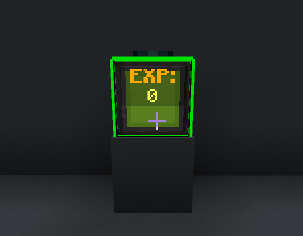
Experience Tank Outlines
Experience Tanks with a RED outline indicate that the tank is inactive because its owner is offline. GREEN outlines however indicate they are running because the owner is online.
How to find them
Experience Tanks can be found in a custom group in the "Construction" tab in the creative inventory.
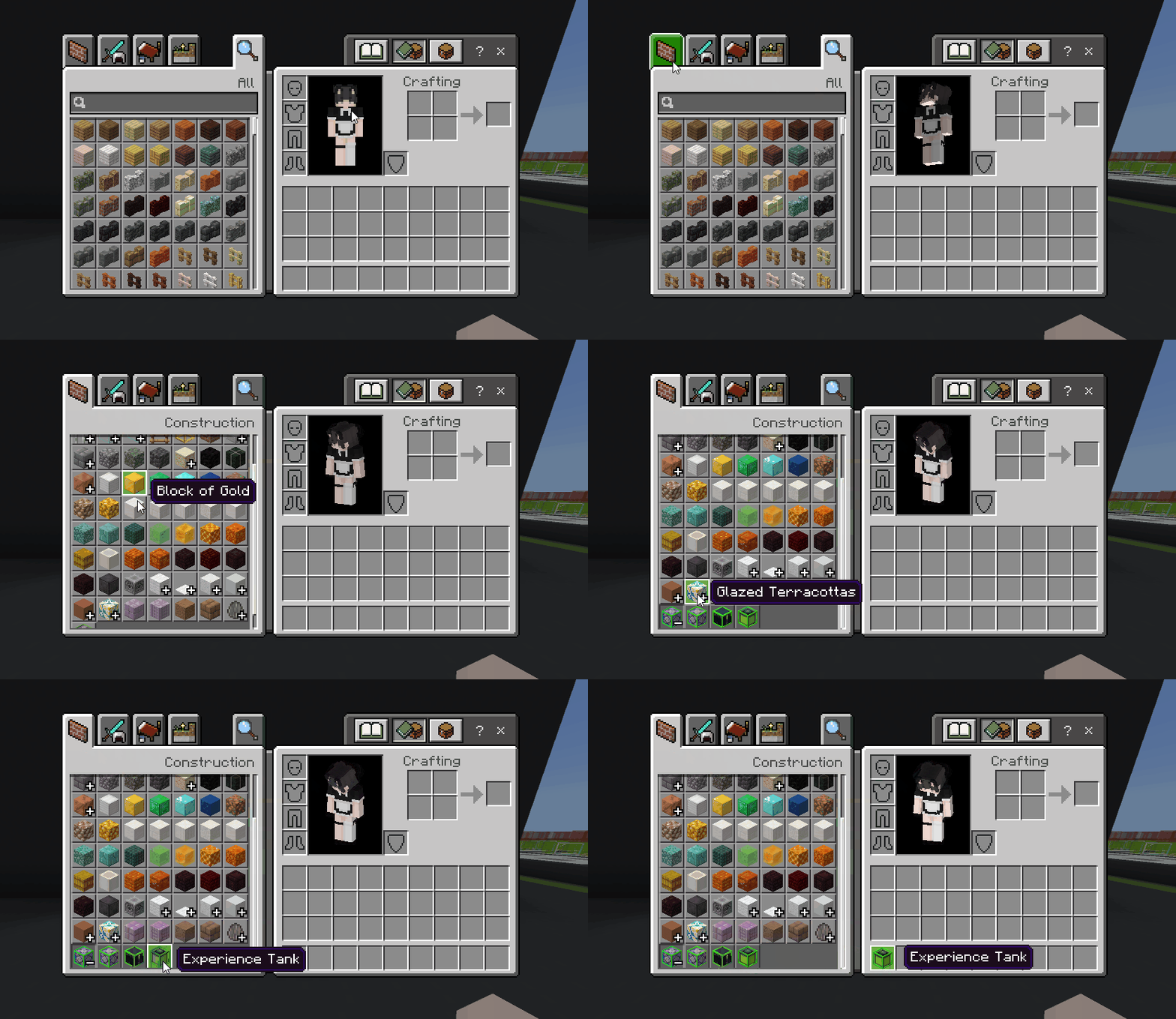
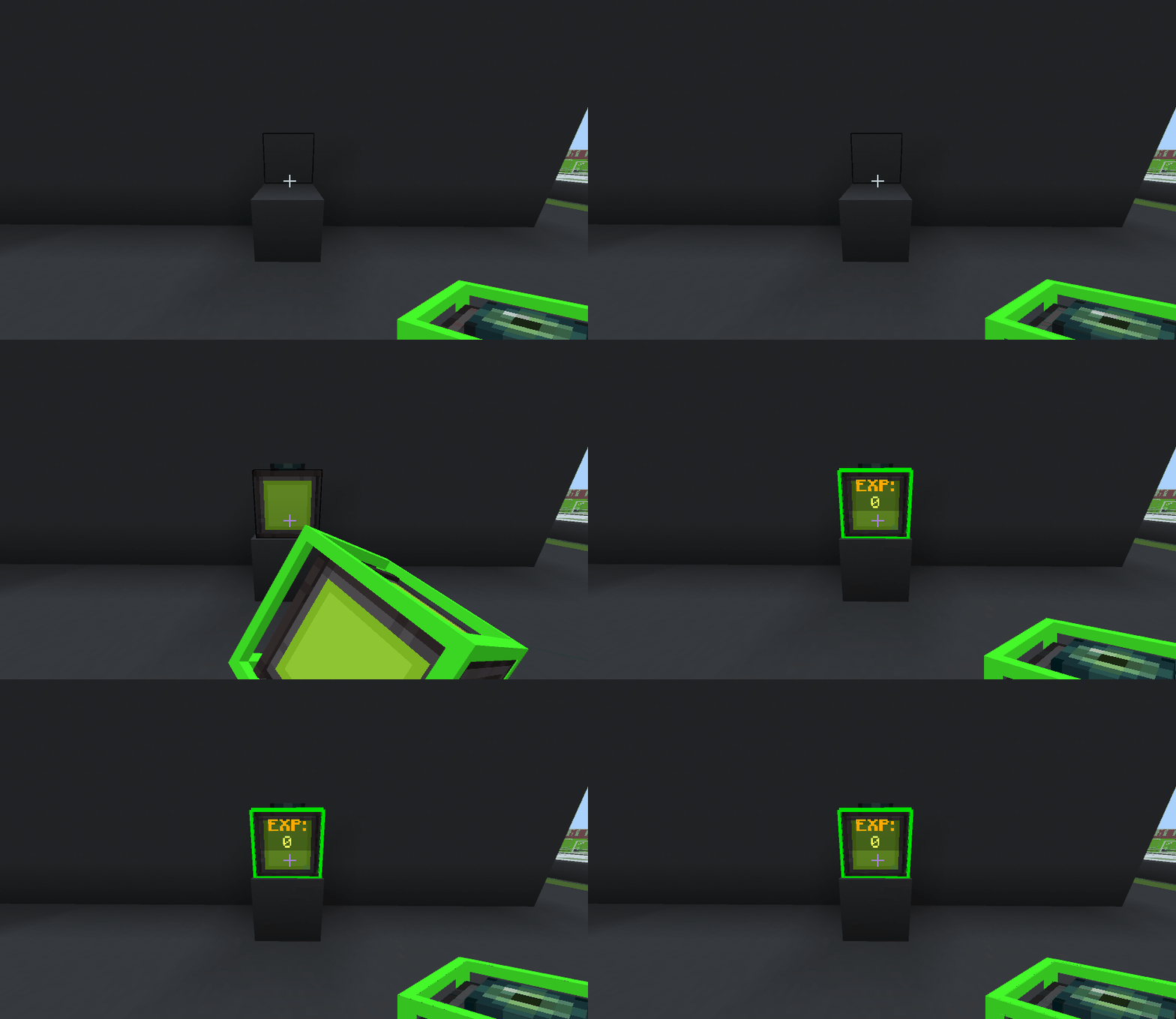
Placing Experience Tanks
Experience Tanks automatically collect experience orbs on the ground nearby immediately. You place it like a normal block to make this feature work.
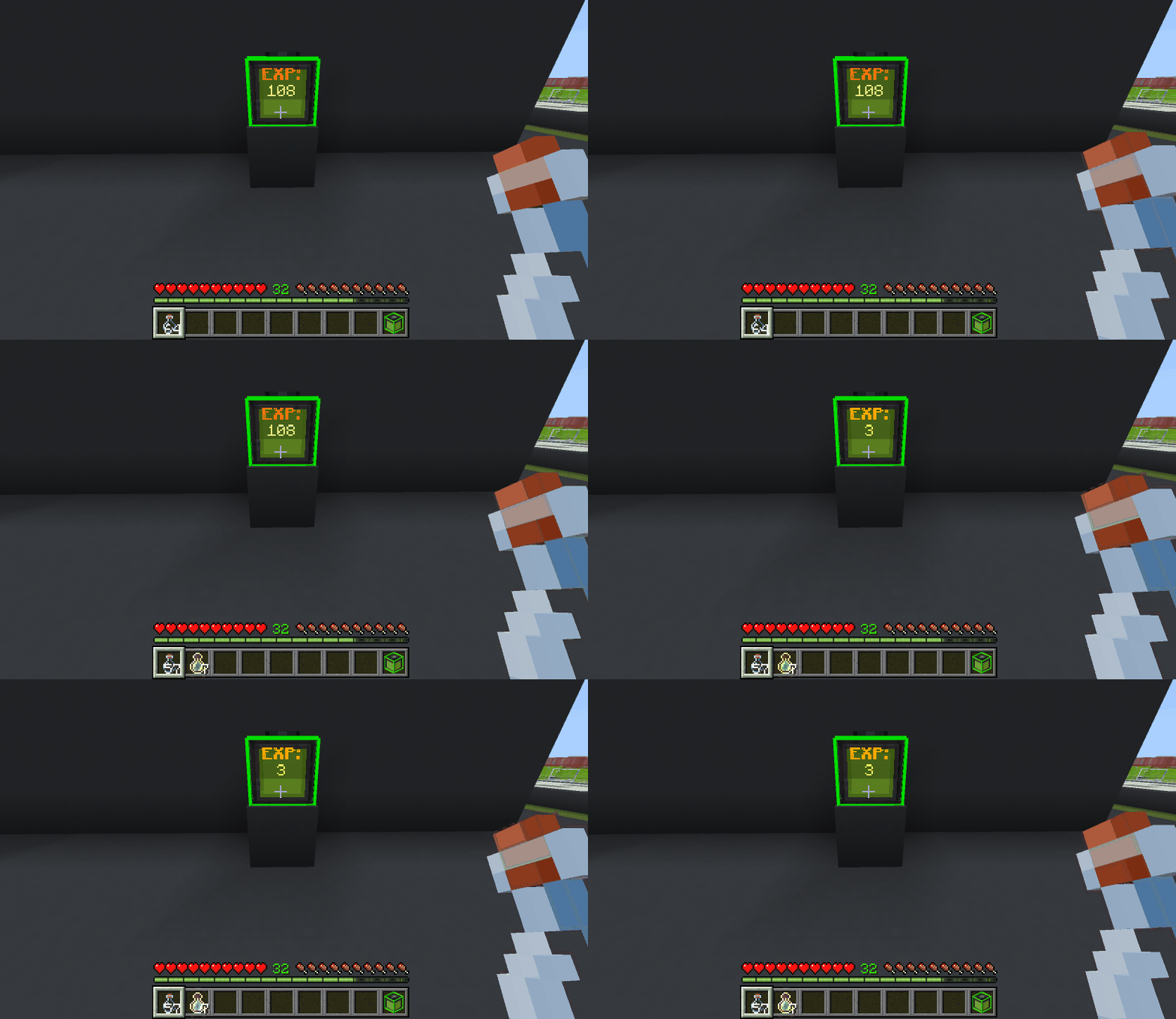
Crafting Experience Bottles
Experience Tanks can craft experience bottles when you interact on them with Glass Bottles. This is at a rate of 1 experience bottle every 15 exp that is used.
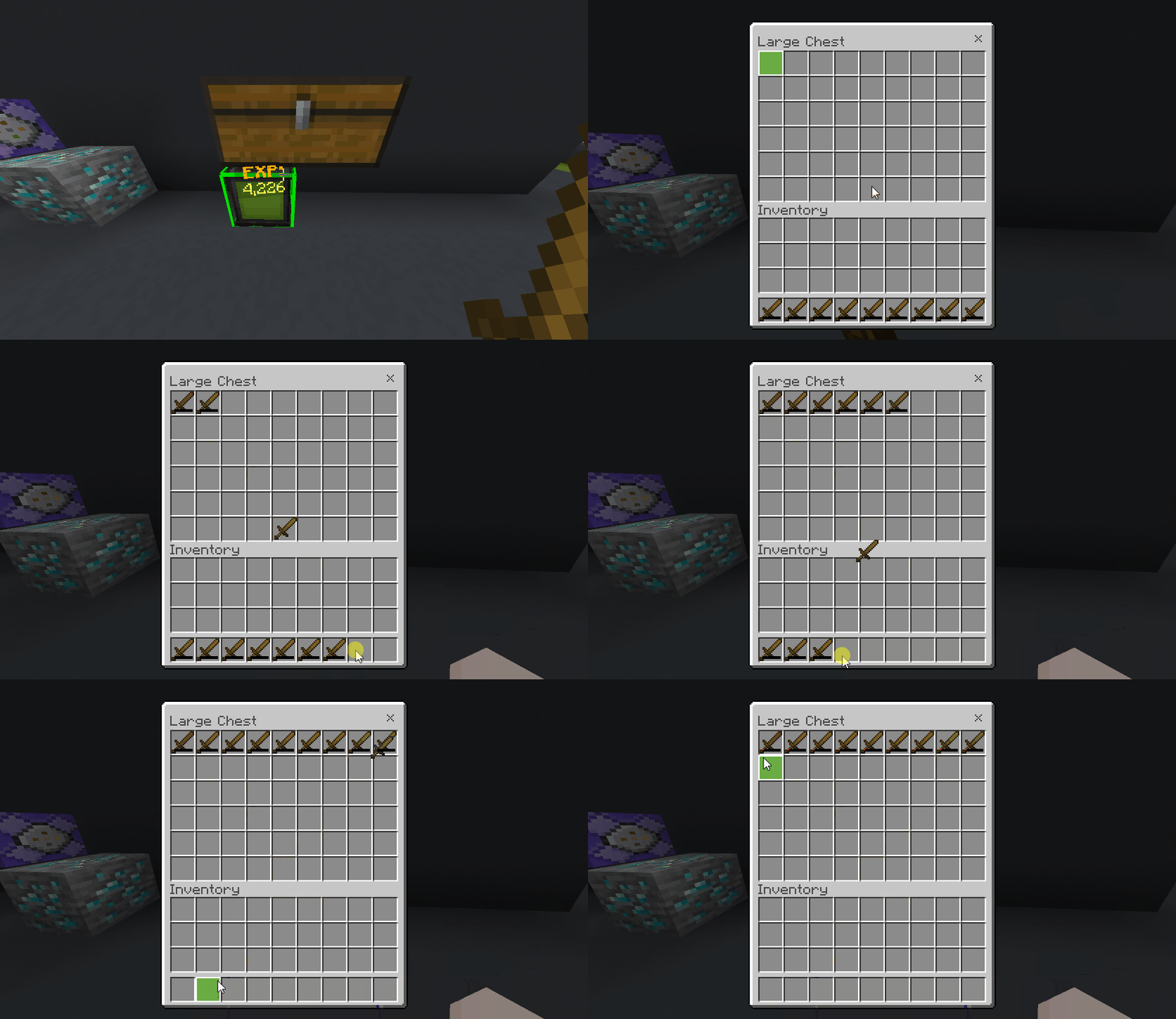
Mending Items Overtime
Experience Tanks use their stored experience to repair all items in the container above by 1 durability per 1 experience used. The items do NOT require mending; this process is SLOWER than mending but more convenient for repairing backup items.
Picking up Experience Tanks
Experience Tanks can ONLY be picked up by their owner; Operators in Creative mode DELETE the block instead of picking it up. To pickup Experience Tanks you just break it like a normal block. If you have inventory space it will store it in your inventory instantly and if not it will drop on the ground. It keeps the stored experience inside of it allowing for trade or moving easily.
Item Storer
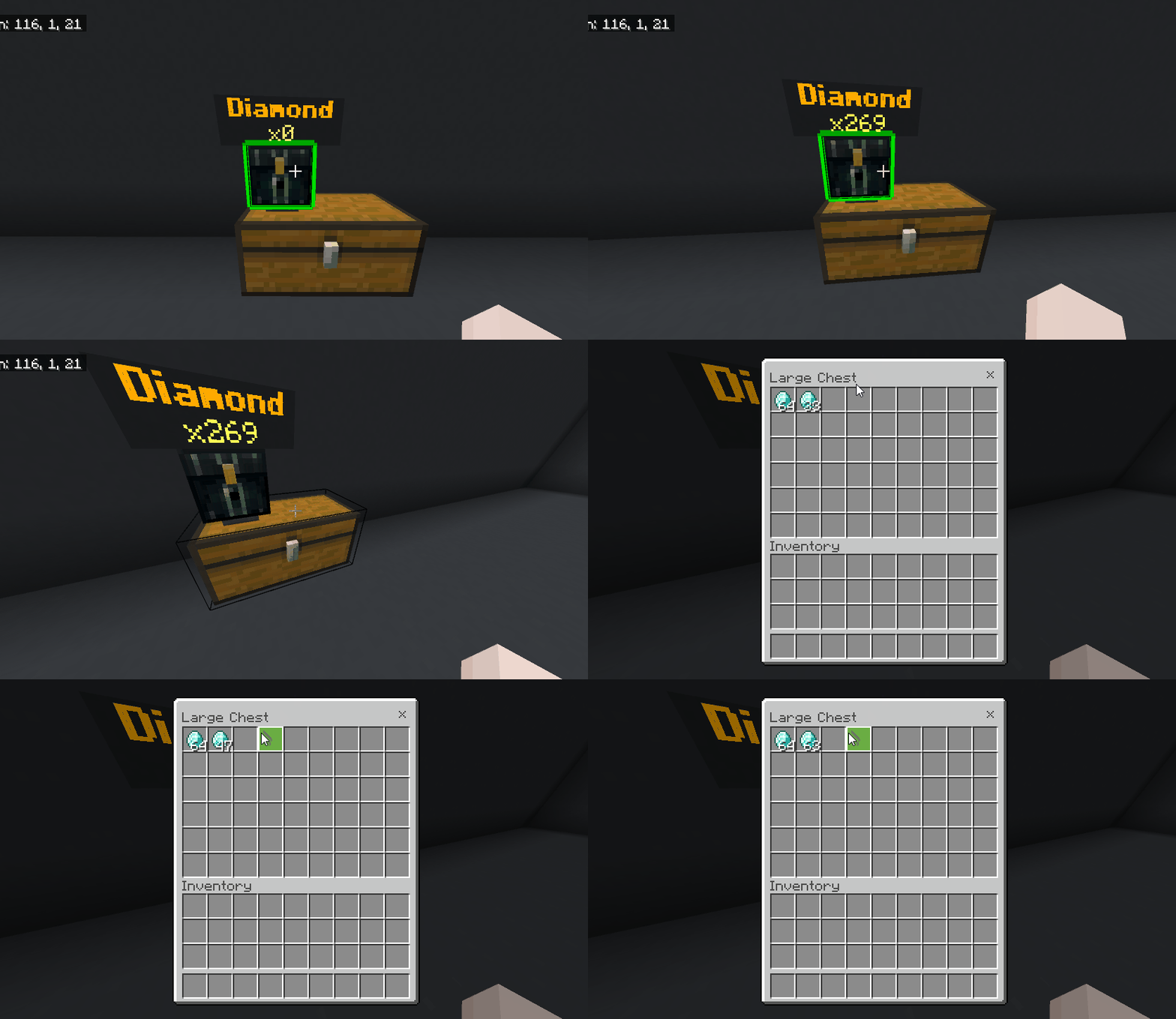
As mentioned previously; Auto Miners can cause many ground items to exist potentially causing major lag in large amounts. The Item Storer infinitely stores ground items as data then output in any container under it MUCH faster than any hopper. Item Storers can only store 1 item infinitely.
Item Storer Outlines
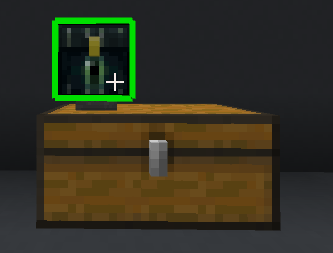
Item Storers with a RED outline indicate that the storer is inactive because its owner is offline. GREEN outlines however indicate they are running because the owner is online.
How to find them
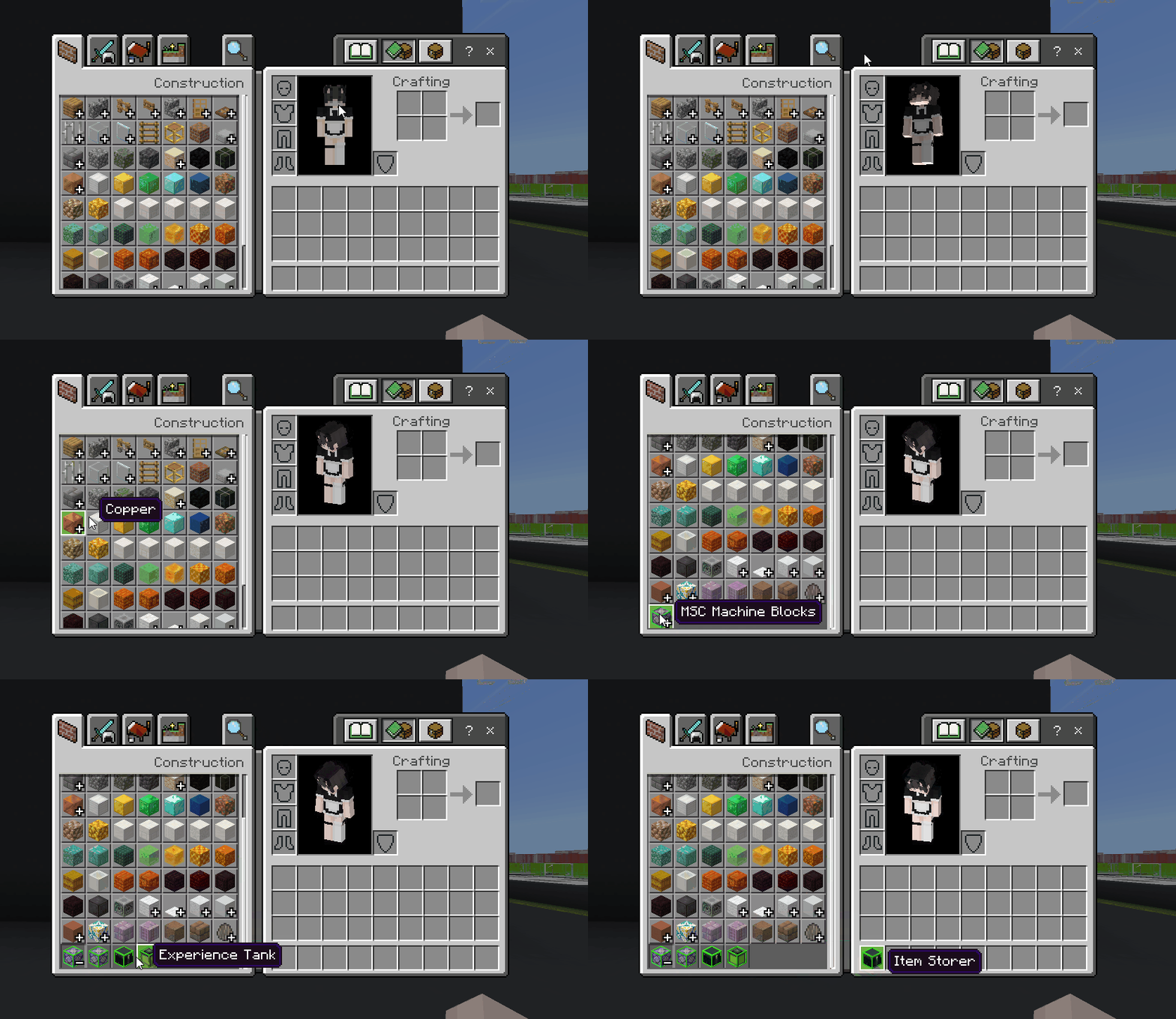
Item Storers can be found in a custom group in the "Construction" tab in the creative inventory.
Placing & Assigning items for Item Storers
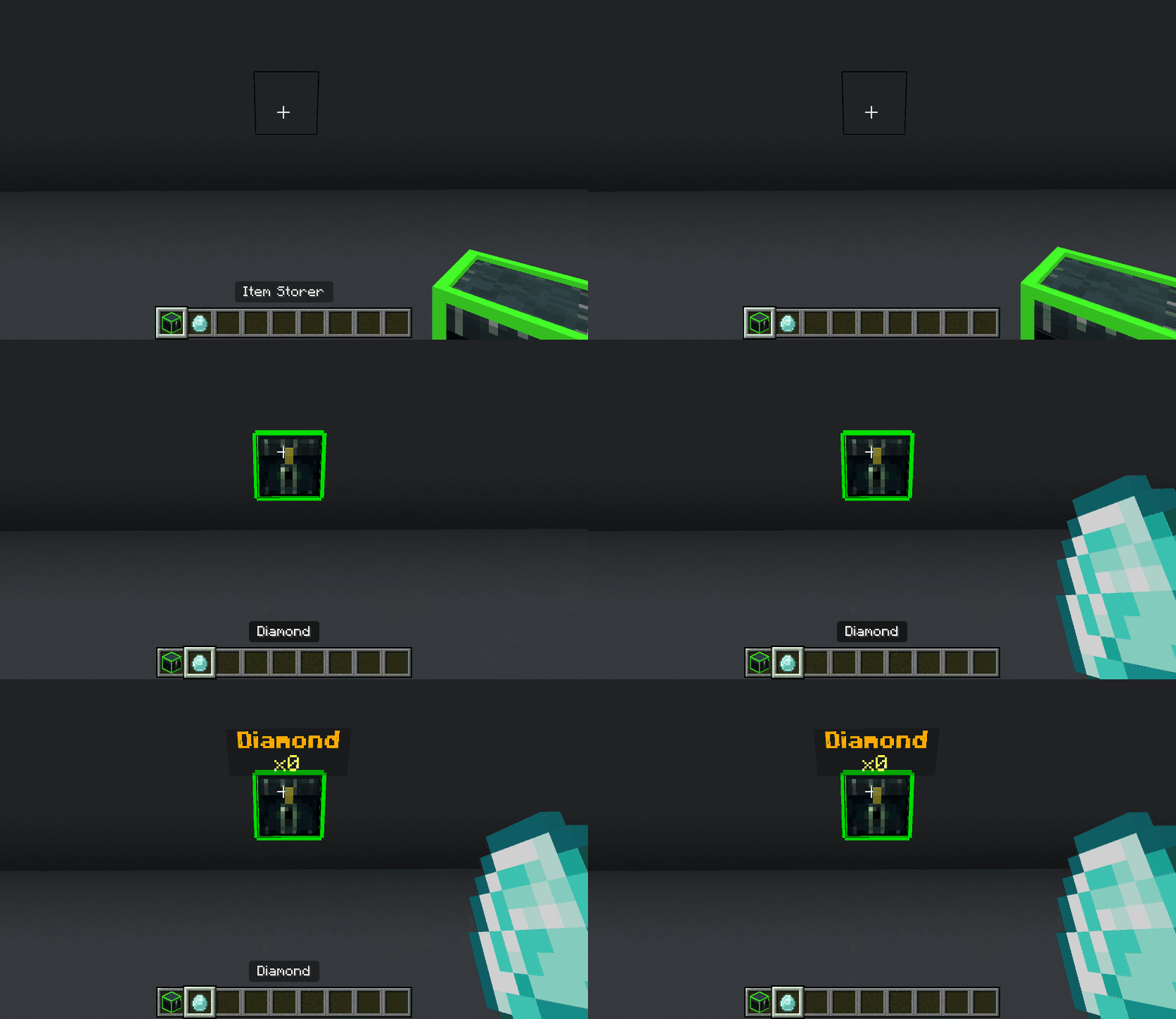
Item Storers automatically collect nearby ground items of an assigned type immediately. You place it like a normal block to make this feature work. For this you have to ASSIGN an item and you do this by interacting on an unassigned item storer with an item.
Filtering with Item Storers
Item Storers automatically filter their contents into containers directly below them. This allows you to pull out diamonds from our example aslong as there is space to pull into.
Picking up Item Storers
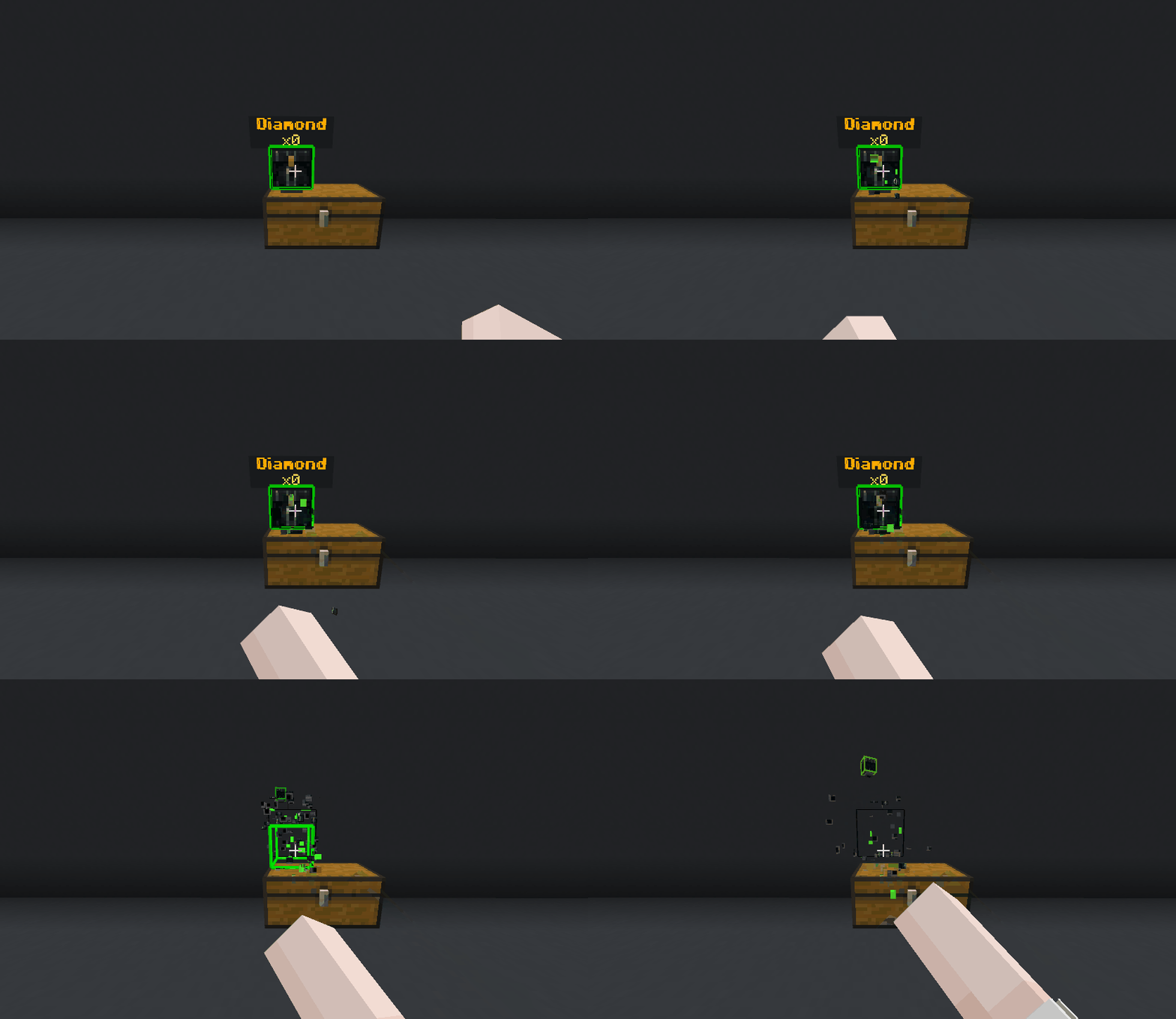
Item Storers can ONLY be picked up by their owner; Operators in Creative mode DELETE the block instead of picking it up. To pickup Item Storers you just break it like a normal block and it just drops on the ground. But the contents inside DO NOT get saved.
Custom Commands
In the video there is a mention of custom commands. And here I will list them incase the video isn't upto your speed.
/mschelp
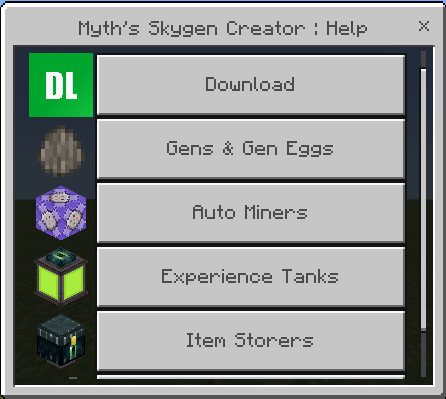
This is the help menu for MSC, this opens up all the "need to know" information that new players may not grasp since the idea of opening a menu on a gen or autominer to upgrade it is not commonplace just yet. It also shows this page in the download links you can read and explains the experience tanks and item storers.
Additional Commands:
/gm Commands
They all have optional target selectors now so you can do /gmc @a or /gma @a if you wanted.
/gmc is Creative Mode, /gmsp is Spectator Mode, /gma is Adventure Mode and lastly; /gms is Survival Mode. This is pretty much just for faster gamemode switching on slower typing devices like mobile or console.
/realmdev & /dev
To be transparent; Whenever me or my alt account joins the world and this is enabled they will automatically get the realmDev tag- this gives no benefit except for helps us to test errors in person if a realm specific issue cannot be replicated on my own realm.
These commands just output every action my code is running behind the scenes in a readable way for me to understand the bug or issue. /dev only works on Direct Servers and worlds. And /realmDev can work around the board but uses a different way to send logs and is used as a "last resort" for debugging realms: only people with the "realmDev" tag will see these logs when its enabled.
What is next?
Next MAJOR update is the "Economy Update" introducing new commands and replacing scoreboard currency w/ migration options. That way you are not limited to the 2B cap and have alot more functionality, this will most likely also include crates etc. I don't want to spoil too much yet though... you will just have to join the discord to find out 😁.
Credits
Developer; "Myth" (@mythicode)
Contributers;
"paper" (@paperweightt)
- https://mcpedl.com/user/paperweightt
- https://www.curseforge.com/members/paperweightt/projects
Helpers;
- "Deleted" (@t1g4)
- "Verxcy" (@verxcy)
- "zeroulletz66" (@thegamelord4790)
- "NovaSlickz" (@novaslickz)
The Myth's Skygen Creator Team