![[MCA] MTM | Moscow Train Metro V4 logo](https://media.forgecdn.net/avatars/thumbnails/1014/876/64/64/638540392012743983.jpg)
[MCA] MTM | Moscow Train Metro V4
- By
Did you want to ride the subway trains with your friends? This addon is for you. It will help you create your subway in your minecraft world.
Description
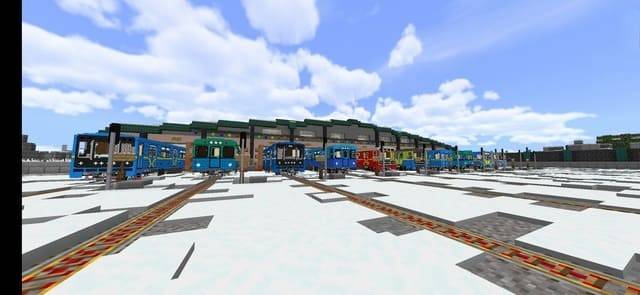
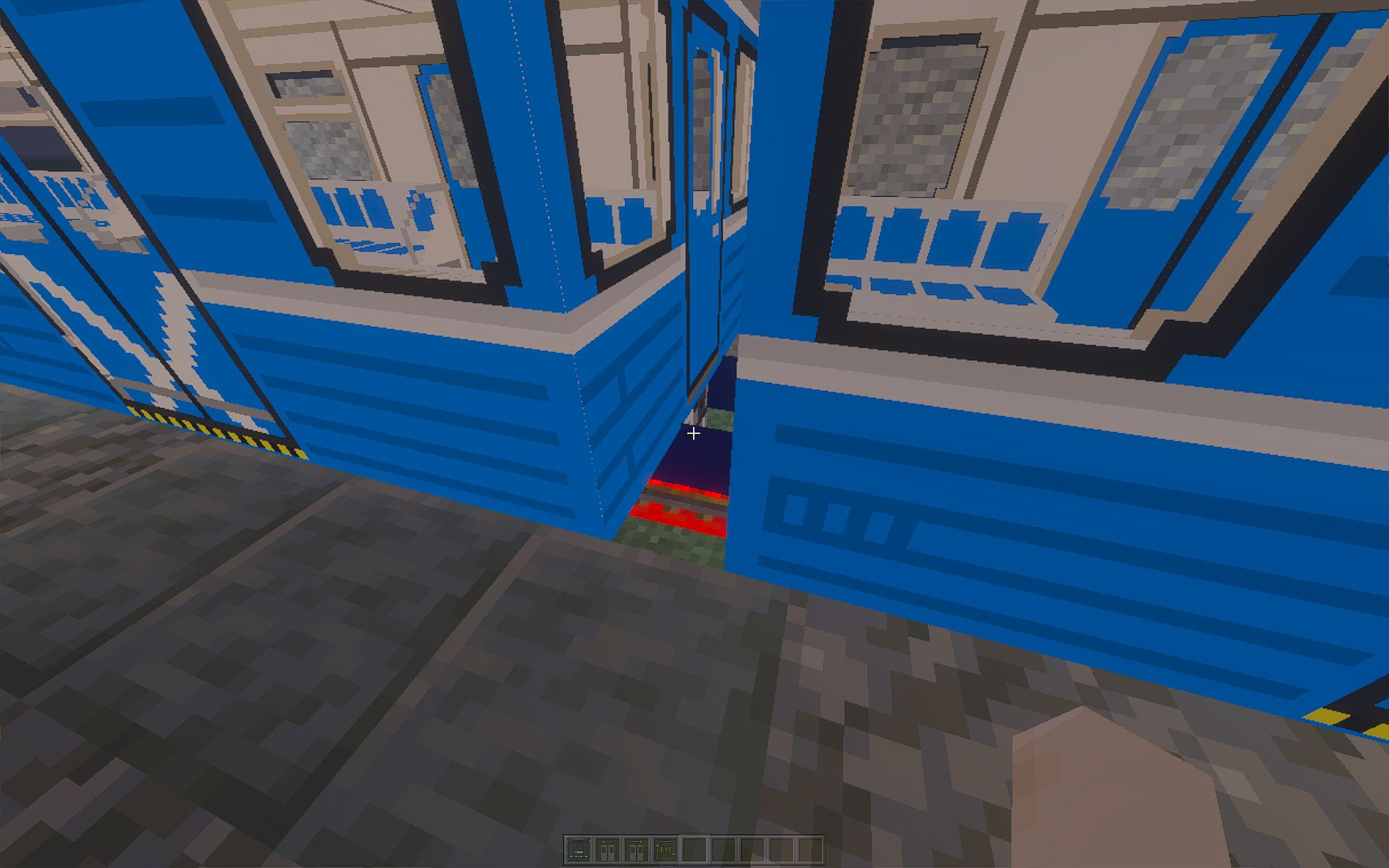
This addon adds highly detailed, 2D controllable subway cars to your world. Whether you are building a simple tram line or a massive underground metro system, this pack provides the tools for an immersive railway experience. You can assemble trains of any length by placing cars end-to-end. The trains themselves are found in the "Mobs" section of the creative inventory. Download MCA!
Setup: Enable all experiments, build your track with powered rails, and execute /function setting after joining the world. MCA Addon is required for control.
Types of Subway Cars
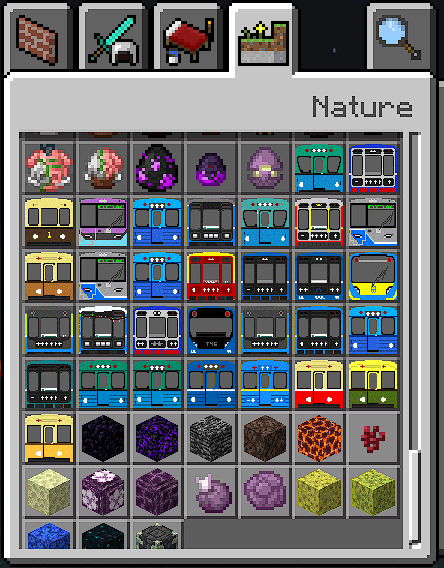
Main models:
- 81-502 (Ema-502)
- 81-503 (Emkh-503)
- 81-701 (Type G)
- 81-702 (Type D)
- 81-710 (Ezh-3)
- 81-717 (Numbered)
- 81-720 (Yauza)
- 81-721 (Yauza)
- 81-760 (Oka)
- 81-761 (Oka)
- 81-775 (Baltiets)
All other cars: 81-705 (Ema), 81-706 (Emkh), 81-711 (L), 81-712 (Ezh6), 81-713 (Ev), 81-714 (Numbered), 81-715, 81-716, 81-718 (81-718/719), 81-719 (81-718/719), 81-723 (Yubileyny / Okhta), 81-732, 81-739, 81-742 (Rusich), 81-752, 81-762 (Oka), 81-1031 (Type A), 81-1032 (81-714.5M), 81-1033 (81-714.5M), 81-1034
Train Controls & Features
How to take control
To sit in the driver's cab, aim directly at the black/grey coupler zone (the point where the train was spawned) and Right-Click (Interact).
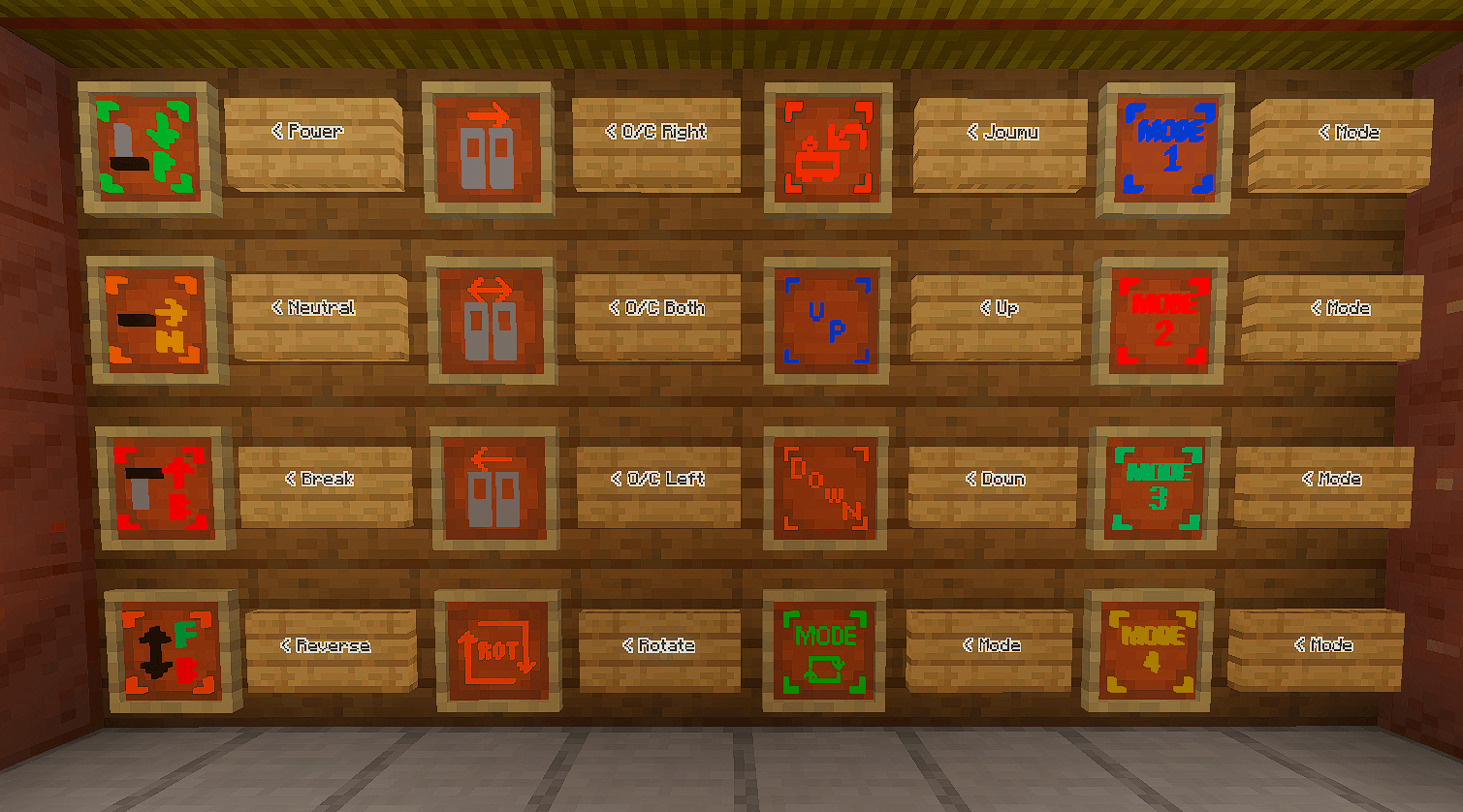
However, to operate the train, you must use the control buttons near this zone. All controller buttons used will affect the nearest coupler.
This addon uses a realistic notch control system, letting you manage acceleration and braking in precise steps — just like a real train driver.
- Notch P (Power) – Each press increases the power notch, accelerating the train. Press repeatedly to reach your desired speed.
- Notch B (Brake) – Each press increases the brake notch, slowing the train down. Use it when approaching stations or curves.
- Notch N (Neutral) – Sets the notch to neutral, keeping your current speed without accelerating or braking. Ideal for long straights or speed limits.
- Reverse – Reverses the train's direction. Important: Do not use while moving — bring the train to a complete stop first.
- Doors – Use the OC Left or OC Right buttons near the coupler to open/close doors. Important: Wait for the doors to fully finish opening or closing before pressing the button again as there are no restrictions for this.
Join our community: https://discord.gg/3ySJKw96Dn
[MCA] MTM | Moscow Train Metro V4 Team

Owner

![[MCA] Russian Rialway (Trains, Deco) project image](https://media.forgecdn.net/avatars/thumbnails/1294/699/256/256/638841492797064909.png)