ModeSwitch
- By
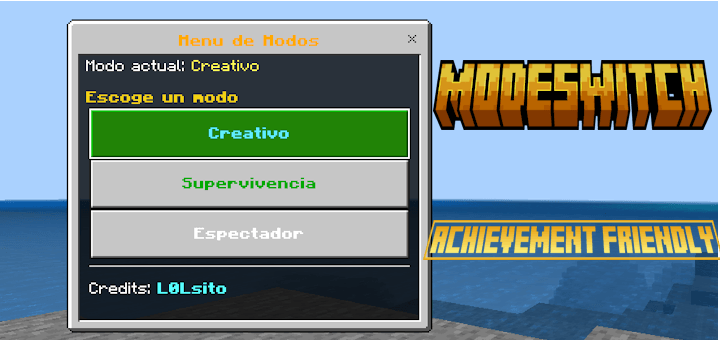
Switch between Creative, Survival and Spectator from a simple menu with /modo, no experiments required.
Description
ModeSwitch gives you a button menu to jump to Creative, Survival or Spectator in a couple of taps, without losing your achievements.
What you get
- A three-button menu that works on PC, mobile and console.
- Your current mode is shown as soon as you open it.
- No experiments or beta APIs required.
How to use it:
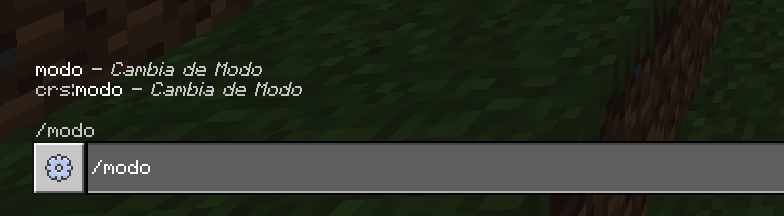
Step 1: Open the chat (T on PC, the bubble icon on mobile) and type /modo or /crs:modo.
Step 2: Send the command and close the chat if it is still open. The menu pops up on its own a moment later.
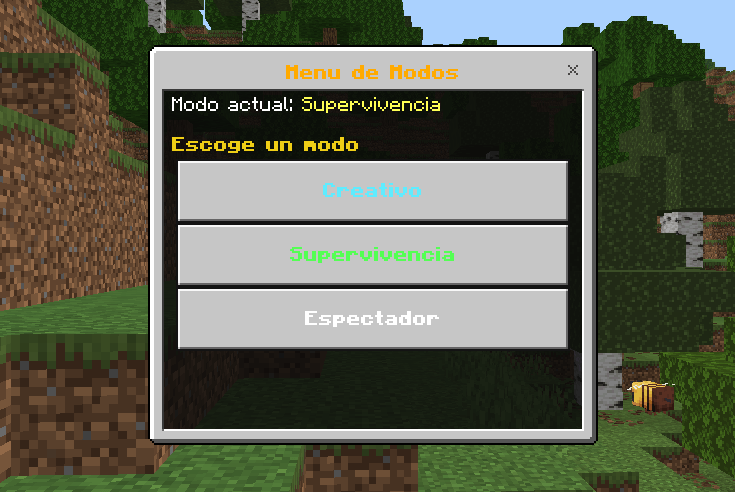
Step 3: Check your current mode at the top of the menu.
Step 4: Tap the mode you want: Creative, Survival or Spectator. The change is instant.
Step 5: To go back, repeat the process and pick Survival.
Note: All players can use the command.
images:

ModeSwitch Team