Mob Health Bar & Damage Numbers
- By
Health bars above every nearby mob, exact HP next to the bar and floating damage numbers. Fully configurable, leaves nothing behind.
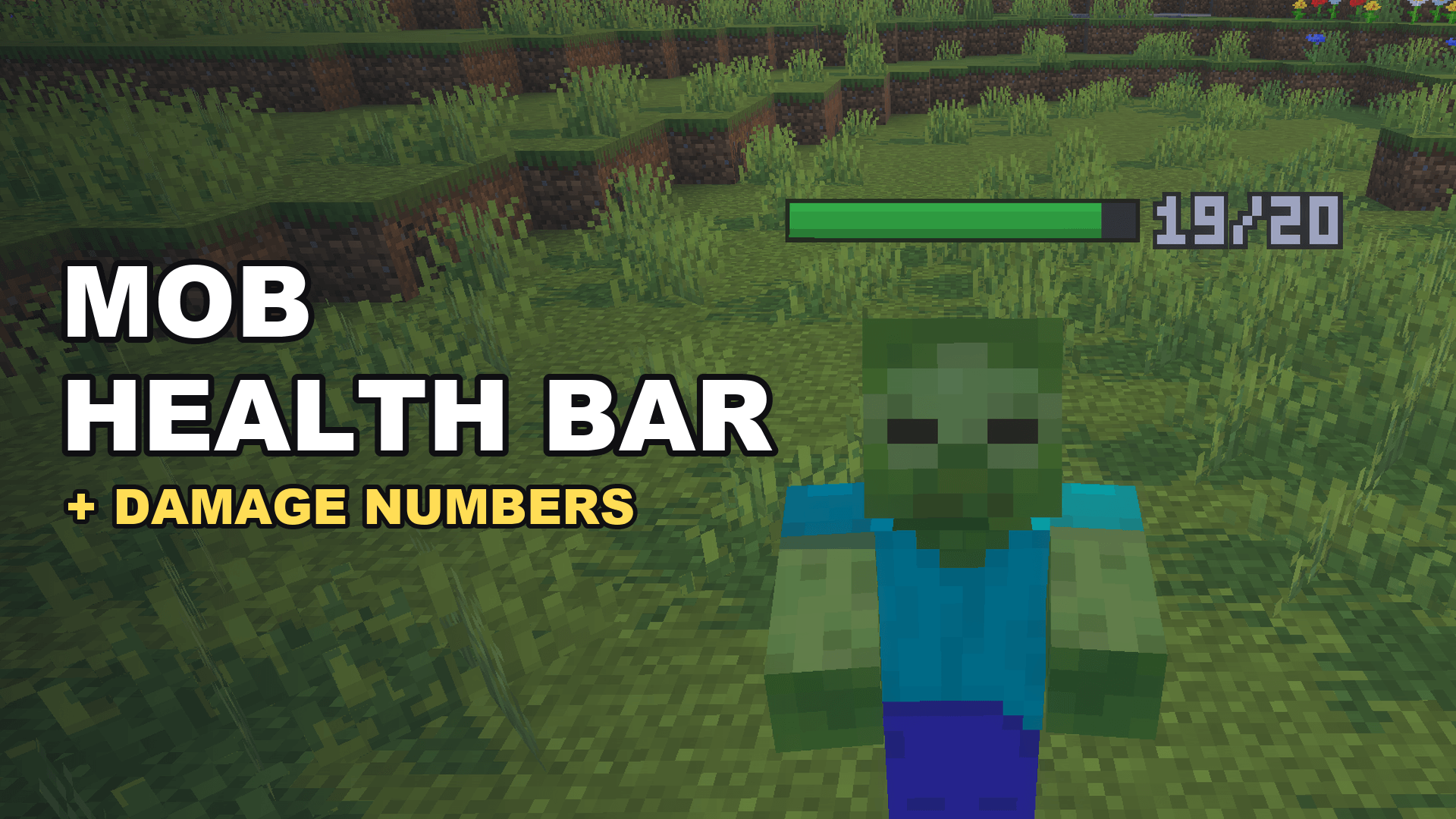
A health bar and the exact HP float above every nearby mob.
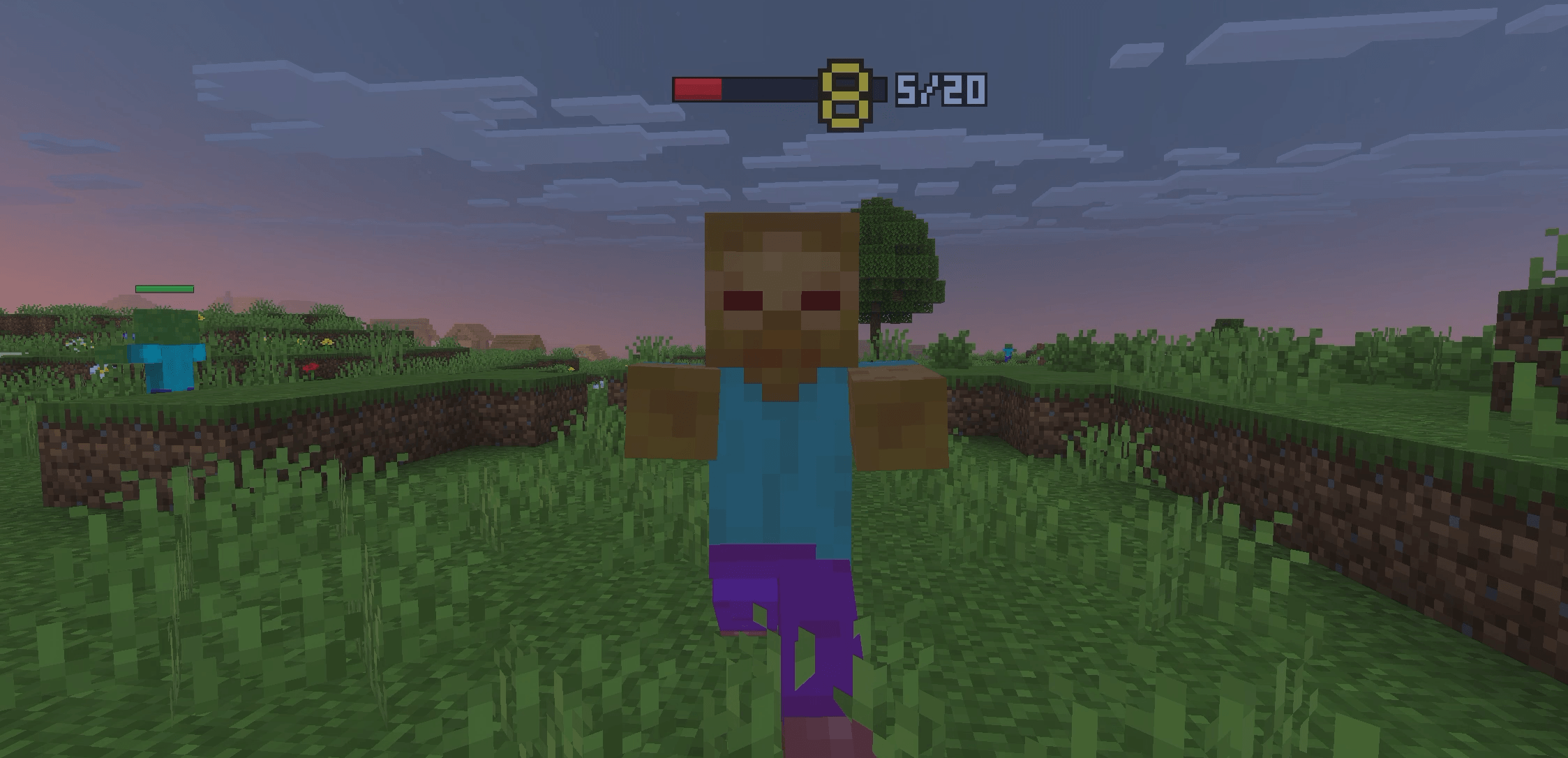
Hit a mob and the damage pops up. The bar turns red when health is low.
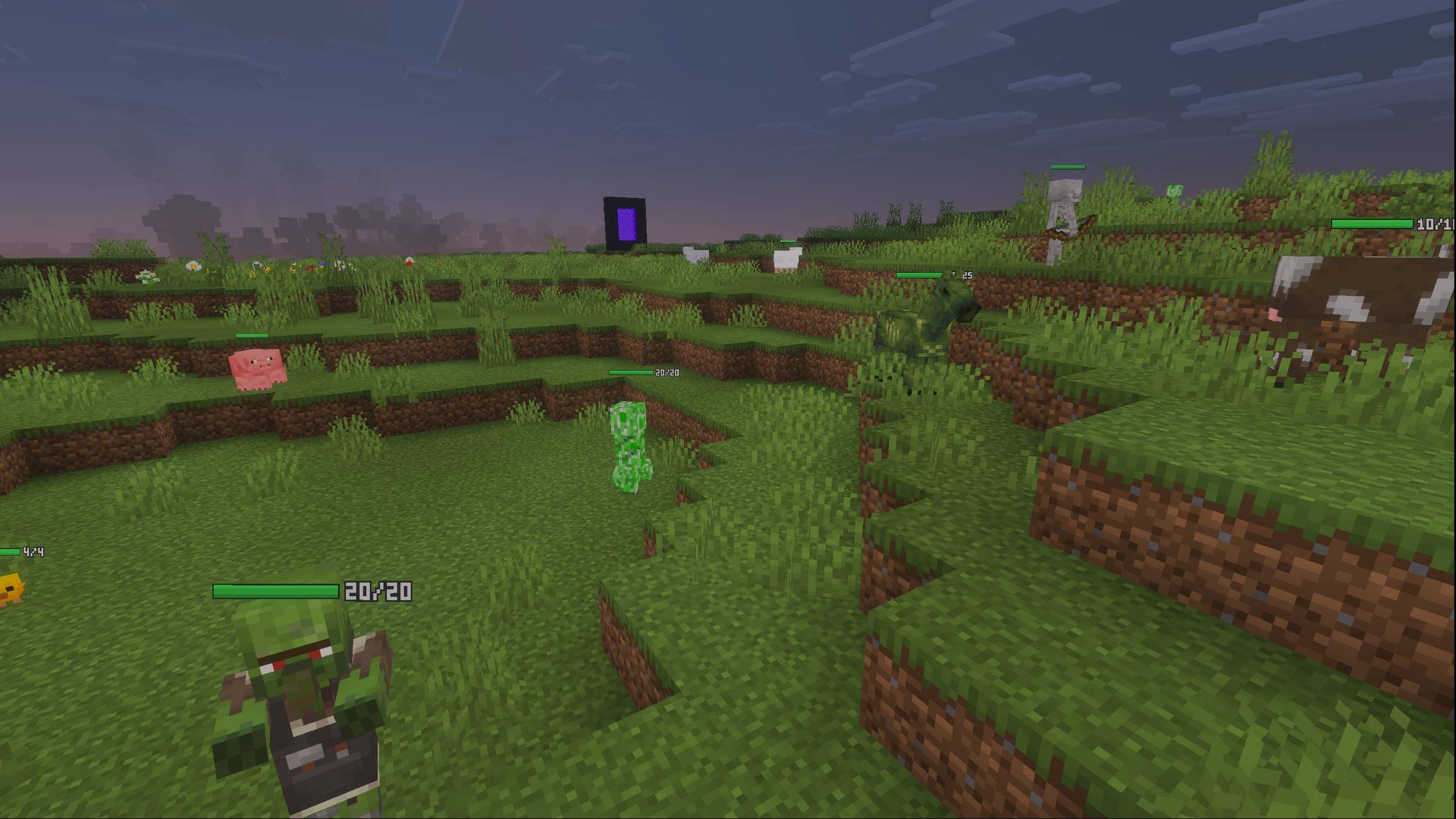
Cows, pigs, creepers, skeletons... every nearby mob shows its health at the same time. No need to aim at them.
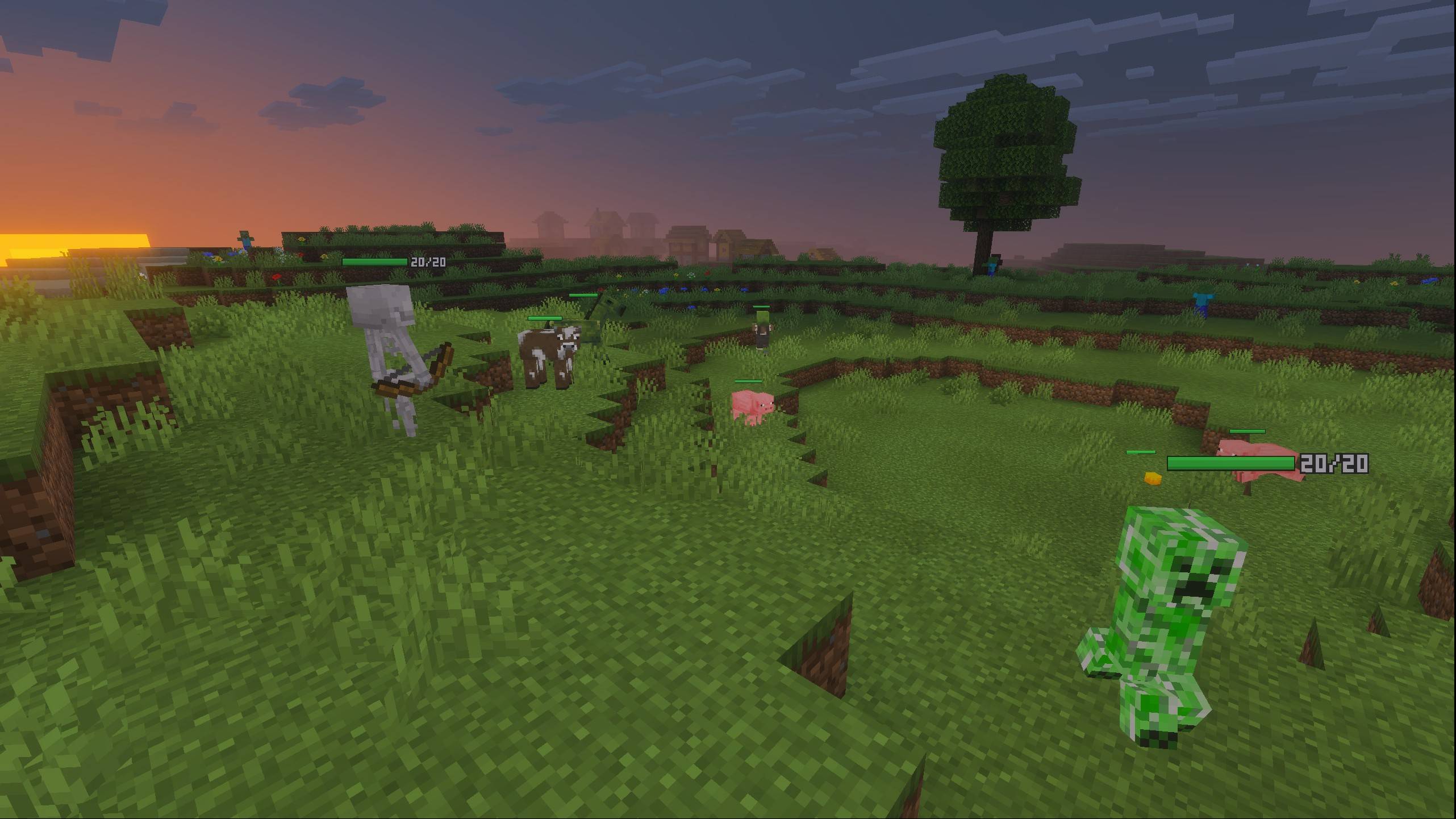
Health bars are always visible while you explore, from day to night.
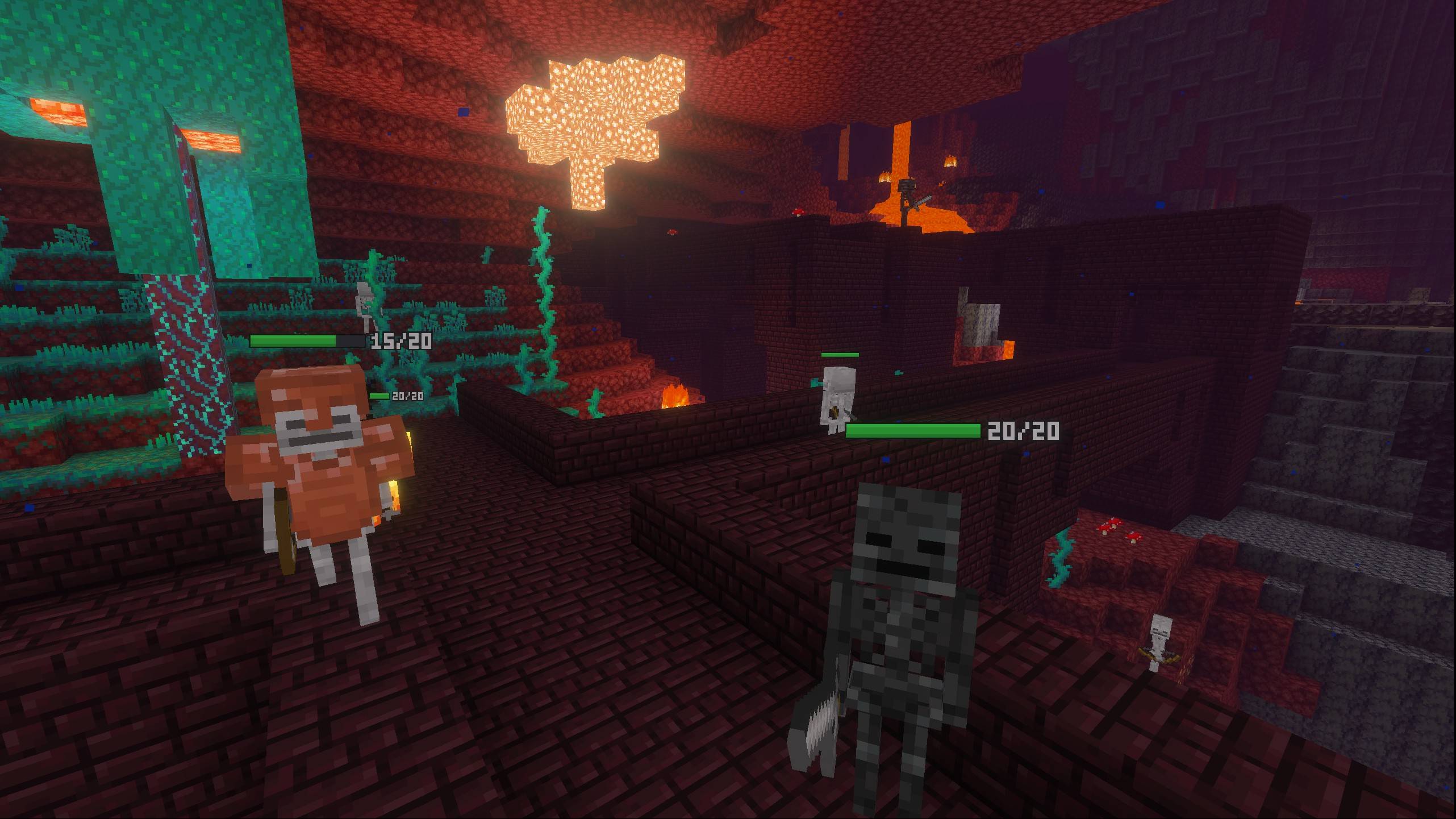
Works in the Nether and the End too, on any mob including mobs from other add-ons.
Description
Mob Health Bar & Damage Numbers
See exactly how much health every mob has. A clean health bar floats above every nearby mob, the exact HP is shown right next to it, and damage numbers pop out every time something gets hurt.
Features
- Always-on health bars – every nearby mob shows a bar above its head. No need to aim at it. The bar turns from green to yellow to red as health drops.
- Exact HP next to the bar – nearby mobs also show their current and max health, like
14/20. - Floating damage numbers – a number pops up and fades out whenever a mob takes damage, from your sword, a bow, fire, a fall or anything else.
- Smooth movement – the bar follows walking mobs smoothly and stays with them during knockback.
- Settings screen – change everything from the pack settings, both before you join the world and while playing (see below).
- Fair play – invisible mobs and players never show a bar or numbers, so their position is not revealed.
- Leaves nothing behind – drawn with particles only. It doesn't change name tags or add entities to your world, so you can remove it at any time.
- English & Japanese supported.
Settings
Open the gear icon of Mob Health Bar in the Behavior Packs list:
- Outside the world: Edit World > Behavior Packs > Mob Health Bar > gear icon
- In game: Settings > Behavior Packs > Mob Health Bar > gear icon
| Setting | Default |
|---|---|
| Show health bars | ON |
| Show health numbers next to the bar | ON |
| Show damage numbers | ON |
| Display range (8 to 32 blocks) | 16 |
| Only show mobs that are damaged | OFF |
| Also show on other players | OFF |
Changes made while playing apply within about a second. Settings are saved per world and apply to everyone in that world.
Good to know
- Health numbers are shown for mobs within 12 blocks (they are too small to read from further away). Values above 999 are shown as 999.
- Up to 24 of the nearest mobs show a bar, plus up to 8 more damaged mobs and up to 8 other players.
- Damage you take yourself is not shown (it would pop up right in front of your face).
- Armor stands and the mob you are riding do not show a bar.
Installation
- Open the
.mcaddonfile – Minecraft imports both packs. - In your world settings, activate Mob Health Bar under Behavior Packs (the Resource Pack is added automatically).
- No experimental toggles are needed.
Updating: Minecraft keeps the old version next to the new one. The pack name shows its version (for example Mob Health Bar v1.0.5). In your world settings, remove the old version and activate the new one.
Compatibility
- Tested on: Minecraft Bedrock 26.52 (Windows)
- Minimum version: Minecraft Bedrock 1.26.30
- Works in single player and multiplayer worlds.
- Does not replace any vanilla entity, item or UI, so it works alongside most add-ons.
Videos & streams
Feel free to use this add-on in videos and streams. A link to this page is appreciated. Re-uploading the add-on to other sites is not allowed.
Bug reports & feedback
Please leave a comment with your Minecraft version and device.
Mob Health Bar & Damage Numbers Team