


Minecraft total war addon
- By

1000074874.png
Description
Total War Infantry Controller
Overview
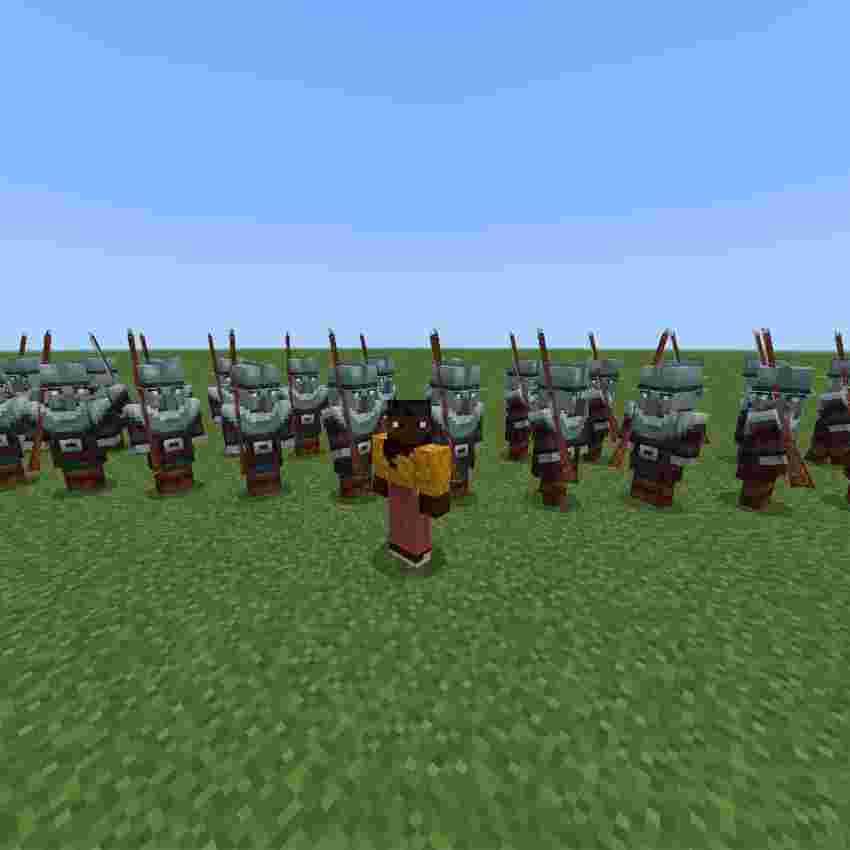
Total War Infantry Controller is a Minecraft Bedrock Edition add-on that lets you organize and command tagged NPC soldiers as independent battlefield battalions. Use the Commander Baton to assign soldiers, form them into dynamic two-rank formations, move them to a selected ground location, order a fallback, halt the unit, and play command signals.
The add-on uses the Bedrock Script API and is designed to work alongside the existing behavior or combat AI of the NPCs. It controls formation movement and command state; it does not replace the NPCs' own combat system.
Main Features
Total War-style point-and-move controls.
Move a battalion to the ground block you are looking at.
Fall back to a selected ground location.
Halt a battalion and keep soldiers from drifting away.
Dynamic two-rank formations that resize automatically.
No fixed 20-soldier formation limit; every matching tagged NPC in search range can be recruited.
Twenty built-in Infinity battalion slots: infinity_1 through infinity_20.
Independent control for multiple battalions.
Stable member ordering to reduce soldiers changing places.
Terrain and obstruction checks for safer movement.
Foliage-aware ground detection that skips leaves, flowers, grass, vines, moss carpets, and similar decorative blocks.
Recruit, movement, halt, alarm, and attack command sounds.
Commander Baton battalion selection stored using item data and visible lore fallback.
Requirements
Minecraft Bedrock Edition.
A world with the add-on's Behavior Pack and Resource Pack enabled.
NPCs or infantry entities that can receive entity tags.
Script-enabled gameplay supported by the installed Bedrock version.
Installation
Import the .mcaddon file into Minecraft Bedrock Edition.
Create a new world or edit an existing world.
Enable both Total War Infantry Controller - Behavior and Total War Infantry Controller - Resources.
Enable any required scripting or experimental settings requested by your Minecraft version.
Enter the world and obtain the Commander Baton.
Use only one version of this add-on in the same world. Remove older copies to prevent duplicate scripts from running.
Quick Start
Hold the Commander Baton.
Open the baton menu by using the baton.
Select Select Infinity Battalion.
Choose an Infinity battalion, for example Infinity 1.
Hit nearby NPCs with the baton to add or remove them from that battalion.
Open the menu and select Recruit.
The add-on gathers all matching NPCs within the search range and arranges them into two ranks.
Point at a ground block and choose a movement command.
Commander Baton Menu
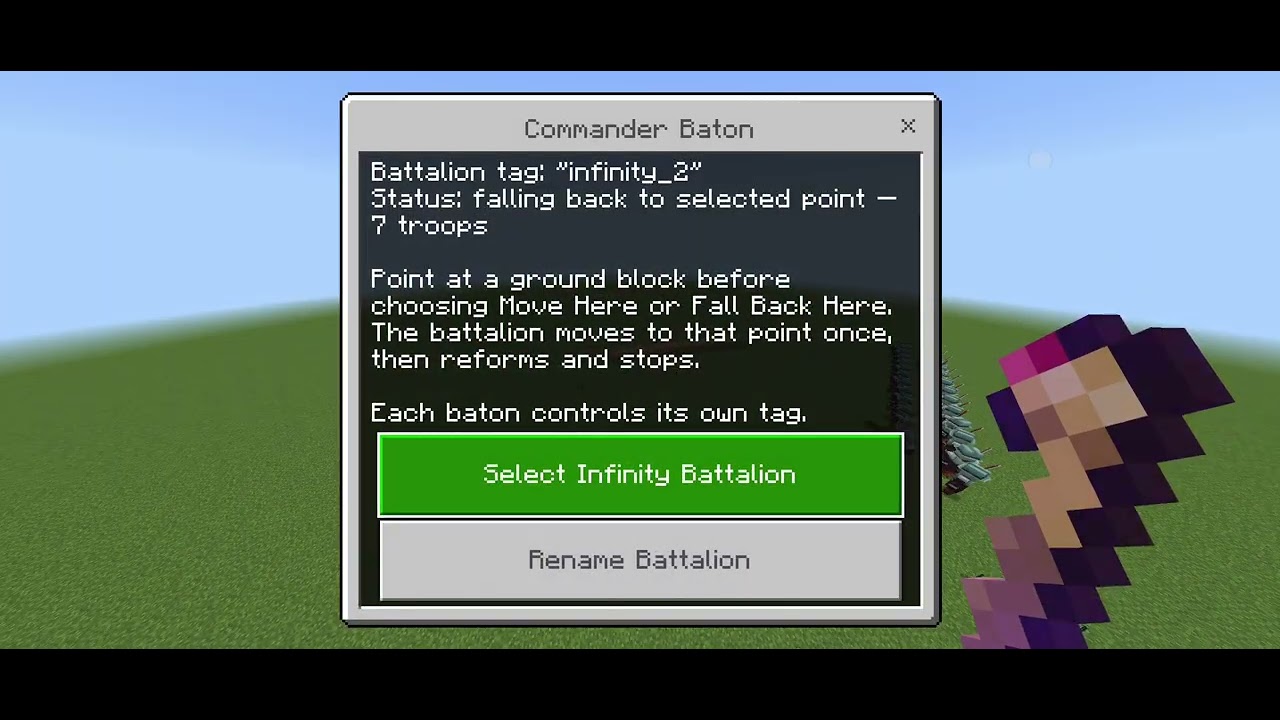
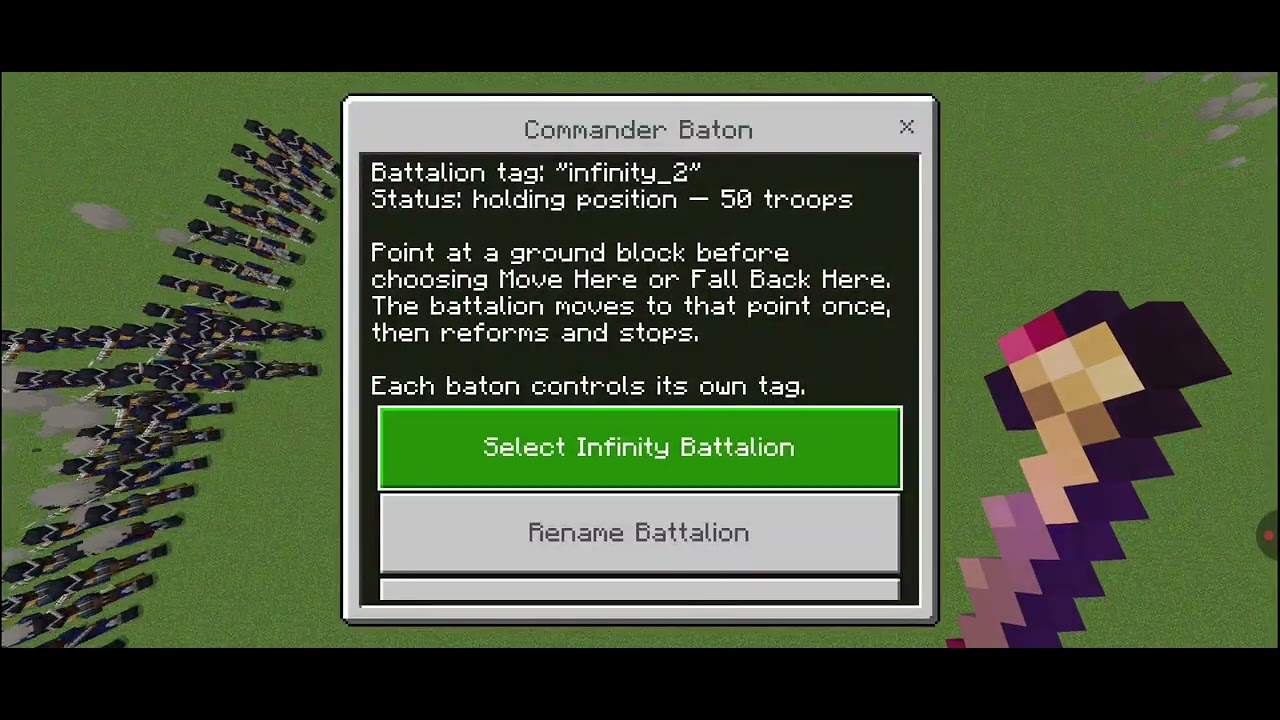
The menu displays the active battalion tag, its current order, and the number of recruited soldiers.
Menu option
Function
Select Infinity Battalion
Opens the list of 20 built-in Infinity battalions.
Rename Battalion
Assigns a custom tag to the current baton.
Recruit
Finds all nearby NPCs with the active tag and forms them into a battalion.
Move Here (point at ground)
Sends the battalion once to the ground location being looked at.
Halt
Stops the battalion and holds the soldiers near their current positions.
Fall Back Here (point at ground)
Sends the battalion to the selected ground location as a fallback position.
Sound Alarm
Plays the alarm signal for the active battalion.
Attack Signal
Plays the attack signal for the active battalion.
Disband Battalion
Clears the active battalion's current formation and command state.
Short Command Reference
BATON USE = Open the Commander Baton menu
SELECT INFINITY = Choose Infinity 1 through Infinity 20
HIT NPC = Add or remove the NPC from the active battalion
SNEAK + HIT NPC = Add or remove the NPC as the battalion's flag bearer
RECRUIT = Gather all matching tagged NPCs
MOVE HERE = Move once to the ground point being looked at
HALT = Stop and hold the battalion
FALL BACK HERE = Move once to the selected fallback point
SOUND ALARM = Play the alarm signal
ATTACK SIGNAL = Play the attack signal
DISBAND = Clear the current battalion
Infinity Battalions
The add-on provides 20 predefined battalion tags:
Infinity 1 = infinity_1
Infinity 2 = infinity_2
Infinity 3 = infinity_3
Infinity 4 = infinity_4
Infinity 5 = infinity_5
Infinity 6 = infinity_6
Infinity 7 = infinity_7
Infinity 8 = infinity_8
Infinity 9 = infinity_9
Infinity 10 = infinity_10
Infinity 11 = infinity_11
Infinity 12 = infinity_12
Infinity 13 = infinity_13
Infinity 14 = infinity_14
Infinity 15 = infinity_15
Infinity 16 = infinity_16
Infinity 17 = infinity_17
Infinity 18 = infinity_18
Infinity 19 = infinity_19
Infinity 20 = infinity_20
Each Infinity battalion is independent. For example, infinity_1 and infinity_2 are separate groups and can receive different orders at the same time.
Assigning Soldiers to a Battalion
Select an Infinity battalion from the UI.
Hold the baton in your main hand.
Hit an NPC to add the active tag.
Hit the same NPC again to remove the active tag.
Open the menu and choose Recruit.
A battalion is made from every matching NPC found within the controller's search range. There is no fixed 20-soldier recruitment limit. The practical limit depends on the number of entities in the world and available device performance.
Flag Bearer
To mark a flag bearer:
Sneak while holding the Commander Baton.
Hit the selected NPC.
Recruit or re-recruit the battalion.
The flagged soldier is placed near the center of the front rank when the formation is created.
Formation System
The formation automatically divides the current battalion into two balanced ranks:
The front rank contains approximately half of the soldiers.
The rear rank contains the remaining soldiers.
If the total is odd, the front rank receives one additional soldier.
The formation expands horizontally according to the number of soldiers.
Member order remains stable during movement to reduce random swapping.
Examples:
10 soldiers = 5 front / 5 rear
20 soldiers = 10 front / 10 rear
21 soldiers = 11 front / 10 rear
40 soldiers = 20 front / 20 rear
Total War-Style Movement
Move Here
Point at a block on the ground before opening the menu. Select Move Here (point at ground). The battalion moves toward that location once. When it reaches the destination, the soldiers reform and hold position.
Fall Back Here
Point at a block behind or beside the battalion and select Fall Back Here (point at ground). The unit moves to the selected location, reforms, and holds there.
Halt
Select Halt to stop the current order. The controller records the soldiers' current positions, clears their movement velocity, and continues guarding the formation so that NPC movement behavior does not immediately pull them far away.
Terrain and Foliage Handling
The controller checks the ground and clearance before moving soldiers. Decorative blocks such as leaves, flowers, grass, vines, moss carpets, lily pads, seagrass, kelp, and similar foliage are treated as passable decoration rather than true ground. The controller searches below these blocks for solid terrain to reduce floating and incorrect placement.
The controller also checks the soldiers' feet and head space before committing movement. If a location is blocked, the unit attempts a nearby clear position instead of moving directly through a solid obstacle.
Sounds
Sound feedback is available for important actions:
Recruit signal
Move command
Halt command
Fallback command
Alarm signal
Attack signal
The sounds are feedback for the commander and do not automatically force NPCs to attack unless the NPC's own behavior system supports that action.
Custom Battalion Tags
In addition to the built-in Infinity system, the baton can be assigned a custom tag through Rename Battalion. Use simple letters, numbers, and underscores, for example:
infantry
cavalry
archers_1
silver_guard
NPCs must have the same entity tag as the active baton before they can be recruited into that battalion.
Important Notes
The add-on controls formation movement, positioning, and command signals. It does not replace an NPC's combat AI.
NPCs may still attack, wander, or react according to their own behavior pack if they are not currently being held by a command state.
Keep the baton in your main hand when selecting a battalion or renaming it.
Point at a real ground block before using Move Here or Fall Back Here.
Large battalions may require more processing power because each member is checked and moved separately.
Keep battalions within a reasonable distance and avoid recruiting unnecessary entities for better performance.
Use one installed copy of the add-on at a time.
Troubleshooting
The battalion does not recruit
Confirm that the NPCs have the active tag, are within search range, and are in the same dimension as the player. Select the correct Infinity battalion before tagging and recruiting.
The baton does not change battalions
Keep the baton in the main hand, reopen the menu, and use Select Infinity Battalion again. Avoid moving or replacing the baton while the selection form is open.
The unit does not move
Point at a visible solid ground block within range. Do not point at the sky, unloaded terrain, or a position inside a wall.
Soldiers appear to use their own AI
The add-on does not replace combat AI. Other behavior packs may cause NPCs to attack, flee, or wander. Use Halt to hold a formed unit and check for conflicts with other entity-control add-ons.
Credits and Compatibility
This add-on is built for Minecraft Bedrock Edition using the stable Bedrock Script API modules:
@minecraft/server 2.9.0
@minecraft/server-ui 2.1.0
Compatibility can vary depending on the installed Minecraft Bedrock version, NPC behavior pack, and other add-ons enabled in the same world.
Total War Infantry Controller — Version 1.1.5 StableRelease overviewVersion 1.1.5 Stable focuses on reliable battalion control, smoother formation movement, and a simpler Commander Baton workflow. This release keeps the original incremental teleport movement system and does not include the experimental formation-turn or advanced pathfinding systems from later test builds.AddedMultiple independent battalions•Added per-baton battalion tags. Each Commander Baton remembers its own tag, allowing several batons to control separate battalions independently.•Added the Rename Battalion option. Tags accept letters, numbers, and underscores and are normalized automatically.•Added Infinity Battalions 1–20 through the Infinity Battalions menu.•Each Infinity battalion uses its own tag, from infinity_1 through infinity_20.•Different battalions can be recruited and given orders independently at the same time.Recruitment and tagging•Hitting an NPC with the Commander Baton toggles the current battalion tag on that NPC.•Sneaking while hitting an NPC toggles the battalion's flag-bearer tag.•Recruitment searches for matching tagged NPCs within a 40-block radius.•Recruitment accepts every matching NPC found in range rather than enforcing a 20-unit limit.•A tagged flag bearer is placed near the center of the front rank when the formation is recruited.•The Commander Baton deals no damage, so it can be used for tagging without intentionally harming the NPC.
The Minecraft total war addon Team
