Screenshot_20261129-185645.png
Screenshot_20261129-185210.png
Description
🌍 MICROmap
Your World. Every Detail. One Map.
A lightweight, real-time terrain minimap for Minecraft Bedrock Edition — built to make exploring your world easier, smarter and more immersive.
Ever wished you could see the terrain around you without constantly opening your inventory or relying on crafted maps?
Meet MICROmap, a terrain-focused minimap created by CannierMC.
MICROmap brings real-time world awareness directly into your gameplay. Explore forests, cross deserts, discover mountains, navigate caves and understand your surroundings with a compact minimap designed to keep you connected to your world.
And now, with MICROmap v2.0, the experience gets even better!
✨ FEATURES
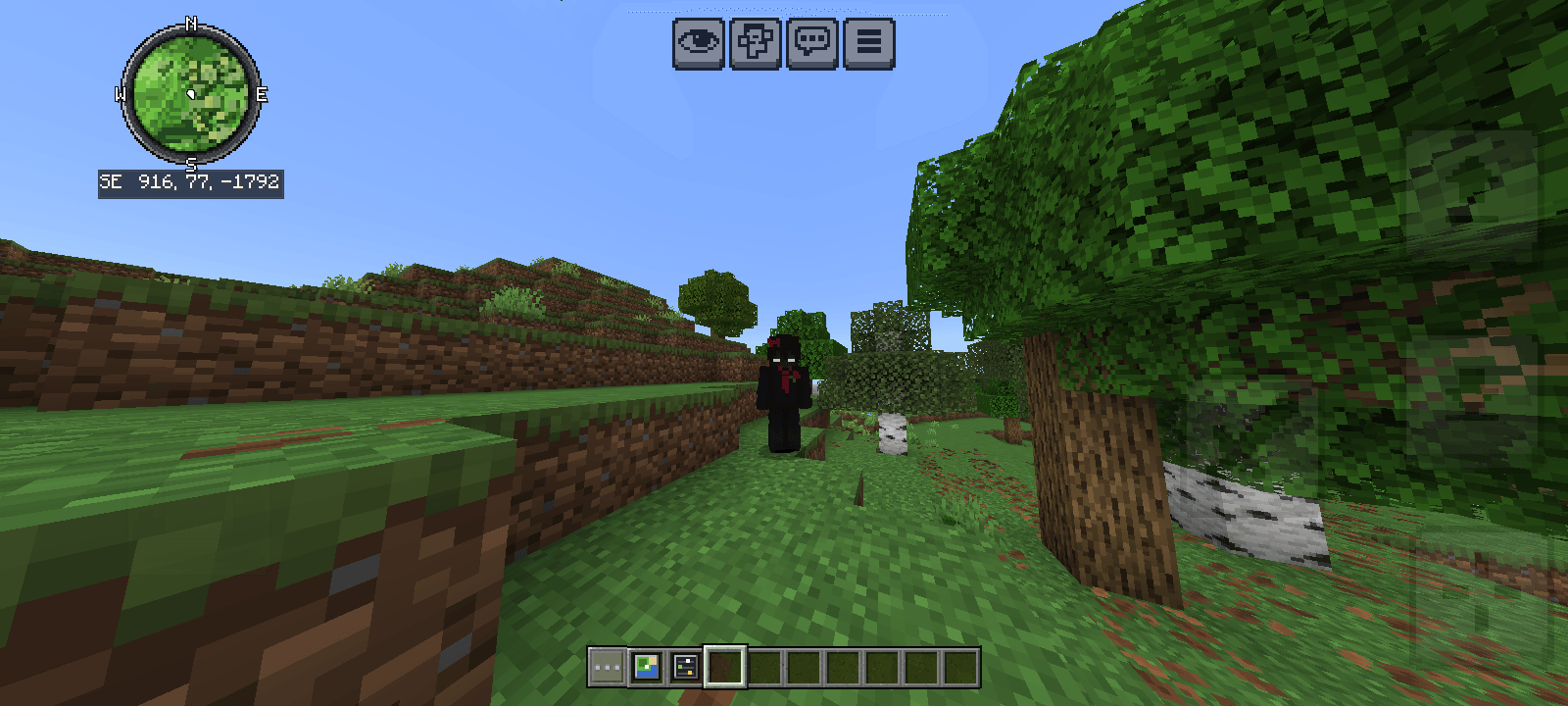
🗺️ 1. Real-Time Terrain Mapping
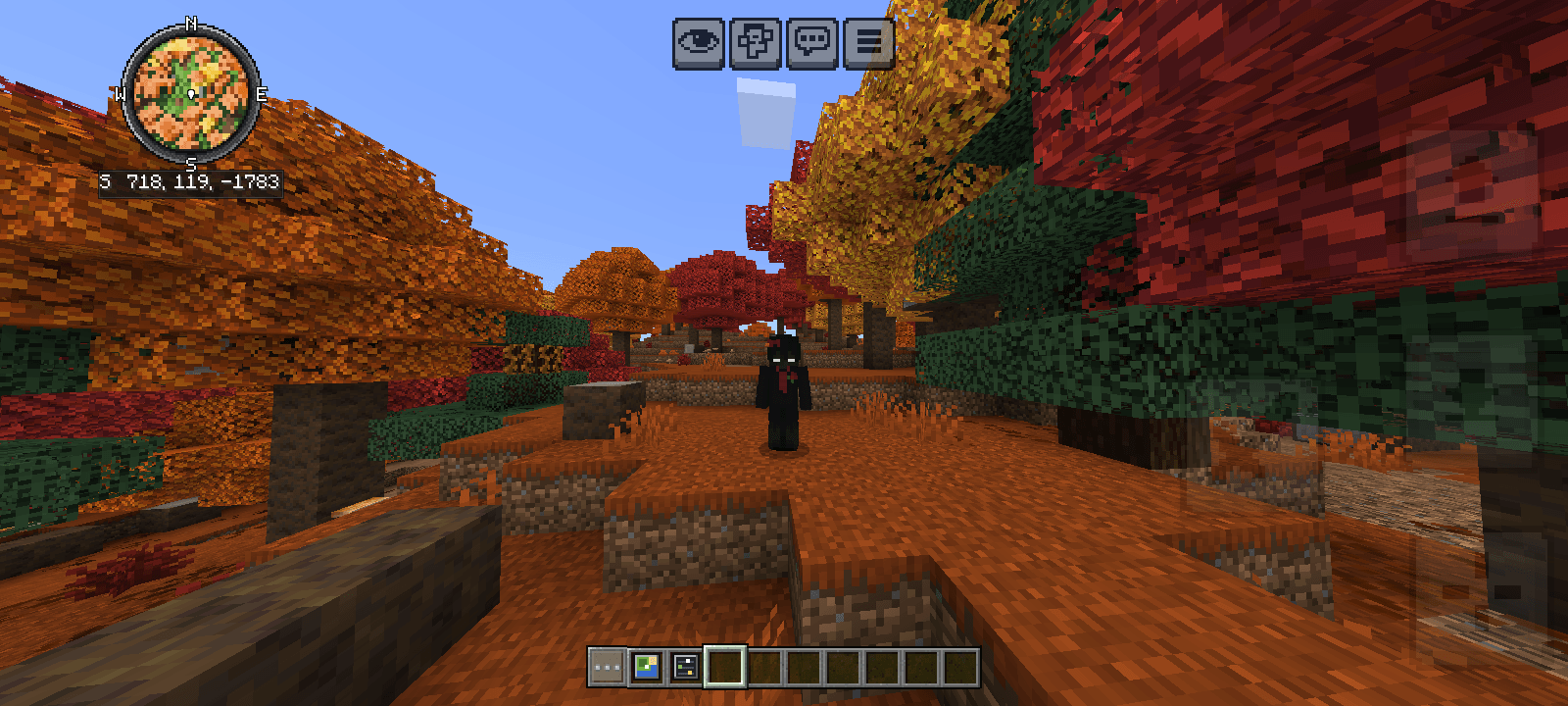
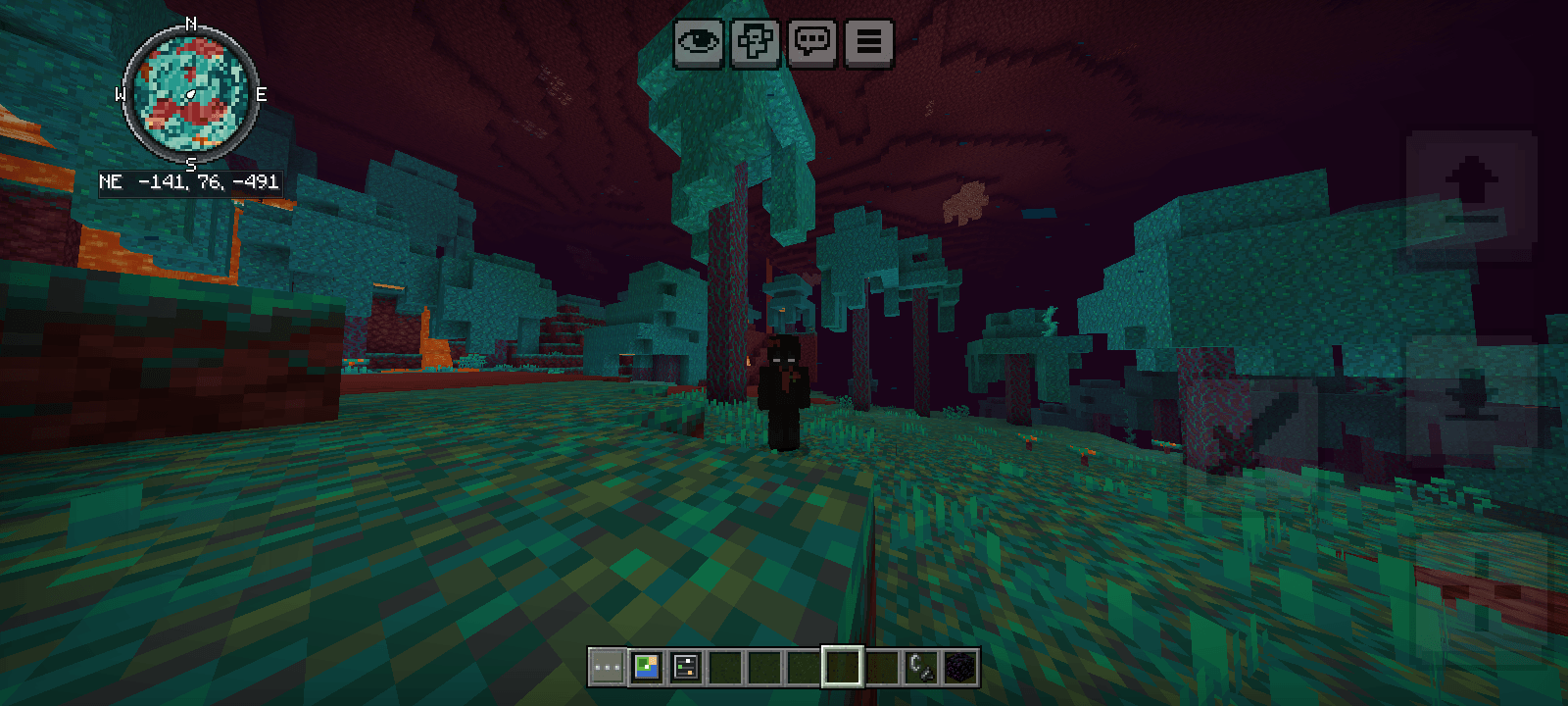
Your minimap displays the surrounding terrain as you explore.
- See nearby land and terrain features.
- Watch the map update as you move through your world.
- Explore without constantly opening your inventory.
- Get a useful overview of your surroundings during adventures.
Your map is designed to follow your exploration, helping you stay oriented wherever you go.
🌳 2. Biome-Aware Colours & Tree Canopy Rendering
Every environment has its own visual identity, and MICROmap aims to preserve that detail.
- Recognizable biome-related terrain colours.
- Tree canopy colours represented on the map.
- Distinctive vegetation colours help make different environments easier to identify.
- Richer terrain presentation than a simple flat-colour minimap.
From colourful forests to unusual landscapes, your surroundings become easier to recognize.
⛰️ 3. Terrain Elevation & Depth
The world isn't flat, so your minimap shouldn't look flat either!
MICROmap incorporates terrain elevation and visual depth to help distinguish changes in the landscape.
- More informative terrain shading.
- Better visual representation of slopes and elevated areas.
- A richer map appearance that makes exploration more intuitive.
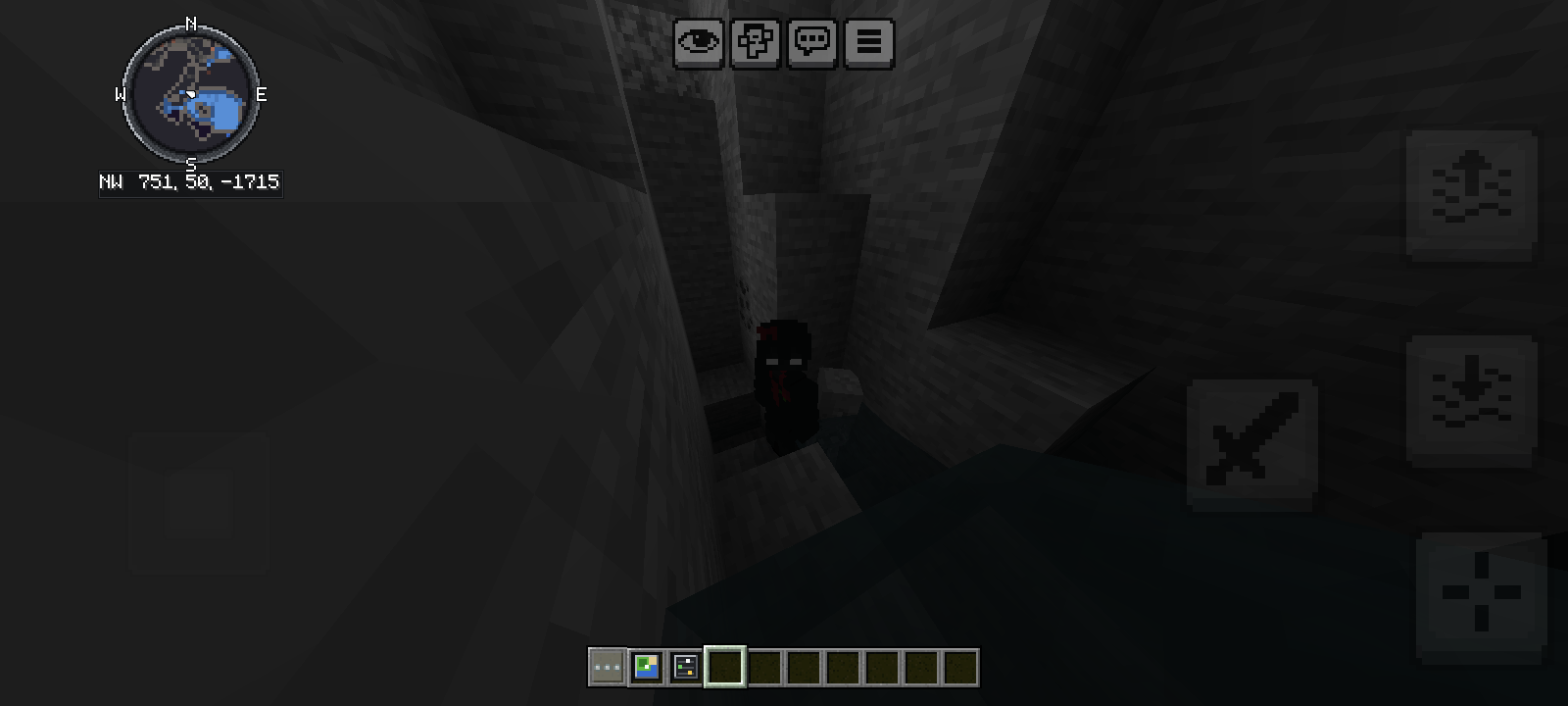
🕳️ 4. Underground Mapping
Exploration doesn't stop at the surface.
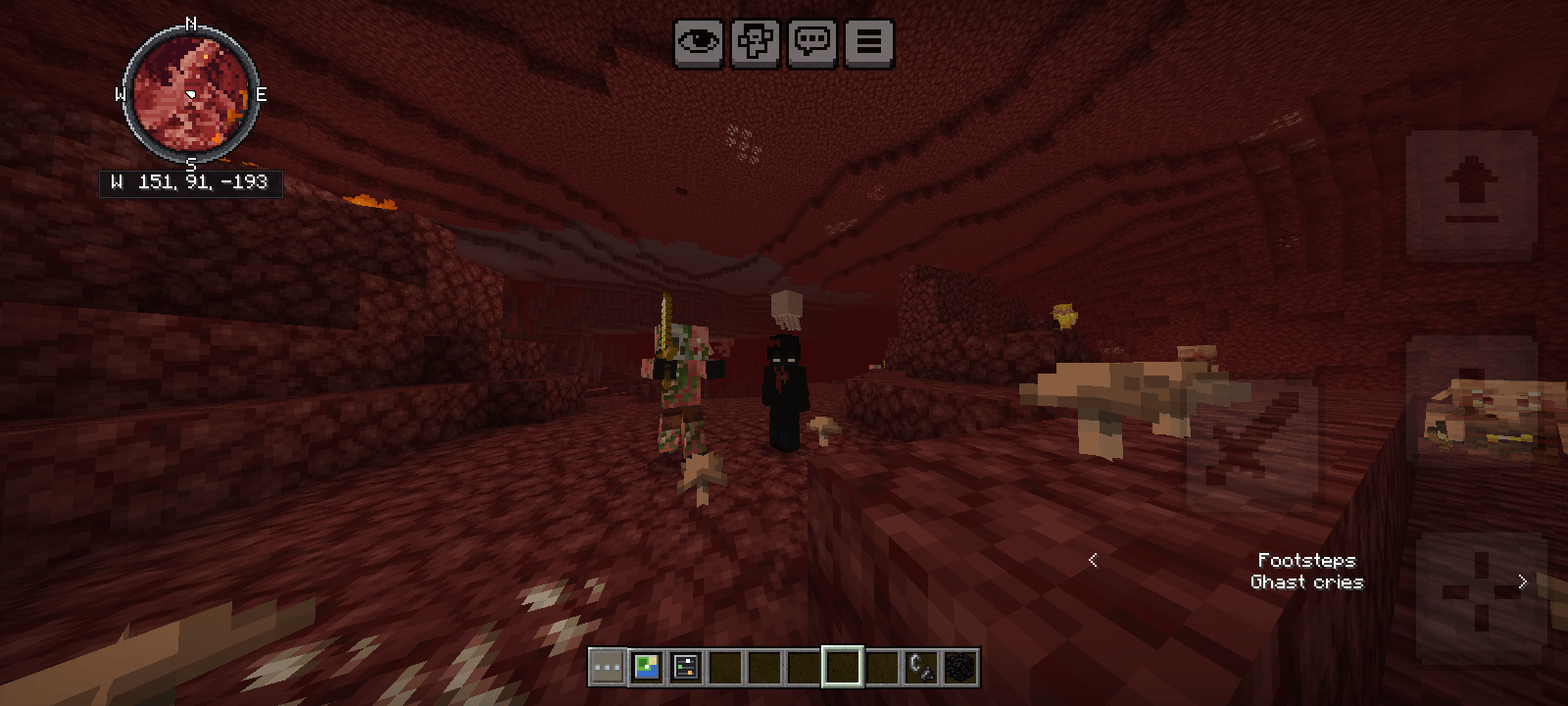
When you venture underground, MICROmap is designed to represent underground surroundings instead of simply showing the surface above you.
Explore caves and underground areas with a map that responds to your environment.
🧭 5. Player Direction Pointer & Compass
Know where you are and understand your direction.
- A player pointer helps identify your position.
- Cardinal directions: North, South, East and West.
- Compass labels positioned around the map perimeter.
- A navigation-focused interface designed to make orientation easier.
🔲 6. Square & Circular Map Styles
Choose the map appearance that suits your gameplay.
MICROmap supports square and circular map presentations, giving you different ways to view your surroundings.
Enjoy a clean, framed minimap that fits naturally into your Minecraft HUD.
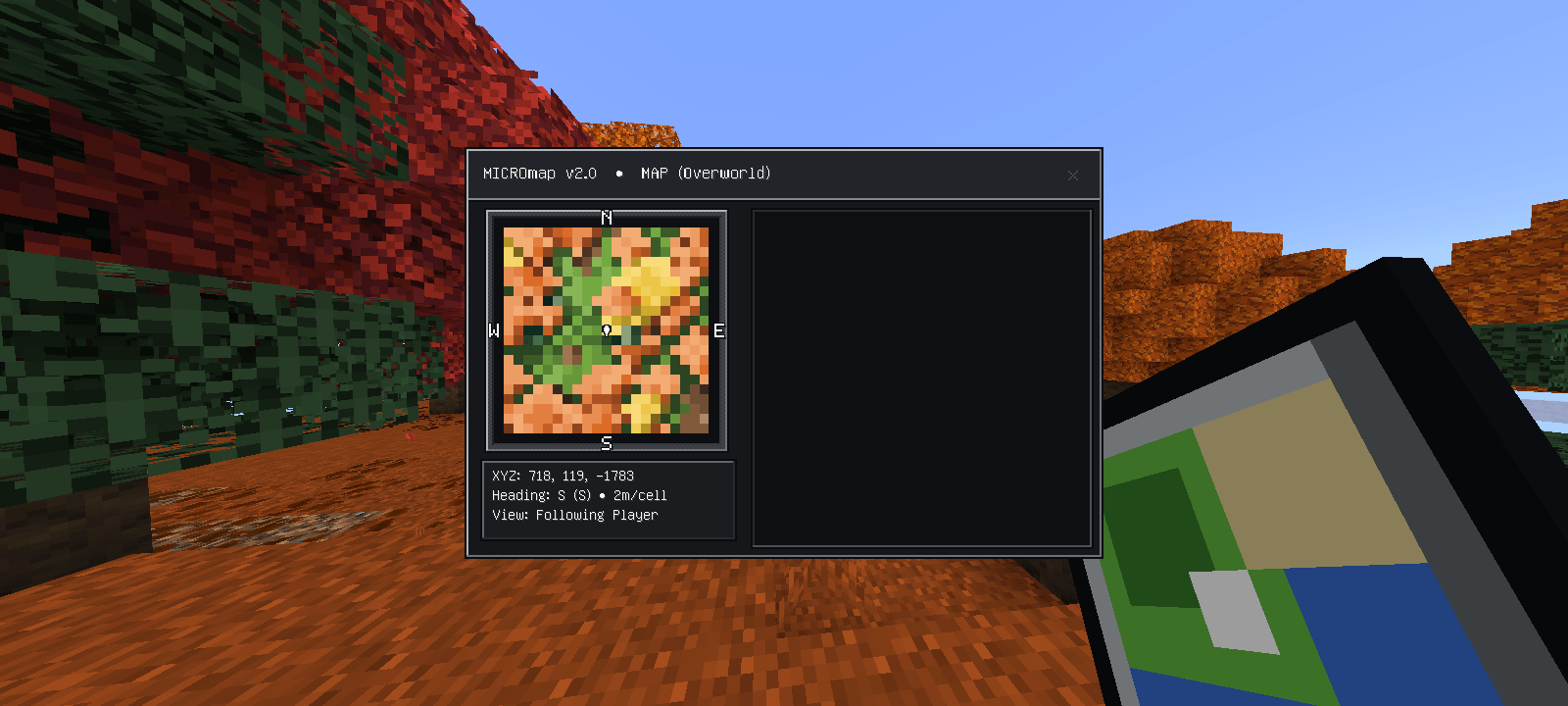
🔍 7. Expanded Map
Need a closer look at your surroundings?
Use the separate Expanded Map item to open the enlarged map interface.
It gives you a larger view of the terrain when you need more detail during exploration.
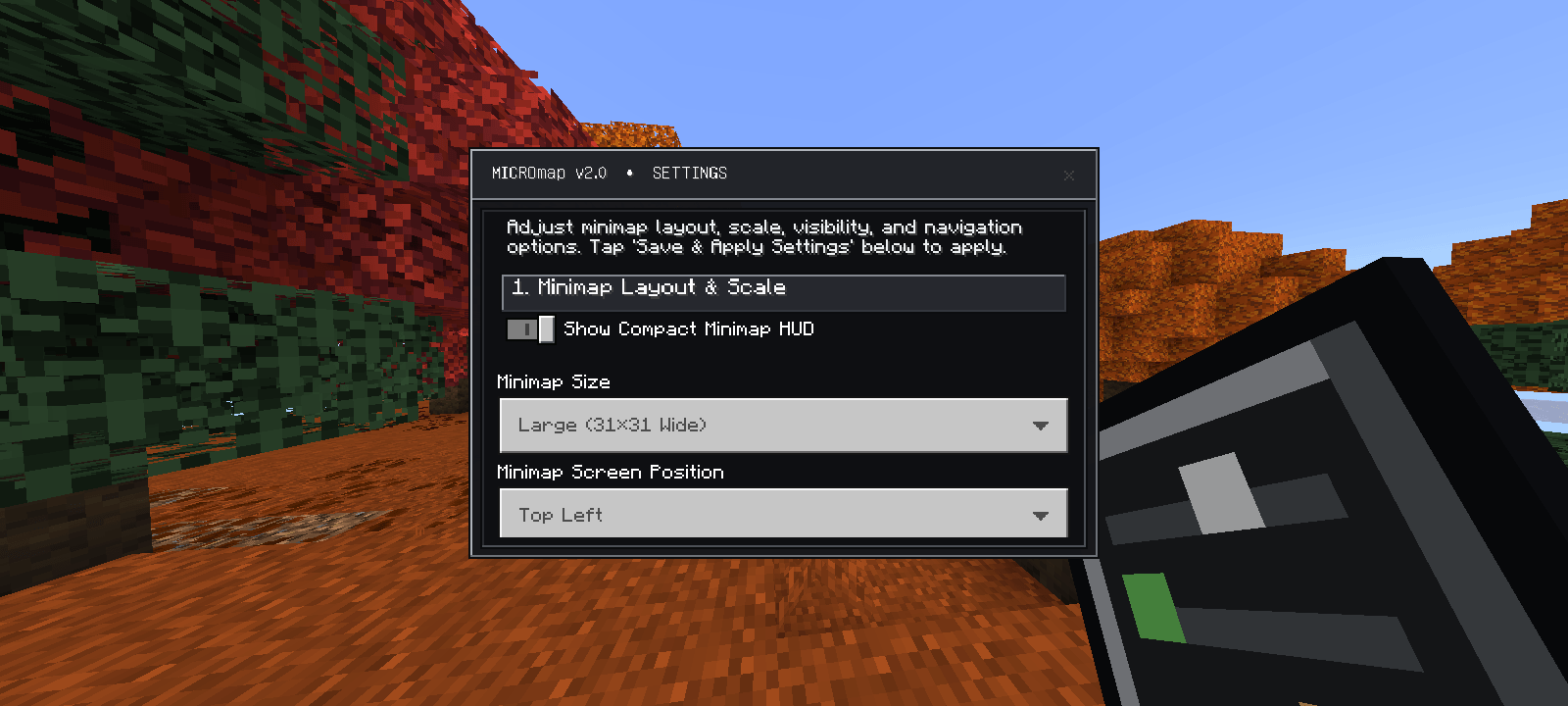
⚙️ 8. Customization Settings
Your minimap, your preferences!
Use the separate Settings item to access the customization interface.
Available customization options include:
- Minimap size.
- Minimap position.
- Zoom level.
- Map opacity.
- Player pointer visibility.
- Coordinate display.
- Compass visibility.
- Reset to default settings.
The Expanded Map and Settings interfaces are independent, so you can access each separately.
📱 9. Performance-Focused Design
MICROmap is designed with performance in mind.
Its terrain-focused approach avoids unnecessary entity radar rendering and prioritizes map information.
The goal is to provide a useful minimap experience while keeping the implementation mindful of mobile and lower-end hardware.
🎮 HOW TO USE MICROmap
Getting started is simple!
STEP 1 — Install Download the MICROmap v2.0 package and import it into Minecraft Bedrock Edition.
STEP 2 — Activate Open your world settings and activate the required MICROmap packs. Make sure the associated resource and behavior components are enabled if the package contains both.
STEP 3 — Enter Your World Load your world and look for the MICROmap interface.
STEP 4 — Explore Move around your world and watch the minimap represent the surrounding terrain.
STEP 5 — Open Expanded Map Select and use the separate Expanded Map item to access the enlarged map.
STEP 6 — Customize Select and use the separate Settings item to open the customization menu. Adjust the available options to suit your preferences.
That's it! You're ready to explore with MICROmap.
🚀 WHAT MAKES MICROmap DIFFERENT?
MICROmap is built around one simple idea:
You should be able to understand your surroundings without interrupting your adventure.
Instead of focusing on entity radar or unnecessary visual clutter, MICROmap concentrates on terrain, biomes, vegetation, elevation and navigation.
Whether you're exploring a new biome, travelling across a desert, discovering mountains or venturing underground, MICROmap helps you stay connected to your world.
📦 ADDON INFORMATION
- Name: MICROmap
- Version: 2.0
- Creator: CannierMC
- Platform: Minecraft Bedrock Edition
- Target version: Minecraft Bedrock 1.26.66.1
- Category: Utility / Minimap / Exploration
- Interface: Compact HUD, Expanded Map and Customization Settings
📜 COPYRIGHT & TERMS OF USE
MICROmap is an original project created by CannierMC.
© 2026 CannierMC. All rights reserved.
You may download and use MICROmap for personal gameplay.
You may showcase MICROmap in videos, reviews and gameplay content, provided that proper credit is given to CannierMC and the original project page is linked where possible.
You may NOT:
- Reupload or redistribute the original files without permission.
- Claim this project or its original work as your own.
- Publish modified versions as your own creation.
- Use the project's original assets or files in another project without permission.
For permissions, questions or collaboration, contact CannierMC through its official channels.
Minecraft is a trademark of Microsoft/Mojang Studios. MICROmap is an independent community-made project and is not affiliated with, endorsed by or sponsored by Mojang Studios or Microsoft.
❤️ SUPPORT CANNIERMC
If you enjoy MICROmap, consider supporting CannierMC!
⭐ Follow the project for future updates.
📺 Subscribe to the CannierMC YouTube channel for more Minecraft Bedrock add-ons, projects, showcases and development updates.
💬 Share your feedback and suggestions. Your support helps us make better projects for the Minecraft community.
🌍 MICROmap v2.0
Your World. Every Detail. One Map.
Made with ❤️ by CannierMC.
MICROmap Team