Metro Forge - CRAFTABLE CITY
- By
Craft blueprints and let your Foreman Bot raise a whole city: 20 animated builds, streets, lamps and full recoloring, with an in-game guide book.
gallery_buildings.png
gallery_crew.png
gallery_guide.png
gallery_streets.png
Description
MetroForge
Craft blueprints. Raise a whole city.
Every great city began as a drawing on a table. Yours begins with a single blueprint, a loyal robot and a crane that never sleeps.
Choose the ground. Give the order. Watch towers climb into the sky, layer by layer, until empty land becomes a skyline with your name on it. Your city is waiting to be built.
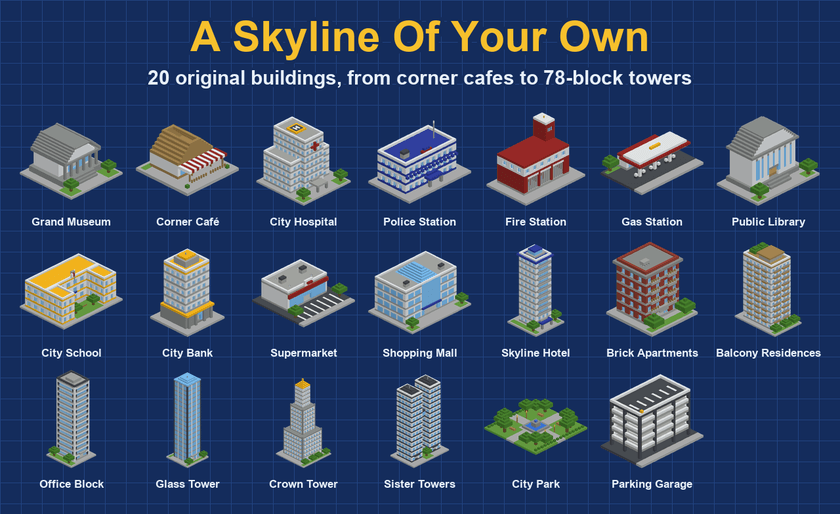
A Skyline Of Your Own
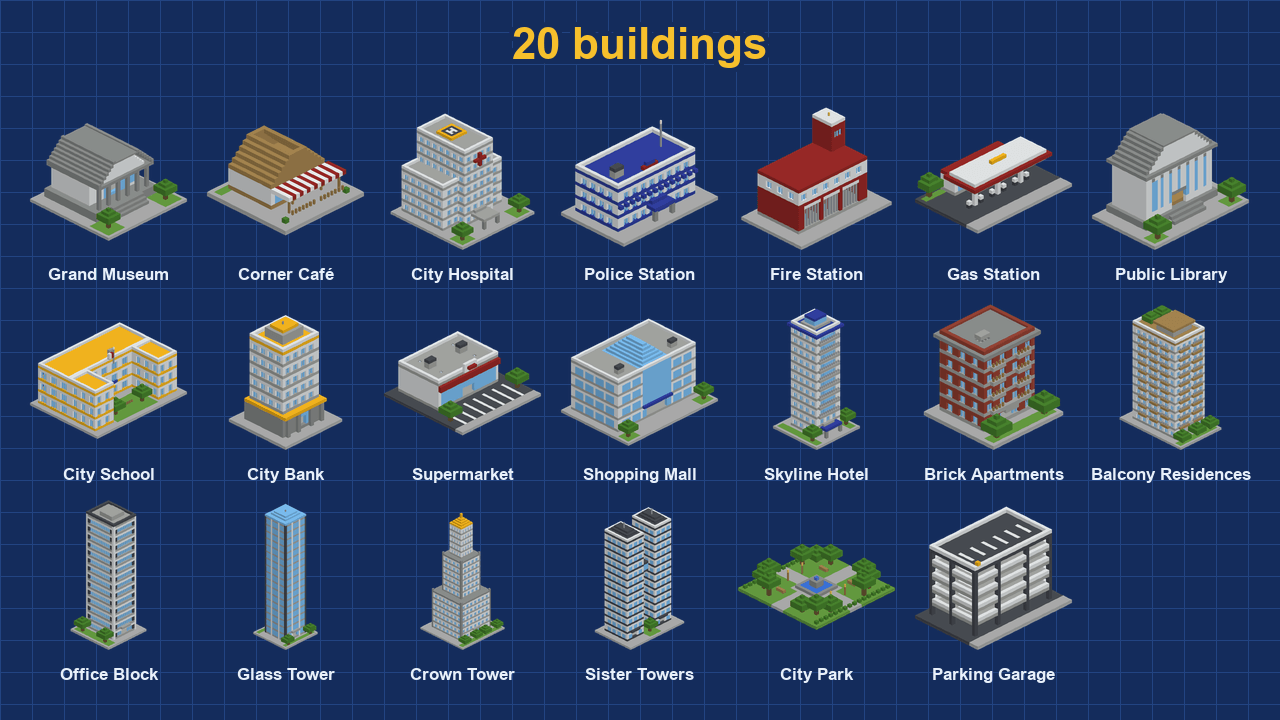
20 original buildings. Every one designed for this addon.
- Public services: City Hospital, Police Station, Fire Station, City School and Public Library
- Commerce: Shopping Mall, Supermarket, City Bank, Gas Station and Corner Café
- Homes and stays: Skyline Hotel, Brick Apartments and Balcony Residences
- Towers: Office Block, Glass Tower, Sister Towers and the Crown Tower, standing 78 blocks tall
- Landmarks: Grand Museum, City Park and Parking Garage
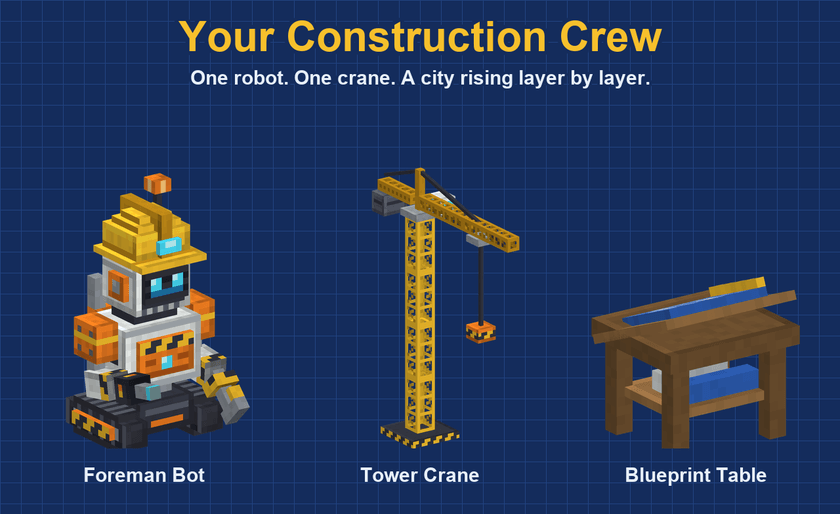
Your Construction Crew
You give the order. They raise the city.
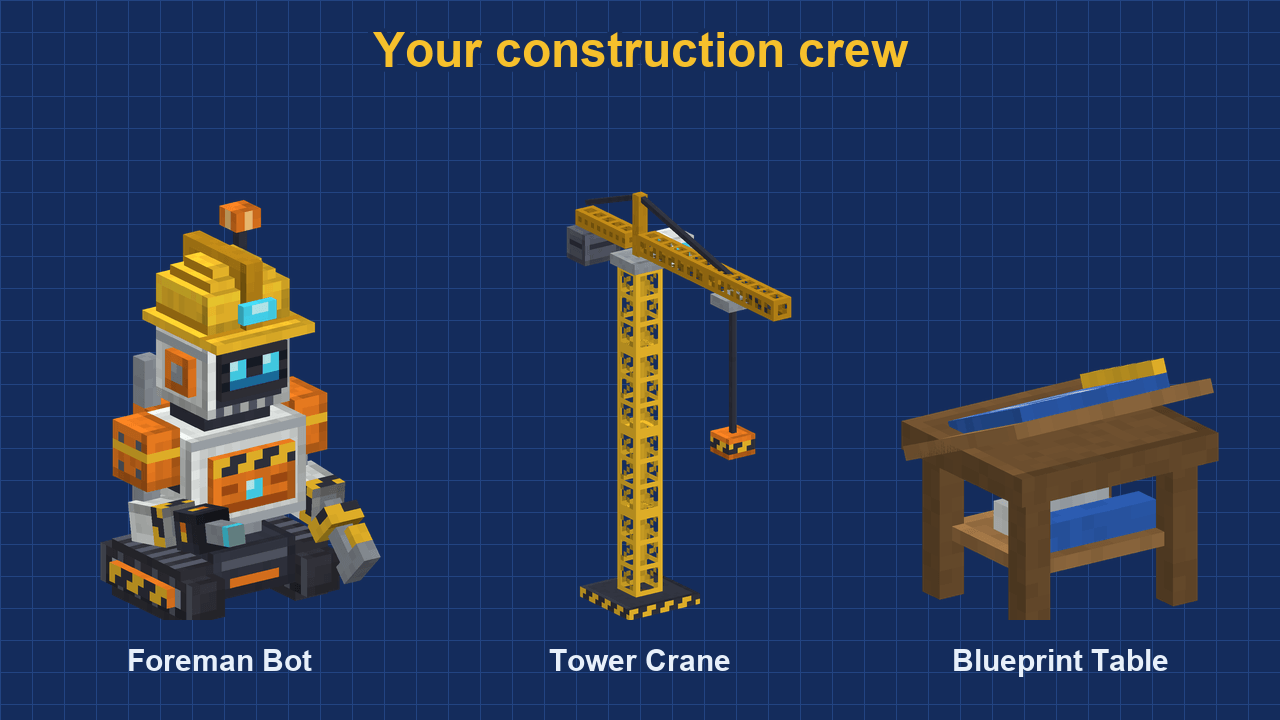
- Foreman Bot: your site boss. Talk to it to rotate, build, customize or demolish
- Tower Crane: an animated crane that works over the site while the building rises layer by layer
- Blueprint Table: where every project starts, with its own blueprint for each building
- Blue site outline: see exactly where the building will stand before you commit
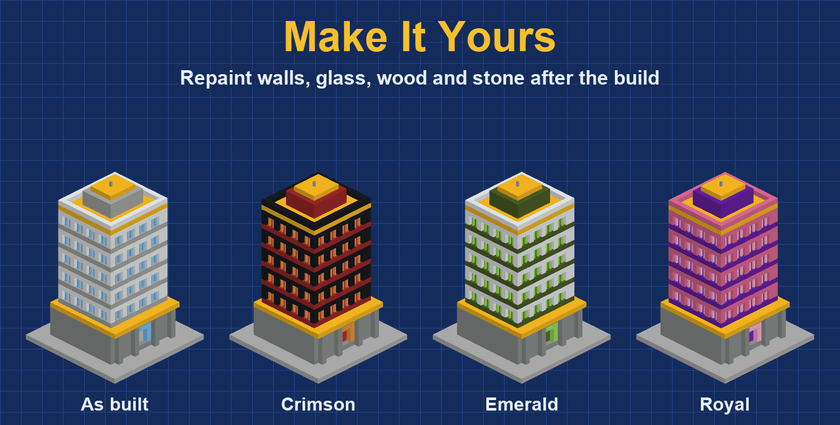
Make It Yours
The building is finished. The design is still yours.
- Walls: main, accent and trim in 16 concrete colors
- Glass: 16 colors or clear
- Wood: 12 types, from oak to cherry and warped
- Stone: 12 finishes, from quartz to deepslate
- Demolish: changed your mind? The land returns exactly as it was and you get your blueprint back
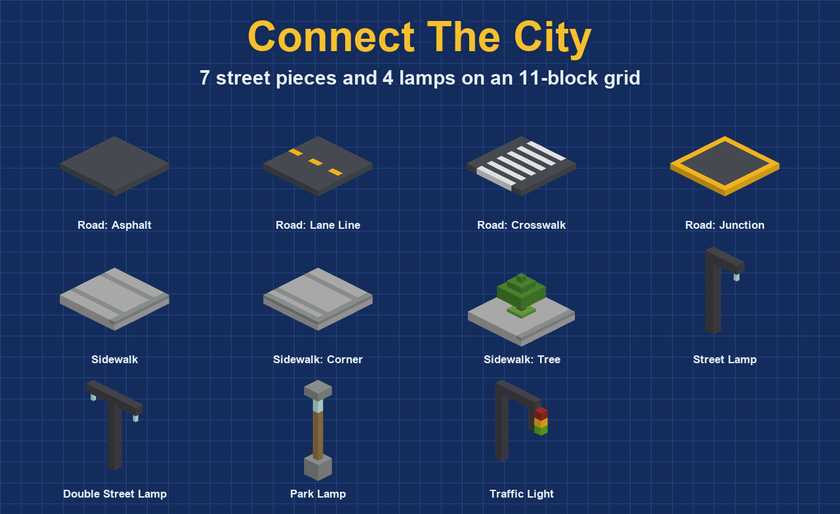
Connect The City
No city stands alone. Lay the streets that bind it together.
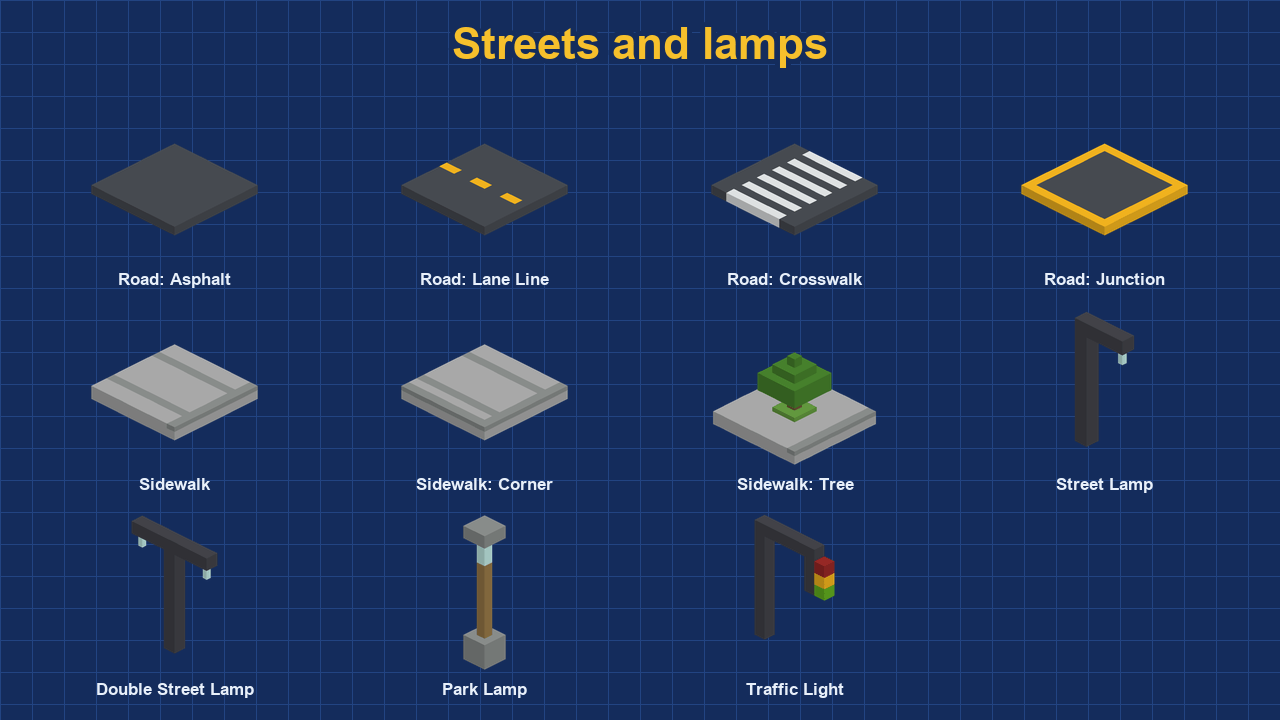
- 7 street pieces: asphalt, lane line, crosswalk, junction, sidewalk, sidewalk corner and sidewalk with tree
- 4 lamps: street lamp, double street lamp, park lamp and traffic light
- 11-block grid: streets and buildings line up with each other
- Instant placement: streets and lamps need no bot
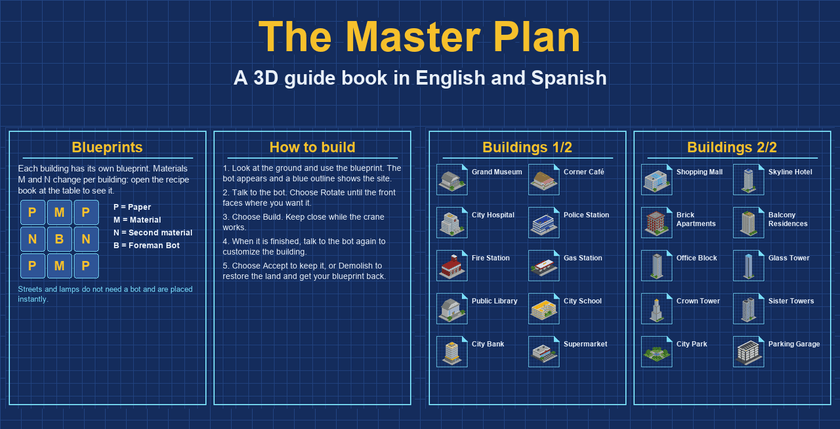
The Master Plan
Everything you need to know, in one book.
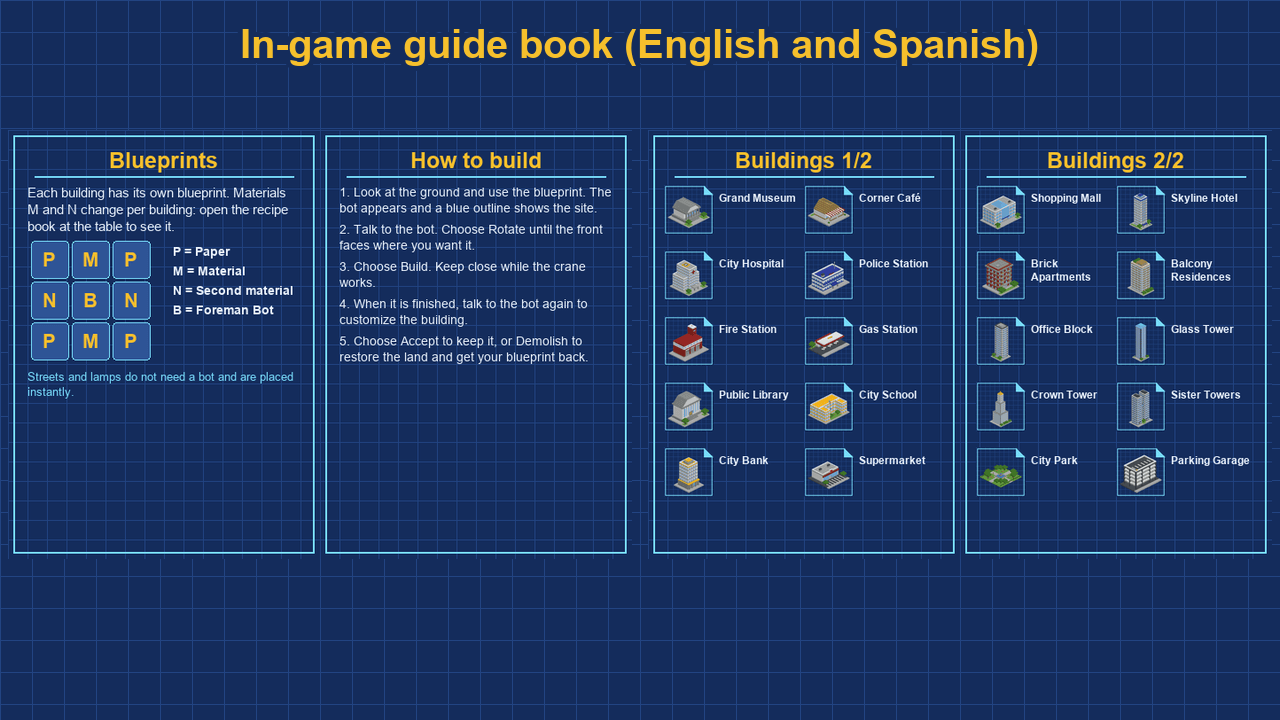
The in-game 3D guide book explains blueprints, construction, customization and every building, in English and Spanish.
How to Begin
- Craft a Blueprint Table, then a Foreman Bot and a blueprint.
- Use the blueprint on the ground. A blue outline shows the site.
- Talk to the bot. Choose Rotate until the front faces where you want it, then choose Build.
- When it finishes, talk to the bot to customize the building.
- Choose Accept to keep it, or Demolish to restore the land and get the blueprint back. Demolish is no longer available after Accept.
Installation
- Open the .mcaddon file to import it into Minecraft.
- Create or edit a world and activate the MetroForge behavior pack. The resource pack comes with it.
Requires Minecraft Bedrock 1.21.130 or newer. No experiments needed.
Languages: English and Spanish.
Español
Fabrica planos. Levanta una ciudad entera.
Elige el terreno, da la orden y mira cómo tu Robot Capataz y su grúa levantan cada edificio capa por capa. Incluye 20 edificios originales, 7 piezas de calle, 4 faroles y personalización de paredes, vidrio, madera y piedra. Si cambias de idea, Demoler deja el terreno como estaba y te devuelve el plano. Disponible en inglés y español, con libro guía 3D dentro del juego.
Metro Forge - CRAFTABLE CITY Team
Owner