


MCB Server Optimizer 🔥UPDATE V5.3.0🔥
- By
Screenshot 2026-04-21 185203.png

Screenshot 2026-03-25 114432.png
Screenshot 2026-03-25 114307.png
Screenshot 2026-03-25 115706.png
Screenshot 2026-04-21 175243.png

Screenshot 2026-04-21 180834.png
Screenshot 2026-04-19 181138.png
Screenshot 2026-04-09 182004.png
Description
MCB Server Optimizer (MCBSO)
MCB Server Optimizer is a lightweight, feature-rich Bedrock Edition server performance addon that combats lag through smart entity management, AI throttling, spawn control, and real-time monitoring — all configurable live in-game without a single server restart. Works on Realms, dedicated servers, and local worlds!
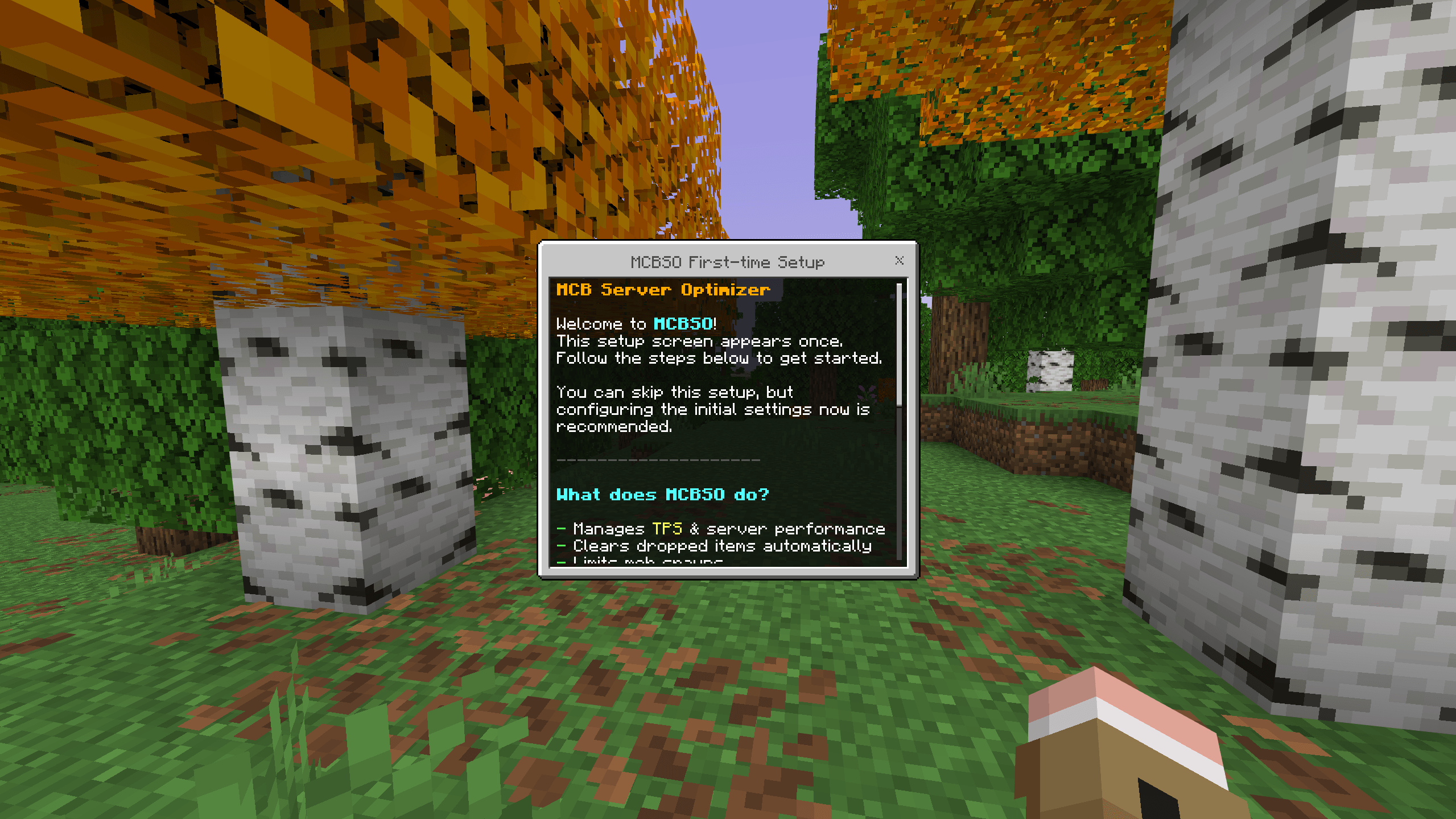
🚀 First-Time Setup Wizard
When the first operator joins a world with MCBSO installed, an interactive setup wizard launches automatically — no commands needed. It walks you step-by-step through the most important configuration choices so the addon is tuned to your server right from the start:
- Language selection — choose your preferred addon language
- AFK kick — enable automatic kicking of idle players and set the threshold
- ClearLag — enable auto-clearing and configure the interval
- Mob limits — initialize per-type spawn caps
- Protected items — define which dropped items survive a ClearLag
- Notifications — configure admin and player warning messages
- AI-LOD — enable the experimental entity AI throttling system
- Open settings after setup — jump straight into the full settings menu when done
The setup only runs once. After completion, it won't trigger again unless manually reset. Other operators who join later are unaffected.
🧹 ClearLag
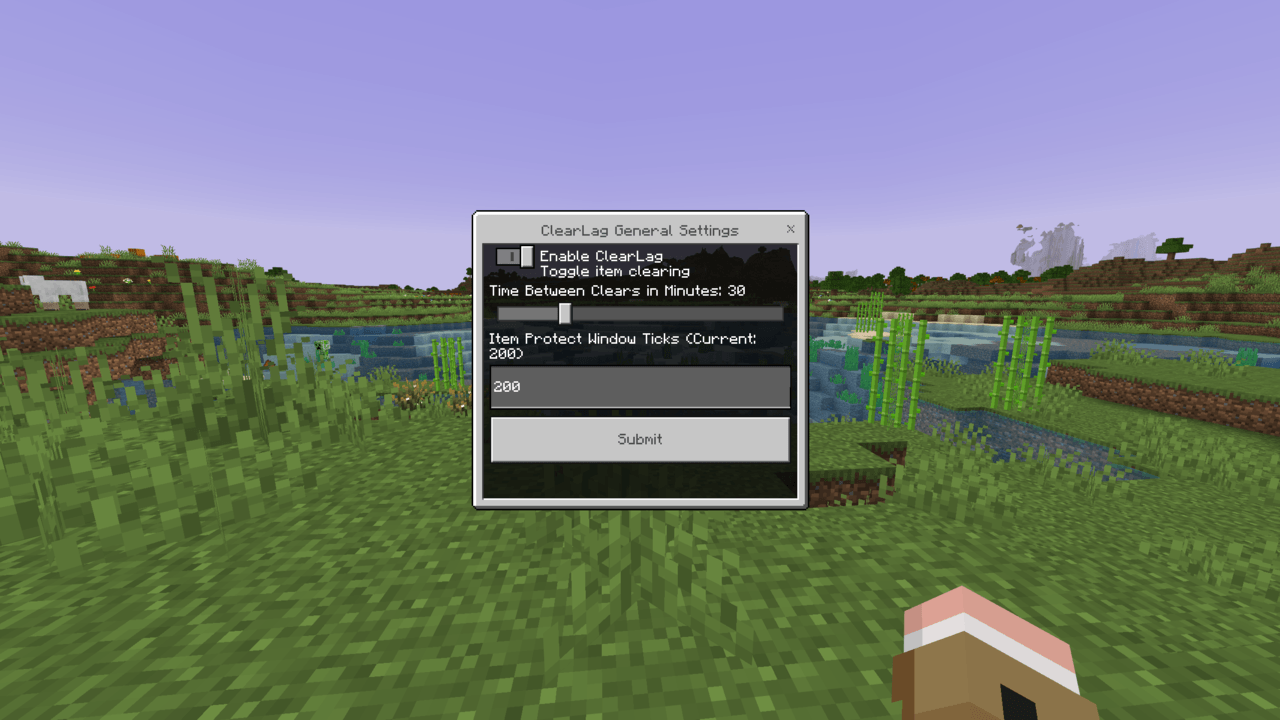
Automatically removes all dropped items and XP orbs across every dimension on a fully configurable interval (default: 30 minutes).
What makes MCBSO's ClearLag stand out:
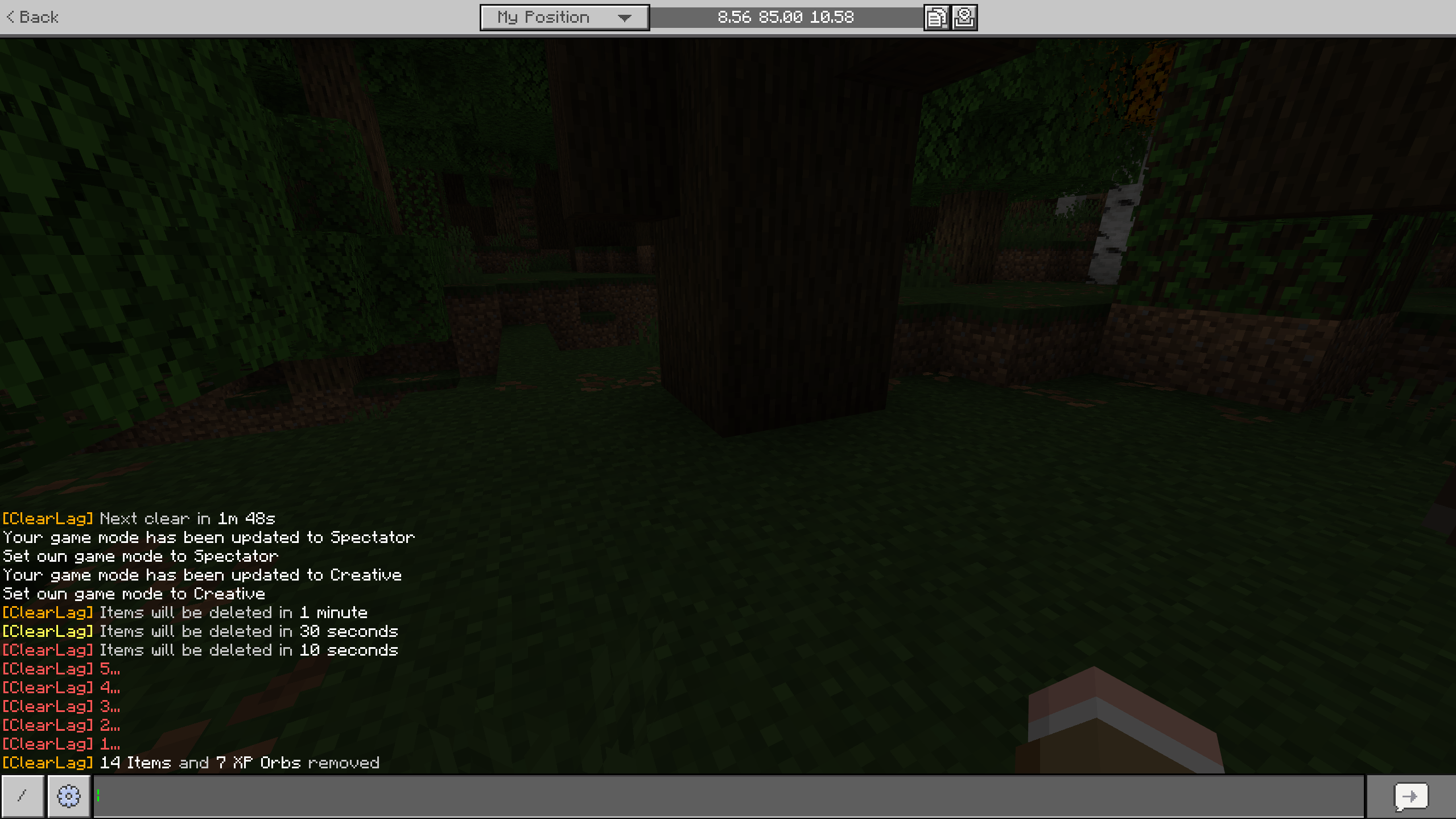
- Item protection window — In the final seconds before a clear, any item entity that was freshly dropped (e.g. from combat or mining) is tagged and excluded from the sweep. Players won't lose items they just dropped. The protection tag is removed after the clear so it only applies to that cycle.
- Item type exceptions — Certain item types can be permanently excluded from ClearLag entirely (configurable via the settings UI). Useful for protecting valuables like rare drops or quest items.
- Countdown warnings — Broadcasts warnings to all players before each clear so nobody is caught off guard. Warnings can be fully customised!!
- Manual & scheduled clears — Operators can trigger an immediate clear or schedule one for a specific time via command or the UI.
- All dimensions covered — Overworld, Nether, and End are all swept.
🐾 Spawn Limiter
Enforces per-entity-type spawn caps within a 16-block radius of each spawn point. If a new entity would exceed the configured limit for its type in that area, it is removed immediately.
- All mob type limits are fully editable in the settings UI — no restart required
- Limits can be individually deactivated
- Operator notifications alert admins when a cap is hit, with details on the entity type and location
- Toggle notification cooldown to avoid spam on busy servers
🔔 Admin Notifications
MCBSO keeps operators informed without being noisy:
- Spawn cap hit alerts (with entity type and location)
- ClearLag countdown warnings (broadcast to all players)
- AFK status changes
- All notification types are individually configurable in the settings
🤖 AI-LOD System (Experimental)
Reduces server load by throttling entity AI based on distance to the nearest player across all dimensions. Three tiers:
| Tier | Distance | Behavior |
|---|---|---|
| Tier 1 | 0 – 16 blocks | Full AI, no restrictions |
| Tier 2 | 16 – 48 blocks | Movement dampened when moving away from all players |
| Tier 3 | 48+ blocks | Entity frozen each check interval, ai_frozen tag applied |
⚠️ This system is marked experimental. The potential performance benefit might not be optimal.
🕹️ AFK Detection
Tracks player position over time to detect idle players and marks them with an afk tag.
- AFK threshold (time without movement) is fully configurable
- Optional auto-kick for AFK players after the threshold is exceeded
/mcbso:afklistlets operators see all currently AFK players with their idle duration
📊 TPS Monitor
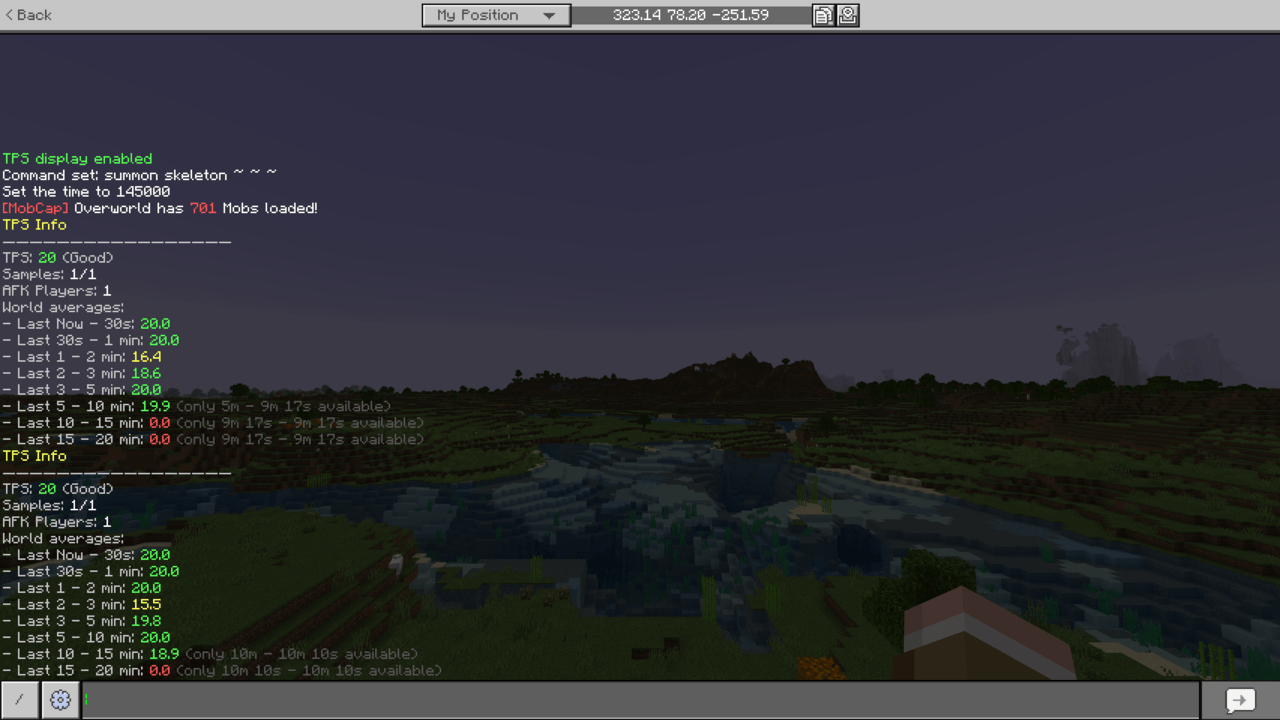
Tracks server Ticks Per Second using a rolling average and displays it live in the action bar.
- Toggle the live display with
/mcbso:tps /mcbso:tpsinfoshows detailed stats including up to 20 minutes of historical data and world-average TPS- Helps pinpoint when and why lag spikes occur
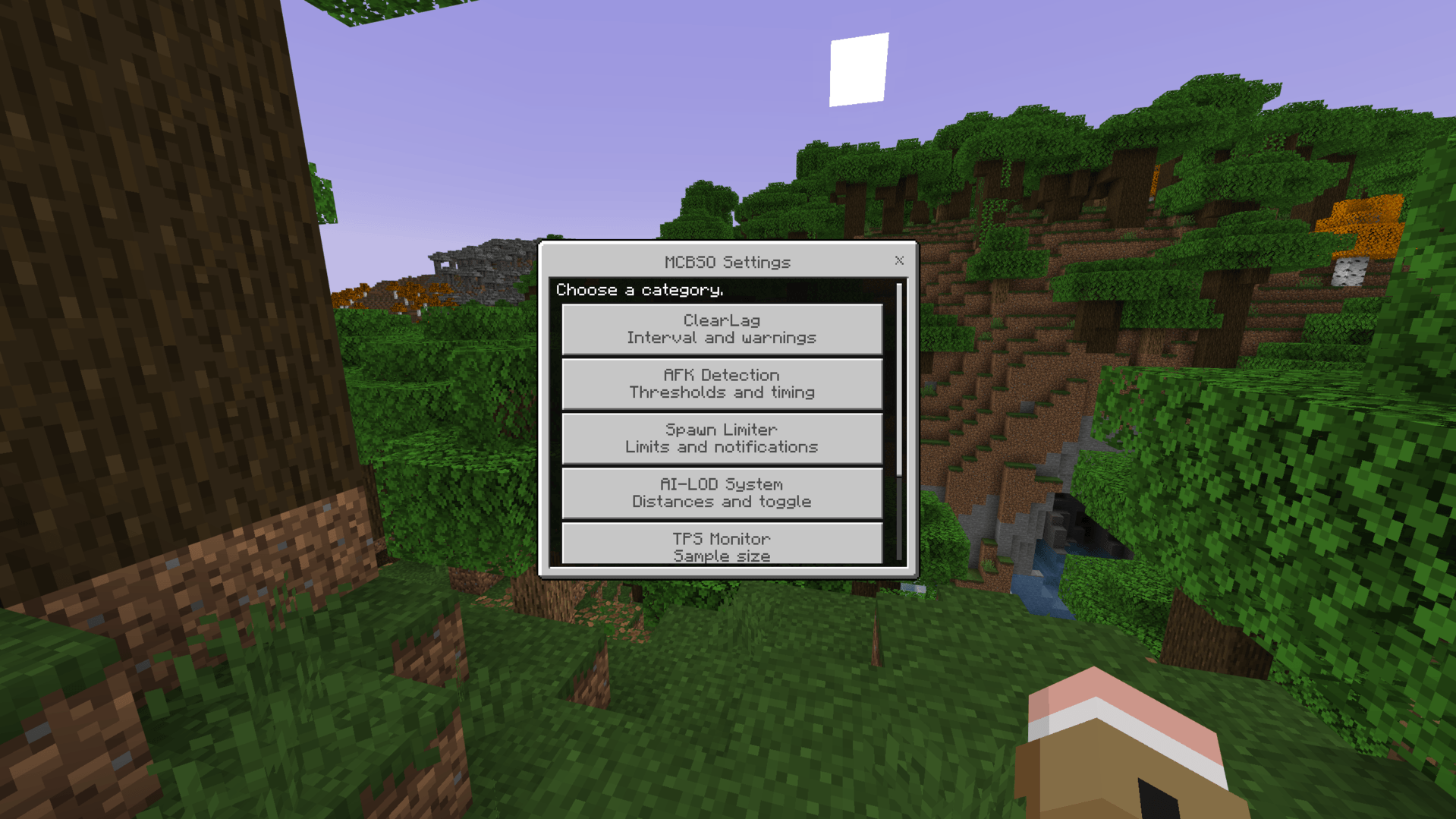
⚙️ In-Game Settings UI
Open with /mcbso:options (operators only). All settings save instantly and take effect without a restart.
The UI is organized into three sections:
- Settings — ClearLag interval, protected items, AFK threshold, spawn limits, AI-LOD tiers, notification tuning, and more
- Actions — UI equivalents of operator commands (trigger ClearLag, schedule clears, etc.)
- Info — Help documentation and system stats
💬 Commands
| Command | Access | Description |
|---|---|---|
/mcbso:help |
Everyone | Show all available commands |
/mcbso:tps |
Everyone | Toggle live TPS display in action bar |
/mcbso:clearlag time |
Everyone | Show time until next ClearLag |
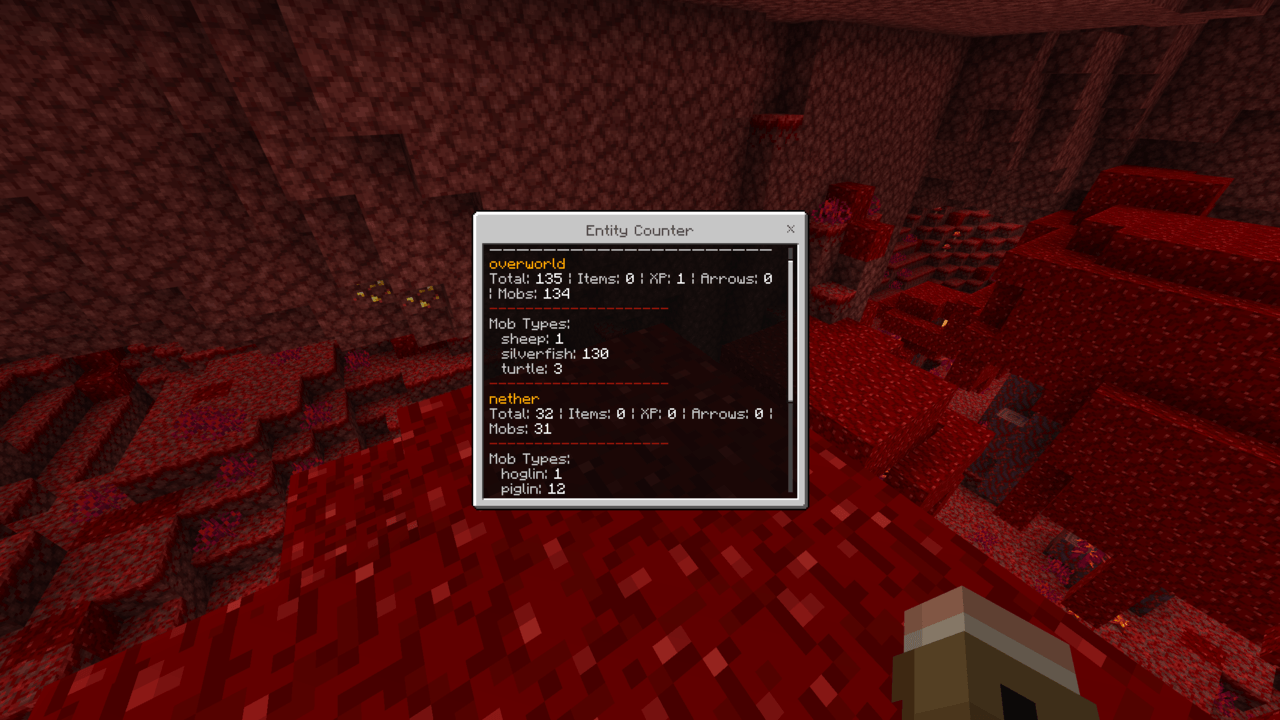
/mcbso:entities |
Operators | Count entities across all dimensions |
/mcbso:clearlag now |
Operators | Trigger ClearLag in 5 seconds |
/mcbso:clearlag schedule |
Operators | Schedule a ClearLag in X minutes |
/mcbso:afklist |
Operators | List AFK players and idle durations |
/mcbso:lodinfo |
Operators | AI-LOD tier stats |
/mcbso:options |
Operators | Open the in-game settings UI |
/mcbso:lang |
Operators | Change the addon language |
🌐 Multilingual Support
MCBSO ships with support for multiple languages, switchable live via /mcbso:lang or the setup wizard. Available languages include English, German, French, Spanish, Turkish, Polish, and more.
📋 Requirements
- Minecraft Bedrock Edition 1.21.50+
@minecraft/server2.5.0@minecraft/server-ui2.0.0- Works on Realms, dedicated servers, and local worlds
📦 Changelog
Latest Version
v5.3.0
- reworked ClearLag Ui page
- added Mob sweep to ClearLag
- added Mob sweep list for clears
- various small changes and improvments
v5.2.0
- (hopefully) fixed a issue regarding afk kick
- rewrote clearlag logic to use entity.remove() instead of comands
Older Versions
v5.1.2
- hotfix: fix add spawnlimiter mob type
v5.1.1
- added achievment compat
v5.1.0
- changed entity.kill --> entity.remove
- added ability to toggle mob types to be cleared without deleting the entry
- added ability to add custom clearlag warn messages (if updating from previous versions messages have to be reapplied in settings due to change in data storage)
v5.0.0
- New first-time setup wizard for operators
- ClearLag item protection window (fresh drops are shielded before each sweep)
- Item type exceptions for ClearLag
- Revamped in-game settings UI with Settings / Actions / Info structure
- Admin warning notifications with configurable cooldowns
- Improved AFK detection with optional auto-kick
- TPS history extended to 20 minutes
- Multilingual support expanded
- All limits (mobs, items) now editable live in the UI without restart
- Numerous stability and performance fixes
v4.1.0
- More supported Languages (Change in Settings)
- Fixxed /lang command
- Fixxed Operator Notification
- Minor performance improvements
MCB Server Optimizer 🔥UPDATE V5.3.0🔥 Team
