idk
1000076601.jpg
Description
THIS ADDON IS A UNOFFICIAL PORT OF THE MATTER MANIPULATOR BY RECURSIVE PINEAPPLE( ORIGINALLY MADE FOR GTNH)
This Adds A Very Useful,Building Tool For Either Decorative And Base Building!It Has 6 Modes You Can Choose From Alongside Upgrades To Make Your Tool Even Better!,It is essentially A Survival Friendly Worldedit!
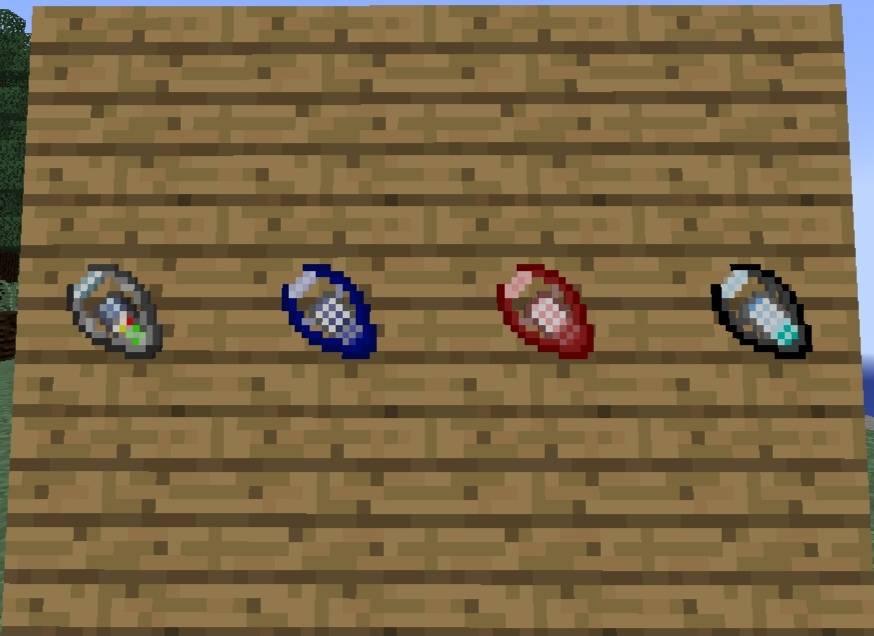
Ok,So First Lets Start By Showing The Tool Tiers:
It Comes In 4 Tiers:
-Prototype:
Craftable By Your First Ender Eyes,Only Has Geometry, Altough Can Unlock Removing By The Excavation Upgrade, Only Places 16 Blocks Per Second!And Has A Limit Of 1024 Blocks.
-MKI
Craftable By A Lot Of Lapis Azuli,Has 2 New Modes: Cables And Exchanging,Alongside Removing Being Unlocked By Default Without The Need For The Upgrade,Places 64 blocks per second! And Has A Limit Of 2048 Blocks Per Area
-MKII
Craftable With Your First Netherite Smithing Upgrades,Has All Functions,One New One Being Copying(In Which,I Will Explain Later!)Places 256 Blocks Per Second! And Has A Limit Of 4096 Blocks Per Area.
-MKIII
Craftable With Nether Stars,Has All Functions Just Like MK2,Places 1024 Blocks Per Second,And Is The Last Tier Of The Matter Manipulator!It Has A Limit Of 8192 Blocks Per Area.
-UPGRADES
Ok,So To Increase The Potential Of The Tool,Upgrades Exists,Four Upgrades To Be Exact:
Excavation Manipulator Upgrade:
Unlocks The Removing Mode For The Prototype Matter Manipulator
Auxiliary Teleporter Manipulator Upgrade:
Doubles The Matter Manipulator's Placing Speed
Advanced Harness Manipulator Upgrade:
Reduces The Block Placing Time By 50%
Bottomless Tunnel Manipulator Upgrade:
Completely Removes Matter Manipulator MKIII's Block Per Area Limit
Now For A Brief Explanation Of The Functions:
Firstly,To Make A Operation,You Select 2 Opposite Corners Of Area(Like The Actual Worldedit) and it will highlight the area
GEOMETRY:
This is rather simple and is Slightly Useless,All It Does Is Make Basic Geometry Squares Around The World!
REMOVING:
Rather Than Being A Mode,It Works As A Setting For Geometry,First,You Select Removing Then Select Geometry,Then Set All To Air,Select You Area And You Will Remove All The Blocks In That Area And it will return right back to your inventory!(Selecting Air Without Selecting Remove First Voids All The Blocks)
MOVING:
Like The Name Suggest,it simply Moves Your Defined Area,There isnt really Much To Say About This Mode.
EXCHANGING:
It Exchanges Blocks In A Area,For Example,You Have A Diamond Beacon And You Want To Upgrade It To A Netherite Beacon,You Set Your Whitelist And Stuff,Then Select The Beacon Area,And It Will Replace The Diamond Blocks with Your Netherite Ones As Long You Have Them In Your Inventory!
Cables:
Nothing Special About this,it just Places String/Redstone In a straight arena and connects then Automatically,You Could Theoritically Do This With Geometry But Since Redstone Wire And Dust Are 2 Different Ids It Wouldnt Work So Thats Why This Exists.
COPYING:
Oh, This Is By Far The Most Complex Out Of The 6,Now,The Main Function Of It Is Simple,It Copy And Pastes A Area,But Its Sub Functions Are Kind Of Complex:It has 3 Subfunctions:Planning, Edit Stack And Edit Transform, Planning Simply Tells You How Much Material You Will Need To Have For A Copy And Paste, Edit Transform Rotates The Structure In Each Axis (You Can Rotate it in either X,Y,Z Axis) And Edit Stack Allows You To Copy The Structure Over And Over Again In Each Axis(for example:You Can Turn A 2x2 Square Onto a Like,idk, 60x60 square On All Axis)
That Was A Very Brief Explanation Of What The Tool Does,it is rather difficult to explain,Actual Documentation Will Be Done Once The Tool Is At Least 80% accurate to the java version
The Matter Manipulator BE Team