LumenLink Storage
- By
LumenLink Storage connects Minecraft Bedrock chests into one searchable network with visual browsing, smart transfers, remote access, diagnostics, and multiplayer controls.
LumenLink Storage
Connected. Organized. Anywhere.
LumenLink Storage transforms a room full of Minecraft Bedrock containers into one searchable storage network. Browse real item icons, search by name, move exact quantities, protect important supplies, check capacity, and manage your storage from a handcrafted Console or portable Remote.
Built by Frostforge Addons, LumenLink combines powerful storage tools with detailed dark-oak, black-iron, silver, and luminous-blue models designed to look at home in a polished survival build.
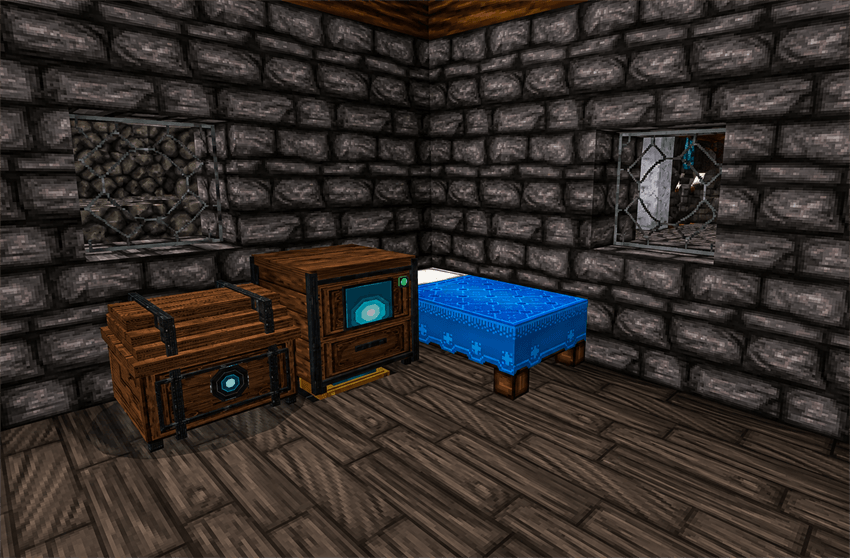
One interface for your entire storage room
Connect compatible chests, barrels, and copper chests with Storage Links and Luminous Conduit. The Storage Console aggregates compatible stacks across the loaded network, so you can work with the items you own instead of hunting through individual containers.
- Browse stored items visually with their actual icons and combined quantities
- Search by item name with forgiving fuzzy matching
- Filter by practical categories and subcategories
- Sort results and move through large inventories with pages
- Save Favorites and quickly revisit Recent Items
- Withdraw one item, a stack, or a chosen quantity
- Deposit one stack with a quantity slider, several selected stacks, a hotbar, or an inventory
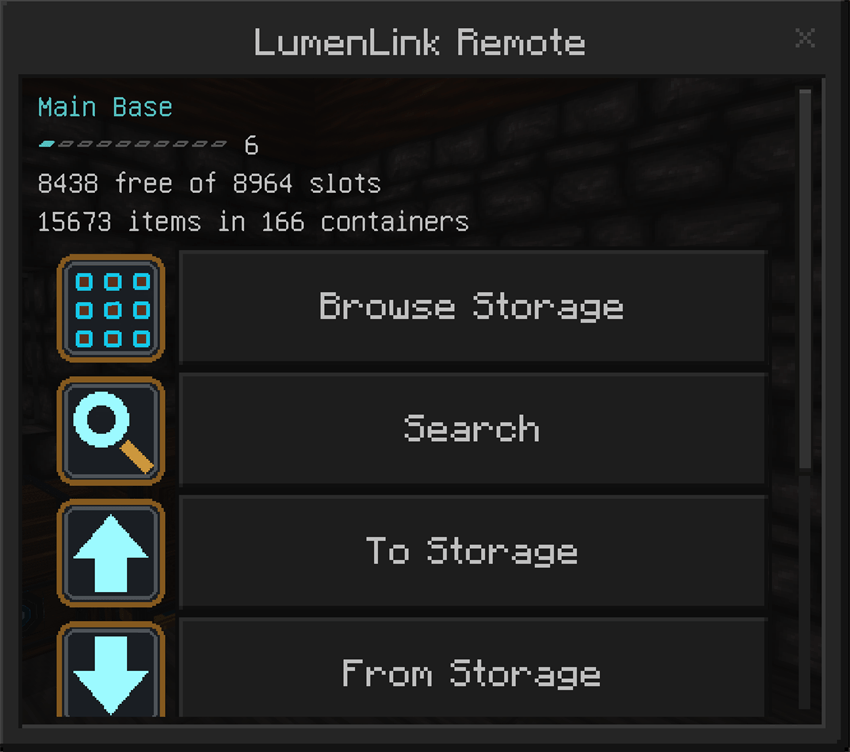
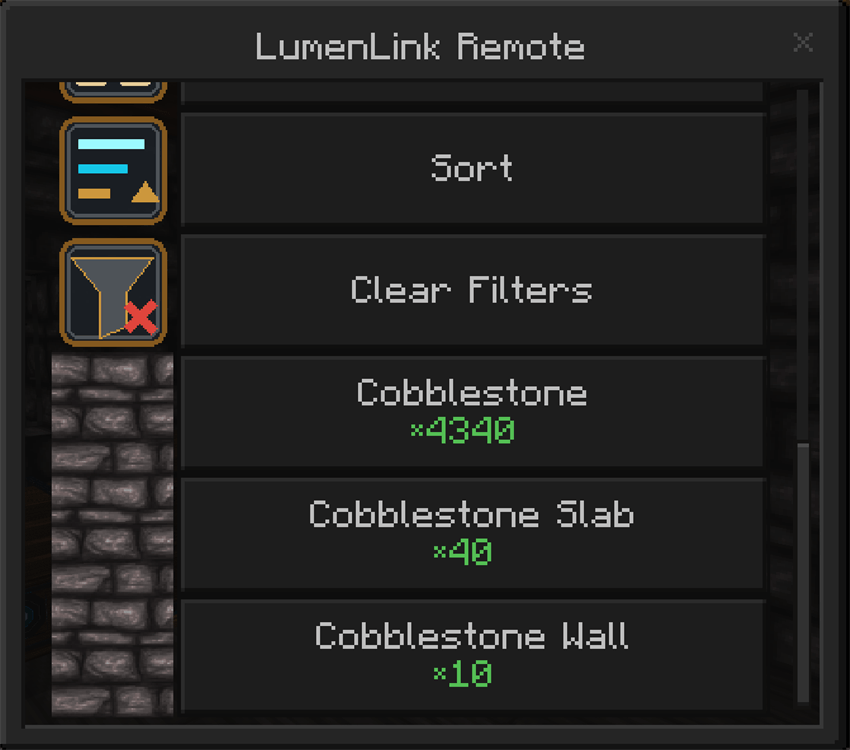
Built for large storage systems
LumenLink is designed for storage rooms that have grown beyond a few labeled chests.
- Capacity display shows used and available slots, with warnings at 90% and 100%
- Smart placement prefers exact item matches and then related material families, such as keeping new birch items near existing birch storage
- Reorganize Existing Storage consolidates compatible stacks and groups related materials across loaded containers
- Scan caching avoids repeatedly rebuilding exceptionally large networks during normal use
- Network Diagnostics locates unattached Storage Links, open conduit endpoints, and unloaded chunk boundaries
- Diagnostic issues can be highlighted in the world for easier repairs
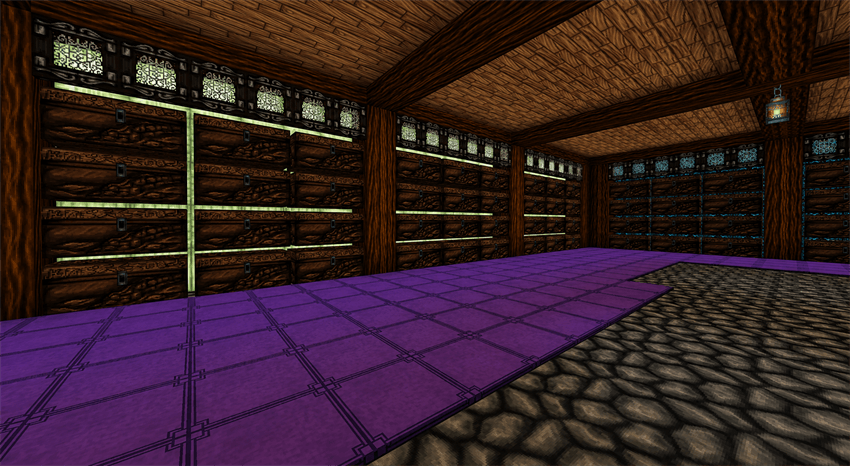
A complete set of purpose-built devices
Network Core
Controls one storage network and stores its identity and ownership settings.
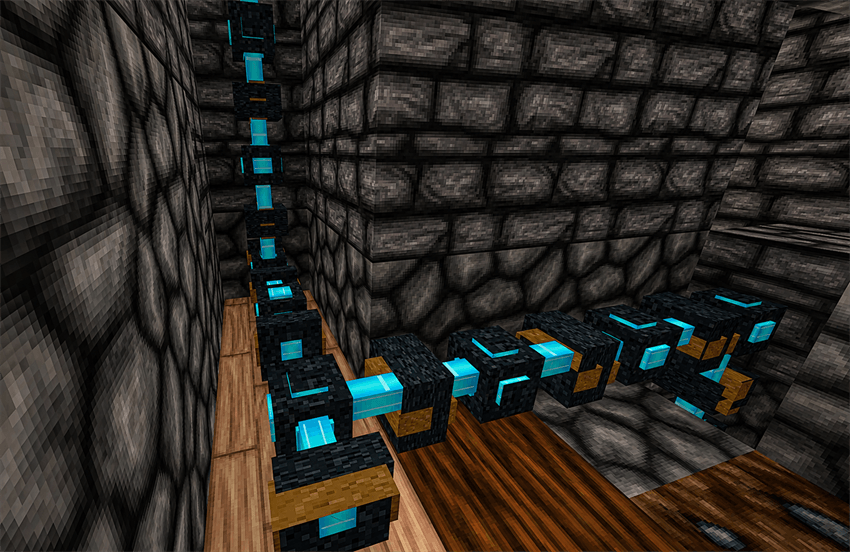
Luminous Conduit
Carries the network through walls and floors using reinforced junctions and luminous-blue connections.
Storage Link
Attaches the conduit network to supported storage. A Link can connect directly or bridge through one supported illuminated block, including Froglights and Glowstone.
Storage Console
The main dark-oak workstation for browsing, searching, sending a Transfer Chest, viewing Network Status, and opening the Guide.
Transfer Chest
A matching animated 27-slot chest. Load it with normal chest controls, then send its contents into the network from the Console.
LumenLink Remote
Portable access to browsing, search, deposits, withdrawals, diagnostics, settings, and the Guide. One Remote can remember up to eight named networks.
LumenLink Handbook
An illustrated in-game guide covering every component and the complete setup process.
Multiplayer and safety controls
The first player to open a new Console becomes the network owner. The owner can name the network, add trusted players, and independently control who may browse, deposit, or withdraw.
Deposit Protection can reserve selected item types or hotbar slots and includes convenient mining, building, and Favorites presets. Bulk deposits automatically skip protected supplies.
Remote access on Realms
Minecraft only exposes blocks and container inventories to scripts while their chunks are loaded. LumenLink includes an optional owner-controlled Keep Network Loaded setting with a radius of one to four chunks around the Network Core.
A four-chunk radius covers roughly 128×128 blocks around the Core, making it suitable for a large storage room. Bedrock still limits how many chunks an add-on may keep ticking, and the anchor loads the storage area rather than every chunk between the player and the network.
Getting started
- Open the downloaded
.mcaddonfile to import both LumenLink packs. - Activate the LumenLink behavior and resource packs in your world.
- Place a Network Core and Storage Console.
- Run Luminous Conduit from the Core toward your storage room.
- Place Storage Links so the network reaches each supported container.
- Use the Console to open the Guide, inspect Network Status, and begin browsing.
- Use a Remote on the Network Core to bind it. Repeat on additional Cores to save more networks.
LumenLink requires no external add-ons, no cheats, and no experimental feature toggles for normal operation.
Compatibility notes
- Made for Minecraft Bedrock Edition
- Supports single-player worlds, multiplayer worlds, and Realms
- Uses the
lumenlink:namespace and does not replace vanilla containers - Existing vanilla chests and their contents remain normal Minecraft storage
- Long-range Remote access remains subject to Bedrock chunk-loading limits
Feedback
LumenLink Storage is actively developed. If you encounter a connection that looks wrong, a container that is not detected, or an item that belongs in a better category, please include your Minecraft version and a screenshot in your report.
Created by Frostforge Addons.
The LumenLink Storage Team