
Lost Files Arsenal 3D Gun Addon
- By
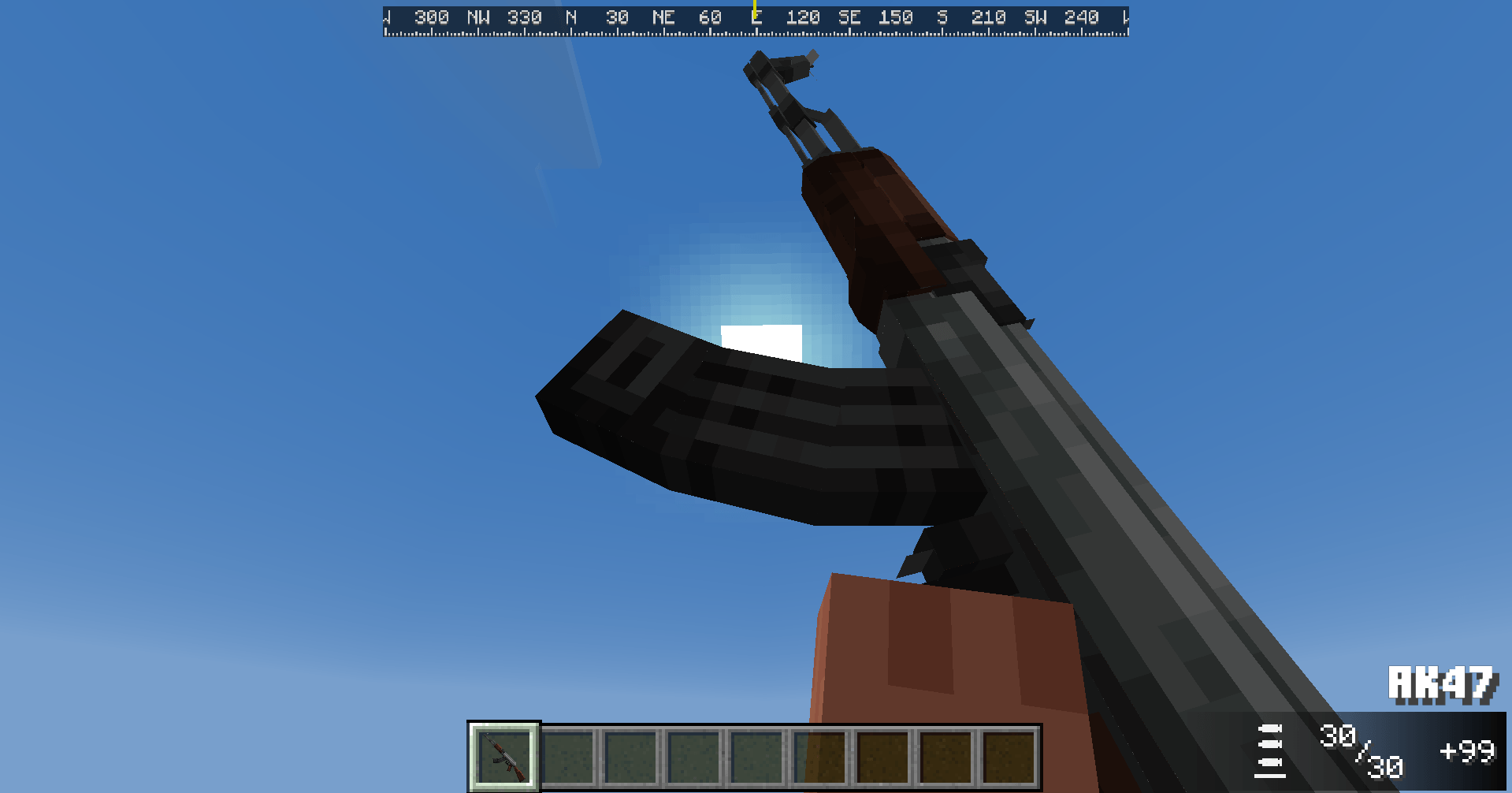
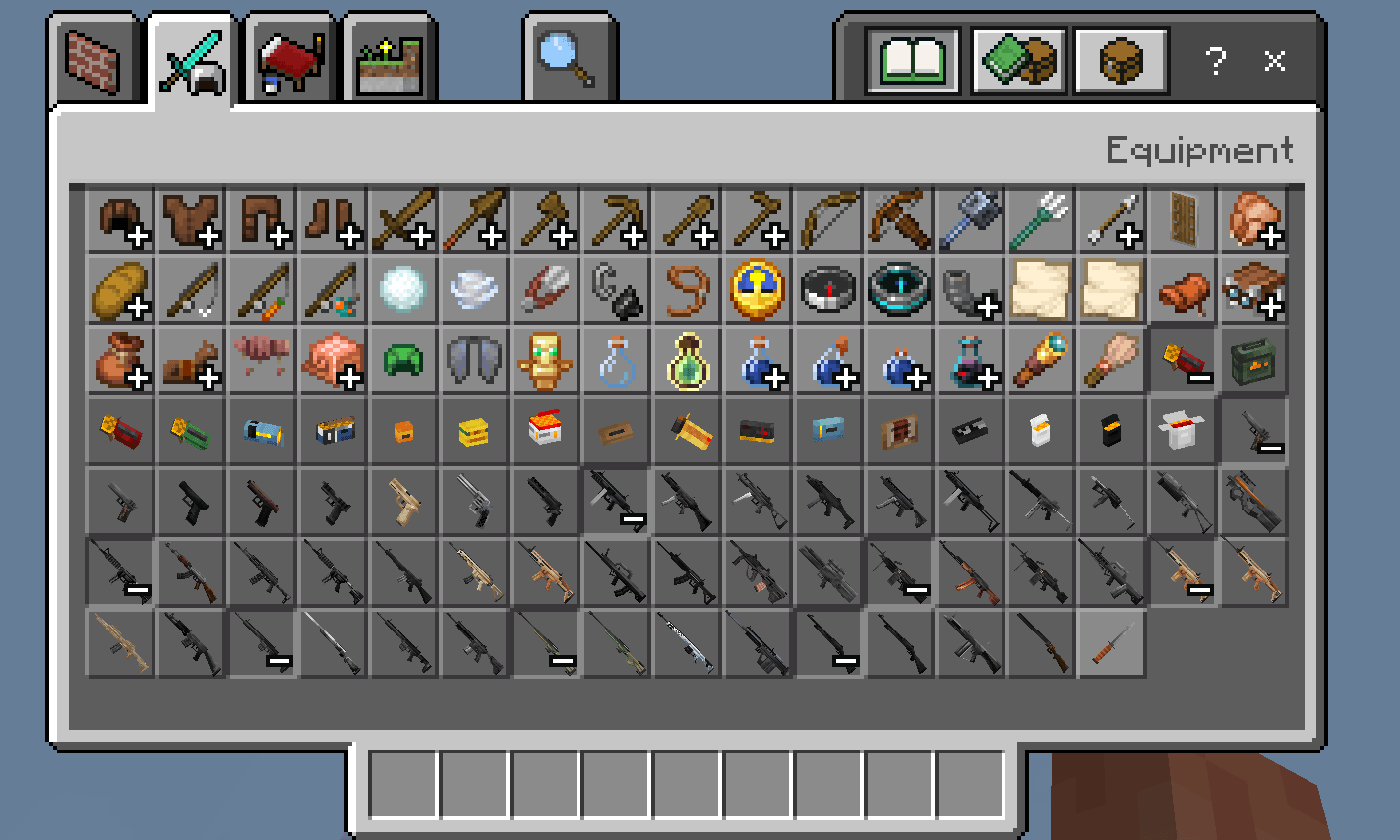
Lost Files Arsenal is an addon that adds over customizable 40 3D Low Poly stylized weapons to your world! It's 100% Survival Friendly, has various armor pieces, and also completely customizable to your liking!
Screenshot 2026-10-30 145820.png
Screenshot 2026-10-30 145929.png
Screenshot 2026-10-30 152124.png
Screenshot 2026-10-30 152148.png
Screenshot 2026-10-30 152227.png
Description
Lost Files Arsenal Guide
PLEASE READ: WE DO NOT ALLOW RESKINS FOR THIS ADDON. REACH OUT TO blazik31 ON DISCORD IF YOU WANT TO.
Overview
Lost Files Arsenal is an addon that adds over customizable 40 3D Low Poly stylized weapons to your world! It's 100% Survival Friendly, has various armor pieces, and also completely customizable to your liking!
NOTE:
Lost Files Arsenal is NOT Compatible with other addons that modify the player.json or the Hud files, so some 3D Guns addons, Addons that modify player animations and some specific UI Addons/Resource Packs are NOT compatible with Lost Files Arsenal.
Weapons:
As it's been already stated, this addon introduces over 40 weapons to your world.
Each weapon has it's own model, and also reload, tac reload and inspection animation.
These are all the weapons that are included in this addon:
- M1911
- Glock17
- MPL1
- Walther PDP
- P320
- Colt Anaconda
- RSH12 Assault Revolver
- Heckler & Koch MP5
- Heckler & Koch UMP45
- Scorpion Evo
- Sig Sauer MPX
- PMX
Overview
Lost Files Arsenal is an addon that adds over customizable 40 3D Low Poly stylized weapons to your world! It's 100% Survival Friendly, has various armor pieces, and also completely customizable to your liking!
NOTE:
Lost Files Arsenal is NOT Compatible with other addons that modify the player.json or the Hud files, so some 3D Guns addons, Addons that modify player animations and some specific UI Addons/Resource Packs are NOT compatible with Lost Files Arsenal.
Weapons:
As it's been already stated, this addon introduces over 40 weapons to your world.
Each weapon has it's own model, and also reload, tac reload and inspection animation.
These are all the weapons that are included in this addon:
- M1911
- Glock17
- MPL1
- Walther PDP
- P320
- Colt Anaconda
- RSH12 Assault Revolver
- Heckler & Koch MP5
- Heckler & Koch UMP45
- Scorpion Evo
- Sig Sauer MPX
- PMX
- Daewoo Telecom K7
- PP2000
- PP19 Bizon
- FN P90
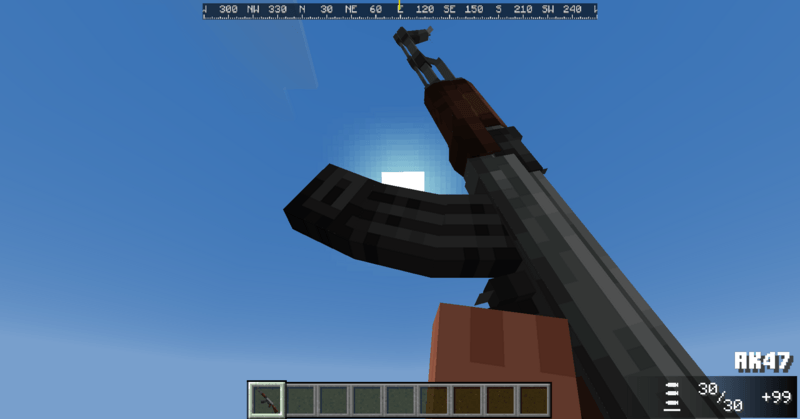
- AK47
- AK12
- Colt M4A1
- Sar80
- FN Arka
- FN Scar L
- QBZ95
- QBZ191
- Steyr Aug A3
- Heckler & Koch G11
- RPK74
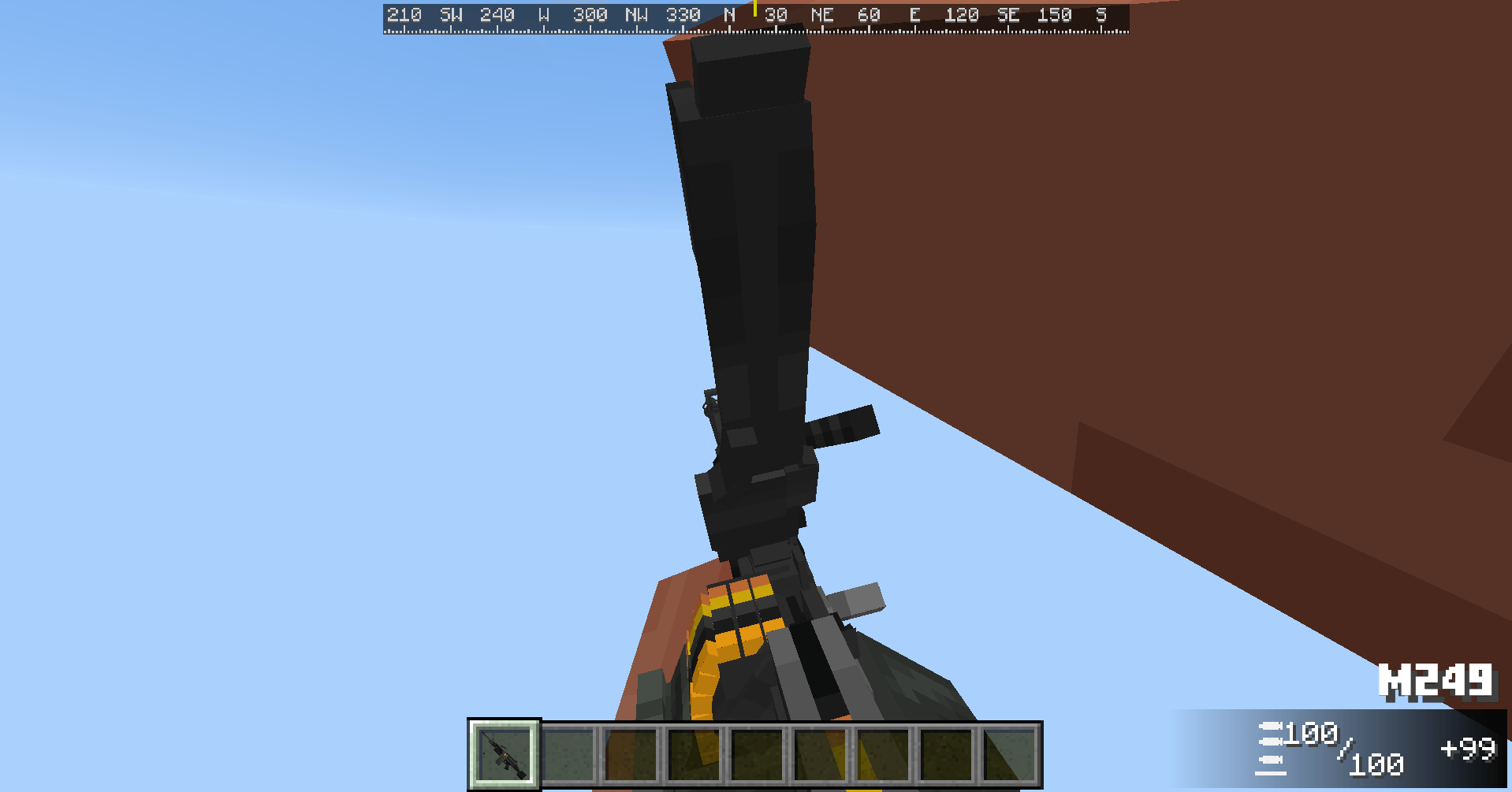
- M249
- QBB95
- Fn SCAR H
- Ohio Ordnance Works HCAR
- Saiga 308
- M24
- SVCh
- Heckler & Koch G28
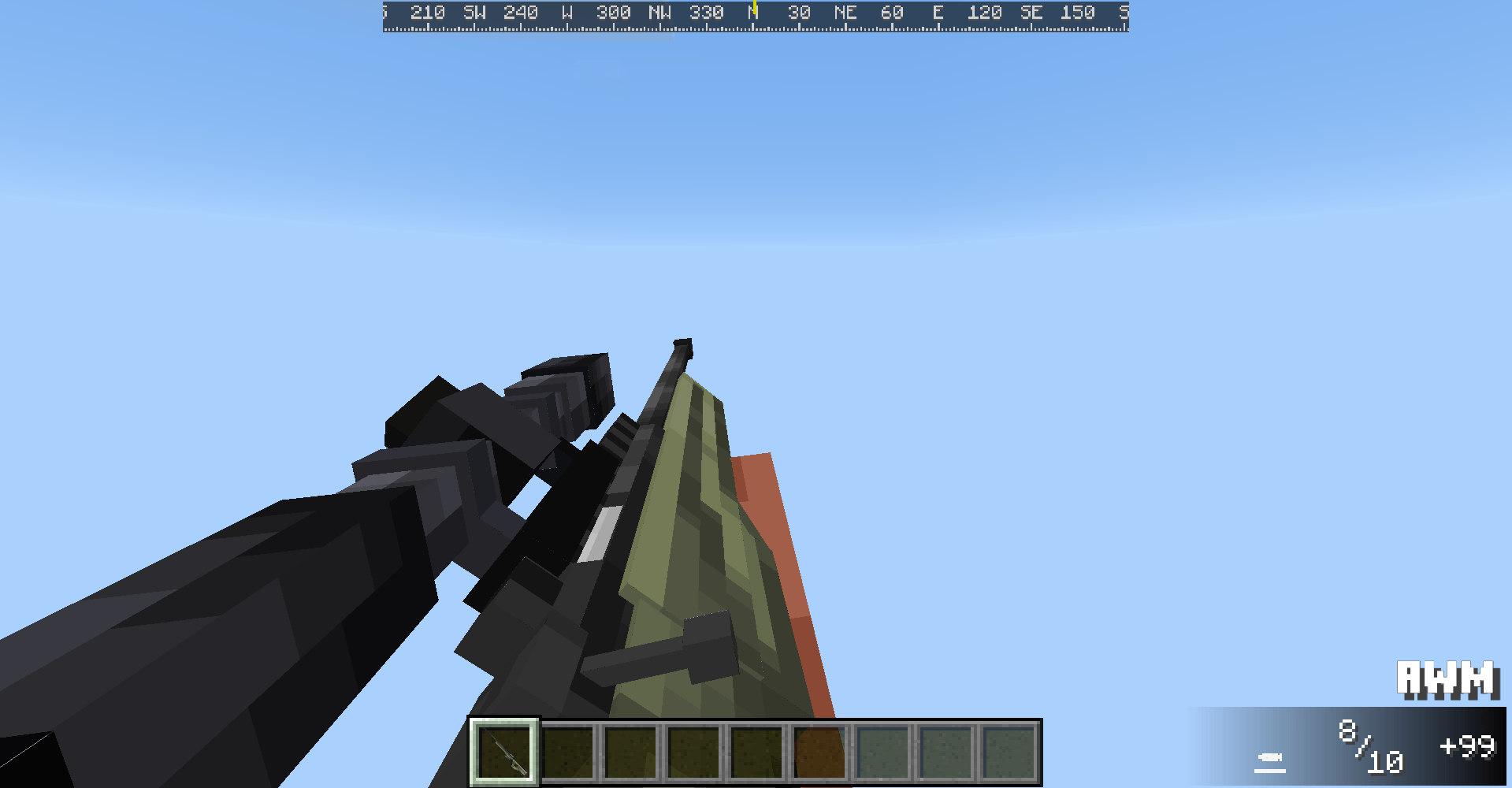
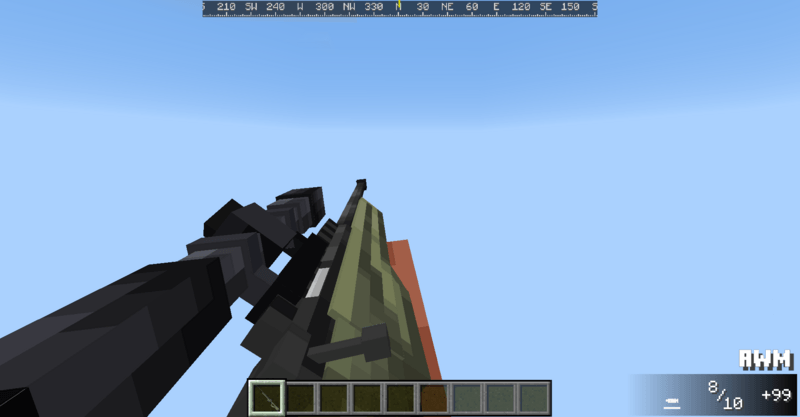
- AWM
- Barret MRAD
- GM6 Lynx
- Heckler & Koch FP6
- AA12
- Beretta Ultraleggero
- M3 Trench Knife
Some weapons can be modified with attachments, using the workbech block (more onto that later.)
These are the weapons that can be modified:
Crafting:
- PP2000
- PP19 Bizon
- FN P90
- AK47
- AK12
- Colt M4A1
- Sar80
- FN Arka
- FN Scar L
- QBZ95
- QBZ191
- Steyr Aug A3
- Heckler & Koch G11
- RPK74
- M249
- QBB95
- Fn SCAR H
- Ohio Ordnance Works HCAR
- Saiga 308
- M24
- SVCh
- Heckler & Koch G28
- AWM
- Barret MRAD
- GM6 Lynx
- Heckler & Koch FP6
- AA12
- Beretta Ultraleggero
- M3 Trench Knife
Some weapons can be modified with attachments, using the workbech block (more onto that later.)
These are the weapons that can be modified:
- M1911
- Glock17
- MPL1
- Walther PDP
- Heckler & Koch UMP45
- PP2000
- Colt M4A1
- Steyr Aug A3
- Barret MRAD
- Glock17
- MPL1
- Walther PDP
- Heckler & Koch UMP45
- PP2000
- Colt M4A1
- Steyr Aug A3
- Barret MRAD
Crafting:
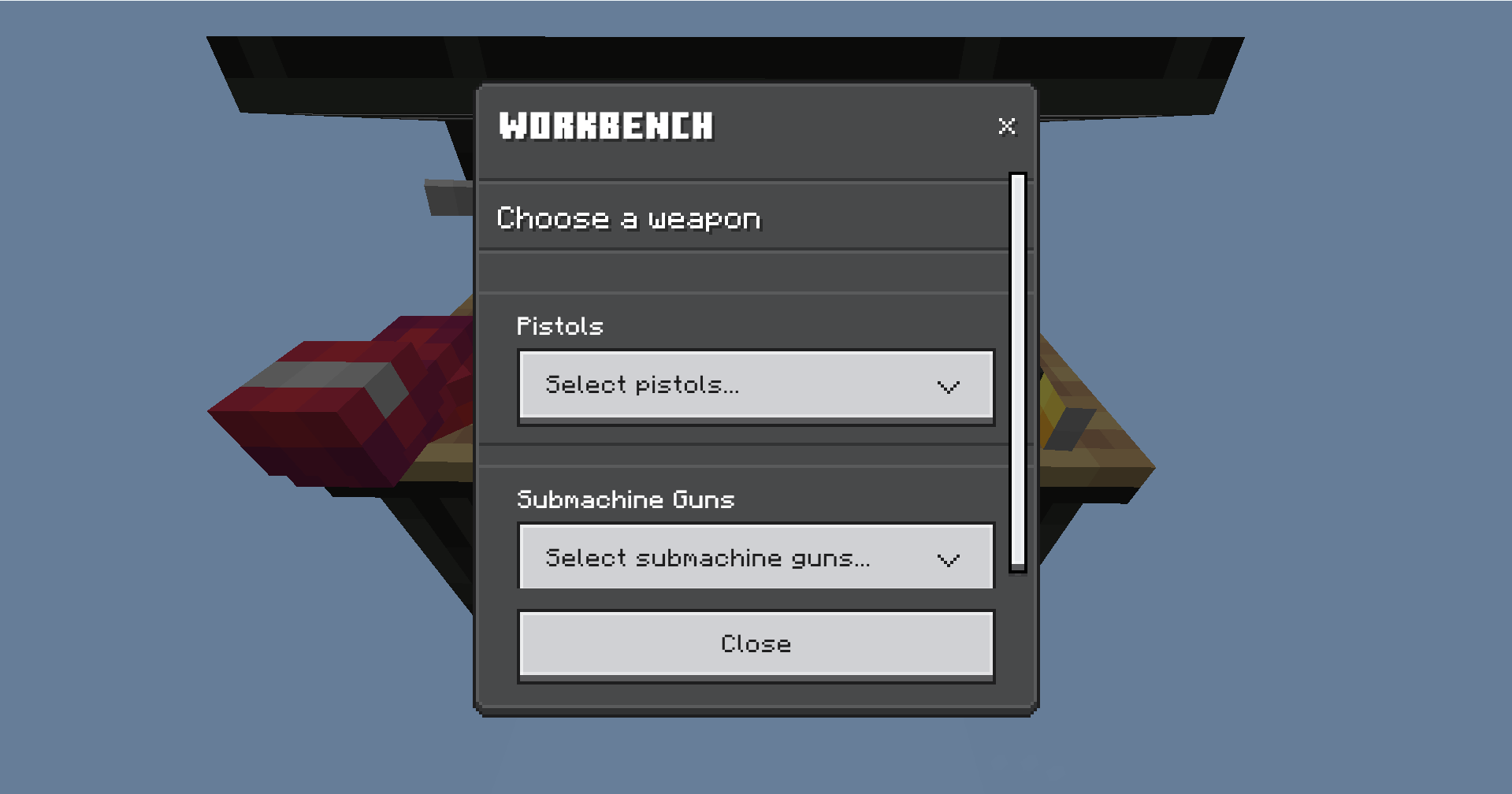
To craft weapons, you’ll need to use the “Workbench” block.
The workbench isn’t only used to craft weapons, but to also craft wearables, and to modify your guns.
Each weapon has it’s own crafting recipe, which is written when you select one of the weapons you’d like to craft.
To craft a weapon, simply interact with the Workbench and it’ll give you 3 options: Craft Weapons, Manage Weapons[it may be locked or not if you’re holding/not holding a weapon], and Craft Wearables.
Select “Craft Weapons” and in the list, select your desired weapon.
After doing that make sure you have the materials required!
After crafting a weapon, the correct item and count will be taken from your inventory.
REMINDER: In survival, the weapons need ammo to be reloaded (if this feature is turned on) so make sure to craft the ammo too using the “Reloading Bench” block.
To craft the ammo needed, you simply need to interact with the Reloading Bench, and select the ammo you need to craft.
Ammo needs a new material called “Brass”.
It’s not a new ore, but it can be crafted by combining an iron ingot and a copper ingot.
If you don’t know what caliber your weapon is, don’t worry!
You can check out the Guide Book[in the PDA], under the Weapon Stats section, in the weapon’s item description, or, there’ll simply be a list with the compatible weapons.
If you need more ammo, but you don’t have enough space for your inventory, select “Big Ammo Boxes”.
To cract one, you’ll need to craft 4 normal ammo boxes of that caliber first, and then you can craft a Big Ammo Box using those 4 normal ammo boxes.
Big Ammo Boxes are only available in survival[you can’t get them in creative] and they hold 4x the amount the normal ammo boxes hold.
The amount of ammo each normal box has is indicated in the durability bar; while in the Big Ammo Boxes is indicated in the item’s description.
When reloading or tactical reloading, the ammo will be automatically taken from the ammo.
Weapon Mechanics
The weapons generally have 6 main mechanics:
- Reload
- Tac Reload
- Inspection
- Attachments
- Recoil
- Spread
To reload you simply need to have the correct ammo caliber in your inventory.
When you empty your mags, the reload mechanic is automatic if you have ammo, but if you don’t it’ll say “Out Of Ammo.” In your actionbar.
To Tac Reload instead, you need to have at least -1 ammo or less compared to your weapon’s maximum capacity.
For example, the M4 has an ammo capacity of 30 rounds, to tac reload you need at least 29 rounds or less, and you need to punch two times. You can edit how many punches you need to tac reload or if you even want tac reload enabled. Tac reloading adds +1 ammo compared to your maximum ammo capacity. So if you have an M4, which it’s maximum capacity is 30, you’ll have 31 rounds when tac reloading. This isn’t applied to certain weapons like the revolvers and the Beretta Ultraleggero. Each weapon has it’s own tac reload anim and duration.
To inspect yoy need to have your weapon full, and you need to punch two times. You can edit how many times you need to punch or if you want to remove it entitely.
Inspecting your weapon is purely useless, it just plays a cool inspection animation :)
Attachments are still a “Beta” feature, but what they do is they allow you to modify your weapon. Right now only certain weapons have that feature.
To add attachments to your weapon, all you need is to have a weapon eauipped, interact with the workbench and select the button “Manage Weapons”.
Attachments help you tune your weapons to be more accurate, silent or overall just have the looks you want to have.
There are 5 types of attachments:
- Optics: they help you aim better, some optics can even zoom in.
- Suppressors: They suppress your weapons, good for trying to not being heard on longer distances
- Grips: they help you with recoil control
- Handguards: they help you with recoil control and spread control.
- Extended mags: they give you extra ammo capacity.
The recoil is something you can enable or disable with the PDA. There are 2 types of recoil: General Recoil System and the Camera Based Recoil System [BETA]
The general recoil system simply just modifies your weapon’s trajectory to go higher every shot.
While the Camera Based Recoil System is a work in progress system that actually modifies your screen rotation to go higher every time the recoil is applied. In this system, rexoil is applied in a different way, if you have a semi auto weapon, it’ll get applied every time you shoot, while if you have a full auto weapon, the recoil gets applied one time every 2-8 shots (the value is different depending on the rpm.)
If you have a high rpm weapon, recoil gets applied less but its stronger, while if you have a lower RPM weapon, it gets applied more often but it’s weaker. The recoil is also shown in the crosshair, it’ll spread more depending on how strong it is.
The spread is a very simple thing: if you’re not sneaking it’s higher, while if you are it’s lower.
The spread is shown in the crosshair too.
Hitscan
This addon uses a “Hitscan” system rather than a normal projectiles like other addons.
It introduces the “Damage Delay Bypass” system, which makes it better at detecting hits.
The hitscan system also includes bullet drop and bullet holes.
Wearables
Lost Files Arsenal introduces a bunch of wearables, which can be categorized in:
- Accessories
- Vests
- Helmets
- Uniforms
The accessories are pretty much self explainatory, but there are 3 accessories.
The first one is the Balaclava (or Ski Mask), which just hides your face, it’s mainly just a cosmetic.
The second one is the M40 Gas Mask, which when wore, it stops every negative effect.
The third one are the Night Vision Goggles, which grant the player who wears it infinite Night Vision status effect.
The vests of this addon are very important, as they nerf any hit below the head by at least 50%.
The helmets function nearly the same as vests, but they only stop 30% of the headshot damage.
Uniforms don’t really do much, they’re only cosmetics.
HUD
The HUD(Heads Up Display) in this addon is completely new.
The first hud element, is the Dynamic Crosahair, which has 2 states: Activated and Deactivated. The activated state runs when you hold any gun. It reacs to spread and recoil. The crosshair may expand or retract depending on your weapon’s recoil. The dynamic crosshair can be turned on/off, or you can choose to run the vanilla crosshair. The crosshair also includes the hitmarkers. The hitmarkers play only when you damage or kill another entity. There are 4 types of hitmarker: Normal Hitmarker (when damaging an entity), Headshot Hitmarker(when damaging an entity on the head),Normal Deathmarker(when killing an entity) and Headshot Deathmarker(when killing an entity by using a headshot). Each hitmarker type has it’s own sound.
The second hud elemend is the Compass Bar. The compass bar indicates your cardinal rotation. The compass bar can be turned on/off and it can also be moved or scaled by using the PDA.
The third hud element is the Weapon indicator. The weapon indicator tells you which gun you’re holding, the ammo amount, the ammo reserves and what mode your weapon is on.
The last hud element is the Blood Screen. This appears when your health is less than 6 HP.
The vanilla chat has been moved to the bottom right corner.
The vanilla chat has been moved to the bottom right corner.
PDA
The PDA (Personal Digital Assistant) is the item you’ll need to edit your settings and your stats.
The PDA Is split in 2:
- Client / personal settings
- Operator / server settings
Client Settings:
In the client settings you’ll find the settings that can be modified by anyone, and that only modify their games, there are settings such as HUD Settings, Particle settings and keybind settings.
Operator Settings:
In the operator settings you’ll find the settings that can be modified only by the world’s operators. There are settings like recoil, Grief, hitscan and more.
Props/Blocks
There aren’t many props in this addon, but there are a few cool ones.
The first one is the Dummy.
The dummy is simply just a dummy, you hit it and it reacts, but it cannot be killed.
To remove it, you’ll need an axe and you’ll need to interact with it.
And the final prop is the Soundproof Wool block. This too isn’t anything special, it’s just meant for decoration (like for shooting ranges and stuff)
Movement:
Movement is mainly about the movement animations. There are a few movement animations:
- Walking
- Sprinting
- Jumping
- Sway
- Collision(when you go against a block)
There’s also a movement feature which is the proning feature.
To prone, simply make sure to be in survival, look down and punch.
While proning you’ll be able to go thru 1 block gaps.
Credits
Shout out to everybody who helped me making this addon, we spent about 5 months or more making the (almost) perfect gun addon :) We appreciate everybody who was by our side, since day 1.
Credits
Shout out to everybody who helped me making this addon, we spent about 5 months or more making the (almost) perfect gun addon :) We appreciate everybody who was by our side, since day 1.
- blazik31(me) [CREATOR, MODELER, ANIMATOR, CODE, SFX, VFX, UI & More)
- qqrin_[ANIMATOR]
- stormflume [ANIMATOR]
- jst1n_0 [ANIMATOR]
- ssia7618 [ARTIST]
- kokopoplpop [ARTIST] mrdingleton [UI Artist, He partially made & helped with the HUD]
- bionichyena10 [Helped a TON with scripts, and also gave me some of his own code]
- ggrimstonec18 [Helped me test & helped me improve the addon]
Lost Files Arsenal 3D Gun Addon Team

