LightsCraft
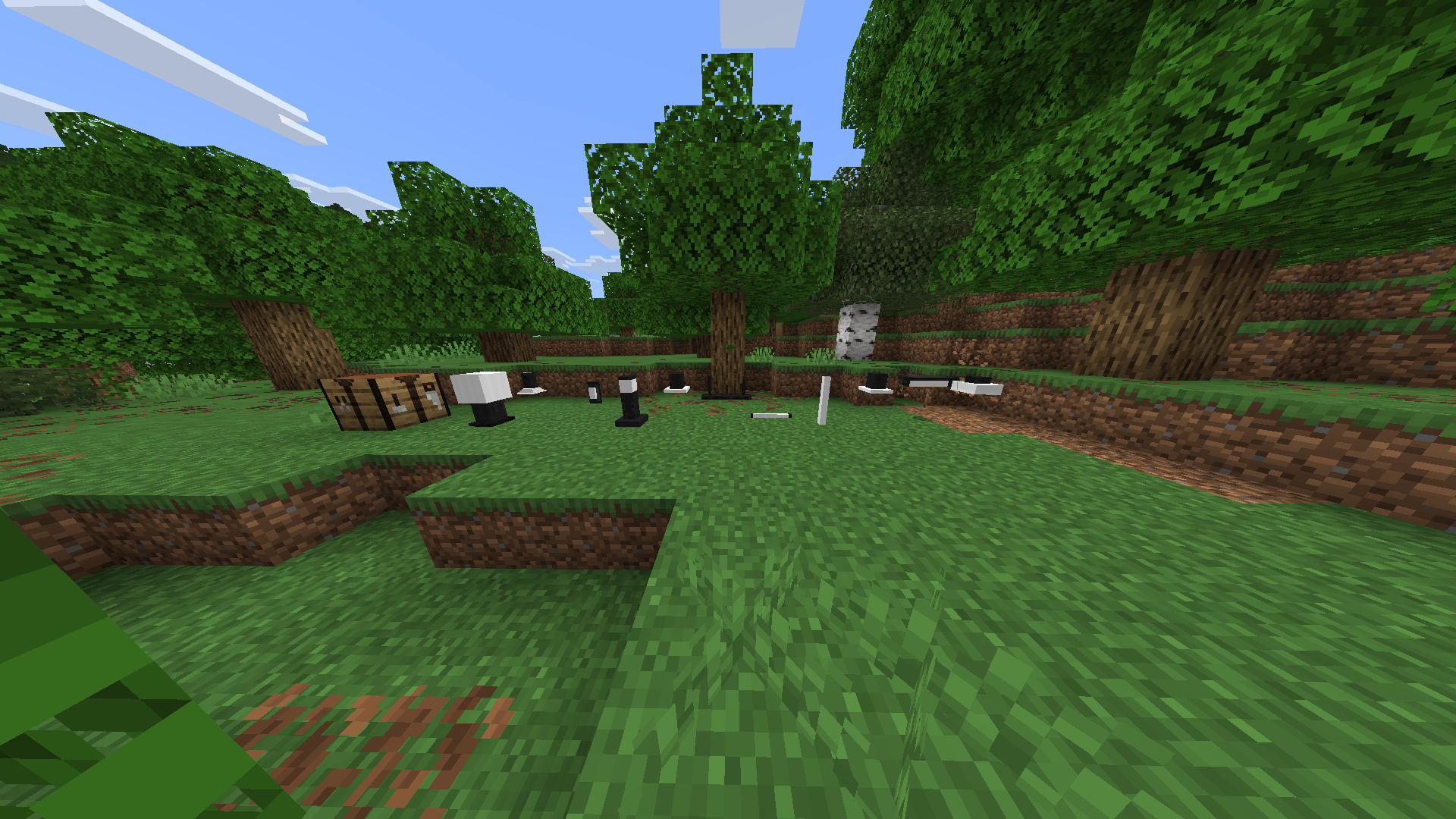
A minimalist and aesthetic lighting addon for Minecraft Bedrock that adds 11 custom ceiling, floor, wall, and pendant lamps with automatic rotation based on player facing direction.
Captura de pantalla 2026-05-14 193507.png
Captura de pantalla 2026-05-13 213954.png
Captura de pantalla 2026-05-13 214316.png
Captura de pantalla 2026-05-13 214607.png
Captura de pantalla 2026-05-13 214105.png
Captura de pantalla 2026-05-13 214427.png
Captura de pantalla 2026-05-13 214032.png
Captura de pantalla 2026-05-13 214353.png
Captura de pantalla 2026-05-13 214134.png
Captura de pantalla 2026-05-13 213918.png
Captura de pantalla 2026-05-13 214255.png
Captura de pantalla 2026-05-13 213219.png
Captura de pantalla 2026-06-29 214030.png
Captura de pantalla 2026-06-30 203613.png
Captura de pantalla 2026-06-29 213704.png
Captura de pantalla 2026-06-30 161503.png
Captura de pantalla 2026-06-29 213418.png
Description
LightsCraft is a Minecraft Bedrock addon created by BLUCKS450 that brings 16 minimalist and aesthetic custom light fixtures to your world — from pendant lamps and neon tubes to wall sconces, floor lamps, and interactive RGB lights.
✨ Features
- 16 unique handcrafted lamp models with custom textures and geometries
- All lamps emit maximum light level (15)
- Automatic rotation based on player facing direction — just place and it aligns itself
- Ceiling, floor, wall, and pendant placement support
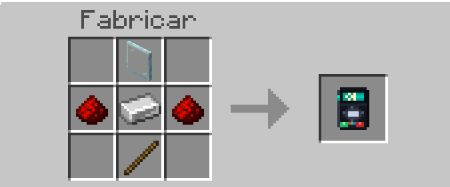
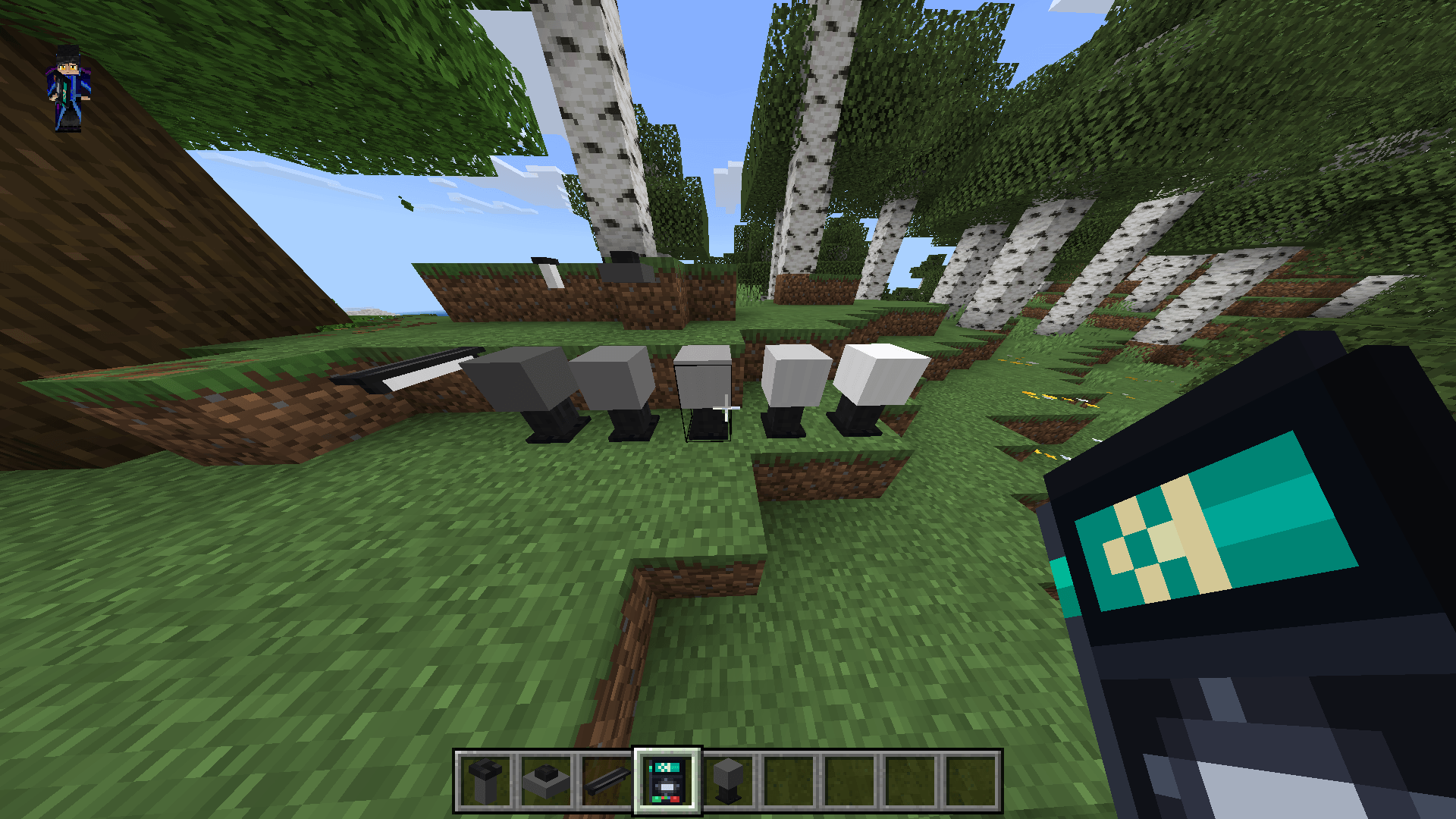
- Light Controller — a handheld tool to configure any lamp via interactive UI
- Control brightness per lamp: 100% / 75% / 50% / 25% / OFF
- Lamps change texture visually when dimmed — light zone turns gray when off
- Illuminant Slab with interactive on/off toggle — right click to switch between states
- RGB lighting system — 3 dynamic light blocks fully controllable by the player
- Right click RGB lights with a dye to change color (10 colors available)
- Use the Light Controller on RGB lights to change color and animation mode
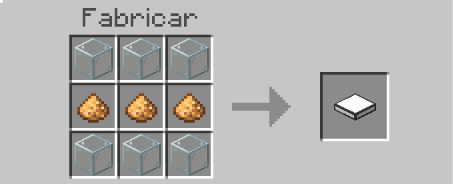
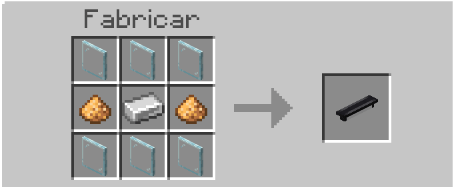
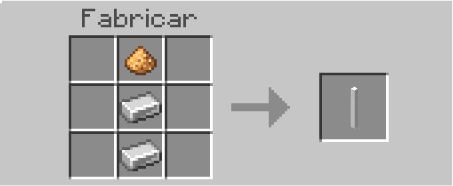
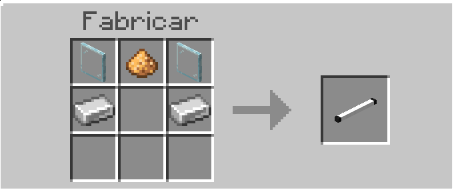
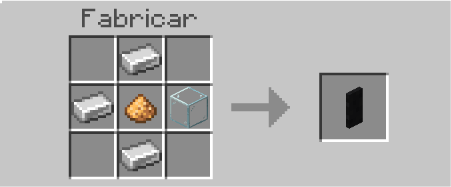
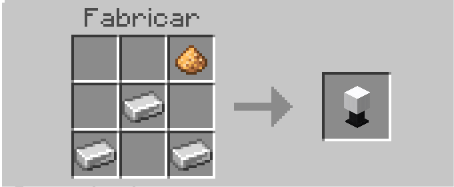
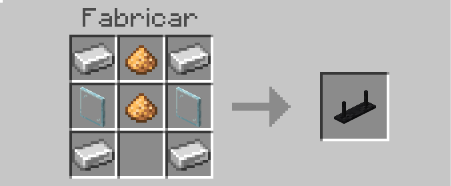
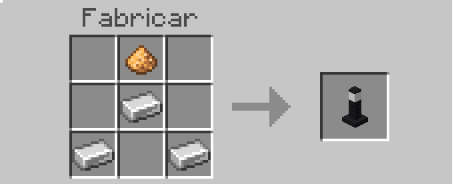
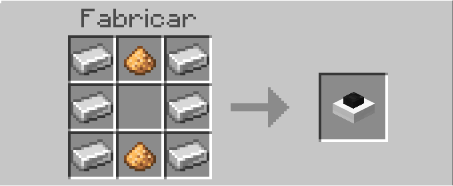
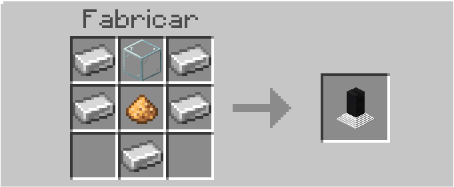
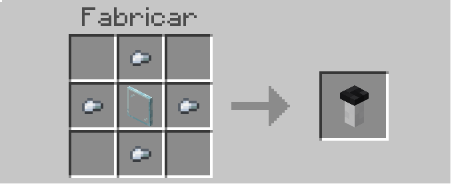
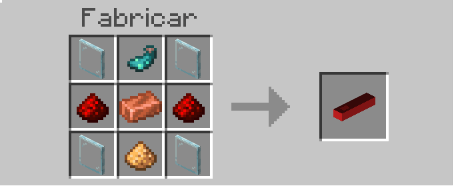
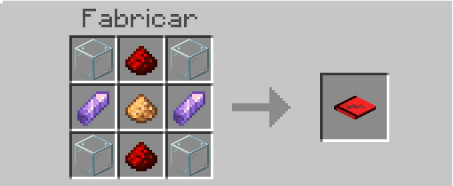
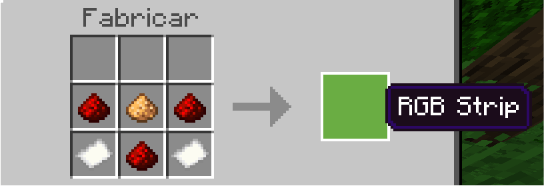
- Custom crafting recipes for every lamp
- Fully compatible with Minecraft Bedrock 1.21.20+
🪔 Included Lamps
| Name | Type |
|---|---|
| Ampolleta | Ceiling |
| Ceiling Light | Ceiling |
| Ceiling Neon Light | Ceiling |
| Pedant Lamp 01 | Pendant |
| Pedant Lamp 02 | Pendant |
| Suspended Neon | Pendant |
| Desk Lamp | Floor |
| Floor Tube Light | Floor |
| Ground Light | Floor |
| Rod Lamp | Floor |
| Wall Light | Wall |
| Iluminant Panel | Floor |
| Iluminant Slab | Floor (toggleable) |
| RGB Panel | Floor (RGB) |
| RGB Tube | Ceiling/Wall (RGB) |
| RGB Strip | Wall/Ceiling (RGB) |
🎮 Light Controller
Use the Light Controller by right-clicking any lamp to open the configuration menu:
| Setting | Options |
|---|---|
| Brightness | 100% · 75% · 50% · 25% · OFF |
| Color (RGB only) | 10 colors available |
| Animation (RGB only) | Static · Rainbow · Pulse · Breathing |
Craft it with: Glass Pane + Redstone + Iron Ingot + Stick
🎨 RGB Color System
| Action | Result |
|---|---|
| Right click with dye | Changes light color instantly |
| Right click with Light Controller | Opens full configuration menu |
Animation Modes: Static · Rainbow · Pulse · Breathing
🔧 Installation
- Download the
.mcaddonfile - Open it — Minecraft will import it automatically
- Apply both the Behavior Pack and Resource Pack to your world
- Enable Holiday Creator Features and Beta APIs under Experiments
- Obtain lamps with
/give @s lightscraft:<lamp_name>or craft them at a crafting table
💡 Tips
- Use the Light Controller to dim lamps and create ambiance — the texture changes to reflect the brightness level
- The Iluminant Slab can be toggled on and off by right-clicking — perfect for light switches
- RGB lights remember their color and mode even after reloading the world
- All lamps auto-rotate when placed, no need to worry about orientation
- Works in both survival and creative mode
📜 Credits
Addon created by BLUCKS450. All models and textures are original assets.
LightsCraft Team