Last Hope Gravestone & Death Compass | EL SANDO
- By
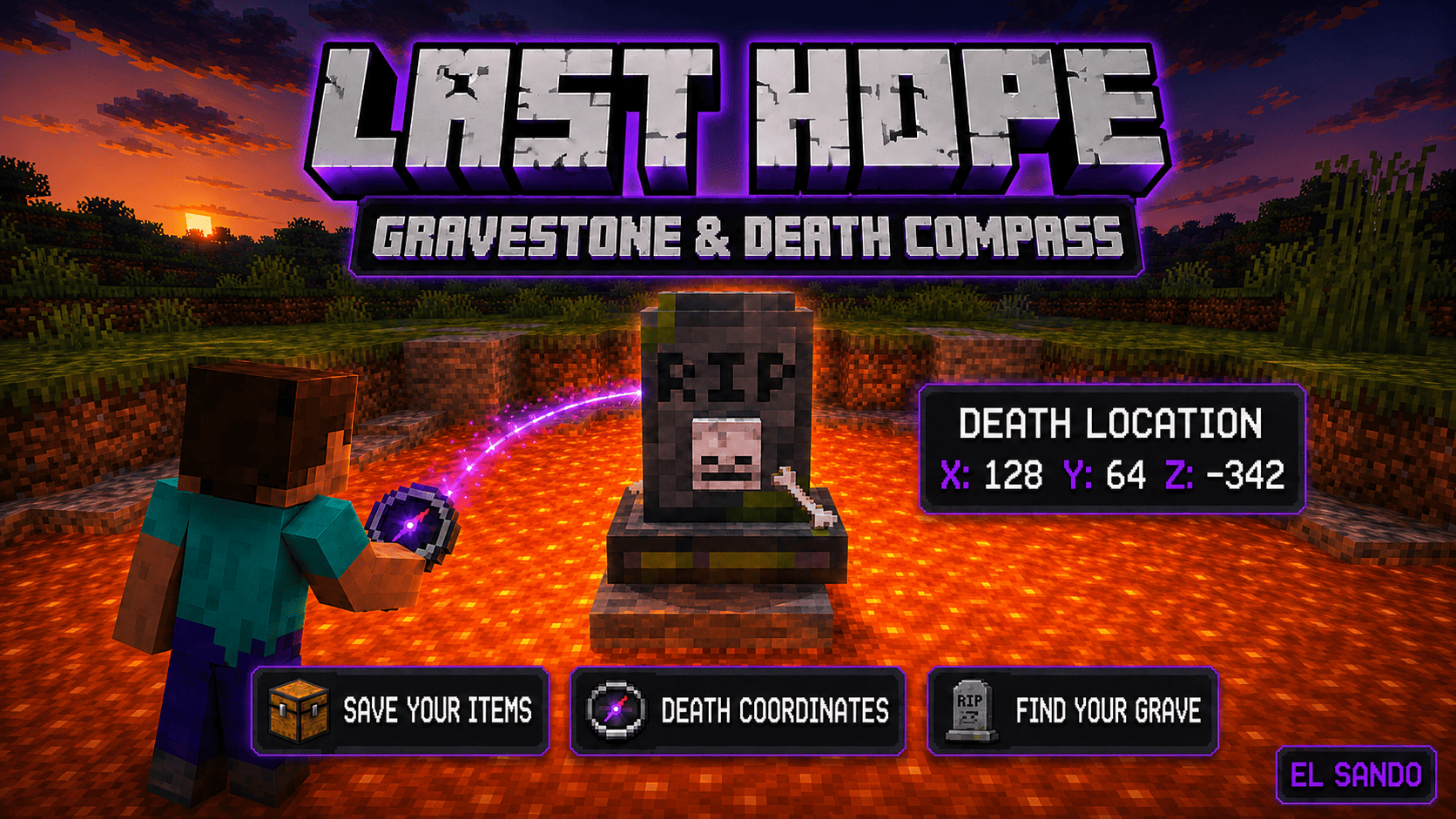
Never lose your inventory again! Last Hope stores your items and XP in a protected gravestone. Follow the Death Compass across dimensions and recover everything safely.
ChatGPT Image 1 sept 2026, 05_38_59 p.m (1).png
Description
LAST HOPE: GRAVESTONE & DEATH COMPASS | EL SANDO
Dying no longer means losing everything.
Last Hope is a survival utility addon for Minecraft Bedrock that protects your inventory inside a personal gravestone whenever you die. After respawning, you receive a special Death Compass that guides you back using the grave’s dimension, exact coordinates, distance and direction.
Your gravestone can even appear safely after dangerous deaths involving lava, water, the void or enclosed spaces.
MAIN FEATURES
-
Automatic gravestone when a player dies.
-
Protects inventory items.
-
Protects equipped armor.
-
Protects the offhand item.
-
Stores part of the player’s experience.
-
Personal Death Compass after respawning.
-
Exact death coordinates.
-
Live distance indicator.
-
Directional arrows in the actionbar.
-
Interdimensional tracking.
-
Protected multiplayer ownership.
-
Safe recovery around lava and other dangerous locations.
-
Support for enchanted and damaged items.
-
Compatibility with items from other addons.
-
Overflow protection when the player’s inventory is full.
-
Visual particles and special recovery sounds.
-
English interface and messages.
-
No experiments required.
HOW DOES THE GRAVESTONE WORK?
When a player receives fatal damage, Last Hope detects the death before the inventory is dropped.
The addon transfers the player’s inventory into a protected gravestone container. This includes regular inventory slots, armor and the offhand slot.
The gravestone then appears close to the death location. If the original position is unsafe, the addon searches for a valid nearby space so the grave does not become inaccessible inside lava, blocks or the void.
The gravestone displays the name of its owner and remains in the world until its contents are recovered.
DEATH COMPASS
After dying and respawning, the player automatically receives a Death Compass.
The Death Compass cannot be crafted. It is only provided when the player respawns with an active gravestone.
Hold the compass in your hand to activate its tracking information.
The actionbar displays:
-
The direction of the gravestone.
-
The remaining distance in blocks.
-
The grave’s X, Y and Z coordinates.
-
The dimension containing the gravestone.
-
A portal warning when the grave is in another dimension.
If you died in the Nether or the End, the compass tells you which dimension you must enter. After entering the correct dimension, the distance and directional arrows begin guiding you toward the gravestone.
The compass prioritizes the player’s most recent active grave.
RECOVERING YOUR ITEMS
Reach the gravestone and interact with it to recover everything.
Controls
-
Windows: Right-click the gravestone.
-
Mobile: Touch the gravestone or press the interaction button.
-
Xbox: Press LT.
-
PlayStation: Press L2.
-
Nintendo Switch: Press ZL.
As an additional compatibility method, the owner can also hit the gravestone to activate recovery.
All stored items are transferred directly into the player’s inventory. If there is not enough space, the remaining items are safely dropped beside the player instead of being deleted.
After a successful recovery:
-
Stored items return to the player.
-
Preserved experience is restored.
-
A special sound is played.
-
Recovery particles appear.
-
The gravestone disappears.
-
Every Death Compass is removed from the inventory and offhand.
The compass only exists while it is needed.
EXPERIENCE PROTECTION
By default, the gravestone preserves 50% of the player’s total experience.
The preservation percentage can be changed in the addon configuration file. Creators and server administrators can increase or reduce this value depending on the difficulty desired for their world.
This system keeps death meaningful without forcing the player to lose all accumulated progress.
MULTIPLAYER PROTECTION
Every gravestone records the identity of its owner.
Other players cannot recover the protected inventory. If someone attempts to interact with a grave that does not belong to them, the addon displays the owner’s name and blocks access.
This makes Last Hope useful for:
-
Multiplayer survival worlds.
-
Realms.
-
Cooperative adventures.
-
Private servers.
-
Long-term survival projects.
Each player receives their own tracking information and Death Compass.
DANGEROUS DEATH LOCATIONS
Last Hope is designed for difficult survival situations.
The safe-position system helps protect graves created after deaths involving:
-
Lava pools.
-
Water.
-
Deep caves.
-
Enclosed spaces.
-
Nether terrain.
-
The End.
-
Dangerous heights.
-
Locations near the void.
The gravestone is immune to regular damage and fire, cannot be pushed normally and remains persistent until recovered.
CUSTOM ITEM COMPATIBILITY
Last Hope stores real copies of Minecraft item stacks instead of rebuilding items from basic identifiers.
This helps preserve important item information, including:
-
Stack amount.
-
Durability.
-
Enchantments.
-
Custom names.
-
Lore.
-
Item properties.
-
Compatible custom data.
-
Items from other Bedrock addons.
This makes the addon suitable for modded survival worlds containing weapons, tools, armor, food, artifacts or materials from other projects.
VISUAL AND AUDIO EFFECTS
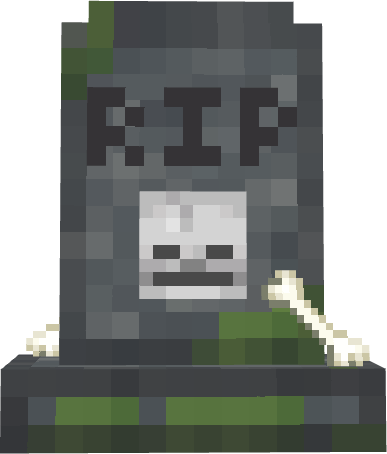
The gravestone uses a custom Minecraft-style model with weathered stone, moss, a skull ornament and a marked grave surface.
Particles appear around active graves to make them easier to recognize. Purple visual effects connect the Death Compass concept with the player’s lost soul.
Recovering the inventory activates a special sound and particle effect to clearly confirm that the process was successful.
DEATH COMPASS INFORMATION
Using the Death Compass directly displays information about the latest active grave, including:
-
Dimension.
-
Coordinates.
-
Current tracking status.
If no gravestone exists, the compass reports that the player has no active grave.
INSTALLATION
-
Download the addon.
-
Open the file with Minecraft Bedrock.
-
Apply the Last Hope Behavior Pack to your world.
-
The required Resource Pack should activate through the pack dependency.
-
Enter the world and test the system by dying with items.
-
Respawn and follow the Death Compass.
No experimental gameplay options are required.
COMPATIBILITY
-
Minecraft Bedrock Edition.
-
Designed for Bedrock 26.40 and newer.
-
Windows.
-
Android.
-
iOS.
-
Xbox.
-
PlayStation.
-
Nintendo Switch.
-
Single-player worlds.
-
Multiplayer worlds.
-
Compatible Realms and servers that support behavior packs.
IMPORTANT INFORMATION
-
The Death Compass only appears after death.
-
It cannot be crafted normally.
-
It is removed after recovering the grave.
-
Only the grave owner can recover its contents.
-
The latest active grave is prioritized by the compass.
-
Items that cannot fit in the inventory are dropped beside the player.
-
The gravestone remains persistent until it is recovered.
-
Creative Mode players are not affected by the survival death system.
-
Keep both the Behavior Pack and Resource Pack enabled.
PERFECT FOR SURVIVAL WORLDS
Last Hope is designed to become a permanent part of any survival experience.
Explore caves, cross the Nether, fight bosses and travel thousands of blocks without worrying about your entire inventory disappearing after one mistake.
Death still has consequences—but now there is always one last hope.
MORE ADDONS BY EL SANDO
Discover more Minecraft Bedrock addons, maps, trailers and gameplay videos on the official EL SANDO YouTube channel:
https://www.youtube.com/@EL_SANDO.10
Created by EL SANDO
Last Hope Gravestone & Death Compass | EL SANDO Team

Owner