Land Claims and Shops | Protect Chunks, Trust Friends, Trade
- By
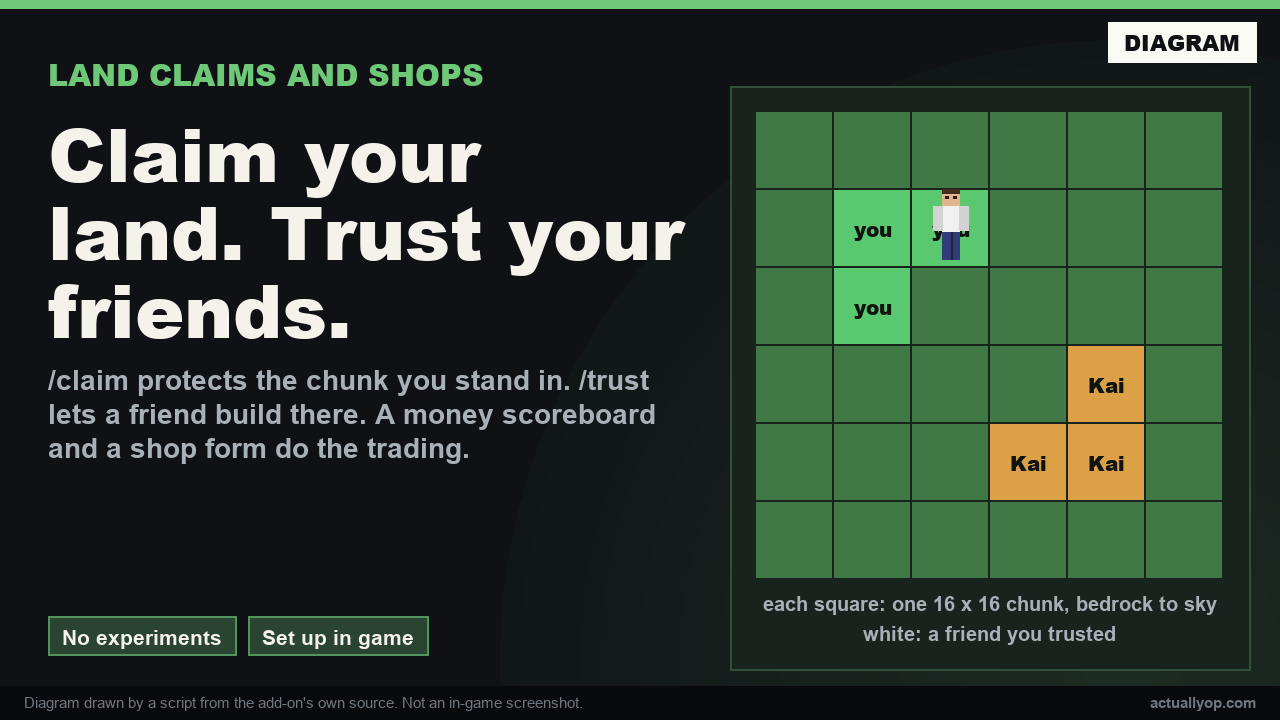
Type /claim to protect the 16 by 16 chunk you stand in, /trust a friend to let them build, and buy and sell through a money scoreboard and a /shop form. Operators set it all up in game, with no experiments.
what-claims-stop.png
commands.png
hero-claims.png
Description
Land Claims and Shops
Chunk claims, a money scoreboard and a shop form for a Bedrock server, in one add-on. Players protect their own land, trust their friends, and buy and sell items. An operator sets everything up in game, nothing needs editing on disk, and it works with no experiments turned on.
Claims
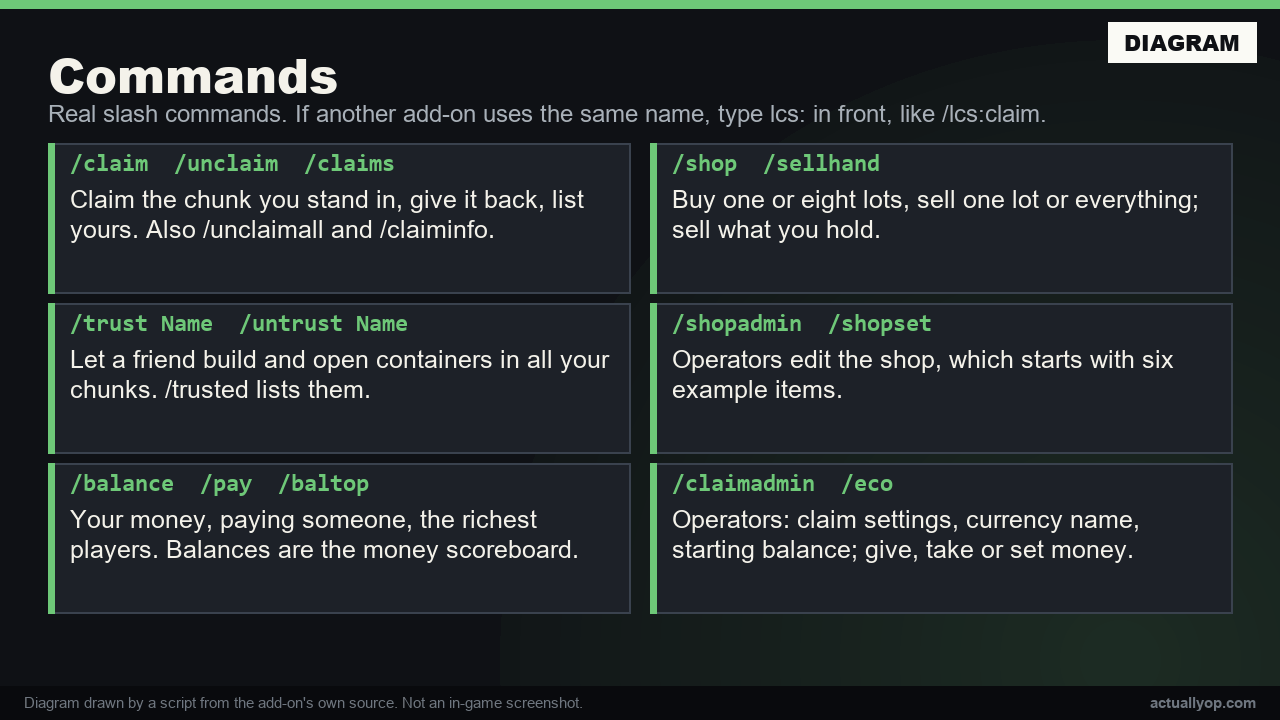
/claimprotects the 16 by 16 chunk you stand in, from bedrock to sky./unclaim,/unclaimall,/claimsand/claiminfodo what they say./trust Namelets a friend build and open containers in all your chunks;/untrust Nametakes it back and/trustedlists them. Works for players who are offline, as long as they have joined before.- Walking into someone's land shows their name on the action bar.
- Operators:
/serverclaimprotects a chunk for the server (spawn, for example), and/claimbypasslets an operator build anywhere and remove any claim. - Settings: most chunks per player, a price per chunk, whether visitors may use doors, trapdoors, gates, buttons and levers, whether explosions are blocked in claims, and whether players can hurt each other in claims.
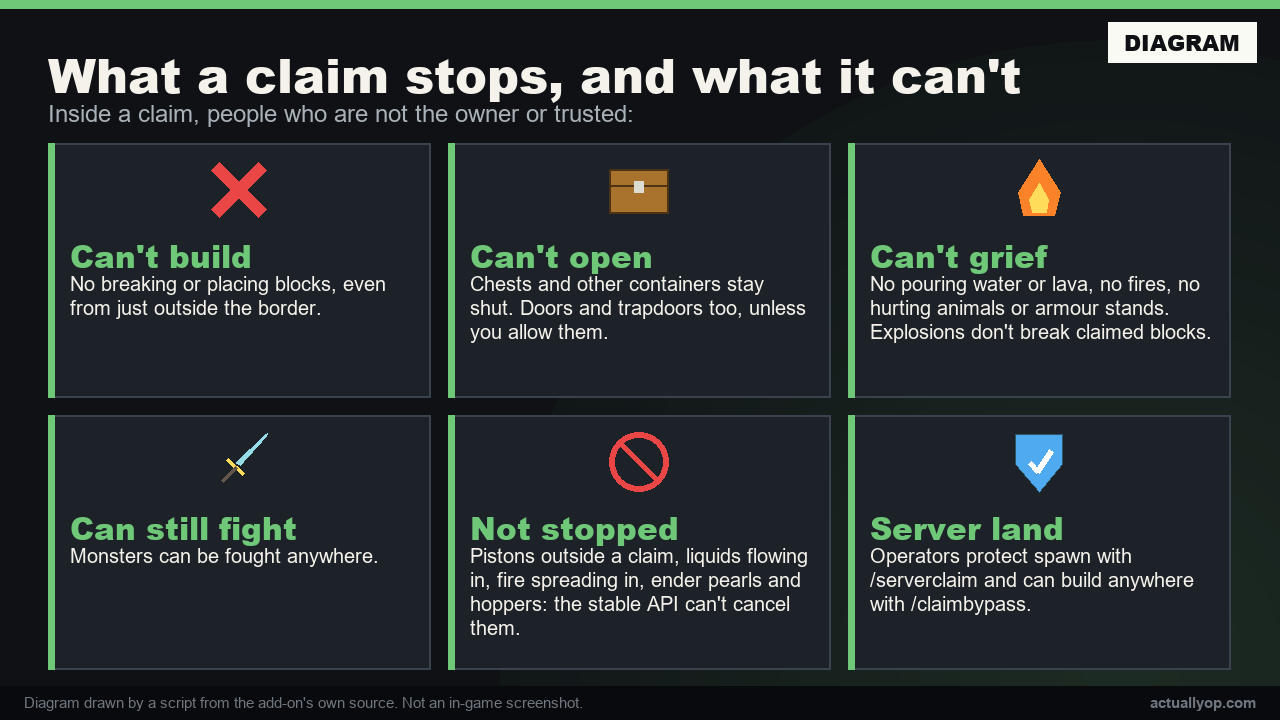
Inside a claim, people who are not the owner or trusted can't break or place blocks (including placing from just outside the border), open chests and other containers, use trapdoors and doors (unless you allow it), pour water or lava, light fires, or hurt animals and armour stands. They can still fight monsters. TNT and other explosions don't break claimed blocks.
What it does not stop: pistons outside a claim, water or lava flowing in from outside, fire spreading in, ender pearls, and hoppers. The stable Script API has no way to cancel these.
Money and shop
- Balances are the
moneyscoreboard, so a sidebar, command blocks and other add-ons can read and change them. New players get a starting balance. /balance,/pay,/baltopfor everyone;/eco give|take|setfor operators and the server console./shopopens the shop form: buy one or eight lots, sell one lot or everything./sellhandsells what you hold. The shop only buys back plain items: nothing named, enchanted or damaged.- Operators edit the shop in the
/shopadminform or with/shopset item buy sell count. It starts with six example items. /claimadminholds the claim settings and the currency name and starting balance.
How it is built
Script API only: @minecraft/server 2.11.0 and @minecraft/server-ui 2.3.0, both stable. Commands are real slash commands, so they show in the chat's command list. If another add-on uses the same name, type lcs: in front, like /lcs:claim. Data is stored in the world, so it moves with the world.
Tested
On the official Bedrock Dedicated Server 1.26.61:
- 82 automated checks with scripted network clients, in a world with no experiments and cheats off: every command, the shop and settings forms, payments, the money scoreboard, the shop refusing a full inventory or an enchanted item, operator-only commands, and that claims, trust, balances, shop items and settings are still there after a restart and after
/reload. - 45 protection checks with simulated players, each paired with a control that shows the same action works where it should: breaking, placing, placing across the border, chests, trapdoors, buckets, fire, animals, monsters, armour stands, explosions, trust, server claims, bypass, the door, explosion and PvP settings, and a claim made before a restart still holding after it. Simulated players need the Beta APIs experiment, so these ran in a separate test world. The add-on itself uses no beta API.
- 12 checks with the Server Admin Pack in the same world.
Not tested: a real phone, console or PC client (forms were not seen on a real screen); singleplayer worlds and Realms; a real player tapping a block with an empty hand (simulated players were tested holding an item, which goes through the protection; their empty-hand taps skip the game's event, so that path could not be checked); villagers, chest minecarts and other entity interactions, which are coded but could not be checked with simulated players.
Install: open the .mcaddon, then add the behaviour pack to your world, or put it in your server's behavior_packs folder and list it in world_behavior_packs.json. Needs Minecraft 1.26.10 or newer; it has only been run on 1.26.61. Licence: MIT.
Not affiliated with Mojang or Microsoft.
More free tools: actuallyop.com
Land Claims and Shops | Protect Chunks, Trust Friends, Trade Team