


Kolmeia's Titan Guard
- By
Description
Kolmeia’s Titan Guard
Kolmeia’s Titan Guard is a Minecraft Bedrock add-on designed for multiplayer servers that need a reliable way to protect player bases, houses, shops, public builds and important server areas.
The add-on adds a special protection block called the Titan Guard Block, which allows players and server operators to create protected areas, manage permissions, prevent griefing and control who can interact with structures inside a claim.
Screenshots
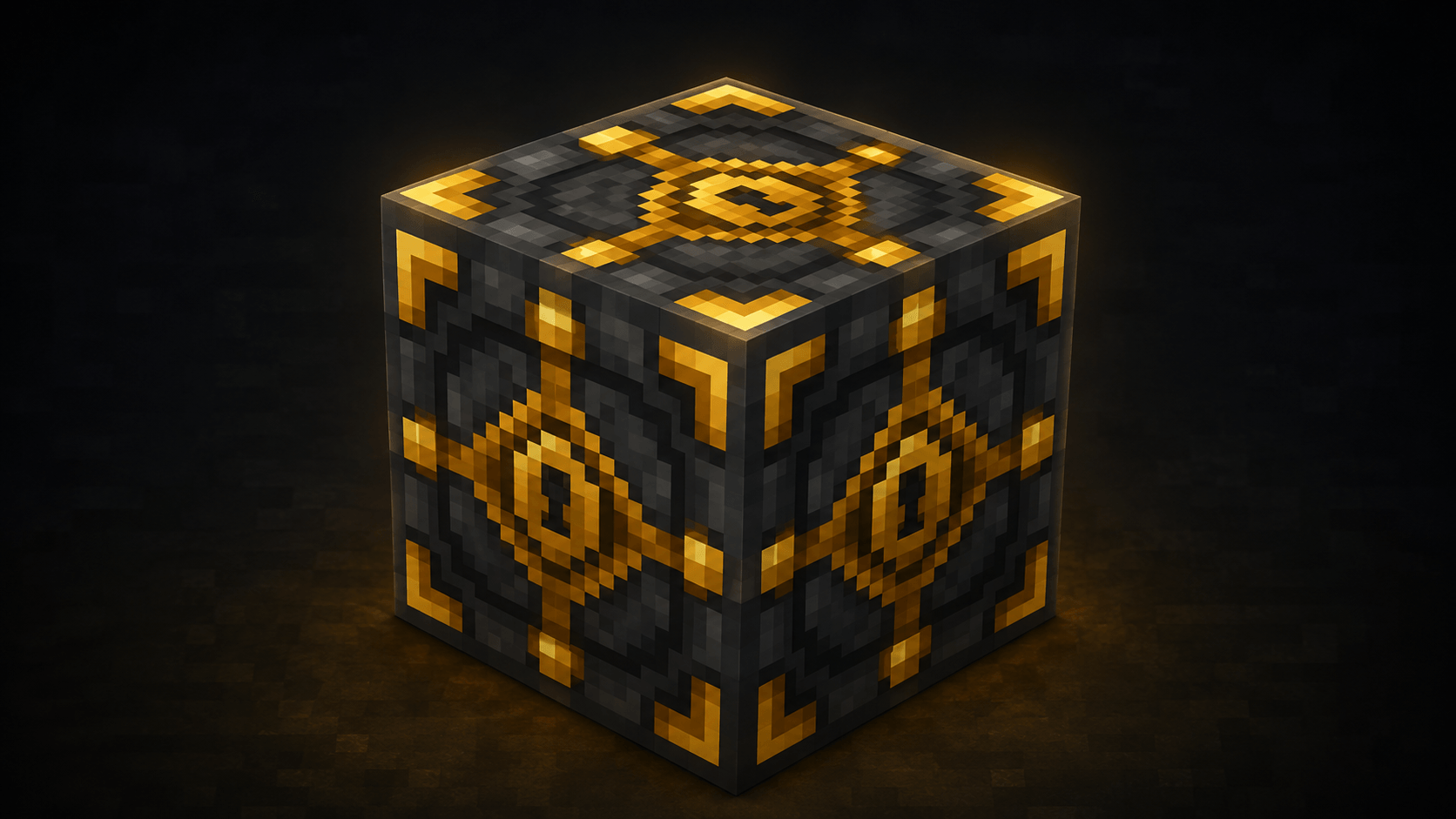
Titan Guard Block
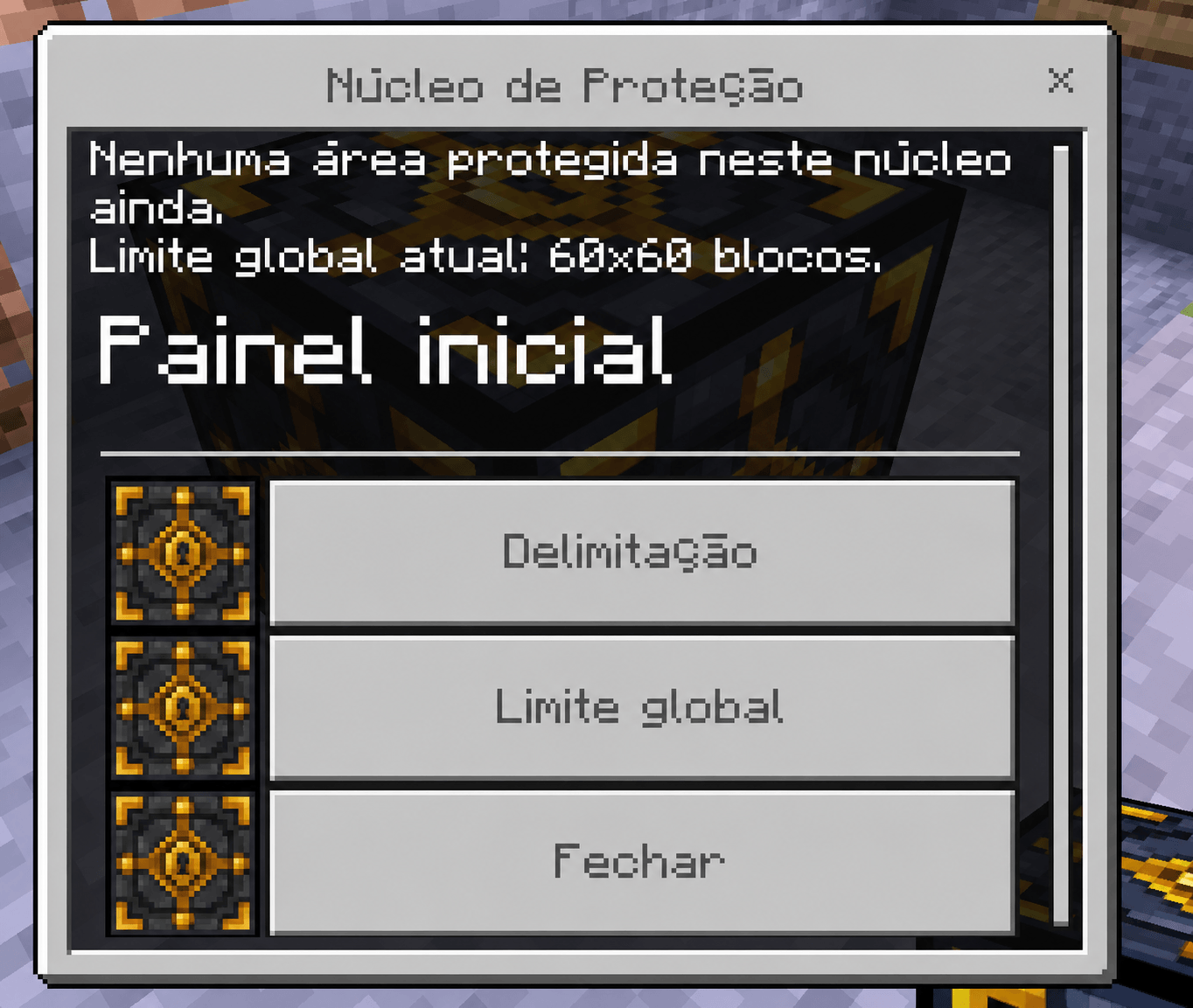
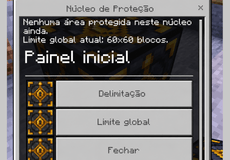
Protection Menu
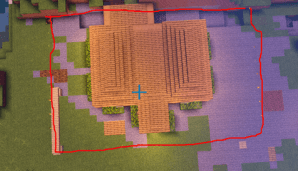
Protected Area Preview
Main Features
Kolmeia’s Titan Guard helps server owners keep their worlds safer and more organized.
The add-on includes:
- Area protection using a special block.
- Player permission system.
- Protection against block breaking.
- Protection against unauthorized interactions.
- Chest, barrel and shulker protection.
- Explosion protection inside protected areas.
- Fire usage protection.
- Configurable protection limits.
- Individual limits per protection block.
- Player claim limits.
- Chat alerts and activity logs.
- Protected area preview.
- Server-friendly performance optimizations.
Main Block: Titan Guard Block
The Titan Guard Block is the main block used to create and manage protected areas.
Once placed, it becomes the control center of the claim. Players can interact with it to configure the protected zone, manage permissions and change protection settings.
Block ID:
kolmeia:security_blockHow to Get the Block
For now, the block must be given by a server operator or administrator.
Use this command to give yourself the block:
/give @s kolmeia:security_block 1To give it to another player:
/give "PlayerName" kolmeia:security_block 1After receiving the block, the player can place it in the world and configure the protected area.
How to Create a Protection
1. Place the Titan Guard Block
Place the block near the base, house, shop or structure you want to protect.
Suggested screenshot: player placing the Titan Guard Block near a house or base.
2. Interact with the Block
Interact with the Titan Guard Block to open the protection menu.
From this menu, you can configure the protected area, manage permissions, enable or disable area preview and adjust claim settings.
3. Set the Protected Area
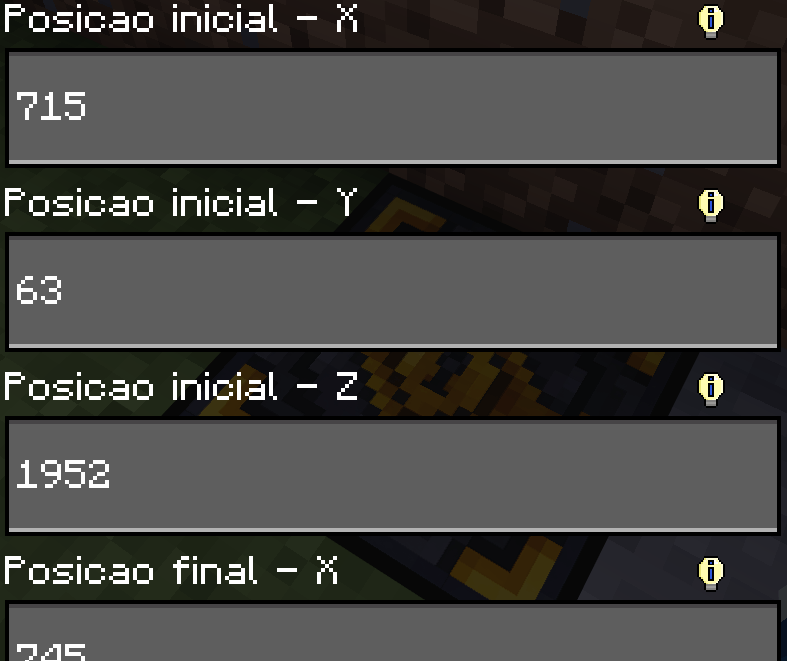
Open the area configuration menu and define the protection boundaries using coordinates.
You will need to set values such as:
Start X
Start Y
Start Z
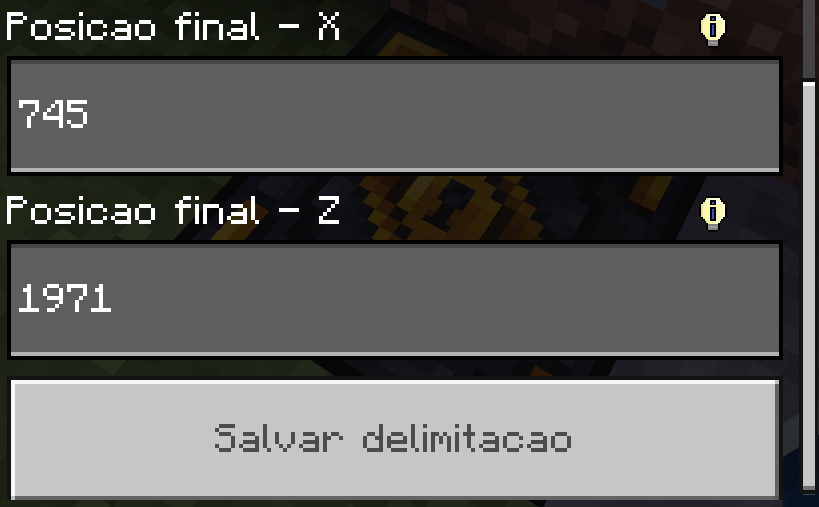
End X
End Z
Example:
Start X: 100
Start Y: 64
Start Z: -30
End X: 130
End Z: 0
This creates a protected area between the two selected corners.
Suggested screenshot: protection menu with coordinates filled in.
Protection Size Limits
By default, the global protection size limit is:
30x30 blocksServer operators can change this limit.
The internal hard limit of the add-on is:
512x512 blocksThis helps prevent extremely large claims and keeps the add-on safer for multiplayer servers.
Global Protection Limit
Operators can change the global protection limit using the in-game command:
/setlimit <x> <z>Example:
/setlimit 50 50This changes the global protection limit to 50x50 blocks.
You can also use:
!setlimit 50 50To check the current global limit, use:
/setlimitIndividual Block Limit
Operators can also configure a custom limit for a specific Titan Guard Block.
This is useful for special areas such as:
- Spawn
- Shops
- Public buildings
- Server hubs
- Event areas
- Community bases
If a Titan Guard Block has its own custom limit, that local limit takes priority over the global limit.
Player Permissions
Each protected area has its own permission system.
The owner of the Titan Guard Block can open the permissions menu and choose which players are allowed to interact with the protected area.
Permission levels include:
No Access
The player has no permission inside the protected area.
They may be blocked from breaking blocks, interacting with containers or using certain items inside the claim.
Visitor
The player can visit the protected area, but does not receive full control.
This is useful for allowing friends or other players to enter without giving them full access to the base.
Roommate
The player receives a higher level of access inside the protected area.
This is recommended for trusted friends, base members or players who live in the same protected structure.
Chest and Container Protection
Kolmeia’s Titan Guard can protect important containers inside a claim, such as:
- Chests
- Trapped chests
- Barrels
- Shulker boxes
Depending on the player’s permission level, container interaction can be blocked or logged.
This helps prevent theft and unauthorized access to storage areas.
Suggested screenshot: player trying to open a protected chest.
Fire Protection
The add-on helps prevent fire abuse inside protected areas.
Items such as:
Flint and Steel
Fire Charge
can be blocked when used inside a protected claim.
The system also attempts to prevent fire from spreading or damaging protected areas.
Explosion Protection
Explosions that would damage blocks inside a protected area are blocked.
This helps protect builds from:
- TNT
- Creepers
- Explosive items
- Other explosion-based damage sources
This feature is useful for survival servers where griefing through explosions is a common problem.
Activity Logs and Alerts
Kolmeia’s Titan Guard includes a chat logging system that can notify the owner when players interact with protected areas.
Available log modes include:
Log Everything
Logs many actions inside the protected area.
Recommended for important areas or strict servers.
Log Containers Only
Logs mainly container interactions, such as chests, barrels and shulkers.
Recommended for survival servers that want fewer chat messages.
No Logs
Disables chat alerts while keeping the protection active.
Recommended for large servers that want less chat spam.
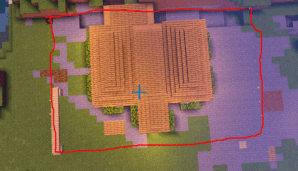
Protected Area Preview
The Titan Guard Block includes an area preview option.
This allows players to visualize the protected area and check if their base is fully covered by the claim.
The preview can be toggled on or off from the protection menu.
Suggested screenshot: claim area preview around a house or structure.
Player Claim Limits
Server operators can limit how many protection blocks a player can own and how much total area they can protect.
Command:
/setplayerlimit <maxClaims> <maxArea>Example:
/setplayerlimit 3 5000This allows each player to own up to 3 claims with a total protected area of 5000 blocks.
Use 0 for unlimited:
/setplayerlimit 0 0Crafting Recipes
The add-on includes crafting recipes for the Titan Guard Block, but depending on the current version or server configuration, the block may still need to be provided by an operator.
Normal Recipe
C D I
D G D
I D C
Where:
C = Copper Ingot
D = Cobbled Deepslate
G = Gold Ingot
I = Iron Ingot
Result:
1x Titan Guard BlockEasy Recipe
P C P
I G I
P C P
Where:
P = Cobblestone
C = Copper Ingot
I = Iron Ingot
G = Gold Ingot
Result:
1x Titan Guard BlockRecommended For
Kolmeia’s Titan Guard is recommended for:
- Survival servers
- Multiplayer worlds
- Economy servers
- Player towns
- Community bases
- Protected spawns
- Shop areas
- Server hubs
- Public builds
- Anti-grief systems
Important Notes
To use the add-on correctly, make sure both packs are installed:
- Behavior Pack
- Resource Pack
For servers, it is recommended that only trusted operators have access to administrative commands and global protection settings.
At the moment, the Titan Guard Block may need to be manually given by an operator.
Summary
Kolmeia’s Titan Guard is a server-focused protection add-on for Minecraft Bedrock. It gives players and administrators a simple but powerful way to protect bases, houses, shops and important structures using a configurable protection block.
It is designed to help reduce griefing, organize multiplayer servers and give server owners more control over protected areas.
Kolmeia's Titan Guard Team
