Kinetic
- By
Smooth, vanilla-friendly parkour for Bedrock: wall run, wall jump, slide, dive and landing rolls, with custom animations, sounds, particles and an optional style-rank combo system.
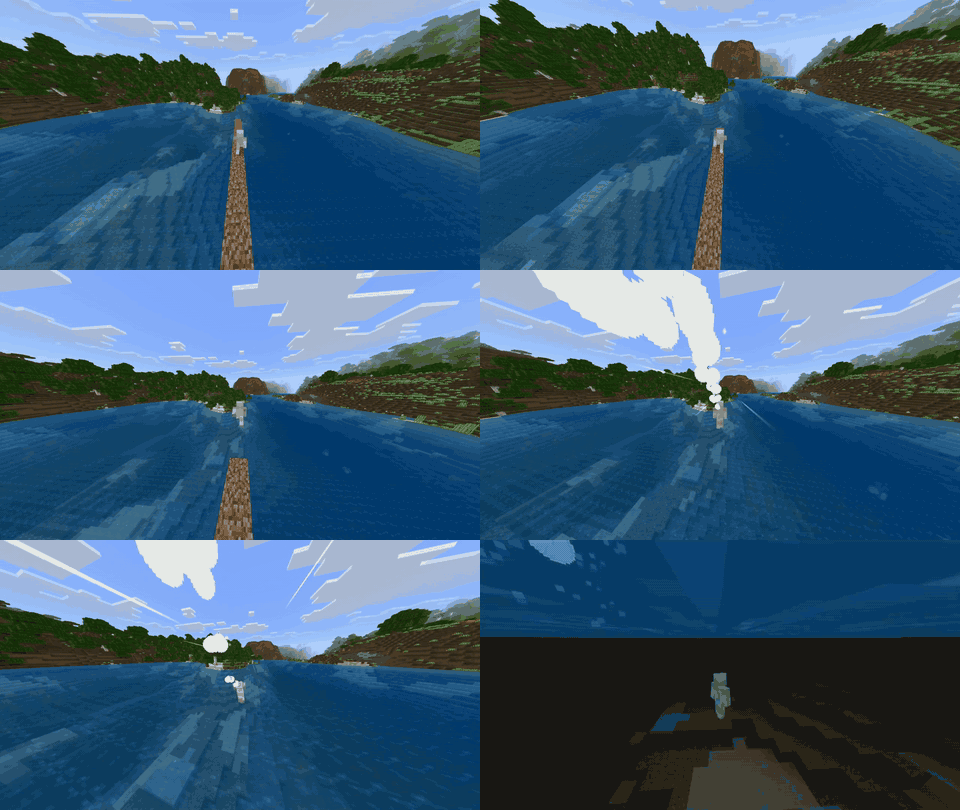
kinetic_dive.gif

kinetic_slide.gif
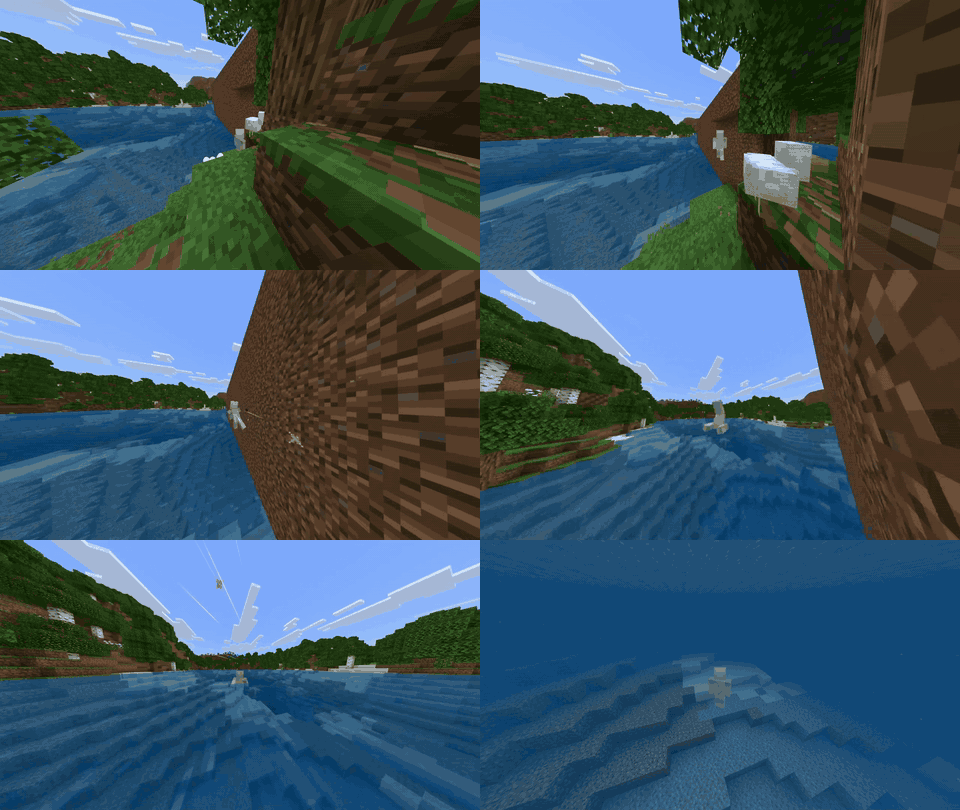
kinetic_wall_run.gif
Description
Kinetic
Move like you mean it. Kinetic adds a fluid parkour toolkit to Minecraft Bedrock that feels like it belongs in the game: no new blocks, no new gear, just you, the world, and momentum.
Sprint at a wall, run along it, kick off, dive out of the air, roll through the landing and slide away. Every move has its own animation, sound and particles, so it looks and feels great from the first jump.
The moves
- Wall Run – Sprint-jump at a wall and look along it to run across its surface. Dust and sparks trail behind you, and your speed builds as you go.
- Wall Jump – Press jump mid-run to launch off the wall with a tucked backflip. Chain it onto a different wall to keep going.
- Slide – Sprint, then sneak. You burst forward, steer with your camera, and ease out of it with a little carried speed.
- Slide Hop – Jump during a slide for a long, fast hop.
- Dive – Sneak in mid-air to launch forward in an arc and nose down. Landing sends out shockwave rings and a camera shake that grow with the height of the fall.
- Roll – Dives end in a somersault. You also roll out of any hard landing by holding sneak as you touch down, which cancels the fall damage.
Game feel
- 16 custom sounds made for the moves: slide whoosh, gravel scrape, wall slap, scuffs, wall-jump swoosh, dive whoosh, impact boom, cloth roll, hop, landing thud, rushing wind and rank chimes.
- Custom particles: soft dust puffs, glowing sparks, expanding shockwave rings and speed streaks that rush past at high speed.
- Smooth animations: every pose eases in, with a landing squash, a wall-jump backflip and a full roll.
- Camera shake and speed effects on impacts and fast moves.
- Style ranks (optional): chain moves to build a combo and climb from C to B, A and S. Each rank-up flashes on screen with a chime and a burst of colored sparks, and a combo bar counts down while you keep moving. Higher combos add a little extra speed. Ranks are off by default; switch them on in the settings.
Settings
Operators receive the Kinetic Settings item the first time they join (or run /scriptevent kinetic:give). Use it to toggle:
- Kinetic on or off
- Wall run, slide and dive individually
- Particles, sounds, camera shake and speed effects
- Style ranks and combo HUD
- Move speed (0.5x to 2x)
- Movement method (smooth camera velocity mode, or exact teleport mode)
Controls
| Move | How |
|---|---|
| Slide | Sprint, then press sneak on the ground |
| Slide hop | Press jump while sliding |
| Wall run | Sprint-jump at a wall and look along it |
| Wall jump | Press jump while wall running |
| Dive | Press sneak in mid-air (more than 2 blocks above the ground) |
| Landing roll | Hold sneak as you land from a fall |
Commands (operators)
/scriptevent kinetic:menu– open the settings menu/scriptevent kinetic:give– get the settings item/scriptevent kinetic:toggle– turn Kinetic on or off/scriptevent kinetic:mode velocityorteleport– choose the movement method/scriptevent kinetic:calibrate– re-measure knockback strength (stand still on the ground)/scriptevent kinetic:debug– show an on-screen readout of why a move did or did not start- Give a player the tag
kinetic_pauseto pause Kinetic for them (useful for vehicles or gliders from other add-ons)
Installation
- Download Kinetic.mcaddon and open it. Minecraft imports both packs automatically.
- Create or edit a world and activate Kinetic BP under Behavior Packs and Kinetic RP under Resource Packs.
- Join the world, then sprint at a wall and have fun.
Compatibility and notes
- Built on stable Script API modules.
- Kinetic replaces the player's client animation file, so it cannot run alongside another add-on that also overrides the player. If two are active, one of them loses its animations.
- Body poses are visible from third person; first-person view is unchanged.
- The player hitbox is unchanged.
- Works in multiplayer. Settings are changed by operators and apply to everyone.
Kinetic Team